---
title: "Facebook Messenger Auto Reply: A simple guide for automation"
description: "Learn how to set up your Facebook Messenger Auto Reply with our step-by-step guide. Reply to Facebook messages automatically to quickly engage with customers."
canonical: "https://sleekflow.io/blog/facebook-messenger-auto-reply"
html_lang: "en"
date_modified: "2026-02-05T03:19:48.221Z"
og_title: "Facebook Messenger Auto Reply: A simple guide for automation"
og_description: "Learn how to set up your Facebook Messenger Auto Reply with our step-by-step guide. Reply to Facebook messages automatically to quickly engage with customers."
og_image: "https://images.ctfassets.net/tu2uwzoyozk8/jv7U36Ukh9EPuG26vYfRg/37254a153c2feca5c6b003922293bf06/Website-Cover-SleekFlow.jpg?w=1200&q=90"
---
```json
{
"@context": "https://schema.org",
"@type": "BlogPosting",
"headline": "Facebook Messenger Auto Reply: A simple guide for automation",
"description": "Learn how to set up your Facebook Messenger Auto Reply with our step-by-step guide. Reply to Facebook messages automatically to quickly engage with customers.",
"url": "https://sleekflow.io/blog/facebook-messenger-auto-reply",
"dateModified": "2026-02-05T03:19:48.221Z",
"image": "https://images.ctfassets.net/tu2uwzoyozk8/jv7U36Ukh9EPuG26vYfRg/37254a153c2feca5c6b003922293bf06/Website-Cover-SleekFlow.jpg?w=1200&q=90",
"breadcrumb": {
"@type": "BreadcrumbList",
"itemListElement": [
{
"@type": "ListItem",
"position": 1,
"name": "Home",
"item": "https://sleekflow.io"
},
{
"@type": "ListItem",
"position": 2,
"name": "Blog",
"item": "https://sleekflow.io/blog"
},
{
"@type": "ListItem",
"position": 3,
"name": "Facebook Messenger Auto Reply: A simple guide for automation",
"item": "https://sleekflow.io/blog/facebook-messenger-auto-reply"
}
]
}
}
```
# Facebook Messenger Auto Reply: A simple guide for automation
*Yu Huan — Assistant Content Manager*
[Facebook Messenger](/channels-integrations/facebook) has become an essential tool for businesses to reach out to their customers. With the help of automated chatbots, businesses can now provide instant responses and answers to customer inquiries. Thanks to the Facebook Messenger Auto Reply bot, customers don't have to wait for hours or days for a response from a customer service representative.
Moreover, Facebook Messenger also allows businesses to send automated messages which can be used for marketing purposes. This helps businesses save time and resources as they don't have to manually send messages every time someone interacts with them on Facebook Messenger. This further supports why businesses should start incorporating Facebook Messenger Auto Reply to their marketing strategy and strengthen their customer support team.
> [52%](https://www.marketingcharts.com/digital/social-media-226343) of consumers expect brands to reply on their digital channels within an hour.
## What is a Facebook Messenger Auto Reply?
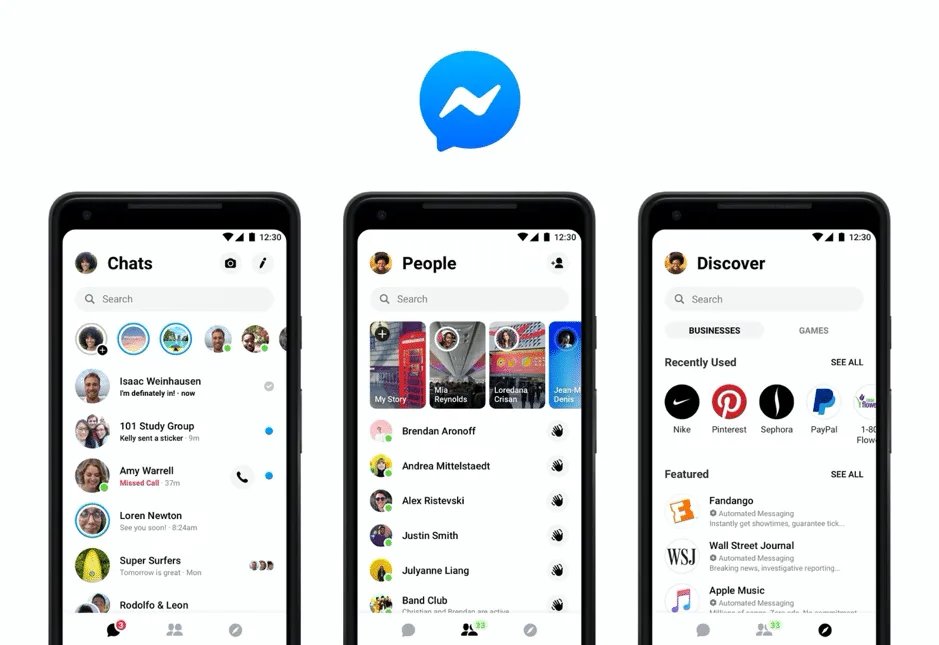
Facebook Messenger Auto Reply is a feature that allows users to automatically respond to messages received on their Facebook Messenger account. This feature can be used to send automated responses when a user is away, or when they don't have time to manually reply. It can also be used to provide helpful information and links, or even greetings and reminders. With the help of this feature, businesses can ensure that their customers are always responded to in a timely manner.
## How does Facebook Messenger Auto Reply work?
Facebook Messenger Auto Reply helps businesses cut their costs and save vital time. By setting up some conditions and triggers, the automated settings can help your brand to instantly yet accurately reply to customer queries. You can also customize the messages to suit different customers, distinctive types of inquiries, or various marketing campaigns.
## Benefits of using Facebook Messenger Auto Reply bot for your business
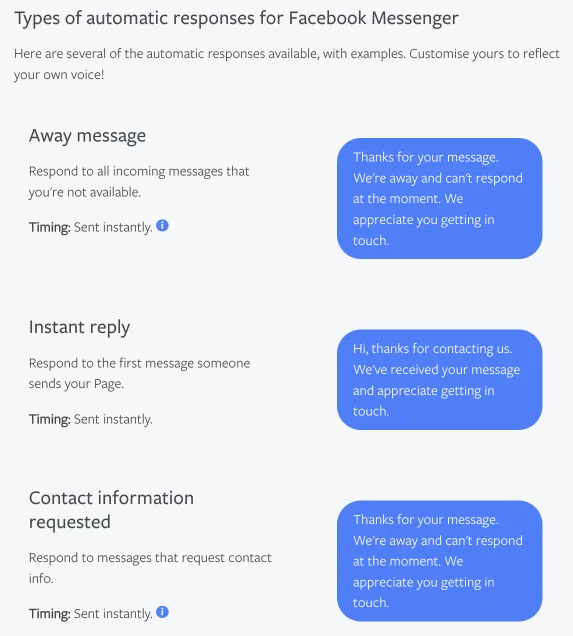
Facebook Messenger Auto Reply bot is a smart tool that can help your businesses sell more efficiently. It ensures that your brand is constantly online for customers across countries and time zones, providing all customers with a better experience.
Other than that, your chatbot can help qualify leads during out-of-office hours. For example, if your automated chatbot is set up to send the booking link to customers who would like to book an appointment upon visiting the website of your beauty salon, your team members don’t even need to be there to resolve this query.
Additionally, it allows businesses to gain valuable insights from conversations with customers. From the messaging analytics of [campaigns](/broadcast-campaign) or Facebook Messenger [live chat widget](/live-chat) installed on the website, you can analyze the performance of your auto reply bot by using metrics such as reply rate.
In short, the benefits of using a Facebook Messenger Auto Reply bot can be summarized as follows:
- Provides a better customer experience to the large user base on Facebook Messenger
- Increases work efficiency as the bot handles repetitive and simple tasks, such as answering FAQs, freeing up time for your team to focus on more complex tasks
- Offers a premium customer experience with a standardized branding and tone across all channels
- [Improves customer engagement with immediate, personalized interactions for customer inquiries ](/blog/facebook-messenger-customer-service)and the distribution of promotional offers, leading to increased customer loyalty and sales
- Available 24/7 to assist customers even outside of business hours
- Cost-effective automated responses to reduce the need for a large customer service team
- Collects information from customers, such as their preferences and purchase history, which can be used to personalize future interactions and organize accurate retargeting strategies
- Easily scale to handle increasing customer inquiries without requiring additional manpower
## How to set up Facebook Messenger Auto Reply in 5 easy steps on SleekFlow

On SleekFlow, you can easily set up Facebook Messenger Auto Reply for** free** to improve your customers’ experience.
1. Sign up for a free account on SleekFlow.
1. Under the tab **‘Channels’**, connect your Facebook Messenger account by clicking on **‘Add’** next to **‘Facebook’**.
1. Click on **‘Install’**, and you will be redirected to continue with your Facebook profile. Login to your Facebook account if you are not signed in.
1. Select your Facebook Business Page to connect to SleekFlow.
1. Click on **‘Done’** to grant permissions and **‘OK’** to complete the process.
> To sync your conversation history, click on **‘Action’**. On the dropdown menu, click on **‘Sync History’**.
### To send a welcome message with Facebook Messenger Auto Reply
1. Under the tab **‘Automation’**, click on **‘Create Rule’** in the top right corner.
1. Select **‘Apply a Template’** and choose a template for your welcome message, or
1. Select **‘Customize a Rule**’ > **‘Incoming messages’**.
1. Set the condition with **‘Contact Owner’** as **‘Unknown’**. This means that the message will only be sent to new contacts.
1. Click on **‘Add action’**, and select **‘Send message’**, then choose a template or write a message. You can refer to the **‘Variables’** on the right hand side to personalize your message.
1. Click on **‘Publish Rule’** to complete the setup.
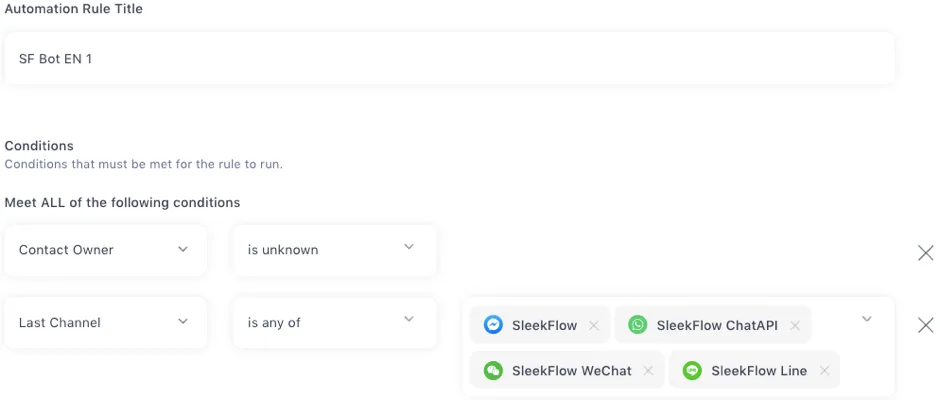
> Setting the **‘Last Channel’** as any of Facebook Messenger, WhatsApp, WeChat, Telegram, and more ensures that the new contacts from other channels are not missed out.
### To learn about your customer’s interest through Facebook Messenger Auto Reply
1. Under the tab **‘Automation’**, click on **‘Create Rule’** in the top right corner.
1. Select **‘Apply a Template’** and choose a template for your welcome message, or
1. Select **‘Customize a Rule**’ > **‘Incoming messages’**.
1. Select the list of contacts (named SF Bot EN 1 here) which includes customers who have replied to the previous message.
1. Set the condition with **‘Contact Owner’** as **‘Unknown’ **to avoid spamming this message to your old contacts.
1. Click on **‘Add action’**, and select **‘Send message’**, then choose a template or write a message. You can refer to the **‘Variables’** on the right hand side to personalize your message.
1. Add other actions such as adding these customers to a new list and removing them from the old list for proper categorization of leads.
1. Click on **‘Publish Rule’** to complete the setup.
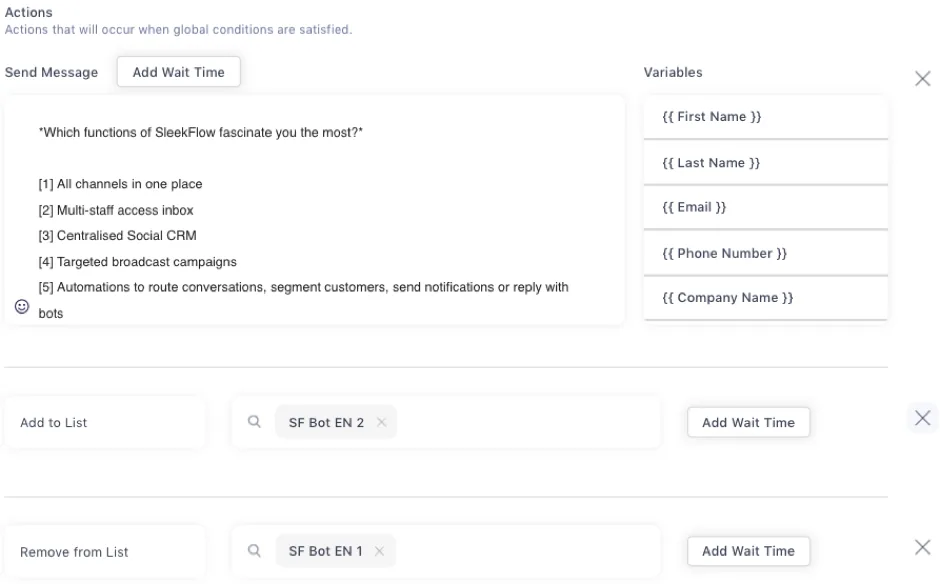
> Set certain keywords in the condition to make sure that your customers are following through with the correct automated conversation flow.
*Want to know what tools for automating Facebook reply? Read *[*this guide for the top 5 Facebook auto reply tools *](/blog/5-top-tools-for-automating-facebook-reply)
## Best practices for crafting effective & engaging Facebook Messenger Auto Reply messages
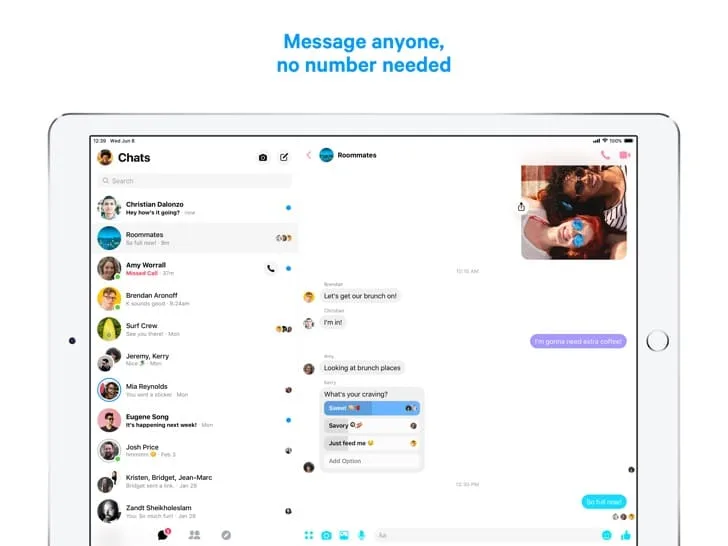
Crafting effective and engaging Facebook Messenger Auto Reply instant messages is a great way to increase customer engagement and build relationships with your customers. With the right strategies, you can create messages that are tailored to each customer’s needs and provide them with the information they need. Here are some best practices for crafting effective and engaging Facebook Messenger Auto Reply instant messages:
1. Use personalization to make your messages stand out. Personalize your message by including the customer’s name or other relevant information that will make it more unique to them.
2. Make sure your Facebook Messenger instant message is concise and clear. Keep it short, sweet, and to the point in order to capture their attention quickly.
3. Include a call-to-action (CTA) in your message so that customers know what action you want them to take after reading it.
4. Use visuals whenever possible as they can help make your message more engaging and memorable for customers.
5. Test different versions of your messages and use tools like A/B testing to see which performs better.
Start by creating the best Facebook Messenger Auto Reply messages for your business, and you’ll enjoy the benefits of saving time and effort.
*Is your brand actively posting on Facebook? Find out more about *[*automating Facebook comment replies*](/blog/product-update-instagram-facebook-auto-reply-comment)* to increase post engagement.*
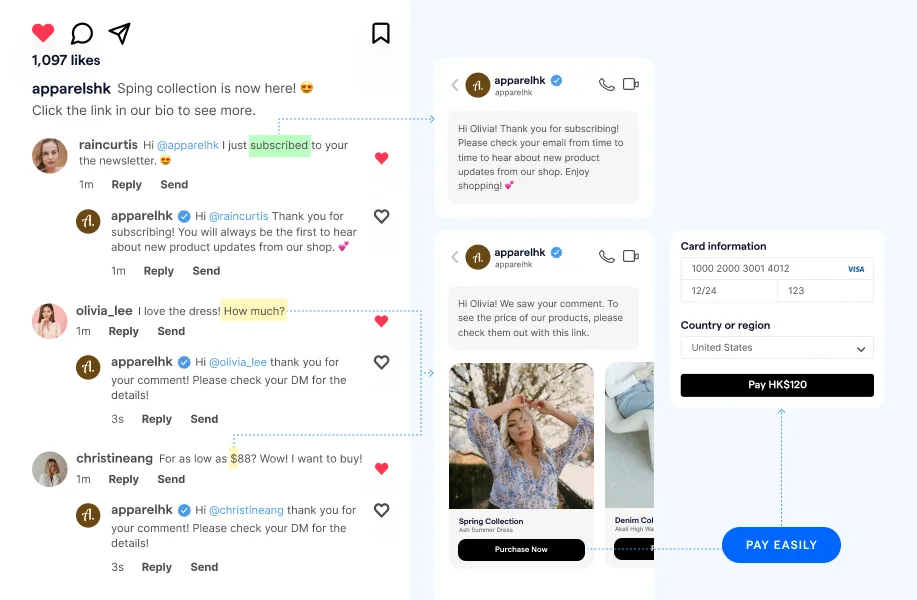
## Discover the power of Facebook with SleekFlow\!
Click here to unlock the secrets to maximizing your Facebook revenue with SleekFlow
[Facebook with SleekFlow](https://sleekflow.io/channels-integrations/facebook)
*Further reading:*
- [*What’s new in SleekFlow: Facebook Messenger broadcast messages*](/blog/product-updates-facebook-messenger-broadcast)
- [*Facebook Messenger guide: all you need to know for business*](/blog/facebook-messenger-for-business-all-you-need-to-know)