---
title: "WhatsApp automations tool for business"
description: "Leverage WhatsApp Business API to automate customer support, boost sales, and enhance engagement. Learn how WhatsApp automation can fuel your business growth."
canonical: "https://sleekflow.io/blog/whatsapp-automation"
html_lang: "en"
date_modified: "2026-04-24T05:13:14.041Z"
og_title: "WhatsApp automations: benefits & use cases"
og_description: "Leverage WhatsApp Business API to automate customer support, boost sales, and enhance engagement. Learn how WhatsApp automation can fuel your business growth."
og_image: "https://images.ctfassets.net/tu2uwzoyozk8/jv7U36Ukh9EPuG26vYfRg/37254a153c2feca5c6b003922293bf06/Website-Cover-SleekFlow.jpg?w=1200&q=90"
---
```json
{
"@context": "https://schema.org",
"@type": "BlogPosting",
"headline": "WhatsApp automations: benefits & use cases",
"description": "Leverage WhatsApp Business API to automate customer support, boost sales, and enhance engagement. Learn how WhatsApp automation can fuel your business growth.",
"url": "https://sleekflow.io/blog/whatsapp-automation",
"dateModified": "2026-04-24T05:13:14.041Z",
"image": "https://images.ctfassets.net/tu2uwzoyozk8/jv7U36Ukh9EPuG26vYfRg/37254a153c2feca5c6b003922293bf06/Website-Cover-SleekFlow.jpg?w=1200&q=90",
"breadcrumb": {
"@type": "BreadcrumbList",
"itemListElement": [
{
"@type": "ListItem",
"position": 1,
"name": "Home",
"item": "https://sleekflow.io"
},
{
"@type": "ListItem",
"position": 2,
"name": "Blog",
"item": "https://sleekflow.io/blog"
},
{
"@type": "ListItem",
"position": 3,
"name": "WhatsApp automations: benefits & use cases",
"item": "https://sleekflow.io/blog/whatsapp-automation"
}
]
}
}
```
# WhatsApp automations tool for business
*Joy Liu — Content Marketing Manager*
## Summary
- WhatsApp automation simplifies customer interactions and enhances business operations, leveraging the WhatsApp Business API to increase efficiency and personalization.
- WhatsApp automation provides 24/7 customer service, scalability, and cost-effectiveness by automating tasks like answering FAQs, scheduling, and sending notifications.
- It offers a competitive advantage by enabling businesses to respond quickly and manage customer interactions without additional support staff.
- Automation examples include customer support chatbots, drip marketing campaigns, abandoned cart recovery, sales support, and appointment reminders.
- The WhatsApp Business API allows for advanced automation features, while the WhatsApp Business App offers basic functions for small businesses.
- Using an official WhatsApp Business Solution Provider (BSP) like SleekFlow ensures reliable integration, support, and compliance, enhancing overall automation capabilities.
**WhatsApp automations** are increasingly popular in the business world for staying connected with customers and streamlining operations, driving sustained growth and profitability. In this article, we'll dive into:
- What WhatsApp automated messages and solutions are
- How to leverage the WhatsApp Business API
- The significant advantages this can bring to your business
## **What is WhatsApp automation?**
[WhatsApp Automation Guide 2026: How to Build an AI Revenue Machine with SleekFlow](https://www.youtube.com/watch?v=75ZaZk2sKGw)
**WhatsApp automation is the technology utilized to automate routine tasks.** The automated processes simplify and enhance interactions between businesses and their customers.
## **Benefits of WhatsApp automations for your business**
WhatsApp is not just a messaging app anymore; it's a business tool with over [3 billion](https://www.statista.com/statistics/258749/most-popular-global-mobile-messenger-apps/) monthly active users worldwide. With an impressive[ 98% open rate](https://business.whatsapp.com/blog/getting-value-from-whatsapp-messaging-marketing-edition), WhatsApp Business has proven itself to be a highly effective tool for engaging customers.
The advent of[ WhatsApp Business API](/channels-integrations/whatsapp) has opened up the realm of automation possibilities, which in turn increases operational efficiency and facilitates more personalized interactions with customers.
Benefits of WhatsApp automations include:
- **Provide 24/7 customer service:** Ensure prompt and consistent responses at any time. This improves customer satisfaction and loyalty by making clients feel valued and heard.
- **Scalability: **WhatsApp automation scales with your business, managing increasing customer interactions without needing a larger support team. It efficiently handles repetitive tasks, answers FAQs, and schedules appointments, ensuring customers receive timely attention.
- **Cost-effectiveness: **WhatsApp automation reduces operational costs by saving time on routine tasks, minimizing errors, and reducing manual effort. This allows employees to concentrate on more complex, value-added activities.
- **Competitive advantage: **WhatsApp automation streamlines operations and sets your business apart by showcasing your proactive use of modern technology to enhance customer experience. Quick responses to customer needs and market trends give you a distinct competitive advantage over those relying on traditional, manual processes.
## Discover the power of WhatsApp with SleekFlow\!
Unleash your full potential with WhatsApp Business API. Your customers are waiting!
[Learn more](https://sleekflow.io/channels-integrations/whatsapp)
## **How does WhatsApp Automation work?**
WhatsApp Automations can be set up via the WhatsApp API, which allows businesses to integrate their software or systems into WhatsApp conversations to automate a wide range of processes.
This includes:
- **Automated replies:** You can schedule welcome or away messages for your customers, and even automate WhatsApp messages to frequently asked questions.
- **Chatbots for customer support:** With a WhatsApp automation platform integrated with [Agentic AI capabilities](/blog/agentflow), you can create AI agents for customer support to help answer customer queries and execute tasks.
- **Automatic notifications:** Send appointment reminders, abandoned cart messages, product delivery status, and more.
- [**Marketing and broadcast campaigns**](/broadcast-campaign)**:** Send bulk messages about promotions, events, discount coupons, and other marketing campaigns.
- [**Leads tracking**](/social-crm)**: **With WhatsApp automation, you can track your leads and gain insights to inform your next actions. Deploy an AI Agent into your workflow, and it can score and nurture leads for you until your customer is ready to convert.
Automation enables companies to improve efficiency, reduce costs, and provide a better customer experience.
## 4 WhatsApp automation use cases for business success
As of March 2025, WhatsApp Business has over [3 billion monthly active users](https://www.statista.com/statistics/260819/number-of-monthly-active-whatsapp-users/). It enables companies to initiate contact with users for marketing purposes and allows customers to reach businesses with a WhatsApp Business profile easily through their regular WhatsApp interface. While the WhatsApp Business App is free on the Play Store and App Store, it offers only basic automation features; the real magic happens with the WhatsApp Business API.
So, what's the difference?
- **WhatsApp Business App**: This is the free version you can download from the Play Store or App Store. It’s great for small businesses, offering simple automation features to get you started.
- **WhatsApp Business API**: For more advanced automation, businesses can use the API. This lets developers and businesses create sophisticated, customized solutions for their specific needs. To get started, you'll need to apply through an official WhatsApp Business Solution Provider and can use a bot builder to create a WhatsApp bot without any coding.
By 2025, over 5 million businesses worldwide use the WhatsApp Business API, and 80% of large enterprises plan to adopt it this year. Businesses leveraging the API experience exceptional engagement, with [message open rates of around 98%](https://business.whatsapp.com/whatsapp-vs-whatsapp-business) and click-through rates of 45-60%, far exceeding those of traditional channels like email.
*If you are new to the WhatsApp Business API, check out this comprehensive *[*WhatsApp API guide*](/blog/whatsapp-business-api)* before proceeding.*
Now, let's explore some practical scenarios where WhatsApp automation has proven highly beneficial:
### **1. WhatsApp automation for customer support**
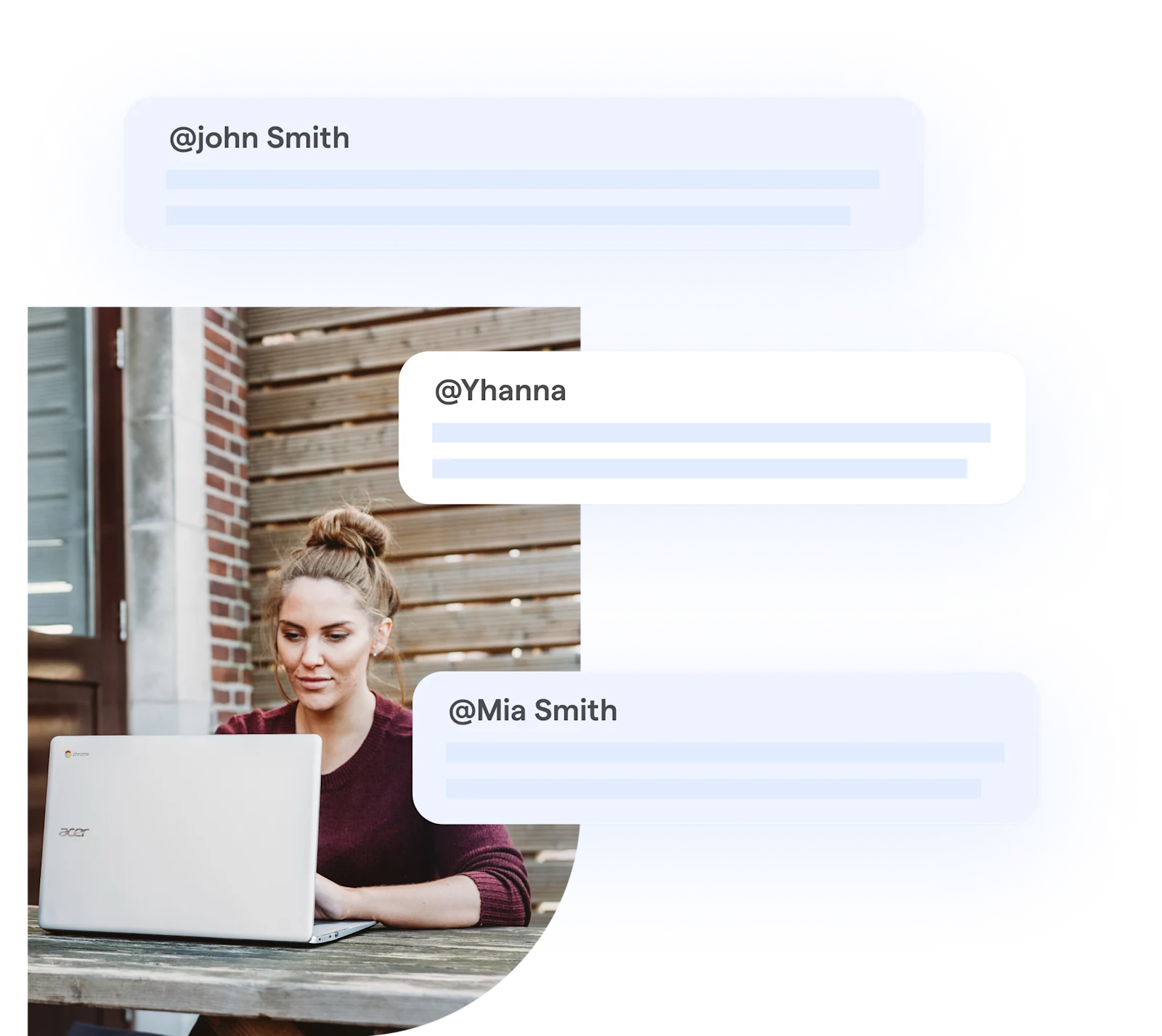
By using WhatsApp Business automated messages and personalized interactions, enterprises can cultivate a rich customer experience while significantly reducing the team's manual workload.
Here's how it works:
- **Automated message flows**: Businesses can set up custom automated message flows using AI agents to manage different stages of customer conversations. This is ideal for addressing common inquiries and minimizing repetitive manual tasks.
- **Smart handovers**: When the AI chatbot encounters a complex issue it cannot resolve, the conversation can automatically be handed over to a human agent who is available to assist.
- **Personalized messaging**:
- Craft personalized greeting messages to make a great first impression.
- Set up away messages to inform customers about operational hours or when they can expect a reply.
- Use quick replies for faster, consistent responses to common questions.
For instance, a warm automated greeting such as *“****Hi, \[Nickname\]! Welcome to SleekFlow! How can we help you?****”* can help build better customer relationships and make them feel more heard.
> Users who receive a welcome or onboarding message are [33%](https://www.invespcro.com/blog/welcome-emails/) more likely to engage with your business.
*Check out*[* **A Definitive Guide to WhatsApp Chatbot for Business*](/blog/whatsapp-chatbot)* to learn more about how to use a WhatsApp chatbot to handle a sea of customer inquiries.*
### 2. WhatsApp Business automated messages for drip marketing
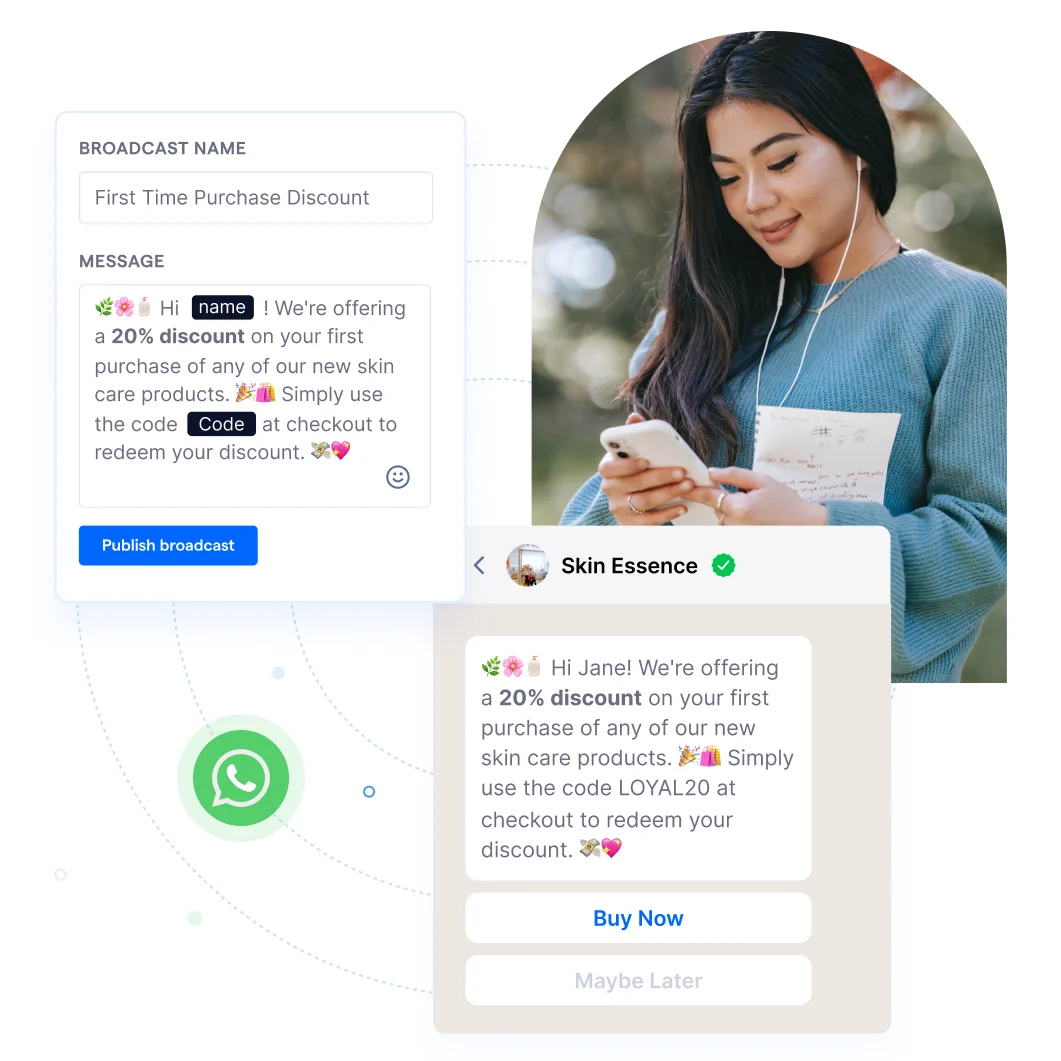
Ever thought about using WhatsApp for your drip campaigns? It's a goldmine for nurturing leads and guiding them through the sales funnel. Here's how it works:
- [**Broadcast personalized messages**](/blog/a-complete-walkthrough-for-whatsapp-broadcast): Tailor messages to resonate with different customer groups, enhancing the personal touch. Want to add an [interactive “Shop now” button](https://www.youtube.com/watch?v=zZ4OOMnAv74) that links to your website? You can do that too.
- **Automate and schedule**: These personalized messages can be scheduled to create a drip campaign that gently guides customers along their marketing journey. Over time, this consistent engagement boosts the chances of conversion.
- **Segment your audience**: You can label and segment your audience based on their interests, behaviours, or past purchase history. This makes future retargeting campaigns a breeze and helps increase engagement and conversion rates.
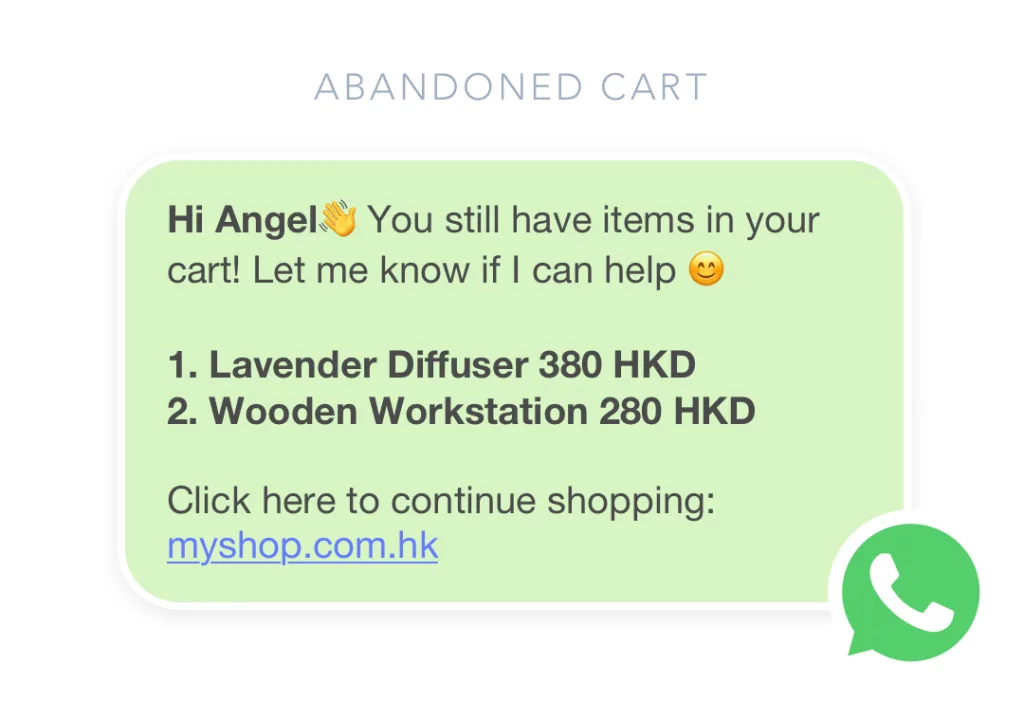
- **Recover abandoned carts**: When a user fills up their cart but leaves without buying, WhatsApp automation can be a lifesaver. By sending timely reminders or special offers, you can encourage them to complete their purchase and recover potentially lost sales.
For instance, you can design a[ template message](/blog/whatsapp-business-api#whatsapp-business-template-messages) like:
*“****Hi {Name}, we just launched our limited edition festive incense sticks. Enjoy up to 30% off on all products in our e-store and use the code INS30 at the time of checkout!****” *
#### How JustPadel Leveraged SleekFlow's WhatsApp Automation for Instant Bookings and Inquiries
[JustPadel](/customer-stories/Justpadel-customer-story), a leading padel club in Dubai, hosted major events such as the JP Open and managed daily operations, but relied on a single-device, manual WhatsApp system.
Scalability issues caused missed messages, delayed responses during peak hours, and inefficiencies in handling booking requests and tournament coordination.
They used SleekFlow’s WhatsApp API to implement chatbots for 24/7 responsiveness, automate booking workflows, and use broadcasts to streamline marketing efforts.
- **Average response times dropped by 70%**.
> "Our response rate increased substantially thanks to the chatbot automation... Now we can instantly answer all inquiries with specific details about our services, even during peak times. SleekFlow provided a permanent, flexible, and easy-to-use solution." - Youssef Nachet, Marketing and Sales Manager at JustPadel
### 3. WhatsApp automations for sales
Businesses can leverage AI agents and automated workflows to streamline every stage of the sales funnel, creating a more personalized and enjoyable shopping experience.
From capturing customer intent to showcasing product catalogs, managing carts, and even processing payments — everything can happen directly within WhatsApp, without redirecting to third‑party apps.
- **WhatsApp product catalog**: Businesses can instantly share[ product catalogs](/blog/whatsapp-business-catalog) and details within the chat interface. Customers can browse a wide range of items, view descriptions, and check prices — all without leaving the conversation.
- **In-chat payment with**[** ****WhatsApp Pay**](/blog/whatsapp-pay): After adding items to their cart, customers receive a[ one-click checkout link](/payment-links) to complete purchases directly in chat. This seamless process saves time, reduces friction, and helps customers make faster buying decisions.
- **Automated WhatsApp order confirmation**: Order confirmations can be sent automatically through WhatsApp, giving customers immediate acknowledgment of their purchase. Real‑time updates on processing, shipping, and delivery help reduce uncertainty and build trust.
- **After-sales follow-up**: Personalized, automated follow‑up messages based on customer preferences and past behavior can drive repeat purchases. These may include tailored recommendations, special offers, and relevant updates to keep customers engaged.
#### YouTuber Mingjai (700k subscribers) boosted inquiry rates using a gamified WhatsApp chatbot with SleekFlow
[YouTuber Mingjai](/customer-stories/mingjai) (@mingjai14), with over 700k subscribers, launched educational products but struggled to manage the high volume of interest from his followers.
Manual methods couldn't effectively handle the flood of inquiries, making it impossible to separate serious students from casual viewers and scale the business.
The team built a gamified WhatsApp chatbot via SleekFlow. The chatbot used an interactive quiz to qualify potential customers and automatically sent them relevant course information.
- **57% of viewers** who interacted with the chatbot successfully completed all three games.
- The campaign achieved a **70% course inquiry rate**.
- **All 200 early bird seats were filled** within just two days.
### 4. WhatsApp auto messages for business operations
Automating business operations with WhatsApp can be a game-changer, especially for those in healthcare and service-based industries. By setting up automatic messages, you can streamline essential communications and improve your workflow.
Here’s how it helps:
- **Automate key messages**: Send order confirmations, delivery updates, and appointment reminders automatically. This ensures your customers get accurate, timely information without any human error. The result? A boost in operational efficiency and a better customer experience.
- **Integrate with your existing tools**: The WhatsApp API lets you connect with popular CRM and e-commerce platforms such as[ HubSpot](/channels/hubspot),[ Salesforce](/channels/salesforce), and[ Shopify](/channels-integrations/shopify). This integration centralizes customer conversations and data, so your team no longer needs to manually update chats in your CRM. This saves valuable time and improves data accuracy.
By automating routine communications and consolidating customer interactions, businesses can focus more on strategic priorities like deepening customer relationships and delivering exceptional service.
## WhatsApp automation platforms comparison
Before setting up your automation, it's crucial to choose the right platform for your needs. Here’s a quick comparison of some top platforms to help you decide:
- **SleekFlow**: Offers seamless multi-channel integration, advanced analytics, and team collaboration tools, making it ideal for businesses looking to scale customer engagement.
- **WATI**: Specializes in WhatsApp Business API solutions, providing easy-to-use templates and a user-friendly interface tailored for small to medium businesses.
- **Respond.io**: Known for its flexibility, Respond.io shines in managing cross-platform communications with robust inbox and workflow automation features.
| Platform | Best for | AI Quality | Setup Time | Price Range |
| --- | --- | --- | --- | --- |
| SleekFlow | Omnichannel teams | Agentic AI | 3-5 mins | $99 - 299/mo + custom enterprise |
| WATI | WhatsApp-first SMBs | Basic chatbot | 5-10 mins | $49 - 299/mo |
| Respond.io | Scalable enterprises | Advanced workflows | 1-2 hrs | $79 - 279/mo + custom enterprise |
## **How to set up WhatsApp automations using a WhatsApp solution for business**
### **Step 1: Set up your SleekFlow account (2 mins)**
Start by logging into your SleekFlow account. If you don’t have one yet, you can [sign up for free](https://app.sleekflow.io/en?screen_hint=signup).
- **Log in** to the SleekFlow dashboard.
- **Choose your WhatsApp Business number**. You can use a new number or convert an existing one for business use.
- **Verify** the number via the SMS or call confirmation sent to your business phone.
🟢 **Complexity: Easy**
### **Step 2: Create your first automation rule (5 mins)**
Once your account is set up, creating your first WhatsApp automation is quick.
1. Navigate to the [Flow Builder](/flow-builder) > create new flow.
1. Choose the type of automation you want to set up (e.g., automated welcome message or away message).
1. **Set trigger conditions**: Choose a trigger for your automation (e.g., when a customer first messages your business).
1. **Create the action**: Select the action (e.g., send a welcome message).
1. **Add decision nodes**: These are used to manage responses based on the customer's inputs (e.g., answer FAQs, direct to an agent, etc.).
1. Save the automation and test it.
🟡 **Complexity: Moderate**
### **Step 3: Test your WhatsApp automation (2 min)**
Testing your automation is crucial to ensure that everything functions properly before you go live.
1. Send a test message to your WhatsApp number to see if the automated message is triggered.
1. Check the flow: If it’s a chatbot, simulate customer responses to see if the flow reacts appropriately.
1. Make adjustments as necessary (for example, if the message doesn’t trigger, recheck the automation rules or the trigger conditions).
🟢 **Complexity: Easy**
## **WhatsApp Business automated messages: limitations and things to know**
While the WhatsApp Business App is free and easy to use, it comes with important limitations tailored to small businesses. Key drawbacks of the WhatsApp Business App include:
- **Limited automation**: The app lacks advanced automation features, such as 24/7 chatbots, and does not support message templates. Instead, you can only schedule simple away messages during set off-duty hours.
- **No third-party integrations**: It cannot integrate with CRM systems or other business software, which limits your ability to streamline operations.
- **No official verification badge**: Unlike the WhatsApp Business API, the app does not allow businesses to get a verified profile with a blue checkmark badge, which can affect customer trust and brand credibility.
For a deeper understanding of the key differences*, check out*[* the comparison*](/blog/whatsapp-business)[* between WhatsApp Business and WhatsApp Business API*](/blog/whatsapp-business)*.*
## Calculating the ROI of WhatsApp Automation
Let's look at a real-world example from JustPadel.
By automating its WhatsApp communication, JustPadel reduced response times by 70%. This allowed them to handle 400 participating teams annually without hiring another full-time support agent.
Here's a breakdown of their success:
| Metric | Value |
| --- | --- |
| Manual response time | 1 hour per inquiry |
| Automated response time | 18 minutes (0.3 hours) per inquiry |
| Monthly inquiries | 400 (1 inquiry per team per month) |
| Average hourly wage | $20/hour |
| SleekFlow subscription cost | $349/month |
Monetary time saved formula
= ((Manual response time - Automated response time) x Monthly inquiries x Average hourly wage) - SleekFlow subscription cost
= ((1 hour - 0.3 hours) × 400 inquiries × $20/hour) - $349
With automation, JustPadel saves time and costs. **Each inquiry now takes 42 minutes less, resulting in monthly savings of $5,251**.
Additionally, automation provided 24/7 customer support, eliminating the need to hire 2 full-time employees working 8-hour shifts. This **saved approximately another $6,400 per month in salaries**.
The time saved on inquiries alone amounts to over $63,000 a year, while avoiding the cost of two extra salaries saves another $76,800. In total, JustPadel **saves more than $140,000 annually** by automating its customer support.
By leveraging automation, JustPadel achieved faster, more cost-effective customer service while ensuring round-the-clock availability.
## Why choose an official WhatsApp Business Solution Provider (BSP) for your WhatsApp Business automations?
Choosing an official WhatsApp Business Solution Provider (BSP) for your WhatsApp Business automations offers several advantages:
- Official BSPs have **WhatsApp's stamp of approval**, ensuring that your business automations are reliable and compliant with WhatsApp's guidelines.
- Access **reliable support**, **seamless integration**, and a trusted pathway to implement effective automations.
BSPs offer user-friendly tools that allow you to create automated messages and interactions without the need for coding.
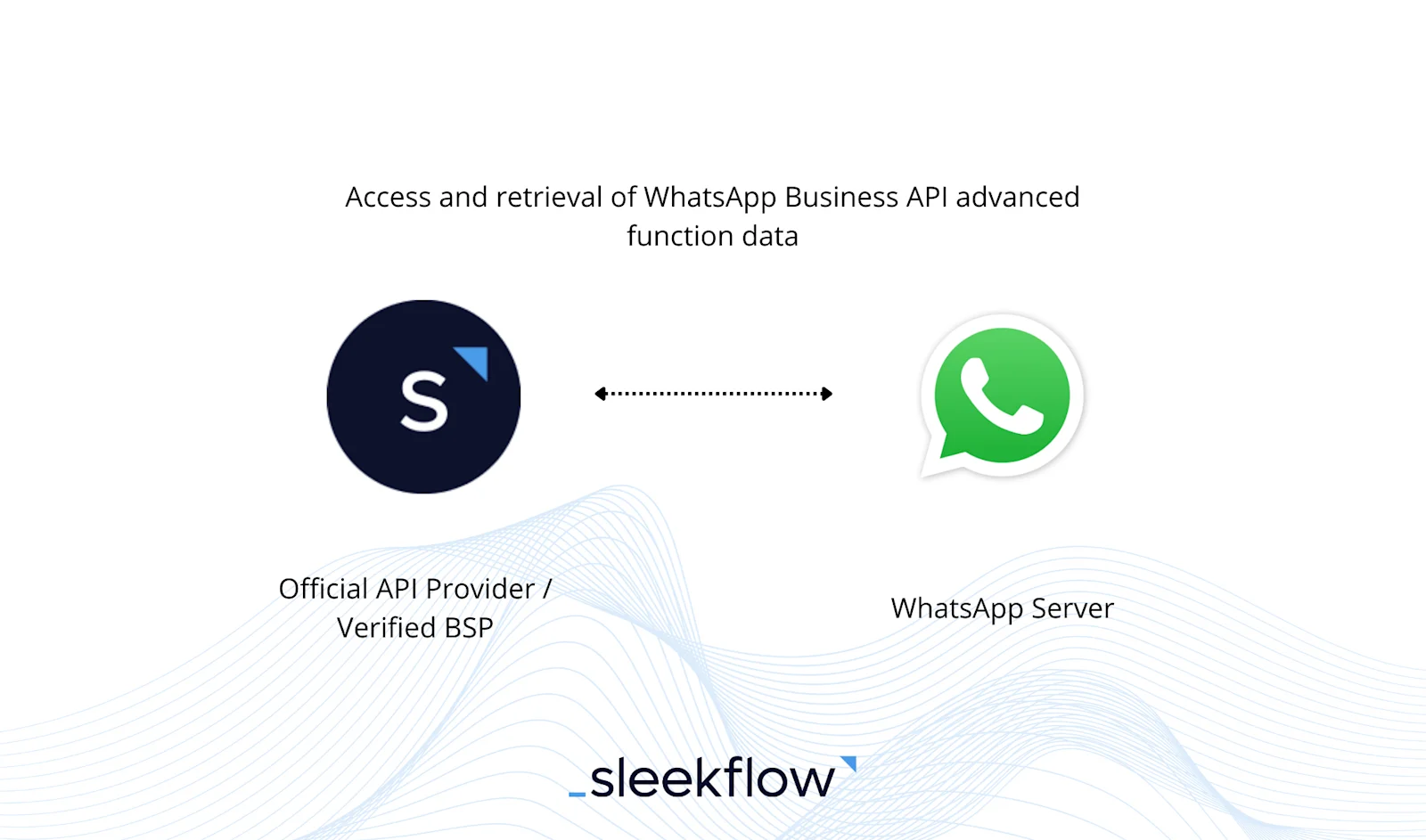
SleekFlow is a Meta-verified [WhatsApp Business Solution Provider (BSP)](/blog/official-whatsapp-business-solution-provider), a trusted platform that enables businesses to manage customer conversations securely and reliably.
SleekFlow provides a comprehensive solution by integrating all business communication channels in a unified interface using AI agents. In turn, this enables your organization to engage with and respond to customer inquiries through a single solution, regardless of the communication channel.
The other benefits of SleekFlow as a WhatsApp BSP include:
- **Easy onboarding** and support from SleekFlow.
- **User-friendly** web and mobile versions.
- 3-min **speedy onboarding process** for WhatsApp Cloud API.
- Comprehensive **omnichannel AI platform** that includes many native integrations such as Shopify, Salesforce, HubSpot CRM, Stripe, and more.
- Offers **free features** such as auto replies for chats and comments on Facebook and Instagram, Facebook Lead Ads integration, and more.
- Allows you to create[ **specialized AI agents**](/agentflow) to qualify leads, recommend products, schedule meetings, and update CRM.
## Want to outcompete your peers with SleekFlow's help?
Book your personalised demo with SleekFlow today and unlock the potential of seamless communication
[Book a Demo](https://sleekflow.io/book-a-demo)
[View Pricing](https://sleekflow.io/pricing)
### Can WhatsApp send automated replies?
Yes, WhatsApp can send automated replies. The basic WhatsApp Business App allows for simple "Away" and "Greeting" messages. For more advanced automation—like custom keyword triggers, AI chatbots, and automated lead qualification—businesses must use the WhatsApp Business API integrated with a platform like SleekFlow.
### What are some examples of WhatsApp automation?
Examples of WhatsApp automation include sending automated welcome messages, order confirmations, appointment reminders, customer support replies using chatbots, and broadcasting updates or promotions to a large audience.
### What are the limitations of WhatsApp automation?
The primary limitation is the 24-hour messaging window imposed by Meta. If a customer hasn't messaged you in the last 24 hours, you can only initiate a conversation using pre-approved, paid message templates. Additionally, WhatsApp strictly prohibits sending spam or unsolicited promotional content, and your account can be banned for violating their policies.
### How do I avoid getting banned using automation?
To avoid getting banned, ensure you get explicit opt-in from users before messaging them. Respect the 24-hour messaging window for free-form conversations. Only use pre-approved message templates for conversations initiated after 24 hours. Most importantly, do not send spam or unsolicited promotional content, as this directly violates WhatsApp's policies. Always provide clear instructions for users to opt-out.
### Can WhatsApp automation increase sales?
Yes, WhatsApp automation can increase sales by streamlining customer communication, enabling instant responses, and providing personalized interactions. Businesses can use it for lead nurturing, order updates, and 24/7 support, which improves customer satisfaction and boosts conversions.
### What is the cost of WhatsApp business automation?
The cost of WhatsApp business automation depends on several factors. Meta's conversation-based pricing is a major component, with charges ranging from $0.0085 to over $0.01 per conversation for messages sent outside the 24-hour service window, depending on your region and message volume. Additionally, Business Solution Providers (BSPs) may add their own fees for platform access, setup, and features like chatbots, with costs ranging from free basic plans to hundreds of dollars per month for advanced platforms.
### Which WhatsApp automation is best?
The best WhatsApp automation platform for your business depends on your specific needs. SleekFlow is a top choice for an all-in-one omnichannel solution, allowing you to automate customer journeys with features like personalized broadcasts and advanced support routing.
## Sitemap
See the full [sitemap](https://sleekflow.io/sitemap.md) for all pages.