---
title: "How to use WhatsApp for bookings and appointments"
description: "Simplify booking and appointment processes with WhatsApp; get quick tips on setup, customer communication, and organization."
canonical: "https://sleekflow.io/blog/whatsapp-booking-system"
html_lang: "en"
date_modified: "2026-04-13T06:27:19.319Z"
og_title: "WhatsApp booking system: How to set up WhatsApp appointment booking"
og_description: "Simplify booking and appointment processes with WhatsApp; get quick tips on setup, customer communication, and organization."
og_image: "https://images.ctfassets.net/tu2uwzoyozk8/jv7U36Ukh9EPuG26vYfRg/37254a153c2feca5c6b003922293bf06/Website-Cover-SleekFlow.jpg?w=1200&q=90"
---
```json
{
"@context": "https://schema.org",
"@type": "BlogPosting",
"headline": "WhatsApp booking system: How to set up WhatsApp appointment booking",
"description": "Simplify booking and appointment processes with WhatsApp; get quick tips on setup, customer communication, and organization.",
"url": "https://sleekflow.io/blog/whatsapp-booking-system",
"dateModified": "2026-04-13T06:27:19.319Z",
"image": "https://images.ctfassets.net/tu2uwzoyozk8/jv7U36Ukh9EPuG26vYfRg/37254a153c2feca5c6b003922293bf06/Website-Cover-SleekFlow.jpg?w=1200&q=90",
"breadcrumb": {
"@type": "BreadcrumbList",
"itemListElement": [
{
"@type": "ListItem",
"position": 1,
"name": "Home",
"item": "https://sleekflow.io"
},
{
"@type": "ListItem",
"position": 2,
"name": "Blog",
"item": "https://sleekflow.io/blog"
},
{
"@type": "ListItem",
"position": 3,
"name": "WhatsApp booking system: How to set up WhatsApp appointment booking",
"item": "https://sleekflow.io/blog/whatsapp-booking-system"
}
]
}
}
```
# How to use WhatsApp for bookings and appointments
*Danesh Ramuthi — Content Writer*
WhatsApp is one of the top business communication tools as [80% of WhatsApp messages are read within 5 minutes](https://www.yourbusinessnumber.com/blog/whatsapp-business-statistics), boasting a [98% open rate](https://business.whatsapp.com/blog/use-whatsapp-business-goals). With its widespread use, businesses can easily set up a WhatsApp booking system for customers to schedule, change, or cancel their appointments directly on WhatsApp.
## **An Overview of WhatsApp Booking System**
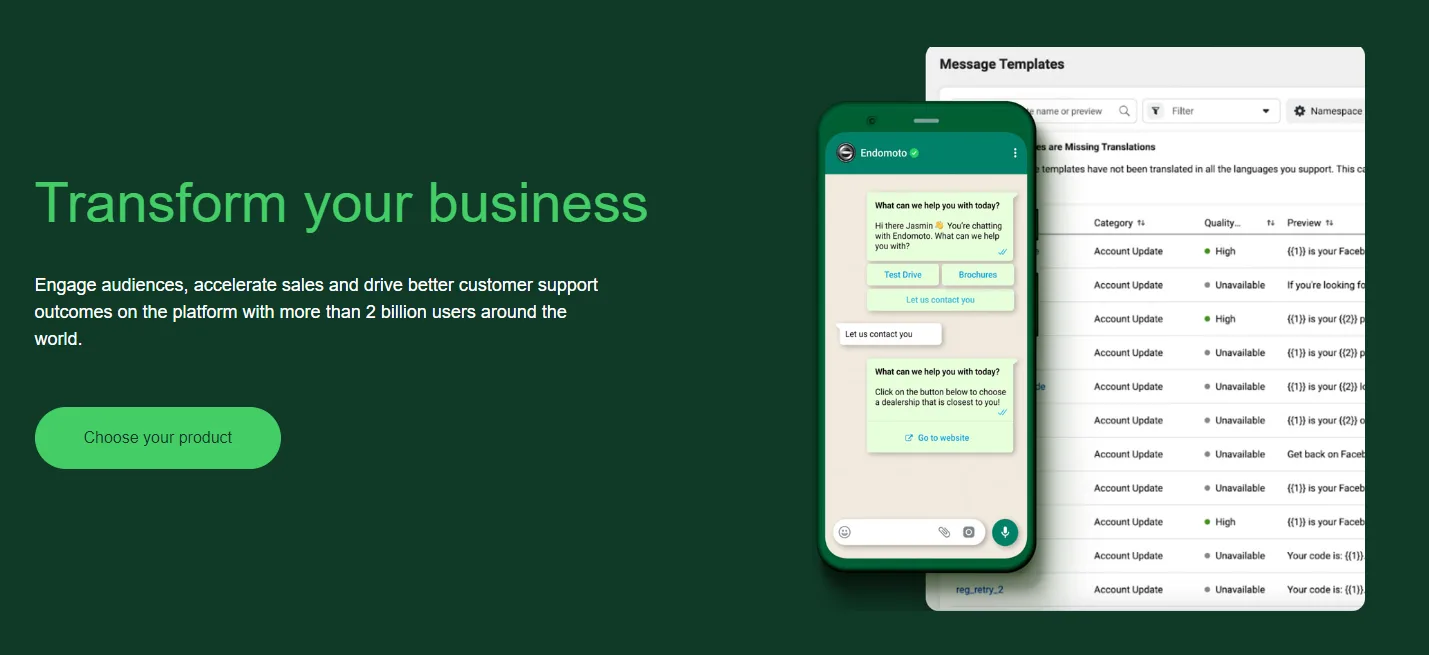
Automating bookings through WhatsApp can save time for both customers and staff and enhance operation efficiency. Here is an overview of what you can do with WhatsApp for bookings and appointment management:
- Create engaging [click-to-WhatsApp ads](/solutions/click-to-whatsapp-ads)
- Generate a [WhatsApp QR code or link](/whatsapp-link-generator) to initiate conversations in one scan/click
- Build an [auto-reply chatbot](/blog/whatsapp-auto-reply-bot)
- Utilize the [custom object](https://help.sleekflow.io/en_US/custom-objects) to store & track all crucial booking information
- Utilize [Social CRM](/social-crm) to boost bookings through retargeting
## **Benefits of using WhatsApp for bookings and appointments**
### **1. Increased convenience**
Customers can book appointments or make online reservations over their preferred channel, which is WhatsApp chat, helping them avoid call queues or back-and-forth emails. They can also easily schedule appointments, and receive instant business responses on booking confirmation 24/7, enhancing the overall customer experience.
### **2. Increased efficiency**
Features like chatbots can handle inquiries and bookings without human intervention, reducing the workload on staff and minimizing the risk of errors or double bookings.
### **3. Improved customer engagement**
With WhatsApp, businesses can maintain continuous communication with their customers. This platform allows them to send automated reminders, updates, and even marketing messages directly to customers' phones, enhancing engagement and customer retention.
### 4**. Effective marketing and promotions**
WhatsApp is a powerful tool for promoting special events and offers, and it is even more effective when integrated with a CRM platform.
With the synchronization of data between WhatsApp and a CRM platform, you can analyze booking patterns, and interactions and can better understand your customers’ preferences.
Businesses can also send marketing and promotional materials that encourage booking and are tailored to the customer's specific needs. This provides a more personalized experience and ultimately increases the chance of conversion.
## **How to enrich your bookings and appointments on WhatsApp?**
Creating a booking and appointment system on WhatsApp can be more effective and rewarding with the following methods:
### **1. Set up multiple WhatsApp entry points**
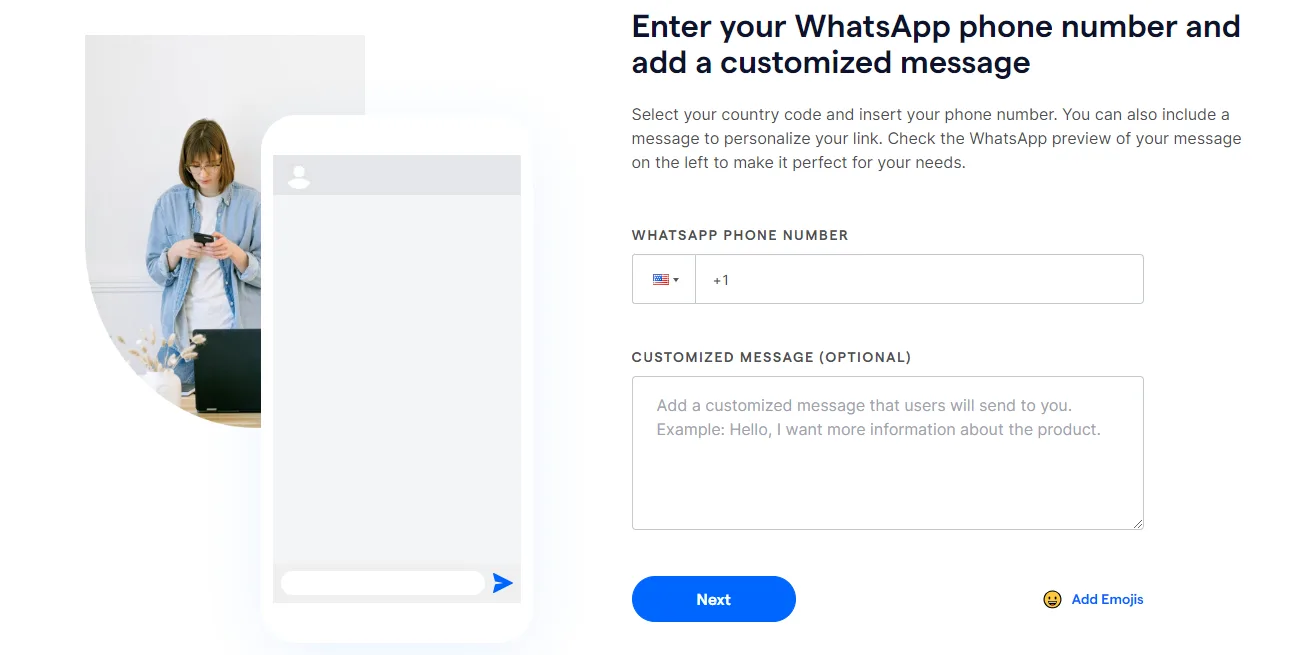
First of all, you can set up WhatsApp links to allow your customers to start conversations directly without saving your phone number. You can create a free [wa.link domain link](/whatsapp-link-generator), making it easy for customers to contact you quickly via WhatsApp.
You can also use [unique WhatsApp links to let customers book appointments](/blog/whatsapp-link) at specific branches. With these links, you can [create a QR Code to display on various materials](/whatsapp-link-generator), such as web pages, event posters, banners, receipts, and packaging. This will give easier access to your customers to contact your business. Customizing preset WhatsApp messages simplifies the process for customers to start conversations and enables businesses to track customer sources.
### **2. Build a WhatsApp chatbot to automate bookings and appointments**
With SleekFlow’s [Flow Builder](/flow-builder), you can build automated conversation flows to instantly reply to customers. You can also route them to an assigned agent with the right expertise to handle inquiries efficiently.
Let’s say you are managing a restaurant. During peak business hours, you may not be able to reply back to all customers when they send you a message via WhatsApp to book a table.
For example, a customer sends a WhatsApp message “Hi, I want to book a table.” which you have a preset reply for. The preset reply can also be personalized with the customer’s name, "Hello,{name}! Could you please provide the date and time you want to book?" can be immediately triggered and sent to respond to customers' intention.
Additionally, the chatbot can handle frequently asked questions about menu items, pricing, and locations, freeing up time for staff to focus on more complicated inquiries and tasks. Once all the necessary details have been collected, the chat can be auto-assigned to an agent to confirm the appointment or close the deal.
> *Tip: Read our *[*WhatsApp Business for Restaurants Guide*](/blog/whatsapp-business-restaurants)* for more information.*
### **3. Create a custom object to store & track all booking information**
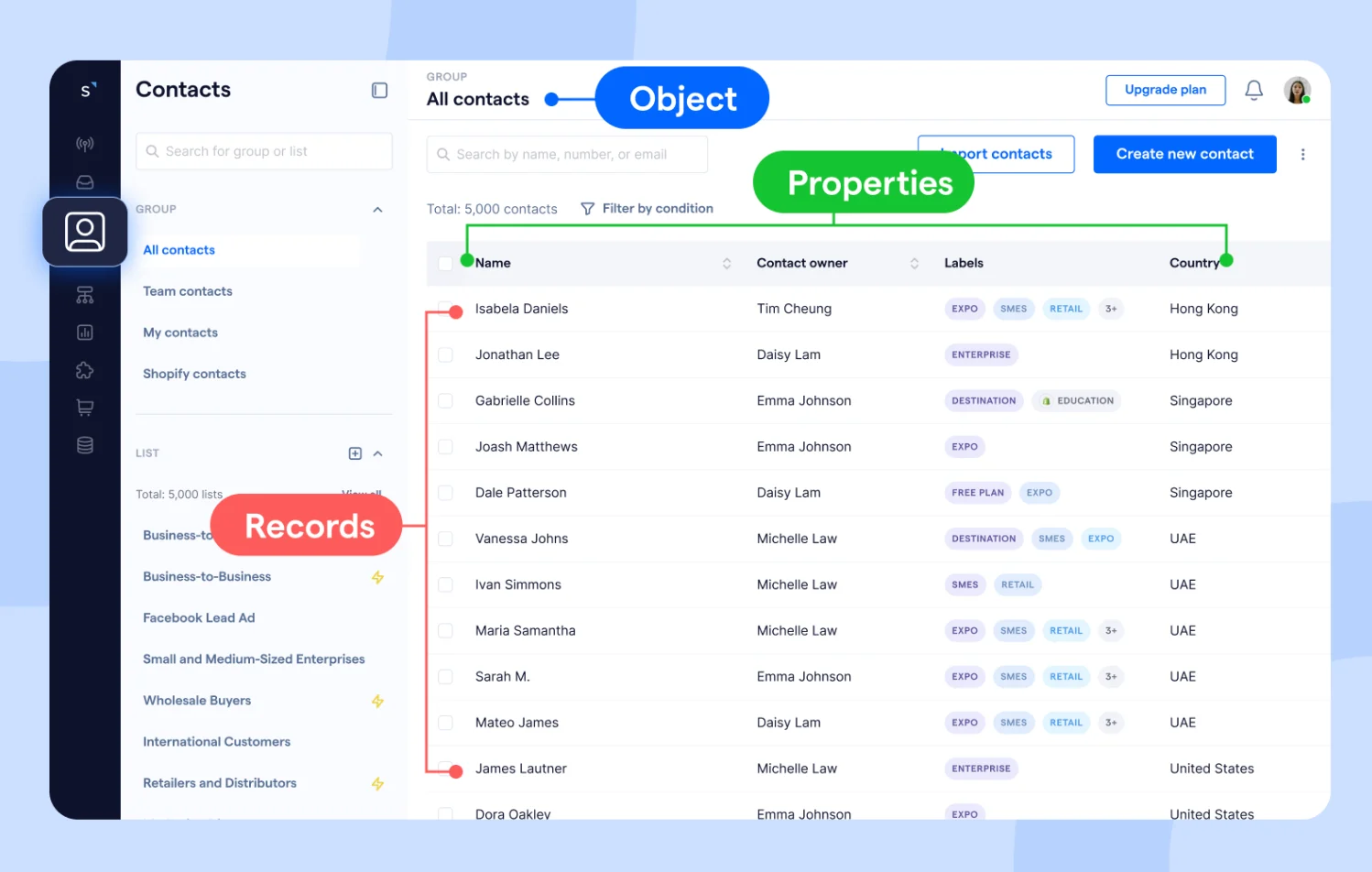
A custom object is a data entity that you can customize to address the specific data needs of your company.
To manage bookings, you can create a custom object called ‘bookings’ and ‘booking records’. Inside the custom object, you can include properties such as Booking ID, Customer Name, Service, Date, Time, and Status. This allows you to track essential details such as booking time, services, client preferences, and confirmation statuses displayed next to the customer’s WhatsApp conversations.
This setup lets your staff view all necessary information within a centralized platform. They can easily manage booking inquiries, review booking histories, and customize services based on past attendance, enhancing the overall service experience.
> SleekFlow has improved our customer service efficiency and quality, resulting in 30% more successful bookings. It has also saved us costs on staffing and facilitated a unified brand experience.

**Suki Tsui**
Founder of Sun and Moon Massage
[Customer story](https://sleekflow.io/customer-stories/sunandmoon-use-case)
### **4. Utilize Social CRM to boost bookings through retargeting**
[Social CRM](/social-crm) lets you connect your WhatsApp with CRM platforms such as [Shopify](/channels-integrations/shopify) and [Salesforce](/channels/salesforce). With the integration, you can synchronize data, have a centralized view of your customers' booking details, and automate booking confirmations, reminders, and personalized messages.
The social CRM lets you better organize and segment customers based on their interests and booking history for targeted retargeting campaigns.
Afterwards, these customers can be retargeted with special promotions or offered priority bookings to encourage them to make more appointments.
### **5. Create engaging click-to-WhatsApp ads to increase bookings**
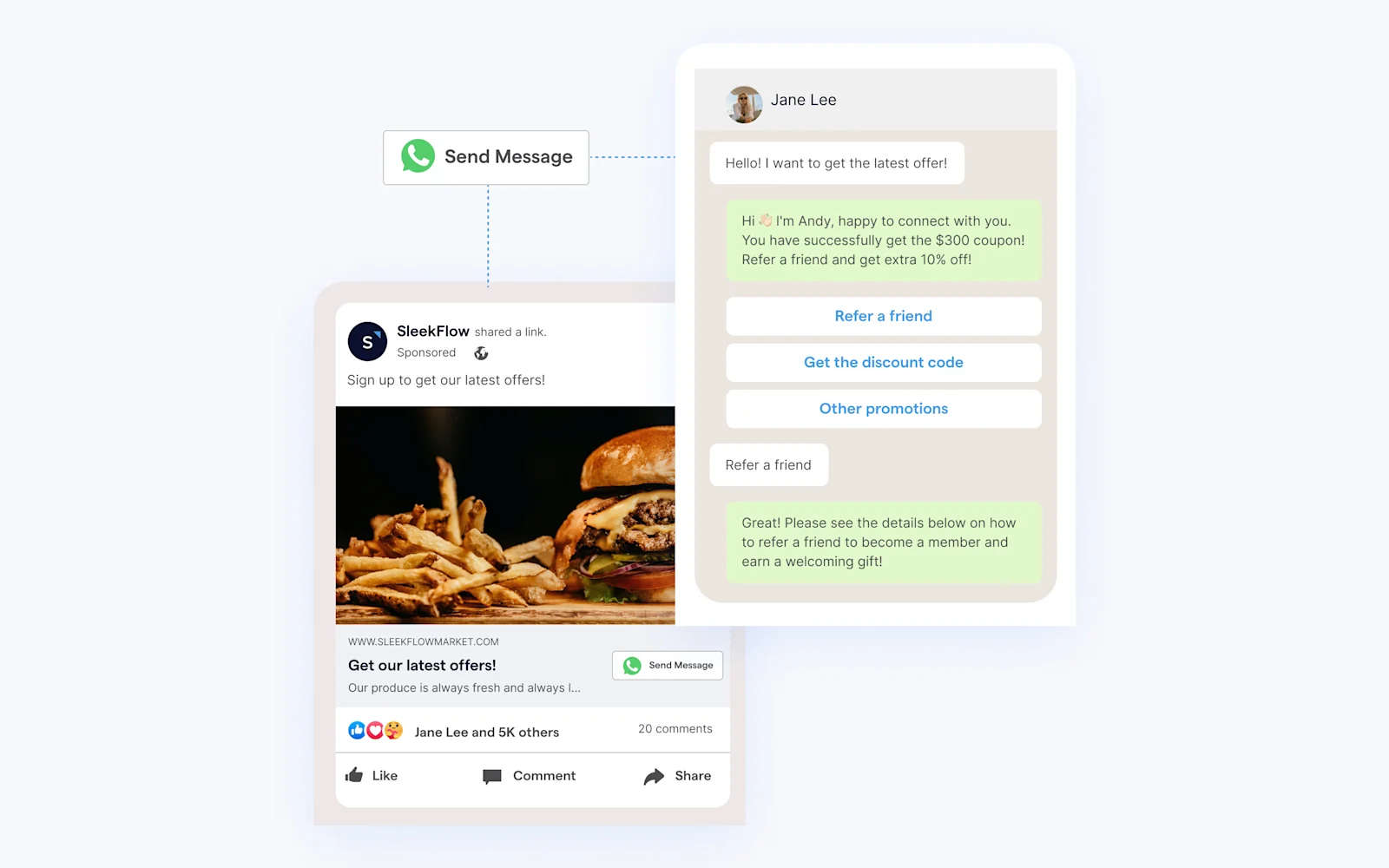
[Create engaging click-to-WhatsApp ads](/blog/click-to-whatsapp-ads) with enticing messages such as "Chat with Us for Exclusive Offers" or "Book Now For 20% Off" to capture attention and spark interest as part of your social commerce. These ads can attract social media users who are looking for deals, discounts, or sales, direct them to your WhatsApp, and make bookings easily.
> *Tip: When customers send a message from click-to-WhatsApp ads, that conversation is free for 72 hours. Take this opportunity to engage with your customers, understand their needs, and guide them toward tailored solutions.*
### **Maximize booking effectiveness with SleekFlow WhatsApp Business API solution**
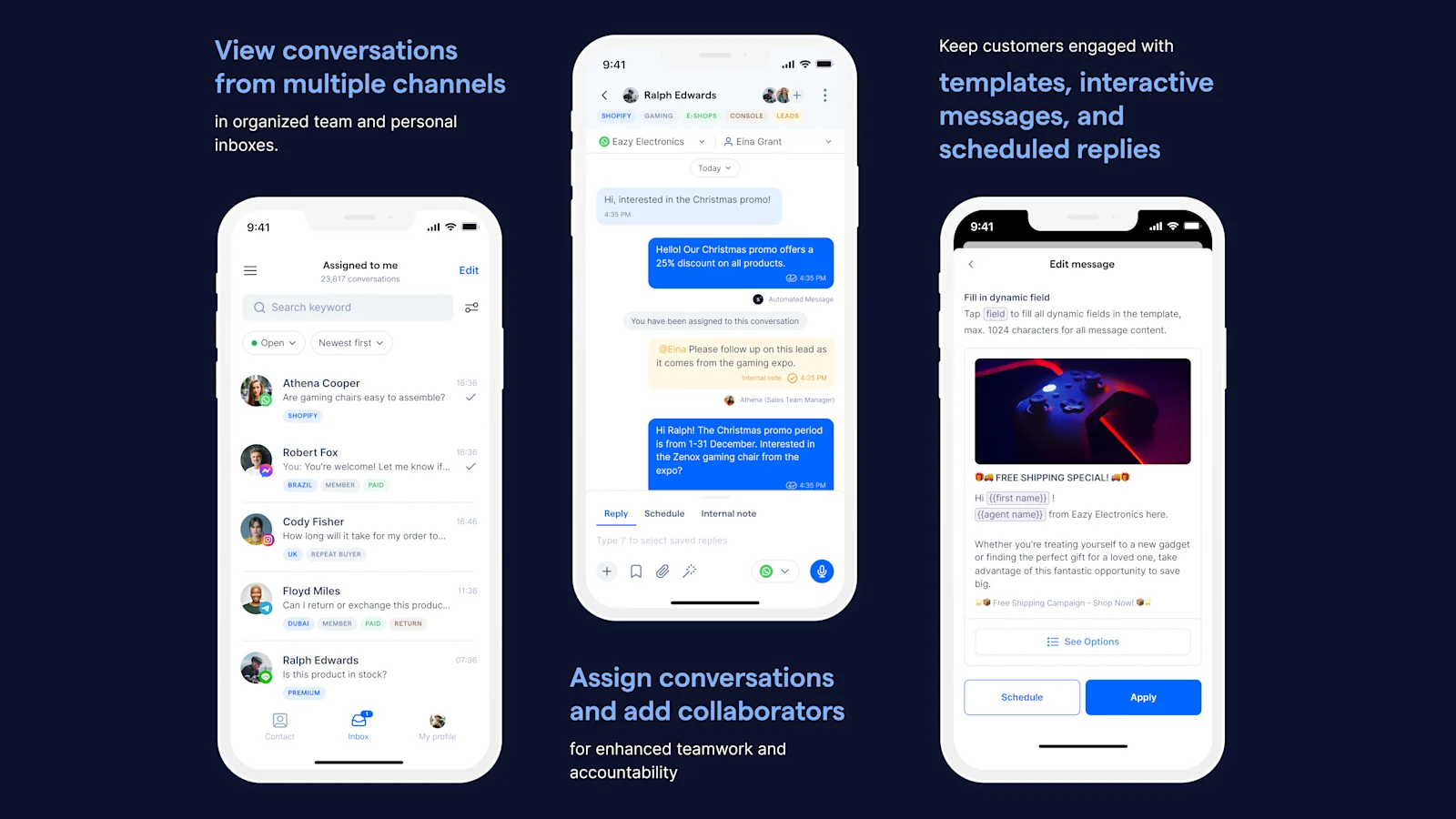
WhatsApp offers numerous booking and appointment features, and to fully utilize these capabilities, you can leverage SleekFlow, a [trusted WhatsApp Business Solution Provider](/blog/official-whatsapp-business-solution-provider).
Businesses are getting great results using SleekFlow to manage bookings and appointments. They use the platform daily to get their customers to chat with them from multiple WhatsApp entry points, create customized chatbots for personalized interactions, and, most importantly, utilize the WhatsApp broadcast feature to send vouchers and discount codes to promote bookings for their service.
With SleekFlow, they also use Flow Builder to automatically guide customers through the reservation process with clarity and support, ensuring they are well informed at every step of the booking process. If the customer doesn't respond, the flow can automatically send a follow-up message to re-engage them.
## Discover the power of WhatsApp with SleekFlow\!
Unleash your full potential with WhatsApp Business API. Your customers are waiting!
[Learn more](https://sleekflow.io/channels-integrations/whatsapp)
### How do I create a flow on WhatsApp for appointment scheduling?
You can create a WhatsApp flow using WhatsApp Manager, which involves many complicated steps, or you can use SleekFlow Flow Builder to create flows for WhatsApp, which are very straightforward and involve only three steps.
Learn how to create a flow on WhatsApp for appointment scheduling with our guide on WhatsApp flows.
### Is it possible to automate messages in WhatsApp?
Yes, it is possible to automate messages in WhatsApp using tools like the WhatsApp Business API, which supports chatbots and automated reply systems.
### Is it possible to monitor and analyze booking data through WhatsApp Business?
Yes, it is possible to monitor and analyze booking data through WhatsApp Business with a platform like SleekFlow. The dashboard lets you view statistics for predefined periods, such as the last seven days, fourteen days, or a month.
Additionally, you can set a custom range to focus on statistics from specific periods. To further refine your data analysis, you can create new segments by selecting filters like Contact Owner, Labels, Lists, and other data fields, allowing you to view tailored information according to your business needs.
### Is it possible to sync WhatsApp Business appointments with my current online scheduling system?
There are a few interfaces available for your business to sync WhatsApp Business appointments with your current scheduling system. If you want to sync it to automate the flow, you can do it with SleekFlow Flow Builder without the need of any integrations.