---
title: "What’s new in SleekFlow: Supercharge your Salesforce CRM strategy with chats"
description: "Discover how to sync contacts from Salesforce in SleekFlow and communicate with customers via WhatsApp, Instagram, Telegram without the fear of lost leads."
canonical: "https://sleekflow.io/en-gb/blog/salesforce-integration"
html_lang: "en-gb"
date_modified: "2026-02-05T03:18:57.267Z"
og_title: "Salesforce WhatsApp integration"
og_description: "Discover how to sync contacts from Salesforce in SleekFlow and communicate with customers via WhatsApp, Instagram, Telegram without the fear of lost leads."
og_image: "https://images.ctfassets.net/tu2uwzoyozk8/jv7U36Ukh9EPuG26vYfRg/37254a153c2feca5c6b003922293bf06/Website-Cover-SleekFlow.jpg?w=1200&q=90"
---
```json
{
"@context": "https://schema.org",
"@type": "BlogPosting",
"headline": "Salesforce WhatsApp integration",
"description": "Discover how to sync contacts from Salesforce in SleekFlow and communicate with customers via WhatsApp, Instagram, Telegram without the fear of lost leads.",
"url": "https://sleekflow.io/en-gb/blog/salesforce-integration",
"dateModified": "2026-02-05T03:18:57.267Z",
"image": "https://images.ctfassets.net/tu2uwzoyozk8/jv7U36Ukh9EPuG26vYfRg/37254a153c2feca5c6b003922293bf06/Website-Cover-SleekFlow.jpg?w=1200&q=90",
"breadcrumb": {
"@type": "BreadcrumbList",
"itemListElement": [
{
"@type": "ListItem",
"position": 1,
"name": "Home",
"item": "https://sleekflow.io/en-gb"
},
{
"@type": "ListItem",
"position": 2,
"name": "Blog",
"item": "https://sleekflow.io/en-gb/blog"
},
{
"@type": "ListItem",
"position": 3,
"name": "Salesforce WhatsApp integration",
"item": "https://sleekflow.io/en-gb/blog/salesforce-integration"
}
]
}
}
```
# What’s new in SleekFlow: Supercharge your Salesforce CRM strategy with chats
*Kai Yi Liew — Senior Product Marketing Specialist*
Customer engagement no longer happens in just one place—it spans multiple channels. For example, a potential buyer might chat with a sales rep via WhatsApp while also receiving an email campaign, but without proper integration, teams are left juggling separate conversations with no unified view of the customer's journey. Management has little to no visibility into how their teams are performing in these customer-facing interactions.
This is where SleekFlow comes in. SleekFlow offers [omnichannel shared team inbox](/en-gb/inbox), [chat routing](/en-gb/blog/whatsapp-lead-routing), and [workflow automation solutions](/en-gb/blog/flow-builder) across channels like [WhatsApp](/en-gb/channels-integrations/whatsapp), Messenger, WeChat, and more, helping businesses attract, sell, and engage customers in chats. Now, with our new Salesforce integration, businesses can sync customer interactions across platforms, bridging the gap between CRM and instant messaging. For businesses that rely on Salesforce for CRM management, you no longer have to struggle to track and manage real-time communication across messaging platforms.
> SleekFlow offers native Salesforce integration, allowing you to effortlessly sync data across Sales Cloud, Marketing Cloud, and Service Cloud to streamline your workflow. [Learn more](/en-gb/channels/salesforce) about how we work seamlessly with your favorite Salesforce products.
## **Key features and capabilities of Salesforce WhatsApp integration**
### **1. Customize contact and data sync conditions to build comprehensive customer profile beside chats**
As a business using Salesforce, you want to make the most of your existing CRM data to improve your messaging strategy. SleekFlow's Salesforce integration enables businesses to easily sync not just contacts but a wide range of Salesforce data, including 5 standard objects, i.e., `Contacts`, `Accounts`, `Leads`, `Opportunities`, and `Campaigns`, and custom objects between both platforms. The best thing is that no coding is required, and you have 100% control of what gets pushed and pulled over.
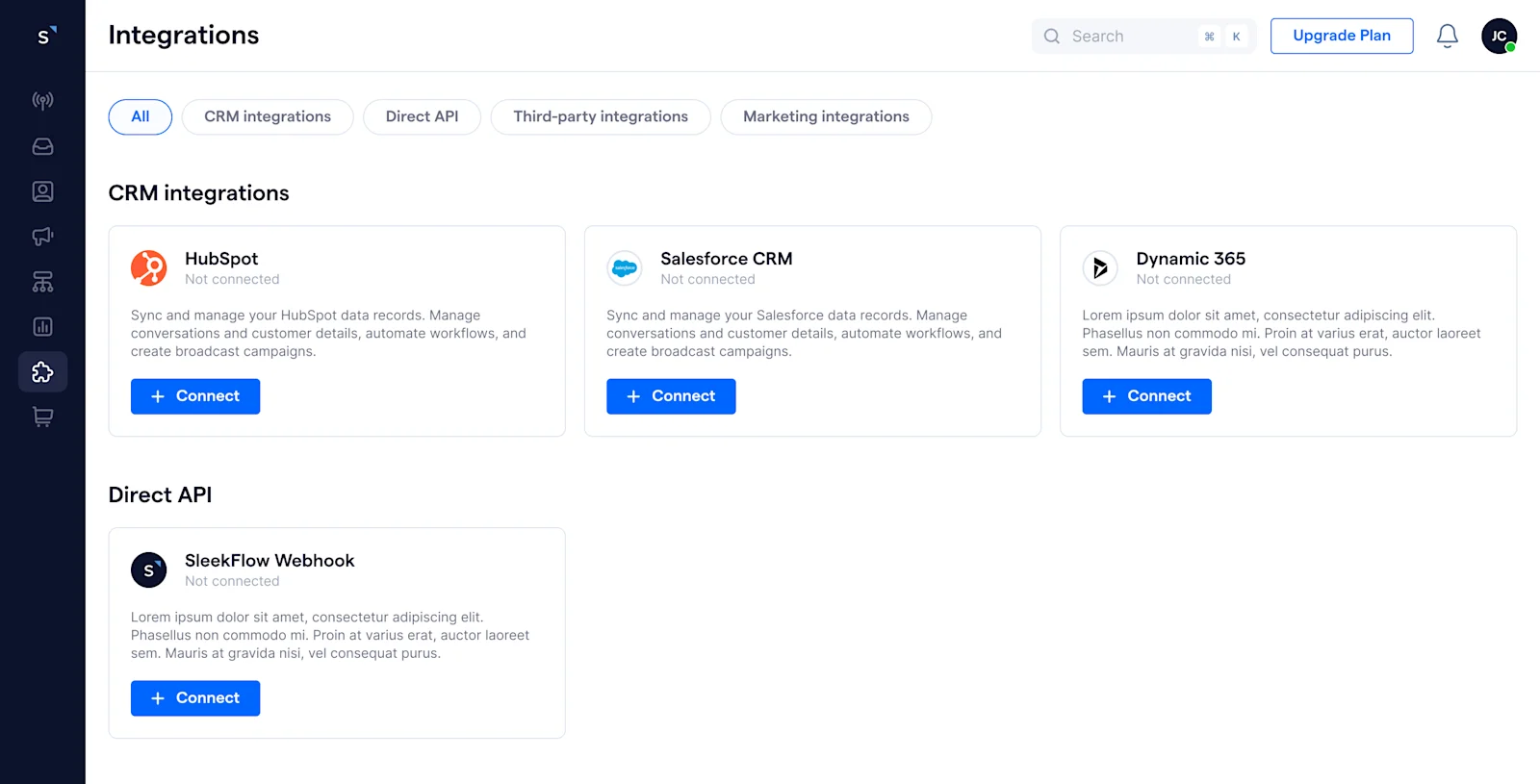
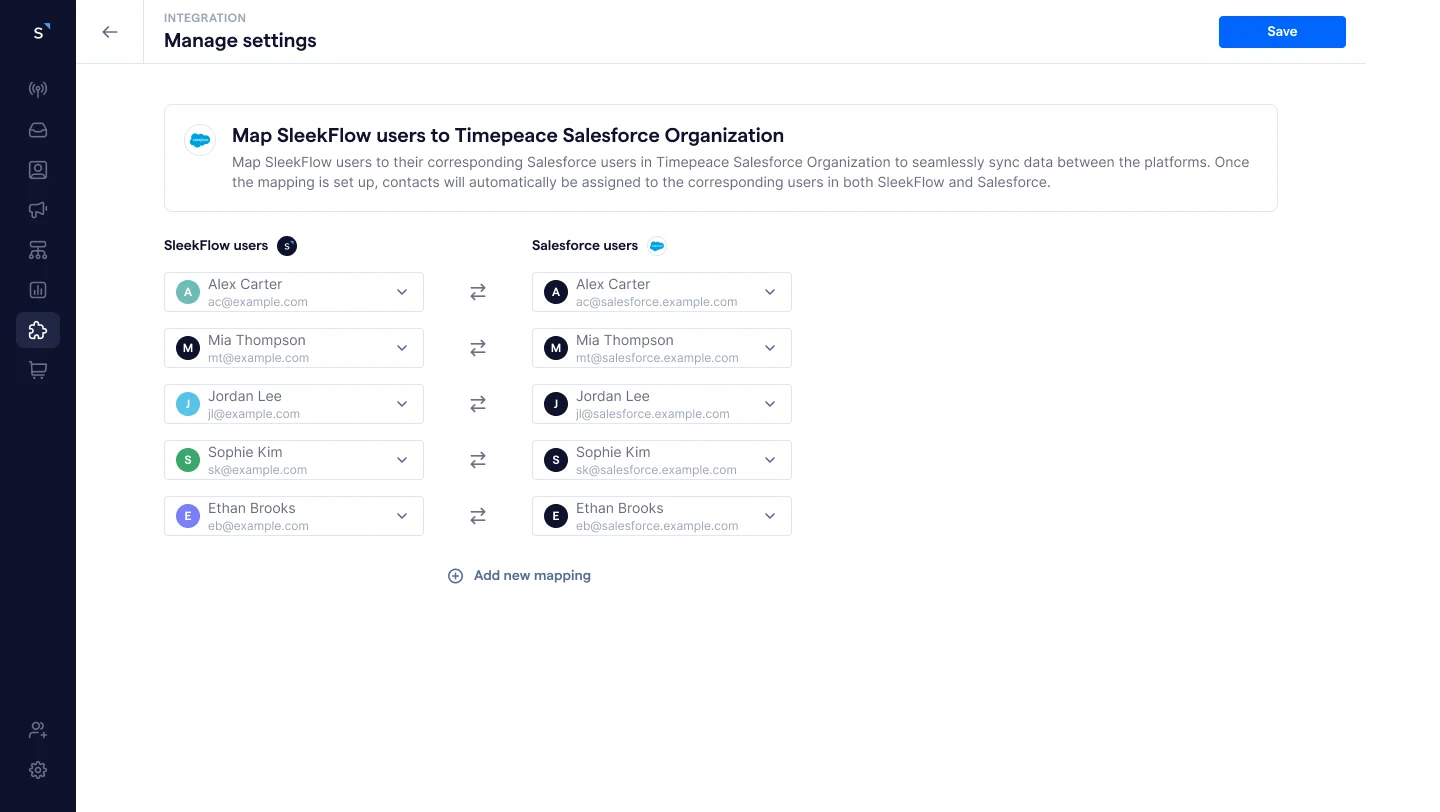
Setup is fast and easy—simply connect to your Salesforce organization, map user accounts to maintain consistent contact ownership across platforms, and use Flow Builder to configure the initial data sync.
First, let’s explore how you can quickly reach out to your Salesforce contacts through chats. In Flow Builder, you can set up an initial sync using the `Loop through Salesforce contacts` trigger to enroll Salesforce records into the workflow. With customizable conditions, you can control which data gets pulled—such as active contacts with recent activity (e.g., last contacted time within 3 months). Once enrolled, you can add actions like `Create SleekFlow contacts` and `Send message`. It’s that simple!
For other data type syncs, you can first create a custom object in SleekFlow to mirror your Salesforce data structure. Let's use leads as an example. You can create a custom object that contains the exact properties and data types as your Salesforce Cloud. Then, use `Loop through Salesforce leads` as a trigger to find relevant leads you want to pull into SleekFlow. This time, add the `Create custom object records` action to save your Salesforce data on SleekFlow. This information can be displayed within the chats of the linked contact to fuel more personalized interactions.
> SleekFlow **Custom Objects** can mirror other systems’ data structure, reducing the complexity of data transformation and making your Salesforce data integration process more straightforward. Learn more about custom objects [here](/en-gb/blog/custom-object).
### **2. Two-way contact and data sync to achieve a single source of truth**
We understand that maintaining a truly unified contact profile requires syncing new data or updates from chats back to Salesforce CRM. Our automated actions in [Flow Builder](/en-gb/flow-builder) make this easy by ensuring that any data changes in SleekFlow are instantly reflected in Salesforce.
For instance, after a chatbot qualifies a new contact, add action `Create Salesforce contact record` to add the new contact to Salesforce automatically. If it's an existing contact, you can use the `Search Salesforce contact` and `Update Salesforce contact` actions to update their profile instead.
For other data types, it's the same trick. After the initial sync of Salesforce leads, you can set up another flow to update Salesforce leads whenever agents modify the relevant custom object record in SleekFlow. You can also apply conditions to ensure only the necessary data is pushed back, such as filtering out unqualified leads.
### **3. Automate messages at just the right time leveraging Salesforce data**
Not looking for data sync? No problem. SleekFlow enables powerful cross-platform automation. Businesses can trigger workflows to perform actions in Salesforce when something happens in SleekFlow—or vice versa—without the need for permanent data exchange.
For instance, when a `Salesforce opportunity` is created, you can automatically trigger a message in SleekFlow to send a confirmation message to the customer. This flexibility is ideal for automating tasks like sending welcome messages, booking reminders, or feedback requests, allowing businesses to activate Salesforce data in real time without syncing every record.
## Turn every touchpoint into opportunity **with omnichannel Salesforce solutions**
### 1. Sales: Boost lead conversion with automated follow-ups
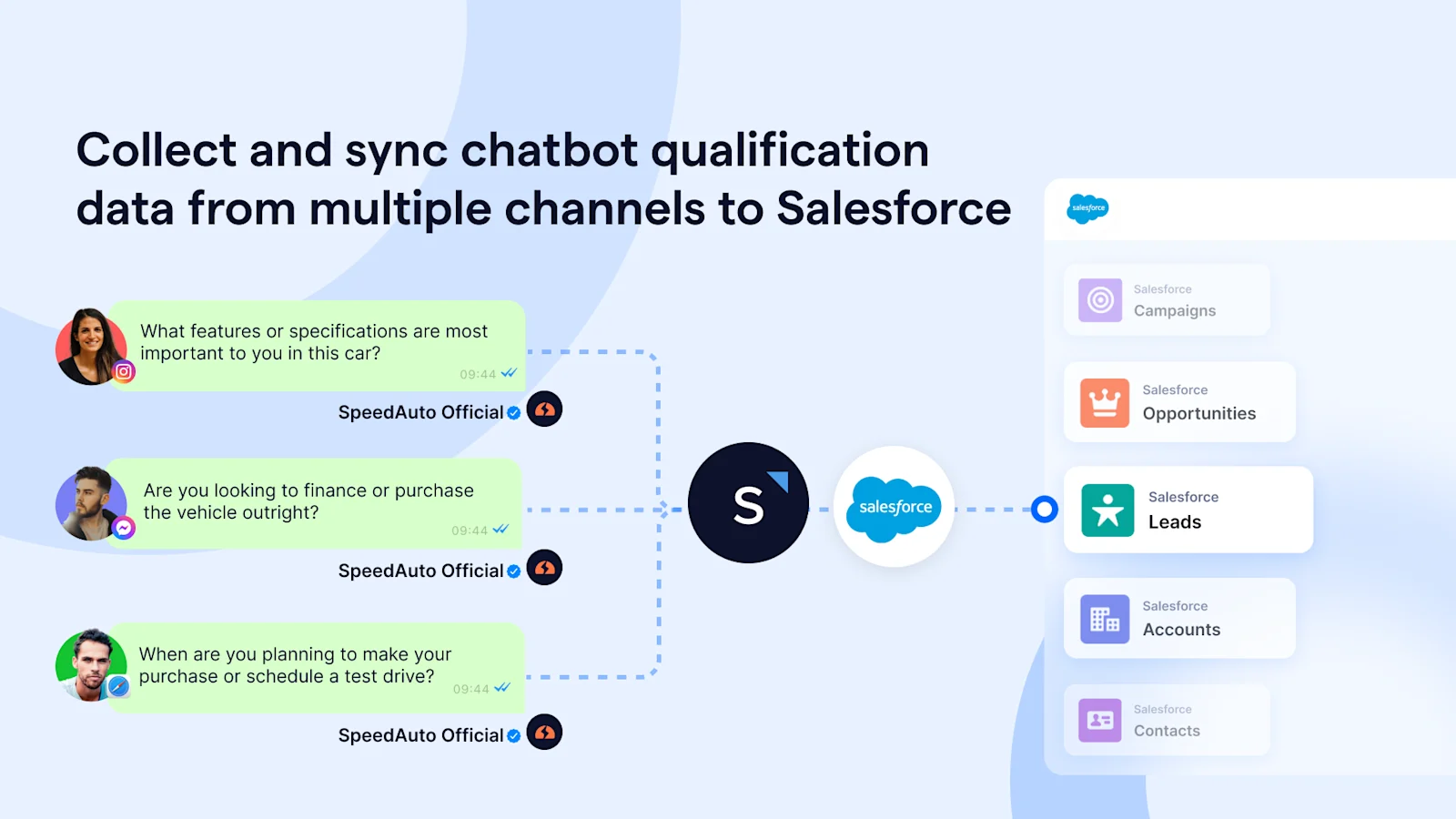
You’ve got leads coming in from various channels—ads, websites, social media, and more. With SleekFlow, you can deploy a chatbot to handle lead qualification across all these platforms. The chatbot engages prospects right away, asking essential questions like their `budget`, `specific needs`, or `timeline`. This enables you to qualify leads faster and move them through the sales funnel more efficiently.
Once the prospect’s information is collected, SleekFlow seamlessly syncs the data to Salesforce. If it's a new contact, SleekFlow automatically assigns a contact owner and syncs it with Salesforce. For leads with an existing owner in Salesforce, SleekFlow ensures that data remains consistent across both platforms.
All the data the chatbot collects, whether through WhatsApp or another channel, is synced to Salesforce in real time. This keeps your team on the same page, making follow-ups quicker and more effective.
### 2. Marketing: Drive engagement with personalized WhatsApp campaigns
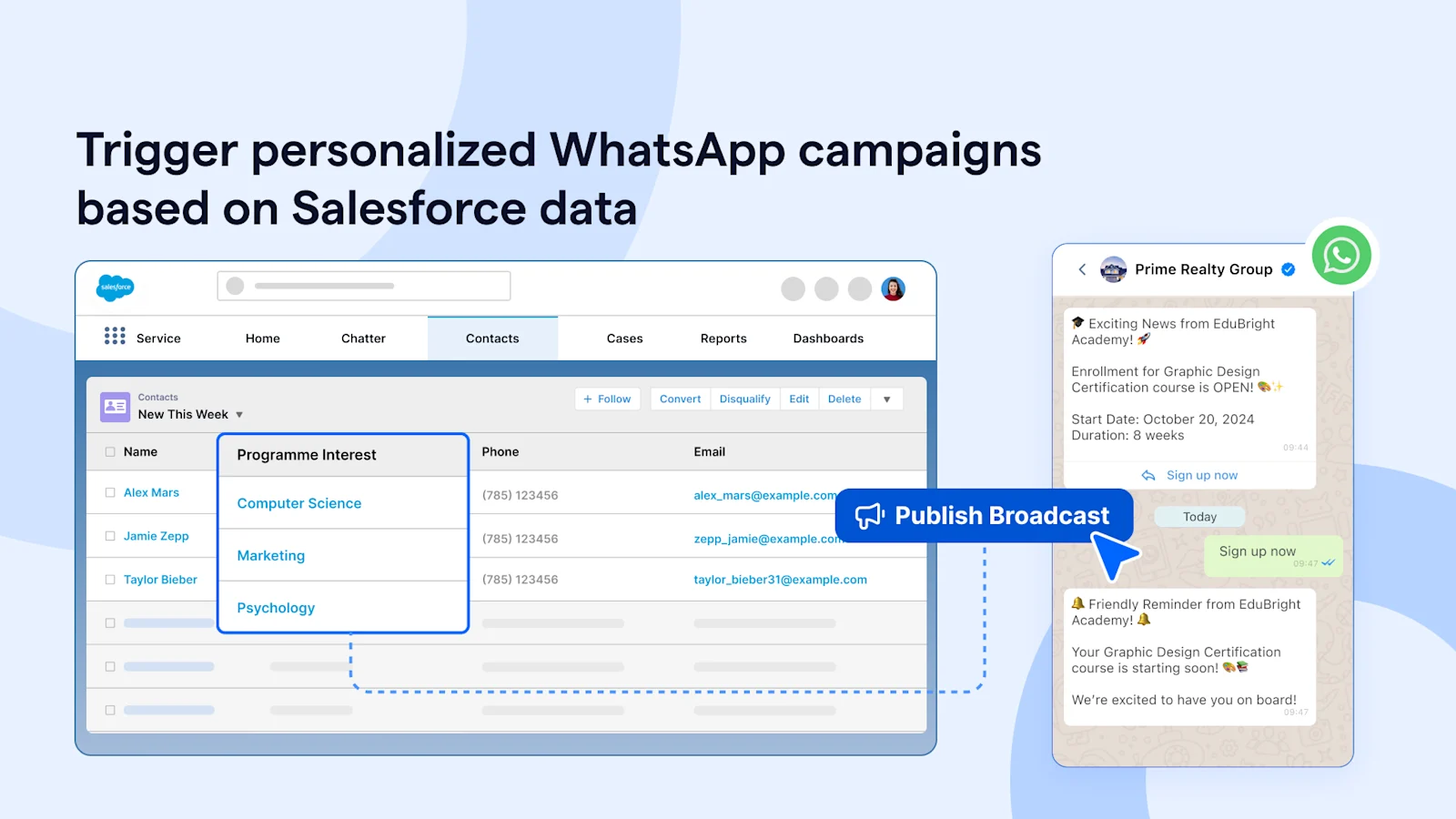
For marketers, creating personalized and timely customer touchpoints is key to driving engagement and conversions. With WhatsApp integration with Salesforce, marketing managers can automate personalized campaigns based on customer behavior, such as recent purchases, product interests, or past interactions.
For instance, in education, you can create a SleekFlow WhatsApp campaign that pulls data from Salesforce fields, such as `program interest`, to notify students about new application openings. This can also include automated drip campaigns, follow-ups, or sharing detailed program brochures—all without manual intervention.
Performance insights, including delivery, open, and response rates, are available in real time, allowing marketing teams to analyze campaign effectiveness and refine future strategies—all within a single platform.
### 3. Support: Delight your customer with 24/7 multi-channel support
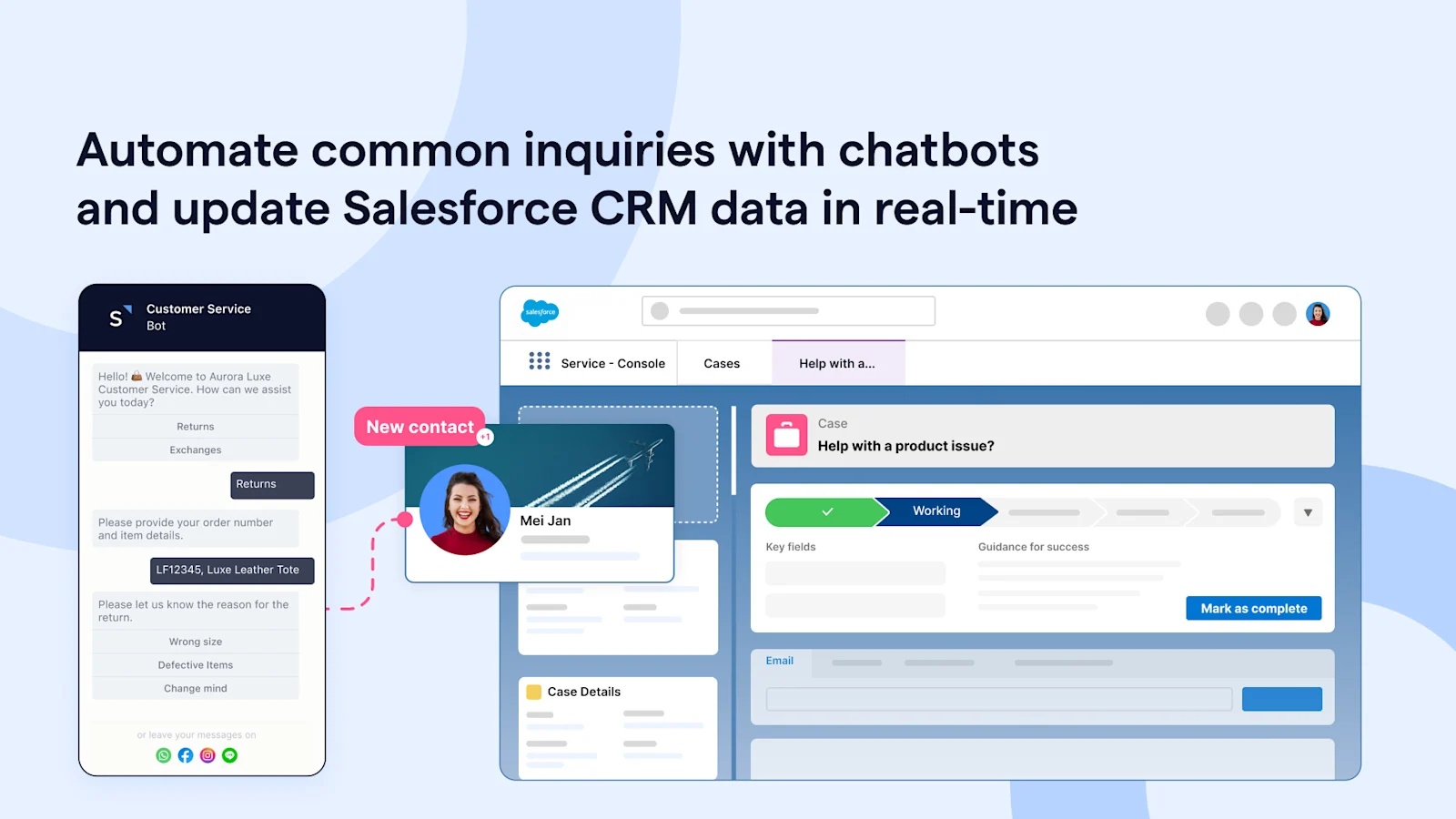
[89%](https://c1.sfdcstatic.com/content/dam/web/en_us/www/documents/research/salesforce-state-of-the-connected-customer-4th-ed.pdf) of consumers are more likely to make another purchase after a positive customer service experience. With SleekFlow and Salesforce integration, you can offer 24/7 support across multiple channels, allowing customers to self-serve through an FAQ auto-reply chatbot. When inquiries fall outside the chatbot's scope, they are automatically routed to a human agent.
For example, in e-commerce, you can set up an [auto-reply chatbot](/en-gb/blog/whatsapp-chatbot) to handle returns and exchanges. The chatbot collects essential information, such as the `order number`, `item details`, and `reason for return`. All contacts and request details are automatically synced back to Salesforce CRM for accurate record-keeping and stakeholder alignment.
This allows customers to receive faster resolutions, and support agents have all the context they need, reducing the need for customers to repeat themselves and increasing overall satisfaction.
### 4. Operation: I**mprove efficiency with automated reminders**
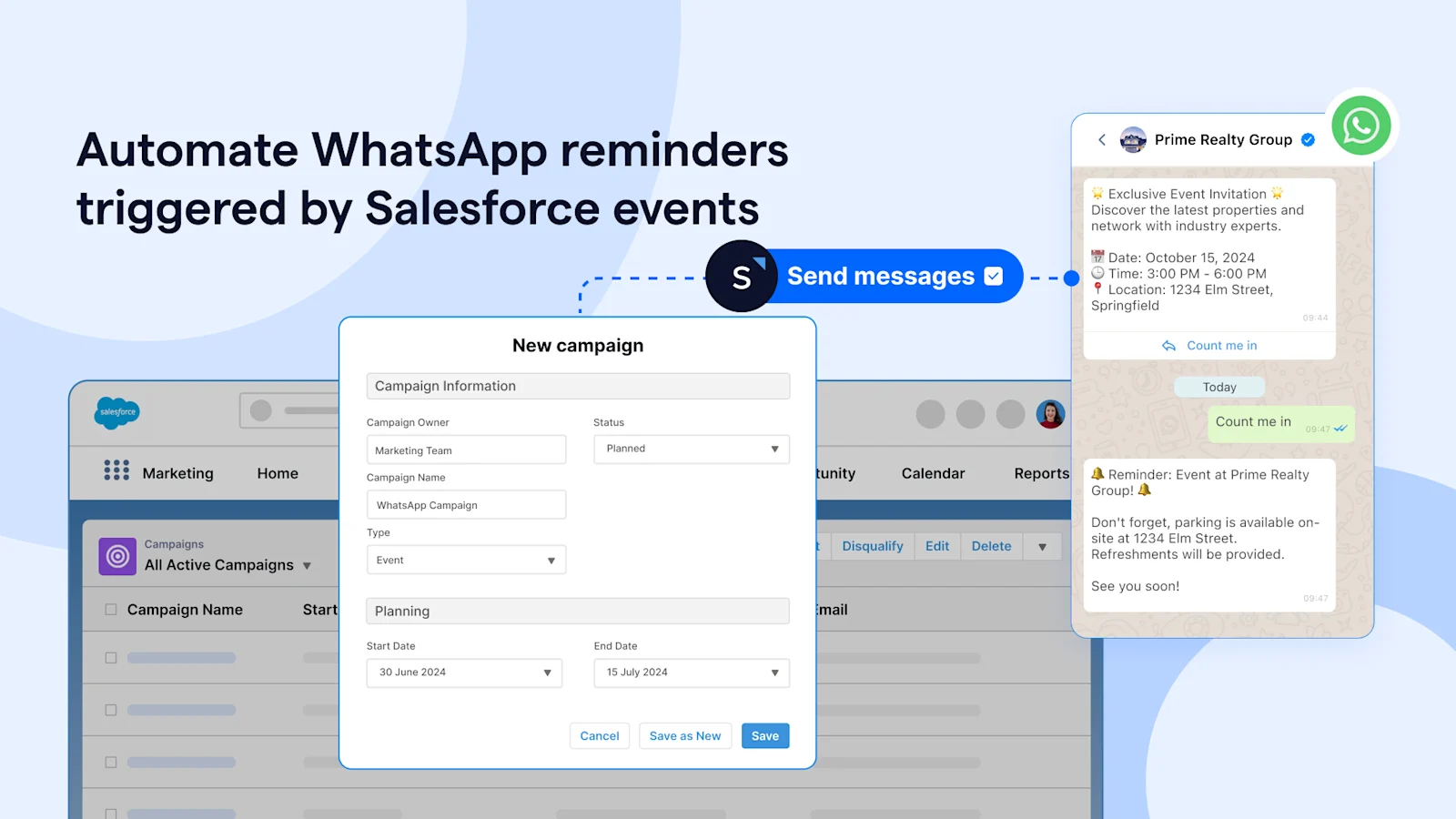
You can set up WhatsApp reminders for key activities like event notifications or payment confirmations to reduce no-shows and minimize repetitive inquiries.
Using SleekFlow's Flow Builder, you can trigger personalized WhatsApp reminders when a new campaign is created in Salesforce. SleekFlow syncs the customer details and campaign milestones in real time.
The WhatsApp message will include dynamic data like the `customer's name` or `event details` pulled directly from Salesforce fields. This automated process ensures timely reminders, reducing the manual workload and keeping communication consistent across channels.
## Why choose SleekFlow as your Salesforce WhatsApp integration partner?
### 1. Sandbox support
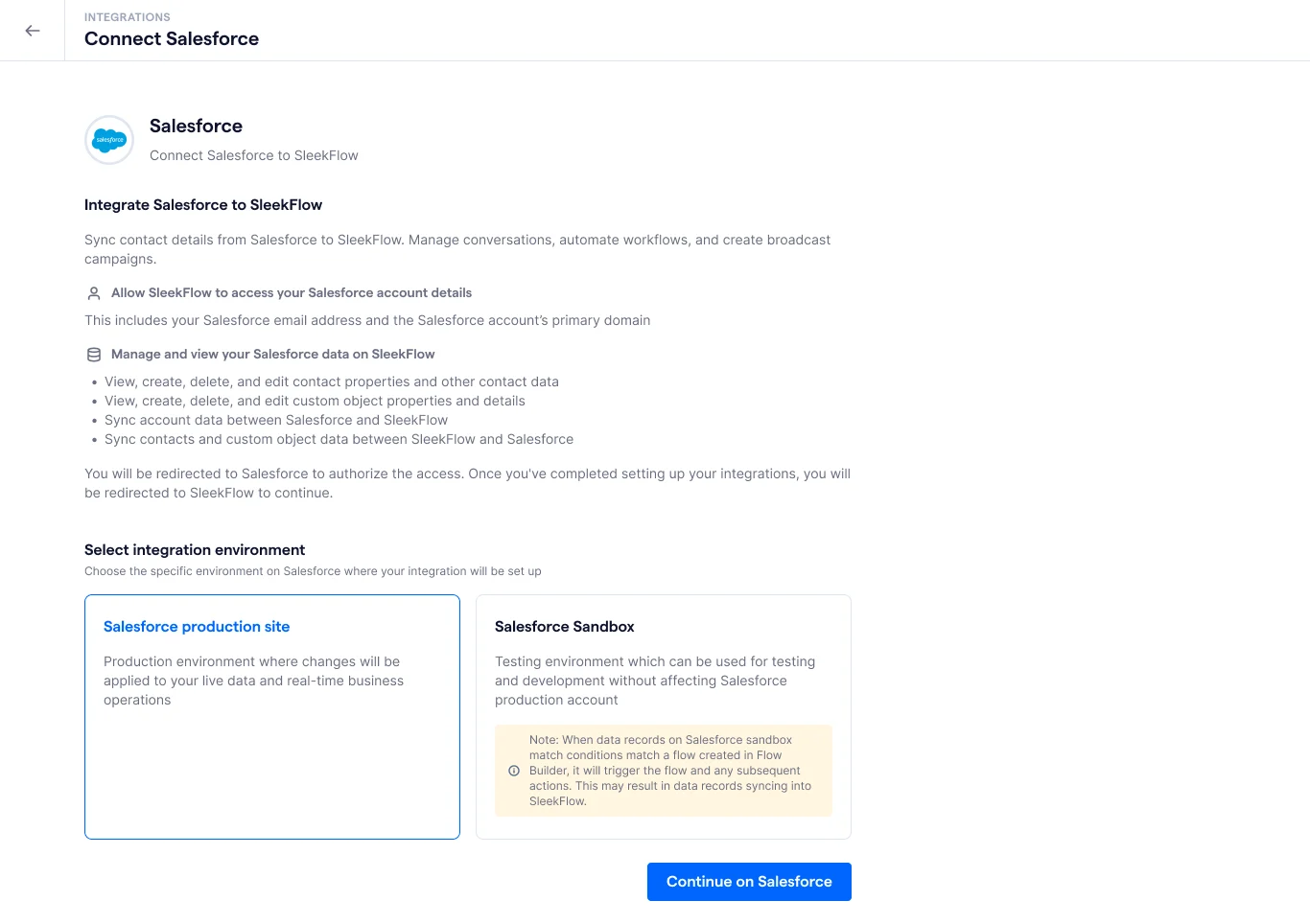
You can connect to SleekFlow’s sandbox environment to test your workflows and deployments without affecting live customer data. This makes it easy to experiment with new messaging strategies while ensuring everything works smoothly before going live.
### 2. Enterprise-grade security
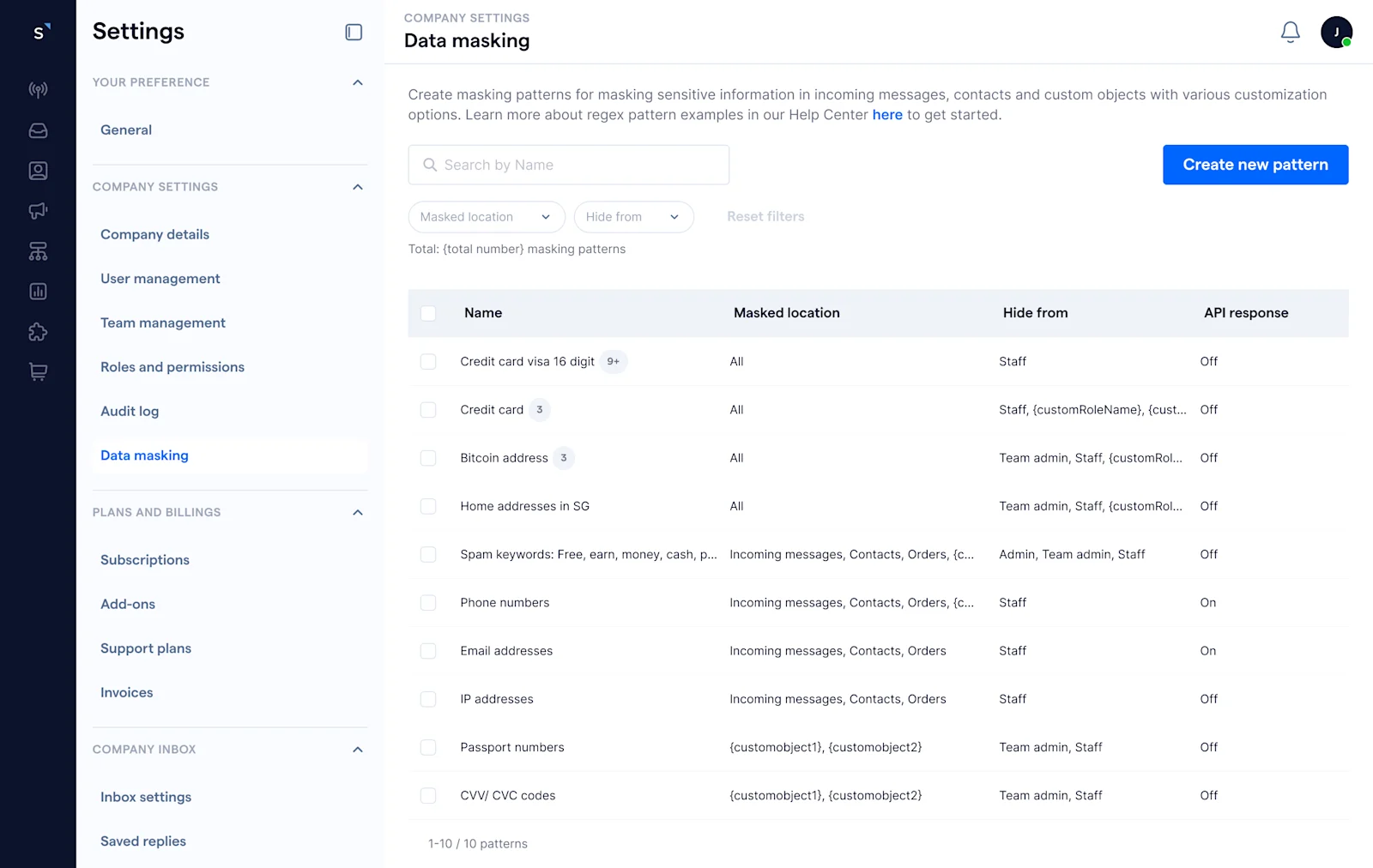
SleekFlow complies with ISO/IEC 27001 and GDPR standards, providing enterprise-grade security for your data. We also support PII masking, so sensitive customer information remains protected at all times.
### 3. Appexchange listing
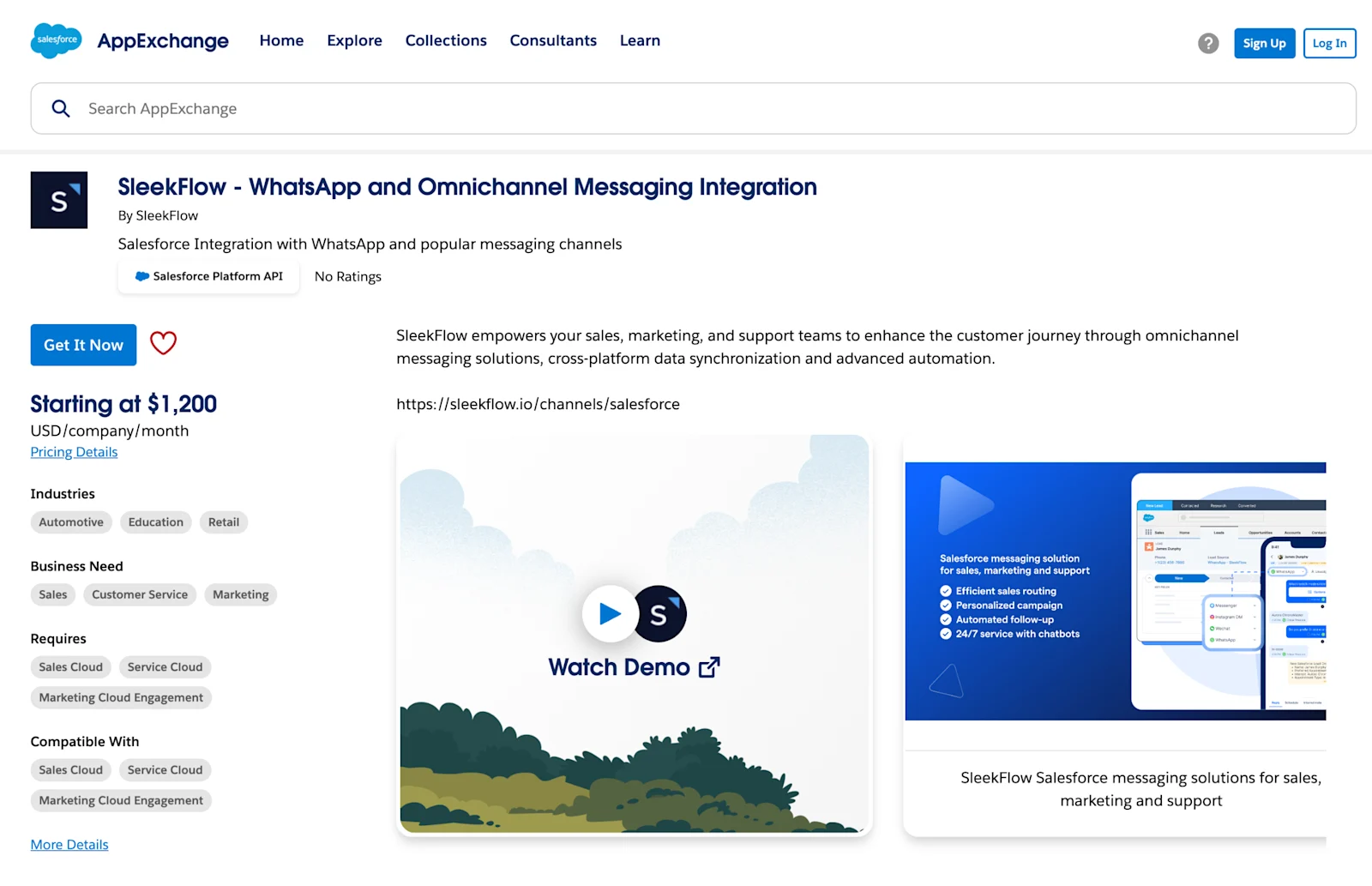
We are a certified Salesforce partner listed on [Salesforce AppExchange](https://appexchange.salesforce.com/appxListingDetail?listingId=a0N4V00000DZIiSUAX), giving you peace of mind that SleekFlow is a trusted and reliable choice for your WhatsApp integration with Salesforce.
## Drive growth with Salesforce WhatsApp integration
With our newly launched Salesforce integration, SleekFlow is here to help you unlock the full potential of WhatsApp for your business. Whether you're aiming to boost sales, automate marketing campaigns, or enhance customer service, the combination of Salesforce and WhatsApp integration is designed to elevate your communication strategy.
Explore how SleekFlow can revolutionize your business workflows today with Salesforce WhatsApp integration and take advantage of omnichannel Salesforce solutions to stay ahead in today’s competitive landscape.
Ready to experience the benefits of SleekFlow’s Salesforce WhatsApp integration for yourself?
[Book a Demo](https://sleekflow.io/book-a-demo)
[Start for Free](https://v1.sleekflow.io/)