---
title: "Customer service email: best practices, templates, and examples for faster, better support"
description: "9 ready-to-use customer service email templates, best practices for faster replies, and industry examples for support teams."
canonical: "https://sleekflow.io/en-sg/blog/customer-service-email-best-practices"
html_lang: "en-sg"
date_modified: "2026-06-25T02:54:48.735Z"
og_title: "Customer service email: best practices and templates"
og_description: "9 ready-to-use customer service email templates, best practices for faster replies, and industry examples for support teams."
og_image: "https://images.ctfassets.net/tu2uwzoyozk8/jv7U36Ukh9EPuG26vYfRg/37254a153c2feca5c6b003922293bf06/Website-Cover-SleekFlow.jpg?w=1200&q=90"
---
```json
{
"@context": "https://schema.org",
"@type": "Article",
"headline": "Customer service email: best practices and templates",
"description": "9 ready-to-use customer service email templates, best practices for faster replies, and industry examples for support teams.",
"url": "https://sleekflow.io/en-sg/blog/customer-service-email-best-practices",
"dateModified": "2026-06-25T02:54:48.735Z",
"image": "https://images.ctfassets.net/tu2uwzoyozk8/jv7U36Ukh9EPuG26vYfRg/37254a153c2feca5c6b003922293bf06/Website-Cover-SleekFlow.jpg?w=1200&q=90",
"breadcrumb": {
"@type": "BreadcrumbList",
"itemListElement": [
{
"@type": "ListItem",
"position": 1,
"name": "Home",
"item": "https://sleekflow.io/en-sg"
},
{
"@type": "ListItem",
"position": 2,
"name": "Blog",
"item": "https://sleekflow.io/en-sg/blog"
},
{
"@type": "ListItem",
"position": 3,
"name": "Customer service email: best practices and templates",
"item": "https://sleekflow.io/en-sg/blog/customer-service-email-best-practices"
}
]
}
}
```
# Customer service email: best practices, templates, and examples for faster, better support
*Julian Wong — Content Strategist*
## Summary
- Customer service email handles complex, formal, and document-heavy support better than any other digital channel.
- The industry average response time is 12 hours 10 minutes. Most customers expect four hours or less.
- 9 email types cover the full range of support scenarios, from acknowledgements to escalations.
- Templates speed up responses without sacrificing personalisation.
- Email performs best when it shares a queue with chat and other channels.
Customers don't reach for email when something is urgent. They reach for it when something is complicated. For a billing dispute, where they may want a paper trail. For a return that requires supporting documents. A technical issue is worth explaining properly rather than firing off over chat. These are the queries that carry the most weight in a support operation, and email is how most of them arrive.
A well-written **customer service email** does more than answer the question. It creates a record, establishes a timeline, and gives the customer something to reference if the issue resurfaces.
## **What is a customer service email?**
A **customer service email** is any support-related message exchanged between a business and a customer to address a question, complaint, request, or update. It covers both inbound enquiries from customers and outbound replies from support agents.
What distinguishes email from live chat or phone is permanence. Customers can search for it later, attach files, and respond in their own time. This makes it the preferred channel for billing queries, account changes, technical issues requiring screenshots, and formal complaints.
## **Why customer service email still matters**
Some teams are routing everything to chat. That works for quick queries. It does not replace what email does well.
| **Why customers still use email** | **What it enables for support teams** |
| --- | --- |
| No need to stay online | Customers send and wait; agents reply without time pressure |
| Handles attachments cleanly | Screenshots, invoices, and documents transfer easily |
| Creates a permanent record | Both sides can reference the thread at any point |
| Suited to complex issues | Multi-step queries are easier to explain in writing |
| Works alongside messaging | Email and chat can sit in the same support queue |
[Around 75% of consumers prefer to hear from brands via email](https://www.mailgun.com/blog/email/email-cx-key-takeaways/), and it remains the go-to channel for formal or detailed support interactions. The issue is speed. The[ industry average response time sits at 12 hours 10 minutes](https://emailanalytics.com/customer-service-email-response-time-standards/), while most customers expect a reply within four hours. That gap is where support quality is won or lost.
## **The most common types of customer service emails**
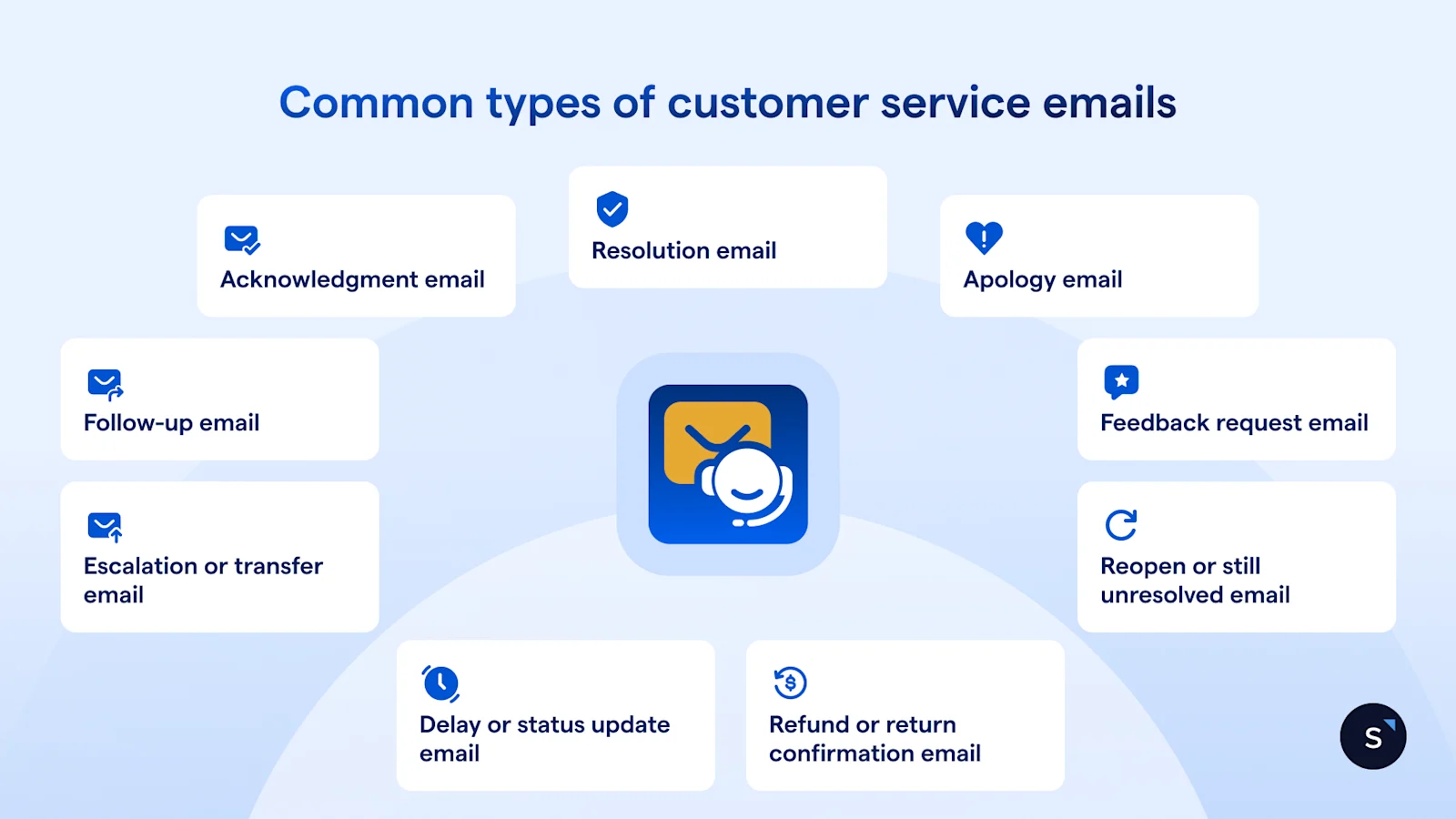
Good teams keep a defined set of email types ready for every stage of a support conversation. Here are the 9 you need.
### **Acknowledgement email**
Confirms receipt of a customer's message, provides a ticket reference, and sets a realistic response timeframe. No inbound email should go without one. Silence in the first hour suggests the issue has been missed.
### **Resolution email**
The direct answer to the customer's issue. State what was done, list any follow-up steps the customer needs to take, and confirm the ticket is closed.
### **Apology email**
For errors, delays, or service failures on your side. Name the specific issue, own the fault plainly, and explain the corrective action taken. Vague corporate language reads as deflection.
### **Follow-up email**
Sent after resolution to confirm the issue is fully closed. Customers who receive a follow-up report higher satisfaction, even when the original issue took longer to fix than expected.
### **Feedback request email**
A short message asking the customer to rate their support experience. Send it 24 to 48 hours after resolution, not immediately.
### **Escalation or transfer email**
Tells the customer their issue has been passed to a senior agent or specialist, explains why, and provides a new expected response time and named contact.
### **Delay or status update email**
Sent proactively when resolution will take longer than communicated. Teams that send delay emails before customers chase them see a measurable drop in inbound follow-up volume.
### **Refund or return confirmation email**
Confirms a refund has been processed or a return received, with a clear timeline for funds to arrive or goods to be inspected. Include the reference number in the subject line.
### **Reopen or still unresolved email**
For customers who reply to a "resolved" ticket with a continuing issue. Acknowledge the reopening explicitly, reset expectations, and reassign to the right agent.
## **Copy-paste email templates you can use**
These are starting points. Add the customer's name, reference their specific issue, and adjust tone to match your brand.
#### **Acknowledgement email**
**Subject:** We've received your message – \[Ticket #12345\]
Hi \[Name\],
Thank you for getting in touch. We've received your request and our team is looking into it now. You can expect a reply within \[X hours / by end of business today\].
Your reference number is **#12345**. Please keep it handy for any follow-ups.
Best regards, \[Agent Name\], \[Company\]
#### **Apology email**
**Subject:** We're sorry – here's what we're doing to fix it
Hi \[Name\],
We're sorry for \[specific issue\]. This was our mistake, and we understand the impact it has had on you.
We have \[action taken\] and put steps in place to prevent this happening again. If there's anything further you need, please reply directly to this email.
Best regards, \[Agent Name\], \[Company\]
#### **Delay or status update email**
**Subject:** Update on your request \[Ticket #12345\]
Hi \[Name\],
We're still working on your request and wanted to keep you updated. Our current estimate for resolution is \[date or time window\].
We appreciate your patience and will follow up as soon as we have an answer.
Best regards, \[Agent Name\], \[Company\]
#### **Feedback request email**
**Subject:** How did we do? Your experience with \[Company\]
Hi \[Name\],
We recently helped you with \[brief description of issue\]. We'd love to know how it went.
\[Rate your experience: ★ ★ ★ ★ ★\] (takes under a minute).
Best regards, \[Agent Name\], \[Company\]
## **How to write a good customer service email**
5 rules that apply to every support email:
1. **Lead with the answer.** Put the resolution or update in the first sentence. If the reply opens with "Thank you for your patience," the actual answer is buried.
1. **Use the customer's name and reference their specific issue.** Generic replies feel automated even when they are not.
1. **One issue per email.** If the reply needs five paragraphs, consider whether a call would resolve it faster.
1. **State next steps clearly.** Who does what, and by when.
1. **Proofread before sending.** A typo in a support email undermines confidence in your team.
## **Best practices for customer service email teams**
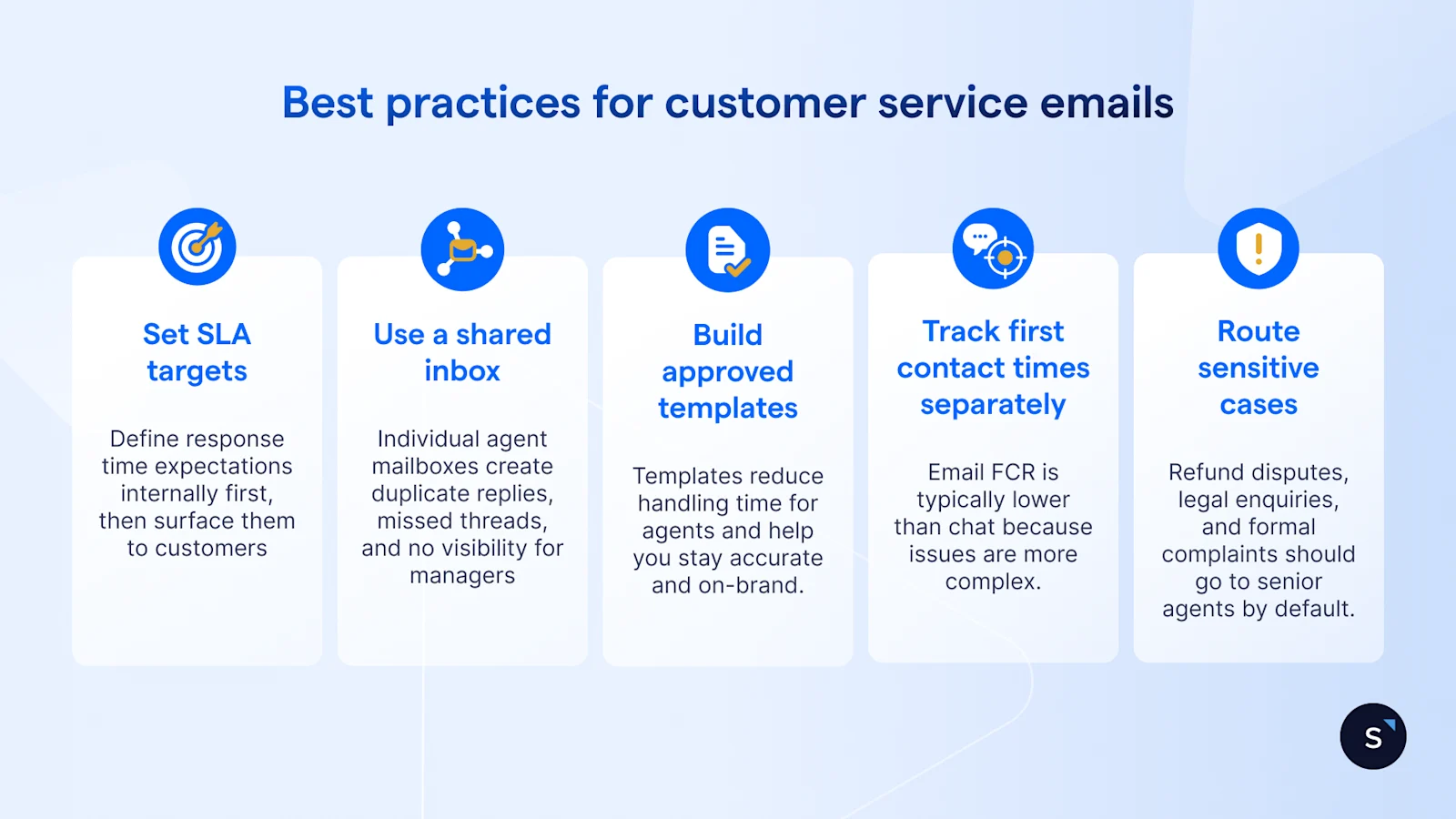
- **Set SLA targets and communicate them.** Define response time expectations internally first, then surface them to customers via acknowledgement emails. Teams that publish their SLAs receive fewer follow-up enquiries.
- **Use a **[**shared inbox**](/en-sg/inbox)**.** Individual agent mailboxes create duplicate replies, missed threads, and no visibility for managers. A shared queue with assignment rules prevents this.
- **Build an approved template library.** Templates reduce handling time but should be reviewed regularly to stay accurate and on-brand.
- **Track first contact resolution (FCR) for email separately.** Email FCR is typically lower than chat because issues are more complex, so tracking it separately sets realistic targets.
- **Route sensitive cases automatically.** Refund disputes, legal enquiries, and formal complaints should go to senior agents by default, not via manual triage or AI.
## **Common mistakes to avoid in customer service email**
- **Delayed follow-ups.** Sending a resolution email and then going silent is a common failure point. Build a standard follow-up cadence into your workflow.
- **Overly technical language.** Write at the reader's level, not your team's internal shorthand.
- **Sending without a review step.** Escalations and compensation emails should have a review checkpoint. One-click send on sensitive replies is a risk.
- **Ignoring customer history.** Starting from zero on a third interaction signals poor systems and erodes trust.
- **Using email for issues that need real-time support.** Urgent troubleshooting, payment failures, and time-sensitive bookings often resolve faster on chat or a call. Recognise when to switch.
- **Forcing customers to repeat themselves when switching channels.** If a customer moves from chat to email, their prior history should carry over automatically.
## **Customer service email in a multi-channel support strategy**
Email works best as one part of a connected support workflow, not as a separate silo.[ 73% of customers expect to start on one channel and finish on another without having to repeat themselves](https://kayako.com/blog/customer-service-trends/), but most businesses still manage email and chat in entirely separate tools.
The result is fragmented customer history, agent context-switching, and slower resolution. A shared inbox that handles email alongside chat, WhatsApp, and voice puts all conversation context in one place. Agents see the full picture before they type a word. That single change affects response quality more than most training programmes.
## **How to build a customer service email workflow that scales**
A scalable email support operation has 8 components:
1. **Shared inbox or routing layer:** inbound emails route to the right queue by topic or team automatically.
1. **Automatic acknowledgement:** every inbound email triggers an immediate confirmation with ticket reference and SLA.
1. **SLA tracking:** response time targets are monitored in real time so nothing breaches without a flag.
1. **Ticket creation and prioritisation:** each email becomes a tracked ticket, categorised by urgency and issue type.
1. **Context from previous conversations:** agents see the customer's full interaction history across channels before replying.
1. **Escalation rules:** complex or sensitive cases route automatically to the right person.
1. **Follow-up automation:** resolved tickets trigger a scheduled follow-up and feedback request without manual intervention.
1. **Reporting and coaching:** email performance data (response time, FCR, CSAT) feeds team reviews and agent coaching.
## **Customer service email examples by industry**
### **Ecommerce**
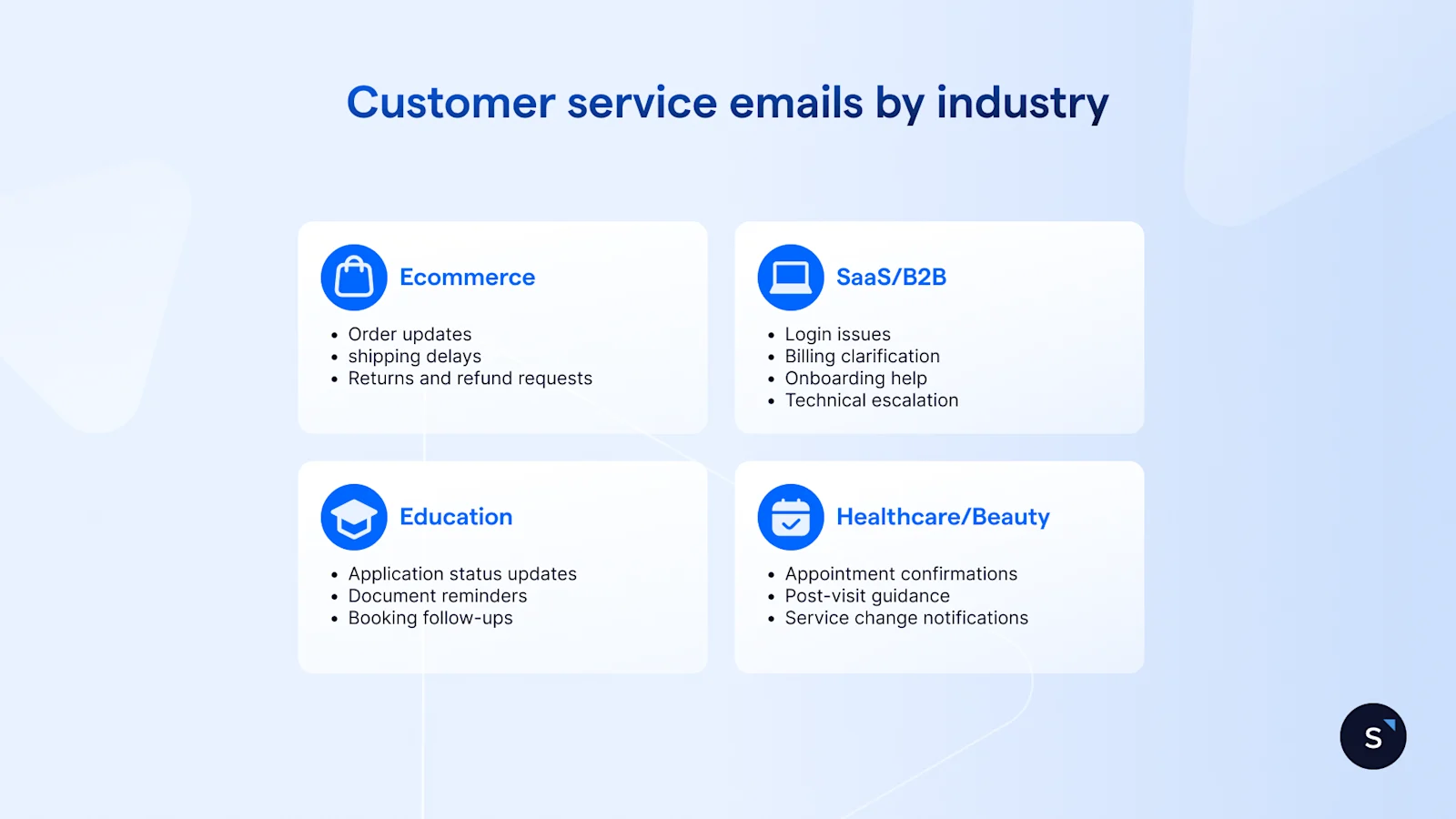
Order updates, shipping delays, returns, and refund requests make up the bulk of e-commerce support email. Strong e-commerce support emails include the order number in the subject line, a clear status update, and a direct link to a tracking page or returns portal. Proactively send order delay emails before the customer chases cut "where is my order".
### **SaaS / B2B**
SaaS support email covers login issues, billing clarification, onboarding help, and technical escalation. B2B customers expect faster replies because their own work is often blocked until they hear back. Escalation emails should name the specialist taking ownership and give a realistic resolution window, not just a generic acknowledgement.
### **Education / admissions**
Schools and universities handle application status updates, document reminders, and booking follow-ups at high volume during intake periods. Automated acknowledgements for admissions enquiries reduce inbound "did you receive my application?" follow-ups significantly. Templates for common responses (document checklists, interview confirmation, offer letters) save substantial handling time.
### **Healthcare / beauty**
Clinics use email for appointment confirmations, post-visit follow-up guidance, and service change notifications. Email suits this context because it creates a written record patients can reference later. Templates for this industry need careful review cycles. Incorrect scheduling or clinical information carries real consequences and should be reviewed by a compliance or clinical lead before publishing.
## **Why SleekFlow is built for modern email support**
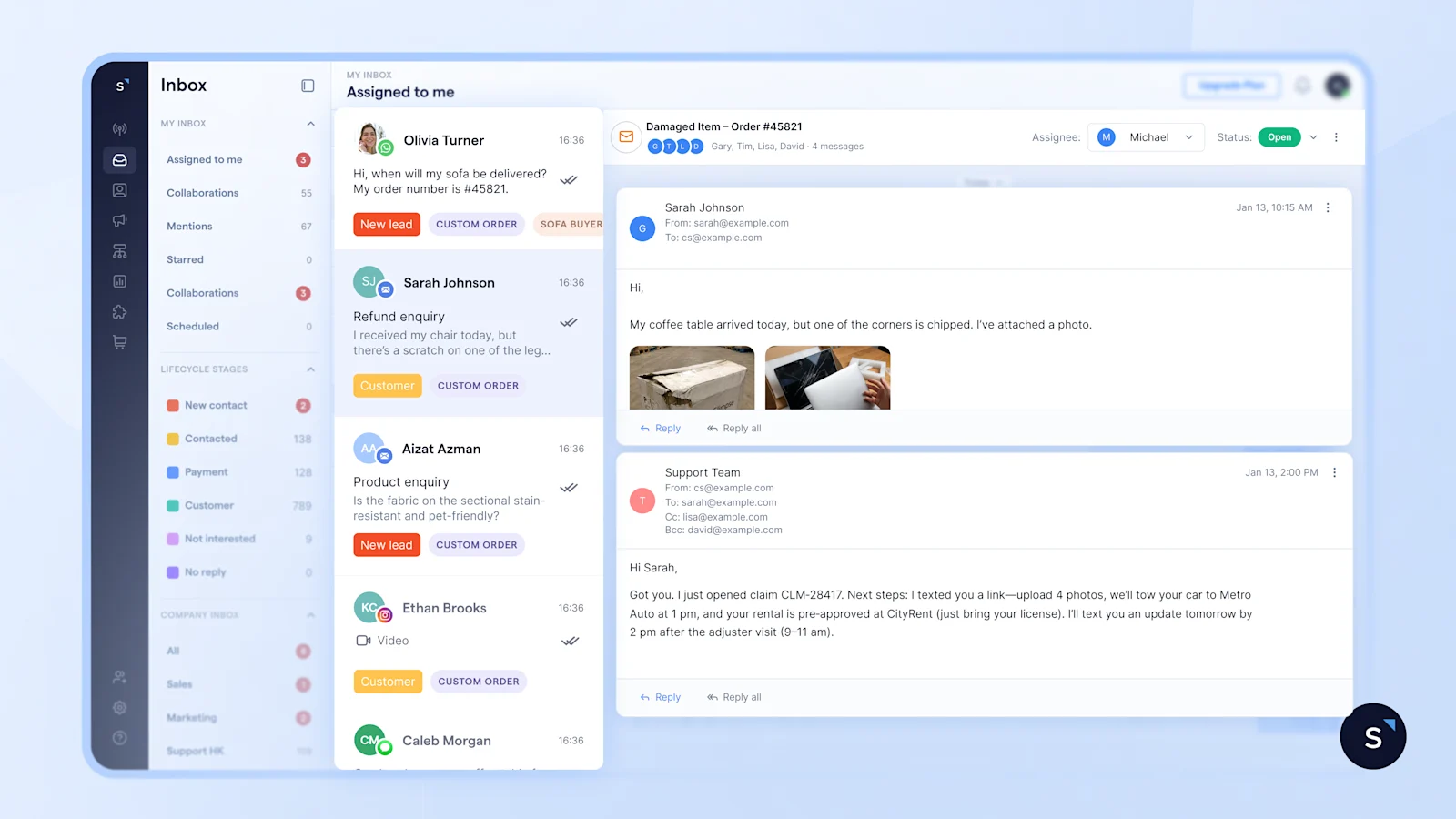
SleekFlow handles support emails in the same workspace as WhatsApp, Instagram, Facebook Messenger, SMS, and VoIP calls. Every inbound email becomes a tracked ticket, automatically routed to the right agent, with the customer's full conversation history visible alongside it, with no tool-switching required.
[SleekFlow's Inbox](/en-sg/inbox) places email and chat in a single assignment queue.[ Flow Builder](/en-sg/flow-builder) automates acknowledgements, SLA tracking, escalation rules, and follow-up sequences without custom development.[ The ticketing system](/en-sg/ticketing) tracks every inbound email from first contact to resolution, with real-time SLA alerts and full manager visibility.
For teams handling high reply volumes,[ AgentFlow](/en-sg/agentflow) drafts first-pass responses using customer context. Agents review and send. First response time drops without removing the human step that complex cases require.
### What is a customer service email?
A written support message exchanged between a business and a customer to acknowledge, update, resolve, or follow up on an issue.
### How quickly should you reply to a customer service email?
The industry average response time is 12 hours 10 minutes. The target for most teams should be four hours or less for standard queries, and faster for urgent matters like billing failures or formal complaints.
### What should every customer service email include?
A greeting with the customer's name, a direct reference to their specific issue, a clear answer or status update, required next steps, a ticket or reference number, and a named agent sign-off.
### When should you use email instead of live chat?
Email suits complex queries with attachments, formal requests, billing disputes, and situations where a written record matters. Live chat is better for urgent issues and multi-step troubleshooting that benefits from real-time exchange.
### How do you prevent customers repeating themselves when switching channels?
Use a shared inbox that stores conversation history from email, chat, and other channels in one unified contact record. When a customer moves from chat to email, the agent should see the prior context automatically.
### What templates should every support team have ready?
At minimum: acknowledgement, resolution, apology, delay update, refund confirmation, feedback request, and escalation. These 7 cover the vast majority of support scenarios across most industries.
## Start for free\!
Grow your revenue and turn chats into conversions with AI agents. Try SleekFlow for free, forever.
[Start for Free\!](https://app.sleekflow.io/en?screen_hint=signup)
[View pricing](https://sleekflow.io/en-sg/pricing)