WhatsApp Broadcast or Group: The Best for Businesses


TL; DR: Quick Summary
- WhatsApp has evolved from a simple messaging app into a powerful business communication channel, with billions of users worldwide using it daily.
- WhatsApp Broadcast lets businesses send one-way messages to up to 256 opted-in contacts privately, making it ideal for updates, promotions, reminders, and abandoned cart follow-ups.
- WhatsApp Groups enable two-way conversations among up to 1,024 members, making them better suited for community building, customer support, and team collaboration.
- Broadcasts offer privacy and efficiency but are limited in scale, while Groups drive engagement but can feel noisy and less private.
- Real-world brands using SleekFlow’s WhatsApp Business API achieved high open rates, strong ROI, and improved customer engagement.
- For larger audiences and automation needs, the WhatsApp Business API removes contact limits and adds analytics, CRM integration, and AI workflows.
WhatsApp, founded in 2009, quickly became a household name as a convenient and cost-effective way to exchange text messages, multimedia, and calls. What started as a simple messaging platform soon evolved into a comprehensive ecosystem catering to personal, social, and increasingly, business communication needs.
With over 6 billion downloads in 2024, businesses across the spectrum are embracing WhatsApp Business as a powerful tool to connect with their audience in a more personalized and effective manner.
As businesses increasingly recognize the effect of WhatsApp Business, they began to explore innovative ways to integrate WhatsApp tools such as WhatsApp Broadcast and WhatsApp Groups into their communication strategies.
What is WhatsApp Broadcast?
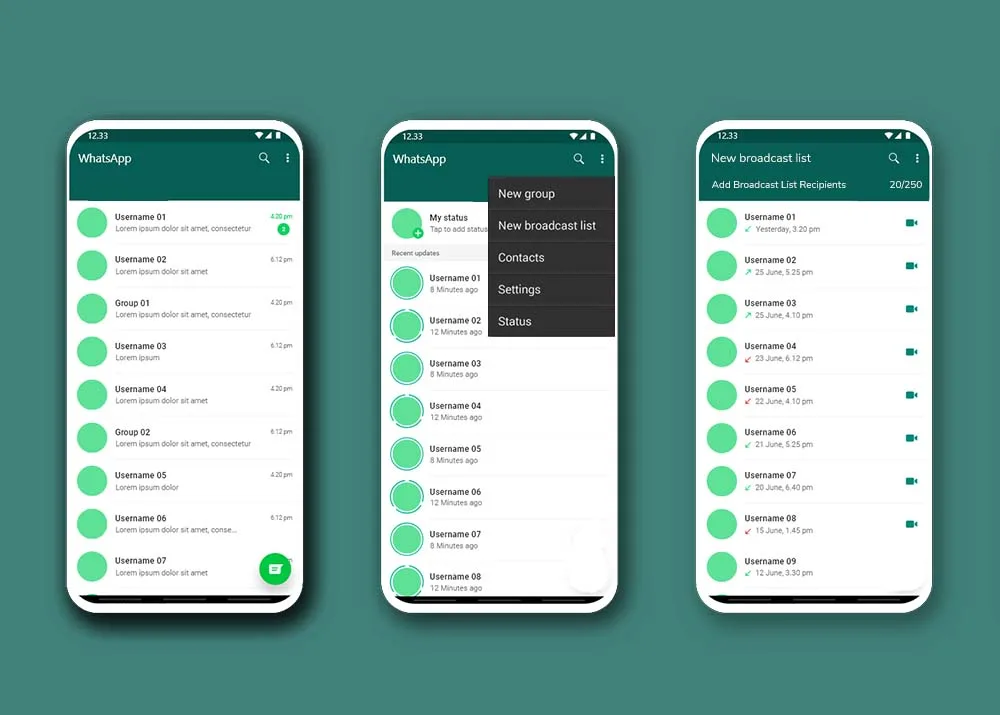
WhatsApp Broadcast is a feature that allows your message to reach multiple recipients by creating a broadcast list. Imagine you want to tell a group of friends about a party you're hosting, but you don't want them all to know who else you invited.
This makes it a great tool for:
Sharing news and updates
Sending out announcements
Keeping conversations with individual recipients private
Creating a broadcast list:
Start by creating a broadcast list from your contacts. Note that each list is limited to 256 contacts.
Compose your message, personalizing it with variables like first names or birthdays.
Select the broadcast list and send. Each recipient sees the message individually without knowing who else received it.
Advantages:
Privacy: Recipients do not see each other’s names or replies.
Efficiency: Ideal for one-way communication like updates and announcements.
No spam feel: Personalized messages appear as individual messages, reducing the spam perception.
Targeted audience: Ensures messages reach only those who have opted in.
Disadvantages:
Limited contacts: Each broadcast list can only have up to 256 contacts.
Saved contacts: Messages are only delivered to those who have saved your business number.
What is WhatsApp Group?
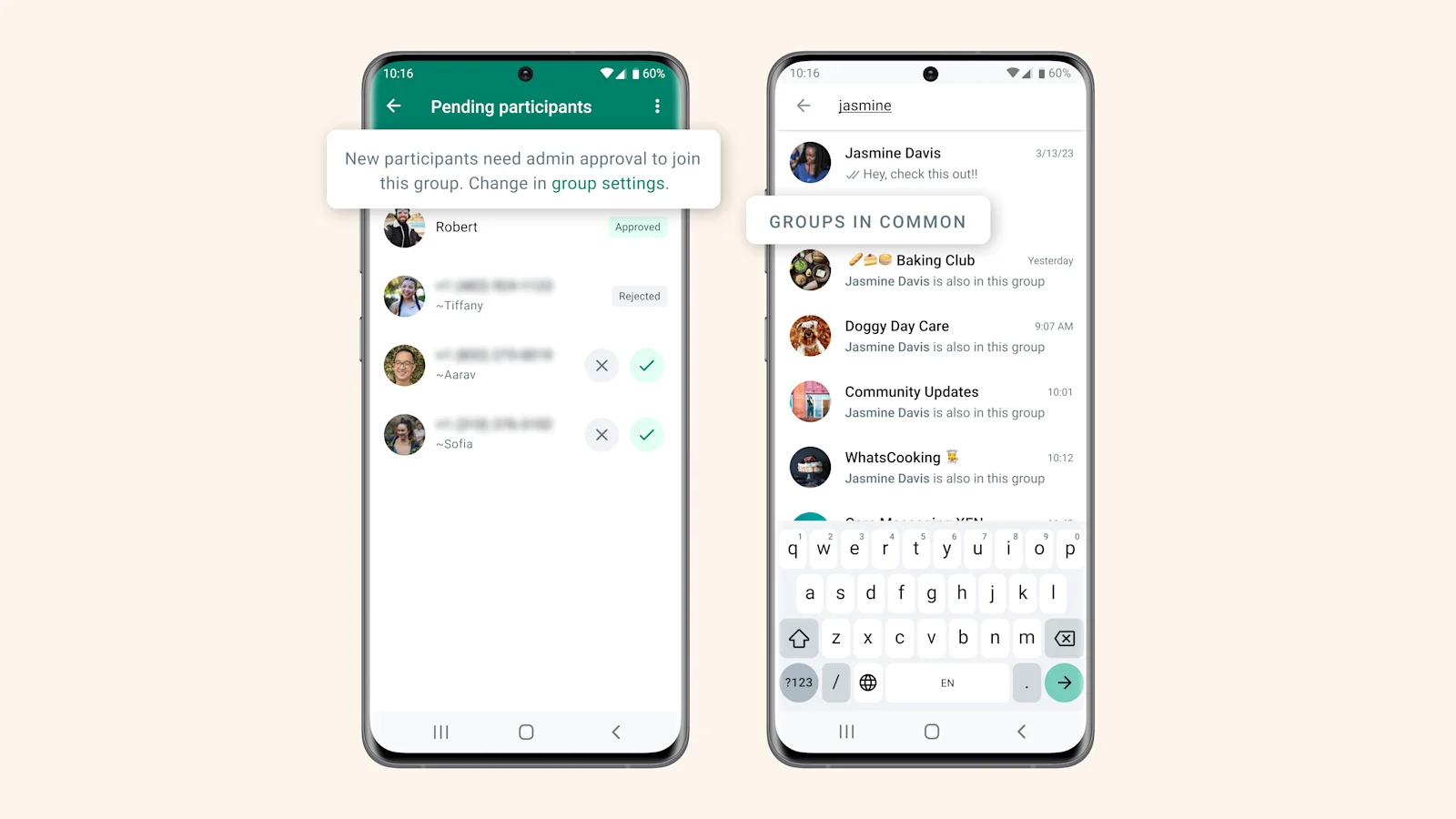
A WhatsApp Group is a chat room where you can communicate with multiple people simultaneously. When you send a message in the group, everyone in the group can see it and reply to it, making it perfect for:
Discussing plans
Organizing events
Having conversations with many people in one place
Similar to a real hangout, you can invite people to join the group by sharing a link and they can leave the group whenever they want.
Creating a WhatsApp Group:
Open WhatsApp: Launch the WhatsApp application on your smartphone.
Access Groups: Select the menu icon and choose “New group”.
Select members: You can then select contacts from your address book to add. The maximum number of members in a WhatsApp group is 1024.
Group name and photo: Choose a name and a profile photo for the group. The group name and photo will be visible to all members of the group.
Create group: After selecting members and customizing the group settings, tap on the "Create" button to create the group.
Advantages:
Engagement: Members can actively participate and share ideas.
Shared media: Easy sharing of photos, videos, and documents.
Privacy options: Groups can be set as private or public.
Large capacity: Up to 1024 members can join.
Disadvantages:
Overwhelming notifications: High volume of messages can lead to distraction.
Unwanted participation: Members might be added without consent.
Lack of privacy: All members see each other’s messages and profiles.
How to use WhatsApp Broadcast
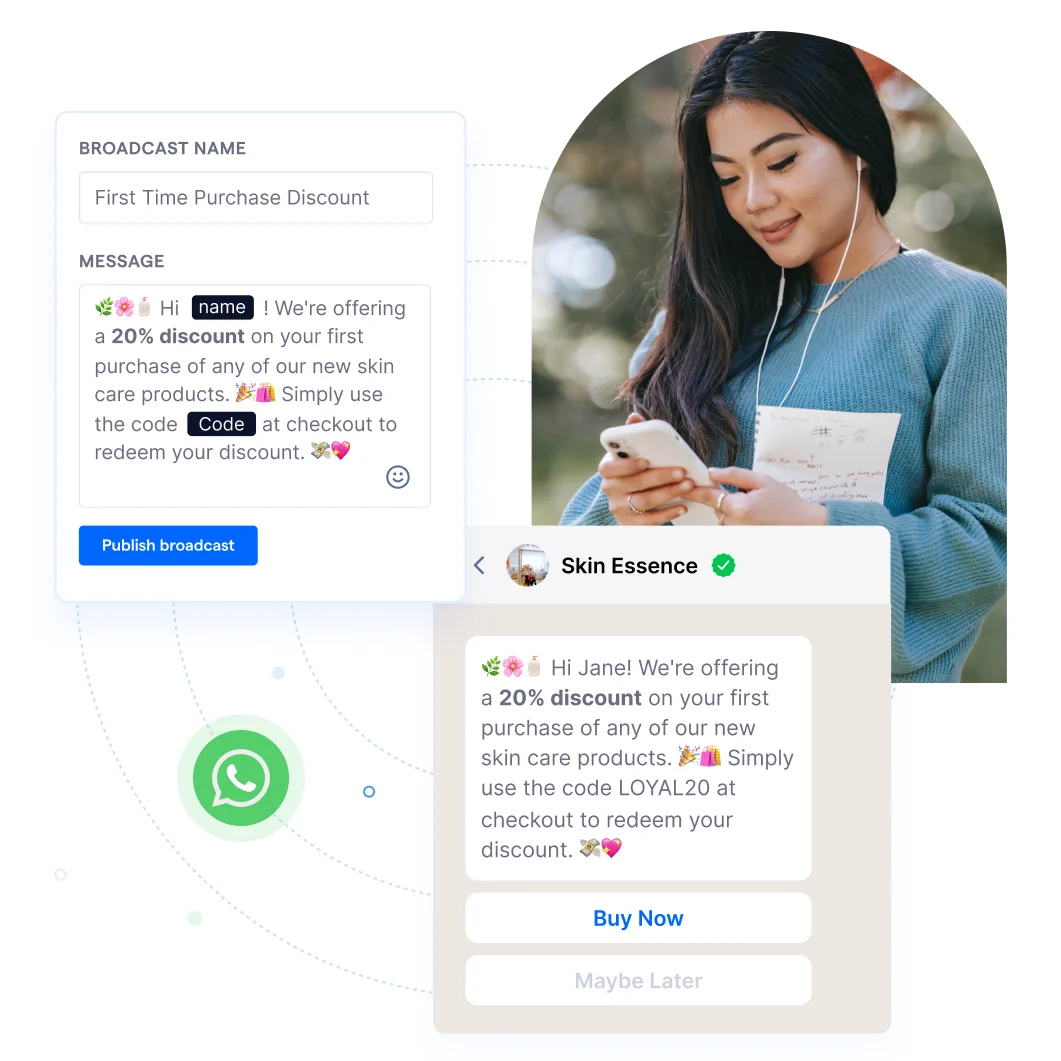
Promotional messaging campaigns
WhatsApp Broadcasts can be an effective tool for businesses to run promotional campaigns. You can send out things like:
Exclusive offers and discounts
New product announcements
Limited-time deals
Since the messages appear as personal messages to recipients, they are more likely to be noticed and engaged with.
more likely to be noticed and engaged with.
TKD Lingerie enhanced customer engagement with SleekFlow’s WhatsApp Broadcast
TKD Lingerie, a retailer specializing in inclusive sizing across Dubai and Abu Dhabi, managed over 120 SKU sizes and offered personalized fitting sessions (virtual and in-home).
Email communication was insufficient for managing high-touch services and maintaining effective customer engagement, particularly for a geographically dispersed clientele.
By implementing SleekFlow’s WhatsApp Business API, TKD Lingerie adopted a direct-to-consumer messaging strategy with advanced automation workflows and CRM integration.
Sent to 4,500 contacts
Achieved a 74% open rate
Generated 78 sales
Delivered a 40X Return on Ad Spend (ROAS)
We always go the extra mile for our customers and having the ability to personalize communications is super important. I’d recommend SleekFlow to other businesses, as it has given us the full picture across our retail channels. It eases the workflow, improves customer experience, and we’ve seen a good return.

Kate Kikano
FOUNDER OF TKD LINGERIE
Event updates or delivery reminders
When you're organizing an event or running a delivery service, keeping participants or customers informed is crucial. With WhatsApp Broadcasts, you can easily send:
Timely updates
Event reminders
Location details
Schedule changes
Delivery tracking information
This allows you to communicate with a wide audience without having to deal with the chaos of a group chat.
Abandoned cart reminders to recover lost sales
For e-commerce businesses, abandoned carts represent lost sales opportunities. WhatsApp Broadcasts can be used to send tailored reminders to users who added items to their cart but didn't complete the purchase. This can help recover potential sales by gently nudging customers to complete their transactions.
CSAT surveys for customer service
After interacting with a customer, businesses can use WhatsApp Broadcasts to send Customer Satisfaction (CSAT) surveys. This allows customers to provide feedback on their experience. Since the survey is sent directly to their chat, it's convenient for customers to respond and share their opinions by clicking on
What to use WhatsApp Groups for

Team communication
WhatsApp Groups offer a quick and convenient way for teams to collaborate. They're perfect for:
Real-time collaboration: Discuss projects, share files, and give quick updates, no matter where your team members are.
Improved efficiency: Having everyone in one group keeps the team in sync, which is especially helpful for time-sensitive tasks.
Customer support
WhatsApp Groups provide a direct channel for customer support. Businesses can create groups where customers can:
Ask questions and get help: Customers can post their questions, report issues, or seek assistance directly from your support team.
Build a community: It creates a community where customers can support each other, sharing tips and solutions. This not only helps them but also reduces the load on your team.
Community building
WhatsApp Groups are a great tool for building a community around your brand. You can use them to:
Foster a sense of belonging: Create a space where customers feel connected to your brand and to each other.
Encourage interaction: Allow customers to share experiences, ask questions, and offer advice, which helps build brand loyalty and turn customers into advocates.
Marketing and promotion
WhatsApp Groups serve as a targeted marketing tool.
Since customers have to opt-in to join, you know you're reaching an audience that's already interested in what you have to offer. You can use these groups to:
Share exclusive content: Give members a sneak peek at new products or behind-the-scenes content.
Run promotions: Announce special offers, discounts, and sales directly to the group.
Launch new products: Let your most loyal customers be the first to know about new releases, making them feel like VIPs.
WhatsApp Broadcast vs. Group: at a glance
Interested in WhatsApp Channels instead? Check out our blog.
WhatsApp Broadcast vs. Group: how to choose the best
So, how do you choose between WhatsApp Broadcasts and Groups for your business? The right choice really depends on your marketing goals.
Choose WhatsApp Broadcast if:
You need to send one-way messages to a large audience.
You want to protect recipients' privacy (they can't see who else received the message).
Your goal is to share promotional messages, company updates, or exclusive offers with a personal touch.
Choose WhatsApp Groups if:
You want to create an interactive, collaborative space for discussion.
Your goal is to foster a community and encourage engagement among members.
You need a platform for team projects, event planning, or customer support discussions.
Ultimately, your decision should align with your business's communication style, audience size, and engagement objectives. By thinking about these factors, you can use either WhatsApp Broadcasts or Groups to effectively boost your communication and marketing strategy.
The best option: WhatsApp Business API with SleekFlow
For businesses looking to overcome the limitations of standard WhatsApp Broadcast, the WhatsApp Business API offers a superior solution.
Here’s why it’s a better choice:
Unlimited recipients: Unlike standard broadcast lists that are capped at 256 contacts, the WhatsApp Business API lets you send messages to an unlimited number of recipients.
Perfect for large-scale campaigns: This makes it ideal for widespread marketing campaigns, customer updates, and major announcements.
The API also supports advanced features that can enhance customer engagement and streamline your communication. These include:
Automated messaging: Set up automatic replies and message sequences.
CRM integration: Sync your customer data and conversations with your existing CRM system.
Detailed analytics: Track message delivery, open rates, and engagement to measure your campaign's success.
AI Agents: Handle customer inquiries efficiently, reducing response times and enhancing satisfaction.
By leveraging the WhatsApp Business API, businesses can reach a broader audience more efficiently, ensuring that their messages are delivered and received promptly.
How Le Dessert broke the 256-contact barrier with SleekFlow's WhatsApp API
Le Dessert, a Hong Kong-based French pâtisserie, used the standard WhatsApp Business app to engage with customers but faced challenges as their contact list grew.
The 256-contact limit on broadcast lists forced the team to manually replicate messages, slowing operations. They also struggled with complex payments for international customers.
Le Dessert adopted SleekFlow’s WhatsApp API. This enabled seamless broadcasts to their entire contact list, unified payment links, and automated post-purchase communications.
100% online sales: The completed sales funnel in WhatsApp made it easier for customers to purchase, boosting revenue.
A 15% growth in overseas customers: Enhanced in-chat payment experience opened up new markets.
Connect to WhatsApp Business API now!
Connect to WhatsApp Business API and unlock powerful tools to engage your audience.


