WhatsApp Channel: How to make deeper connections with your customers


TL; DR: Quick Summary
- WhatsApp Channels (launched June 2023) is a one-way broadcast feature under the Updates tab, letting admins share text, photos, videos, stickers, and polls at scale.
- They are public with ~30-day content history, but follower identities remain private
- Best used for announcements, product launches, and content distribution, not for customer conversations
- Channels cannot support direct replies or customer service, so businesses need other tools for engagement
- To convert traffic, add CTA links to websites where live chat can capture and qualify leads
- Adding CTA links to websites helps turn Channel traffic into leads via live chat and automation to capture, qualify, and convert, improving efficiency and ROI
Effective communication is now paramount for businesses and organizations to connect with their audience. To diversify the methods of interacting with users, WhatsApp introduced Channels to help brands and communities reach out to more people at once. Now, you can effortlessly deliver captivating content like text, photos, videos, stickers, and polls to a vast audience.
What is a WhatsApp Channel?
WhatsApp Channel or WhatsApp Broadcast Channel, launched in June 2023, is a new feature that enables admins to send texts, photos, videos, stickers, and polls. It is a medium for one-way broadcast messages, acting just like an announcement board for your target audience.
It can be found under a dedicated "Updates" tab on WhatsApp, together with the "Status" feature. WhatsApp has also introduced a searchable directory to make it easier for users to find channels related to their hobbies, sports teams, and updates from local officials.
Why use a WhatsApp Channel for your business
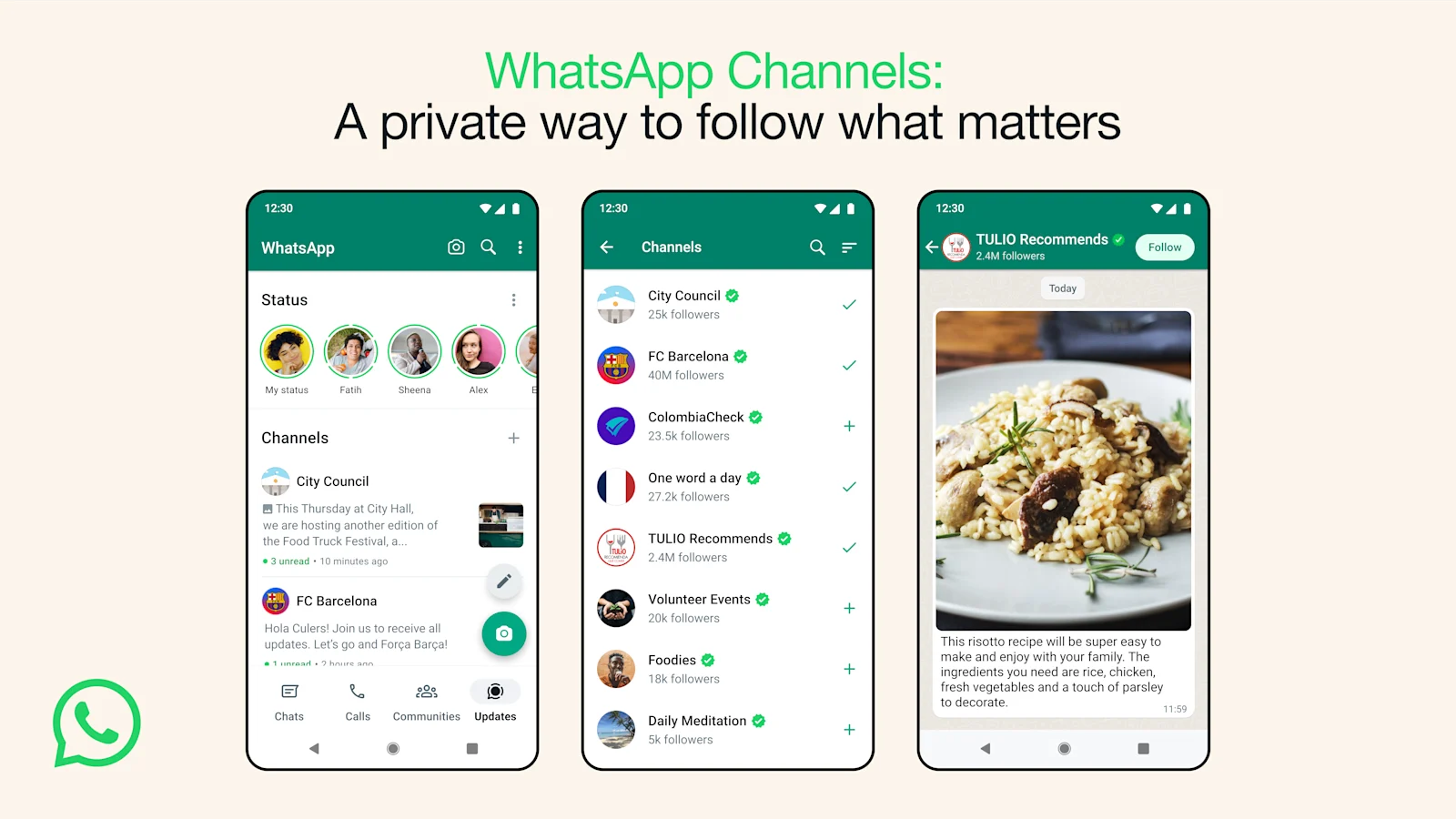
A WhatsApp Channel is beneficial for businesses to connect with a large group of customers at once. If you have a WhatsApp account, you should be able to experience these advantages by using WhatsApp Channels:
One-way broadcast important information to a large audience simultaneously
Reach a wide audience and encourage them to engage with your brand
Enable one-way communication for efficient information sharing
Share diverse content types like text, photos, videos, stickers, and polls
Manage channel membership for targeted content delivery
Increase visibility and attract relevant subscribers through searchability
Access analytics and insights for tracking channel performance
Discover the power of WhatsApp with SleekFlow!
Unleash your full potential with WhatsApp Business API. Your customers are waiting!
Important things to note before using a WhatsApp Channel
WhatsApp Channels is a one-way broadcasting tool that lets people and businesses send updates to their audience in over 150 countries. It's a great way to share information, but it's important to understand how the feature handles privacy and operates before you jump in.
Here are a few key things to remember:
Channels are public and content is temporary: All WhatsApp Channels are public, meaning anyone can find your channel through WhatsApp search, directories, or shared links, and followers may see channel updates from up to the previous 30 days. Channel history is also kept for about 30 days. That said, forwarded posts may preserve channel attribution
Follower privacy is protected: When you follow a WhatsApp Channel, your private chats remain end-to-end encrypted. Other followers cannot see your name, phone number, or profile picture, nor will they know which channels you follow or how you react to posts. Channel admins may see your profile name and, depending on your privacy settings, your profile picture, but they do not see your phone number unless they already have you as a contact. Your private chats remain separate from Channels.
What admins should know: Followers see posts under the channel’s name, not the admin’s personal identity. Channel owners and admins are responsible for keeping content safe, relevant, and age-appropriate under WhatsApp’s channel rules.
Data and monetization: WhatsApp uses limited information related to Channels to operate and improve the feature (such as interactions and usage signals). For paid channel subscriptions, WhatsApp offers monthly subscriptions for exclusive content. Payment processing and subscription management may involve platform partners such as Apple or Google, depending on how the subscription is made, and relevant transaction or subscription information is shared with WhatsApp to provide the service.
Ultimately, WhatsApp Channels is a powerful broadcasting tool. Just be sure you understand its public nature and 30-day content window before you start creating or following.
When businesses should use WhatsApp Channels
It's tough to grab a customer's attention these days. Between overflowing inboxes and crowded social media feeds, your message can easily get lost. WhatsApp Channels offer a direct line to your audience, letting you send updates straight to them inside an app they already use every day. Think of it as a digital announcement board where you can skip the algorithms and speak directly to people who want to hear from you.
So, when does it make sense to use a Channel instead of traditional messaging? Use a WhatsApp Channel when you need to share information widely and don't require a back-and-forth conversation.
Here are a few situations where Channels work best:
Mass announcements:
Share company news, major updates, or service alerts with a large audience in a clean, one-way format.
Product launches and promotions:
Highlight new products, flash sales, seasonal campaigns, or event updates with rich content like photos and videos.
Content distribution:
Share regular updates, articles, tips, or insights to grow a content-driven audience and keep followers engaged.
Privacy-first engagement:
Reach people who value privacy, since follower identities are hidden from one another, making it easier for users to subscribe comfortably.
How to create and setting up a WhatsApp Channel
Engage your followers and share updates directly through WhatsApp Channels. To get started, ensure you have a WhatsApp account. For existing users, make sure your WhatsApp app is updated to the latest version for optimal performance.
No WhatsApp account yet? Learn to create a WhatsApp Business account in our blog guide.
To enhance the security of your channel, enable two-step verification for your WhatsApp account and the accounts of any administrators involved.
Here's how to create your channel:
Access WhatsApp Channels on WhatsApp Web by clicking the Channels icon.
Click the "> Create channel" option.
Accept the Terms of Service and Privacy Policy by clicking "Continue".
Add a channel name to complete the creation process. You can always change the name later.
Customize your channel (optional): Provide a channel description to help potential followers understand its purpose. Stand out by adding an image as the channel icon.
Click "Create channel" and voila! You're all set.
Once your channel is set up, learn how to share your first update and find the link to your channel on the channel info page. To access the channel info page:
Open Channels by clicking the Channels icon.
Select your channel and click on the channel name.
Click "Copy link" to share it with others.
For any assistance regarding your channel, reach out to WhatsApp support by navigating to WhatsApp Settings > Help > Contact us.
Channel owners can share invite links via chats, email, or online platforms to expand their reach.
How to verify a WhatsApp Channel
Trust is essential in digital marketing. On a WhatsApp Channel, that trust appears as a Meta badge - a blue verification checkmark. This badge shows your followers they're getting updates from your actual brand, not an impersonator.
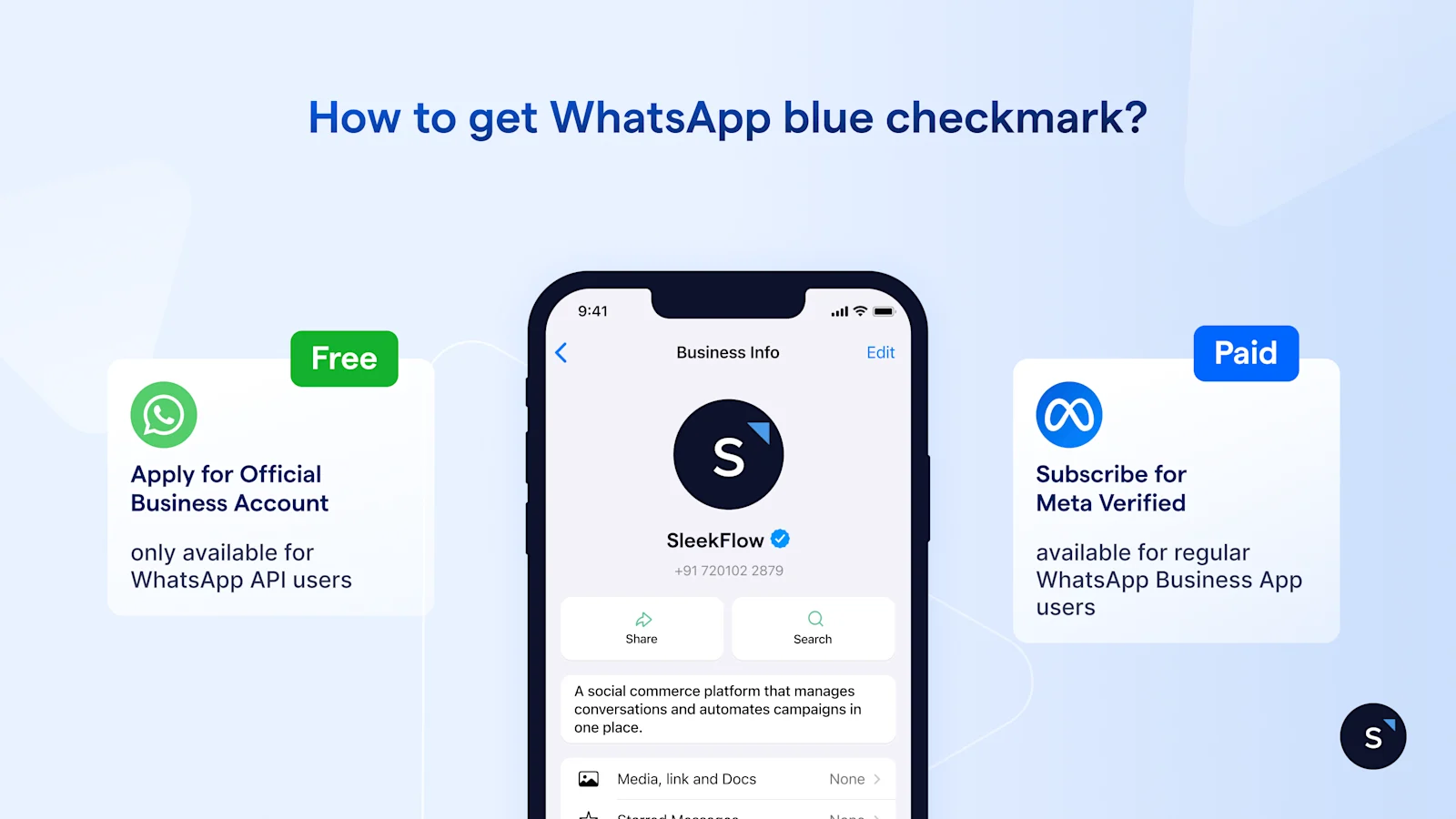
WhatsApp is still rolling out Channel features across the globe, but getting the blue tick generally follows the same process as verifying an Official WhatsApp Business Account. Here’s how you can establish an authentic, verified presence:
Secure an Official Business Account (OBA): First, your business needs to be notable and highly searched. The initial step is to get your underlying WhatsApp Business API account fully verified through Meta Business Manager.
Build brand prominence: Meta looks at your brand's public presence. Make sure your business has a strong digital footprint, with active social media profiles, press mentions, and a professional website.
Link your accounts: Solidify your brand’s digital identity by linking your WhatsApp Business profile to your verified Facebook Page and Instagram account.
Adhere to guidelines: You must strictly follow WhatsApp’s Commerce and Messaging Policies. A history of high-quality messages and a clean policy record are crucial for approval.
Once you meet these criteria, you can request verification through your Business Solution Provider (BSP), like SleekFlow for free. Alternatively you can pay for Meta Verified subscription to get the badge.
Visit our blog to learn more on how to get WhatsApp Business blue checkmark.
How to grow and promote your WhatsApp Channel
WhatsApp Channels are strictly opt-in, which means your audience won't grow on its own. You need a proactive, omnichannel promotional strategy. It’s not enough to just create a Channel—you have to actively guide your existing community to this new space.
To quickly grow your subscriber base, try these proven tactics:
Leverage the power of the link: Your Channel has a unique invite link. Put it everywhere: your Instagram bio, Facebook posts, email signatures, and even on a pop-up on your website.
Cross-promote via standard WhatsApp: If you already have a list of customers on the WhatsApp Business App or API, send them a personalized broadcast inviting them to follow your new Channel for exclusive updates.
Incentivize subscriptions: Give people a good reason to join. You could offer a discount code, early access to sales, or exclusive content only available to your Channel followers.
Optimize for searchability: People can find you in the in-app Channel Directory. Make sure your Channel name matches your brand and write a clear, keyword-rich description so users can easily find you.
How to measure WhatsApp Channel performance
To fine-tune your strategy and make sure your content is connecting with your audience, you need to monitor your Channel's performance. Since Channels are one-way, you won’t track conversational metrics like "average response time." However, there are still valuable indicators of success you can use.
Focus on these key performance metrics:
Follower growth rate: Keep an eye on how quickly your subscriber base is growing. If you see a spike, you can often trace it back to a specific promotional campaign or a popular update.
View counts: Each update shows a view count. Compare this to your total follower count to see your actual reach and figure out what kind of content, like videos versus text, gets the most attention.
Emoji reactions: Followers can leave emoji reactions instead of typing replies. This is a great way to gauge audience sentiment. A lot of positive reactions means your content is landing well.
Click-through rates (CTR): When you share links to your website or store, always use UTM parameters. This helps your analytics software, like Google Analytics, track how much traffic and how many sales are coming directly from your WhatsApp Channel.
Learn more: How to measure WhatsApp Marketing ROI and metrics
How to find and follow a WhatsApp Channel
Explore an extensive list of WhatsApp Channels by tapping the Updates tab, then selecting the Plus icon and choosing "Find channels". Verified channels are marked with a green checkmark, assuring their authenticity as verified by WhatsApp.
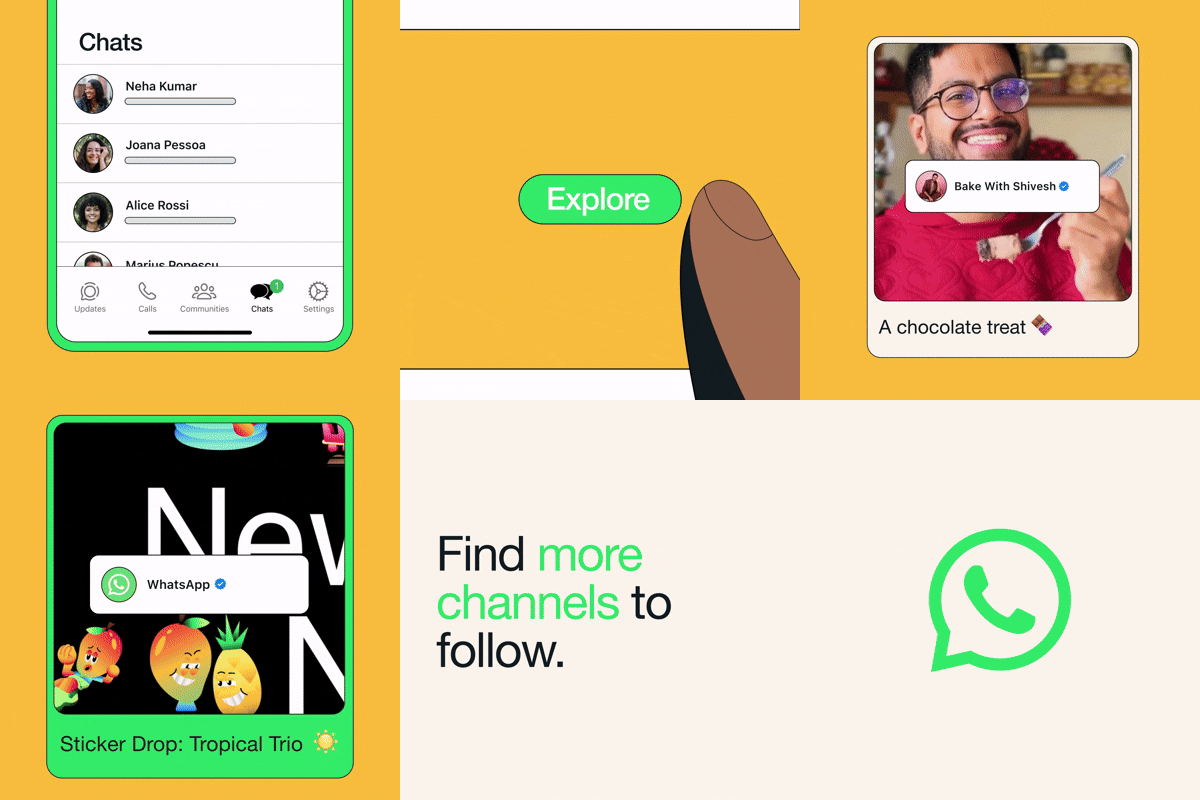
Source: WhatsApp
You can preview WhatsApp Business Channels before following by tapping the channel name to see recent updates. For more details, tap the channel name or select "More"> "Channel info".
You can also follow WhatsApp Business Channels directly from their channel info page or while previewing their content by tapping the Follow button.
You can click the WhatsApp Channel and tap the notification bell icon to receive updates.
Alternative to WhatsApp Channel
WhatsApp Broadcast
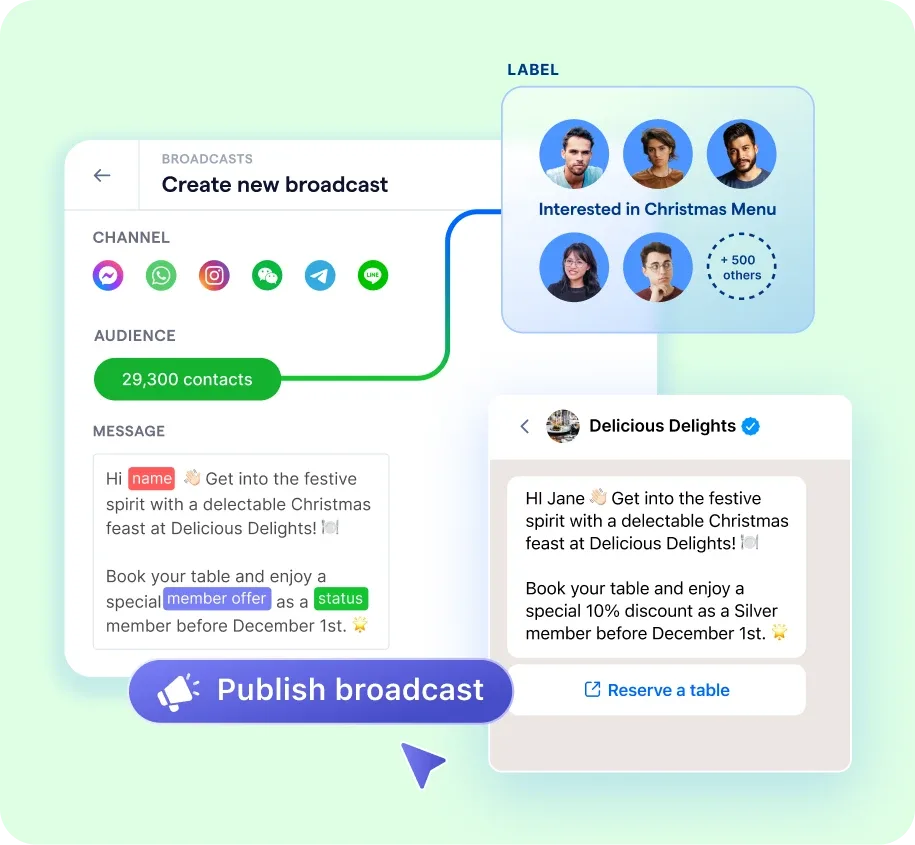
If you need an alternative or the WhatsApp Channel is not accessible for your account, and you would like to remain on WhatsApp as your main customer communication channel, you can use WhatsApp Broadcast messages. On the free WhatsApp Business App, you can send bulk messages to a maximum of 256 contacts. You can also use multiple phone numbers to create WhatsApp Business accounts and use them as your WhatsApp broadcast channels. However, you must collect WhatsApp opt-ins and curate message content tailored to your brand's target audience to avoid being flagged as spam or banned by WhatsApp. If that happens, you might lose your account forever.
WhatsApp Group
Another option is to use WhatsApp Groups to reach multiple customers at once. Groups enable two-way conversations where all members can see and respond to messages, which can be useful for small communities, VIP customers, or beta user discussions.
That said, WhatsApp Groups are not ideal for business messaging at scale. Messages can easily get lost in high-volume conversations, customers may receive irrelevant replies from other members, and sensitive information cannot be shared securely. Since all participants can see each other’s phone numbers, WhatsApp Groups are generally unsuitable for customer support, transactional updates, or marketing campaigns.
WhatsApp Channels vs. Broadcast vs. Groups
WhatsApp offers several tools for mass communication, and knowing how to use each one is key to getting your strategy right. Channels, Broadcasts, and Groups all let you reach multiple people at once, but they work differently and offer varying levels of privacy.
Let's break down each tool to help you choose the best one for your campaign.
How CANVAS uses WhatsApp marketing to boost its engagement rate
CANVAS, a beauty brand with 22 retail stores and a global e-commerce platform, had a community of over 100,000 members. To foster long-term relationships, the brand needed to evolve its CRM strategy beyond traditional methods. The brand's reliance on one-way communication channels like SMS and email resulted in low engagement and no analytical insights. This fragmented approach also overwhelmed in-store staff who were manually handling customer inquiries on WhatsApp.
CANVAS partnered with SleekFlow to launch a centralized WhatsApp Business account, enabling them to send automated, personalized broadcasts. This allowed for interactive campaigns, intelligent customer segmentation, and agile sales strategies.
Here are the key results from CANVAS's new strategy:
Tripled customer engagement compared to email.
Achieved a 68% open rate on a major campaign.
Reached a 75% read rate with targeted VIP offers.
Reduced time spent on manual responses by 90%, which boosted efficiency and drove sales even during physical store closures.
How to turn WhatsApp Channel traffic into conversations and revenue
While WhatsApp Channels are effective for one-way announcements, they are not built for two-way conversations such as sales inquiries, appointment booking, or customer support. Businesses also cannot turn Channel followers directly into private WhatsApp chats from a Channel post alone.
What you can do is add a link in a Channel update that sends users to a website or landing page, where a proactive live chat widget can then capture visitor details and start a more personalized sales journey.
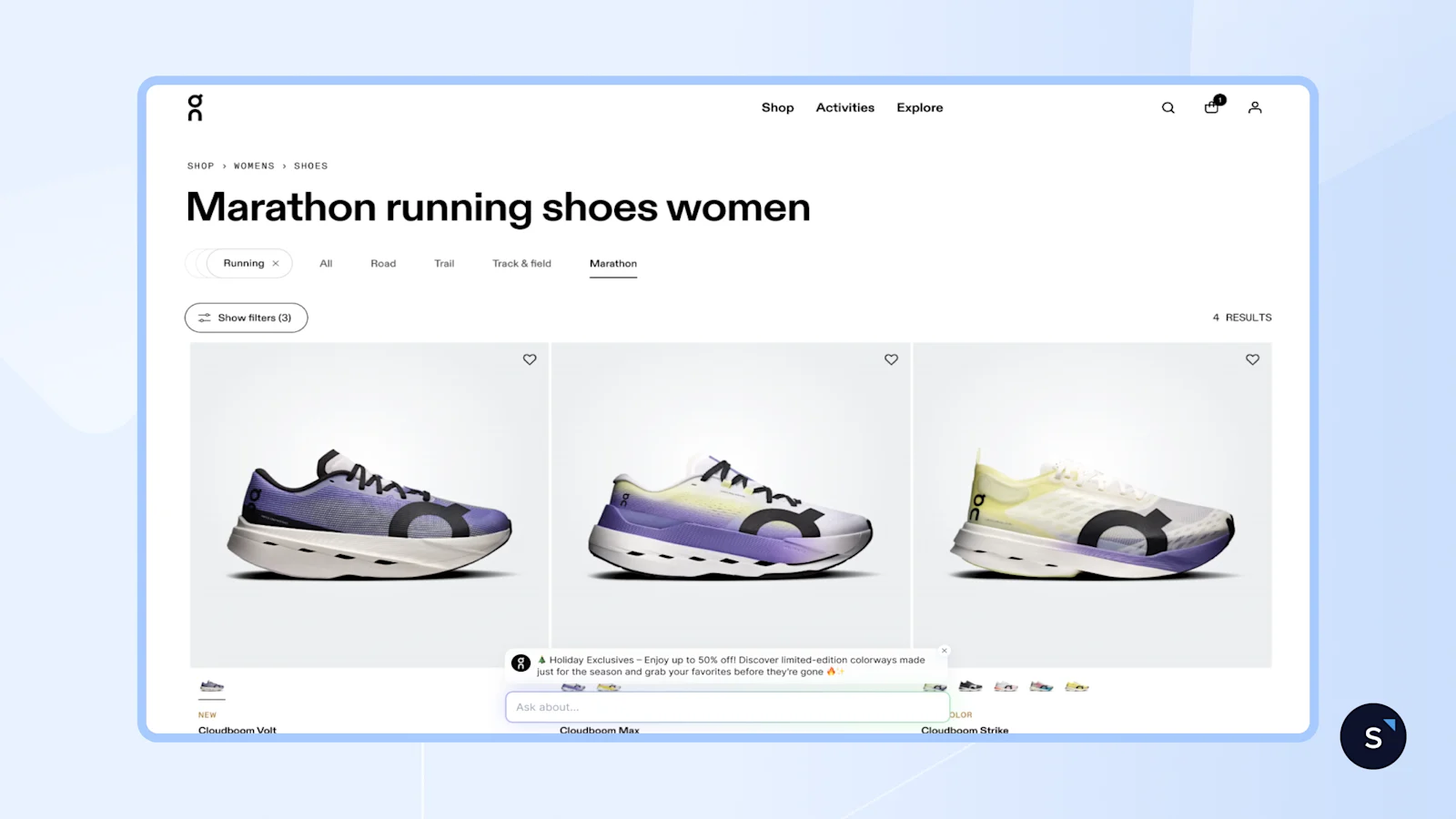
SleekFlow’s AgentFlow helps bridge this gap by turning Channel traffic into an automated lead-generation funnel:
A business can promote a limited-time offer, product launch, or exclusive campaign in its WhatsApp Channel and include a clear call-to-action link, such as “Claim Offer” or “Learn More.”
When a follower clicks the link, they are taken to a website where SleekFlow’s AI Growth Widget can proactively engage them based on their browsing behavior, instead of waiting for them to reach out first.
From there, AI agents can qualify leads, collect contact details, answer questions, and recommend relevant products or services, following a capture → automate → convert flow.
Even if a visitor drops off or switches platforms, SleekFlow’s centralized inbox ensures all conversations and captured lead information are unified in one place, allowing businesses to seamlessly continue follow-ups across messaging platform such as WhatsApp, SMS, or Messenger.
This approach helps businesses move audiences from a public broadcast space to a more structured, trackable conversion flow.
Case study: ETS Global increased engagement by 63% with WhatsApp and AgentFlow
ETS Global, the international arm of ETS, wanted a better way to connect with Gen Z audiences as email became less effective for engagement.
To create faster, more conversational interactions, the team shifted from traditional email marketing to WhatsApp using SleekFlow and AgentFlow.With WhatsApp broadcasts, AI automated responses, and performance tracking, ETS was able to deliver timely information at scale while reducing manual workload.
By training the AI agent with key information, the team ensured prospects received fast, accurate, and consistent replies throughout the awareness and consideration stages. The results were clear:
63% increase in engagement
Higher reply rates
Better time management and operational efficiency
So we've trained the AI agent to gather all the information that we've input into it in order to respond to customers in a fast and accurate information. This helped us with time management and efficiency. We've noticed an increase in engagement for around 63% and a significant increase in reply rates.

Sarah Masri
Marketing & Communications Assistant

Want to outcompete your peers with SleekFlow's help?
Book your personalised demo with SleekFlow today and unlock the potential of seamless communication


