Full Online Guide for WhatsApp Flows for your business


TL; DR: Quick Summary
- WhatsApp Flows reduce website drop-offs by keeping users inside WhatsApp with interactive, in-chat journeys.
- Businesses can build flows for bookings, sign-ups, feedback, logins, and lead qualification without redirecting users.
- Flows improve engagement, personalization, support efficiency, and help generate higher-quality, segmented leads.
- Create Flows via no-code builder, JSON, or API; automate post-submission actions using SleekFlow triggers.
- Real brands achieved up to 8.2x higher conversions and major time savings through automation.
- SleekFlow enhances Flows with CRM integrations, AI agents, chat routing, marketing automation, and analytics.
It’s becoming more difficult for businesses to reduce the high drop-off rates when redirecting users to their websites from WhatsApp.
Not only that, but without a proper flow, businesses need to manually capture leads and assess them.
Recognizing these challenges, WhatsApp created a tool called WhatsApp Flows to enable businesses to create guided paths that keep users engaged within the WhatsApp ecosystem.
Let’s get into how WhatsApp Flows can be helpful for your business. Learn how to automate what happens after a WhatsApp Flow with SleekFlow and its triggers
What are WhatsApp Flows?
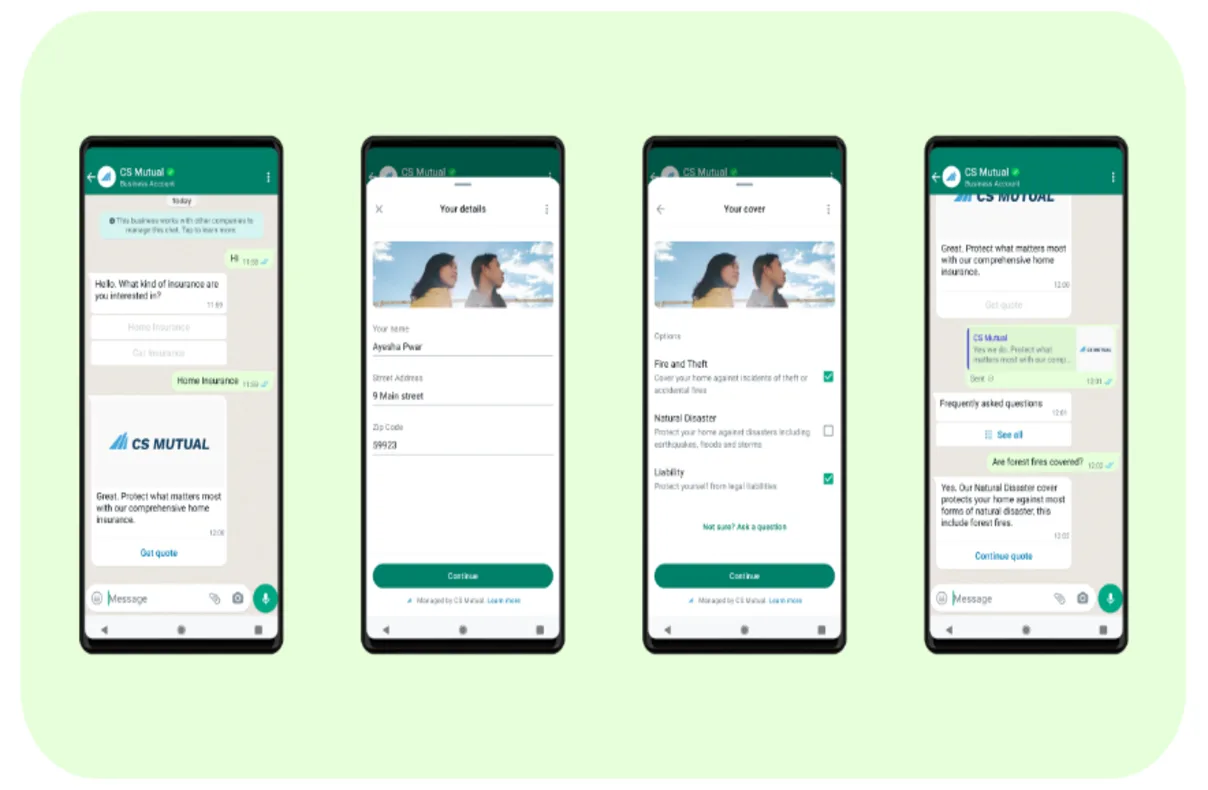
WhatsApp Flow is a feature within the WhatsApp Business Platform designed to create interactive, engaging experiences between businesses and customers directly within WhatsApp App.
Without requiring users to leave the chat interface, it allows businesses to build bespoke customer journeys, including:
appointment bookings
account logins
product customization
form submissions
event or promotion signups
How are WhatsApp Flows built?
WhatsApp offers three main ways to create Flows, depending on your level of technical expertise and business needs. Below is a quick overview of each method:
Quick Summary:
No-code: Drag-and-drop (Best for Marketing & Ops)
JSON: For more control (Needs Dev Support)
API: For dynamic, integrated experiences
WhatsApp Flows vs automation workflows:
It is important to make a distinction between WhatsApp Flows and Automation Workflows (via SleekFlow).
WhatsApp Flows are the in-chat forms customers fill out. In other terms, they are what you run after someone submits the Flow—routing the lead, updating your CRM, sending confirmations, and assigning to the right team.
SleekFlow helps you to operate WhatsApp Flows by triggering automations when a Flow is submitted.
Why use WhatsApp Flows?
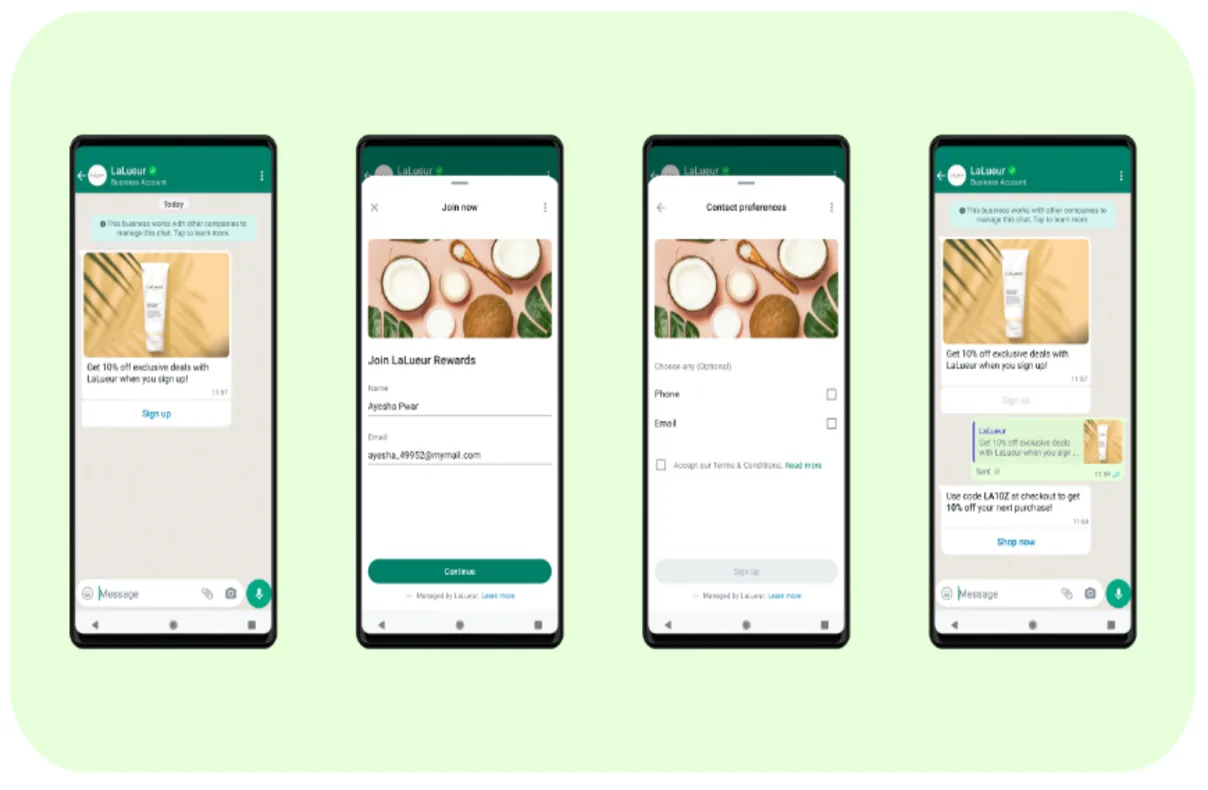
WhatsApp Flows was introduced to meet the growing demand for interactive and engaging business-to-consumer communications within the familiar environment of WhatsApp. It offers a range of benefits across:
Customer support
Customer engagement
By providing a platform for creating bespoke customer journeys, WhatsApp Flows seeks to enhance the overall customer experience, driving better business results and consumer satisfaction.
So, the question remains, why use WhatsApp Flow?
1) Improved engagement
WhatsApp Flows allows for seamless engagement with customers. Whether it's for:
Sending product launch notifications
Sharing feedback forms
Managing event sign-ups
2) Better personalization experiences
Besides, you can also use WhatsApp Flows to provide personalized experiences by tailoring interactions based on user responses within a flow. This personalization can help to:
Increase conversion rates
Boost customer loyalty
3) Efficient customer support
WhatsApp Flows has significantly transformed customer support by providing businesses with a platform to create structured, interactive customer journeys within WhatsApp chats. This approach helps you streamline operations and boost customer satisfaction in a few key ways:
Automated interactions: Handle common queries with real-time, automated responses, leaving complex issues for your live agents.
Direct engagement: Effectively offer support, collect valuable feedback, and manage appointment bookings without leaving the app.
4) Get high-quality leads with WhatsApp Flows
Through personalized conversations, efficient registration, feedback and review, sign-in processes, and streamlined customer support, WhatsApp Flows enhances the quality of leads that you can get.
For instance, it optimizes your resources by:
Filtering prospects: Automated flows can ask potential customers about their budget or specific needs.
Segmenting audiences: You can categorize leads into different groups based on their financial capacity or preferences.
Smart routing: Only filtered and categorized leads are assigned to human agents, ensuring your team focuses on the most promising prospects.
Cellini SG Automated Customer Engagement with WhatsApp Flows via SleekFlow
Cellini SG, a leading furniture design company, needed a more scalable and personalized way to engage customers across digital channels as their enquiries grew.
Before using automation, customer conversations were scattered across channels and required significant manual effort to manage. To address this, Cellini SG turned to SleekFlow’s WhatsApp Flows and automation to unify interactions and automate engagement on WhatsApp.
As a result:
Leads are routed and nurtured based on interest and behaviour.
1K+ enquiries automated over six months.
90% time saved in handling customer enquiries.
Now that you have an overview of why you should use WhatsApp Flow, let's move on to how exactly you can use it.
Several use cases of WhatsApp Flow
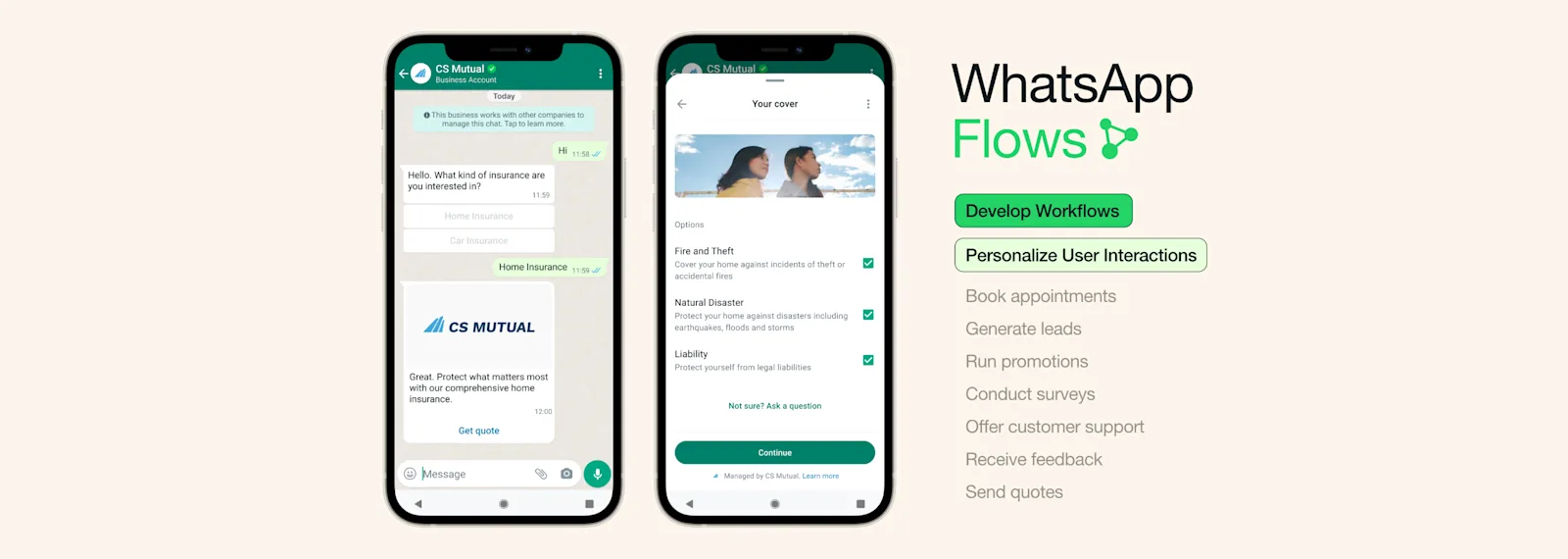
Let’s look at several use cases of WhatsApp Flows for your business:
Appointment reminders and rescheduling: You can send reminders a day before the scheduled delivery or appointment, allowing customers to reschedule seamlessly within the WhatsApp conversation.
Send interactive promotions and rewards messages: Brands often send discount messages to their customers. With Flows, this becomes an easier and more interactive process. Customers can see the offer, check its details, and sign up without leaving the page, forgetting codes, or clicking additional links.
Get customer feedback quickly: WhatsApp Flows make it easy and quick for your customers to give feedback. They can simply fill out a form, get a case number, and receive a speedy response from your company, all within the same chat.
Integration with chatbots: Flows work great with chatbots, allowing your system to quickly handle common customer questions and giving your agents more time to handle more challenging issues.
Quick sign-ups: Promote your event on WhatsApp to encourage quick sign-ups by utilizing WhatsApp Flows. For online events, you can use Flows or authentication message templates to verify user information or provide login details, all within WhatsApp, enhancing sign-up likelihood.
How other businesses are using WhatsApp Flow: use case examples
Here’s how other businesses achieved success with WhatsApp Flows.
Farmacias del Ahorro

Farmacias del Ahorro, one of Mexico's largest pharmacy chains, revolutionized their customer service by integrating WhatsApp Flows into their WhatsApp channel. The goal was to simplify the online shopping experience, enabling customers to easily browse products, check availability, and make purchases, all through WhatsApp.
With WhatsApp Flows, Farmacias del Ahorro was able to provide a seamless, efficient shopping journey. The results included:
A 5.5 times higher conversion rate for orders completed via WhatsApp compared to other channels.
A 35% increase in customer satisfaction, thanks to quicker, more personalized service.
This success has not only improved customer engagement but also positioned Farmacias del Ahorro as a leader in customer experience within the retail pharmacy industry. Building on these strong results, they are now looking to expand WhatsApp Flows to more regions and explore new ways to enhance the customer experience, such as integrating more personalized health recommendations and exclusive offers through WhatsApp.
2. Lenovo
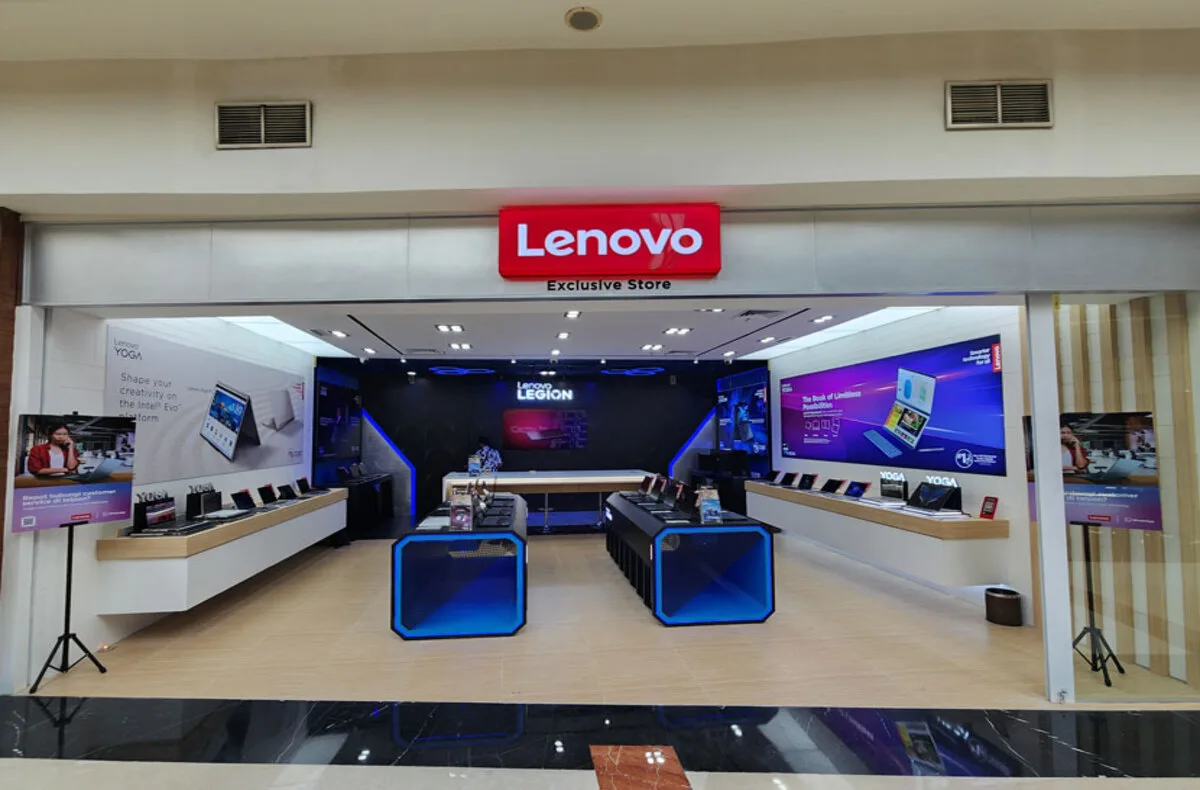
Similar to Sefamerve, Lenovo Indonesia has significantly enhanced its customer service experience by integrating WhatsApp Flows into its existing WhatsApp channel.
Lenovo sought to simplify the appointment booking process for product repairs, encouraging customers to self-manage their appointments through WhatsApp. This initiative aimed to reduce the inconvenience of walk-ins and long queues at retail stores, thereby enhancing the overall customer experience.
By employing WhatsApp Flows, Lenovo was able to offer a more seamless and convenient appointment management system. This led to:
An 8.2 times higher conversion rate for appointment bookings through WhatsApp compared to their website.
A 44.5% increase in customer engagement on WhatsApp, which surpassed their initial goals.
With WhatsApp Flows, Lenovo not only improved customer satisfaction scores but also earned them industry recognition for their quality service, including the prestigious 2023 Service Quality Index Diamond Award in the Laptop After Sales category.
Encouraged by the positive outcomes, Lenovo is looking to expand the capabilities of WhatsApp Flows to more countries and explore additional functionalities, such as allowing customers to register their accounts and purchases through WhatsApp.
How to use WhatsApp Flows?
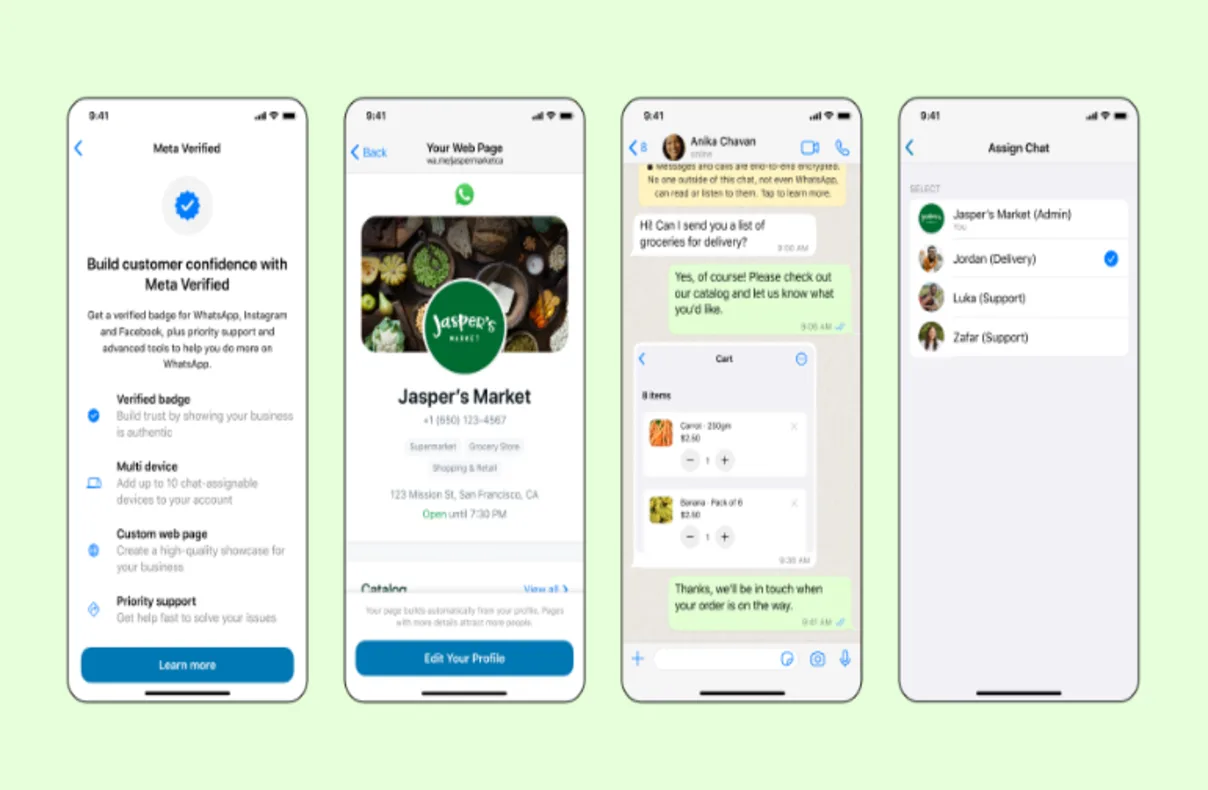
There are two ways to use WhatsApp Flows:
Using WhatsApp Manager
Using a tool like SleekFlow to automate complex, multi-step tasks without coding
Option 1: Create a flow with WhatsApp Manager
Here are the steps to create WhatsApp Flows:
1) Prerequisites for using WhatsApp Flows
Set up the WhatsApp Business Platform, which provides access to WhatsApp Manager.
2) Verify your business details
Verify your business:, you need WhatsApp Business Platform access (WABA), a phone number, and to maintain quality/messaging limits.
If you’re new, your messaging limit may start at a lower tier. Existing WhatsApp Business API users might have already completed the steps above and can start with step 4.
3) Create your first Flow
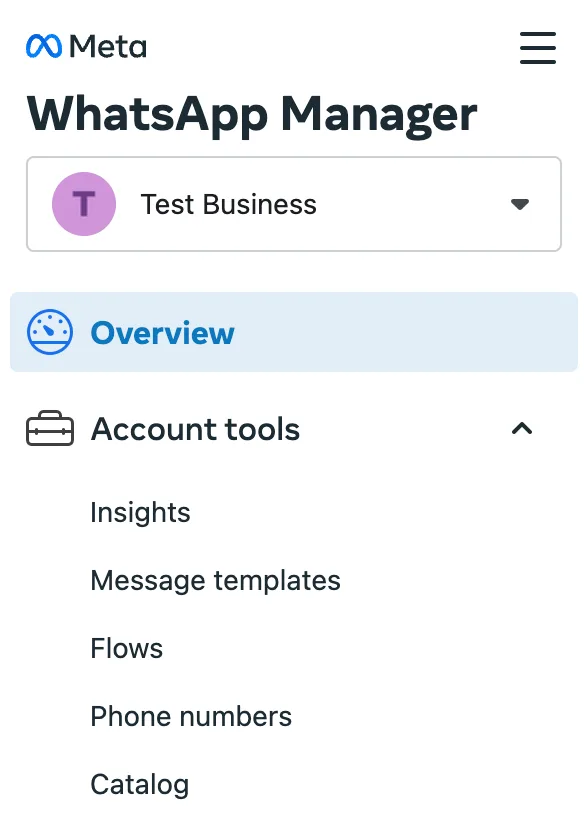
Go to the WhatsApp Manager within your WhatsApp Business Account, choose "Account tools" from the menu on the left, and then select "Flows."
At the upper right corner of the screen, press the "Create Flow" button.
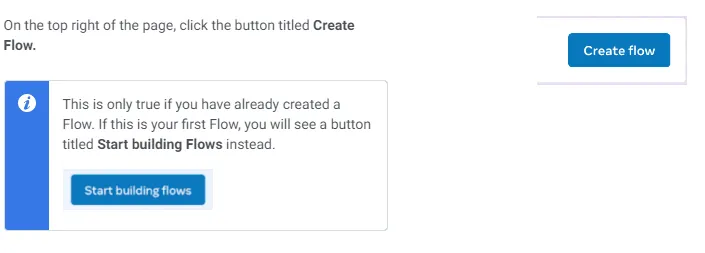
For those creating a Flow for the first time, the button will read "Start building Flows."
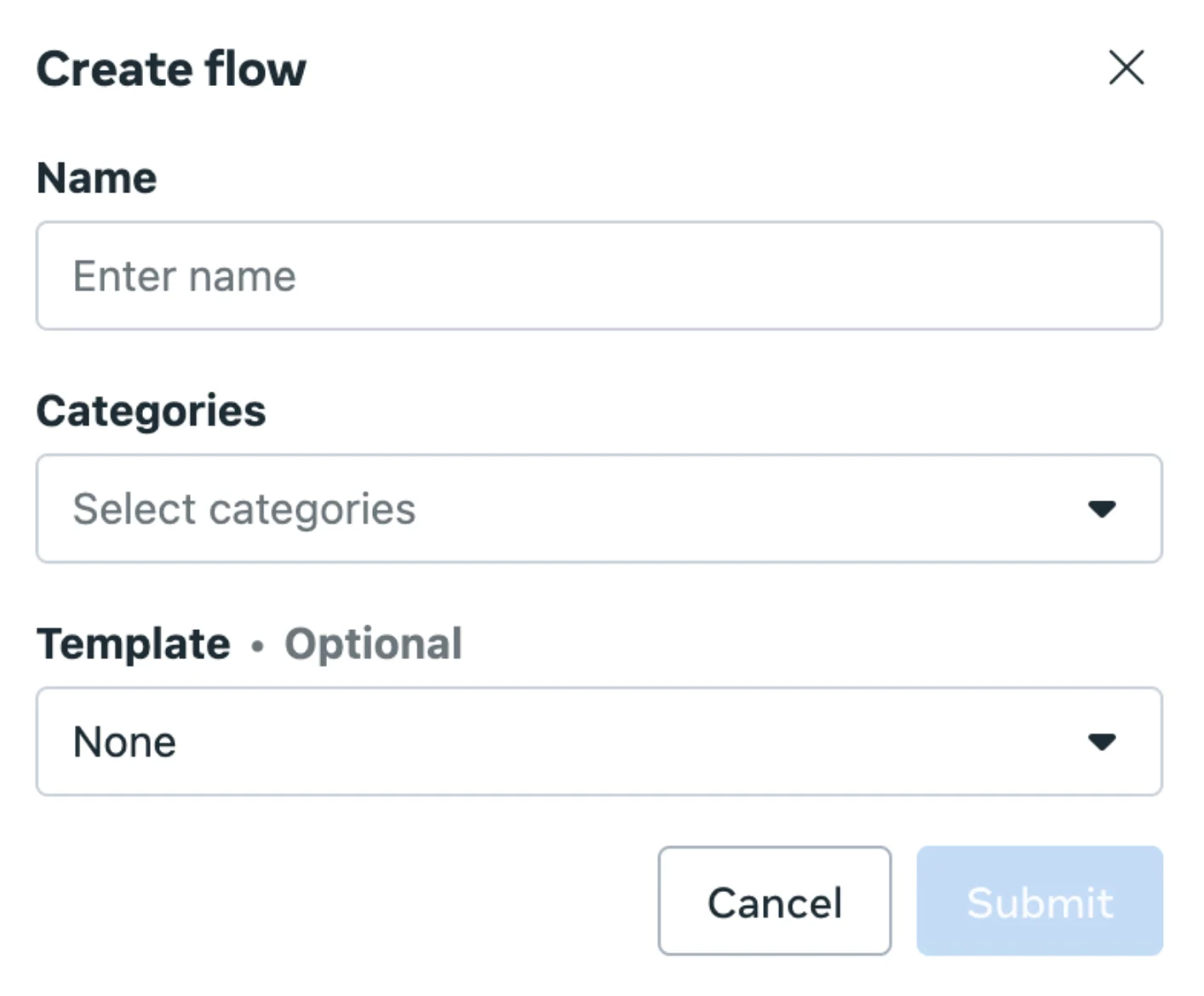
A window will appear, prompting you to fill in information about your Flow, including its Name, Categories, and Template.
4) Start building your Flow JSON
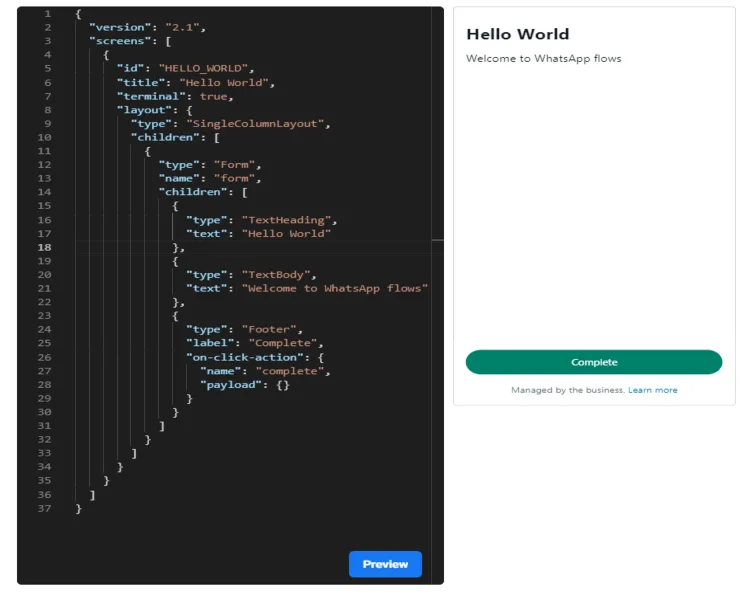
You will be provided with a simple demonstration ("Hello World") Flow JSON. You can edit your flow before transferring it to the Flows Builder interface.
After you've pasted the JSON into the Flows Builder interface, select "Run" to see a preview of the Flow. If the demonstration Flow meets your expectations, proceed to click "Save."
5) Test your Flow
Testing a Flow is most straightforward when utilizing the Interactive preview feature, which replicates the actual user experience.
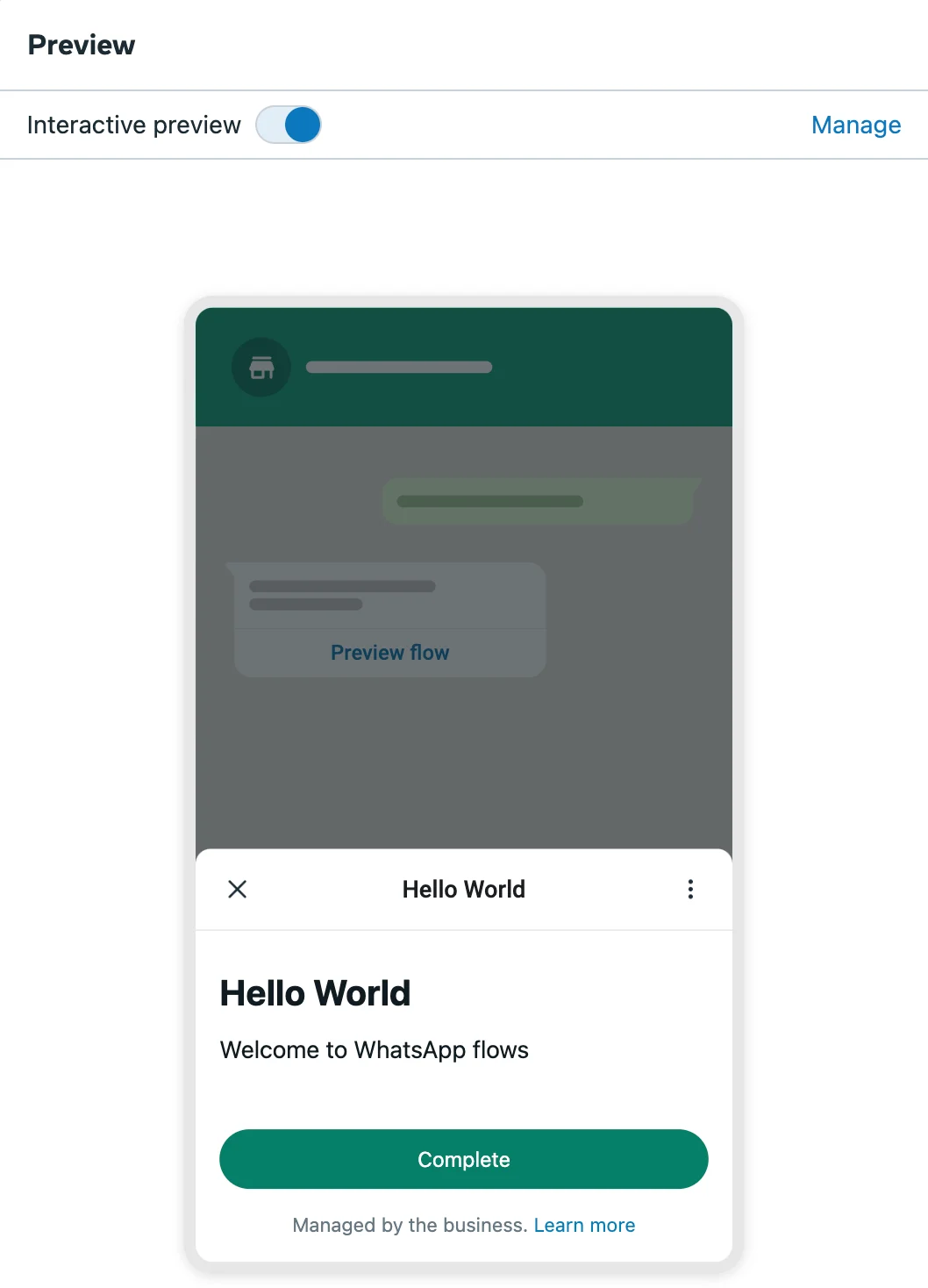
To see the flow in action, simply click the green "Complete" button associated with the Flow.
6) Publish your Flow
Your Flow will initially be in the Draft state. You can send it while it's in the Draft state, but only for testing purposes. To send it to a larger audience, you'll need to Publish it.
You can publish your Flow once all validation errors and publishing checks have been resolved, the Flow meets the design principles of WhatsApp Flows, and the Flow complies with WhatsApp Terms of Service, the WhatsApp Business Messaging Policy, and, if applicable, the MetaWhatsApp Commerce Policy.
To publish your Flow, go to and click on "Publish" found in the menu adjacent to the "Save" button.
Struggling to meet technical requirements with WhatsApp Flows on the WhatsApp Manager? You can create automated WhatsApp flows on a simple, easy-to-use interface like SleekFlow.
Option 2: SleekFlow Flow Builder for creating flows for WhatsApp
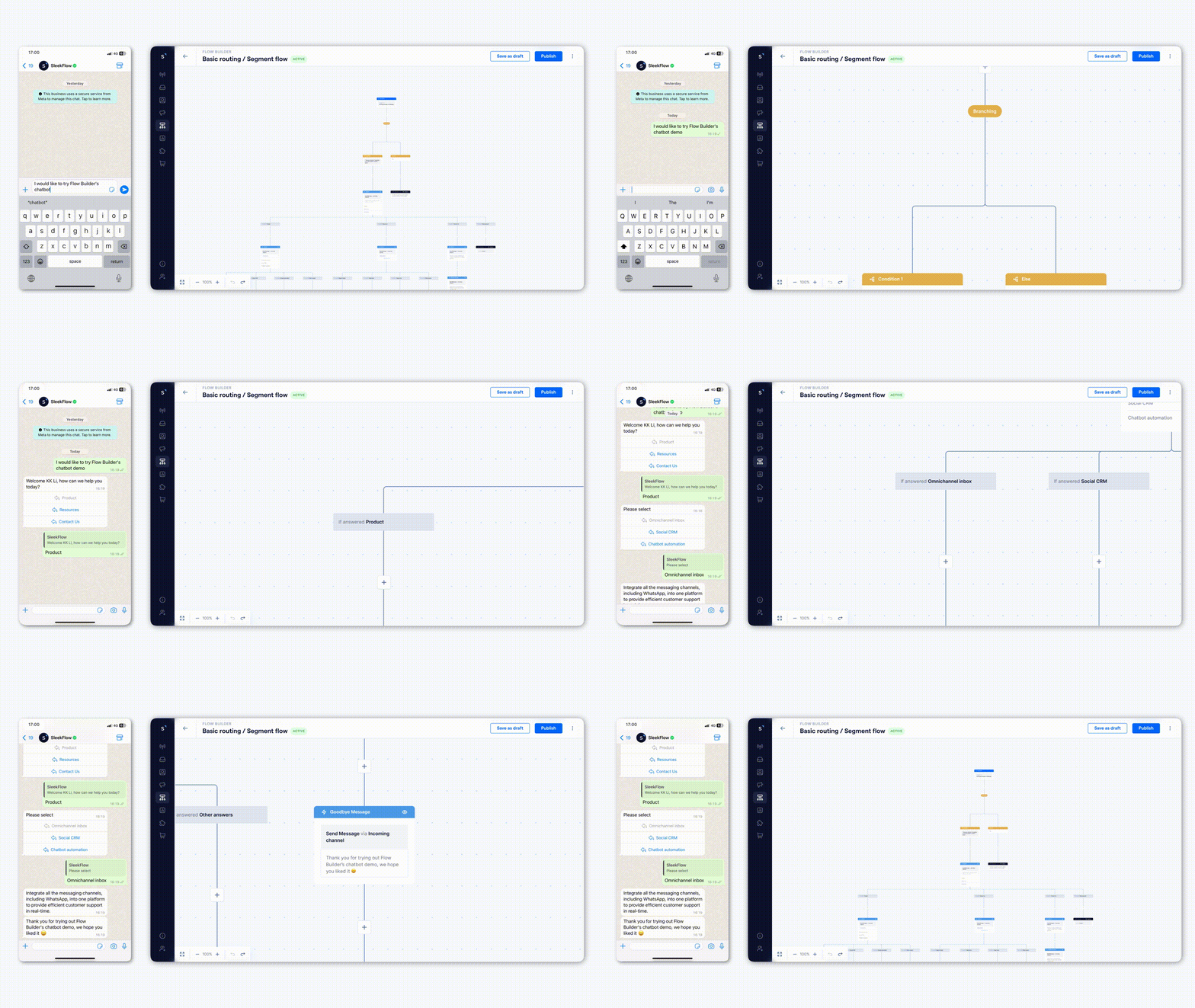
SleekFlow’s Flow Builder offers a straightforward, ready-to-use interface that eliminates the need for coding, making it an ideal solution for businesses looking for an efficient way to manage their WhatsApp communications.
Key features of SleekFlow include:
Team Collaboration: Enable multiple team members to collaborate on a single chat, enhancing teamwork and response efficiency.
Automated Assignment: Automatically assign chats to agents, ensuring that customer inquiries are handled promptly and by the most suitable representative.
With SleekFlow’s Flow Builder, users can streamline the creation and management of WhatsApp’s communication flows.
Let’s look at some of the ways you can use SleekFlow Flow Builder to engage better with your customers.
1. Automated marketing campaigns
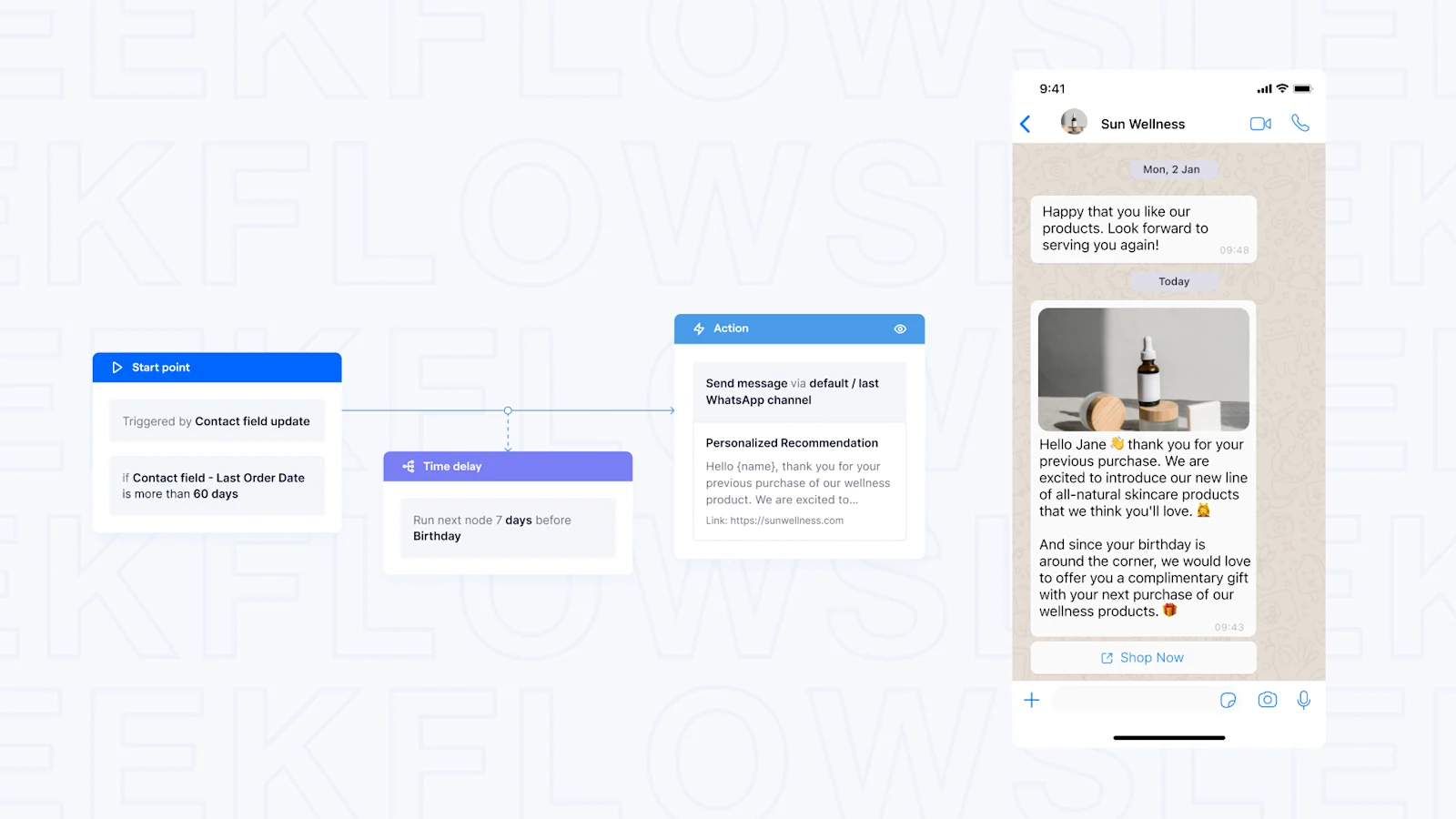
You can step up your marketing game by automating personalized campaigns through messaging apps. This allows you to:
Send targeted messages: Deliver items like discount codes to new loyalty members.
Provide follow-ups: Reach out based on specific purchase history.
Nudge leads toward purchasing: Make customers feel special and encourage sales without the hassle of manual outreach.
Interested in learning how to generate quality leads with automated WhatsApp flows? Check out our blog guide.
2. Boosting sales with timely messages
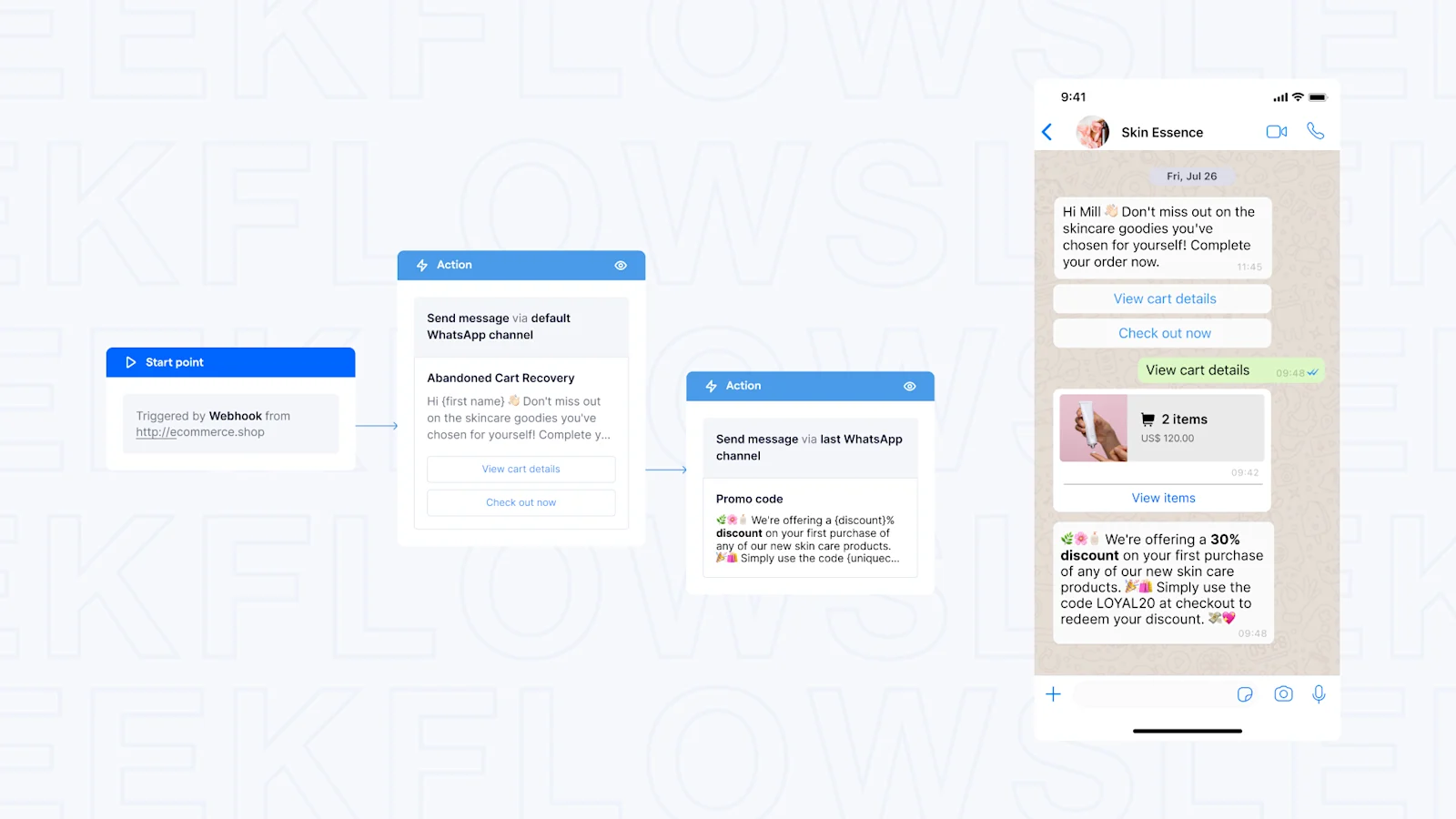
If a customer leaves your site with items still in their cart, you can automatically send them reminders or offers to encourage a purchase.
By tailoring these messages based on their browsing and purchase history and sending them at the right time, you increase the chance of turning those leads into loyal customers.
Timely messages are very important, as 85% of consumers indicate their desire to receive prompt and proactive messages from brands through WhatsApp.
3. Customer support with chatbots
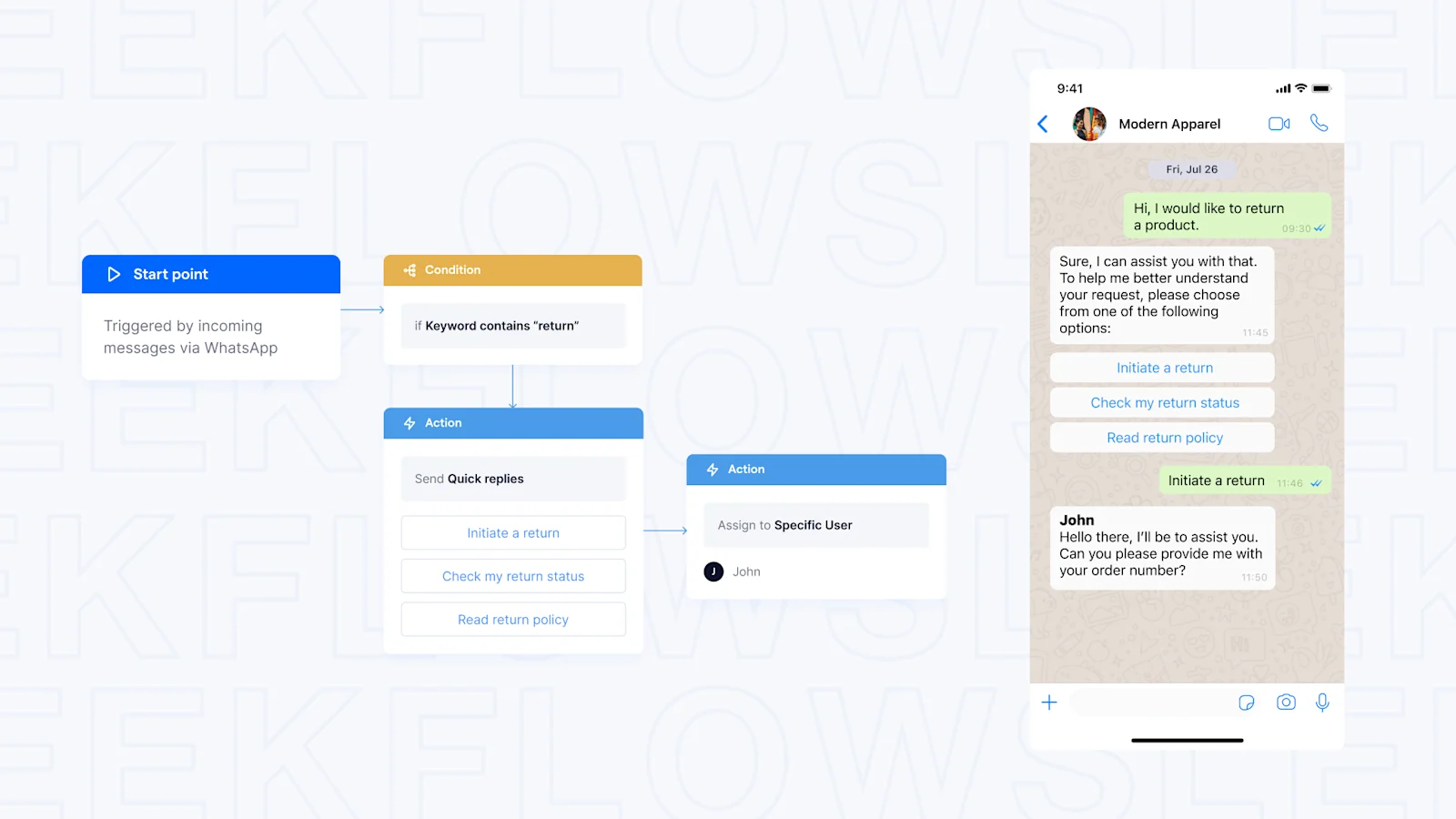
When customers visit your website and need help, you can make their experience smoother by using chatbots. These bots can:
Answering basic questions
Guiding users to self-serve options
Escalating the issue to a human agent if needed
This will help you respond quickly and accurately, ensuring your customers are satisfied.
4. Streamlining operations with auto-confirmation messages
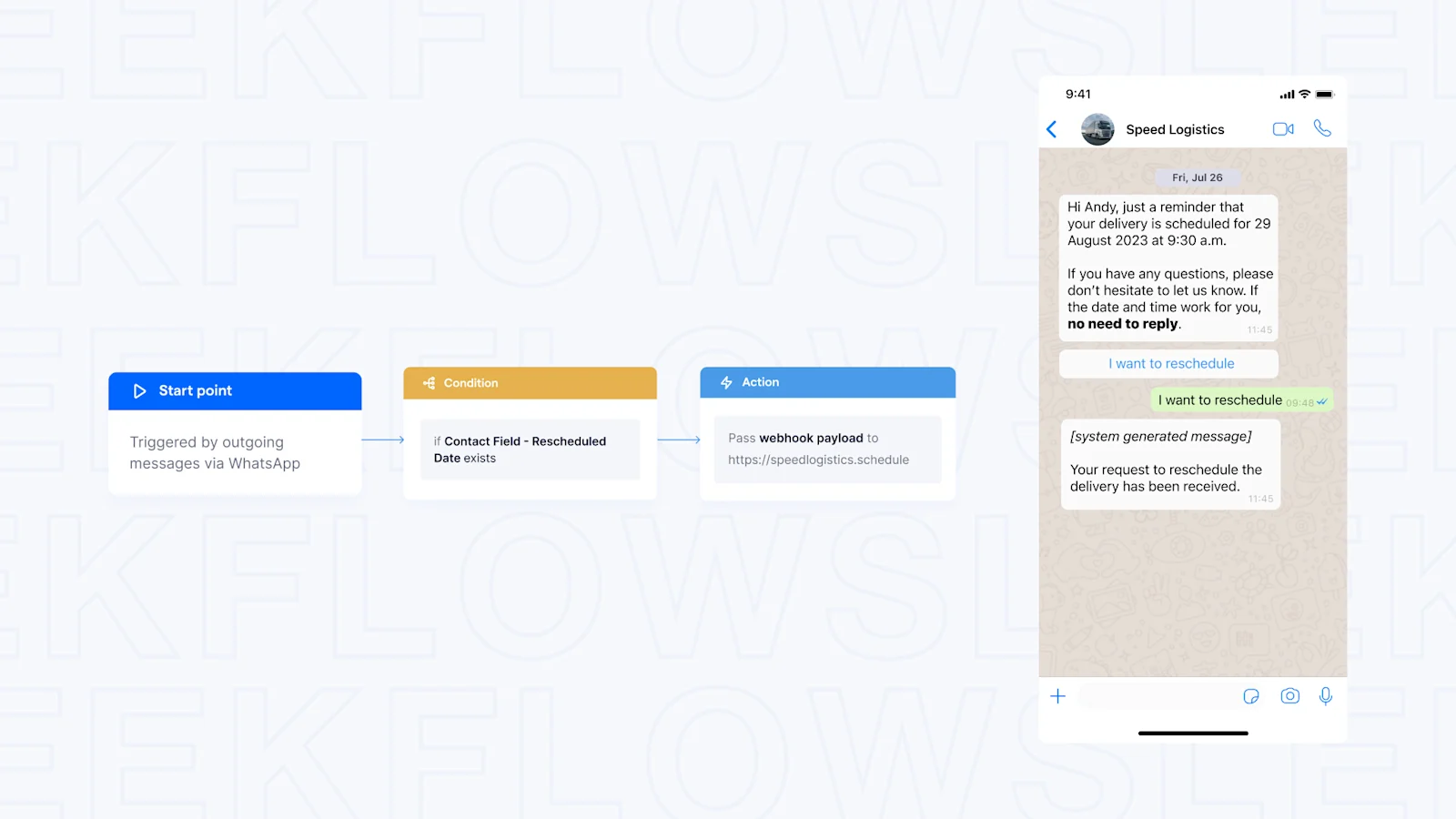
Flow Builder allows you to automate tasks and manage data across different platforms directly from our platform. It's especially helpful for integrating with solutions that are not natively supported at the moment, like WooCommerce or Zoho CRM.
For example, it enables:
Automatic WhatsApp confirmations for shipped orders.
Updates to your CRM or ERP when new customers sign up or appointments are made.
This helps you save time and improve customer service
5. Integrate popular software into your flows
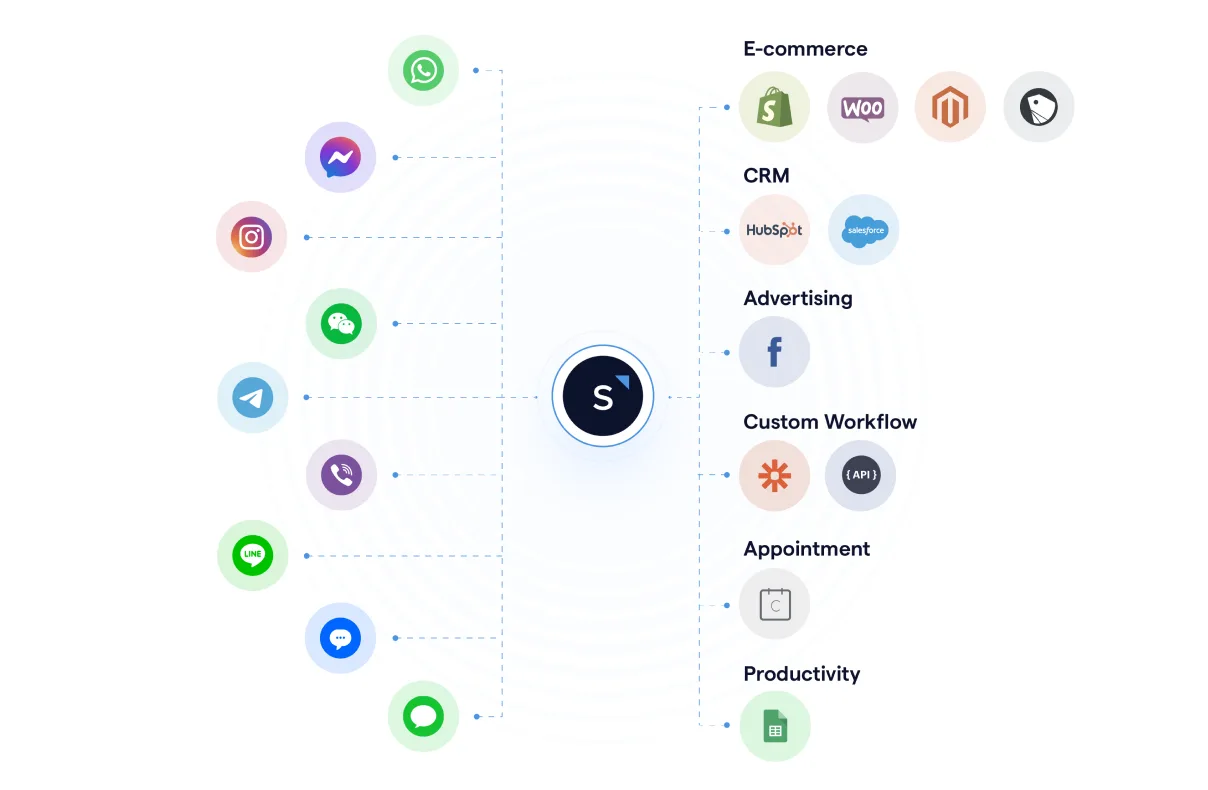
If you are already using CRM platforms, you can use webhooks to seamlessly synchronize data collected from WhatsApp and easily keep track of customer interactions.
Besides, you can also connect SleekFlow with:
This allows you to chat with, sell to, and help your customers using these platforms through messaging apps.
6. Use specialized AI agents for lead qualification
AgentFlow is an agentic AI infrastructure designed to automate lead scoring using real-time intent signals, ensuring your sales team focuses only on high-value prospects.
These specialized agents are engineered not merely to answer questions, but to autonomously execute complex sales functions:
Qualifying leads
Recommending products
Scheduling meetings
Updating CRM
Still in doubt? Listen to what our customer has to say!
How Bartega boosted customer satisfaction with SleekFlow’s WhatsApp automation
Bartega, a creative events organizer in Jakarta, managed a high volume of attendees using manual processes, which were labor-intensive and inefficient.
Marketing efforts lacked personalization, failing to engage their diverse audience. Feedback collection via email and QR codes resulted in low response rates.
They automated WhatsApp Flows via SleekFlow to simplify feedback and communication. Customer data from multiple channels was centralized, enabling targeted marketing.
Feedback survey response rates increased by 35%, providing valuable insights for improvement.
SleekFlow streamlines Bartega’s need for WhatsApp marketing and communication. With SleekFlow, we are able to save costs, increase customer engagement, while also increasing sales

Nadia Daniella
Co-founder
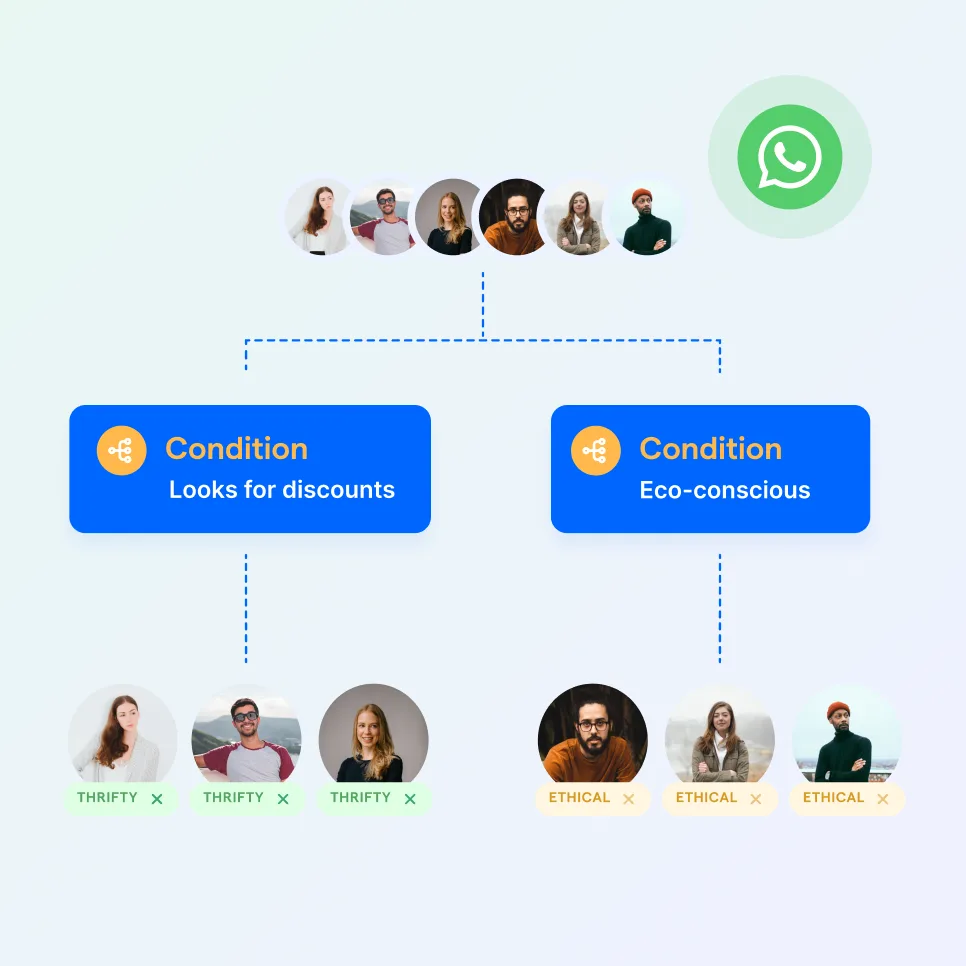
Automate your business growth with Flow Builder
Streamline sales, marketing, support, and operation workflows in the era of hyper-personalization.


