Sales automation CRM: connect your customer data to outbound workflows that convert


TL; DR: Quick Summary
- CRM sales automation works best when your CRM stays the system of record and messaging workflows handle execution.
- Most stacks fail due to slow handoffs, generic outreach without CRM context, messy CRM data, and limited visibility across channels.
- Fastest ROI comes from five workflows: inbound capture, qualification and routing, idle follow-ups, CRM-based reactivation, and automatic CRM updates from outcomes.
- When comparing tools, prioritize two-way sync, omnichannel execution, workflow automation, compliance support, and outcome tracking.
- SleekFlow delivers this with a unified inbox, Flow Builder, CRM integrations, Broadcast, structured contact data, and analytics.
Most teams don’t struggle because they “need a CRM”. They struggle because their CRM isn’t connected to where conversations actually happen: WhatsApp, Instagram DMs, Messenger, SMS, and live chat.
When sales activity lives in messaging apps but pipeline data lives elsewhere, you get slow handoffs, inconsistent follow-ups, and unreliable CRM reporting. A modern sales automation CRM approach fixes this by connecting your system of record (CRM) to your system of action (messaging-led workflows).
Why this matters: speed-to-lead isn’t a “nice to have.” A study highlights that conversion rates can jump dramatically when the first attempt happens within 5 minutes versus waiting longer.
In this guide, you’ll learn:
What CRM sales automation means for messaging-led teams
The 5 highest ROI workflows, from lead capture to CRM updates
What to look for in CRM-integrated outbound software, including two-way sync and compliance support
How businesses use SleekFlow to automate sales execution while keeping CRM data clean
What sales automation CRM really means
CRM automation vs sales automation
CRM automation streamlines repetitive work inside (or tied to) a CRM: creating/updating records, tasks, reminders, and lifecycle rules.
Sales automation focuses on the actions that move the pipeline forward: routing, follow-ups, qualification, meeting booking, and outbound sequences.
In practice, teams need both:
CRM = system of record
Automation = system of action
If your reps live in messaging channels, your “system of action” must work there too.
CRM sales force automation: what decision-makers should look for
You’ll also see the term CRM sales force automation (SFA). It typically refers to automation that helps sellers execute consistently, such as lead assignment, deal progression, activity logging, and repeatable playbooks.
A practical buying insight:
If outbound is mostly email + calling, CRM-native sales engagement tools may be enough.
If outbound is messaging-led (WhatsApp/social DMs), you usually need a conversation automation layer that still syncs tightly with the CRM.
Why CRM + sales automation breaks in real life
Most “we have automation” stacks fail for four predictable reasons.
1. Speed-to-lead slows down at handoff
Lead comes in → a rep gets notified → reply happens “when free”.
That delay kills conversion potential, especially if your buyer is ready to talk right now.
2. Personalization doesn’t scale without CRM context
Automation without CRM data turns into generic blasts.
Automation with CRM context feels like a helpful follow-up:
“Saw you requested pricing for X - do you want a 10-minute walkthrough today?”
“You viewed our enterprise plan - should I send security documentation?”
3. CRM data quality decays
If conversations and outcomes happen in WhatsApp/Instagram but don’t write back, the CRM turns into a guessing game:
Wrong stages
Duplicate contacts
Untraceable attribution
4. Leaders can’t measure what’s working
You can’t optimize what you can’t see, especially across channels. Without a reliable link between conversation outcomes and CRM stages, forecasting and ROI analysis become shaky.
The workflows that generate ROI the fastest
If you’re rolling out CRM and sales automation, start with these 5 workflows. They’re high-impact and don’t require a months-long platform rebuild.
1. Inbound lead capture → create/update CRM record automatically
Trigger: New inbound message (WhatsApp/Instagram/web chat)
Automation:
Capture lead details (name, intent, product interest)
Create/update lead/contact in CRM
Assign owner by territory/team/segment
Confirm next step (“share pricing”, “book demo”, “send brochure”)
SleekFlow centralizes conversations across channels into a unified inbox so teams can capture leads where they arrive, then automate routing and CRM updates around those conversations.
2. Qualification + routing (so reps only handle sales-ready conversations)
Trigger: Keyword/intent (“pricing”, “demo”, “integrations”, “enterprise”)
Automation:
Route to the right queue or account owner
Apply labels like “hot lead” / “pricing request”
Create a CRM task and notify the owner
SleekFlow’s Flow Builder supports event-driven triggers, conditions, routing, and integrations to operationalize these handoffs consistently.
3. Idle lead follow-up (window-aware, channel-aware)
Trigger: No reply after X hours/days OR CRM stage stagnates
Automation:
Follow up inside the channel’s allowed “free-form” window where applicable
If outside the window, use an approved template (where required)
If no response after N touches → downgrade stage + set next action
This is where “CRM-integrated outbound” outperforms disconnected tools: it can choose the correct message type and timing automatically based on policy rules.
4. Reactivation campaigns from CRM segments (outbound at scale)
Trigger: CRM segment (e.g., “Proposal sent”, “Stalled 14 days”, “Renewal due”)
Automation:
Build a segmented list
Send personalized broadcast
Route replies back to the owner
Update CRM based on outcome (“re-engaged”, “not now”, “closed-lost reason”)
SleekFlow supports segmentation and broadcast-style campaigns with performance tracking.
5. Conversation outcomes → automatic CRM updates (the data hygiene multiplier)
Trigger: Lead intent captured in chat, stage change, meeting booked, payment link paid
Automation:
Update deal stage + next step
Log key notes (objections, competitor mentioned)
Trigger next workflow (proposal, onboarding, support handover)
SleekFlow supports CRM integrations (Salesforce, HubSpot, Zoho) and uses Flow Builder as the engine for search/create/update actions and trigger-based workflows.
What the best CRM-integrated outbound sales software should include
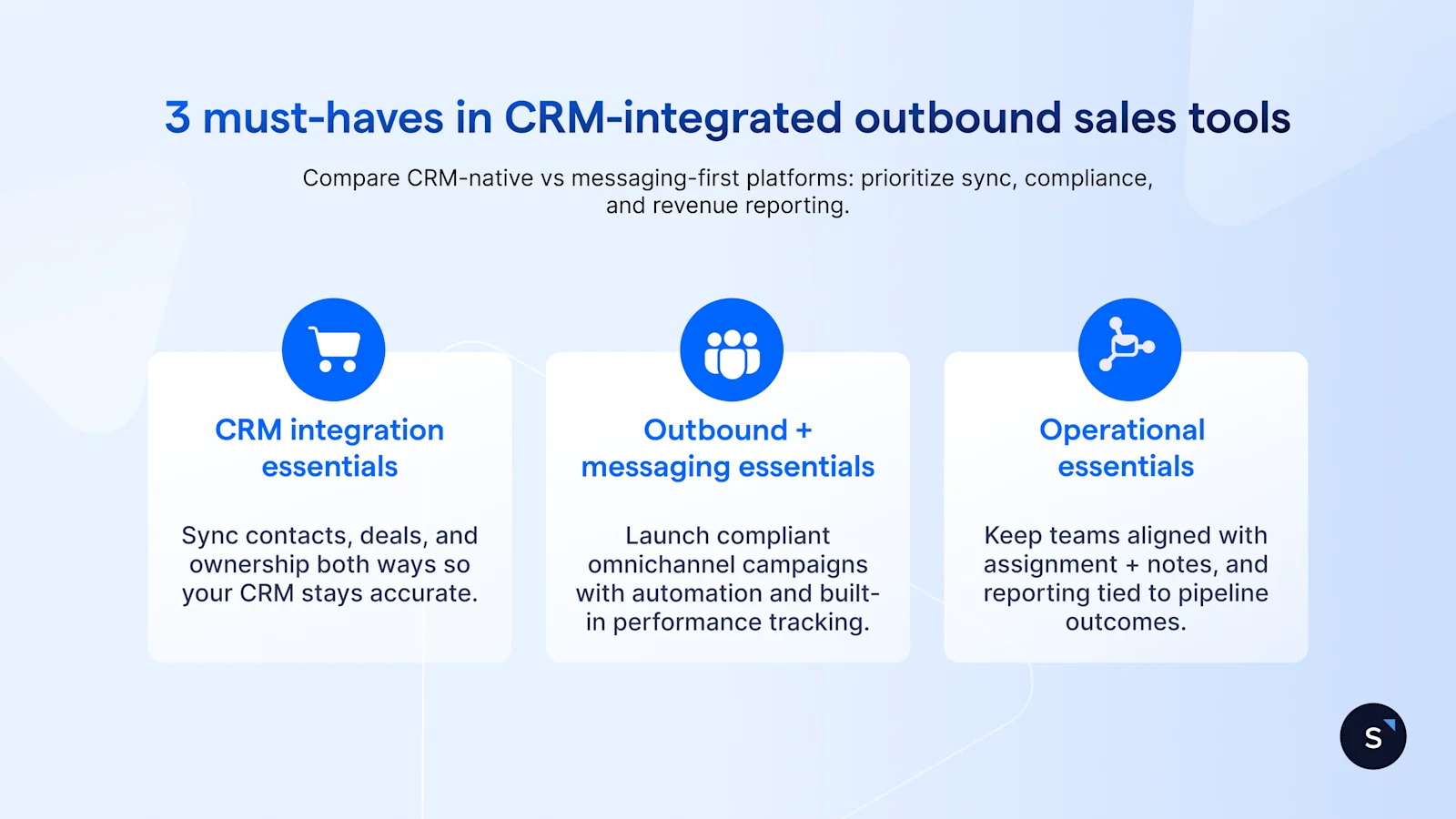
Use this checklist to compare platforms, especially if you’re choosing between a CRM-native sales engagement tool and a messaging-first automation layer. It highlights the integration, compliance, and reporting capabilities that most directly affect conversion and CRM data quality.
CRM integration essentials
Two-way sync for contacts/leads and key updates
Ability to search, create, update records reliably
Support for relevant CRM objects (leads/contacts/deals; ideally custom objects)
User mapping / ownership alignment so assignment matches your CRM reality
Connection monitoring (visibility when integrations disconnect)
Outbound + messaging essentials
Omnichannel messaging (WhatsApp + social + SMS + web chat) in one workspace
Workflow builder for branching, routing, delays, and escalations
Compliance support (templates + conversation windows)
Broadcast/campaign capability with segmentation and reporting
Operational essentials (often missed in buying)
Collaboration: assignment, internal notes, shared visibility
Analytics tied to business outcomes (not just message volume)
How SleekFlow supports CRM sales automation
SleekFlow brings customer conversations across channels into one inbox and automates the workflows around them:
Unified inbox across channels: Manage conversations from WhatsApp, Instagram, Facebook Messenger, WeChat, SMS, and website live chat in one place, with assignment and collaboration features for teams.
Flow Builder automation: Use a visual workflow builder to automate replies, qualification, routing, time delays, handoffs, and integrations using triggers, conditions, and action nodes.
CRM integrations: Sync customer data and trigger workflows based on CRM events. CRM data exchange (search/create/update records) is typically executed through Flow Builder nodes, with optional user mapping and disconnection handling.
Broadcast campaigns for segmented outreach: Send bulk messages to targeted segments and track performance metrics (delivery/read/reply where supported), with channel-specific compliance considerations (e.g., WhatsApp templates for outbound when required).
Contact management + custom objects: Organize contacts with properties, labels, and lists, and use custom objects to store structured records like orders, memberships, or tickets for better automation and segmentation.
Analytics tied to execution and outcomes: Track conversation efficiency (reply time, volume, engagement) and measure business impact using conversion tracking events logged via Flow Builder.
How businesses use SleekFlow for CRM sales automation
1. Infinity8 cut lead response time with automated routing and qualification
Infinity8’s sales inquiries were funneled into a single work phone. Leads had to be manually delegated via screenshots and forwards, with limited visibility into response performance, so it took up to 30 minutes to assign a lead and over 2 hours to respond.
To overcome this challenge, Infinity8 used SleekFlow to centralize WhatsApp enquiries in a shared team inbox and used SleekFlow’s Flow Builder to automate first-touch qualification.
Now when a prospect messages in, the flow captures key details (e.g., location and service type) and helps route the conversation, so human reps can respond with context and send quotations faster. These flows run 24/7, even outside of working hours.
And because SleekFlow is an official WhatsApp Business Solution Provider, template approval, opt-in management, and policy compliance run directly inside the platform, not through a separate vendor.
As a result:
96% faster response time
Response time dropped from over 2 hours to under 5 minutes
There’s no longer a need to open my (personal) WhatsApp and do manual work. Using SleekFlow really saves half my life.

Trix Chin
Senior Sales Executive
2. MEDILASE scaled sales follow-ups with automation and broadcasts
MEDILASE used multiple personal phone numbers to manage inquiries, which hurt consistency and made it hard to access customer history for follow-ups.
With SleekFlow, they centralized conversations in one inbox and used Flow Builder to capture lead details (language, treatment interest, source) and auto-assign chats to the right consultant. They also integrated SleekFlow with their OMS (Order Management System) for two-way data sync, so teams could use booking and purchase context during sales conversations.
To re-engage unconverted leads, MEDILASE ran targeted Broadcast campaigns—reporting much higher engagement than SMS.
As a result:
Broadcast response rates up to 20x higher than SMS
5 - 6x increase in lead conversions
With SleekFlow, we have instant access to each customer’s full treatment and purchase history alongside the conversation. Customers no longer need to repeat their personal background when making an appointment, ensuring a seamless journey and allowing us to deliver the most attentive and accurate service every time.
Ng Kai Chi
CEO of MEDILASE
Buying checklist: choosing the best CRM-integrated outbound sales software
Before you sign anything, confirm:
Can it handle your main channels (not just email)?
Does it support two-way CRM sync (not a one-way dump)?
Can it route, segment, and personalize using CRM fields?
Can it run outbound while staying compliant with WhatsApp rules?
Can you measure outcomes, not just “messages sent”?
If the answer is “yes” across all five, you’re much closer to automation that actually moves the pipeline.
Ready to put this checklist into action?
Request a SleekFlow demo now to see CRM-connected messaging workflows including routing, follow ups, and two-way sync tailored to your sales motion.

Want to outcompete your peers with SleekFlow's help?
Book your personalised demo with SleekFlow today and unlock the potential of seamless communication


