WhatsApp Business tips and optimization


WhatsApp is a top player in business messaging with over 3 billion active monthly users in 180 countries, sending over 150 billion messages every day. With more than 100% penetration in some markets, WhatsApp is one of the most popular messaging apps worldwide, making it a valuable tool for businesses to engage with customers and build relationships through messaging.
In this article, we'll explore the reasons why incorporating WhatsApp into your business's messaging strategy is worth considering, and discuss top WhatsApp Business tips from SleekFlow's Founder and CEO, Henson Tsai, and Meta's Regional Strategic Partner Manager, Norman Kuo, to help businesses stay ahead.
Business App vs. Business Platform (API): Which WhatsApp should you use?
Choosing the right WhatsApp solution for your company isn't about which one is "better," but which is the best fit for you. Whether you should use the WhatsApp Business App or the WhatsApp Business Platform (API) really comes down to your specific operational needs. Consider factors like your conversation volume, team size, and what you need to automate. After all, a local bakery has very different messaging needs than a regional e-commerce brand.
The two are different products, not two tiers of the same one. The WhatsApp Business App is a free standalone mobile app built for small teams. The WhatsApp Business Platform, also called the WhatsApp Business API, is a cloud interface that connects WhatsApp to your other systems and is accessed through an official Business Solution Provider.
To help you decide, here's a practical framework:
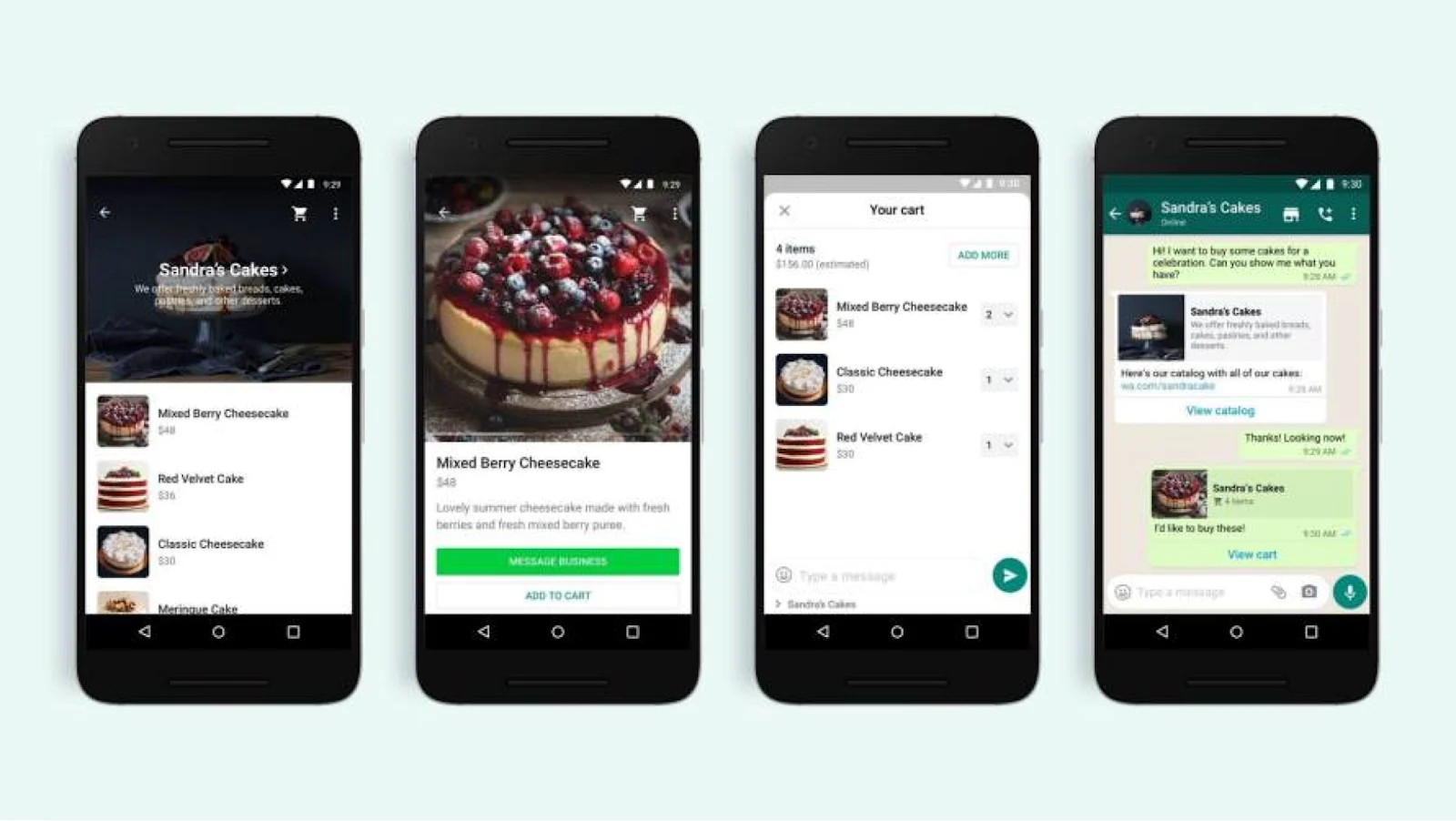
Here's a simple test: If your top agent took a week off, would your WhatsApp operation grind to a halt? If the answer is yes, it's time to upgrade from the Business App. Once WhatsApp becomes critical to your mission, the Platform is no longer a luxury—it's essential.
It's also worth noting that the two aren't mutually exclusive. With WhatsApp Coexistence, you can run the same phone number on both at the same time. This gives small teams a smooth path to scale up to the Platform without leaving the familiar app interface behind.
How Pearl Holiday Travel & Tour generated 2,000 leads with WhatsApp Business API
Before working with SleekFlow, Pearl Holiday had tried various marketing channels, including newspaper ads, a company website, and SMS broadcasts, but each failed to generate new leads effectively. Spam and phishing concerns made potential customers in Malaysia hesitant to engage with promotional messages.
The free WhatsApp Business App also presented significant problems. Since messages came from an unknown number, customers would often report or block them, leading to account bans and the constant need to acquire new numbers. The team also had no way to track campaign performance beyond a simple "sent" count.
By adopting SleekFlow's WhatsApp Business API, Pearl Holiday developed a five-part lead generation strategy that resolved these issues. The solution included verified WhatsApp Broadcasts, QR codes for lead capture at events, automated chat flows to qualify interest, smart routing for inbound messages, and a live chat widget on their website.
This new strategy produced impressive results during the company's 2023 in-house travel fair:
Over 10,000 contacts were reached via broadcast.
Approximately 2,000 new leads were generated.
Broadcasts achieved an 80% reply rate and a 90% delivery rate.
WhatsApp Business tips (for small teams)
Most guides explain what the Business App's features do, but real productivity comes from how you combine them. Small habits are what separate a tidy WhatsApp operation from a chaotic one. Here are the practical refinements seasoned operators use after mastering the basics.
1. Broadcast Lists
Segment your broadcast lists based on what customers do, not just who they are. For example, create a list for "recent buyers" to get better results than you would with a generic "all customers" list. Since the app doesn't have an opt-out feature, keep your broadcasts to a few times a month to avoid getting blocked. Always provide value, like an exclusive offer, instead of just a sales pitch.
2. Catalogs and Collections
Keep your storefront fresh by using collections to rotate seasonal categories like "New Arrivals," "Bestsellers," and "Mother's Day Gifts." This encourages customers to come back and see what's new. Include a clear call-to-action in every product description, such as "Reply with the product code to order." To make a strong first impression, refresh your product photography every quarter.
3. Cart
Clearly list your accepted payment methods in your business profile so customers know what to expect. Abandoned checkouts are often caused by slow responses, so train your team to acknowledge cart submissions within minutes.
4. Quick Replies and Automated Responses
Organize quick replies into categories with easy-to-remember shortcuts, like /hours, /shipping, and /returns. Audit your library once a month to remove unused shortcuts and add new ones for common questions. For maximum efficiency, keep your replies under three sentences.
5. Contact and Message Labels
Create a simple and consistent labeling system. A few clear labels like "New Lead," "Follow Up," "Awaiting Payment," "Closed Won," and "VIP" are more effective than a lot of vague ones. At the start of each shift, filter for messages marked "Awaiting Reply" to make sure nothing slips through the cracks. You can also combine labels, such as "VIP," with your broadcast lists to send more targeted communications.
6. Automatic Away Messages
Set clear expectations for your response times. Instead of a vague "We'll get back to you soon," try something specific: "We'll reply within 4 hours during business hours (9 am to 6 pm, Mon-Fri)." You can also use away messages to point customers toward self-service options, like an FAQ or an order tracking page. During holidays or sales, consider rotating your messages to match the current tone.
WhatsApp Business Platform tips (for growing teams)
Upgrading to the WhatsApp Business Platform gives you more tools. To make the most of them, don't treat WhatsApp like a simple chat channel. Instead, use it as a structured system for engaging with customers. Here's how.
1. Opt-in
Start by embedding opt-in checkboxes wherever you collect customer data—checkouts, lead forms, or event sign-ups. Be clear about what they're signing up for. For example: "Yes, send me order updates and exclusive offers from [Brand] on WhatsApp." It's also a good idea to log the opt-in source, timestamp, and the exact consent text in your CRM. This way, you have proof of consent if you ever need it.
2. Templates
When creating templates, you need to categorize them correctly as marketing, utility, or authentication. Getting this wrong often leads to rejection and can hurt your quality rating. Get straight to the point and lead with value; don't waste space on generic greetings. You're better off creating a small set of versatile, well-tested templates for common scenarios rather than building a huge library you'll never use.
3. Routing
Set up routing rules that direct customers based on their needs, like sales or support, and your team's availability or language skills. For general inquiries, a round-robin system helps balance the workload. For more complex conversations, route them to agents with the right technical skills. You should also have a clear escalation path to move unresolved chats to a senior agent after a certain amount of time has passed.
4. Automation: automate the repeatable, escalate the nuanced
First, map out your top 10 most common customer journeys, such as order tracking or processing returns, and automate them with a tool like SleekFlow's Flow Builder. Make sure you always include a "talk to a human" option. Customers are more willing to use automation if they know they can easily reach a person. For queries that don't fit your scripted paths, you can add AI agents to handle those natural-language questions.
5. Customer Relationship Management (CRM)
You should sync your WhatsApp conversations with your CRM, whether it's HubSpot, Salesforce, or Shopify, to keep customer profiles current. Pull key data from chats—like a customer's preferred language or product interests—and save it in custom fields. With these detailed profiles, you can segment your broadcasts and personalize messages, which will dramatically improve your open and conversion rates.
6. Analytics
Instead of just tracking message volume, focus on conversation outcomes, like how much revenue was generated. Keep an eye on how individual templates are performing and don't hesitate to revise or remove any that have consistently low read or click rates. Check your quality rating and messaging tier every week. If you see a drop, it's a sign that your strategy needs an immediate adjustment.
WhatsApp conversational commerce funnel (Awareness → Advocacy)
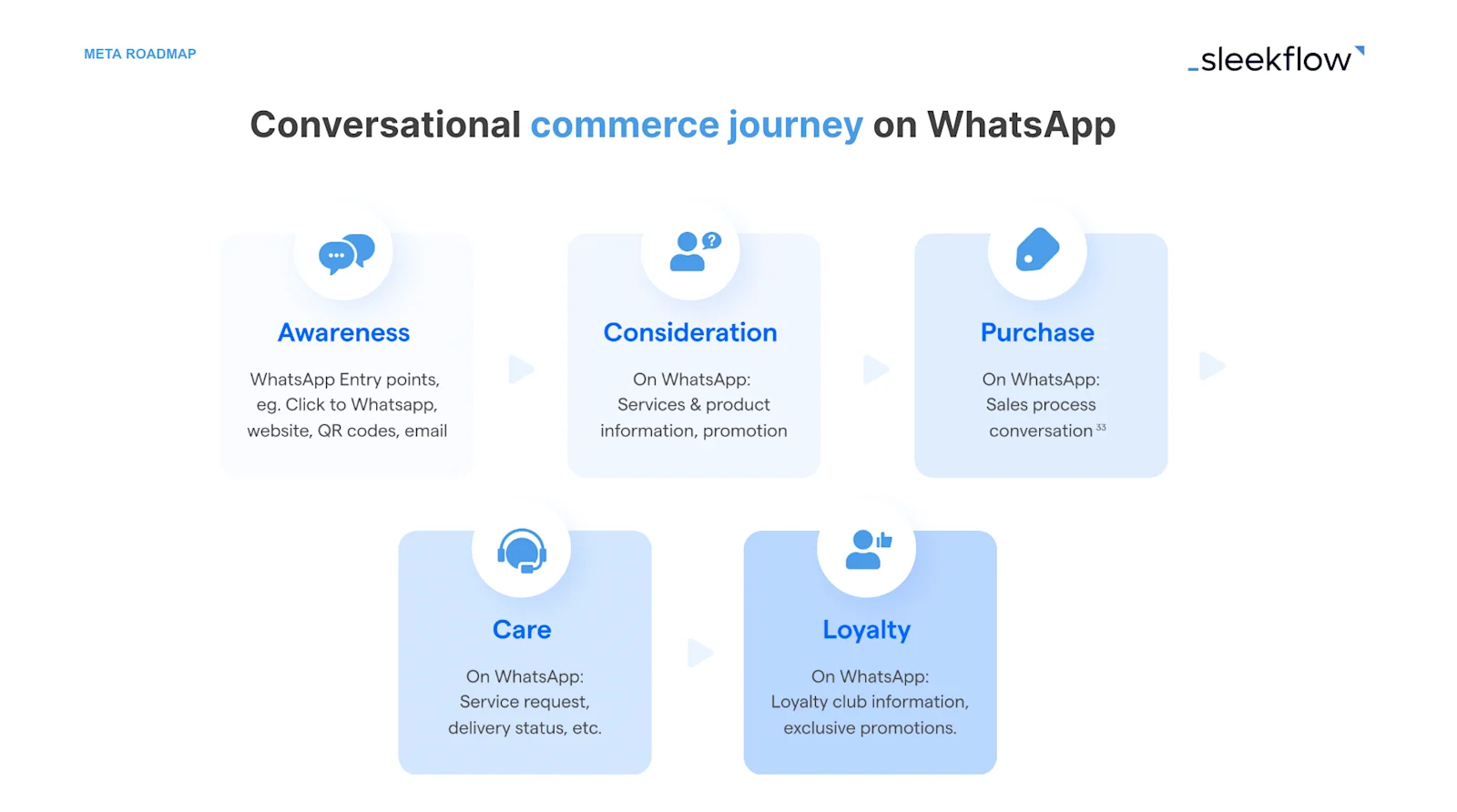
The content provided in the above image is provided by WhatsApp
Conversational commerce works best when it connects every stage of the customer journey. With WhatsApp, you can guide customers from initial awareness to their final purchase and beyond, all within a single chat. To create this seamless experience, it’s important to use the right SleekFlow feature at each stage.
Here’s a stage-by-stage guide to the conversational commerce funnel, showing which SleekFlow features power each step:
A few key principles bring this funnel together:
Prioritize the first reply. A quick response is vital for converting visitors. AI agents and welcome flows can make this happen in seconds.
Use one continuous conversation thread. Because WhatsApp keeps a persistent chat history, your team gets full context for every interaction without needing to onboard customers again.
Enable two-way data flow. Each stage should feed cleaner data into the next. For instance, initial awareness chats can improve CRM profiles, which then shape your consideration and retention campaigns.
Design for re-entry. You should offer returning customers a personalized experience. A customer asking about new products should see a catalog that reflects their past purchases. This is what separates conversational commerce from the traditional e-commerce model.
When you map it this way, WhatsApp connects your entire customer experience. SleekFlow gives you the right tool for each stage, so you don't have to jump between different systems.
Get started with WhatsApp API: why choosing the right BSP is crucial
Working with a BSP is essential for businesses aiming to succeed on WhatsApp. As a BSP, our partnership with Meta enables us to provide enhanced features, go-to-market support, and resources co-curated with Meta to drive user acquisition. Meta recommends enterprises collaborate with trusted BSPs, and SleekFlow is one of the most agile companies in the market, offering an excellent user experience.
With our platform, you can manage conversations from WhatsApp and other major messaging channels all in one powerful Omnichannel Team Inbox.
We offer several key features:
Workflows for multiple agents
Smart routing capabilities
Automation with our Flow Builder
Integrations with platforms like Shopify, Salesforce, and HubSpot
What truly sets us apart is AgentFlow, our comprehensive AI agent platform. Unlike the automation tools from other BSPs, AgentFlow uses AI Inbound Agents to run the entire sales process. These agents can qualify leads, follow playbooks, and handle objections, escalating to a human agent only when it's truly necessary.
At SleekFlow, we are committed to helping businesses engage with customers more personally and efficiently across sales, marketing, and support.
How Helmet king used AI agents to qualify leads and score customer behavior
Helmet King, a leading motorcycle gear retailer in Hong Kong, offered a one-stop shopping experience for motorcycle enthusiasts. Despite a strong reputation, the brand faced significant operational challenges that were impacting sales.
The company struggled with fragmented customer communication, managing inquiries across WhatsApp, Facebook, Instagram, and email. This led to poor follow-ups, lost orders, and slow, inaccurate responses. The manual post-sales process for maintenance reminders was also inefficient, shortening the customer lifecycle and limiting repeat business.
Helmet King adopted SleekFlow's AI-powered platform to unify communications and automate key processes. They implemented an AI agent for lead qualification, used automated flows for customer interactions and after-sales reminders, and integrated their Shopify and ERP systems to centralize customer data. This allowed them to run personalized broadcast campaigns and focus on high-value interactions.
By leveraging SleekFlow's integrated solution, Helmet King achieved significant improvements across their business.
They saw a 3x increase in marketing campaign ROI.
Need help applying for WhatsApp Business API? Get a consultation and onboarding session for free.
Upcoming features and developments to watch out for on WhatsApp API
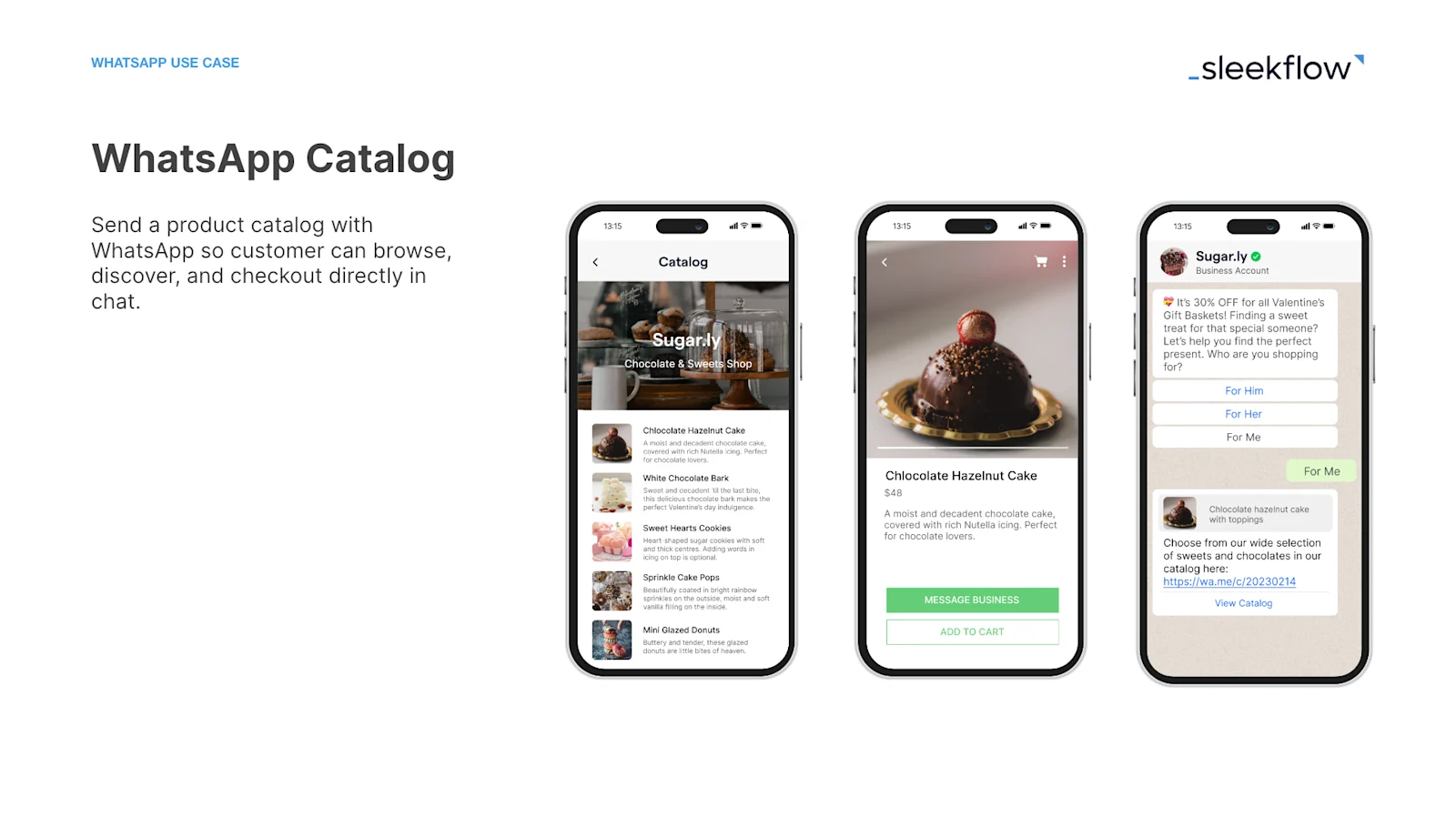
Read more: SleekFlow WhatsApp Catalog
At WhatsApp’s recent regional product roadshow, Norman shared that there were two new features caught the attention of many: the catalog and send user location.
The catalog feature allows merchants and e-commerce businesses to integrate their solution into WhatsApp, enabling customers to view their products and descriptions through a cart icon.
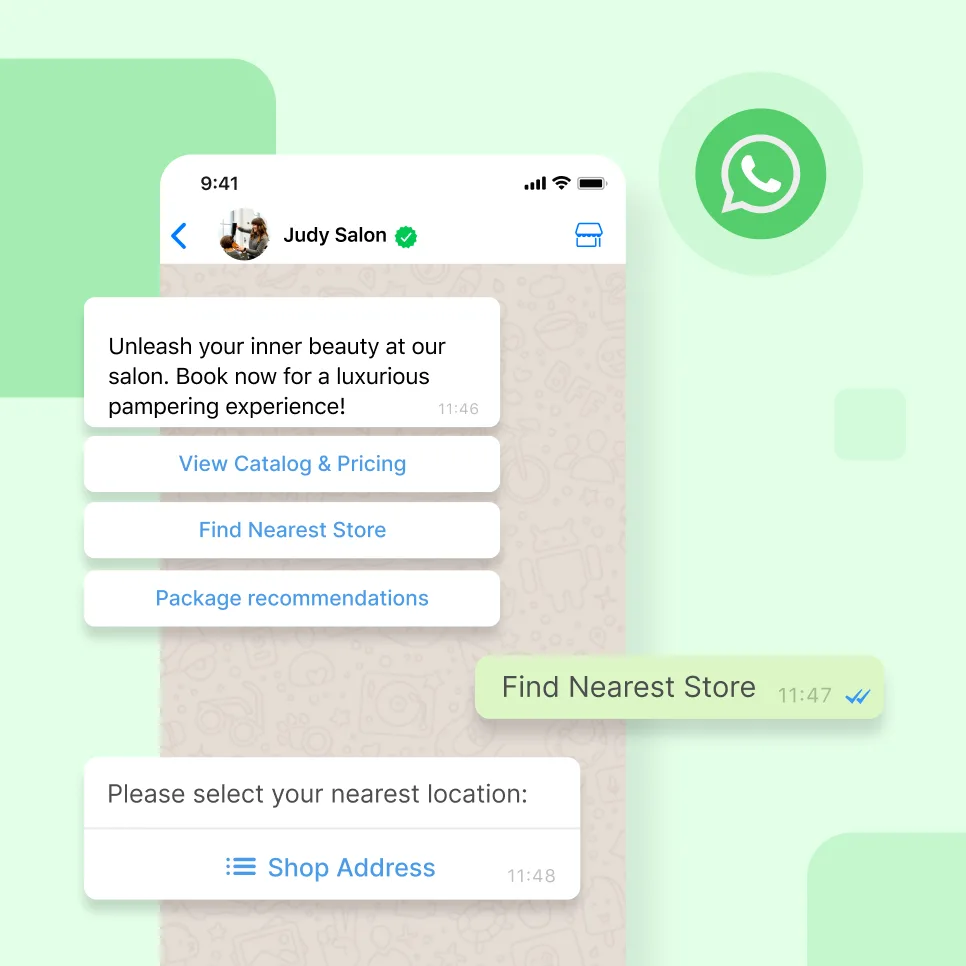
The send user location feature is great for e-commerce and delivery services, providing a more personalized experience for customers based on their geographic location.
These new features are just the tip of the iceberg, and there are more exciting things to come from WhatsApp. As a trusted BSP partner, SleekFlow will continue working closely with WhatsApp to ensure that these features can help businesses grow through conversational commerce. It's an exciting time for businesses looking to leverage the power of WhatsApp to engage with customers in a more personalized and efficient way.
Stay tuned for here more updates on WhatsApp's new features and how SleekFlow can help businesses make the most of them.
Connect to WhatsApp Business API now!
Connect to WhatsApp Business API and unlock powerful tools to engage your audience.


