Best AI tools for extracting customer insights from conversations, compared


TL;DR: Quick Summary
- Surveys miss real customer insights due to low response rates, while AI text analysis extracts insights directly from chat conversations at scale.
- Effective tools go beyond metrics, offering theme detection, root cause analysis, churn signals, and actionable recommendations.
- SleekFlow CX Intelligence stands out with full-loop insights—identifying patterns, explaining why issues happen, and सुझावing next steps via an AI analyst layer.
- Most tools (Zendesk, Intercom, HubSpot, etc.) focus on operations, like tickets and automation performance, rather than true customer intelligence.
- The right tool depends on your goal: reporting vs. deep insight—chat-native AI tools are best for understanding real customer sentiment and behavior.
Your team handles thousands of customer conversations every week. The signals are all there: why people are frustrated, what's driving refunds, and which issues keep coming back. Yet most teams are still running quarterly surveys to 200 people and calling that customer insight. Surveys are prone to fatigue, and low response rates skew the data you're making decisions on.
A better approach is using AI text analysis to read what customers are already telling you, directly from chat transcripts, without asking them to fill out a form. The question then becomes: which tool actually does this well?
This guide breaks down 7 AI customer insight tools that sales and support teams commonly evaluate, what each does well, and where the gaps are.
What makes a genuinely useful customer insight tool?
Not all feedback analytics software is built the same. Before comparing tools, it helps to know what "good" actually looks like.
The bar matters because the stakes are real. A McKinsey CEO survey found that while 63% of CEOs cite customer feedback as a key source for growth ideas, only 15% consistently integrate customer input into their decisions. The problem usually isn't motivation. It's that most tools make it too hard to go from raw feedback to a clear action. Here's what a tool needs to do to actually close that gap:
Theme and pattern detection: Does it automatically surface recurring topics across large conversation volumes, without you manually tagging anything first?
Root cause analysis: Does it tell you why something is happening, not just that it is? "Refund requests are up 30%" is a metric. "Refund requests are up because customers can't find your return policy on mobile" is insight. In addition, does it track how sentiment shifts by topic over time, not just flag negative tickets one by one?
Risk and churn signal detection: Does it flag early warning signs before they compound? Frustration patterns, repeated contacts, unresolved issues — these are churn signals most tools miss.
Proactive recommendations: Does it tell you what to do next, or does it wait for you to ask the right question?
AI analyst capability: Can a non-technical team member type a plain-language question and get a meaningful chart or breakdown back? This separates tools designed for data teams from those designed for CX and sales managers.
Channel fit: Was it built for chat and messaging, or is chat an afterthought bolted onto a survey-first product?
Comparing the top 7 customer insight tools
1. SleekFlow CX Intelligence
Best for: Sales and support teams on SleekFlow who want to understand what their customers are actually saying, not just how many tickets got resolved.
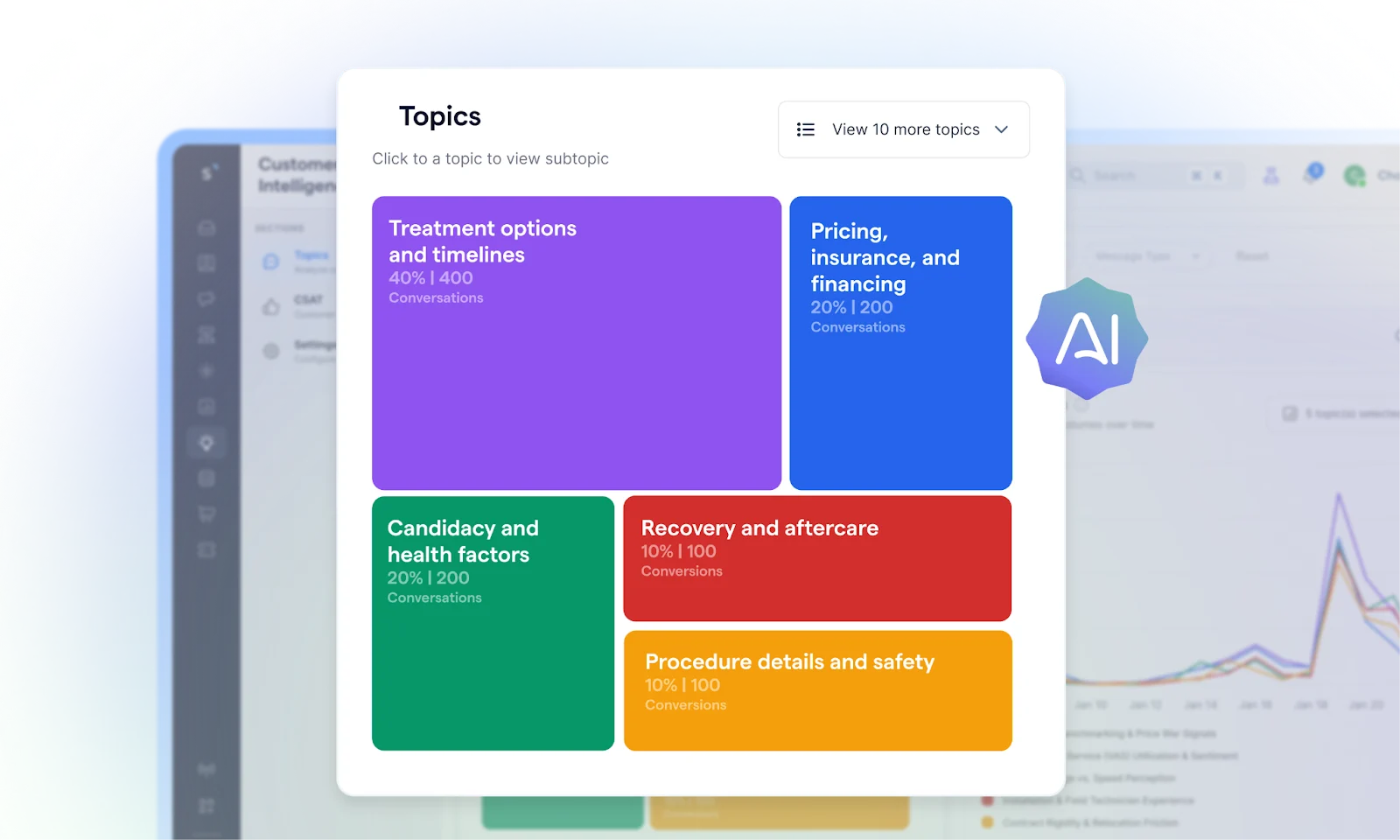
Key features:
Hot topic discovery that detects recurring themes from conversations, tracks their volume, and trends over time
Deep topic insights with root cause analysis, risk flagging, and growth opportunity identification across topics
AI CSAT scoring on every conversation without requiring a survey, including proactive coaching suggestions per chat
AI analyst mode, where you ask a plain-language question and get back charts, trend comparisons, and data-backed explanations
Proactive daily briefings that surface unexpected trends and emerging patterns worth investigating
Pros:
Analyzes every conversation automatically, no manual tagging, no sampling, no survey required
The only tool in this list with an AI analyst layer that guides non-technical users toward better questions
Covers the full insight loop: what's happening, why, what's at risk, and what to do next
Cons:
CX Intelligence is currently in Beta, so feature depth continues to evolve
Works within the SleekFlow ecosystem, so it's not an option for teams on other messaging platforms
Pricing: SleekFlow offers tiered plans ranging from Free to Enterprise.
Verdict: The most complete customer intelligence capability in this list for chat-native teams, covering root cause analysis, risk detection, AI CSAT, and a genuinely accessible analyst layer, all in one place.
2. Zendesk
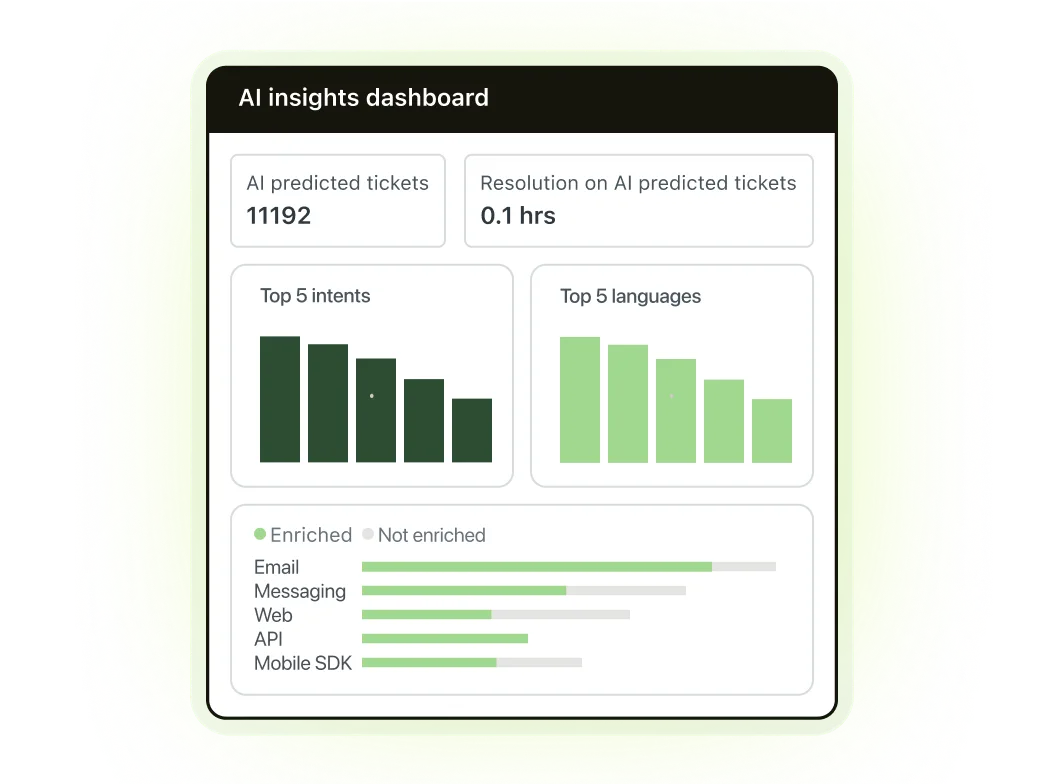
Best for: Support teams that need solid operational analytics within an existing Zendesk setup.
Key features:
Intelligent triage that detects customer intent, sentiment, and language to help agents find the best resolution quickly
Quick Reports that generate charts and summaries using plain-language prompts, powered by machine learning
Advanced Insights, powered by the HyperArc acquisition, combines AI and human analysis to surface narrative insights, trends, and root causes
Prompt-based AI insights in Zendesk QA, where you can ask targeted questions about conversations using natural language and automatically score or flag them based on your criteria
Pros:
Quick Reports is a genuinely useful feature for managers who want charts without a data team
Broad ecosystem with strong integration into existing ticketing workflows
AI Insights Hub centralizes AI operations and surfaces recommendations on automating responses and refining routing rules
Cons:
Analytics is built around ticket and agent performance, not customer intelligence. It tells you how your team is performing, not what your customers are trying to tell you
Most advanced insight features are tied to higher-tier plans or require the Copilot add-on
Root cause analysis and churn signal detection are not native
Pricing: Zendesk offers tiered plans starting from $29 per agent/per month billed annually). AI insight features are available on higher tiers and as separate add-ons.
Verdict: A strong operational analytics tool that's getting smarter, but still built around ticket metrics rather than genuine customer intelligence.
3. Intercom (Fin AI)
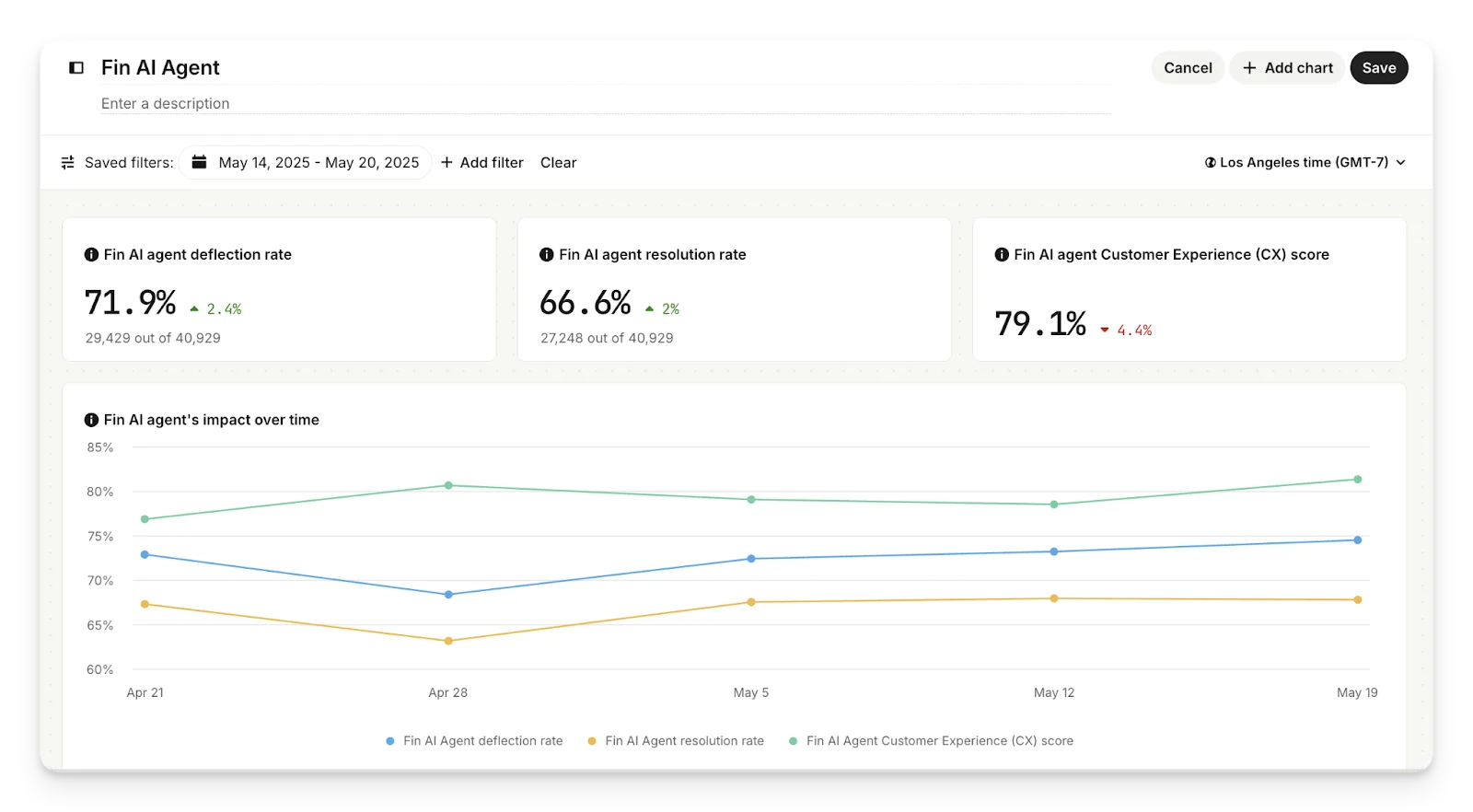
Best for: Product and support teams who want AI conversation automation with basic insight reporting.
Key features:
Fin AI Agent for automated conversation resolution across live chat, email, SMS, and WhatsApp
AI Copilot for agents with real-time reply suggestions and conversation context
AI insights to analyze Fin's performance and flag unresolved questions and knowledge gaps
Customer experience scoring across conversations
Pros:
Clean UI with fast deployment, especially for teams already on Intercom
Fin is available across all plans, with resolution-based pricing so you only pay when Fin successfully resolves a conversation
Good for deflection tracking and understanding where your automation breaks down
Cons:
Insight layer serves Fin's own performance, not yours. It tells you what Fin resolved, not why customers keep asking the same thing
No theme detection across large conversation volumes, no root cause analysis, no churn risk signals
Costs add up quickly at scale, especially once Copilot and channel usage fees are factored in
Pricing: Intercom offers Essential, Advanced, and Expert plans. Fin AI Agent is charged at $0.99 per resolution, in addition to seat pricing. Copilot is a separate add-on.
Verdict: Good for automating support conversations, disappointing if you want to actually learn from them.
4. HubSpot Service Hub (Breeze AI)
Best for: Teams already on HubSpot CRM who want support for analytics connected to the full customer lifecycle.
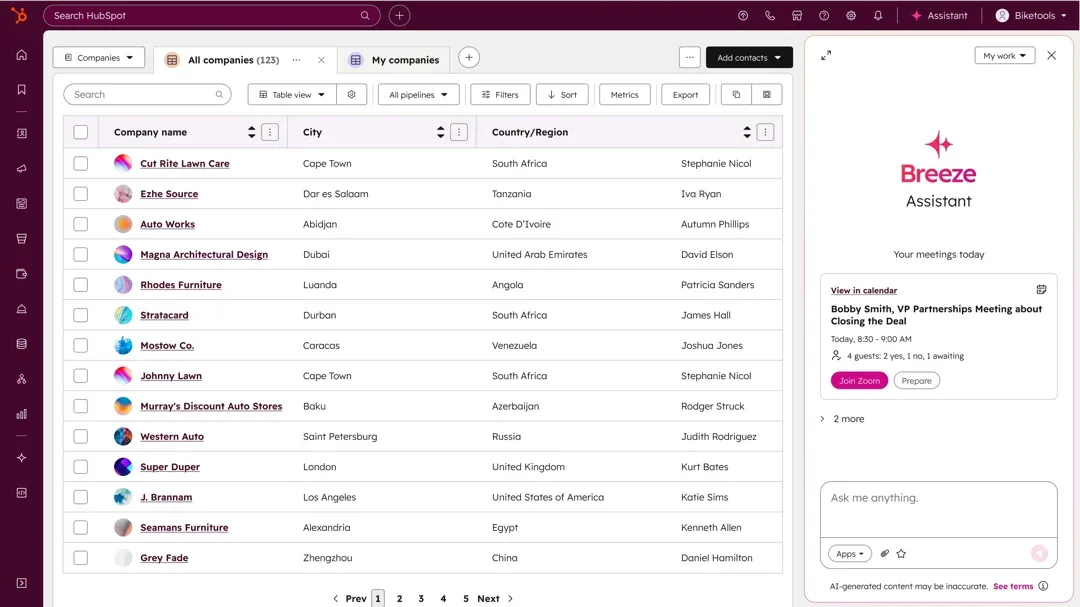
Key features:
Automated research intelligence that answers specific business questions by combining CRM data, customer conversations, documents, and web insights
Smart Insights that surfaces important patterns and trends, delivering actionable recommendations without digging through reports
Breeze Customer Agent for automated ticket resolution across chat, email, and WhatsApp
CRM-connected context that links support history to deal status, renewal risk, and lifecycle stage
Pros:
Best CRM-to-support integration in this list — useful for sales-adjacent teams who need the full customer picture
Breeze Assistant lets managers ask questions about their customer data in plain language
Cons:
Insight quality is heavily dependent on CRM data hygiene. If your contact data is messy, the AI has little to work with
Built for the HubSpot ecosystem. Teams not using HubSpot CRM won't get meaningful depth from Breeze's analytical capabilities
Not built for high-volume chat analysis. The insight layer surfaces CRM trends, not conversation intelligence at scale
Pricing: HubSpot Service Hub offers Starter, Professional, and Enterprise tiers. Breeze AI features are available across plans, with more advanced capabilities on Professional and Enterprise.
Verdict: Strong for CRM-connected insight if you're already in the HubSpot ecosystem, but not the right tool if your primary need is extracting intelligence from high chat volumes.
5. Gorgias
Best for: E-commerce brands on Shopify looking to automate support and turn conversations into sales.
Key features:
AI Agents that automatically answer repetitive questions, identify customer intent and sentiment, and route tickets to the right agent or department
Shopping Assistant that delivers real-time personalized product guidance, upsell recommendations, and smart discounts based on shopper intent
AI Agent Insights that analyzes performance data and surfaces recommendations, including automation opportunities, popular ticket intents to optimize, and knowledge base improvements
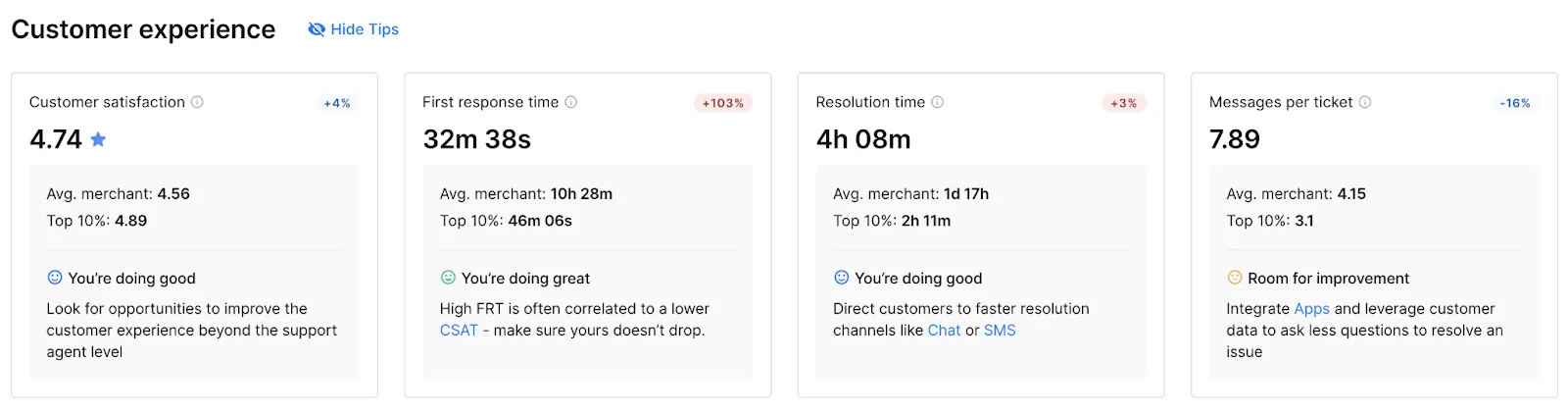
Analytics dashboard tracking First Response Time, Resolution Time, CSAT, One-Touch Tickets, and AI Agent performance metric
Pros:
Deep Shopify integration lets agents and AI access order history, update shipping details, apply discount codes, or issue refunds without leaving the helpdesk
Strong for e-commerce teams that want support to drive revenue, not just resolve tickets
Cons:
Analytics can feel too technical for frontline teams, and ticket-based billing makes costs unpredictable as volume grows
Insight capability is focused on automation performance and operational metrics, not on surfacing patterns or root causes across customer conversation volume
No theme detection, churn signal identification, or plain-language chart generation for CX or business-level questions
Pricing: Gorgias offers Starter, Basic, Pro, Advanced, and Enterprise plans, priced by monthly ticket volume rather than per seat.
Verdict: A strong fit for Shopify-native e-commerce teams who want AI support automation with revenue tracking, but not the right tool if deep customer intelligence is what you're after.
6. Front
Best for: Support teams that handle high-complexity, collaborative customer conversations across email, chat, and social.
Key features:
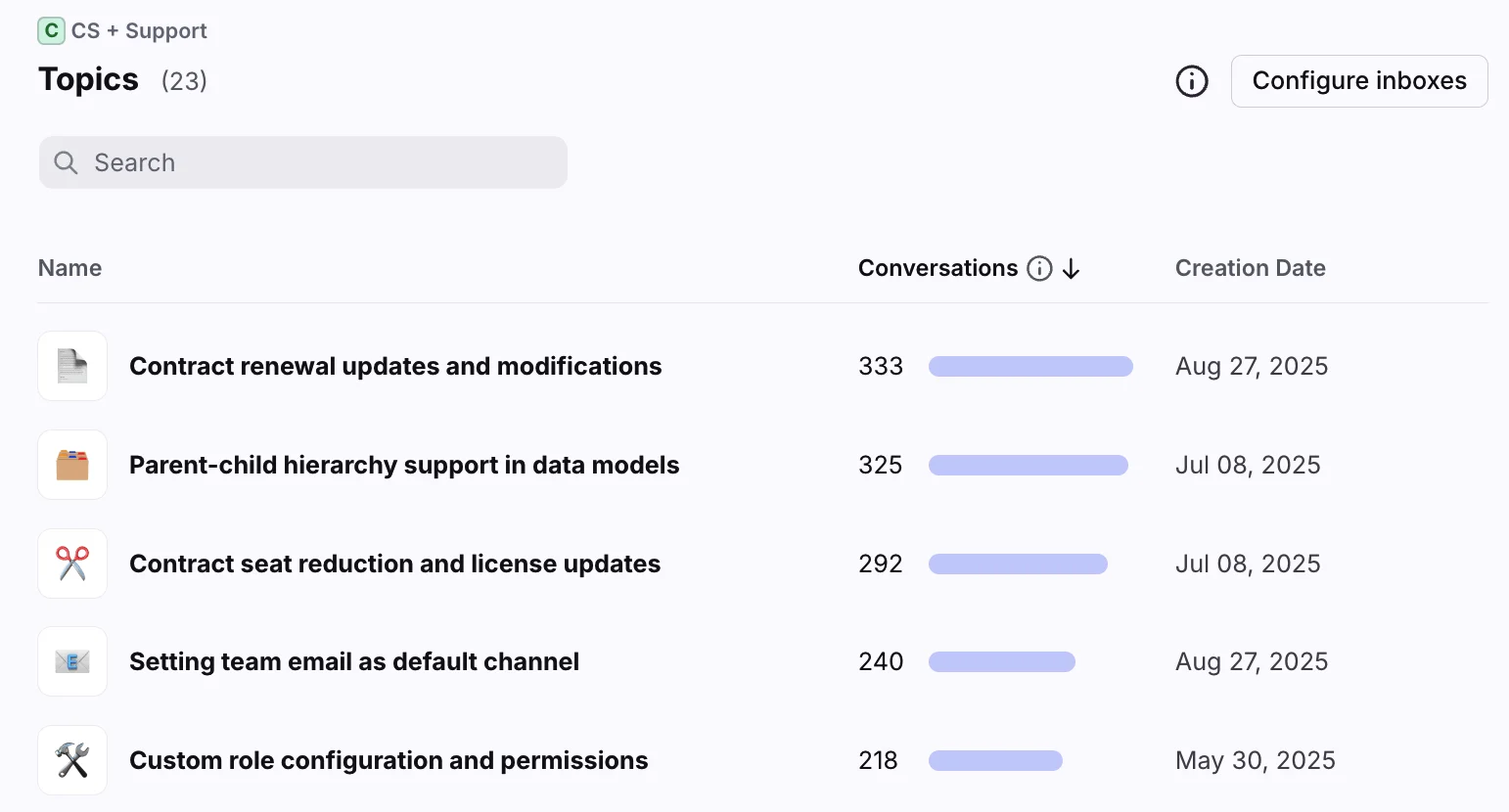
Topics that analyze conversation history to understand customer contact reasons and power automation
Smart CSAT that automatically infers customer satisfaction across all meaningful tickets without relying on survey responses
Smart QA with AI, auto-generated scorecards that reduce manual ticket audits and give support leaders a faster agent feedback loop
AI Copilot for real-time suggested replies, conversation summaries, and agent assist during live chats
Pros:
Strong collaborative inbox experience for teams that handle complex, multi-touch customer issues
Smart CSAT and Smart QA are genuinely useful for support leaders who want quality visibility without manual auditing
Cons:
Getting Front AI up and running can be tricky, and there is no way to test the AI's accuracy before going live with customers
Insight layer is built around support quality and agent performance, not business-level customer intelligence like market signals, churn risks, or product feedback patterns
Pricing: Front offers Starter, Professional, and Enterprise plans. Smart QA is available as a paid add-on. AI features are available on higher-tier plans.
Verdict: A genuinely improving platform with a clear insight ambition, but still building toward the depth that sales and support teams need to extract real customer intelligence at scale.
7. Drift by Salesloft
Best for: B2B sales teams that want to qualify website visitors and book meetings through AI conversations.
Key features:
AI intent detection that identifies high-intent visitors based on behavior and engagement patterns, with real-time notifications for sales reps when target accounts visit
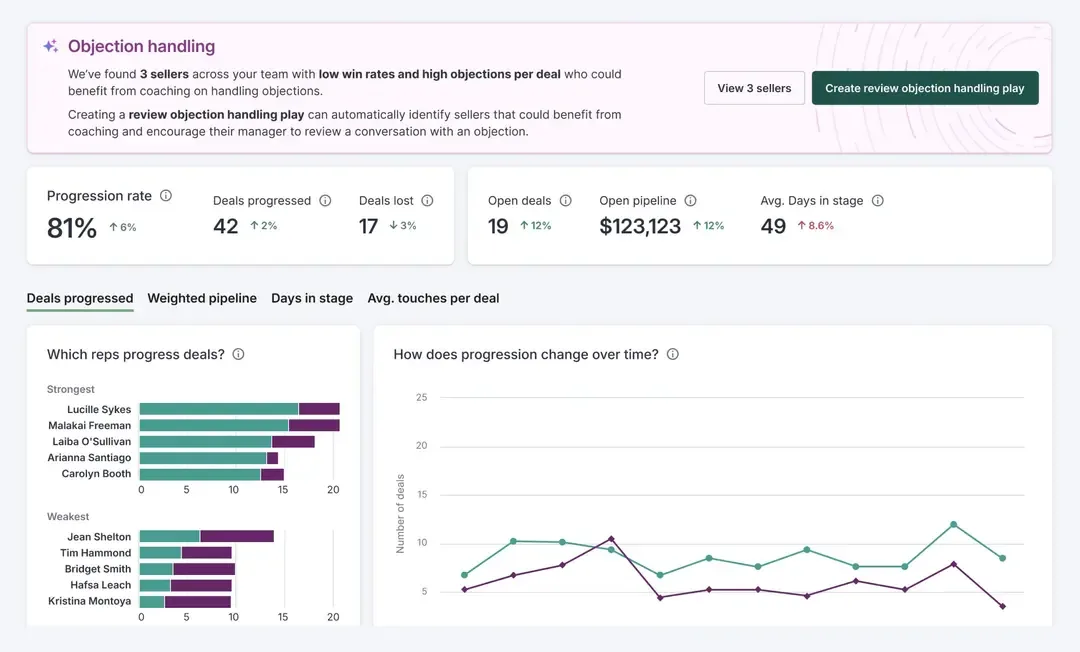
Detailed analytics on lead conversion, conversation performance, and pipeline contribution to help managers identify which strategies are working
Pros:
Best-in-class for B2B lead qualification and meeting booking through conversational AI
Deep CRM integrations centralize customer data and streamline workflows for revenue teams already in the Salesforce or HubSpot ecosystem
Strong account-based marketing capability with personalized chat flows for high-value target accounts
Cons:
Analytics are built entirely around sales outcomes. Support managers won't find first-contact resolution rates, agent deflection data, or knowledge gap reports
No customer insight capability beyond pipeline metrics. It does not detect themes, surface root causes, or flag churn signals across conversation volume
Pricing: Drift offers Advanced and Elite plans and does not publicize its entry-level pricing.
Verdict: The strongest tool in this list for converting website visitors into pipeline, but the wrong choice if customer intelligence, support insights, or anything beyond sales metrics is what you need.
Which customer insight tool is right for your team?
The right tool depends on what problem you're actually trying to solve. If you need better ticket reporting, most platforms in this list will do the job. If you need to understand what your customers are genuinely telling you across thousands of conversations, the gap narrows quickly. Here's how the tools stack up:


