Enterprise AI: what it is, how it works, and how large businesses use it to scale smarter


TL; DR: Quick Summary
- Enterprise AI is not just chatbot access, it means deploying AI across large-scale workflows, teams, systems, data, permissions, and customer journeys.
- Enterprise-ready AI needs governance — secure access controls, auditability, integrations, human oversight, analytics, and reliable performance at scale are essential.
- AI's strongest use cases are sales, support, marketing, and operations including lead qualification, faster customer service, personalised campaigns, workflow automation, and CRM updates.
- AI projects fail when they start with the model, not the workflow. Success depends on clear use cases, real business data, human-in-the-loop design, measurable KPIs, and cross-team ownership.
- SleekFlow helps turn enterprise AI into revenue workflows with AI agents, omnichannel communication, automation and CRM integration
Enterprise AI is no longer an innovation side project. It is becoming part of how large businesses respond to customers, qualify leads, automate workflows, support employees, and make decisions at scale.
In 2025, Stanford HAI reported that 78% of organisations used AI in 2024, up from 55% in 2023, while generative AI use in at least one business function more than doubled from 33% to 71%. Yet adoption does not equal impact: BCG found that 74% of companies struggle to achieve and scale value from AI.
For Singapore businesses, the next stage is not simply giving employees access to a chatbot. Singapore’s National AI Strategy 2.0 focuses on adoption, implementation and excellence in AI deployment, while IMDA’s AI governance frameworks emphasise accountability, transparency, human oversight, and responsible deployment.
What is enterprise AI?
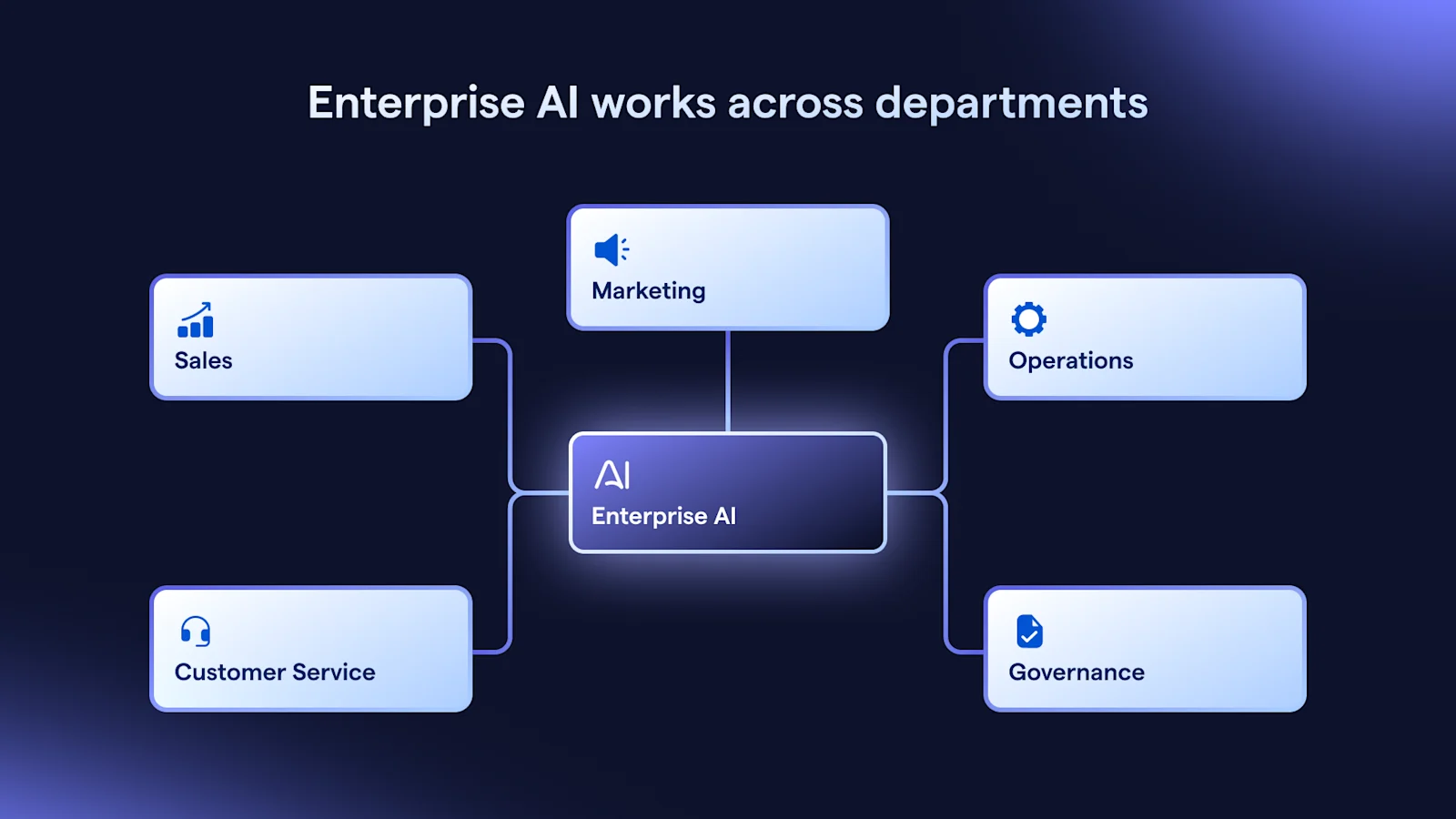
Enterprise AI is the use of artificial intelligence across large-scale business operations, systems and teams. The word “enterprise” changes the requirements. A basic AI tool may help one person write faster. Enterprise AI must work across departments, customer data, CRM records, permissions, compliance controls, reporting dashboards and human escalation paths.
At the enterprise level, AI is about scale, governance, integration and execution — not just model access.
What makes AI enterprise-ready?
An AI system becomes enterprise-ready when it can operate safely inside real business processes.
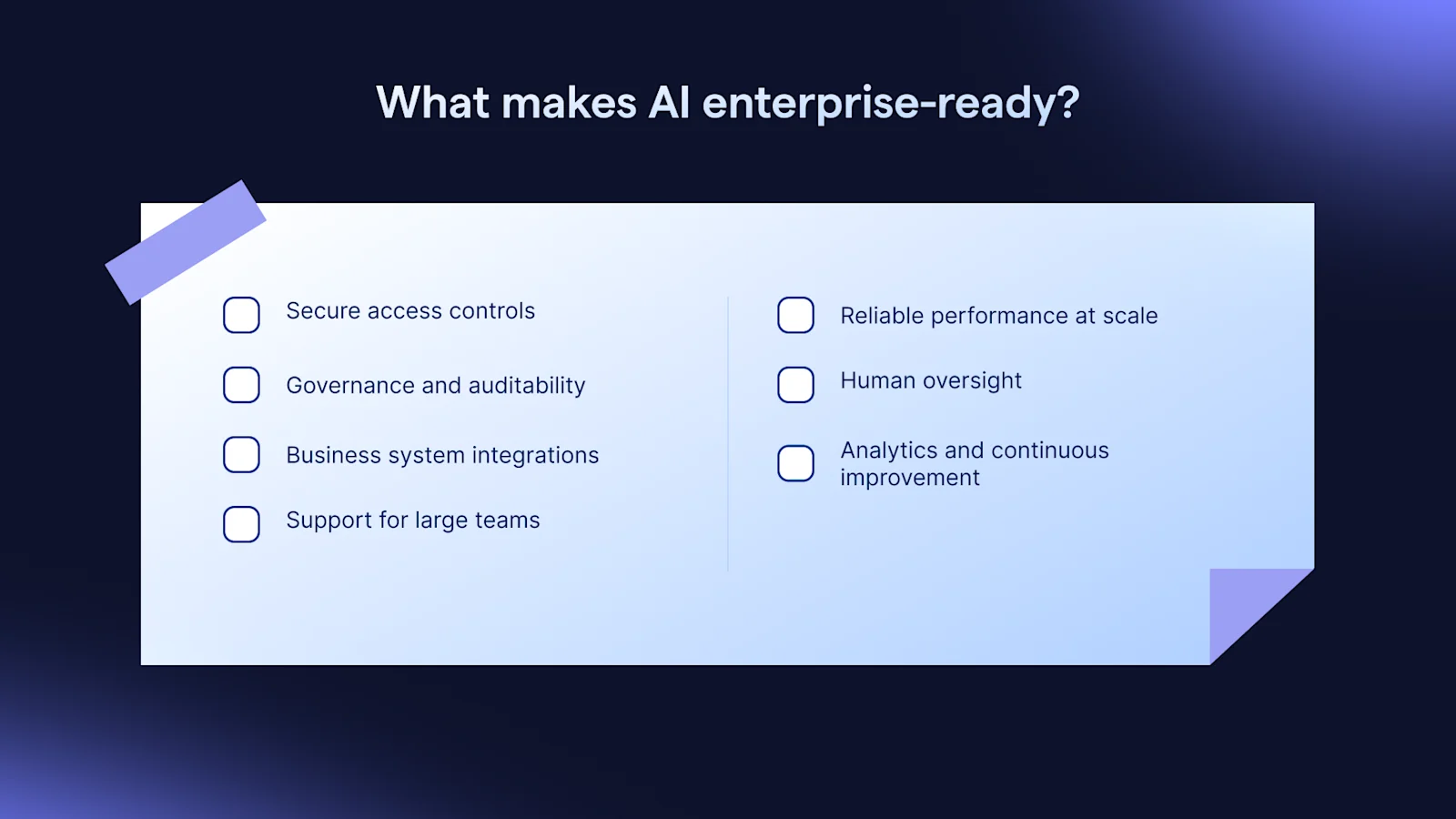
Key requirements include:
Secure access controls: role-based permissions, two-factor authentication, IP allow listing and data masking help protect sensitive customer and operational data. SleekFlow’s product materials highlight role-based access, feature-specific controls, team-based access, data masking and IP whitelisting for enterprise environments.
Governance and auditability: teams need clear ownership, approvals, monitoring and review processes. IMDA’s AI governance guidance stresses internal governance structures, defined roles, risk management and human accountability.
Business system integrations: enterprise AI should connect with CRMs, ecommerce platforms, payment tools, ticketing systems and analytics dashboards.
Support for large teams: different teams need different inboxes, permissions, workflows, handoff rules and reporting views.
Reliable performance at scale: AI must handle volume without creating inconsistent answers or poor customer experiences.
Human oversight: employees should be able to review, approve, intervene and take over when cases become complex.
Analytics and continuous improvement: teams need to monitor conversation quality, conversion rates, resolution times and workflow bottlenecks.
Top enterprise AI use cases across the business
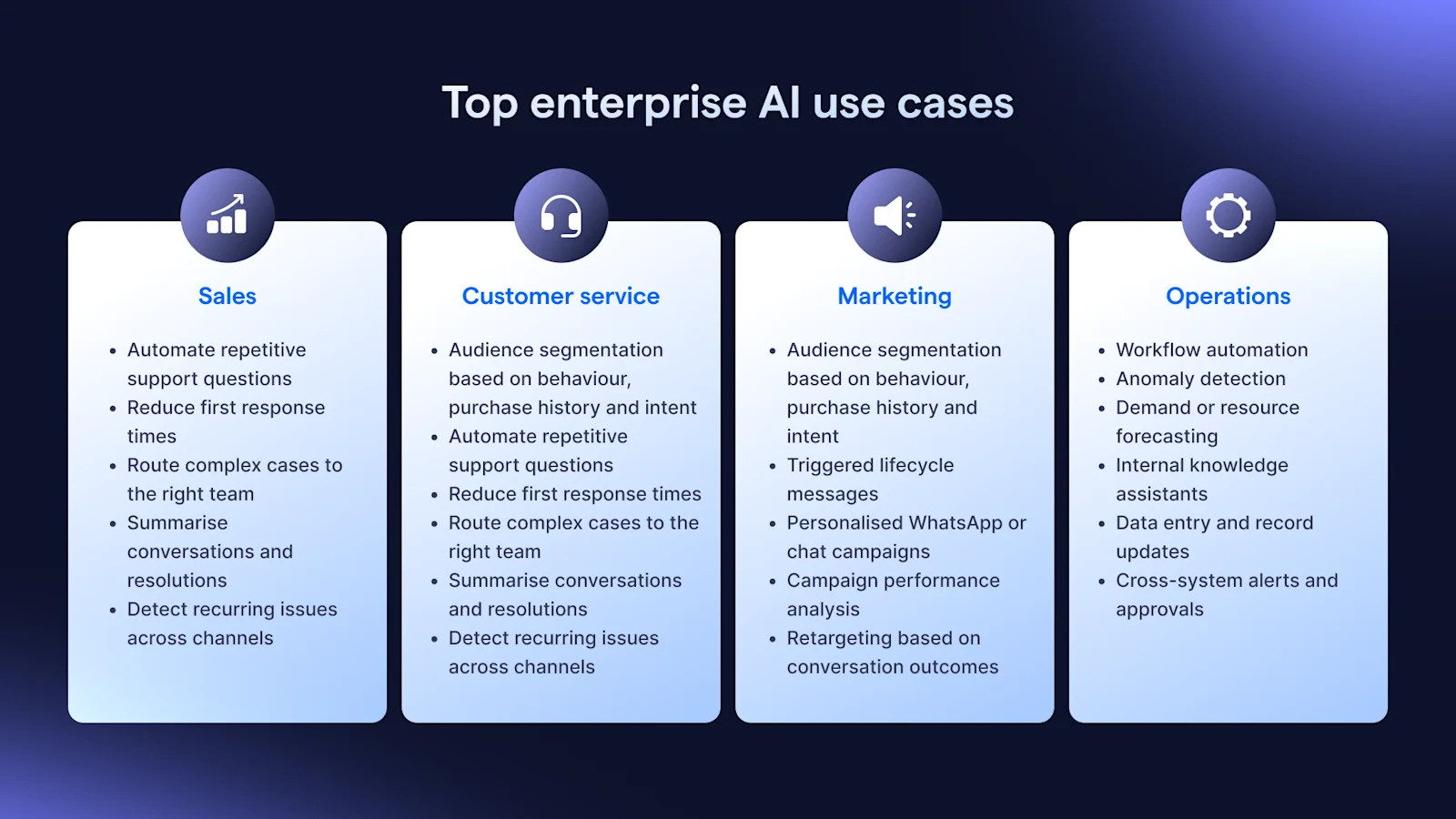
Enterprise AI for sales
Sales teams use enterprise AI to focus human effort on high-intent opportunities by deploying AI agents
Common sales use cases include:
Qualifying inbound leads from WhatsApp, ads, forms, and live chat
Recommending next best actions
Prioritising high-intent prospects
Automating follow-ups after enquiries, demos, or abandoned carts
Updating CRM records in real time
These AI agents can qualify leads, recommend products, schedule meetings, and update CRM records in real time.
Enterprise AI for customer service
Customer service is one of the most practical starting points for enterprise AI because teams often handle repeated questions, high message volumes and urgent customer expectations.
AI can help teams:
Automate repetitive support questions
Reduce first response times
Route complex cases to the right team
Summarise conversations and resolutions
Detect recurring issues across channels
SleekFlow supports omnichannel customer engagement across channels such as WhatsApp, Instagram, Messenger, SMS and live chat, bringing conversations into one workspace for faster team collaboration.
Enterprise AI for marketing
Marketing teams can use enterprise AI to personalise campaigns without manually building every segment or message.
AI can support:
Audience segmentation based on behaviour, purchase history, and intent
Triggered lifecycle messages
Personalised WhatsApp or chat campaigns
Campaign performance analysis
Retargeting based on conversation outcomes
This is especially relevant in Singapore, where customers expect fast, mobile-first communication across messaging channels.
Enterprise AI for operations
Operations teams can apply enterprise AI to reduce manual work and improve decision-making.
Examples include:
Workflow automation
Anomaly detection
Demand or resource forecasting
Internal knowledge assistants
Data entry and record updates
Cross-system alerts and approvals
McKinsey’s 2025 State of AI report found that organisations are seeing value from generative AI in areas such as service operations, software engineering and knowledge management.
Common risks and challenges of enterprise AI
The biggest enterprise AI risks are rarely caused by the model alone. They happen when AI is added without strong data, governance or workflow design.
Why many enterprise AI projects fail
Many AI projects fail because they start with the model instead of the workflow.
Common failure patterns include:
Starting with “we need AI” instead of “we need to reduce support resolution time”
Deploying AI without workflow execution
Lacking access to real business data
Skipping human-in-the-loop controls
Measuring usage instead of business outcomes
Letting sales, marketing, support and IT work in silos
Adding AI as a layer instead of embedding it into how work gets done
The lesson is simple: enterprise AI succeeds when it is tied to operational outcomes.
How to build an AI enterprise strategy
A strong AI enterprise strategy should be practical, measurable and easy to govern.
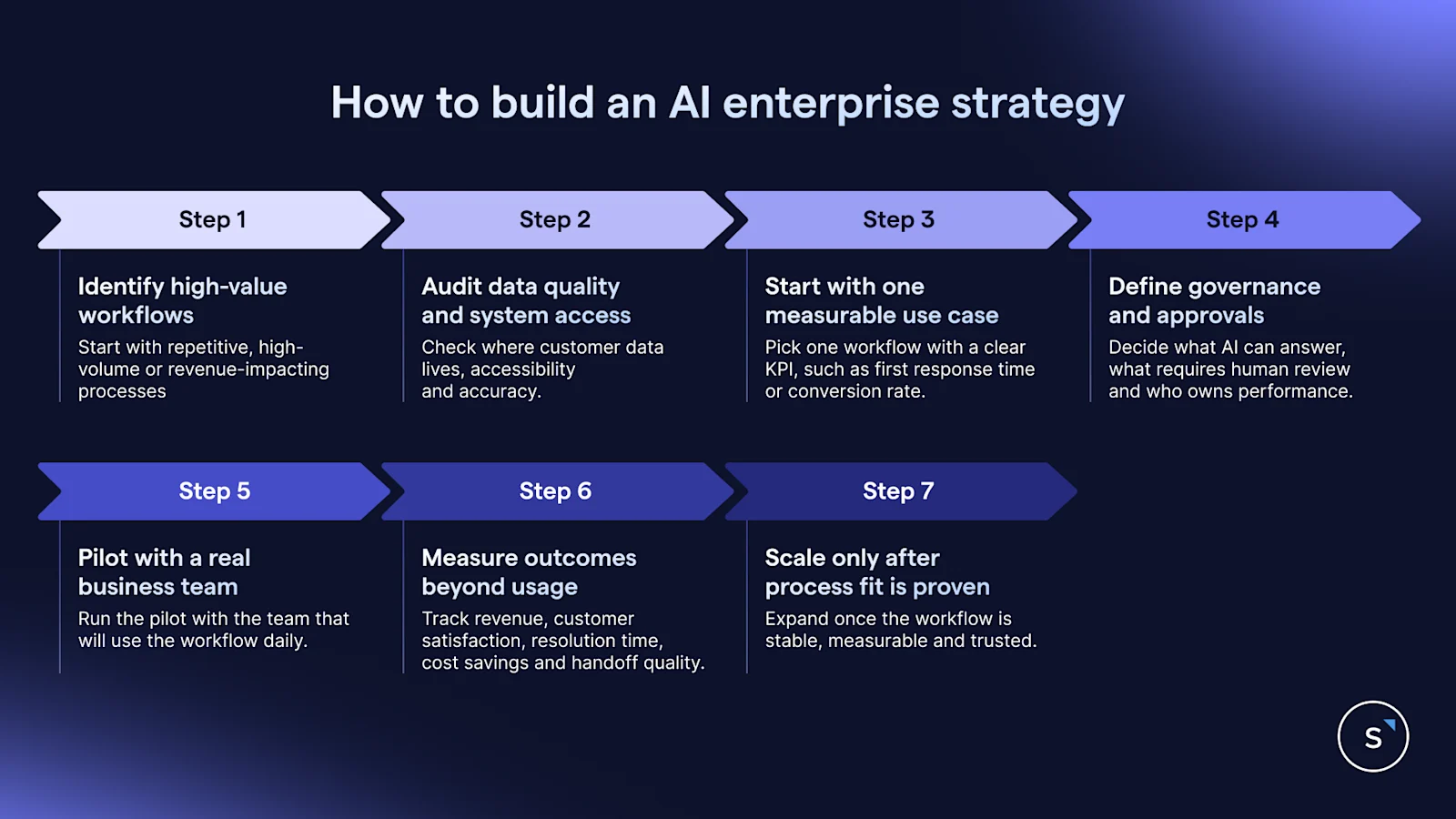
Identify high-value workflows Start with repetitive, high-volume or revenue-impacting processes such as lead qualification, support triage or appointment booking.
Audit data quality and system access Check where customer data lives, who can access it and whether it is accurate enough for automation.
Start with one measurable use case Pick one workflow with a clear KPI, such as first response time, conversion rate, ticket resolution time or qualified lead volume.
Define governance and approvalsDecide what AI can answer, what requires human review and who owns performance.
Pilot with a real business team Run the pilot with the team that will use the workflow daily.
Measure outcomes beyond usage Track revenue, customer satisfaction, resolution time, cost savings and handoff quality.
Scale only after process fit is proven Expand once the workflow is stable, measurable and trusted.
How to choose an enterprise AI platform
When evaluating an enterprise AI platform, compare more than model quality.
How SleekFlow can help your AI enterprise needs
SleekFlow helps businesses turn enterprise AI from a standalone tool into customer engagement workflows that convert.
With SleekFlow's AgentFlow, teams can build AI agents for sales, marketing and support across the customer lifecycle. AgentFlow supports AI agents across sales, support and marketing, with capabilities such as lead qualification, appointment booking, product recommendation, issue resolution and conversation analysis.
The SleekFlow omnichannel inbox centralises customer conversations so teams can collaborate across WhatsApp, Instagram, Messenger, SMS and live chat. SleekFlow product knowledge also highlights Inbox Copilot, AI Revenue Agent capabilities, AgentFlow, and omnichannel workflows that connect customer history, recommendations, payments and appointments.
For execution, SleekFlow connects AI with workflows: AI can qualify leads, route conversations, trigger follow-ups, update CRM data, send payment links and support human handoff. The sales deck also outlines AI agent controls such as dynamic knowledge bases, handoff logic, tone settings, feedback mechanisms and multiple agents for different teams.
Real-life example: How BateriHub uses SleekFlow's AI to inmprove operational efficiency and conversions in three months
used SleekFlow to centralise enquiries from messaging channels, website widgets, and ads into one inbox. Its team also used AI Smart Reply, Flow Builder, Click-to-WhatsApp Ads, Social CRM, labels, and automation to qualify urgent enquiries, reduce irrelevant messages, support technician handoff, and trigger retention reminders. As a result, BateriHub achieved 17x faster response speed, reduced spam leads to less than 1%, and increased conversions by 22% in three months.
For Singapore enterprises, the advantage is clear: SleekFlow brings AI, omnichannel messaging, workflow automation, analytics, CRM integration and human collaboration into one customer engagement platform.


