The 7 best Intercom alternatives in 2026, as Salesforce moves to acquire Fin


TL;DR: Quick Summary
- Intercom's parent company renamed itself Fin on 12 May 2026, and Salesforce signed an agreement on 15 Jun 2026 to buy Fin for about US$3.6 billion. The deal hasn't closed.
- What each vendor counts usually decides this. Outcomes, automated resolutions, sessions, credits, and conversations are all different things to be charged for, and none of them convert cleanly into each other.
- Seven tools are compared here, in no particular order, and the right one turns on which channels your customers use and how each vendor charges.
- SleekFlow bundles AI agent usage into the subscription and sizes plans by how many customers you talk to, so a busier AI doesn't produce a bigger AI bill.
- Freshdesk, HubSpot and Help Scout all publish a free tier. Each one caps something that matters, so read the cap before you plan around the tier.
Author's note: this roundup reflects SleekFlow's assessment; product details are accurate as of publication and may change, so verify with each provider. Full note below.
Intercom was built for a customer who's already inside your product, and if that's still where your support conversations start, it does that job well.
The renewal is the awkward part. You're pricing seats plus a per-outcome fee for the Fin AI Agent, across two or three years, for a product whose parent company renamed itself Fin in May and then, in June, agreed to be acquired by Salesforce for roughly US$3.6 billion. Meanwhile more of the messages coming in arrive on WhatsApp and never reach the widget.
The alternatives worth pricing against it are Zendesk, Freshdesk, SleekFlow, HubSpot Service Hub, Front, Gorgias, and Help Scout. Each suits a different team: Zendesk and Freshdesk scale ticketing, HubSpot Service Hub suits teams already living in the CRM, SleekFlow and Gorgias fit messaging-led and Shopify commerce. Front suits teams anchored to email, and Help Scout keeps things simple for small teams.
Explore the list to see which platform will better suit your team and business needs.
Why look for an Intercom alternative?
Teams price out an Intercom alternative for three reasons. Seat costs and per-outcome AI fees compound as the team and the message volume grow, messaging apps have become the first channel for a lot of B2C customers, and Intercom's parent company is mid-acquisition.
Intercom stays a strong fit for B2B teams whose customers live inside an in-app help widget.
The ownership question is real but it isn't urgent. Intercom's parent company renamed itself Fin on 12 May 2026, keeping Intercom as the name of the customer service platform while the Fin AI agent became the corporate identity. On 15 Jun 2026, Salesforce signed a definitive agreement to acquire Fin for approximately US$3.6 billion, expected to close in the fourth quarter of Salesforce's fiscal year 2027, subject to customary closing conditions including regulatory clearances.
Signed isn't closed, and nothing about the deal changes the product today. It's a variable to weigh on a multi-year commitment, which is why more teams are pricing out alternatives now than after the close.
The cost of AI is the other pressure point. Gartner predicts that by 2030 the cost per resolution for generative AI will exceed US$3, higher than many B2C offshore human agents, and puts the rise down to data center costs, AI vendors moving from subsidized growth toward profitability, and heavier use cases burning more tokens. Any model that bills per resolved conversation therefore gets more expensive as it gets better at its job.
And the channel mix matters for B2C. Intercom's messenger is designed around an in-app or on-site widget. If most of your messages arrive on WhatsApp or Instagram, a widget-first tool is solving a different problem from the one you've got.
Intercom alternatives compared at a glance
Zendesk and Freshdesk scale ticketing for larger teams. HubSpot Service Hub anchors support to CRM. SleekFlow and Gorgias serve messaging-led and Shopify commerce brands, Front anchors to email, and Help Scout keeps a shared inbox simple.
There are no prices below on purpose. Most of these vendors, SleekFlow included, price differently by market, billing term and plan, so a figure published here is wrong for most readers on most days. What travels is the thing each vendor counts. Get the number from each provider's own pricing page for your market, and use this table to work out what you'd be paying for.
Security and compliance aren't compared above. Every provider here publishes its own trust documentation, and reading them side by side means going to those pages, not to a rival's summary of them.
How buyers rate them. Per G2, checked 28 Aug 2026:
Read the review count next to the star score. A 4.6 across 205 reviews and a 4.3 across 7,056 are different kinds of evidence, and that cuts against SleekFlow here as much as it cuts for us. G2 no longer carries a standalone Intercom listing; the score above is the Fin listing, which is where Intercom's reviews now sit.
These options are listed in no particular order. Have a look at each to see which best fits your team and your business needs.
1. Zendesk, best for scaling omnichannel ticketing
Zendesk is a long-established helpdesk for teams that need deep ticketing, routing, and reporting across many channels. Its AI agents aren't a separate purchase: per Zendesk's pricing page, "Zendesk AI agents are included in every Suite and Support plan, with pricing based on the successful outcomes they deliver."
Pros:
Mature ticketing, routing, and reporting, with a large app marketplace
AI agents included in Support plans, so you don't have to buy up to Suite to get them
The lowest published entry tier of the ticketing-led tools here
Cons:
Seat costs climb steeply between the entry plan and the omnichannel Suite tiers
Zendesk publishes the bundled AI allowance as a dollar value but won't publish the rate per resolution, so you can't work out how many resolutions you're buying
WhatsApp availability lives in the help center documentation, not on the pricing page
How it charges
Per agent seat, on annual and monthly terms, with the omnichannel Suite tiers priced well above the entry Support tier
AI is charged in "automated resolutions." Each plan bundles an allowance, expressed as a dollar value per agent per month and capped annually, and Zendesk routes anything beyond that to sales
Enterprise is quote-only. There's no free plan, just a 14-day trial on the top Suite tier
What this means for you: the question to put in writing before you sign is what a single automated resolution costs, because the published allowance alone won't tell you
2. Freshdesk, best for affordable AI-assisted support
Freshdesk, from Freshworks, aims at SMB and mid-market teams that want AI answering the easy questions without an enterprise price tag. Freddy AI sessions come bundled into every plan, which makes the entry tier unusually capable for what it costs.
Pros:
Freddy AI sessions are included on every plan, right down to the entry tier
A documented free program covers up to two agents, so a small team can start at zero
One of the two lowest published entry tiers in this comparison
Cons:
Freshworks charges for AI by the session, so what you're buying doesn't line up with anyone else's per-resolution price
Freddy AI Copilot is a separate per-seat charge on the upper tiers
The free program sits in the help center and never appears on the pricing page, so it's easy to miss
How it charges
Per agent seat, billed annually, across three published Freshdesk tiers. Freshdesk Omni is a separate product with its own ladder
Every plan bundles 500 Freddy AI sessions, and extra sessions are sold in blocks of 100
Per Freshworks' help center, the Free Program covers up to two agents for six months on Freshdesk (not Freshdesk Omni), alongside a 14-day Enterprise trial
What this means for you: a session isn't a resolution. Work out how many sessions your typical query burns before you compare Freshdesk's block price with anyone's per-resolution rate
One thing to check against your own plan: Freshdesk's pricing page lists intelligent routing on Pro and skill-based routing on Enterprise, while Freshworks' own feature documentation lists skill-based routing on Freshdesk Omni from Growth upward.
3. SleekFlow, best for messaging-led sales and support
SleekFlow is the AI suite for revenue-driving conversations, built for B2C and e-commerce brands where the sale and the support question land in the same thread, on whichever messaging app the customer already uses. AgentFlow, its AI agent product, is described on sleekflow.io as "your specialized team of AI agents that gets smarter every day."
Pros:
Every channel your customers message on sits in one unified inbox, built in rather than bolted on, currently WhatsApp, Instagram, Messenger, TikTok, SMS, WeChat, Telegram, Viber, LINE and website live chat, with the full channel and integration list published on the site
AI agent usage is unlimited on paid plans, subject to a fair use policy, with no per-resolution or per-outcome charge, so the AI bill doesn't grow as the AI handles more
AgentFlow qualifies leads, answers from a crawled knowledge base, and escalates on sentiment, topic, or task completion, handing the human agent a full summary of the conversation
Cons:
There's no free plan, and the entry tier includes three user accounts, so a bigger team moves up a tier on seats before it moves up on volume
SleekFlow doesn't publish what the fair use policy limits are, so "unlimited" isn't a number you can forecast against, in the same way Zendesk's unpublished resolution rate isn't
Pricing is quoted in US dollars globally, with no regional currency option
It fits messaging-first commerce better than in-app B2B SaaS support
How it charges
By monthly active contacts, the customers your team has a two-way conversation with in a month, across three published tiers plus a custom Enterprise tier
AI agent usage is bundled into the paid plans, and user accounts are included per tier with more available as an add-on
WhatsApp and SMS carry their own messaging fees, charged on top of the subscription at what the platforms charge
What this means for you: your bill tracks how many customers you talk to, so growth in conversation volume with the same customers doesn't move it. Check the current plans for the figures in your market.
WhatsApp messaging fees are subject to change from time to time based on Meta's official pricing and rate structures, as well as other factors determined by SleekFlow.
On security, SleekFlow's trust center publishes SOC 2 Type II attestation, ISO/IEC 27001 and ISO/IEC 42001 certification, and GDPR compliance, with regional coverage for PDPA, PIPL, LGPD and CCPA. SleekFlow says it serves over 2,000 enterprises in 70 countries.
NNIO, a Singapore D2C brand selling air, cooling and home appliances across major retail chains and marketplaces, had four teams working separate channels with no shared view of a customer. More than half of the roughly 15 calls a day went unanswered, and one missed call turned into a negative Google review.
They put every channel into one inbox and handed first response to AgentFlow.
Results:
30% of inquiries handled by AI agents
40% faster response time
20% increase in completed checkouts
4. HubSpot Service Hub, best for teams standardizing on HubSpot CRM
HubSpot Service Hub puts support tickets on the same record as the sales and marketing history. That's the whole reason to choose it. It's the only tool here whose free tier includes two users with no credit card.
Pros:
A real free plan for up to two users
Support conversations sit on the same contact record as sales and marketing activity
HubSpot publishes exactly what a resolved AI conversation draws down, which most vendors here don't
Cons:
Professional carries a required one-time onboarding fee, and it rises again on Enterprise
The entry tier sits well below the one most teams actually need, so the headline price flatters the real cost
Credits add a second currency to reason about on top of seats
How it charges
Per seat, on a four-tier ladder that starts free and runs to Enterprise, with annual and monthly rates
AI runs on HubSpot Credits. Each plan includes a credit allowance, the Customer Agent uses a fixed number of credits each time it resolves a conversation without a human, and more credits are sold separately
Onboarding is a mandatory one-time fee from Professional up, charged once rather than annually
What this means for you: put the onboarding fee in your year-one total before you compare HubSpot's seat price with anything else on this page, because nobody else here charges one
5. Front, best for shared-inbox collaboration
Front is built around a shared email inbox, so support keeps feeling like email rather than ticketing. Its AI add-on, Autopilot, is charged per conversation, and Front publishes that rate openly where several vendors here keep theirs behind a sales call.
Pros:
The AI rate is published per conversation, so you can model the bill before you buy
A familiar email-first workflow with assignment, internal comments, and automation rules
Copilot, Smart QA, and Smart CSAT all come bundled at the top tier
Cons:
The Starter plan carries a single channel type, so omnichannel begins one tier up
WhatsApp is an add-on on the upper tiers, billed as Meta's costs plus a 20% administrative fee
Copilot and the QA tools are charged per seat on top of the seat price, so a small team pays for the same people twice
How it charges
Per seat, billed annually, across three published tiers. Starter is capped at 10 seats and the middle tier is where most teams comparing against Intercom will actually land
Autopilot is charged per conversation. Copilot, Smart QA, and Smart CSAT are separate per-seat add-ons, with a bundle price for the last two
No free plan, and a 14-day trial on the middle tier's feature set
What this means for you: price the middle tier if you need more than one channel type. That's the honest place to start comparing against Intercom.
6. Gorgias, best for Shopify-first e-commerce support
Gorgias ties support to order and revenue data, so an agent sees the customer's cart and order history without switching tabs. It bills by ticket volume, the right shape for a store with seasonal spikes.
Pros:
Billing tracks ticket volume, so a quiet month costs less
Shopify order and revenue context sits inside every ticket
Unlimited agent seats from the middle tier upward
Cons:
The AI Agent carries a monthly minimum on top of your plan, so it isn't a pure pay-per-resolution line
The two cheapest tiers cap you at three agent seats
Voice and SMS are paid add-ons on the upper tiers
How it charges
By billable tickets, across four published tiers plus a custom Enterprise tier, with per-ticket overage above your allowance and annual billing discounted
The AI Agent is an add-on to any plan with a monthly minimum, then a per-resolved-conversation rate that runs higher on the entry tier
A free trial is advertised, though Gorgias's plan page and its documentation quote different lengths (7 days and 30 days)
What this means for you: the AI minimum is the number that catches people out. Add it to the plan price first, then compare Gorgias's per-resolution rate with anyone else's.
7. Help Scout, best for small teams wanting simplicity
Help Scout keeps a shared inbox simple for teams that don't need enterprise workflow depth, and it carries WhatsApp, Instagram, and Messenger natively from its entry paid tier, an unusual reach at that end of the market. Its free plan is a genuine free plan, not a trial.
Pros:
A free plan for up to five users
WhatsApp, Instagram, and Messenger included from the entry paid tier
SSO can be bought as an add-on lower down the ladder
Cons:
The free plan is email only and capped at 100 contacts a month, so the messaging channels are a paid feature
The top tier carries a 10-user minimum, so a team of six still pays for 10 seats
Load-balanced routing waits until the top tier, with round robin arriving one tier below
How it charges
Per user seat, across a free tier and three paid tiers, where the lower two cap how many people you can add and the top one sets a minimum you pay for whether you use it or not
AI Answers is charged per resolution, separately from the seat price. Per Help Scout's documentation, new accounts get a free three-month window to train the AI on their content
Contact-based billing still exists as a separate legacy track, though per-user is the published model for new buyers
What this means for you: on the free plan the 100-contact monthly cap is the wall you'll hit, well before the five-user limit
How each Intercom alternative charges
What gets counted differs at every vendor here, and no two of them convert cleanly, which is why a list of headline prices tells you less than a list of what each one is actually charging you for.
Intercom counts outcomes. Zendesk counts automated resolutions. Freshworks counts sessions. HubSpot counts credits. Front counts conversations. Gorgias counts tickets and then charges an AI minimum on top. SleekFlow counts the customers you talk to.
Read the table by unit. A per-conversation rate and a per-outcome rate look comparable written down and behave nothing alike once volume moves, and a low per-resolution rate sitting on top of a monthly AI minimum is a different animal again. Two of these models get more expensive precisely as the AI gets better at its job, and one of them doesn't move at all.
Every vendor here publishes list prices that vary by market, currency, and billing term, SleekFlow included. Check each provider's own pricing page for your market before you put any figure in a budget.
How to choose the right Intercom alternative
Start from the outcome you want this year, rule tools out on the channels your customers actually use, and only then compare how each one charges. Start with the billing and you'll optimize the invoice before you've decided what you're buying.
Start with the goal.
Want more qualified leads out of the messages already coming in? Look for an AI agent that qualifies a lead and books the meeting, beyond answering the question.
Want a lower cost per conversation at high volume? What you're charged for matters more than the seat price.
Want a faster first response across a small team? A shared inbox gets you there sooner than a ticketing platform.
Then rule out on channels.
Customers who reach you on a messaging app first, whichever one: SleekFlow, or Help Scout if the volume is small and the app is WhatsApp, Instagram or Messenger.
Customers who email: Front or Help Scout.
Shopify customers asking about orders: Gorgias.
Customers raising tickets through a portal at enterprise scale: Zendesk or Freshdesk.
Then compare how each one charges. Per seat rewards small teams carrying high volume. Per ticket or per contact rewards larger teams with predictable demand. Per resolution is the one worth arguing about internally, because it's the only model where success and cost rise together.
Which Intercom alternative is right for you?
There's no single winner here. Every tool on this page is the right answer for somebody, and which one is yours depends on where your customers already are and what you're willing to be charged for.
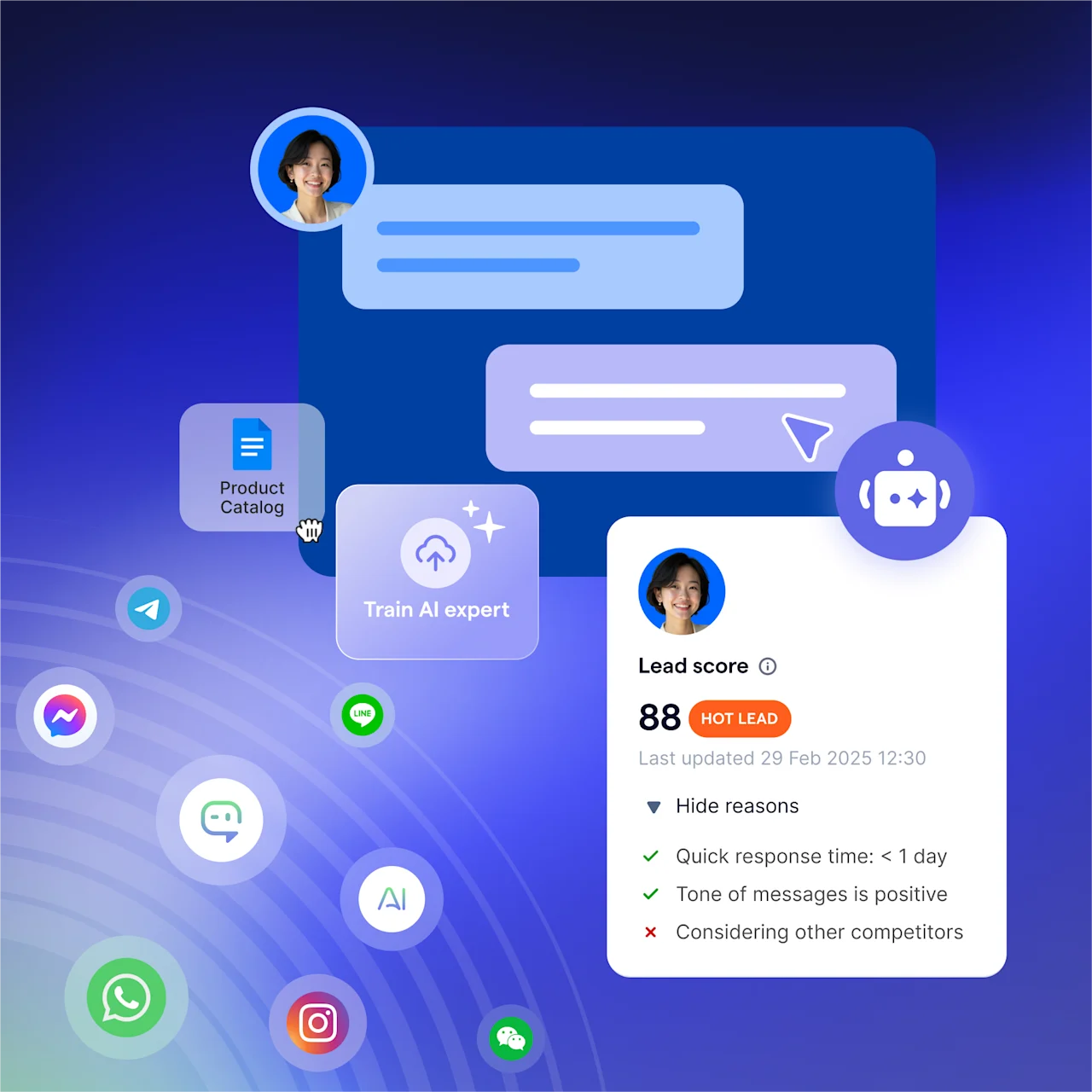
If they message you before they ever think about a support ticket, on WhatsApp in one market, LINE or WeChat in another, Instagram or TikTok from an ad, SleekFlow is built for that thread, handling the sale and the support question in the same conversation. See how AgentFlow handles a live handoff.
See it for yourself
See how SleekFlow's AI agents turn conversations into revenue with AgentFlow.
Author's note: This roundup reflects SleekFlow's assessment and is for general information. Product details are accurate to the best of our knowledge at the time of publishing, drawn from each provider's public information, and change often, so verify the latest with each provider directly. We may update this article from time to time. Opinions are our own. Think we've got something wrong? Contact us and we will review and correct it promptly.


