Facebook Messenger CRM in Malaysia: How It Works and How to Integrate It


TL;DR: Quick Summary
- Social CRM integration (via Facebook Messenger) helps businesses in Malaysia boost engagement by automating customer interactions and streamlining support.
- Messenger chatbots provide instant responses, manage FAQs, and qualify leads, allowing businesses to focus on high-value interactions.
- Omnichannel support: With SleekFlow, businesses can integrate Facebook Messenger with CRM systems to centralize customer data, improve communication, and enhance service efficiency.
- SleekFlow enables automated workflows for customer support, sales, and marketing, driving conversions by sharing product catalogs, payment links, and targeted broadcasts.
- Real-time analytics help businesses track engagement and optimize their social commerce efforts, improving ROI and customer retention.
Businesses use Facebook Messenger CRM to respond faster, keep customer data organized, and turn more conversations into conversions. Meta already provides the messaging channel itself, along with native tools like Messenger, Meta Business Suite Inbox, and basic automations. A CRM adds the layer that Meta does not fully provide on its own: centralized customer records, deeper workflow automation, lead routing, segmentation, reporting, and integrations with tools like Shopify, WhatsApp, email, and other business systems.
What is Facebook Messenger CRM?
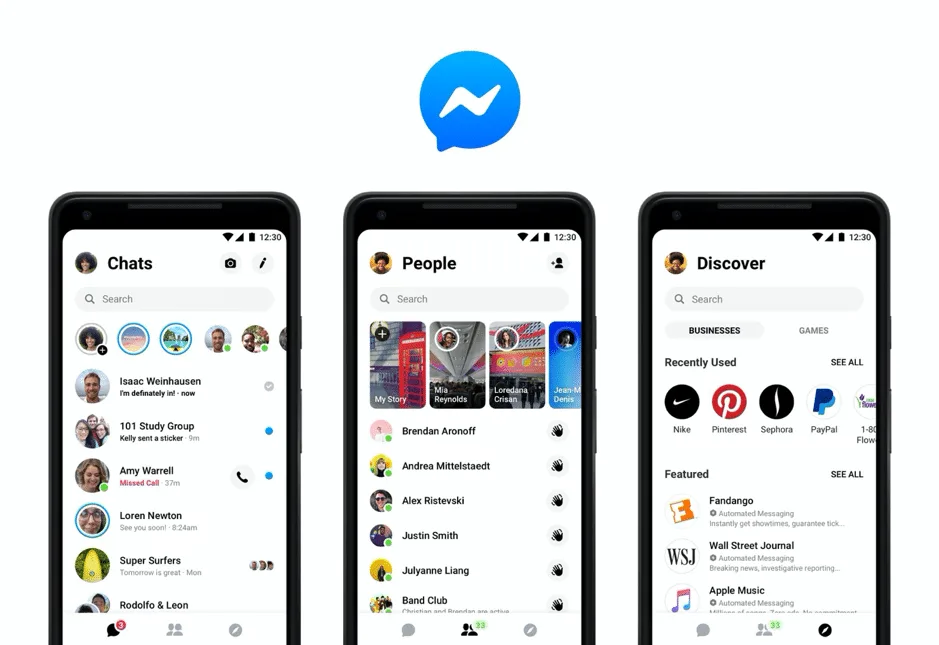
Facebook Messenger CRM is the use of CRM software to manage customer conversations that happen on Facebook Messenger. Instead of treating Messenger as just a chat inbox, businesses use a CRM to store customer details, track conversation history, assign chats to the right team member, and follow up more effectively.
In simple terms, it helps turn Messenger from a messaging channel into a more structured sales and support tool. When a customer sends a message, the CRM can help your team see who they are, what they asked before, where they came from, and what action should happen next. This makes it easier to respond faster, stay organized, and give customers a more consistent experience.
For businesses in Malaysia, Facebook Messenger CRM is especially useful for handling inquiries, qualifying leads, supporting repeat customers, and connecting Messenger conversations with other systems such as Shopify, email, WhatsApp, or your wider customer database. Instead of managing chats in isolation, businesses can use Messenger as part of a bigger customer journey that supports both conversions and long-term relationships.
Does Facebook Messenger have a built-in CRM?
Facebook Messenger itself does not function as a full customer relationship management system. Meta provides Messenger as a communication channel, while Meta Business Suite offers a shared inbox for managing conversations across Messenger, Instagram, and WhatsApp, along with basic automation features such as instant replies and away messages. These tools are useful for handling inbound conversations, but they are not designed to serve as a comprehensive CRM.
A CRM provides a broader set of capabilities that go beyond message handling. It enables businesses to maintain structured customer records, track conversation history over time, assign leads or enquiries to the appropriate team members, segment contacts, connect messaging activity with sales and support workflows, and monitor performance through reporting and analytics. This is where the distinction becomes important: Meta’s native tools support communication, while CRM software supports ongoing customer management.
In practical terms, Messenger should be viewed as the channel through which conversations take place, rather than the system used to manage the full customer relationship. For smaller teams, Meta’s built-in tools may be sufficient for handling messages and basic automation. However, for businesses that require stronger visibility, workflow control, customer context, and integration with other business systems, connecting Facebook Messenger to a CRM is the more effective approach.
Difference between Meta Business Suite vs Facebook Messenger CRM vs Omnichannel CRM
Businesses often assume these tools serve the same purpose, but they are designed for different levels of customer management. Meta Business Suite is primarily a native inbox and business management tool for Facebook, Instagram, Messenger, and some WhatsApp workflows. A Facebook Messenger CRM adds customer record management, lead handling, workflow management, and reporting to Messenger conversations. An omnichannel CRM goes a step further by unifying multiple messaging channels, customer data, automation, and commerce workflows into a single platform.
In practical terms, Meta Business Suite is suitable for businesses that need a native tool to manage messages and basic automations within Meta’s ecosystem. A Facebook Messenger CRM is better suited to businesses that want to manage Messenger conversations with more structure, visibility, and follow-up. An omnichannel CRM is the strongest option for businesses that need customer context, workflow automation, and reporting across Messenger, WhatsApp, Instagram, ecommerce platforms, and other business systems.
Benefits of using Facebook Messenger CRM for businesses in Malaysia
Businesses in Malaysia connect Messenger to a CRM because online commerce is already operating at significant scale, and customer conversations are now part of the sales journey rather than a separate support function. According to the Department of Statistics Malaysia, Malaysia’s e-commerce revenue reached RM1.23 trillion in 2024, while e-commerce income in Q1 2025 alone reached RM310.6 billion. In that environment, managing enquiries manually inside a chat inbox becomes increasingly difficult as lead volume, repeat interactions, and follow-up needs grow.
For Malaysian businesses, CRM integration is also important from an operational and governance perspective. Malaysia’s Personal Data Protection Act 2010 applies to organizations that process and control personal data in commercial transactions, which means customer conversations should be handled not only efficiently but also with proper records and internal controls. A CRM does not automatically make a business compliant, but it can provide a stronger framework for organizing customer data, standardizing follow-up, and supporting more consistent service across sales and support teams.
And here are the benefits why Malaysian business using Facebook Mesenger CRM:

Credit: Photo by Karolina Grabowska on Pexels
Say goodbye to the days of manually downloading Facebook leads and uploading the spreadsheet separately to your CRM.
When your CRM is integrated with Facebook, your leads will automatically be managed through your CRM in real-time. You will have increased visibility of your contacts and customer preferences on SleekFlow’s platform, so that you can create more personalised campaigns that appeal to your target customers.
Within a short period of time, you are able to create a strong connection with your customer that manifests into brand loyalty, driving repeated purchases and engagement in the future.
Enhance customer experience by providing instant support on Facebook Messenger
When customers reach out to your Facebook Business Page, they are expecting a quick response.
And by quick, ideally within 10 minutes.
Seriously, HubSpot Research shows that 90% of customers rate an “immediate” response as important or very important when they have a customer service question. 60% of customers define “immediate” as 10 minutes or less.
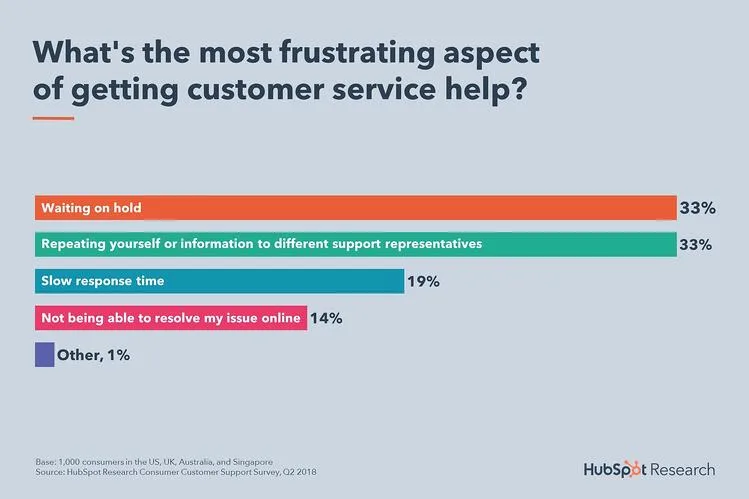
Source: Hubspot Research
Facebook Messenger allows your business to directly respond to your customer, provide updates, and follow up actions within one chat platform. SleekFlow’s Automation tools guarantee a highly personalised response, can send abandoned cart reminders, and broadcast seasonal promotions.
From product discovery to purchase, the entire customer journey happens within Facebook’s app, offering your customers the smooth commerce journey that they expected - the kind that keeps them returning for more purchases in the future.
Get to know your customers’ buying preferences and interests

Credit: Photo by cottonbro by Pexels
The data gathered from your interaction with customers on Facebook can help you understand your target audience’s demographics and customer behaviour.
On average, Messenger reports an 88% open rate and 56% click-through rate. This means that the chances of you finding out what your customer is looking for is very high.
Without having to spend too much effort or money, you can easily identify prospects, guide them through the sales funnel and complete the sale within Messenger.You can also send supplementary product catalogues and information via Messenger to build brand loyalty.
See how Kiehl’s, Tesco, and Pizza Hut Malaysia generate high returns using CRM for Facebook Messenger.
What do you need to know before getting a CRM for FB Messenger?
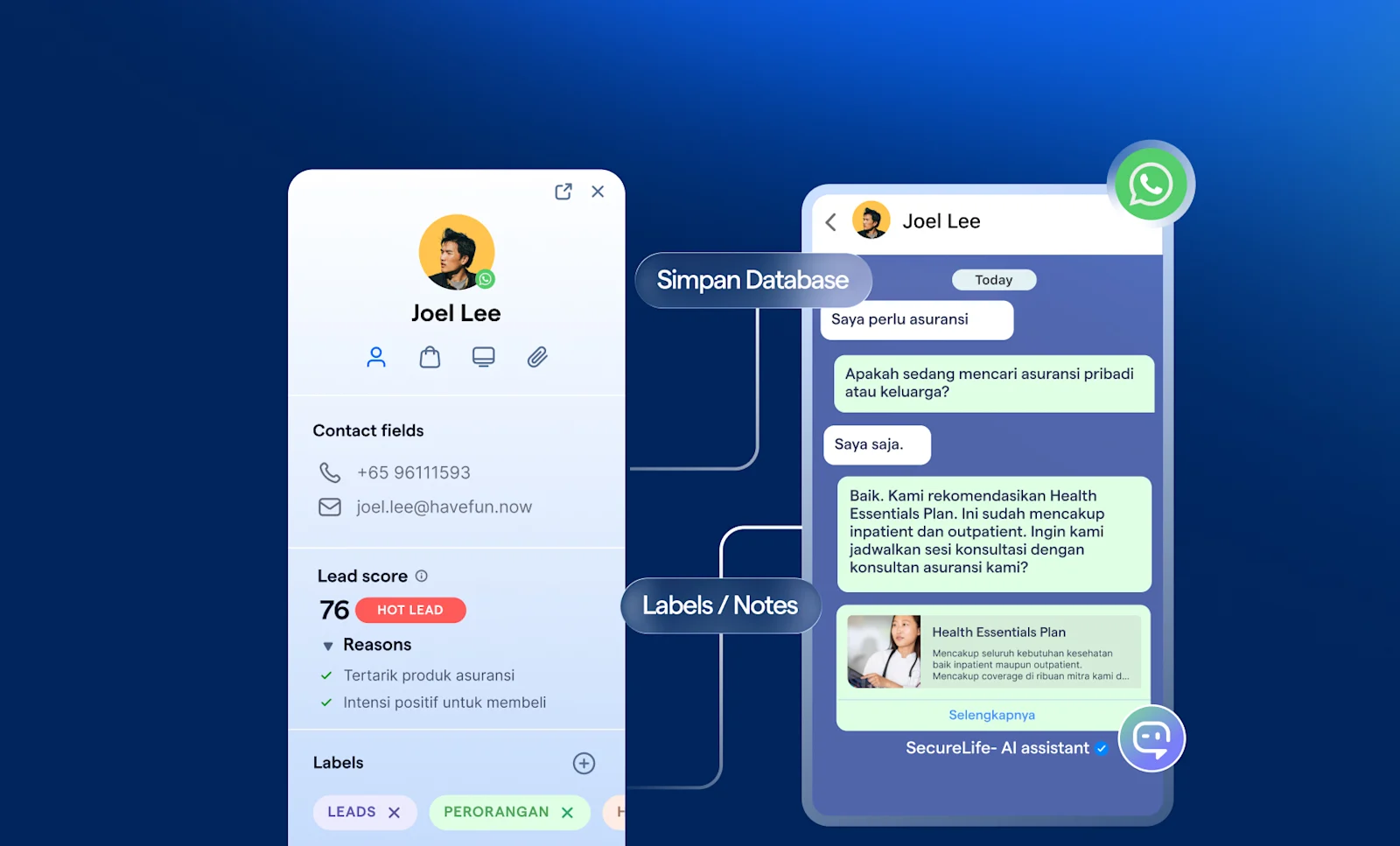
Before choosing a Facebook Messenger CRM, businesses should first assess whether the platform can support responsible data handling and operational control. In Malaysia, this matters because the Personal Data Protection Act applies to organizations that process personal data in commercial transactions. A suitable CRM should therefore help teams securely manage customer records, control internal access, and maintain a more structured approach to handling Messenger conversations.
The second priority is capability. Meta already provides Messenger as a business messaging channel, along with inbox management and basic automations such as instant replies and away messages through Meta Business Suite. A stronger CRM should go further by integrating with ecommerce platforms and internal systems, while also supporting more advanced automation. This is where AI agent capabilities become important: businesses should look for tools that can help qualify leads, identify intent, assist with responses, route conversations intelligently, and escalate to human agents when needed, rather than relying only on static auto-replies.
Finally, businesses should evaluate how well the CRM supports execution at scale. This includes clear assignment of conversations, reporting that goes beyond message volume, and reliable onboarding and vendor support. In practice, the most effective Messenger CRM is not simply one that helps teams reply faster, but one that improves visibility, consistency, and decision-making as customer conversations become more complex.
How to connect Facebook Messenger to a CRM?
Wondering how you can integrate your Facebook Messenger with SleekFlow CRM for free? We’ve got you covered.
Setting up Facebook
First things first, connect Facebook Messenger (make sure you have access to your Facebook business page) to SleekFlow and prepare the following:
A Facebook account
A Facebook Page to link to the SleekFlow platform
When a visitor sends you a message on Facebook, it will show up in your SleekFlow Inbox.
Connect to SleekFlow
Navigate to Channels. Click the “Add” button next to “Facebook.”

2. Click the “Install” button, and the system will take you to Facebook to grant permissions.
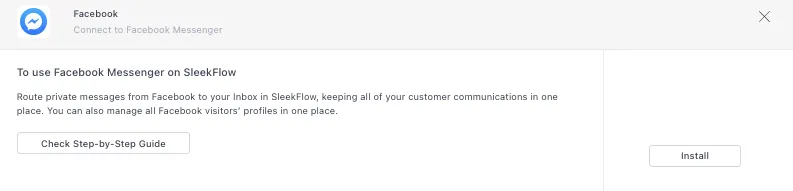
3. Continue with your Facebook Profile. If you have not signed in yet, please enter your Facebook log-in credentials to continue.
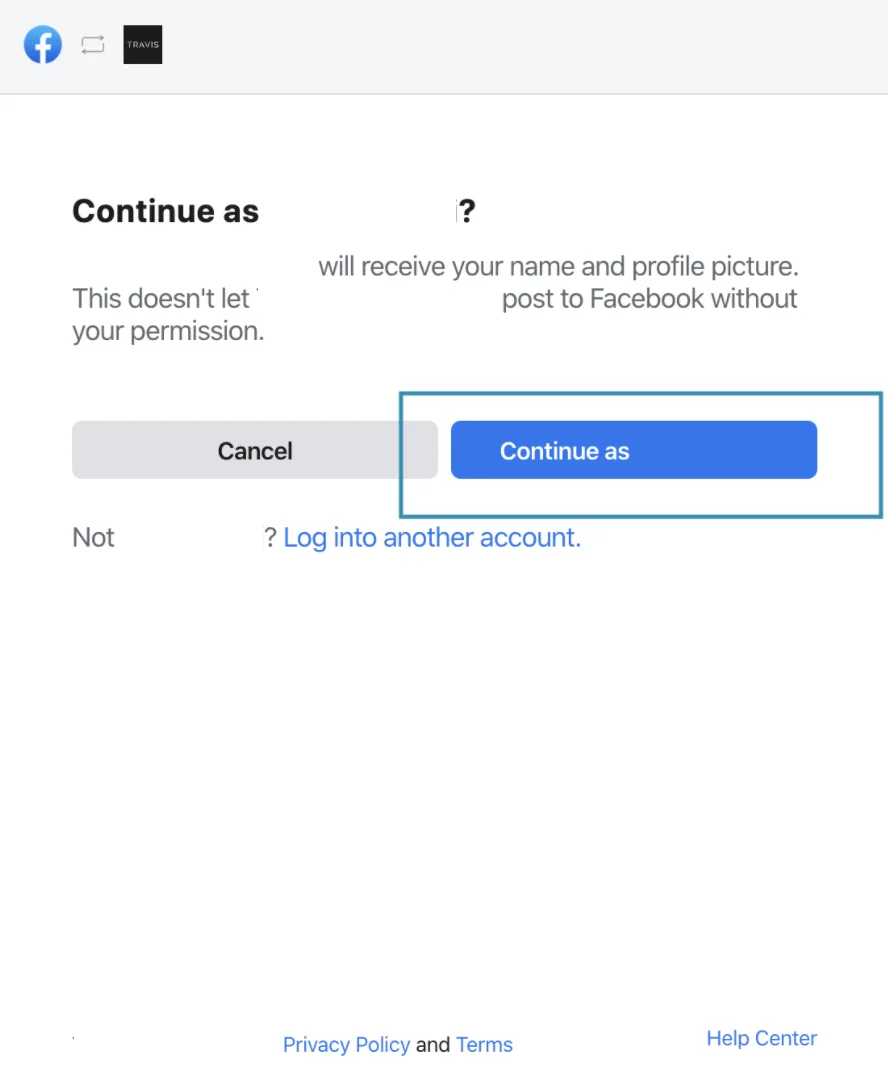
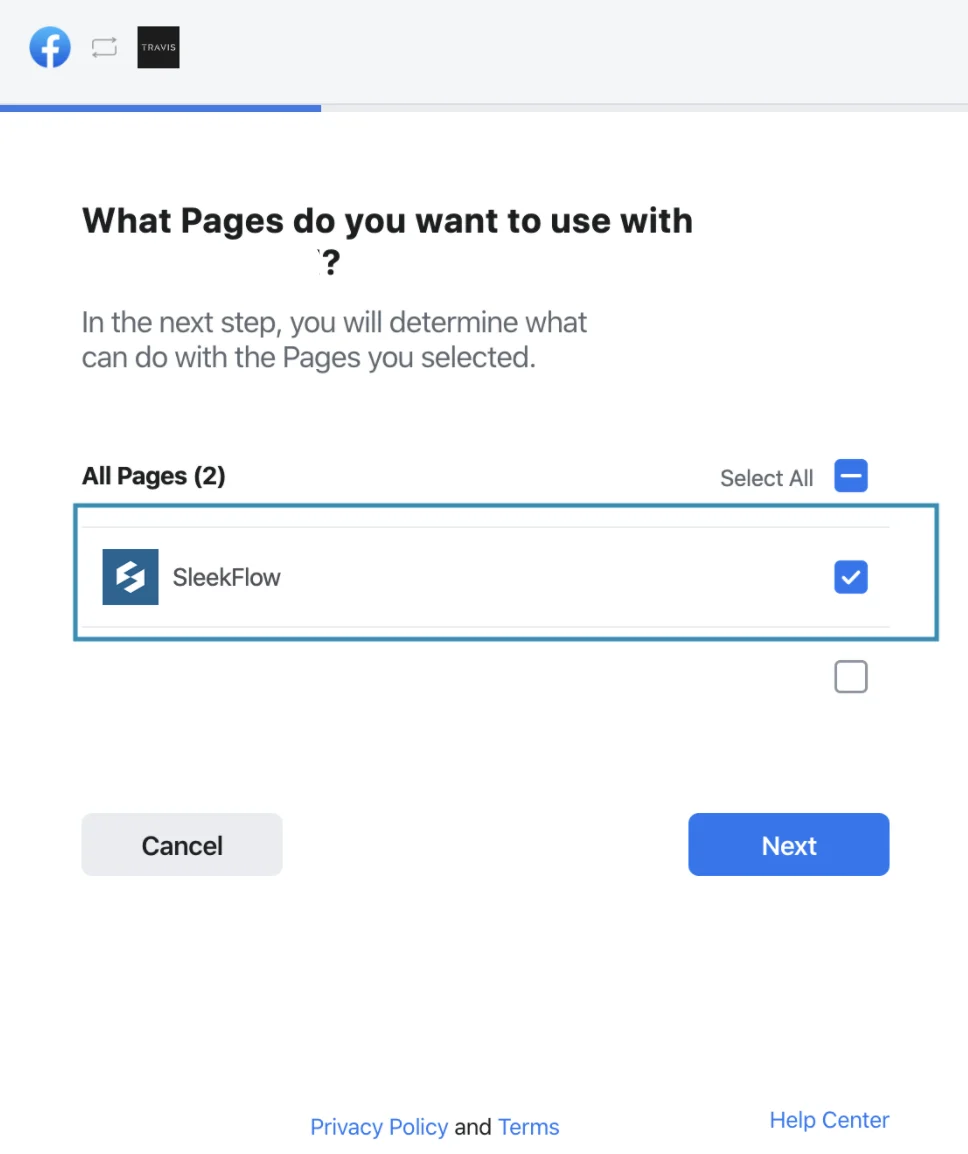
4. Select the Facebook page that you would like to connect to SleekFlow.
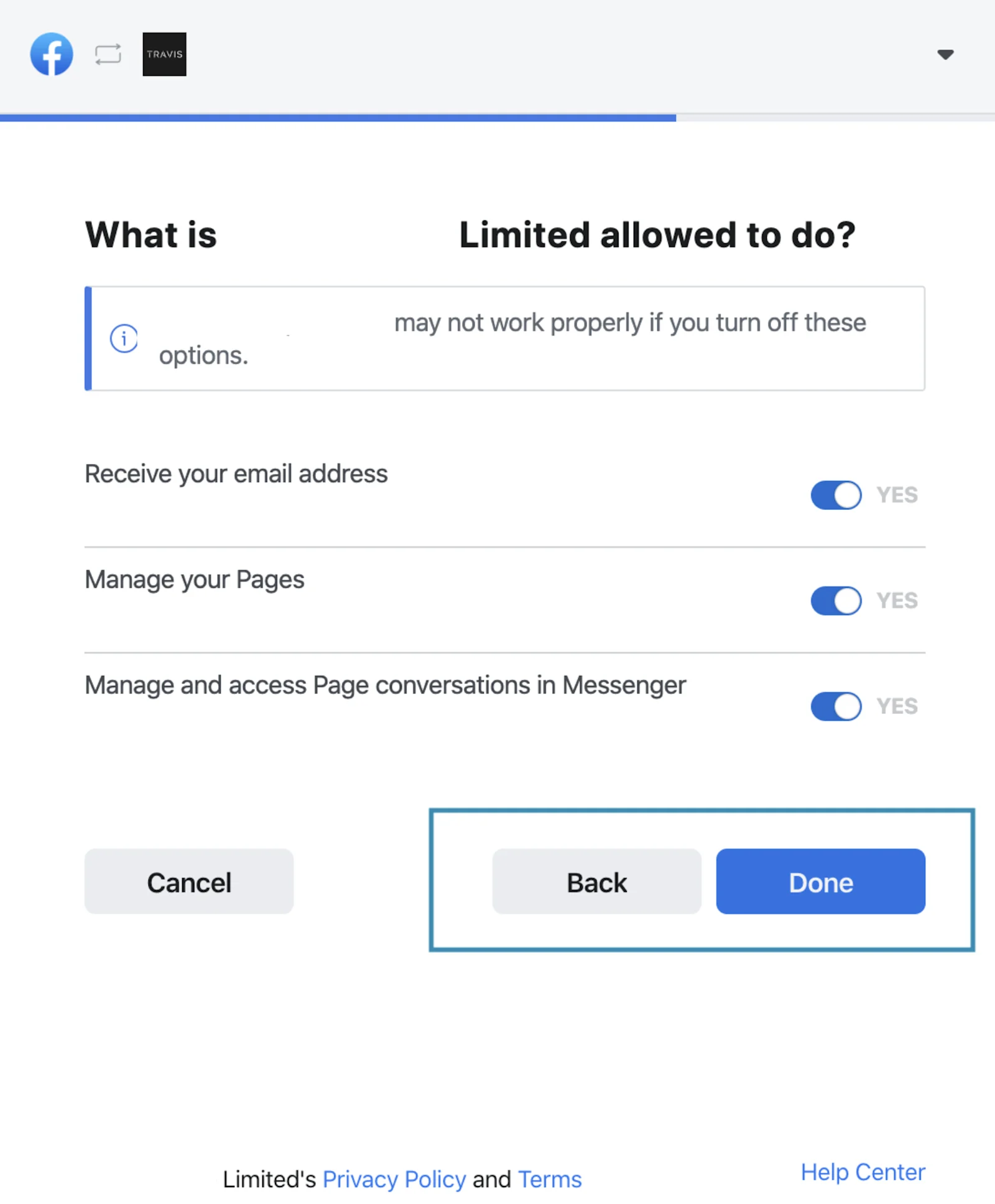
5. Click “Done” after checking all the permissions are granted.
6. Click “OK” to finish the authorisation process.
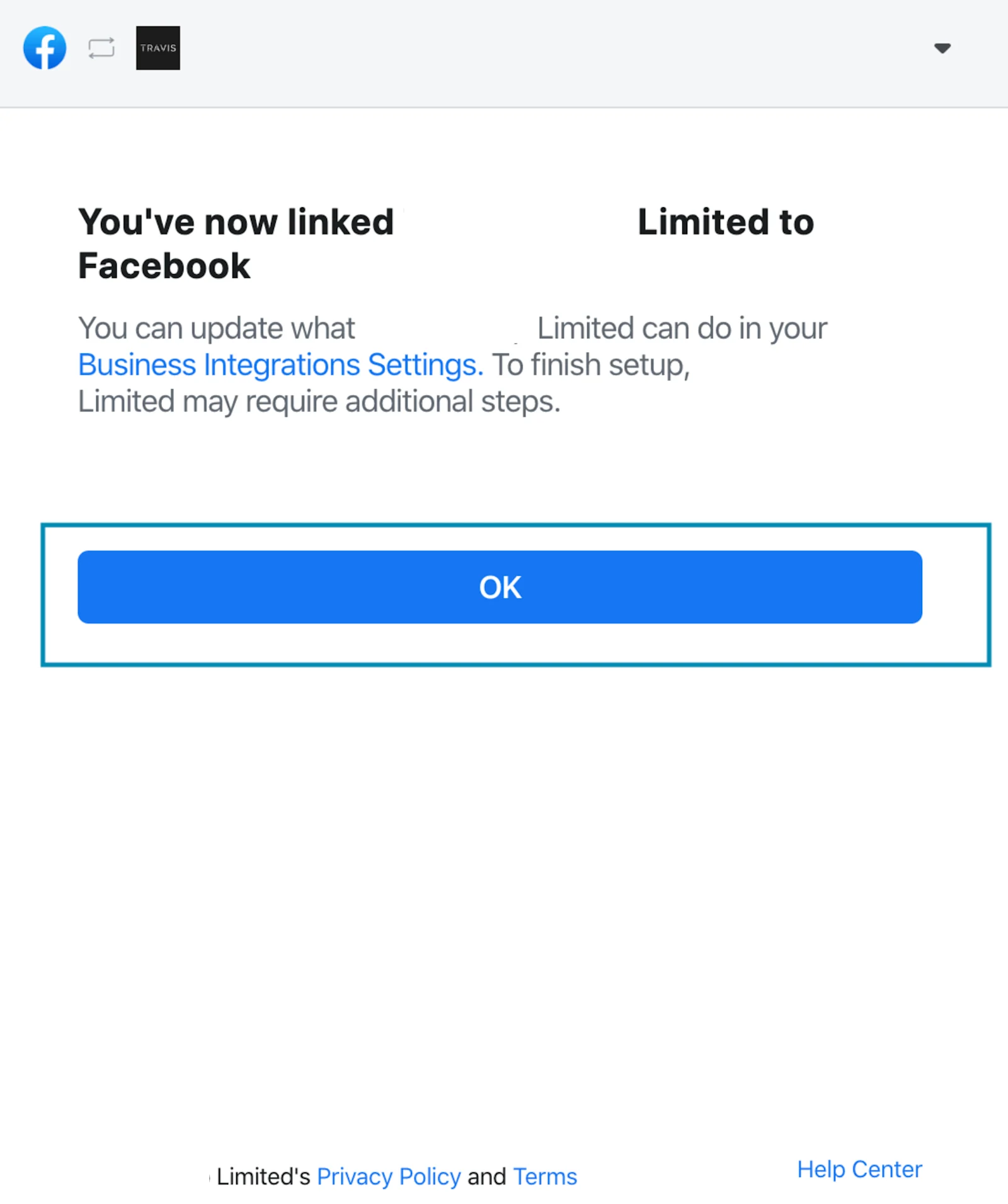
7. Congratulations! You have successfully integrated your SleekFlow account to Facebook.
Sync Facebook History
Click “Action” > “Sync History” to sync your existing contacts and conversations from your Facebook page.
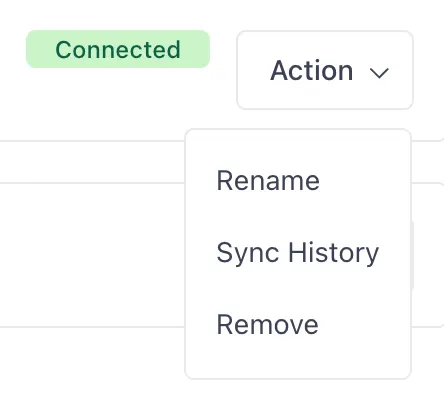
Done! From this point onwards, all future messages sent to your Facebook page will appear on the SleekFlow platform. Note: SleekFlow will load your ten most recent conversations to the platform. Please wait while the remaining conversations load into the inbox.
Manage and track customer interactions on Facebook Messenger with SleekFlow CRM
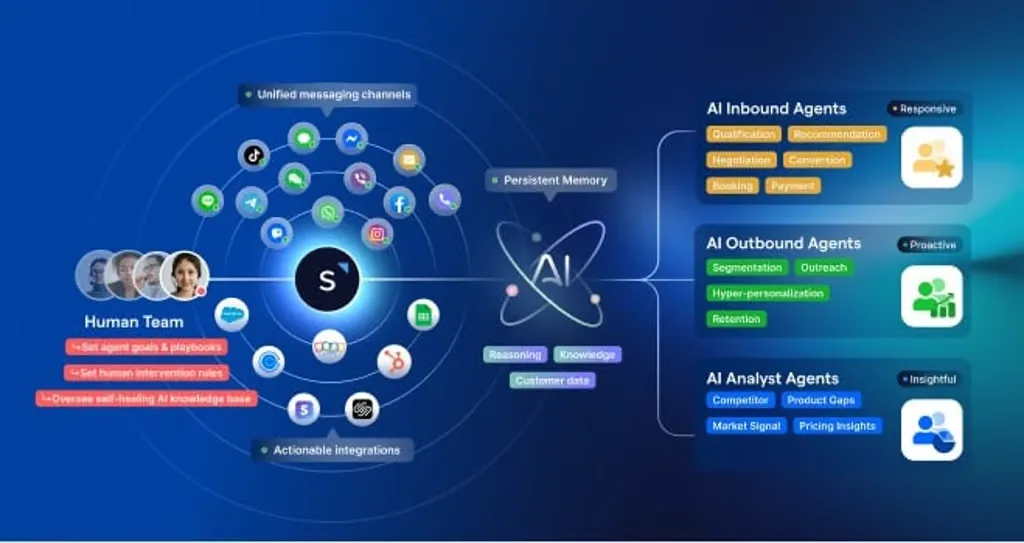
Whilst Facebook’s smart tools are undeniably powerful, SleekFlow can help you achieve even more results by leveraging the data across various channels.
SleekFlow’s all-in-one Inbox merges popular social media channels to one platform, which gives sales representatives a centralised location to access customer data. No matter which channel your customer prefers, your team can streamline workflows by automatically assigning conversations to colleagues for immediate assistance.
Consequently, customers can receive support from the right person on your team without being redirected to a different business account.

Want to outcompete your peers with SleekFlow's help?
Book your personalised demo with SleekFlow today and unlock the potential of seamless communication


