AI customer service 101: what Singapore businesses need to know


TL; DR: Quick Summary
- In Singapore, AI is moving from experimentation into everyday service operations, helping teams handle more enquiries efficiently.
- AI helps businesses respond faster, tailor replies using customer context, reduce repetitive work for agents, and deliver more consistent support.
- Common wins include FAQ automation, intelligent routing, live agent assist, multilingual support, order updates, and conversation summaries.
- Businesses should begin with one high-volume use case, clean up their knowledge base, build clear human handoff rules, connect systems, and measure outcomes properly.
- AI works best when combined with human support and the right platform. It should not replace service teams, but strengthen them.
AI customer service is no longer a side project for service teams in Singapore. It is moving into day-to-day operations. Salesforce says AI is expected to handle 41% of customer service cases in Singapore, while service teams also see AI as a way to free up time and build more strategic skills.
At its best, AI customer service does not replace support teams. It helps them answer routine queries faster, personalise replies, summarise conversations, route cases intelligently, and stay available across more channels. That matters because customers increasingly expect brands to know who they are and what they need, while also being careful with personal data.
Key benefits of AI in customer service
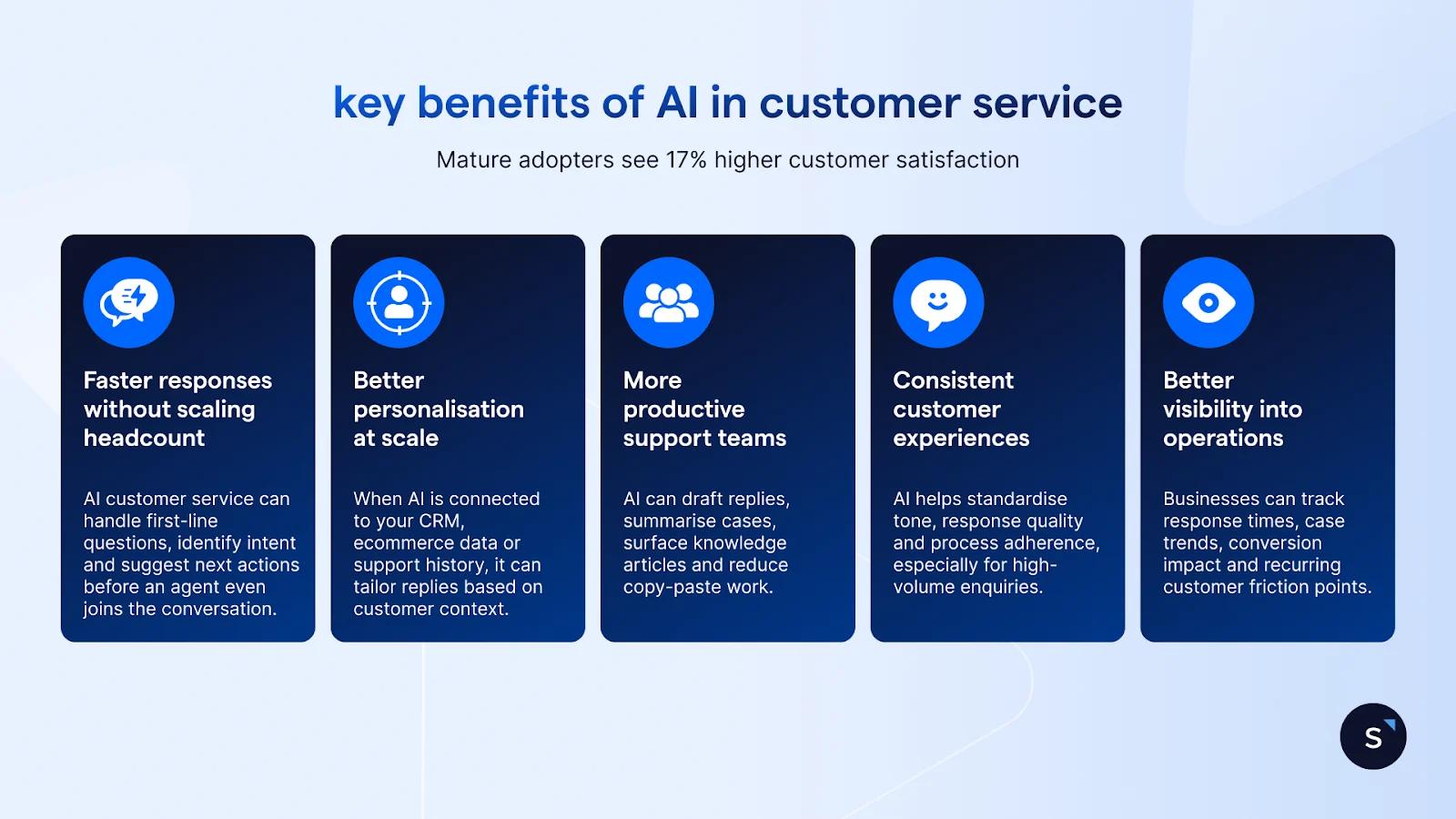
Companies adopting AI more effectively are seeing measurable gains. IBM reports that mature AI adopters saw 17% higher customer satisfaction.
Faster responses without scaling headcount at the same rate
Customers do not want to wait for simple answers. AI customer service can handle first-line questions, identify intent and suggest next actions before an agent even joins the conversation. That means faster first response times, better 24/7 coverage and less pressure on frontline teams during peak periods.
Better personalisation at scale
When AI is connected to your CRM, ecommerce data or support history, it can tailor replies based on customer context instead of sending generic responses.
More productive support teams
One of the biggest wins is internal, not customer-facing. AI can draft replies, summarise cases, surface knowledge articles and reduce copy-paste work for support teams.
A more consistent customer experience
Human teams vary by shift, workload and experience level. AI helps standardise tone, response quality and process adherence, especially for high-volume enquiries. That is particularly valuable for businesses running support across multiple channels and multiple agents.
Better visibility into operations
AI should not be a black box. It should make support more measurable. With the right reporting layer, businesses can track response times, case trends, conversion impact and recurring customer friction points more clearly.
Examples of AI in customer service
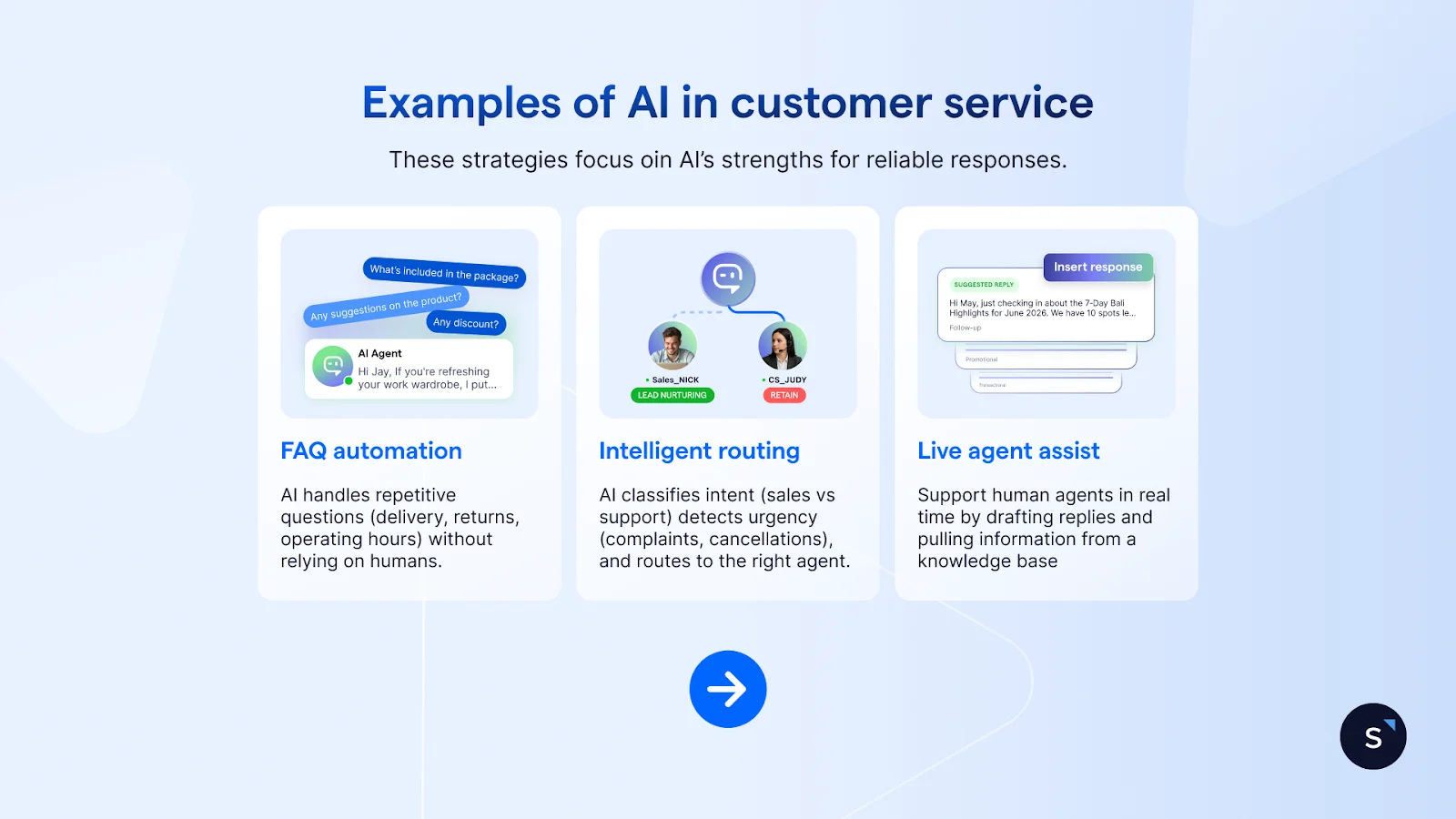
AI has many practical use cases in customer service, such as FAQ handling, multilingual support, conversation summaries, knowledge retrieval, personalisation, intelligent routing and agent assistance. These are the use cases that move fastest from pilot to value.
FAQ automation
AI can answer common and repetitive questions about delivery, returns, opening hours, account access, pricing or appointment policies without sending every conversation to a human. This is one of the fastest ways to reduce inbound pressure while keeping response times low.
Intelligent routing and prioritisation
Not every conversation should go to the same queue. AI can detect intent, urgency or sentiment and route the conversation to the right team or agent faster. That improves both resolution speed and workload balance.
Agent assist during live conversations
AI can support agents in real time by drafting replies, pulling approved information from a knowledge base and summarising previous interactions. This is often the best starting point for businesses that want quality gains without giving AI full autonomy from day one.
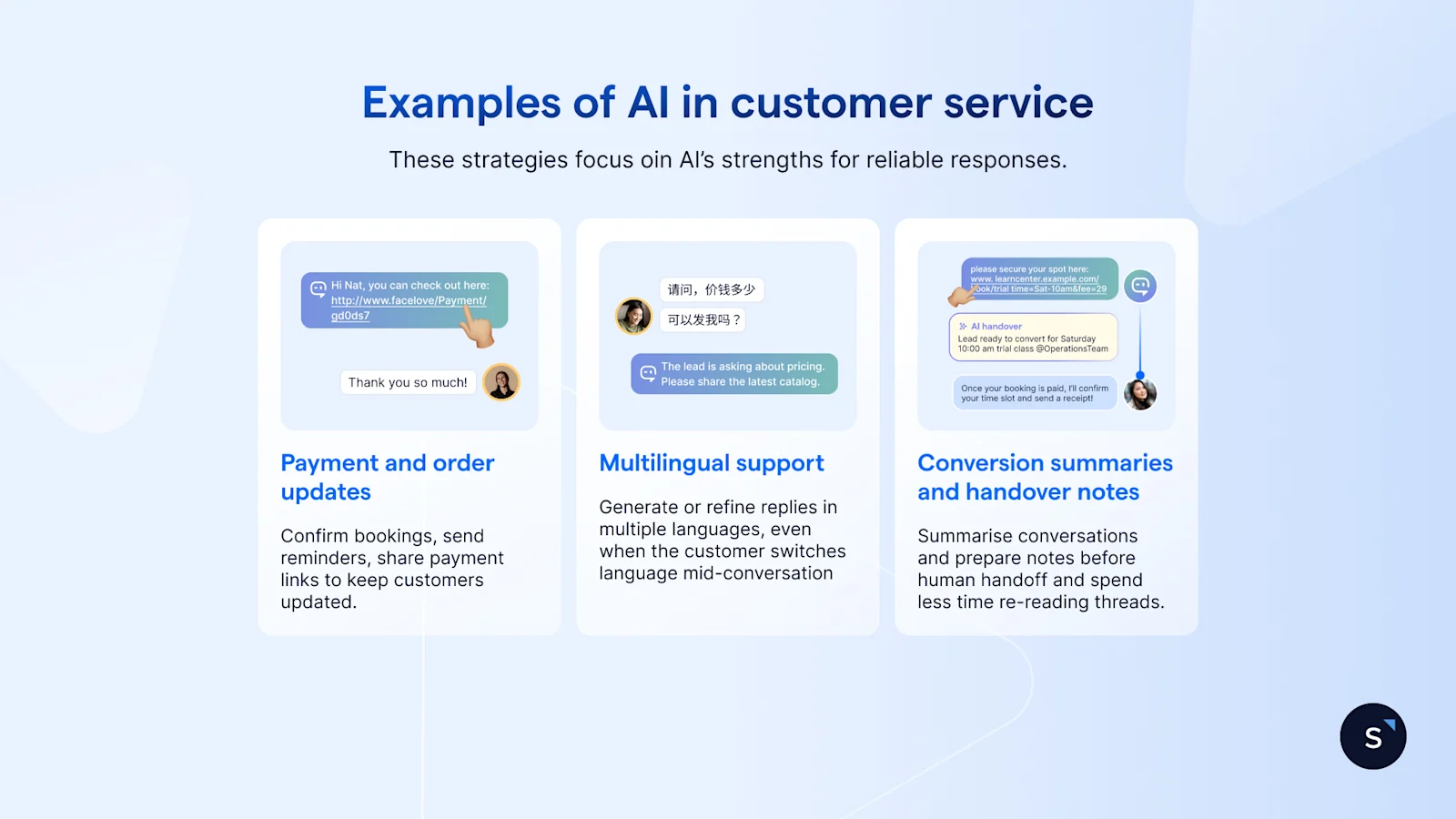
Booking, payment and order updates
For service-heavy businesses, AI is useful well beyond support. It can confirm bookings, send reminders, share payment links, answer product questions and keep customers updated after a purchase.
Multilingual support
Singapore teams often need to handle customers across different languages and channels. AI can help extend coverage by generating or refining replies in multiple languages, even when the customer switches language mid-conversation
Conversation summaries and handover notes
When AI creates summaries before a human handoff, agents spend less time re-reading threads and more time solving problems.
Key features you need in AI customer service
The real requirement for AI in customer service is not just an AI agent. It is an AI-enabled service system in which channels, knowledge, collaboration, analytics, and governance work together.
How to implement AI in customer service strategically
The biggest mistake is trying to automate everything at once. Stronger teams start with a narrow, high-volume use case and expand only after the workflow, data and handoff rules are stable.
1. Start with one journey that already creates load
Pick a use case such as FAQs, appointment booking, order updates, returns or first-line triage. The goal is not to prove that AI can do everything. The goal is to remove measurable friction quickly.
2. Fix your knowledge before you automate your replies
If the source material is messy, the customer experience will be too. Build from approved policies, service scripts, product information and escalation rules. This is where AI-assisted drafting tools and knowledge-grounded replies become more valuable than generic generation.
3. Design human-AI collaboration from day one
AI should know when to stop. Sensitive complaints, billing disputes, VIP customers or unclear intent should move cleanly to a human.
4. Connect the channels and systems that shape the journey
If support happens in chat but the customer context sits elsewhere, the experience stays fragmented. Connect messaging channels, CRM records, ecommerce activity and service queues so agents and AI are working from the same context. That is also how personalisation becomes relevant instead of shallow.
5. Measure service outcomes, not just automation volume
Track first response time, resolution time, handoff rate, containment, CSAT and revenue-influenced outcomes where relevant.
6. Scale only after the first use case is stable
Once one journey performs consistently, expand into neighbouring use cases such as proactive reminders, post-purchase follow-up, renewal support or agent assist across more channels.
Real life example: BateriHub uses AI smart replies to handle complex customer enquiries 24/7
BateriHub, an automotive battery retailer and roadside assistance provider in Malaysia, uses SleekFlow’s AI Smart Reply to stay available around the clock for urgent customer enquiries. When drivers reach out with breakdown or jump-start requests, the AI can respond instantly, collect essential details such as location and car type, and prepare the case for human follow-up without leaving customers waiting during critical moments.
This AI is not limited to simple FAQs. BateriHub uploaded its product catalogue and battery compatibility charts into SleekFlow’s knowledge base, allowing the AI to handle more complex questions and recommend the right battery model based on vehicle details. This helped BateriHub improve response times by 17x, cut spam leads to less than 1%, and increase conversions by 22% within three months.
Transform customer conversations into better outcomes with SleekFlow’s AI-native omnichannel platform
If your business wants AI customer service that works across messaging channels rather than being confined to a single, disconnected widget, SleekFlow is built for that model. With WhatsApp Business API, AI agents and AI-assisted replies, together with Analytics to help you track performance, teams can automate routine service, escalate complex cases cleanly, and deliver better customer satisfaction.


