Conversational AI for customer service: use cases, benefits, best practices, and how to implement it


TL; DR: Quick Summary
- Conversational AI is becoming a default in customer service. It goes beyond scripted bots by understanding intent, maintaining context, and taking real actions, with AI expected to handle a significant share of support cases in places like Singapore.
- AI handles repetitive, high-volume queries instantly and 24/7, while human agents focus on complex, sensitive, or high-value interactions.
- The biggest wins come from automating predictable workflows first. High-impact use cases include FAQs, order tracking, booking, and support triage, where tasks are repetitive and outcomes are clearly defined.
- Start with one workflow, connect AI to real business systems and knowledge, define clear handoffs, and continuously test and improve using real customer data.
- Strong knowledge grounding, CRM integration, clear escalation rules, and ongoing QA matter more than the model, especially for accuracy, compliance, and customer trust.
Conversational AI for customer service helps businesses automate routine support, deliver faster responses, personalise customer interactions, and support agents with better context. It works best for handling repetitive, high-volume tasks while routing sensitive or complex issues to human teams. In Singapore, this is already moving from pilot to operating model: AI is expected to handle 41% of customer service cases locally.
What is conversational AI in customer service?
At a practical level, conversational AI for customer service combines natural language understanding, conversation management, approved knowledge, and workflow automation. Instead of matching a single exact keyword, it interprets intent, maintains context across turns, retrieves the right answer, and can take actions such as checking an order, updating account details, creating a ticket, or routing a conversation to the right team.
That is what makes it different from a scripted bot. A scripted bot follows a fixed decision tree. Conversational AI can handle greater linguistic variation, ask follow-up questions, and work across real support journeys rather than only pushing customers through a narrow menu. That means fewer dead ends, less repetitive work, and better support for agents rather than automation for its own sake.
For service teams, the real test is simple: can the system understand what the customer means, do something useful, and pass full context to a human when needed? That is where conversational AI for customer service clearly outperforms basic rule-based bots, while still complementing human agents rather than replacing them.
Why conversational AI looks different in chat than in voice
Conversational AI didn't start in chat. Most guides on this topic are still written from a call center's point of view: one call, one agent, minutes long. Messaging-based support runs differently. Conversations span hours or days, customers switch channels mid-thread, and the AI has to hold context across all of it.
Conversation length.
A WhatsApp thread about a delayed order might run for two days across six messages, not two minutes across one call. The AI needs to hold context across that whole span, not just within a single session.
Channel switching.
A customer might start on Instagram DM, continue on WhatsApp, and finish on live chat. Without a shared inbox and CRM record behind all three, the AI restarts cold every time.
Async by default.
Messaging customers aren't sitting on hold. They expect a useful reply, not necessarily an instant one, which changes how urgency and escalation should be modeled compared to a live voice queue.
Key benefits of conversational AI for customer service
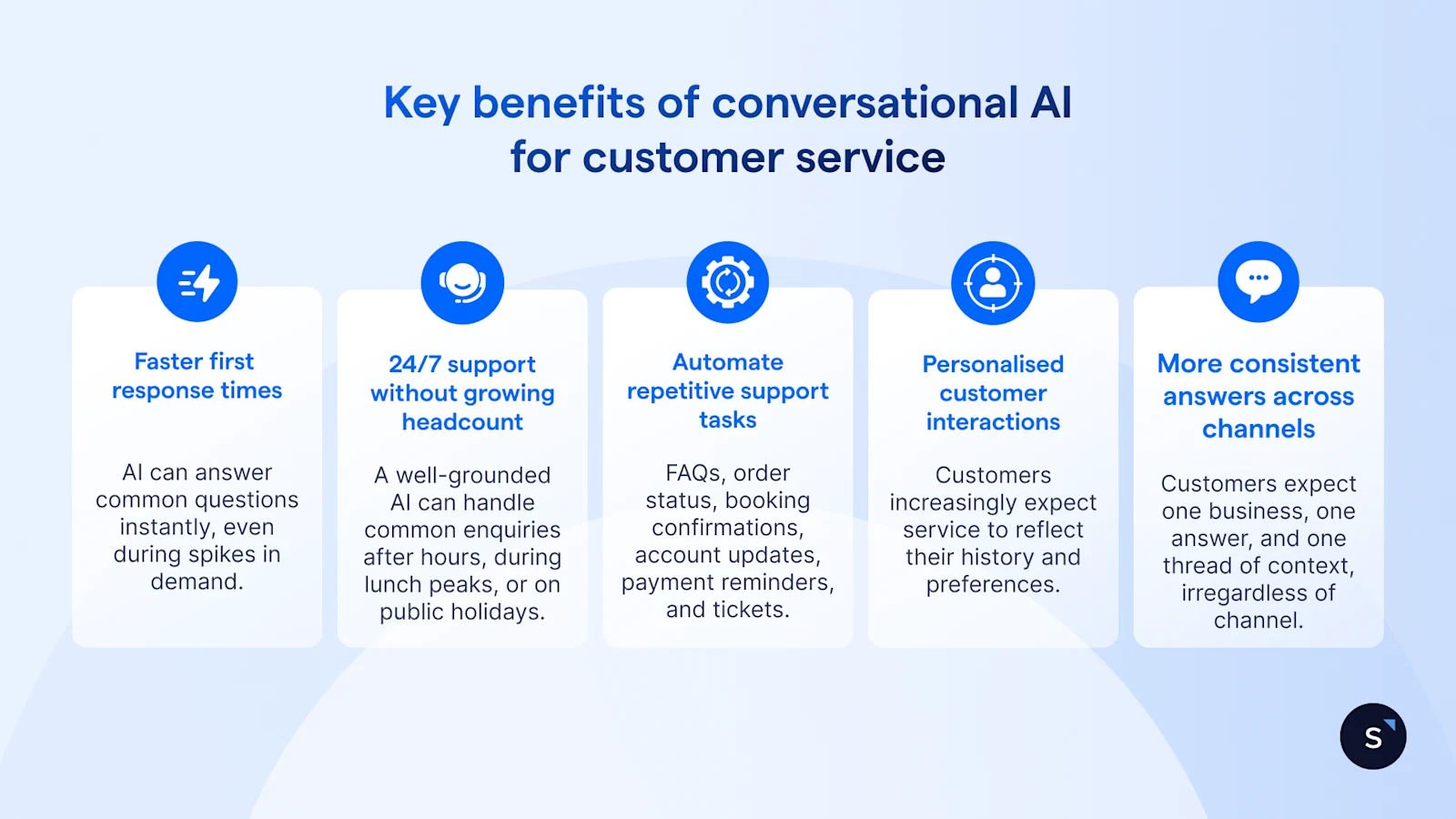
Faster first response times
AI can answer common questions instantly, even during spikes in demand. Zendesk reports that 74% of consumers now expect 24/7 service, as AI has made always-on support feel normal.
24/7 support without growing headcount
A well-grounded AI can handle common enquiries after hours, during lunch peaks, or on public holidays without making customers wait for the next available shift. That is especially useful for teams supporting regional customers across time zones.
Automation of repetitive support tasks
The highest-value use cases are predictable ones: FAQs, order status, booking confirmations, account updates, payment reminders, and ticket creation. With the right tool, these workflows can be supported through AI knowledge bases, CRM sync, and ticketing.
More personalised customer interactions
Customers increasingly expect service to reflect their history and preferences. Salesforce reports that 73% of customers expect better personalisation as technology advances, and 65% expect companies to adapt to their changing needs.
More consistent answers across channels
Customers do not care which internal team or channel owns the issue. They expect one business, one answer, and one thread of context. 79% of customers expect consistent interactions across departments, as customers do not wish to repeat themselves.
The most effective conversational AI for customer service deployments start with high-volume, low-risk tasks that have a clear backend action and an obvious escalation path. That is also how leading customer service vendors structure their strongest examples.
How to implement conversational AI in customer service without hurting CX
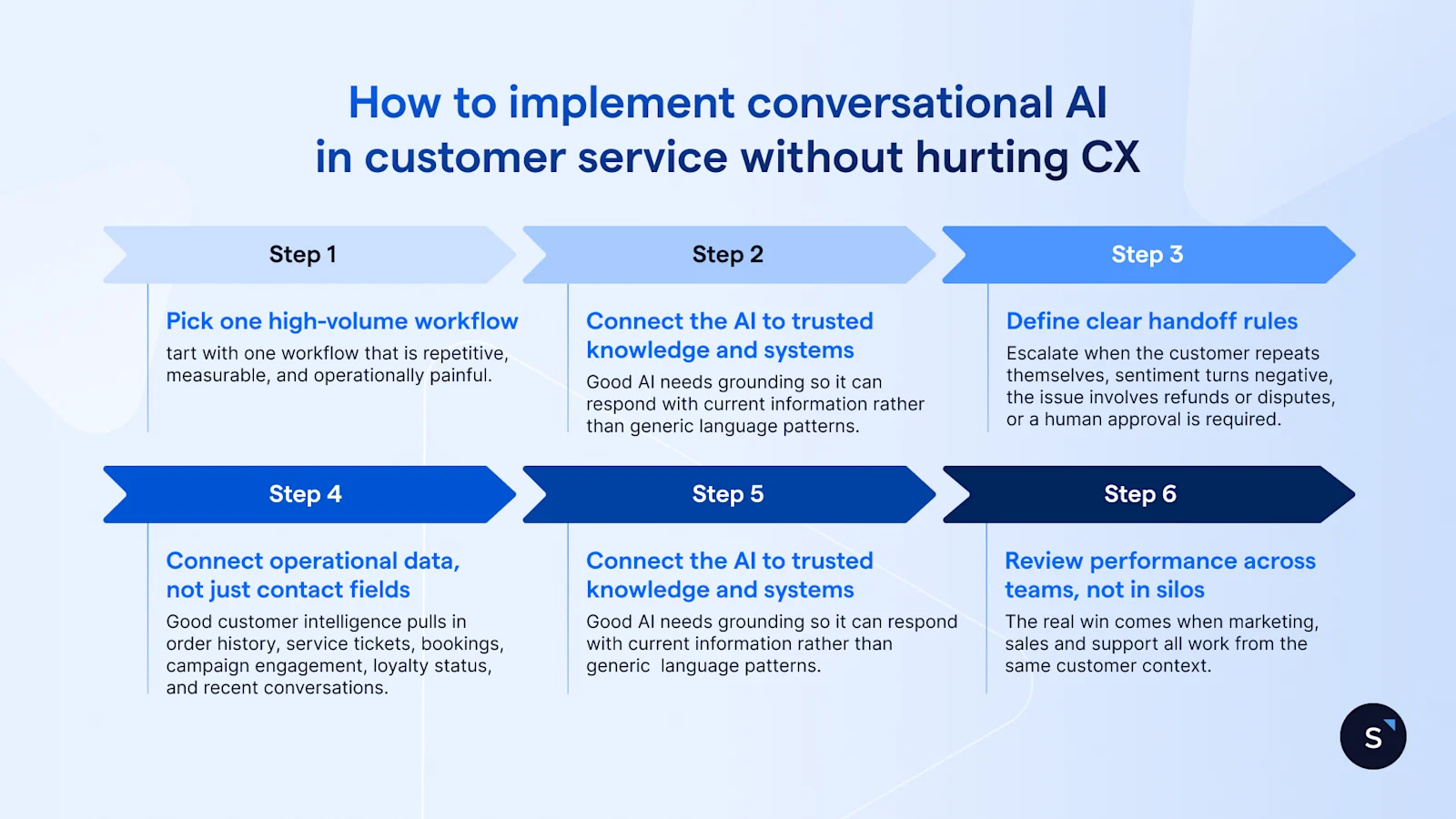
Step 1: Pick one high-volume workflow
Do not start with “all support”. Start with one workflow that is repetitive, measurable, and operationally painful. Good examples include order tracking, booking, FAQs, or support triage. Measure first response time, transfer rate, containment, CSAT, and repeat contact rate before expanding.
Step 2: Connect the AI to trusted knowledge and systems
Good AI needs grounding. Connect it to approved FAQs, policy documents, CRM data, ticketing, and operational systems so it can respond with current information rather than generic language patterns. This is also where governance matters: the PDPA sets the baseline for collection, use, disclosure, and care of personal data, while DNC rules generally prohibit sending marketing messages to Singapore numbers listed on the registry. Keep service automation and promotional outreach clearly separated.
Step 3: Define clear handoff rules
Escalate when confidence is low, the customer repeats themselves, sentiment turns negative, the issue involves refunds or disputes, or a human approval is required. The handoff should include the conversation summary, customer details, ticket status, and actions already completed, so the customer does not have to start over.
Step 4: Train and test with real customer intents
Use actual conversations, not idealised, fully formatted prompts. Test messy language, short questions, product names, local phrasing, and policy edge cases. Review where the AI fails, which knowledge sources are weak, and where human intervention should happen earlier.
Step 5: Launch with human oversight
Customers want transparency and safeguards. 72% of customers say it is important to know if they are communicating with an AI agent, and 80% say human validation matters. Make automation visible, review low-confidence interactions, and keep human help one step away.
Step 6: Improve with ongoing feedback and QA
After launch, optimisation matters more than novelty. Review fallback rate, containment, average resolution time, CSAT, escalations, and business outcomes such as retention, conversion, or repeat purchases.
How to choose the right conversational AI platform for customer service
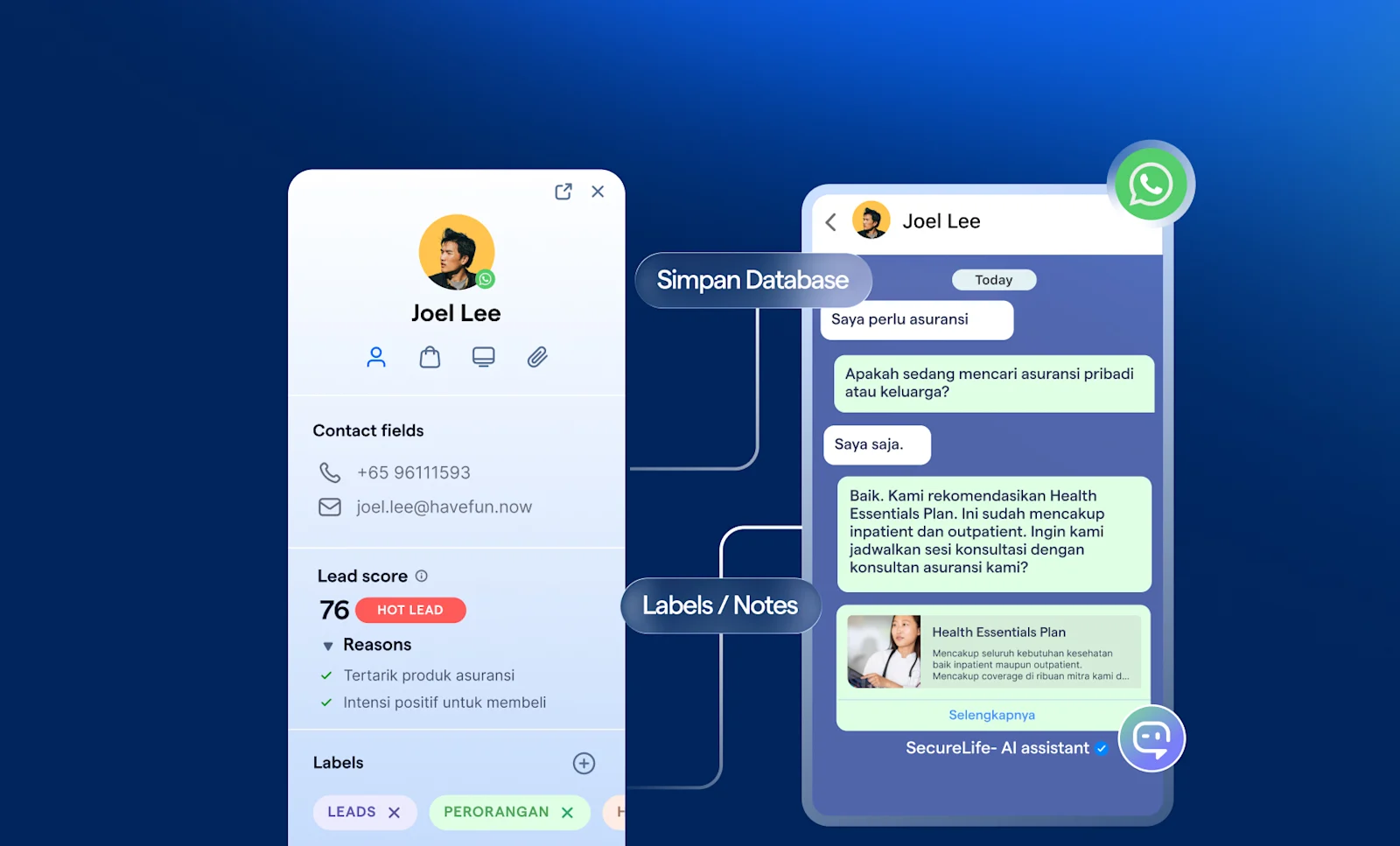
When evaluating conversational AI for customer service, prioritise these capabilities:
Omnichannel support: one workspace across WhatsApp, Instagram, Messenger, live chat, and other relevant channels
CRM and helpdesk integration: customer context should sit beside the conversation
Human handoff: no dead ends, with transcript and summary passed to the next agent
Knowledge grounding: answers should come from approved content, not generic model output
Analytics and QA: track performance, fallbacks, transfers, and service impact
Workflow automation: trigger bookings, reminders, ticket creation, and status updates
Multilingual support: support the languages your customers actually use
Admin control and governance: roles, permissions, auditability, and approval rules
Security and compliance: data controls, masking, and clear governance processes
Scalability: the setup should work for today’s queue and tomorrow’s volume
This is also where SleekFlow is strongest for chat-first service teams: you can combine WhatsApp Business API, ticketing, customer service automation workflows, and AgentFlow with a shared inbox, CRM connectivity, and knowledge-backed AI, rather than running automation as a disconnected widget.

Want to outcompete your peers with SleekFlow's help?
Book your personalised demo with SleekFlow today and unlock the potential of seamless communication


