Messaging Chat Widgets for Websites: WhatsApp, Facebook, and Telegram


TL; DR: Quick Summary
- Messaging widgets (WhatsApp, Messenger, Telegram) outperform traditional live chat by creating persistent conversations that continue beyond the website.
- Unlike browser chat, they allow follow-ups, retargeting, and ongoing engagement directly in users’ preferred apps.
- WhatsApp dominates globally, ideal for mobile-first, high-consideration sales, with verified contacts and rich media.
- Facebook Messenger suits ad-driven funnels, offering identity data, cross-device continuity, and remarketing options.
- Telegram fits niche, tech-savvy audiences with privacy, low cost, and community-building capabilities.
- Choosing the right widget depends on audience geography, behavior, and business model.
- Combining channels via unified inboxes maximizes reach, engagement, and conversion opportunities.
Your website has a chat option. But which channel does a visitor actually want to use when they click it?
For a growing share of the world's consumers, the answer isn't a browser-based chat window — it's a platform they already have on their phone. WhatsApp, Facebook Messenger, and Telegram are three of the most widely used messaging platforms on the planet, with individual user bases ranging from 1 billion to over 3 billion monthly active users. Embedding any one of them as a chat widget on your website gives visitors a direct line to your team through an app they trust and use daily.
This guide focuses specifically on how each platform works as a website widget, who it reaches, what it does that a native chat window cannot, and how to decide which one or which combination belongs on your site.
What makes a messaging platform widget different
Before comparing platforms, it's worth being precise about what a messaging chat widget actually does, because it is genuinely different from a live chat window.
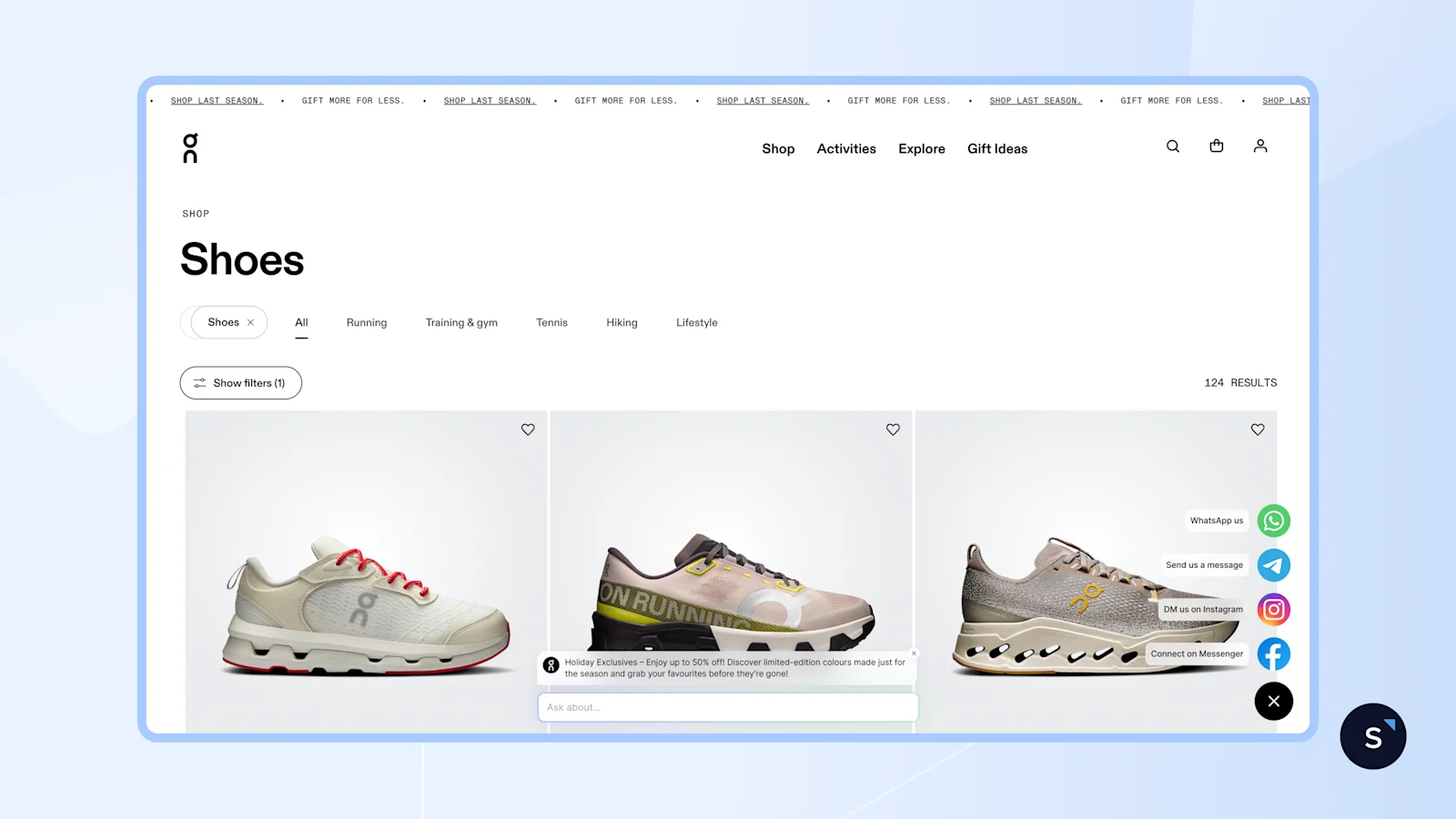
A traditional website chat widget opens a conversation inside the browser. When the visitor closes the tab, the conversation is over. There is no persistent thread, no way to follow up, and no channel for the business to re-engage, unless the visitor returns.
A messaging platform widget works differently. When a visitor clicks the WhatsApp, Messenger, or Telegram icon on your site, it opens a conversation inside that messaging app — either on mobile or in the browser version of the app. The conversation lives on the platform permanently. Your team can follow up hours or days later. The visitor's message history is right there in their phone, alongside conversations with friends and family.
The persistence advantage is the core reason businesses in high-consideration sales verticals, such as real estate, automotive, financial services, travel, and education, favour messaging widgets over browser chat. A prospect who browses a property listing and opens a WhatsApp conversation can receive follow-up photos, a voice note from the agent, and a payment link days later, all in the same thread.
WhatsApp chat widget for website
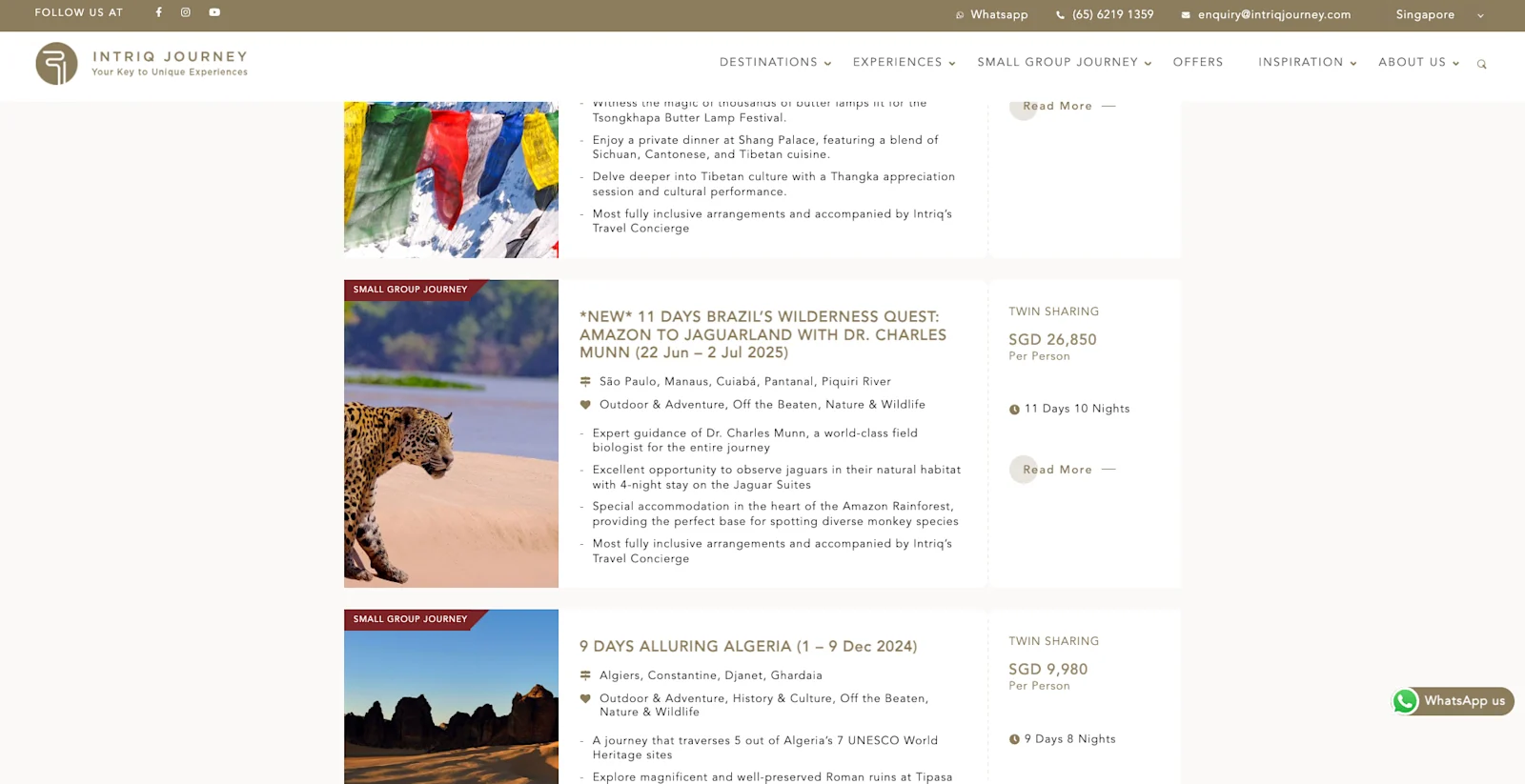
Image: Intriq Journey, a bespoke luxury travel agency serving clients across Singapore and Hong Kong, used SleekFlow's WhatsApp widget on their website to handle travel package enquiries with ease.
Why WhatsApp is the default choice for most markets
WhatsApp has over 3 billion monthly active users and holds a dominant market share in Southeast Asia, the Middle East, Latin America, Sub-Saharan Africa, and much of Europe. In Malaysia, Indonesia, Brazil, the UAE, and Nigeria, it is effectively the primary communication channel for both personal and professional conversations, not a secondary option.
For businesses in these markets, a WhatsApp chat widget for a website is often the single highest-impact addition to a website: visitors recognise the green icon immediately, trust the platform, and open conversations with minimal friction.
What makes WhatsApp uniquely valuable as a channel
Phone number as identity: Every WhatsApp user is tied to a verified mobile number. When a visitor opens a conversation from your website, you capture a real contact immediately — no email form, no cookie tracking.
End-to-end encryption by default: This matters in healthcare, fintech, legal, and any sector where customers are sensitive about who can read their messages.
Rich media from the first message: Visitors can send photos (e.g., a property they're enquiring about), your team can reply with catalogues, videos, or voice notes — all in one thread.
WhatsApp Business API for scale: The basic wa.me link gets you started, but connecting to the WhatsApp Business API unlocks broadcast messaging, automated flows, and multi-agent team inboxes. SleekFlow is an official WhatsApp Business Solution Provider and connects your website widget directly to a shared team inbox.
Click-to-WhatsApp ad continuity: If you run WhatsApp-linked ads on Facebook or Instagram, your website widget is a natural extension — the visitor picks up the same conversation thread they started from the ad.
When a WhatsApp widget is the right choice
✅ Your audience is primarily in Southeast Asia, MENA, LATAM, India, or Europe
✅ You sell high-consideration products where conversations span multiple days
✅ You want to follow up with leads via broadcast or drip campaigns after the website visit
✅ You're already running Click-to-WhatsApp ad campaigns
✅ Your audience is primarily mobile
WhatsApp widget implementation options
Option A: Basic wa.me link
Generate a link in the format https://wa.me/[your-number]?text=[pre-filled-message] and attach it to a floating button on your website. Free, fast to deploy, but provides no routing, analytics, team sharing, or automation.
Option B: SleekFlow AI Growth Widget with WhatsApp channel
SleekFlow's AI Growth Widget lets visitors click a WhatsApp CTA directly from the website chat interface. The conversation opens in WhatsApp and is simultaneously routed into SleekFlow's shared team inbox — with full assignment, tagging, and automated follow-up through Flow Builder. See how live chat automation works for the retargeting flows you can layer on top.
Facebook chat widget for website
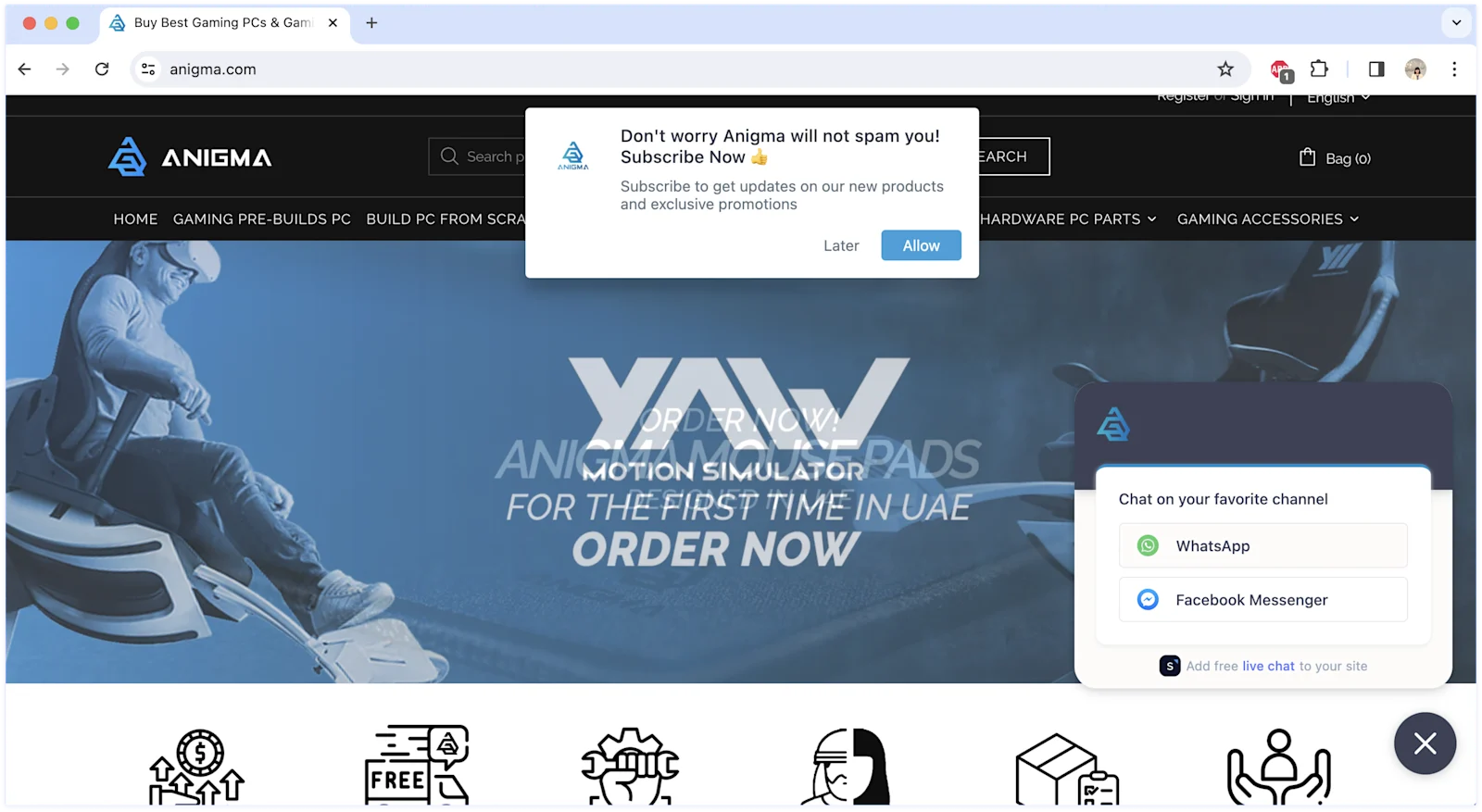
Image: Anigma Technologies' website homepage showing SleekFlow's chat widget with WhatsApp and Facebook Messenger as channel options for visitors to choose from.
Who Facebook Messenger still reach
Facebook Messenger has over 1 billion users and remains the dominant messaging channel in North America and the Philippines, with a strong presence across parts of Oceania and Southeast Asia. While it has lost ground to WhatsApp in many international markets, it holds a specific strategic advantage: it is native to the Facebook and Instagram ecosystem.
For businesses running Facebook Ads or Instagram Ads, a Facebook Messenger chat widget on the website creates a closed loop — a visitor who clicks a Click-to-Messenger ad, reads a post, visits the website, and opens Messenger is interacting within the same platform the whole time. Meta's identity layer ties these touchpoints together.
What makes Facebook Messenger distinct as a channel
Logged-in identity: When a Facebook user opens Messenger on your website, you see their name and profile picture immediately without any form submission. This is unique to Messenger among the three platforms.
Cross-device conversation continuity: A visitor who starts a Messenger conversation on your website can continue it in the Messenger mobile app or on Facebook.com without losing context.
Sponsored message re-engagement: Businesses can send paid sponsored messages to users who have previously started a Messenger conversation, a remarketing channel with no equivalent in WhatsApp or Telegram.
Instagram DM integration: With Meta's unified inbox, businesses connecting Messenger also bring Instagram DMs into the same conversation space, particularly valuable for brands with a strong Instagram presence.
When a Facebook Messenger widget is the right choice
✅ Your target audience is in North America, the Philippines, or parts of Oceania and Southeast Asia
✅ You actively run Facebook or Instagram ad campaigns and want channel continuity
✅ Your customers are primarily 25–45 year olds who are daily Facebook or Instagram users
✅ You want automatic identity capture without requiring visitors to submit a form
✅ You plan to use sponsored Messenger re-engagement for lead nurturing
Facebook Messenger widget implementation options
Option A: Meta Customer Chat Plugin
Meta provides a JavaScript snippet (available through your Facebook Business Page settings) that embeds a Messenger chat bubble on your website. Logged-in users are identified automatically; logged-out users can chat as guests. Requires domain verification in your page settings.
Option B: SleekFlow with Facebook Messenger channel
SleekFlow connects your Facebook Page inbox into the same unified workspace as WhatsApp and Telegram, so all three channels surface in a single team inbox. For teams wondering whether to pair a messaging widget with an AI chatbot or a human agent approach, our chatbot vs live chat guide explains how to layer these effectively.
Telegram chat widget for website
The channel with a loyal, specific audience
Telegram has over 1 billion monthly active users and is particularly strong in Eastern Europe, Russia, and CIS countries, Iran, and among globally distributed tech, crypto, gaming, and developer communities. Unlike WhatsApp and Messenger, Telegram users tend to self-select for privacy awareness and technical literacy.
A Telegram chat widget for a website is not a universal play — but for brands serving tech-forward audiences, it can outperform the other two platforms on engagement quality, because the visitors who click it are exactly the right people.
What makes Telegram distinct as a channel
No phone number required from the business side: Unlike WhatsApp, setting up a Telegram business bot requires no phone number association. The bot operates through Telegram's API, which any developer can access for free.
Pseudonymous by default: Telegram users can interact with a business bot without revealing their phone number — a meaningful privacy advantage for certain audiences.
Massive group capacity: Telegram supports communities of up to 200,000 members, making it the only platform among the three suited to large-scale community building alongside direct support.
Free and open API: Telegram's bot API has no per-message cost and no gating behind a business tier, making it low-cost to operate at volume.
Channel broadcasts: Beyond direct support, Telegram channels function as one-to-many broadcast tools with high delivery rates — a different use case than WhatsApp broadcasts but valuable for content-first brands.
When a Telegram widget is the right choice
✅ Your audience is in Eastern Europe, Russia, Iran, or a globally distributed tech community
✅ You operate in crypto, DeFi, gaming, SaaS, or developer tools
✅ Privacy is a core value for your audience, and you want to offer a pseudonymous contact option
✅ You're building a community product and want to connect your website to a Telegram group or channel
✅ You want a low-cost, developer-friendly channel with no per-message fees
Telegram widget implementation options
Option A: Telegram Bot link
Create a bot using BotFather at t.me/BotFather, copy the t.me/yourbotusername link, and embed it as a floating button on your website. Messages arrive in the bot's chat; your team responds from a connected Telegram account or a third-party inbox.
Option B: SleekFlow with Telegram channel
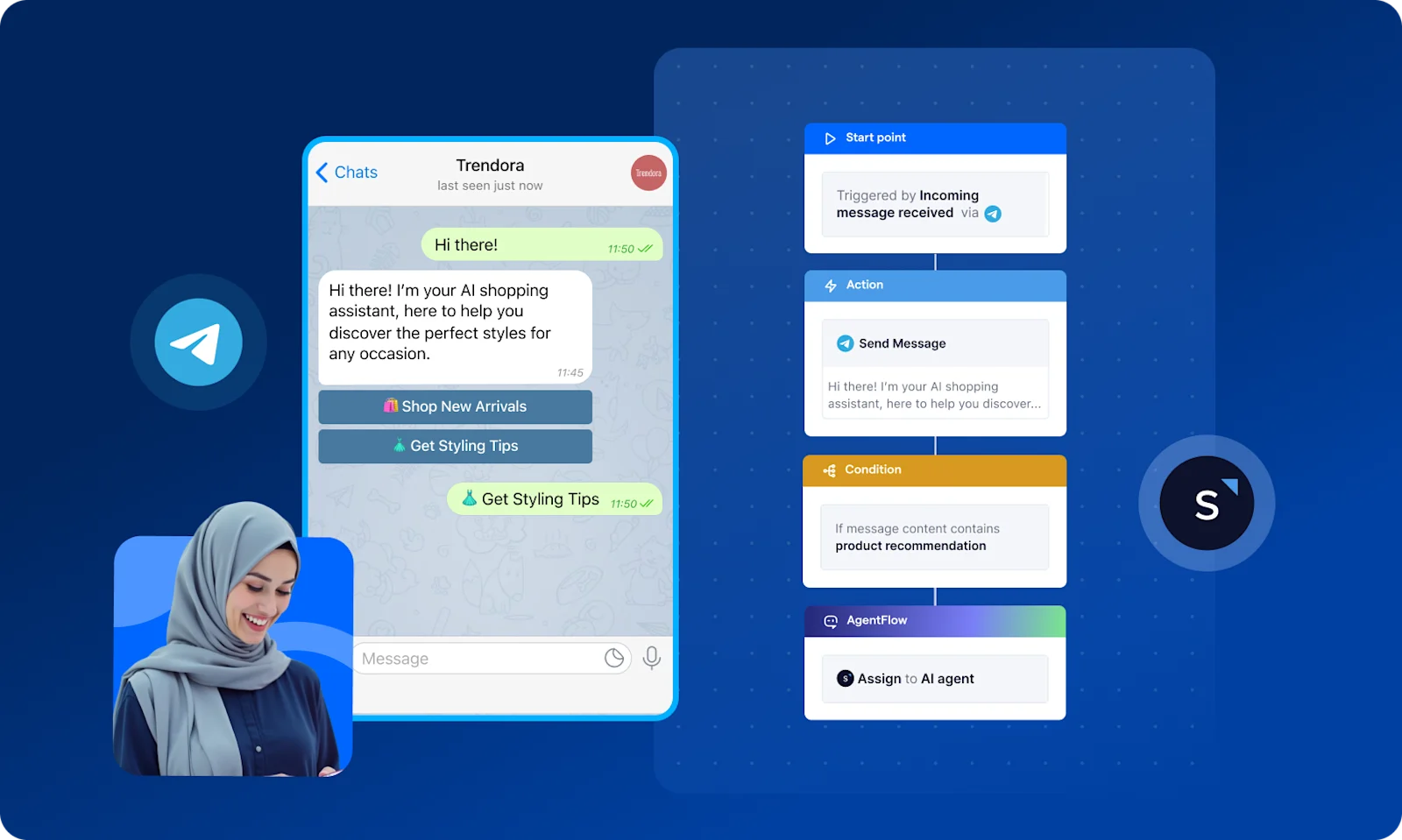
SleekFlow's Telegram integration routes bot messages into the shared team inbox alongside WhatsApp and Messenger, giving agents a unified view across all three platforms.
Platform comparison: WhatsApp vs Facebook Messenger vs Telegram
For teams new to building this kind of setup, our guide to adding live chat to your website walks through the technical steps. And for teams thinking about the automation layer, such as how to trigger follow-up workflows once a visitor opens a Telegram or WhatsApp conversation — live chat automation covers the full setup, including retargeting flows and CRM sync.
Industry use cases by platform
Different verticals map naturally to different channels, based on where their customers actually spend time.


