How to mask your number on WhatsApp, and what changes when your customers do


TL; DR: Quick Summary
- WhatsApp usernames let new contacts message you without your number, unlike ride-hailing apps' proxy masking.
- Nearly half of professionals already message customers from a personal WhatsApp account, with no record once they leave.
- A Business-Scoped User ID now stands in for a hidden number, breaking phone-number-only customer matching.
- Move every customer conversation onto one shared business number instead of individual staff phones.
- That keeps the conversation, and the customer relationship, with your business, not whoever happened to answer.
Checked against WhatsApp's own usernames FAQ and Meta's developer documentation, October 2026.
Most growing teams end up running customer chats through WhatsApp long before anyone decided how, usually because one salesperson replied from a personal phone and it stuck.
A customer saves that number, not the business's. Only that one phone holds the thread, and nothing records what was promised.
And yet ask whose number actually owns that conversation, and most teams struggle to answer. The cause is simple: the conversation is tied to a phone, not to the business, and that only holds up while a handful of chats a day go through one person.
The fix is making sure the right number is the only one in play, not hiding the wrong one better. Below, we'll cover what WhatsApp's new username feature actually hides, what it leaves exposed, and how to get every agent onto one number your business actually owns.
Can you mask your phone number on WhatsApp?
Masking your phone number on WhatsApp means reserving a username, a feature WhatsApp began rolling out from 29 June 2026, so new contacts can message you by @handle instead of your number. It is not the proxy-number system ride-hailing apps use: your account still runs on a real phone number, and anyone who already has it keeps it.
WhatsApp opened username reservations on 29 June 2026, with the feature itself rolling out gradually afterwards. The same window, Meta's developer documentation confirmed the Business-Scoped User ID as the mechanism that lets a business keep messaging someone even after that person's number is hidden.
Three things stay the same regardless:
You still need a real phone number to create or keep a WhatsApp account.
Anyone who already has your number before you set a username keeps it.
There's no public directory of usernames to search, so a new contact needs your exact handle before they can reach you.
One thing is specific to businesses, and it's the one that matters most here: a business's phone number still displays when that business messages a customer, username or not, confirmed directly on WhatsApp's own usernames FAQ.
WhatsApp username vs true number masking
The confusion is understandable, because a different kind of number masking already exists, just not on WhatsApp.
Gojek's own number masking, for comparison, swaps in a temporary substitute number for a single ride so neither rider nor driver ever sees the other's real one. WhatsApp's username feature does something narrower: it hides your number from people who don't have it yet, nothing more.
What you can and cannot hide on WhatsApp
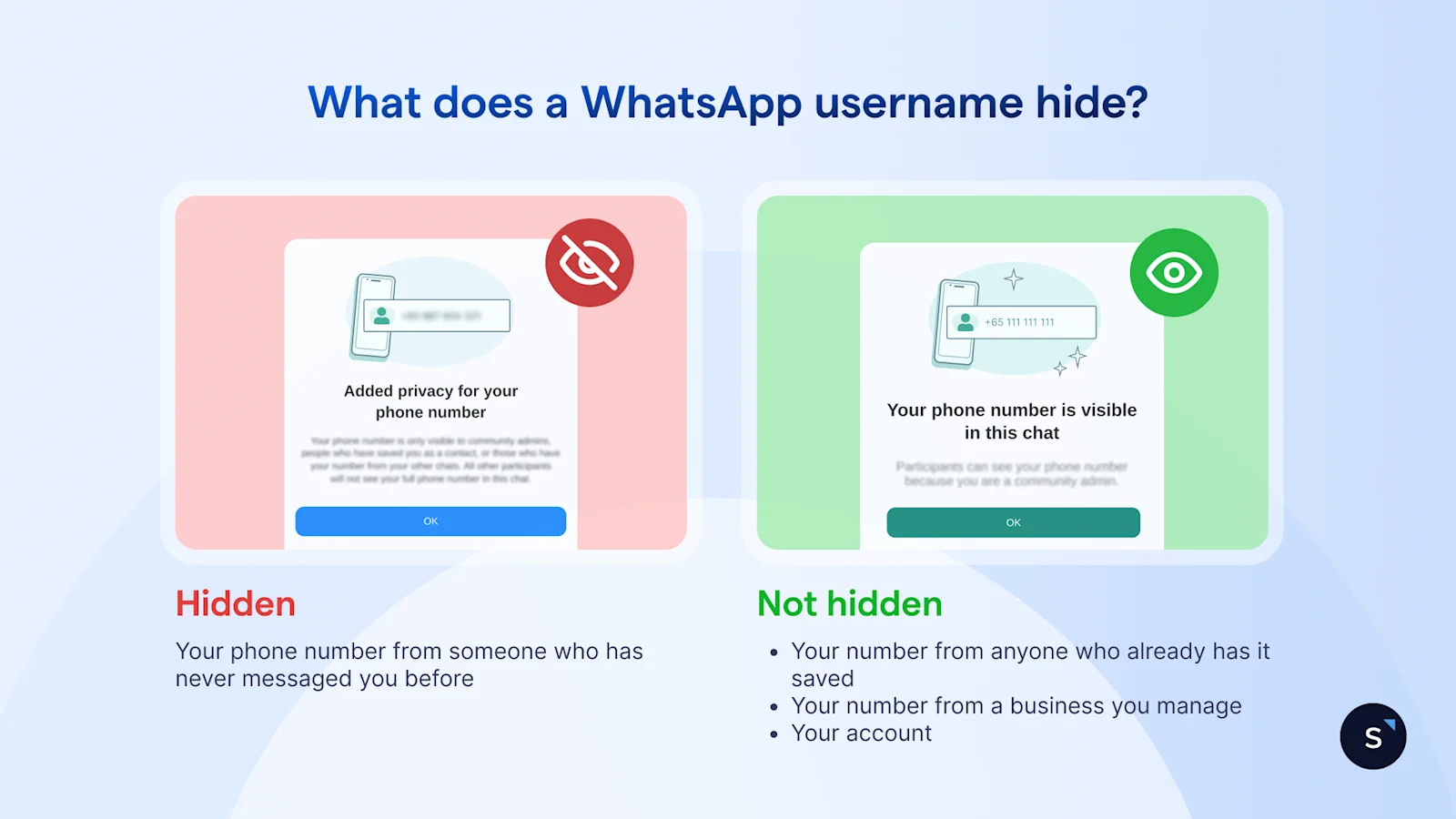
On WhatsApp, a username hides your number from people who have never messaged you before. It does not hide your number from existing contacts, from businesses you message, or from WhatsApp and Meta themselves, and it does not make your account anonymous or untraceable.
What a username hides
Your phone number from a stranger who only has your handle, until you choose to share it. Anyone messaging you for the first time needs your exact username, and your username key too if you've set one, not a guessed or scraped number.
What it doesn't hide
Your number from anyone who already has it saved, in their own phone or in a business's system.
Your number from a business you message, since WhatsApp shows a business's number to anyone it messages, username or not.
Your account from WhatsApp or Meta, who still need a working number to operate the account at all.
What masking does not protect you from
A username stops casual number harvesting, not deliberate deception. Because anyone can claim a plausible-sounding handle, India's government paused the feature's rollout in July 2026 over fears it would make impersonation and so-called "digital arrest" scams easier, a reminder that hiding a number is not the same as proving who is actually on the other end of a chat.
The business problem: staff using personal numbers with customers
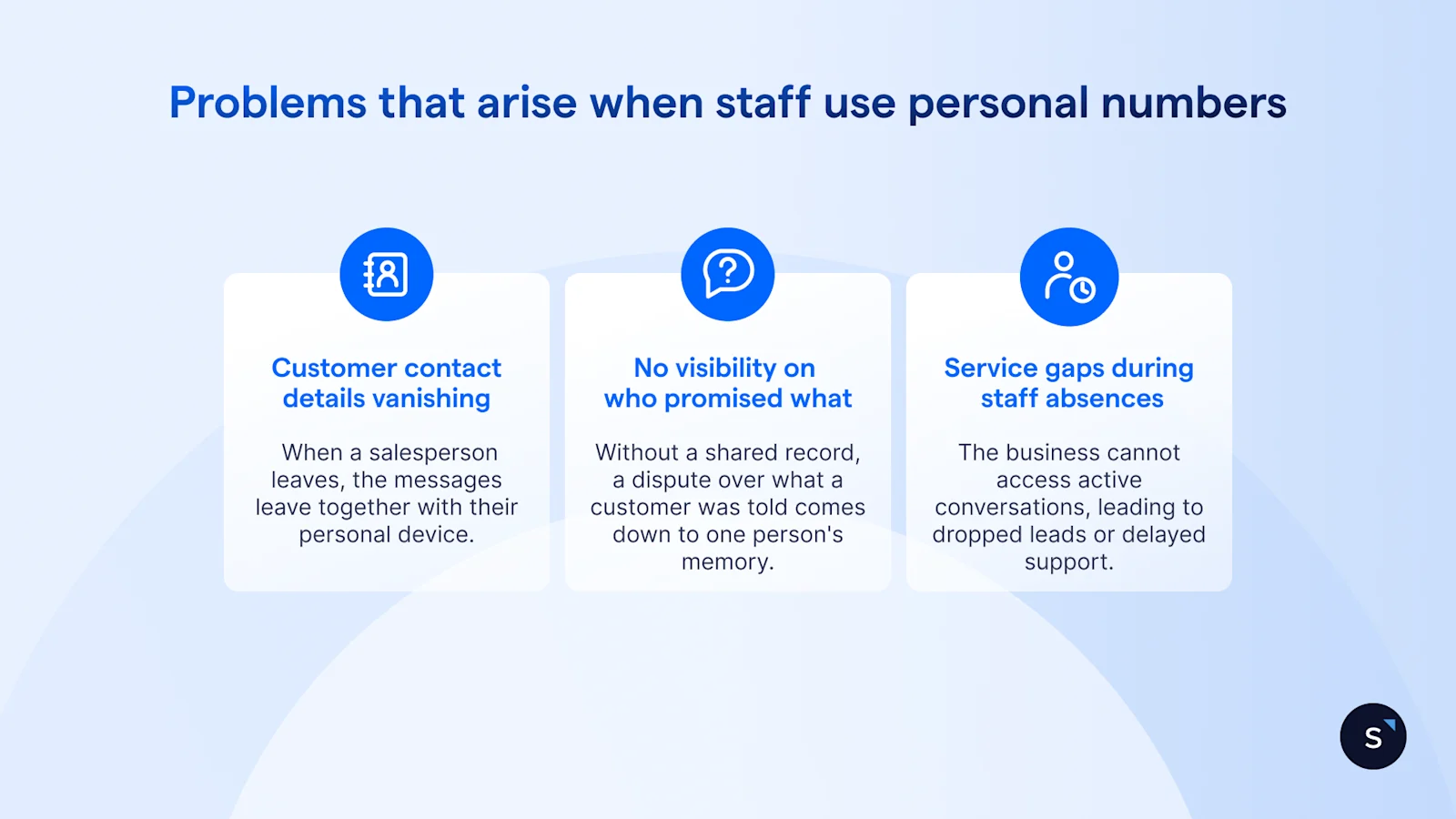
The real risk for most businesses was never about hiding a number. It's that staff already message customers from personal WhatsApp accounts the business doesn't control, on a device the business doesn't own.
Workplace messaging research from Guild, reported by IT Pro, found 41% of professionals already use WhatsApp for work, rising to 53% among those under 45, mostly with no employer policy behind it, the same way it likely happens inside your own sales or support team.
The cost usually shows up later, when it's hardest to fix:
Customer numbers, chat history and context vanishing. This usually happens after a salesperson leaves, since the messages stay on their personal device and in any backup they've made of it.
No visibility on who promised what. Without a shared record, a dispute over what a customer was told comes down to one person's memory.
Service gaps during staff absences or resignations. The business cannot access active conversations when an employee is on sick leave or leaves the company, leading to dropped leads and delayed customer support.
How businesses keep staff numbers off customer phones
Businesses solve this by moving every conversation onto one number the business controls through a shared inbox, not the free consumer app running on a dozen personal phones. The free WhatsApp Business app is built for one device and a handful of linked devices, fine for a sole operator, but never built for a team where messages need assigning, handing off, and keeping after someone leaves.
The WhatsApp Business Platform, accessed through a Business Solution Provider, replaces that one-phone ceiling with a single number the whole team shares through a shared inbox, with role-based access deciding who sees what. Getting there doesn't mean switching everything overnight: WhatsApp Coexistence lets a business move onto the Platform on its existing number while staff keep using the familiar app day to day, chat history carried over rather than lost.
What breaks when customers hide their numbers
Once a customer's number is replaced by a Business-Scoped User ID instead of a plain phone number, anything built to key on that number needs a second path. The four systems below break first, and each has a fix that doesn't depend on the customer sharing their number.
None of this is a reason to panic, it's a reason to check. Meta's own documentation is explicit that a hidden number simply won't appear in your webhooks unless you've messaged that customer in the last 30 days or they're already saved in your contact book, so the gap shows up quietly, as a missing field, not as an error.
How SleekFlow keeps staff numbers off customer phones
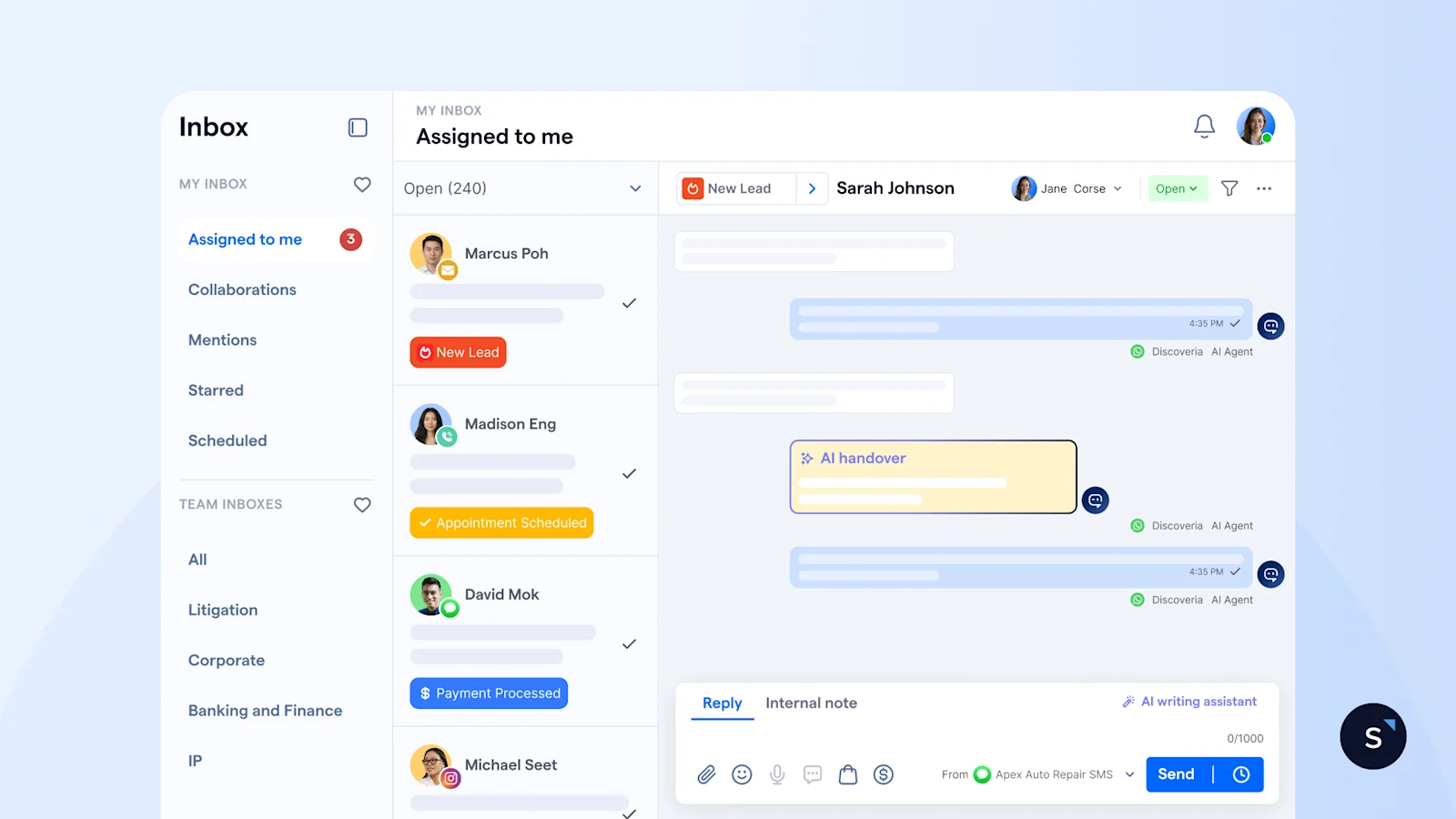
SleekFlow gives every team one WhatsApp number instead of a dozen personal ones, with a shared inbox, per-agent permissions, and a conversation record that belongs to the business, not whoever happened to reply.
Shared inbox, one business number
Every WhatsApp conversation lands in one inbox the whole team can see, instead of scattered across staff phones nobody can check.
Per-agent permissions
Each team member keeps their own login, with access scoped to their own conversations or team, so one shared number doesn't mean a shared view of every customer's chat.
Conversation history that stays with the business
When someone changes role or leaves, their open chats and full history move with the account, not with their phone, so the next person isn't starting cold and the customer isn't repeating themselves.
Coexistence for a gradual switch
A business can move its existing number onto SleekFlow through WhatsApp Coexistence, keeping the number customers already have saved and the chat history already sitting in it.
Real-life example: BateriHub uses one WhatsApp number across 130 branches
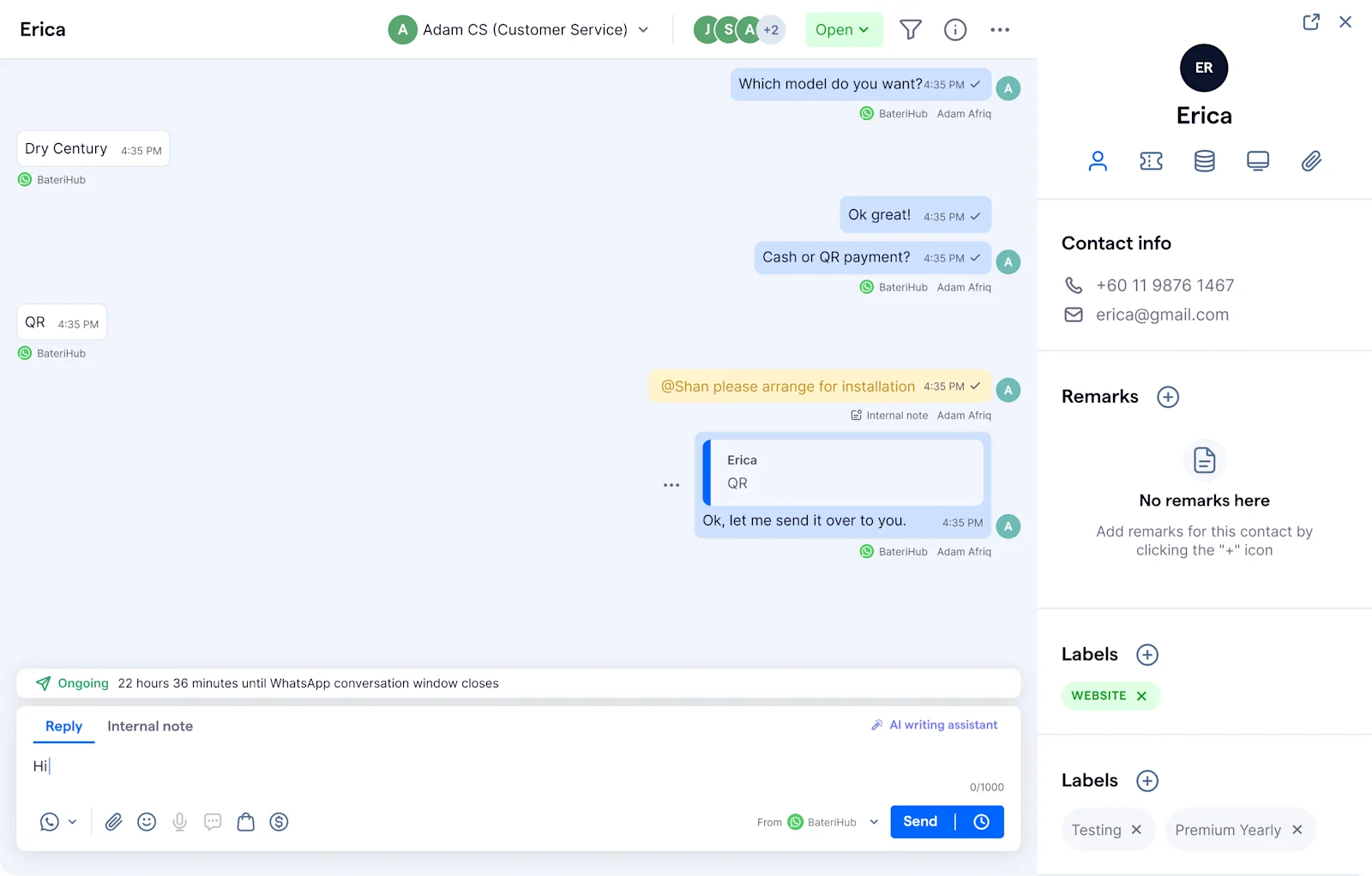
Scattered numbers cause the same chaos whether they're personal phones or a nationwide branch network. BateriHub, Malaysia's leading automotive battery retailer with more than 130 branches across West Malaysia, ran customer service through individual staff WhatsApp accounts, a decentralised setup that left every conversation scattered across whichever phone it happened to land on.
After BateriHub moved every branch onto one SleekFlow account:
Response times dropped from around 17 minutes to near-instant, a 17x improvement.
Spam enquiries fell to under 1% of total messages.
Conversions rose 22% within three months of the switch.

See what we can do for your business with WhatsApp
Book a personalised demo with SleekFlow and see how you can turn WhatsApp into your #1 revenue machine
Frequently Asked Questions
Can you hide your phone number on WhatsApp?
What is a WhatsApp username?
Can a business hide its WhatsApp number from customers?
How do I stop my sales team using personal WhatsApp with customers?
What is a Business-Scoped User ID?
Does hiding my number make me anonymous on WhatsApp?
Recommended for you


