Shopify AI agent: automate sales & support with AgentFlow


TL; DR: Quick Summary
- Cart abandonment remains a major ecommerce challenge, with an average rate of 70.22%, making recovery strategies critical for revenue growth.
- Shopify AI agents automate customer conversations across messaging channels like WhatsApp and Instagram to guide product discovery, answer questions, and recover carts.
- Unlike rule-based chatbots, AI agents understand intent, ask follow-up questions, and escalate complex issues to human agents when needed.
- Businesses can automate key ecommerce workflows such as lead qualification, abandoned cart reminders, order confirmations, delivery updates, and product recommendations.
- AI automation improves sales and support efficiency by reducing repetitive inquiries, speeding up response times, and increasing assisted conversions.
- Real-world implementations show strong results, including higher cart recovery, faster support responses, and improved customer engagement through automated messaging.
Cart abandonment is still one of the biggest revenue leaks in ecommerce - Baymard’s large compilation of studies estimates the average cart abandonment rate at 70.22%. Meanwhile, shoppers increasingly expect instant answers on messaging channels like WhatsApp and Instagram, without waiting for email replies or business hours.
With AgentFlow + Shopify, you can build an AI agent for Shopify. We call it SleekFlow AI agent, an AI agent designed to automate high-volume conversations across the customer journey, from product discovery and lead qualification to cart recovery, order updates, and post-purchase support.
What is a Shopify AI agent?
A Shopify AI agent is a customer-facing assistant that can answer questions, guide product discovery, and automate common ecommerce workflows using Shopify context (like product catalog and order status) plus your business knowledge (shipping, returns, sizing, policies). Unlike a basic chatbot that relies on fixed scripts, an AI agent can handle more natural questions, ask follow-up questions when details are missing, and handover to a human when the request is sensitive (like refunds, cancellations, or complaints).
A Shopify AI agent typically helps you:
Sell: recommend products, qualify shoppers, recover carts
Support: handle “where is my order?”, delivery updates, basic policy questions
Scale safely: automate repetitive conversations with clear guardrails + human escalation
What Shopify AI agent can do beyond a traditional chatbot
Traditional chatbots are usually rule-based (keywords, decision trees, fixed scripts). An AI agent is designed to handle customer intent with more context, then take actions and escalate when needed. This is also how many Shopify apps describe modern WhatsApp automation: as “AI agents” for cart recovery and 24/7 support.
How a Shopify AI agent benefits your teams
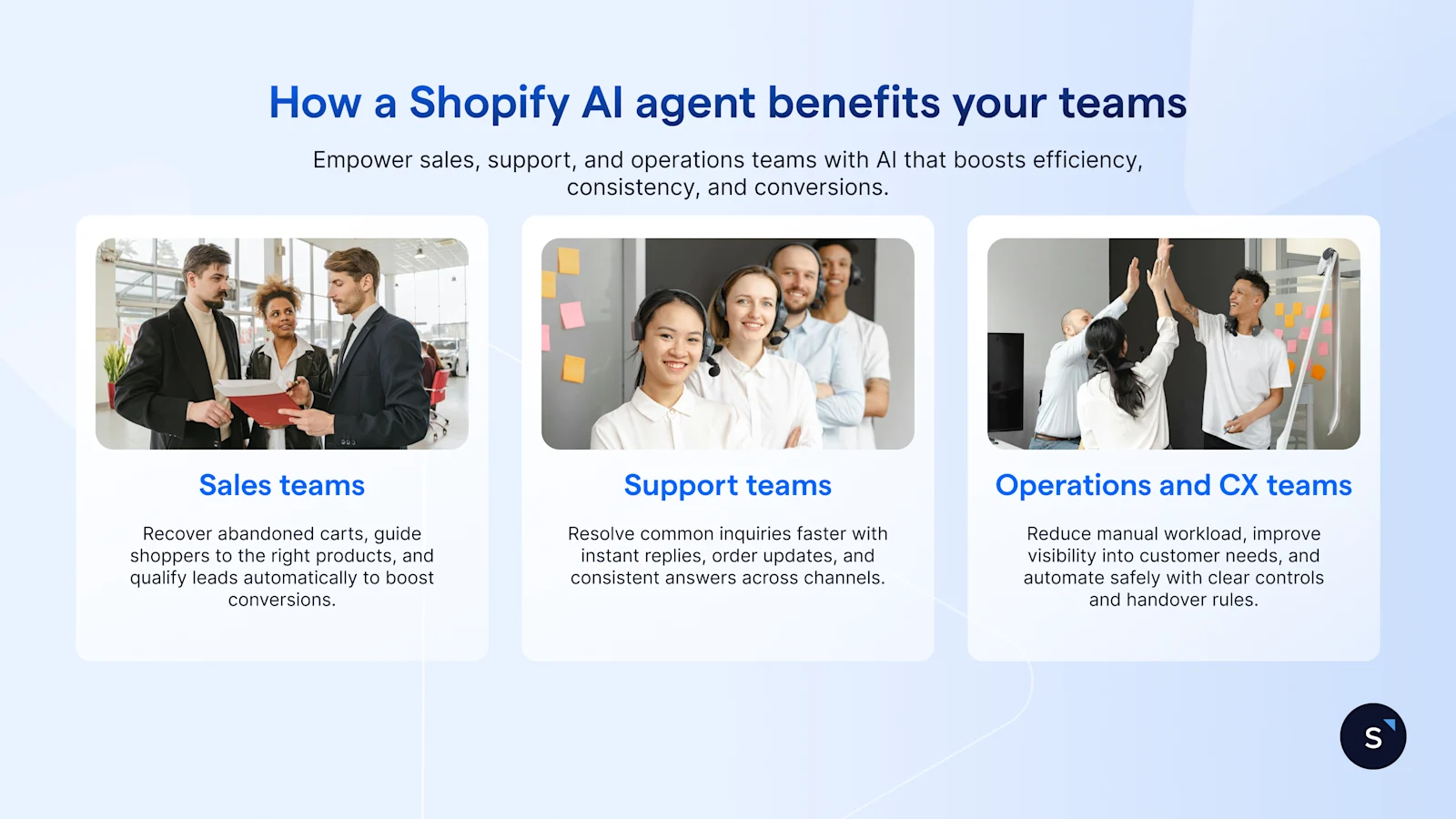
A Shopify AI agent pays off fastest when it takes on repetitive, high-volume conversations, while your team focuses on edge cases and high-value customers.
For sales teams
Recover more revenue from abandoned carts with timely nudges and objection handling
Increase assisted conversions by guiding shoppers to the right products faster
Improve lead quality through automated qualification and routing
For support teams
Reduce “where is my order?” volume with proactive updates and tracking help
Improve first response time on WhatsApp/Instagram even outside business hours
Keep policy answers consistent (returns, shipping, warranty) from one approved source
For operations and CX teams
Lower cost per resolution by automating repeatable requests at scale
Get clearer insights into what customers ask and where they drop off
Automate more safely with handover rules, restricted actions, and audit trails
What to measure: first response time, ticket deflection rate, cart recovery rate, assisted conversion rate, CSAT, opt-out rate.
Shopify workflows you can automate with AgentFlow
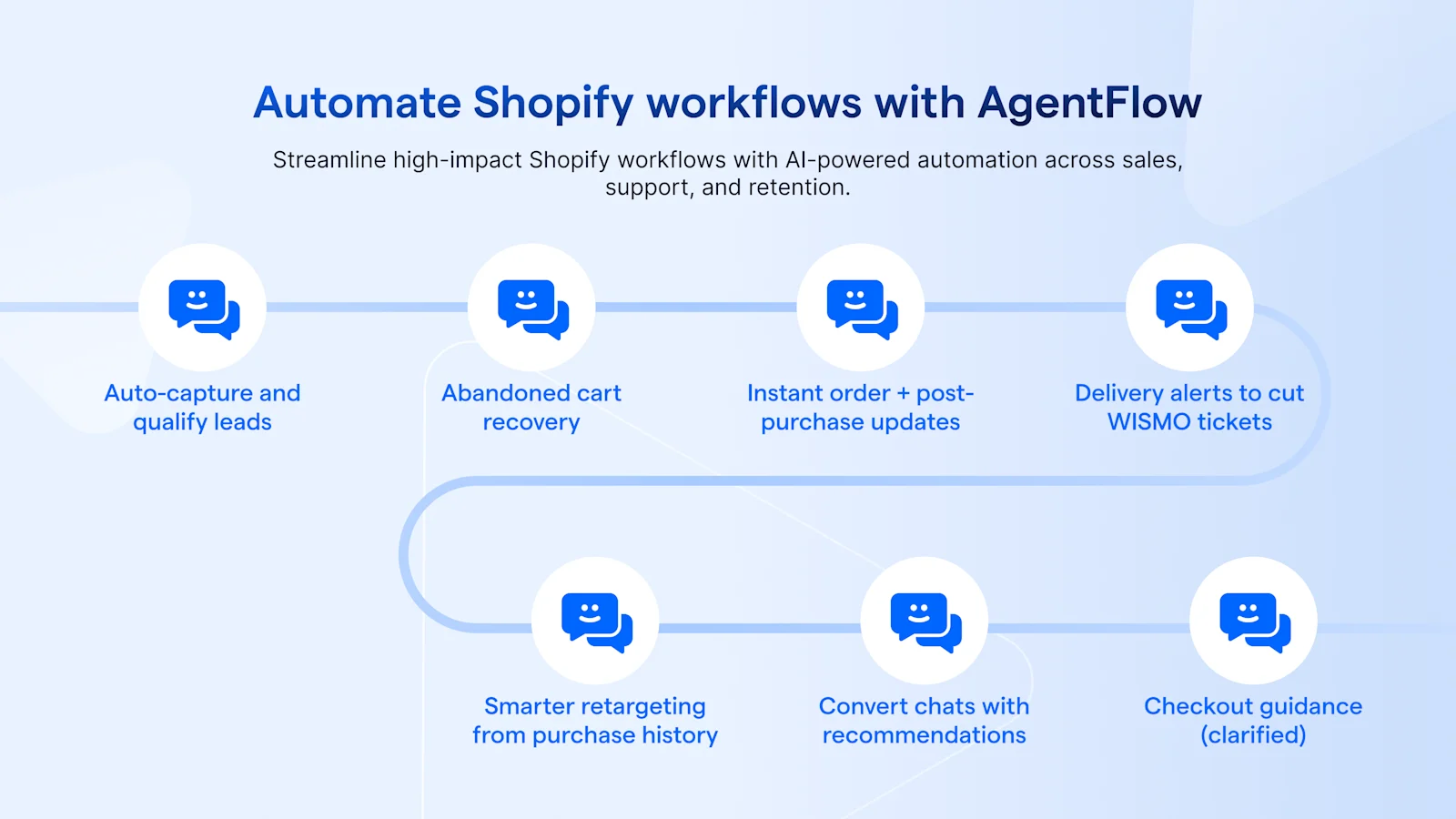
Below are practical, high-impact workflows—with mini playbooks you can copy into your rollout plan.
1. Capture, nurture, and qualify leads automatically
Engage visitors instantly via web chat, WhatsApp, or Instagram, then qualify them and route high-intent leads to sales.
Mini playbook
Trigger: visitor starts a chat / clicks “Message us”
AI goal: identify needs + budget + timeline (3–5 questions max)
Data used: FAQs/knowledge base, product catalog (if synced), lead answers
Escalation: if the user asks for a quote/discount or shows high intent → route to a human
KPI: qualified lead rate, time-to-first-response, assisted conversion rate
2. Abandoned cart recovery
Win back revenue with timely reminders and relevant incentives.
Mini playbook
Trigger: cart/checkout abandoned (after X minutes/hours)
Message: friendly reminder + “return to checkout” link + optional incentive
Data used: abandoned items, price, availability, captured shopper name
Escalation: sizing/shipping/payment issues → route to human or answer from policy KB
KPI: recovery rate, revenue recovered, opt-out rate
3. Instant order confirmation + post-purchase guidance
Reduce buyer anxiety and boost satisfaction right after purchase.
Mini playbook
Trigger: order created/paid
Message: confirmation + expected timeline + “need help?” prompt
Data used: order number, purchased items, delivery method, policy snippets
Escalation: change address / cancel / refund → immediate human handover
KPI: “where is my order?” deflection, CSAT, repeat purchase rate
4. Delivery updates to reduce “where is my order?” tickets
Proactively notify customers when order status changes instead of waiting for inbound tickets.
Mini playbook
Trigger: fulfilled / shipped / in transit / delivered
Message: status update + tracking link + next best action
Data used: fulfillment status, tracking URL, carrier info (if available)
Escalation: delay/damage complaint → route to support queue
KPI: support volume reduction, time-to-resolution
5. Strategic retargeting based on purchase history
Recommend complementary products or replenishment reminders (where applicable).
Mini playbook
Trigger: X days after purchase / product-category rule / VIP segment
Message: one personalized recommendation + clear CTA
Data used: purchase history, segment tags (from CRM if connected)
Escalation: bundle pricing, alternatives, bulk orders → route to sales
KPI: repeat purchase rate, AOV lift, reply rate
6. Convert leads directly in chats with catalog-aware recommendations
Sync your Shopify catalog so your AI agent can share accurate product suggestions during the conversation.
Mini playbook
Trigger: customer asks for recommendations
Message: short quiz → 2–3 product picks → product links
Data used: catalog, stock availability, pricing, descriptions
Escalation: special requests / wholesale / custom needs → route to sales
KPI: click-through rate, assisted conversion rate
7. Checkout guidance (clarified)
To reduce friction, your AI agent can guide customers toward checkout by sharing product links and cart/checkout links (based on your setup and channel rules).
Mini playbook
Trigger: customer signals intent (“I’m ready”, “How do I pay?”)
Message: summarize items + share checkout link + offer help
Data used: product links, cart context (where available), policies
Escalation: payment failure, delivery questions → route to support
KPI: checkout completion rate, top drop-off reasons
Real-world examples: AgentFlow AI automation in action
Below are two examples of businesses using AgentFlow to improve performance and achieve measurable results:
1. Anigma Technologies uses SleekFlow to recover canceled orders and abandoned carts on Shopify
Anigma Technologies wanted to reduce lost revenue from dropped purchases and improve post-purchase customer care without adding more manual work. With SleekFlow’s Shopify integration and automation, they proactively re-engaged shoppers at the right time and automated key transactional touchpoints (like shipment tracking and review requests). Their team could also view Shopify order data and purchase history alongside the conversation to respond faster and recommend the right products more confidently.
As a result:
Recovered 70% of Shopify canceled orders
Recovered 13% of Shopify abandoned carts
Grew customer base by 25% in two years
SleekFlow enables us to get customer feedback fast, which is important for us to learn and iterate our services from serving each customer.

Wael Ali
Marketing Manager, Anigma Technologies
2. Awfully Chocolate uses SleekFlow to handle high volumes of Shopify enquiries and speed up customer service
Awfully Chocolate needed to keep up with a high volume of customer enquiries while maintaining a fast, consistent support experience—especially during peak seasons. With SleekFlow, they automated replies to common FAQs using workflow automation, so agents could focus on complex requests. They also connected their Shopify store to sync customer context (e.g., purchase history and preferences) into SleekFlow’s CRM view, helping the team personalize support and recommendations without switching tabs.
As a result:
Received 2,000+ enquiries per month after implementation
Doubled customer service response speed
Enabled richer support with instant Shopify data sync (purchase history, preferences, recently viewed products)
Sleekflow has a straightforward UI that is friendly for all. You can figure it out within 1-2 days and begin conversing.

Christopher Hobday
Digital Project Manager
How AgentFlow keeps customer data protected in AI automation
AgentFlow runs on SleekFlow’s secure, compliance-first platform, so you can automate customer conversations while maintaining privacy, governance, and control.
Enterprise security and compliance: SleekFlow is SOC 2 Type II and ISO 27001 certified, with GDPR-aligned data protection practices that support strong security controls and risk management.
Controls to protect sensitive data: SleekFlow supports features like role-based access control (RBAC), data masking, and IP allowlisting to help prevent unauthorized access.
Responsible AI with human oversight: AI agents use only business-approved information you provide. Customer data isn’t used to train public AI models, and your team can monitor conversations, step in when needed, and continuously refine how the AI behaves.
Build, test, and scale with AgentFlow
A Shopify AI agent works best when it starts with the highest-volume conversations, then expands as you learn what customers ask most. Begin with one workflow such as order updates or abandoned cart recovery, make sure your knowledge base and guardrails (handover rules, restricted actions, approved policy answers) are solid, then scale into product recommendations, lead qualification, and post-purchase automation.
If you want a practical starting point, build your first Shopify AI agent in AgentFlow, connect your store data, and pilot one flow end-to-end. Once you see the impact on response time, ticket volume, and recovered revenue, you can roll out additional workflows with confidence.

Want to outcompete your peers with SleekFlow's help?
Book your personalised demo with SleekFlow today and unlock the potential of seamless communication


