TikTok integration: setup, types and benefits for business


TL; DR: Quick Summary
- Connecting TikTok to a CRM, online store, or messaging tool turns scattered engagement into a working sales pipeline.
- TikTok reached 3.80 million adult users in Singapore in late 2025, or 75.4% of everyone aged 18 and above.
- Four integration paths cover most needs: custom API, website plugins, third-party tools, and the TikTok Pixel.
- Singapore-registered accounts can use TikTok Business Messaging integration, unlike accounts based in the US, EEA, Switzerland, or the UK.
A video hits 50,000 views overnight. Comments and shares pile up, and somewhere in there a viewer messages the account asking about price or stock. By the time someone on the team spots it, that viewer has scrolled on.
The views were real. The revenue rarely follows, because the tools running the rest of the business— the CRM, the online store, or the support inbox, aren't talking to TikTok at all.
That's the gap TikTok integration closes. Connect the right systems and a comment, a message, or an ad click turns into a lead the team can actually act on, not a number sitting on a dashboard.
What is TikTok integration?
TikTok integration is the practice of connecting a TikTok Business Account to external software, such as a CRM, an e-commerce platform, or a messaging tool, so that data and conversations flow between the two automatically. Instead of running TikTok as its own island, a business handles TikTok leads, orders, and messages inside the tools it already uses every day.
Left unconnected, TikTok works as a one-way broadcast: a business posts, people watch, and any resulting enquiry gets copied into a spreadsheet by hand, if it gets captured at all.
A connected setup turns that broadcast into a pipeline. A lead form on a TikTok ad lands straight in a CRM. A direct message shows up in the same inbox as WhatsApp and Instagram. A product view feeds back a signal TikTok can use to find more buyers like that one.
Benefits of connecting TikTok to your business tools
Connecting TikTok to the rest of a business's stack turns scattered engagement into a structured pipeline: leads sync to a CRM without manual entry, messages land in one shared inbox, and TikTok's ad delivery improves because the platform receives real conversion signals back from connected tools.
Faster lead follow-up. Leads captured through TikTok Lead Generation ads sync straight into a CRM such as HubSpot or Salesforce, so a sales rep can respond within minutes instead of working through a spreadsheet export at week's end.
One inbox for every conversation. TikTok direct messages, WhatsApp, and Instagram DMs land in the same shared inbox, so nobody is checking four apps to answer one customer.
Sharper ad targeting. Connecting a TikTok Pixel or a CRM feeds real purchase and lead data back to TikTok, which uses those signals to find more people likely to convert, rather than optimising on views alone.
Synced product catalogues. Linking TikTok to Shopify or a similar platform keeps prices, stock levels, and descriptions consistent across every channel, cutting the manual updates that cause order mix-ups.
With TikTok reaching 75.4% of adults in Singapore, leaving these connections unmade means handing a large, already-engaged audience to whichever competitor bothers to follow up.
Types of TikTok business integrations
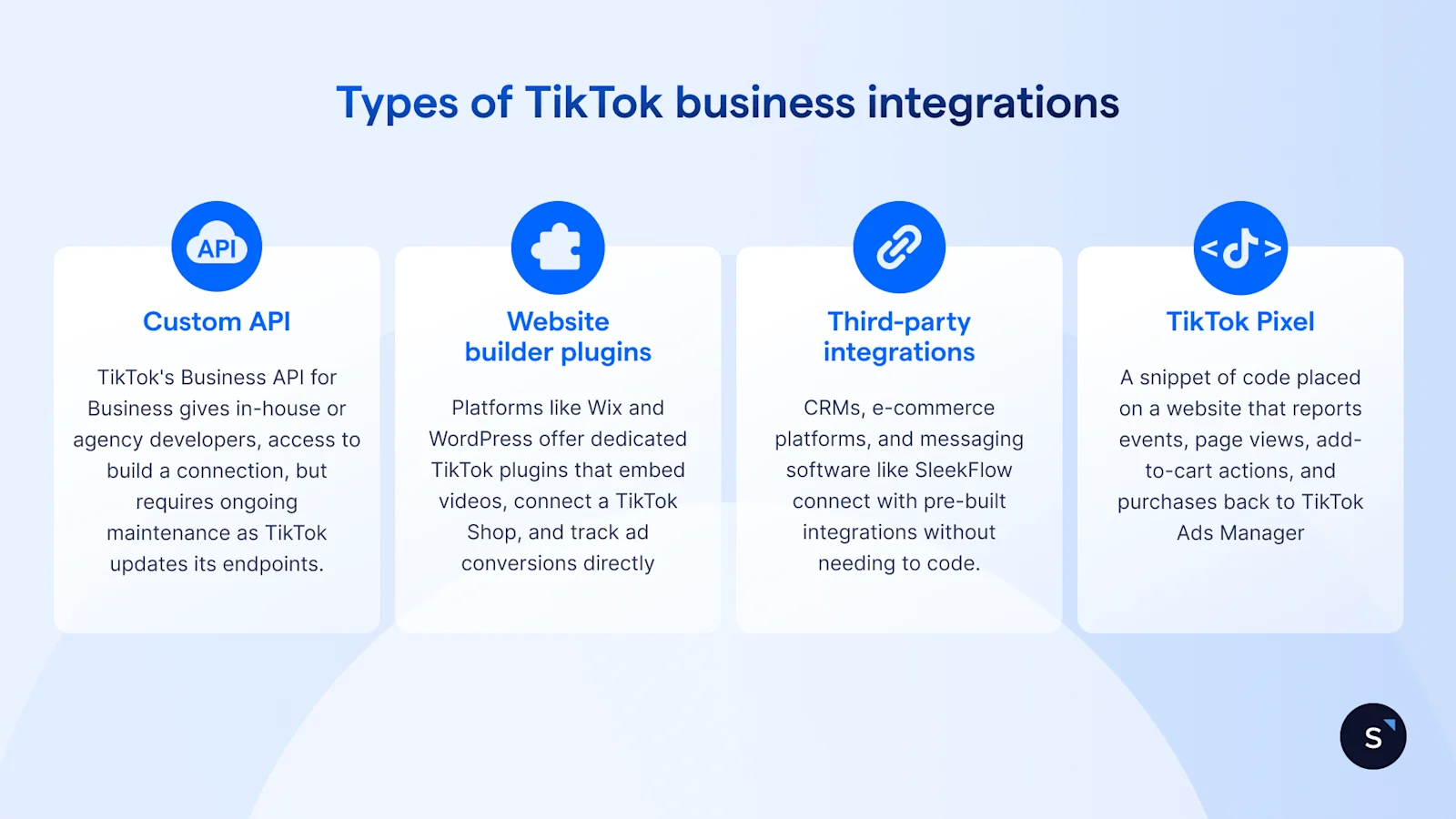
Four main paths connect TikTok to outside software: a custom API build, a website plugin, a third-party tool such as a CRM or messaging platform, or the TikTok Pixel for tracking. Most businesses combine more than one, pairing a Pixel for ad measurement with a third-party tool for lead handling, rather than picking just one path.
Custom API
TikTok's Business API for Business gives developers direct access to build a tailored connection, such as syncing leads to an internal system or triggering campaigns from external data. It needs an in-house or agency developer, plus ongoing maintenance as TikTok updates its endpoints.
Website builder plugins
Platforms like Wix and WordPress offer dedicated TikTok plugins that embed videos, connect a TikTok Shop, and track ad conversions directly from the website, without touching the site's code.
Third-party integrations
CRMs, e-commerce platforms, and messaging software (SleekFlow among them) connect to TikTok through pre-built integrations, giving a business lead sync, shared inboxes, or automated workflows without writing any code.
TikTok Pixel
The TikTok Pixel is a snippet of code placed on a website that reports events, page views, add-to-cart actions, and purchases back to TikTok Ads Manager. It's the standard way to measure ad performance and build retargeting audiences.
Reach for the custom API only when an off-the-shelf tool genuinely can't do the job. Everyone else is usually better off with a plugin, a third-party integration, or the Pixel, all faster to launch and none needing a developer on standby.
How to integrate TikTok with your existing business tools
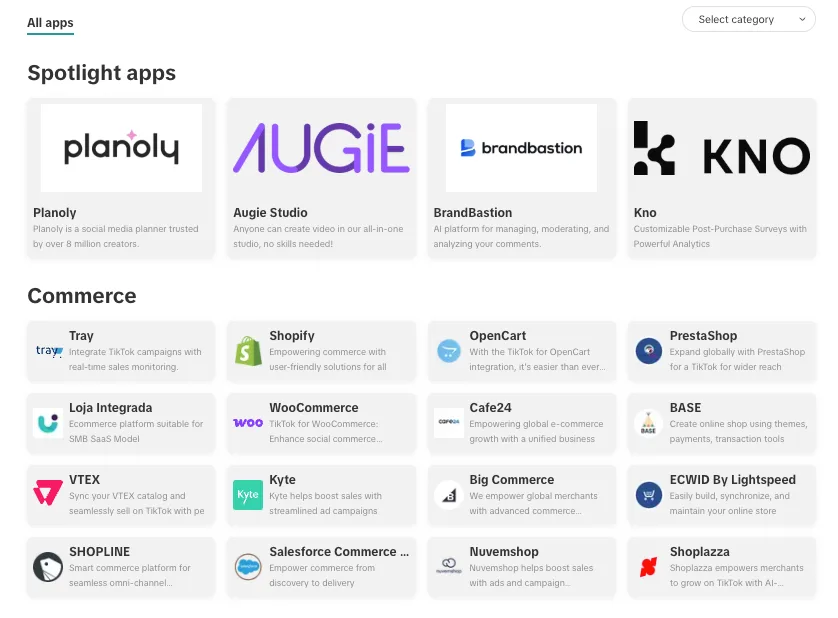
Most third-party and plugin integrations connect through TikTok's own App Center, a marketplace of pre-built apps for advertisers.
Open TikTok Ads Manager, then go to the menu and select App Center.
Search for the software already in use, a CRM, an e-commerce platform, or a messaging tool.
Click install and follow that app's own setup steps, usually a sign-in to the other platform to grant TikTok the permissions it needs.
Confirm the connection by checking that a test lead, message, or event appears on the other side.
For a custom API build, the shape is similar: register as a developer on TikTok's Business API for Business portal, get the relevant endpoints approved, and build against TikTok's documentation. That path needs a developer from the start.
How to integrate TikTok with SleekFlow
SleekFlow connects to TikTok two ways: Business Messaging, for direct messages, and Instant Forms, for ad-generated leads.
Connecting TikTok Business Messaging:
Confirm the TikTok account is a Business Account with Advanced Access, linked to TikTok for Business. Personal accounts can't connect.
In SleekFlow, go to Channels → Add Channel and select TikTok.
Click Connect with TikTok and log in with the Business Account credentials to authorise access.
Once connected, TikTok messages appear in the same inbox as WhatsApp, Instagram, and any other connected channel.
Connecting TikTok Instant Forms:
Set up a TikTok Lead Generation campaign with Instant Forms in TikTok Ads Manager.
In SleekFlow, connect the TikTok ads account under integrations and select the form.
New submissions flow into SleekFlow as leads, ready for automated follow-up or CRM sync.
How SleekFlow uses TikTok to drive business results
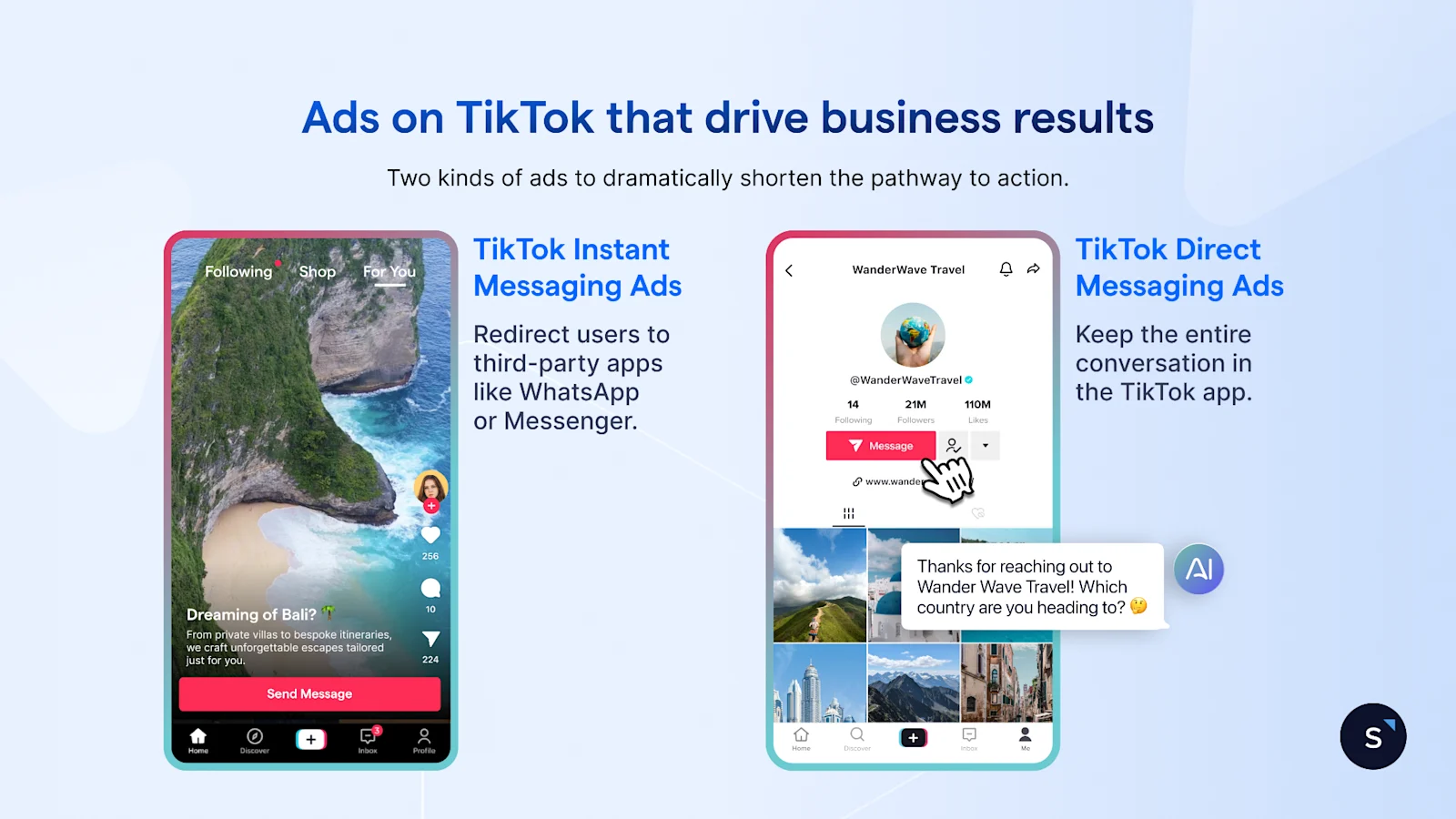
SleekFlow turns TikTok direct messages into a working sales channel rather than a second inbox nobody checks. Messages land in the same shared inbox as WhatsApp and Instagram, so a team isn't switching between four apps to answer one customer.
AI agents handle the first reply the moment a message comes in, then qualify the lead and hand off high-intent conversations to a salesperson, all inside TikTok's 48-hour messaging window.
Every qualified lead syncs to a CRM such as HubSpot or Salesforce automatically, so nothing sits in someone's TikTok notifications waiting to be copied out by hand.
Get TikTok conversations into a system that acts on them
TikTok integration isn't a one-time setup task; it's the difference between TikTok being a place people watch and a channel that sells. Start with whichever integration type matches an actual need: a plugin for the website, the Pixel for ad tracking, or a messaging tool for the conversations already piling up in the inbox.

Want to outcompete your peers with SleekFlow's help?
Book your personalised demo with SleekFlow today and unlock the potential of seamless communication


