Cloud CRM explained: how to choose the best platform for Singapore businesses


TL; DR: Quick Summary
- Cloud CRM is SaaS-based software accessed online, centralising customer data, conversations, and business activity in one system.
- It outperforms on-premise CRM for most businesses due to faster setup, lower IT overhead, easier scaling, and better integrations.
- Singapore businesses must factor in PDPA and DNC compliance, especially when handling customer data and outbound messaging.
- Modern CRMs go beyond storage, combining automation, analytics, and AI to drive sales, marketing, and support decisions.
- The best platforms are omnichannel-first, connecting WhatsApp, social, chat, and email directly to customer records and workflows.
For Singapore businesses, Cloud CRM is no longer a “nice to have”. It sits at the centre of sales execution, customer service, marketing automation, reporting, and increasingly, AI. That shift is happening at both the market and business levels: Gartner forecasts worldwide public cloud end-user spending of US$723.4 billion, underscoring how firmly business software has moved to the cloud.
What is cloud CRM?
A cloud CRM is a customer relationship management system hosted on the vendor’s infrastructure and accessed through a browser or app. In practice, most modern cloud-based CRM tools are also SaaS CRM tools, because the software is delivered as an online subscription rather than installed on your own servers.
What matters more is what it helps your teams do. A strong cloud CRM should centralise contact records, conversation history, deal activity, support context, campaign engagement, and operational data so sales, marketing, and service teams work from the same customer picture.
For businesses whose customer journey starts in chat, that definition needs to go further. If leads arrive through WhatsApp, Instagram, Facebook Messenger, website chat, or ads, your CRM should not treat conversations as an afterthought. It should connect those touchpoints directly to customer records, workflows, and revenue actions. That is where an omnichannel CRM becomes far more useful than a traditional database-led setup.
Cloud CRM vs on-premise CRM
The core difference is simple: cloud CRM is hosted by the provider, while on-premise CRM is installed and maintained on your own infrastructure. That affects implementation time, budget structure, upgrades, security operations, and day-to-day usability.
That does not mean cloud is “set and forget”. In Singapore, both PDPC and CSA guidance make the same broader point: cloud services can be highly secure, but security still depends on governance, configuration, and the shared responsibility model between provider and customer.
Benefits for businesses using cloud CRM
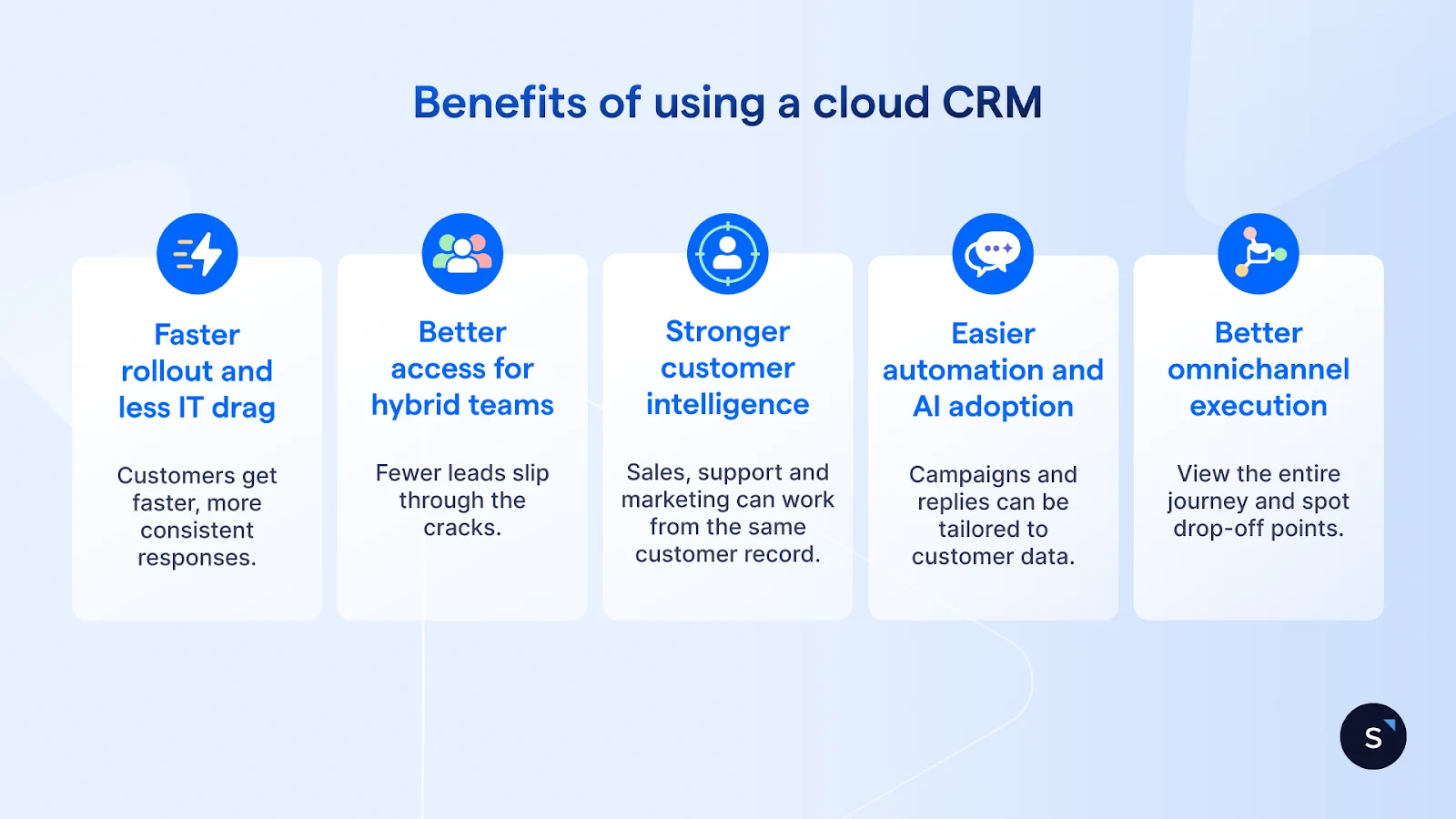
Faster rollout and less IT drag
A good cloud-based CRM usually gets teams live far faster than an on-premise CRM, because the infrastructure already exists. That reduces the time spent on procurement, patching, upgrades, and maintenance, and lets internal teams focus on adoption and process design instead.
Better access for hybrid teams
Sales, support, and marketing teams increasingly work across branches, devices, and channels. Cloud CRM supports that reality better because data is accessible in real time, not trapped in one office server environment. That matters in Singapore, where many SMEs are digital-first and operate lean teams across online and offline touchpoints.
Stronger customer intelligence
The real payoff is not storage. It is customer intelligence. When your CRM captures conversations, orders, preferences, past purchases, campaign engagement, and service context together, you get a more useful view of the customer and can act on it faster.
Easier automation and AI adoption
Modern CRM value increasingly comes from automation and AI rather than record-keeping alone. Singapore’s AI adoption figures point in the same direction, and most leading vendors now position AI as core to their CRM experience.
Better omnichannel execution
For many Singapore brands, customer relationships do not live in email alone. They unfold across WhatsApp, Instagram, Messenger, web chat, and service channels. A modern omnichannel CRM can centralise those threads and connect them to the same contact and workflow logic.
Key features you need in a cloud CRM
If you are evaluating platforms, use this checklist:
A unified customer profile that combines contact data, conversations, transactions, and activity history.
Workflow automation and AI CRM capabilities for routing, follow-ups, summaries, qualification, and next-best actions.
An omnichannel inbox for WhatsApp, Instagram, Messenger, live chat, and other high-intent touchpoints.
Strong CRM integration options so your CRM can sync with Shopify, Stripe, Salesforce, HubSpot, or other business systems
Reporting and analytics that go beyond activity logs and help teams measure pipeline, response times, conversions, and campaign impact.
Security controls such as role-based access, two-factor authentication, IP allowlisting, and data masking.
How to choose the right cloud CRM
Choosing the right cloud CRM should start with business priorities, not vendor demos. Many companies compare platforms by feature volume, but that often leads to overbuying, poor adoption, and messy implementation.
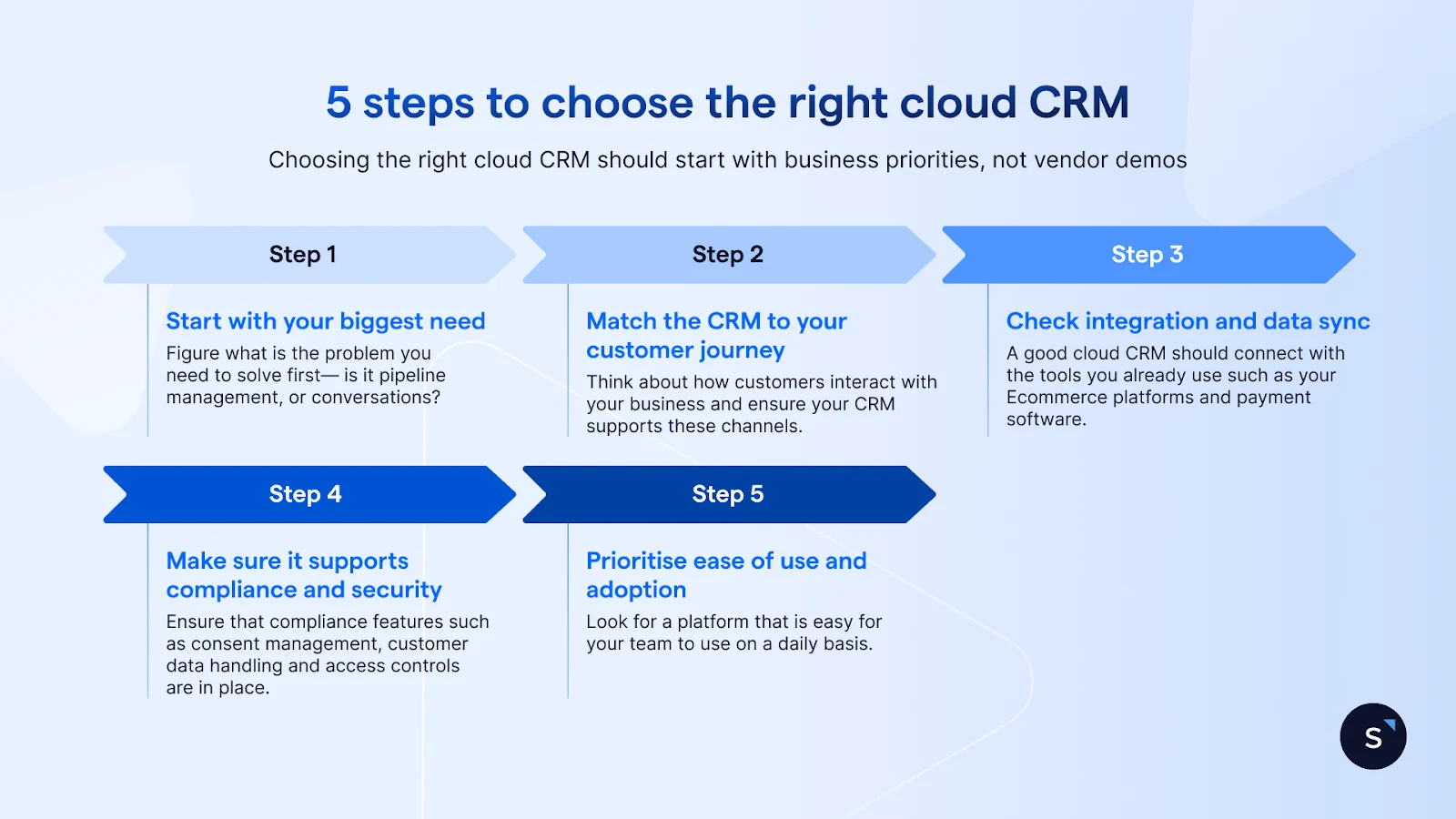
1. Start with your biggest business need
Choose a cloud CRM based on the problem you need to solve first. If your main focus is pipeline management and forecasting, a traditional sales CRM may work well. If your business relies on customer conversations, you need something more communication-led.
2. Match the CRM to your customer journey
Think about how customers actually interact with your business. If they enquire through WhatsApp, social media, or live chat, your CRM should support those channels properly instead of treating them as side features.
3. Check integration and data sync
A good cloud CRM should connect smoothly with the tools you already use, such as Ecommerce platforms, helpdesk tools, marketing systems, or payment software. This helps your team work from one clear customer view instead of switching between systems.
4. Make sure it supports compliance and security
For Singapore businesses, compliance matters. Your cloud CRM should support consent management, secure customer data handling, and access controls so teams can work efficiently without creating unnecessary risk.
5. Prioritise ease of use and adoption
The best cloud CRM is one your teams will actually use every day. Look for a platform that is easy to learn, simple to manage, and flexible enough to support sales, marketing, and support as your business grows.
Top 5 best cloud CRM for businesses in Singapore
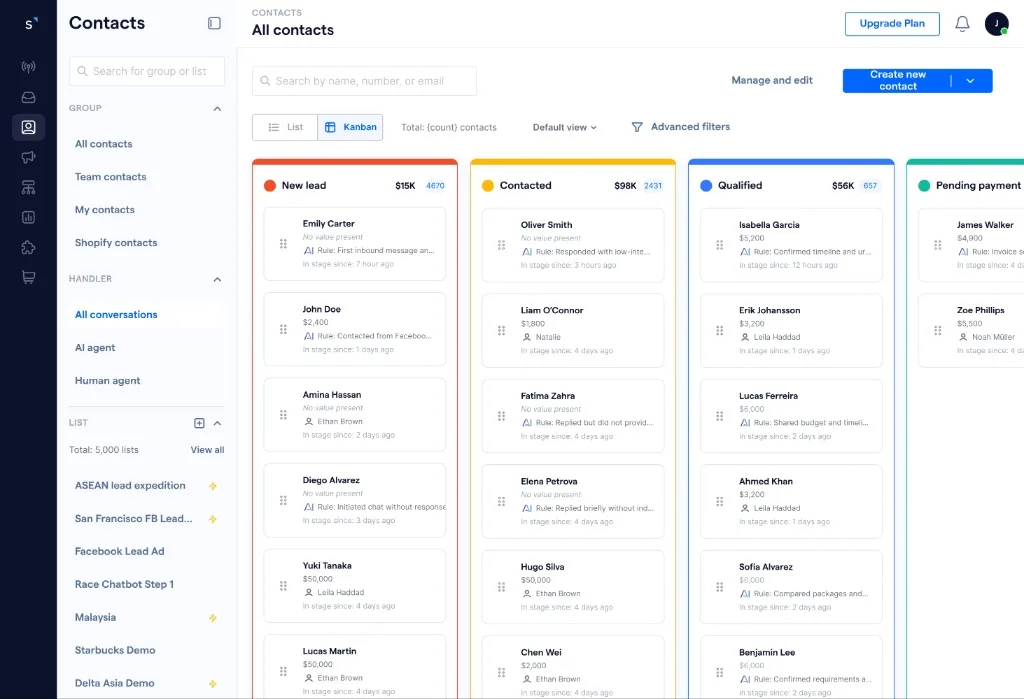
1. SleekFlow — best overall for chat-first businesses
SleekFlow is the strongest choice for Singapore businesses that sell, support, and engage customers through WhatsApp, Instagram, live chat, and other messaging channels. It is especially well-suited to teams that want customer conversations, CRM data, and automation to work together in one place.
Key strengths include:
Unified omnichannel inbox for WhatsApp, Instagram, Facebook Messenger, live chat, and other messaging channels
Unified customer profiles that bring together contact details, conversation history, and customer context
Workflow automation for routing, follow-ups, lead management, and repetitive tasks
AI capabilities including AI agents and smarter conversation handling
CRM integrations with platforms such as Salesforce, HubSpot, Shopify, and Stripe
Analytics and reporting for tracking team performance, conversations, and customer engagement
Ticketing and collaboration tools to support service and internal coordination
Security controls such as role-based access control, PII masking, and IP whitelisting
That makes SleekFlow the most complete fit for businesses that want both CRM visibility and real-time customer action within a single platform.
2. Salesforce — best for large enterprise sales teams
Salesforce remains a strong option for enterprises that need deep customisation, structured pipeline management, and advanced AI across sales, service, and data. It is especially well suited to businesses with complex processes, but for many mid-sized teams it can be heavier to implement and manage than a more conversation-led platform.
3. HubSpot — best for ease of adoption
HubSpot is a good fit for businesses that want an easy-to-use cloud CRM across marketing, sales, and service. Its AI CRM positioning and accessible interface make it attractive for growing teams, especially those that want quicker onboarding without a steep learning curve.
4. Zendesk — best for support-led operations
Zendesk is strongest for businesses where customer service is the main priority. Its platform is built around service workflows, AI agents, omnichannel support, and agent productivity, so it works well for support-heavy organisations, though it is less centred on conversation-led revenue workflows than SleekFlow.
5. respond.io — for conversation management, but less complete than SleekFlow
respond.io is strongest for businesses that mainly want to manage high volumes of chats, calls, and emails in one place with AI-assisted routing and lead qualification. Its positioning focuses heavily on customer conversation management and integration with external CRMs, making it useful as a conversation layer. But for businesses that want a more comprehensive platform for omnichannel engagement, CRM workflows, analytics, ticketing, security controls, and business-wide collaboration, SleekFlow offers a broader, more operationally complete solution.
How Singaporean businesses use SleekFlow’s Cloud CRM
Awfully Chocolate uses SleekFlow CRM to unify customer data and conversations on Shopify
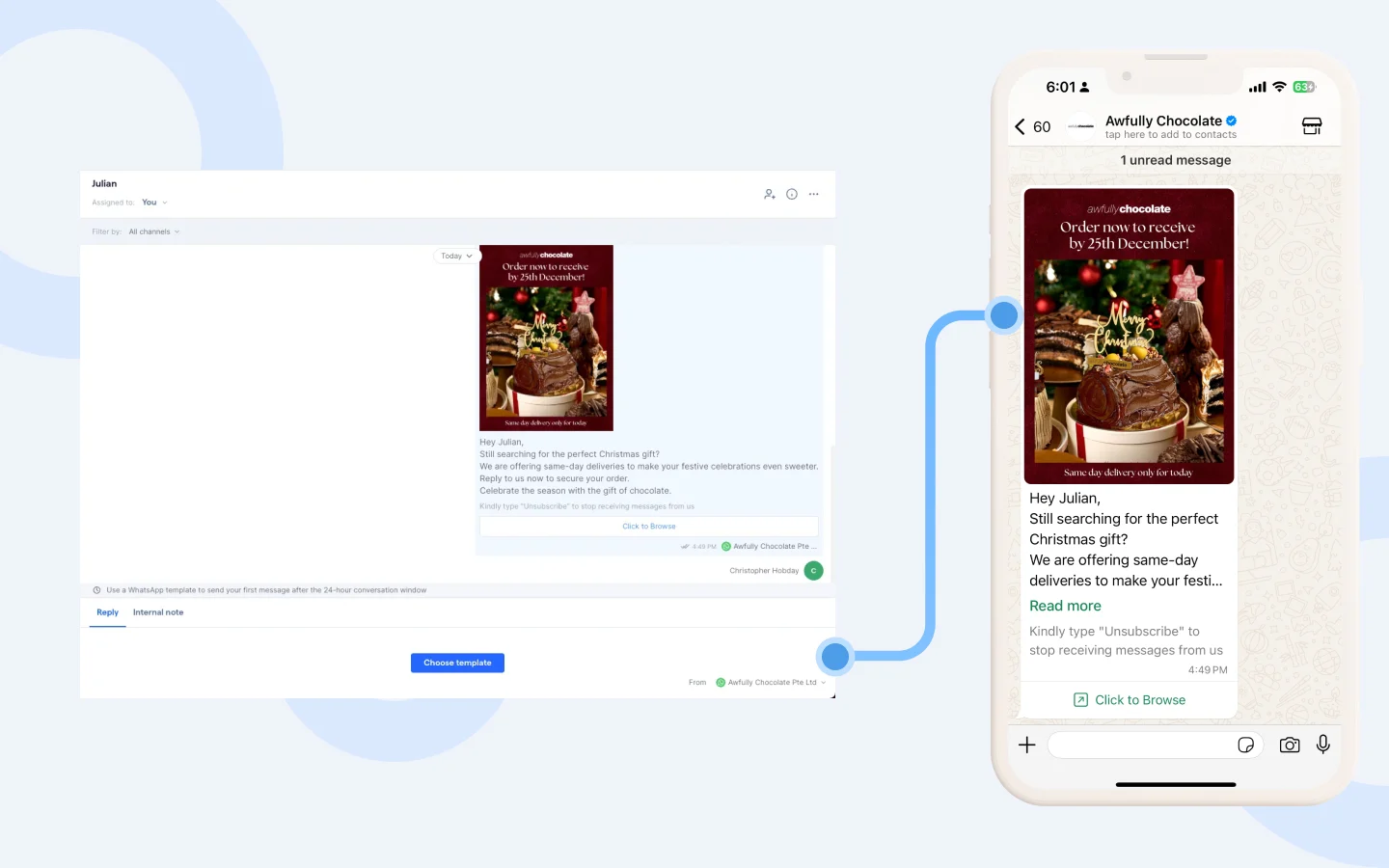
Awfully Chocolate uses SleekFlow CRM to centralise WhatsApp, Instagram, Facebook Messenger, and website chat in one place. With Shopify synced into SleekFlow Social CRM, the team can view purchase history, preferences, and recent activity beside each conversation. This helped the brand double response speed and manage 2,000+ enquiries per month more efficiently.
How2design4u uses SleekFlow CRM for lead management and segmentation
SleekFlow is the one and only. I would suggest their solution to others.
Timothy Poh
Marketing Director of How2design4u
How2design4u uses SleekFlow CRM to organise customer details, label and segment leads, and track sales progress more clearly. The team uses SleekFlow Social CRM to manage structured information such as lead status, quotation details, and lead source, making follow-up more personalised and sales planning more structured. Combined with SleekFlow’s omnichannel lead capture and automation workflows, the business generated S$450,000 in revenue and doubled its leads.
Frequently Asked Questions
Is cloud CRM secure?
Is cloud CRM the same as SaaS CRM?
What is the difference between cloud CRM and on-prem CRM?
Can small businesses use Cloud CRM?
How long does Cloud CRM implementation take?
Does cloud CRM include AI?
Can cloud CRM improve customer intelligence?
What teams should use cloud CRM besides sales?
Start for free!
Grow your revenue and turn chats into conversions with AI agents. Try SleekFlow for free, forever.


