Email now lives inside the SleekFlow AI suite


TL; DR: Quick Summary
- Most businesses run email and messaging as separate stacks, creating duplicated work, fragmented customer data, and slow response times
- Email is now a native channel in SleekFlow, alongside messaging, Instagram, Facebook, SMS, and VoIP call
- Marketing teams can build one automated flow that runs across email and messaging, with automatic channel fallback
- Sales teams get one shared queue for every inbound lead, with full contact history before every reply
- Support teams can manage email tickets alongside chat in one inbox, with automatic SLA tracking
- E-commerce teams can send transactional updates on the channel each customer actually uses, with automatic fallback when delivery fails
Most businesses run three, if not more, communication stacks. There's a conversational messaging platform for WhatsApp, Instagram, and Facebook. A separate email marketing tool for campaigns and lifecycle flows. And a helpdesk for inbound email support. Each one has its own contact records, its own automation logic, and its own reporting. None of them talks to each other cleanly.
The integrations that hold this together are brittle. The workflows that bridge the gaps are manual.
Today, that changes. Email is now a native channel inside the SleekFlow omnichannel inbox.
Email is now a native channel in SleekFlow
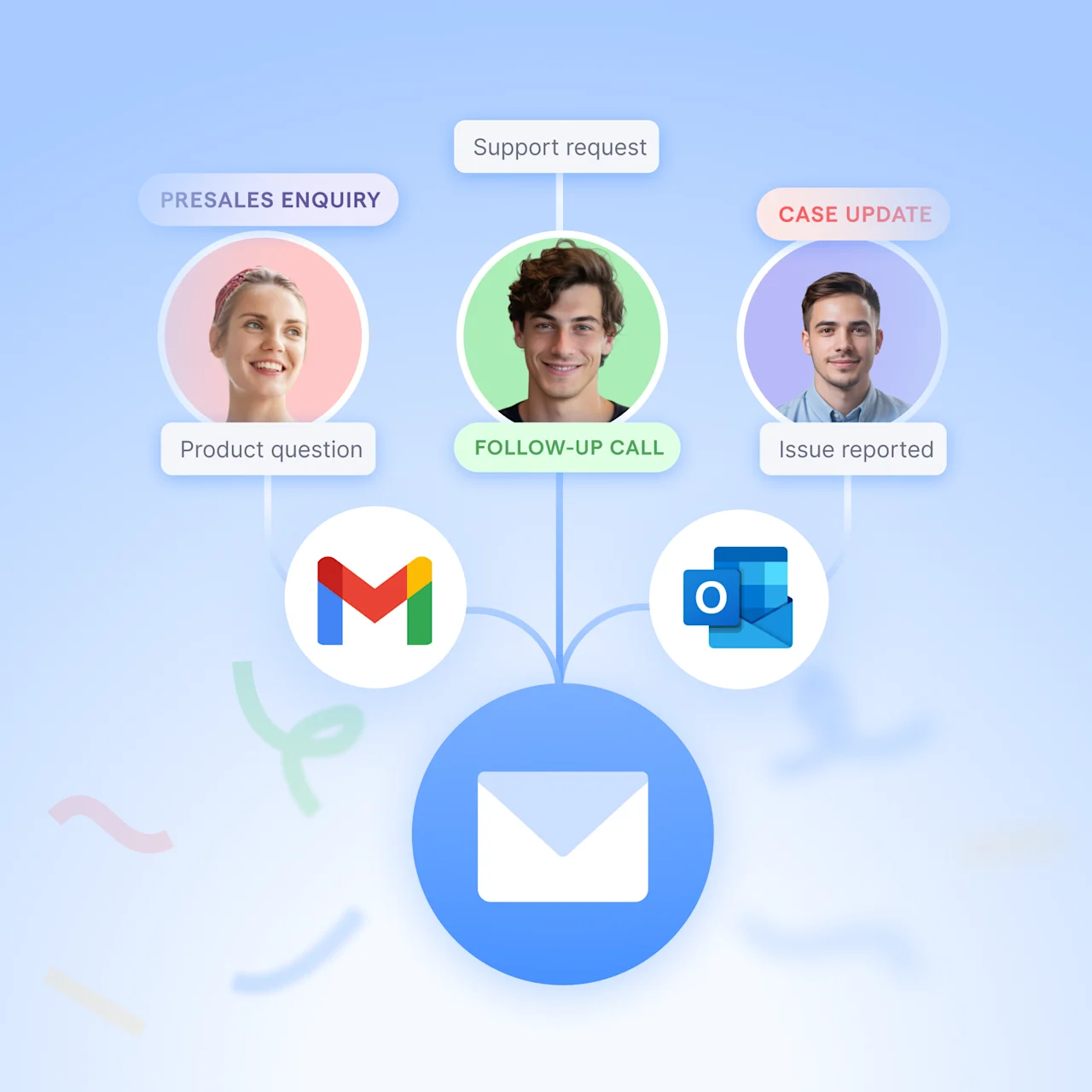
Email is now a native channel inside the SleekFlow omnichannel inbox. Handle inbound email alongside WhatsApp, Instagram, Facebook, SMS, and voice in a single workspace, with full automation, ticketing, and analytics built in.
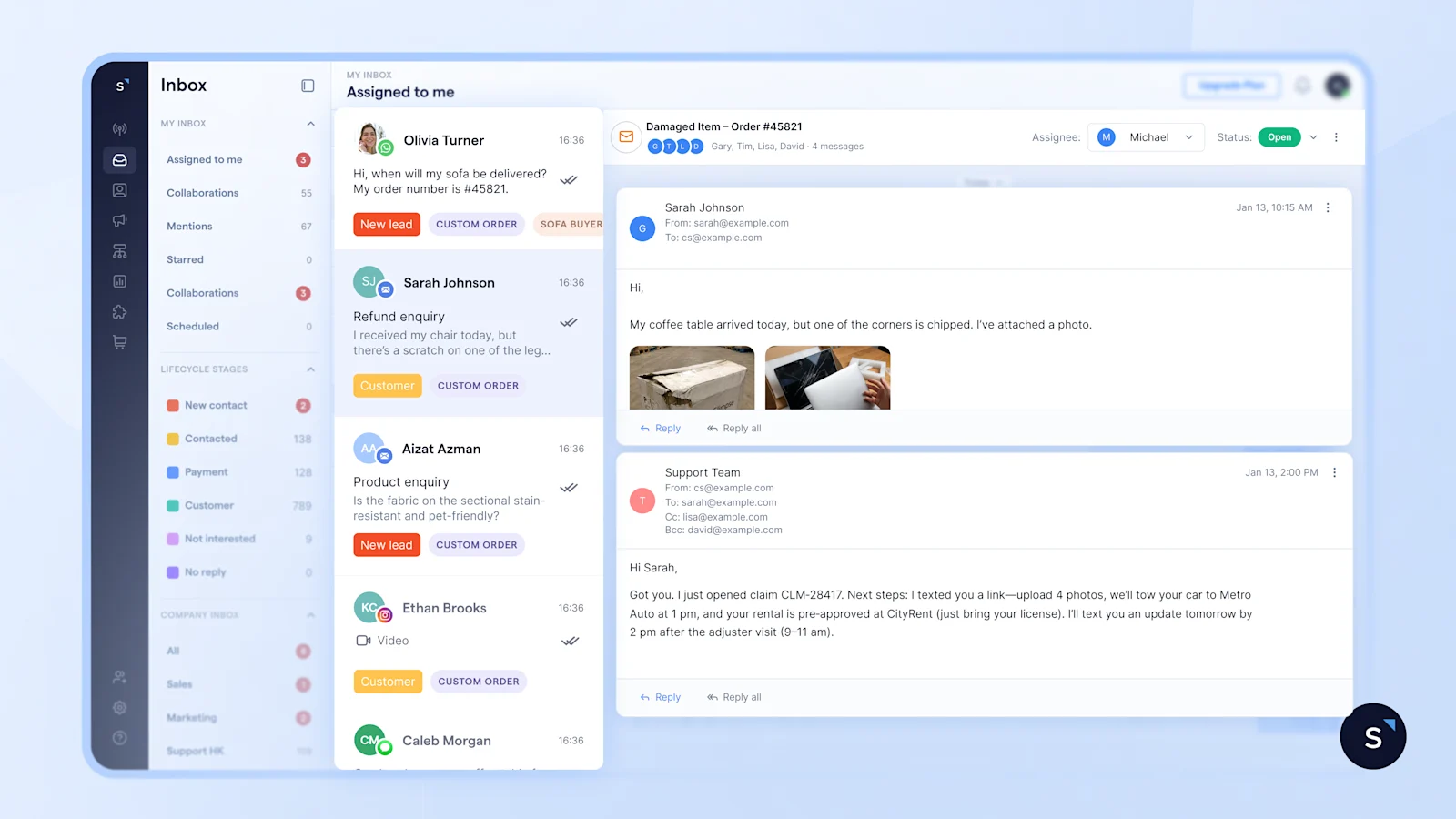
This is not an integration. It's not a connector to an external inbox. Email now lives inside SleekFlow the same way WhatsApp or SMS does.
SleekFlow email capabilities at a glance
For sales teams: make sure no inbound lead goes unanswered
Shared inboxes are where leads go to get lost. Emails to sales@, info@, or apply@ pile up with no owner, no SLA, and no clear visibility on who picked up what. Meanwhile, messaging leads are tracked in a separate tool entirely. Reps end up working across both without a clear picture of what's been claimed and what hasn't.
When a sales rep does engage, they're often doing it blind. The customer may have already sent a message, made a call, or filled in a form. Without a unified history, the rep asks questions the customer has already answered. That erodes trust before the conversation has even started.
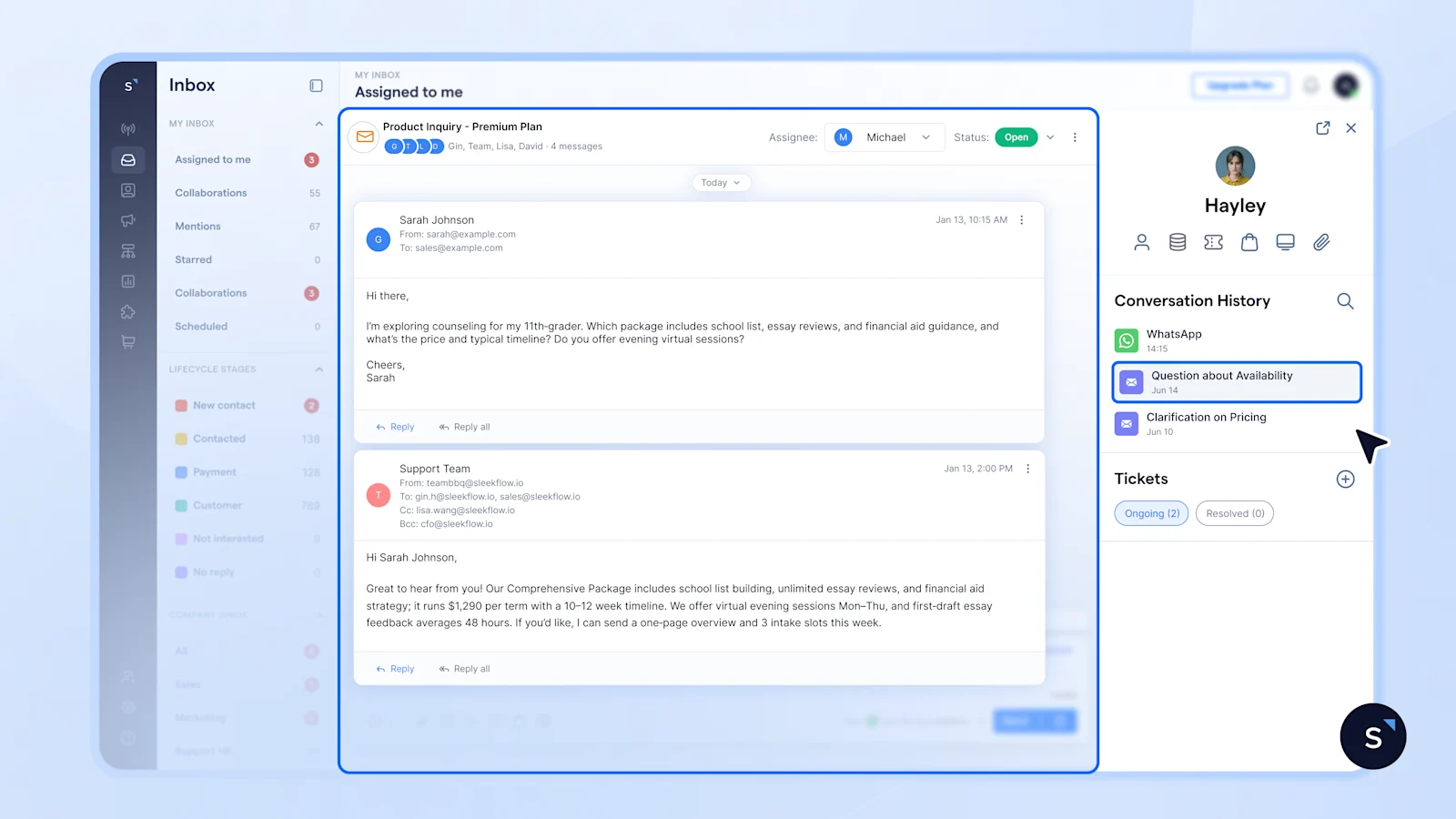
Never miss a lead with one shared queue for email and chat
When email and messaging leads land in the same inbox, every inbound enquiry is automatically routed by topic and distributed to reps via round-robin. Nothing sits unclaimed. Nothing gets buried in a noisy mixed stream.
Close sales faster by seeing the full context before engaging
A unified contact timeline means every email, messaging message, and call is visible in one place before a rep types a single word. Customers stop repeating themselves. Reps stop asking for information that's already on record.
Automatically sync lead data across channels to CRM easily
Lead data flows directly into Salesforce, Zoho, or HubSpot without manual copy-paste. Reps stay focused on conversations in one place while records in the CRM update automatically in the background.
For support teams: full customer context for better support
Most support teams manage email and messaging in different tools. Email lives in a shared inbox or a dedicated helpdesk. Messaging lives in a conversational platform. Agents switch between them constantly, and every switch costs time and context. SLA tracking is fragmented. Managers can't get a single view of backlog across both channels.
The result is slower resolution, higher agent frustration, and customers who feel like they're talking to two different companies depending on which channel they use.
Resolve faster by managing email and chat tickets in one place
When email is handled in the same workspace as messaging, ticket creation is automatic, SLAs are tracked in one place, and agents never need to switch tools to respond. Collaborators can be added to individual threads. Auto-replies confirm receipt and surface self-service answers within seconds, even outside business hours.
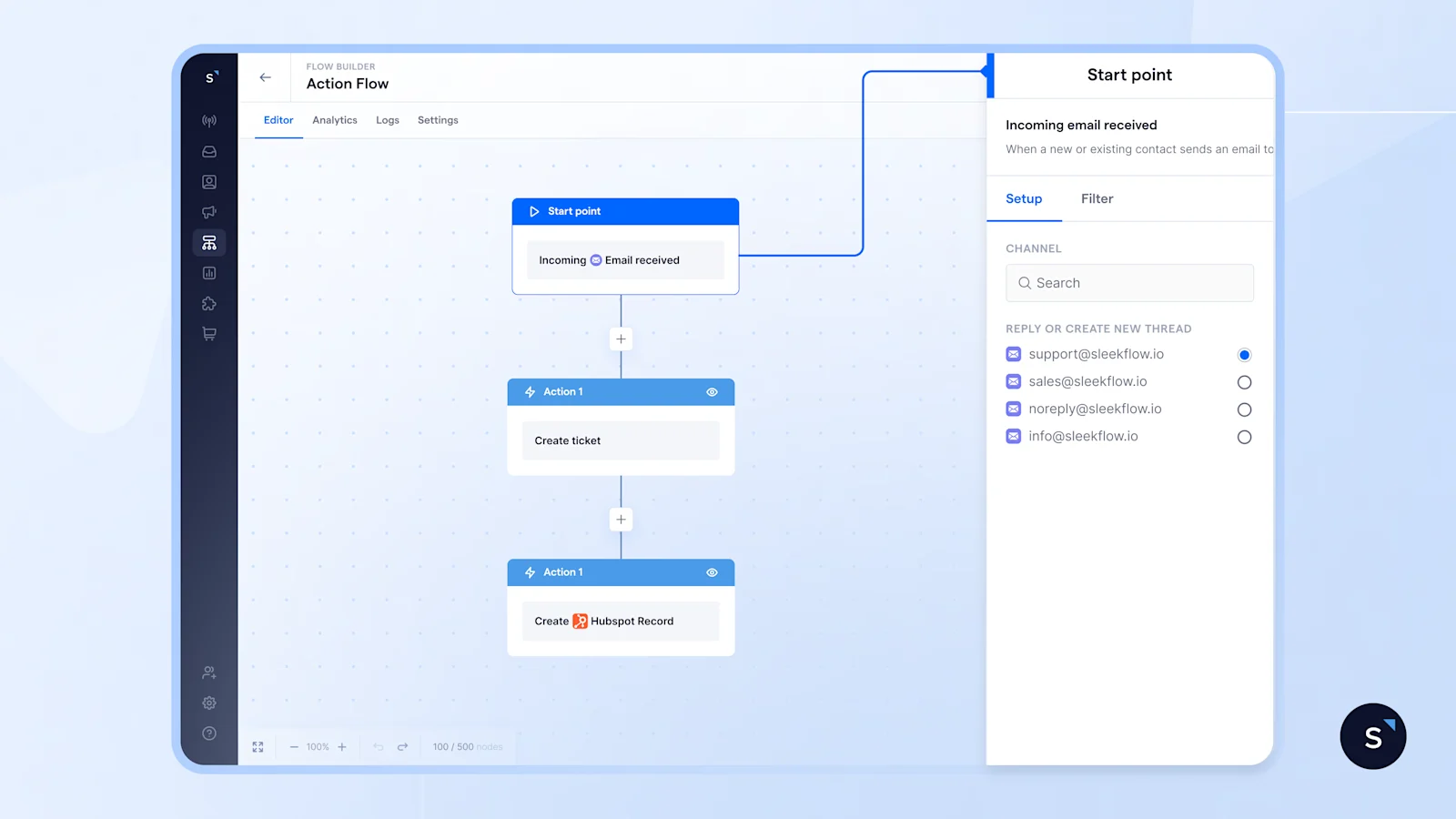
For support managers, this means:
Real-time visibility into ticket backlog across every channel
SLA compliance tracked in one dashboard
No reconciliation between a helpdesk and a messaging platform at the end of the week
For marketing teams: stop building the same experience twice
Running coordinated campaigns across email and messaging is harder than it looks. Most marketing teams end up building the same lifecycle flow twice, once in their email marketing tool and once in their messaging platform, then manually syncing audience lists via CSV exports whenever something changes. When the two flows drift apart, recipients get conflicting timing, inconsistent messaging, or duplicate offers. Nobody catches it until a customer complains.
Lead capture has a similar problem. Website chatbots collect email addresses and drop them into a spreadsheet. Someone imports that spreadsheet into the marketing tool the next day. By the time a rep reaches out, the lead has already moved on.
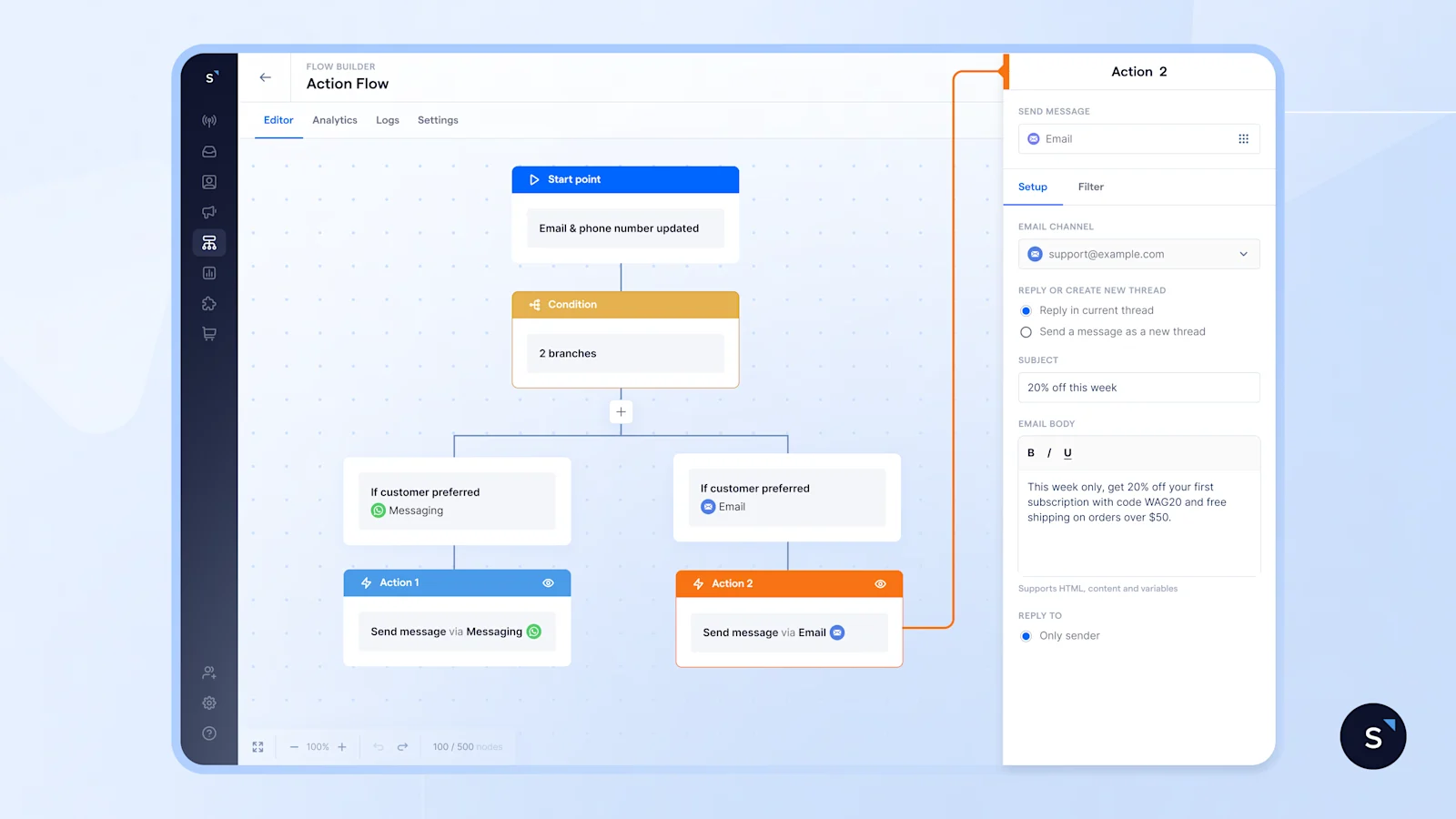
Deliver consistent campaigns across email and messaging
When email lives in the same platform as messaging channels, a single automation flow handles both. Email triggers sit alongside WhatsApp or SMS triggers. If a message isn't opened within a set window, the flow automatically falls back to the alternate channel, no manual intervention needed.
What this changes:
Lifecycle flows are built once and run across both channels
Non-engagers are automatically retargeted on their alternate channel
List-sync errors go away because there's only one list
For e-commerce teams: every update reaches the customer
Order confirmations, delivery updates, and booking notifications are only useful if they reach the customer. Most e-commerce teams send these on a single channel, regardless of whether that's the channel the customer actually checks. When the message delivery fails, there's no fallback. When customers don't see the update, they contact support. "Where's my order?" tickets pile up and inflate support load unnecessarily.
Abandoned-cart and post-purchase sequences have the same structural problem. They're often built and managed in a separate email marketing tool, disconnected from whatever is running on chat. Timing drifts. Offers conflict. Analytics are split across two platforms.
Cut support tickets by sending updates where your customers are
A single transactional flow sends confirmations, deliveries, and booking updates on whichever channel each customer uses. If delivery fails on messaging, the flow automatically retries on email. Customers receive the update. Support tickets go down.
Drive more repeat purchases with cross-channel post-purchase journeys
Cross-channel e-commerce sequences run from a single flow, with unified delivery tracking and analytics alongside every other campaign.
Adding customer engagement channels doesn’t mean adding more tools
Every time a business adds a new channel, they typically add a new tool. That tool needs its own integration, its own contact list, and its own reporting. The stack grows. The overlap grows. The cost grows.
Email being native in SleekFlow is the opposite of that pattern. It's one less reason to maintain a parallel stack, one less integration to break, and one less place where customer data lives in isolation.
If your team runs email separately from everything else today, this is a good time to revisit that setup.
Bring email and messaging together in SleekFlow
Built for marketing, sales, and support teams who are ready to stop managing channels in silos.


