WhatsApp Salon Automation Integration and Booking Management System


TL; DR: Quick Summary
- WhatsApp is a powerful channel for salons to manage bookings, inquiries, and promotions in one place, improving efficiency and client experience.
- It enables real-time, personalized engagement, allowing clients to book appointments, share inspiration, and receive reminders—reducing no-shows and boosting retention.
- WhatsApp Business App vs API: App suits small salons, while API supports automation, multi-user access, and scalable marketing for growing businesses.
- Automation and broadcasts drive growth, with features like auto-replies, reminders, targeted offers, and click-to-WhatsApp ads increasing conversions.
- Rich media, CRM integration, and segmentation enhance personalization, helping salons deliver tailored experiences and build long-term loyalty.
- Real-world results show faster response times and higher sales, making WhatsApp a key tool for modern salon marketing and operations.
Running a successful salon is more than just delivering great haircuts and treatments—it’s also about keeping up with client inquiries, scheduling appointments, and promoting services. But managing these tasks across various platforms can get chaotic and time-consuming.
That’s where WhatsApp Business for salons comes in. Since many of your clients likely already use WhatsApp, it offers a convenient, efficient way to handle all your salon’s communication needs.
What is WhatsApp marketing for salons?
WhatsApp marketing for salons allows you to connect with clients directly in their personal messaging space, helping you build stronger bonds. Unlike easily ignored emails or basic SMS texts, WhatsApp allows hair studios, nail bars, and spas to engage clients more dynamically.
Using WhatsApp can turn a routine booking into an opportunity to deliver excellent customer service. Here’s how it can improve your marketing and client retention:
Let clients send inspiration photos for haircuts or nail art directly through chat, so stylists can prepare before the appointment.
Allow clients to book or reschedule appointments and ask questions without waiting on hold, creating a modern and seamless experience.
Send automated, personalized appointment reminders. WhatsApp's high open rates mean fewer missed appointments.
Broadcast tailored offers, like last-minute discounts or special spa packages, directly to specific client groups.
WhatsApp Business App vs API for salons
WhatsApp offers two solutions to support your business: the WhatsApp Business App and the WhatsApp Business API.
If you run a single-location salon and mainly need to handle bookings, answer questions, share service menus, and send occasional promotions manually, the WhatsApp Business App is usually the best place to start. It is free to download and includes a business profile, catalogs, greeting messages, away messages, quick replies, and support for up to four linked devices plus one phone.
If your salon has multiple branches, a larger front-desk team, or wants to scale with automated reminders, template-based follow-ups, and deeper system integrations, the WhatsApp Business API is the better fit. Meta’s WhatsApp Business Platform lets businesses send programmatic messages and approved template messages for use cases such as appointment reminders and other customer updates. Businesses can also onboard an existing WhatsApp Business App number to Cloud API through supported setup flows, so upgrading later does not always mean starting over with a new number.
Consent, broadcast rules, and pricing basics from WhatsApp
Marketing on WhatsApp is effective because the platform protects its users from spam. For salons, this means following specific rules for compliance, messaging, and pricing. Understanding these fundamentals will help you run legally sound and cost-effective marketing campaigns.
To succeed on WhatsApp, salon owners must adhere to these core principles:
Get active consent (opt-Ins): You must get explicit permission from clients before sending promotional messages. This can be done through a checkbox on your booking form or a sign-up sheet at your reception desk. Sending unsolicited messages violates WhatsApp’s commerce policies.
The 24-hour customer service window: When a client messages your salon, a 24-hour window opens, during which you can reply freely. After this window closes, you can only re-engage the client with pre-approved message templates.
Use message templates: For outbound marketing (such as announcing a new treatment) or automated notifications outside the 24-hour window (such as an appointment reminder), you must use message templates. These templates require approval from Meta to ensure they meet quality guidelines.
Conversation-based pricing: WhatsApp API charges per 24-hour conversation, not per message. Conversations are categorized into pricing tiers: Marketing (promotions), Utility (reminders), and Service (inquiries).
Why WhatsApp is the perfect tool for salon marketing?
Unlike SMS, WhatsApp offers a more trusted and secure platform, engaging clients through multimedia messages and real-time, two-way communication that builds lasting connections. These features make WhatsApp a powerful marketing tool for salons compared to SMS, and here’s why:
1. Build trust with blue tick verified business profiles
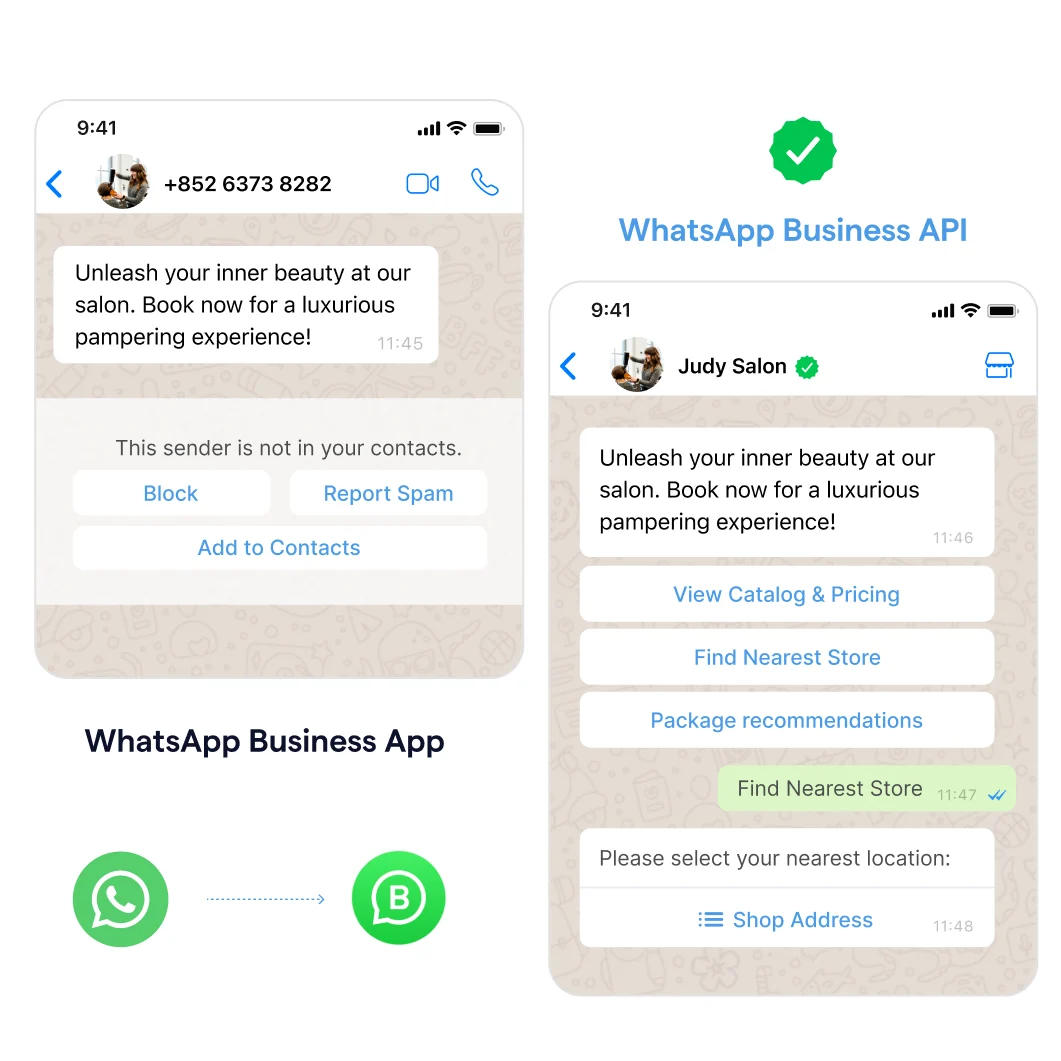
A verified business profile on WhatsApp helps you stand out and assures customers that they are interacting with a legitimate, trusted salon.
Coupled with WhatsApp’s end-to-end encryption, which SMS lacks, this ensures secure, private communication, giving customers peace of mind when sharing personal details.
2. Respond to customer inquiries anytime, anywhere with WhatsApp
With 82% of consumers expecting immediate responses to their inquiries, delays can cost you business.
Using WhatsApp Business API makes it easy to reply instantly, giving you a direct line to customers wherever you are. It helps you secure bookings and answer questions before customers look elsewhere.
3. Increased flexibility and team collaboration with multiple logins
When you use SMS for your salon marketing, you limit team collaboration because only one device can access the account.
With the WhatsApp Business App, your team members can log in to the same account on up to 4 devices, allowing multiple staff members to respond to clients simultaneously.
However, you would need a WhatsApp Business API if you have more than four devices or team members.
4. Showcase your salon with rich media sharing on WhatsApp
Sending media with WhatsApp is much cheaper than broadcasting MMS. Show off your salon’s masterpieces and promotion graphics directly in your customers' WhatsApp inboxes. Instead of making phone calls or visiting the salon, your customers can quickly inquire and get instant answers.
How to use salon text-message marketing on WhatsApp?
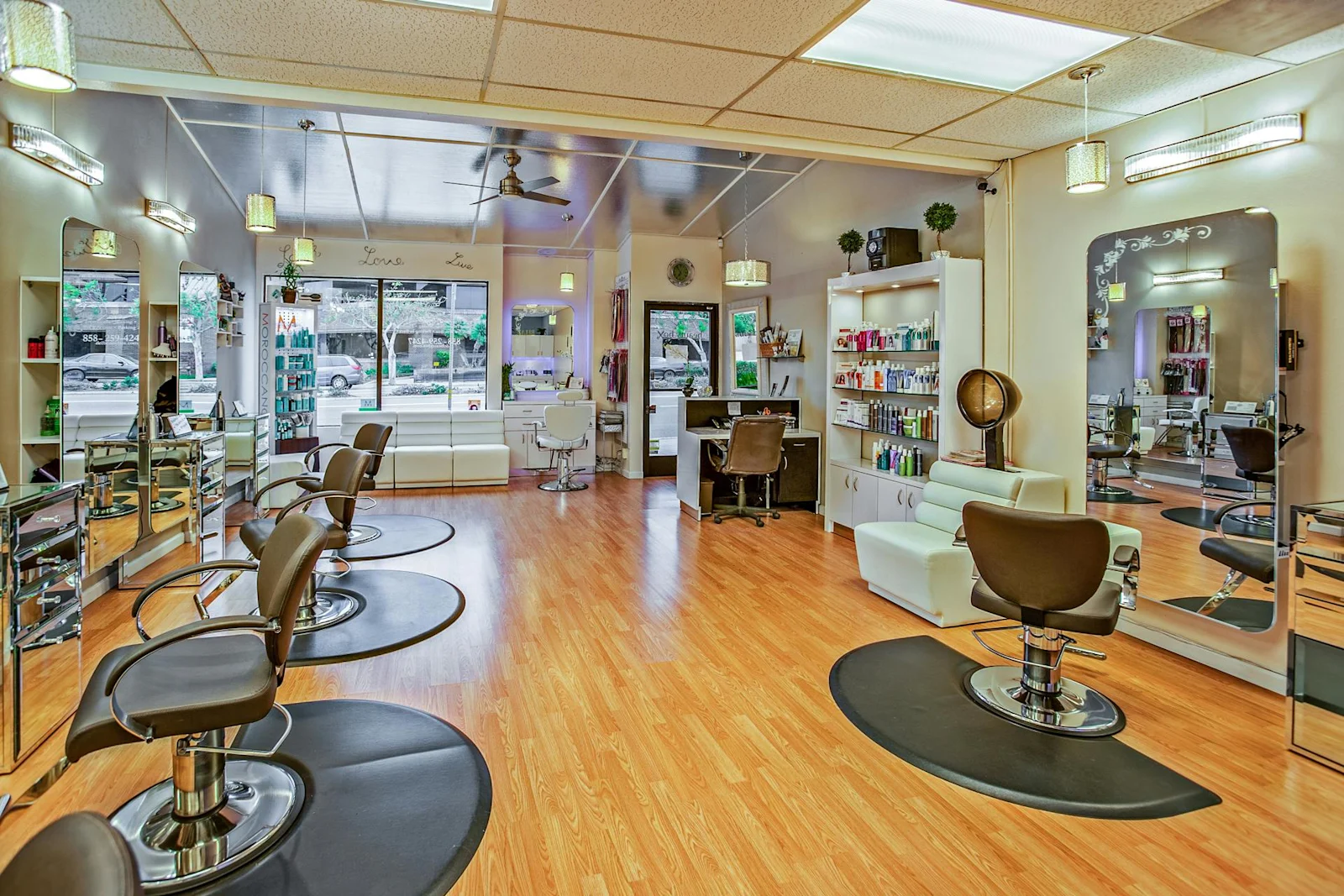
Image credit: Delbeautybox via Pexel
From handling inquiries to sending personalized broadcasts, Salon text message marketing with WhatsApp provides a direct line to your salon customers.
Drive salon traffic with click-to-WhatsApp ads on social media
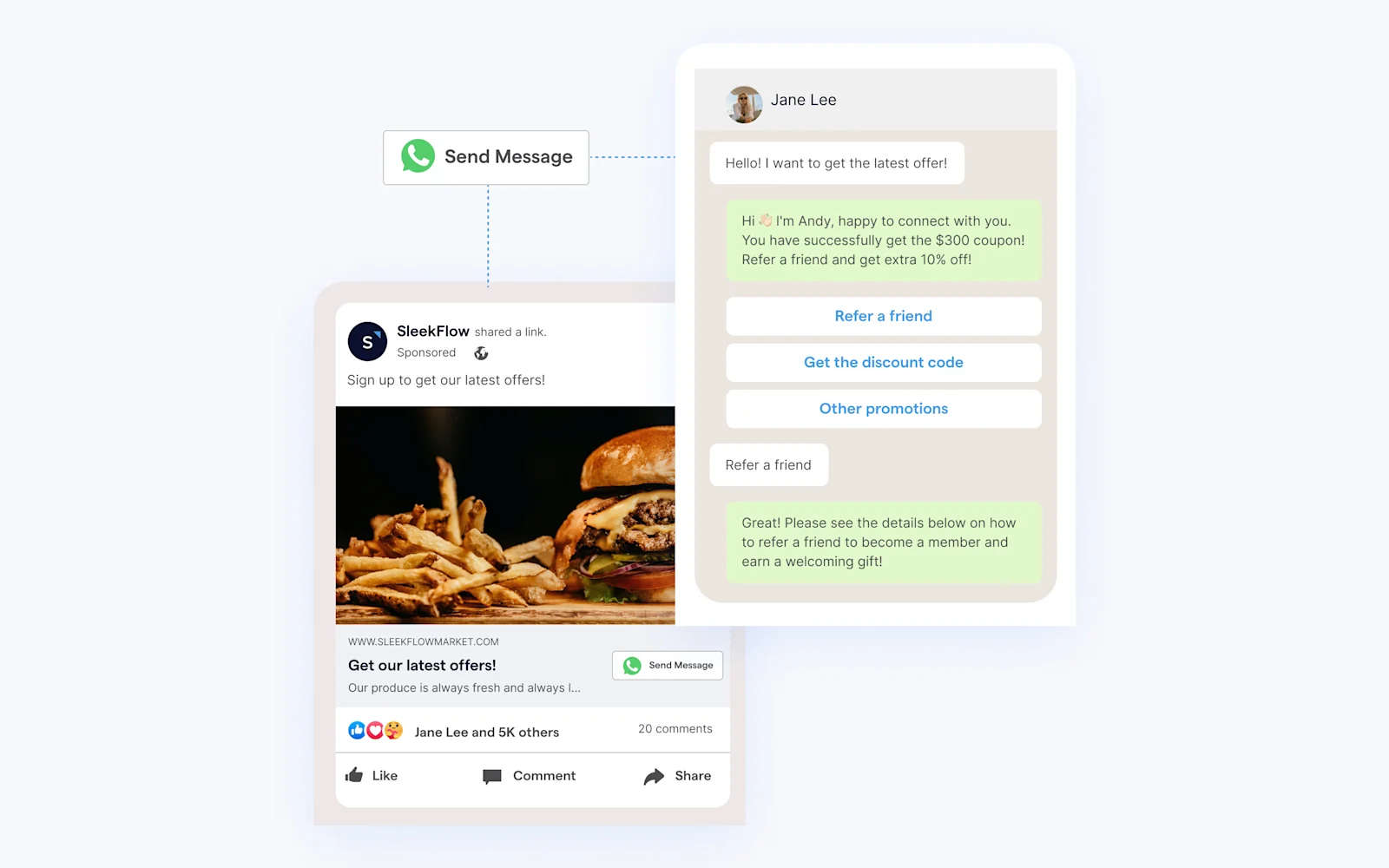
Click to WhatsApp ads (CTWA) is an ad format that appears in feeds and stories on Instagram and Facebook, as well as on Facebook Marketplace, allowing potential customers to connect with your salon directly on WhatsApp with just one click.
When someone clicks the ad, a WhatsApp chat opens instantly, making it easy for clients to ask questions or book appointments.
For example, if your salon runs a limited-time haircut offer on Instagram, CTWA ads direct potential customers to a WhatsApp chat for instant inquiries or bookings, simplifying the process and boosting conversions.
Learn how to set up CTWA using our detailed documentation.
Use WhatsApp Flows to acquire new salon customers
WhatsApp Flows on the Business Platform helps salons create interactive experiences by gathering leads, personalizing offers, and allowing customers to book appointments directly in the chat.
WhatsApp Flows is ideal for your salon business, but setting it up can be complex since it requires some coding knowledge. Here’s what it looks like when setting up the WhatsApp Flows:
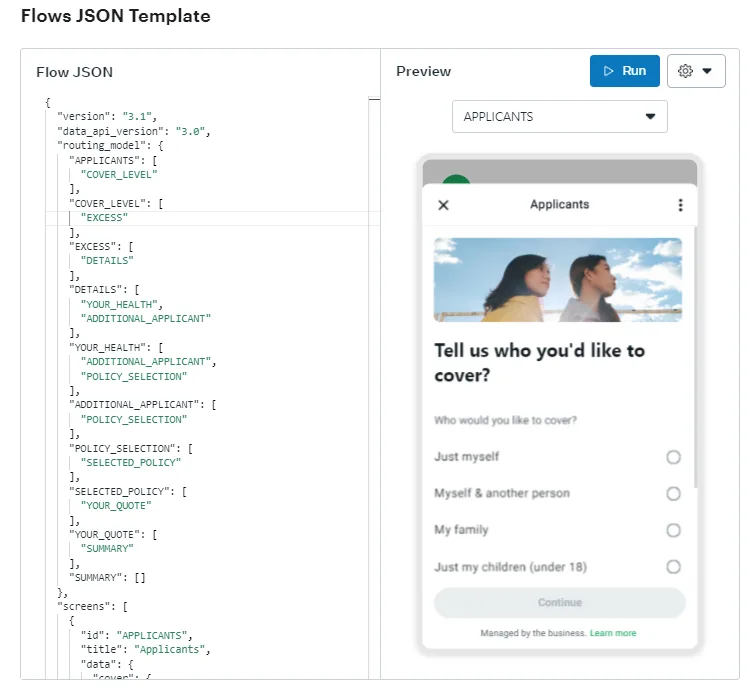
Source: WhatsApp Flow Docs: Facebook
If you are still interested in WhatsApp Flows, you can read the official video and text guides to create flows for your salon business.
Because of the complexity of the steps involved, it’s highly recommended that salon owners opt for the WhatsApp Business API with an official WhatsApp Business Solution Provider (BSP) like SleekFlow to achieve what WhatsApp Flows can, but without coding.
Simplify booking & promote special offers with WhatsApp QR codes
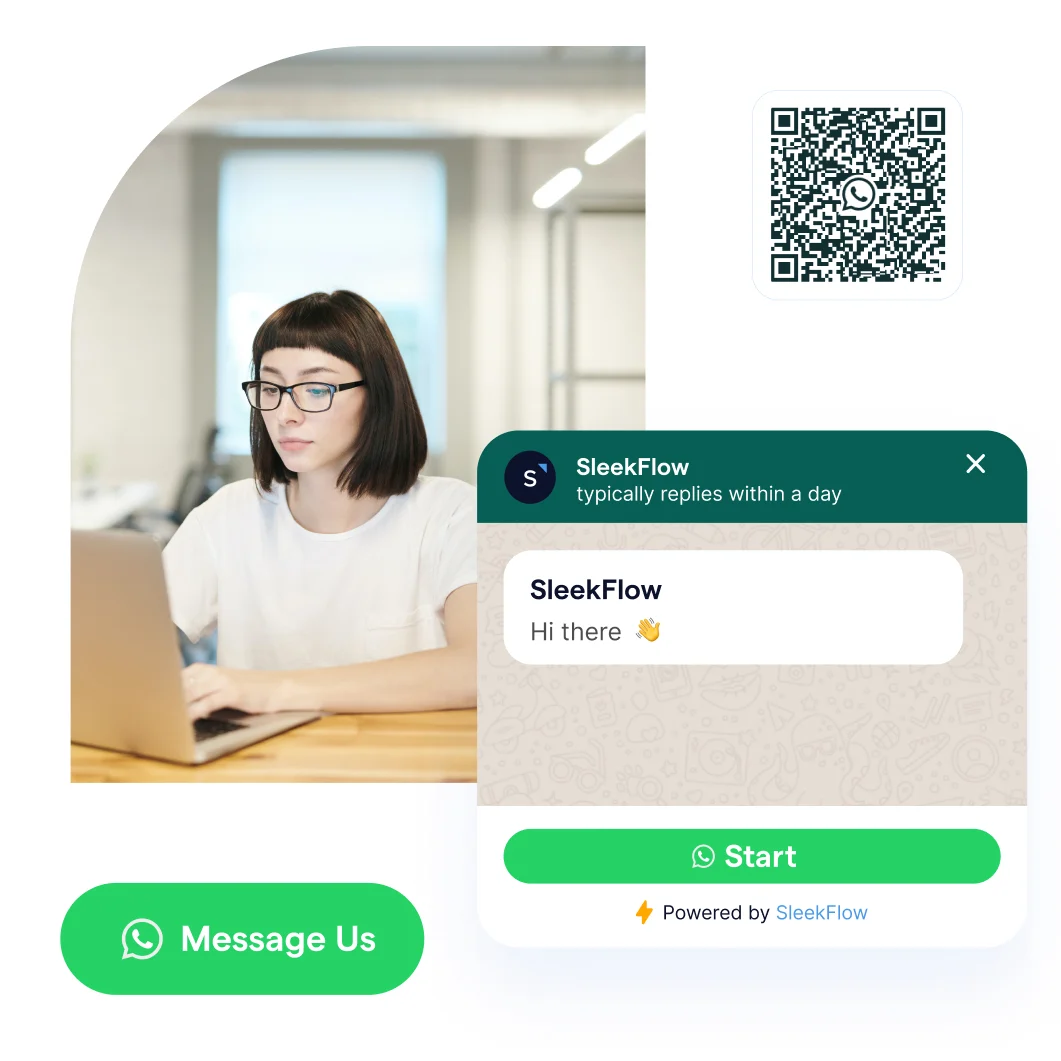
Salon businesses can seamlessly connect offline promotions with online customer engagement via WhatsApp QR codes.
As a salon owner, you can place WhatsApp-linked QR codes on your promotional materials, such as flyers, posters, or even at the salon entrance. When potential clients scan the QR code, they are immediately taken to a WhatsApp chat without having to save a contact number.
For example, a customer receives your salon's flier in the mail, which includes a WhatsApp-linked QR code. With one quick scan, they can ask about your services, book an appointment, or inquire about ongoing promotions.
Follow these easy steps to create your custom QR code:
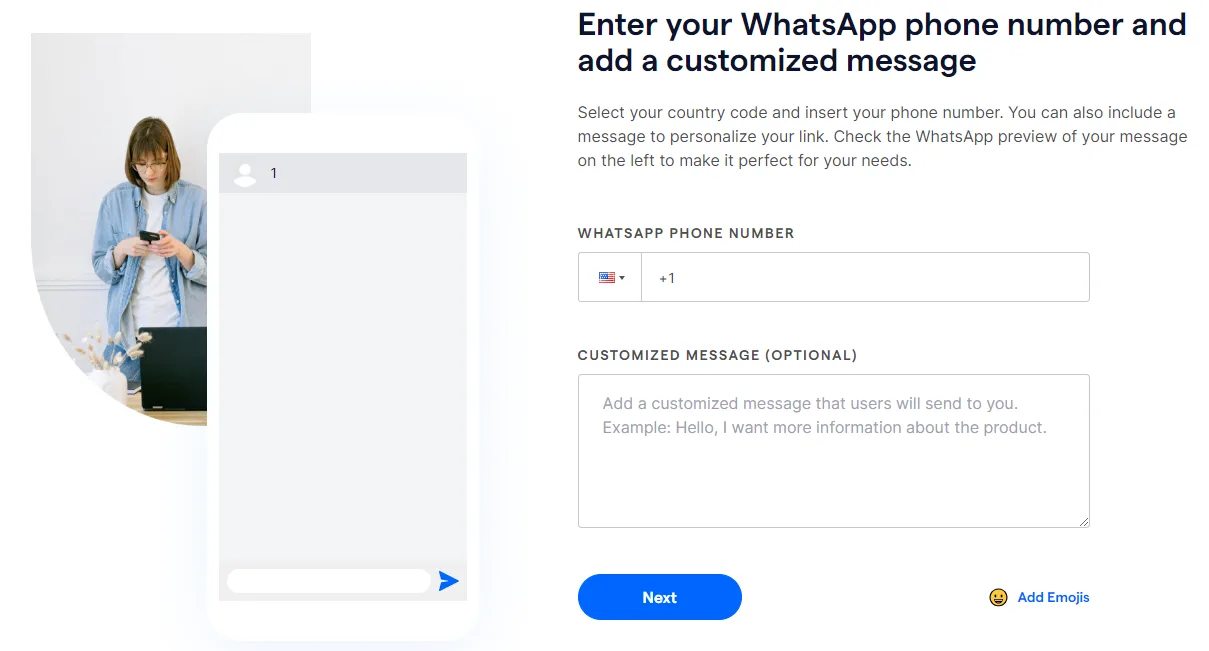
1. Use a WhatsApp Link Generator.
2. Input your WhatsApp number and a customized greeting message.
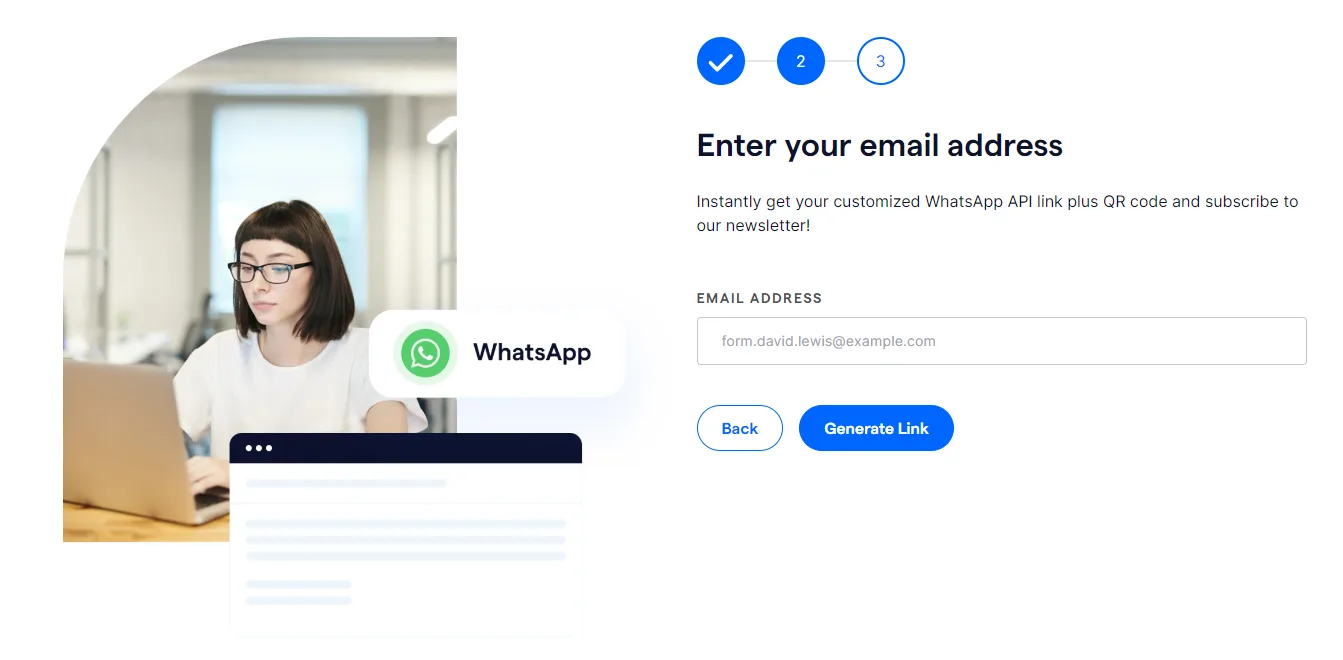
3. Provide your email address.
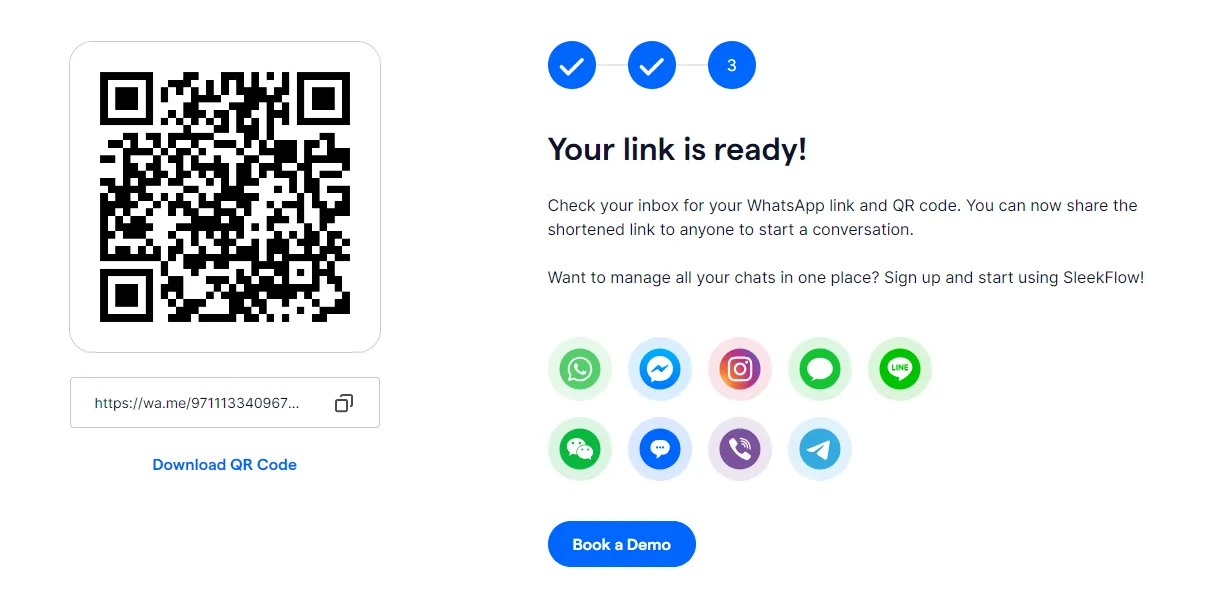
4. Download your QR Code and place it in your salon or on promotional materials.
Use automation to respond to customer inquiries with WhatsApp auto reply
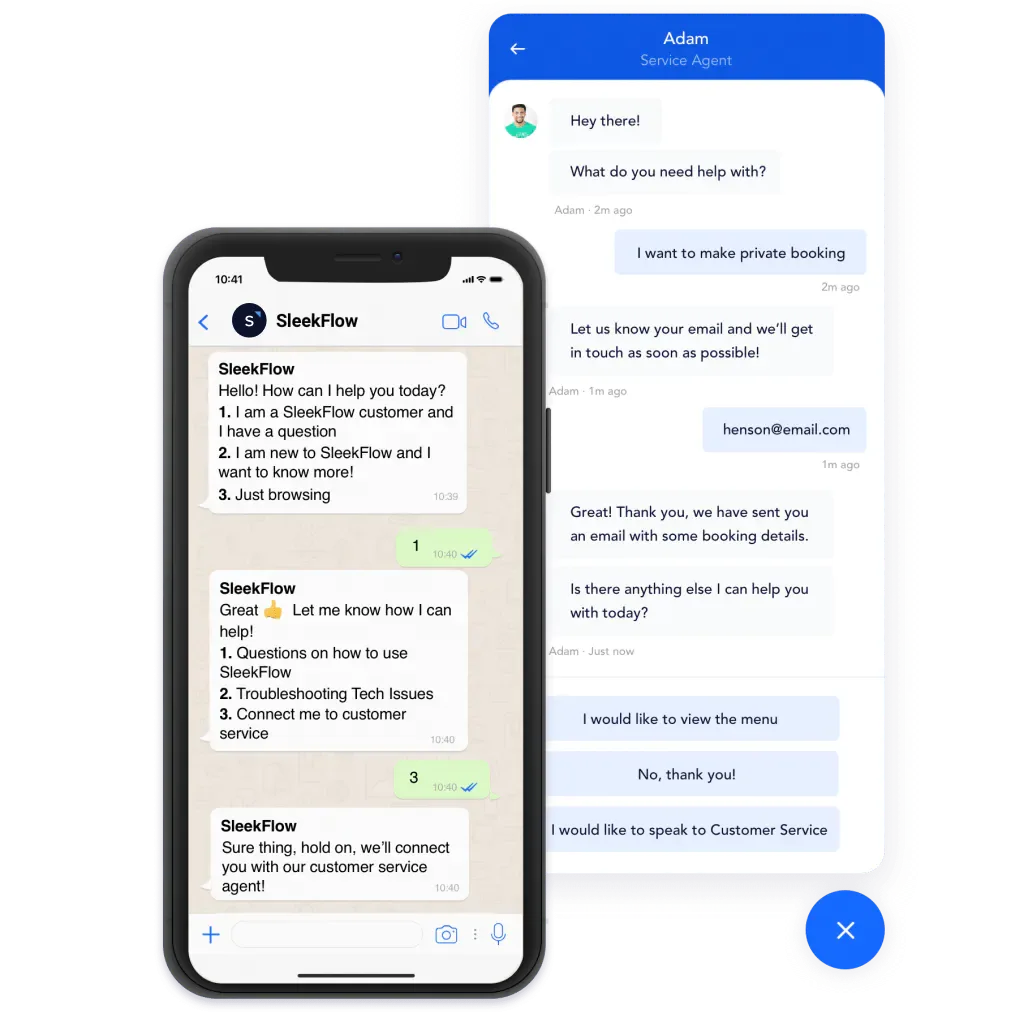
Your salon customers can reach you from multiple channels—whether it's through click-to-WhatsApp ads (CTWA), QR codes, contact forms, live chat buttons, or more. With so many entry points, managing many inquiries can quickly become overwhelming. That’s why an auto-reply bot on WhatsApp is essential.
It helps manage routine inquiries and keeps hot leads engaged, allowing you to nurture clients effectively. SMS lacks this level of automation, meaning staff would need to respond manually to every inquiry, which is time-consuming and inefficient.
Auto-reply rules automate responses to common questions like appointment times, pricing, and promotions. For example, when a customer inquires about hair coloring via live chat, the system instantly provides options, pricing, and available slots.
Here is an example of a template you can use.
Hi there! I’m your virtual salon assistant, happy to help you today!
Please select an option from the list below by entering the corresponding number. You can return to the main menu anytime by typing [0].
Hair services (cuts, coloring, styling)
Appointment availability
Pricing information
Location and directions
Special offers & promotions
Other inquiries
Follow us on Instagram: [Instagram Handle]
Visit our website: [Website Name]
If a customer selects [1], your auto-reply could be a detailed WhatsApp catalog showcasing your hair services. If they choose [5], you can send them your latest promotions with a link to book an appointment.
So, how can you create the automation?
With our Flow Builder, you can create automated WhatsApp chat flows for your business and guide them through your conversion funnel from the moment they start the conversation.
Use WhatsApp broadcasts to expand your salon’s reach
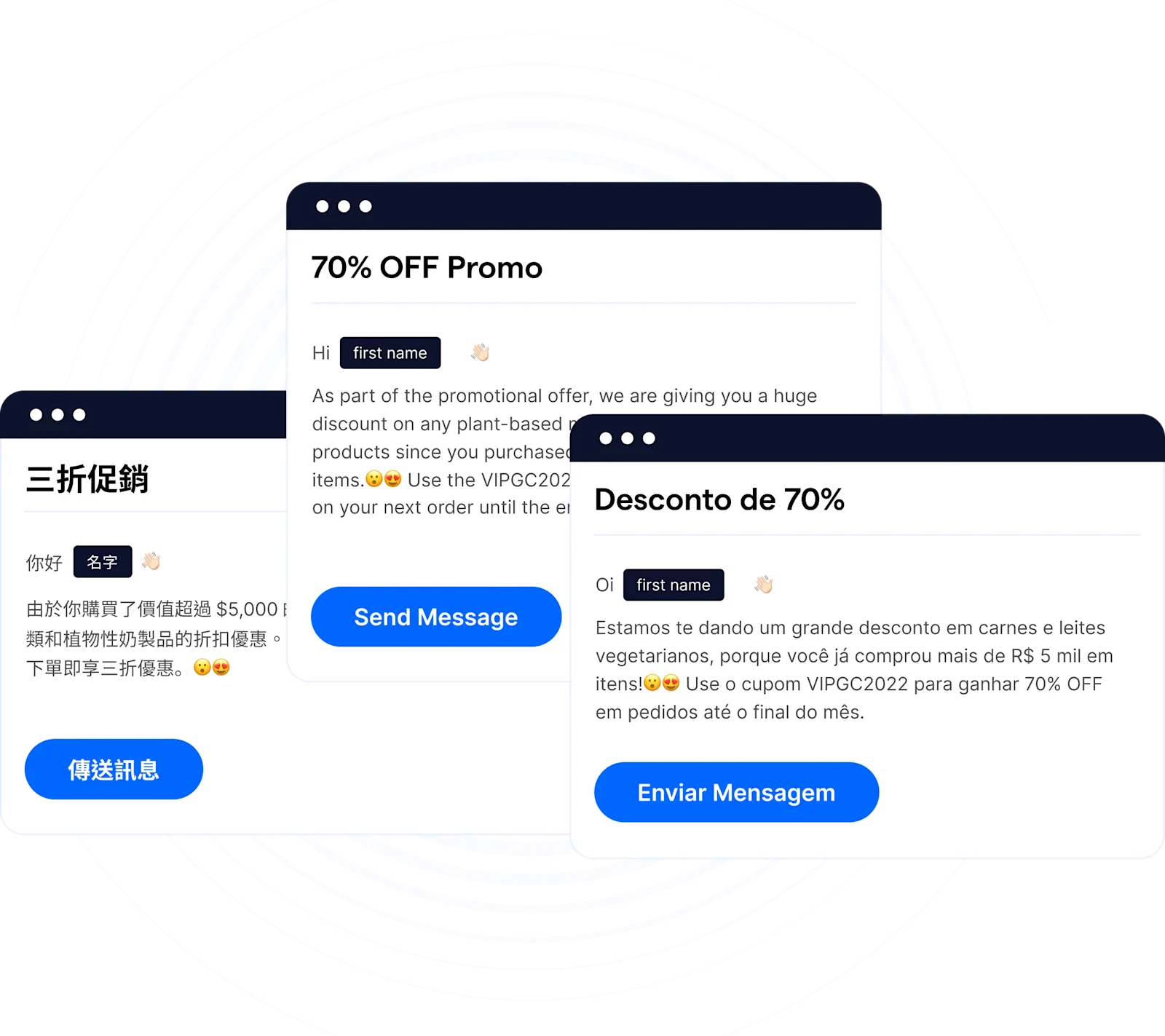
WhatsApp broadcasts allow you to send a single message to multiple contacts simultaneously without creating a group. With an open rate of up to 98%, it’s a powerful tool for reaching a large audience while keeping communication personal and engaging.
With over 3 billion monthly active users on WhatsApp, the platform has massive potential to market your salon.
"We can’t miss any lead as every customer’s WhatsApp message is an opportunity. If we are too slow to reply to them, or even miss their messages, we may miss an unknown number of leads in a split second." - Cheuk Ying Wong, founder of Weirdo Beauty.
Here are a few use cases for your salon when you use the broadcast feature.
1. Announce your new salon branch opening with a personalized WhatsApp broadcast
Let your clients know about your new salon's grand opening by sending a personalized WhatsApp broadcast. Share details about your services, opening offers, and booking information directly to their inbox, ensuring they don’t miss out on your new venture.
2. Promote festive discounts with targeted broadcasts
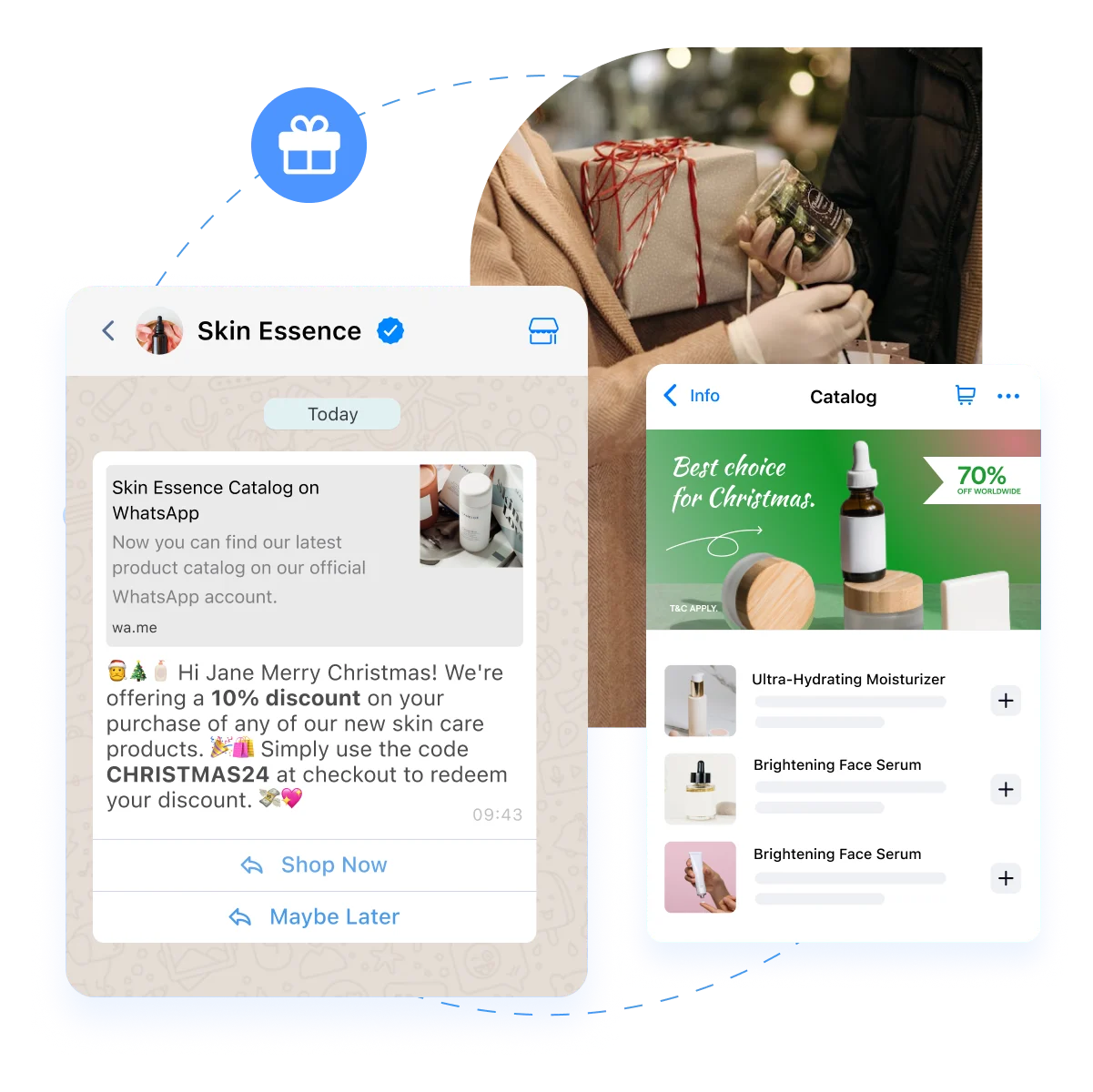
Use WhatsApp broadcasts to promote seasonal discounts and special offers. Send tailored messages to your client list during holidays or festive periods, encouraging them to book appointments and take advantage of limited-time deals.
3. Show appreciation with personalized thank-you WhatsApp messages
Send personalized thank-you messages after their visit to express gratitude and show your clients you value their business.
Sending a broadcast on WhatsApp is easy; just follow the steps in this article to get started.
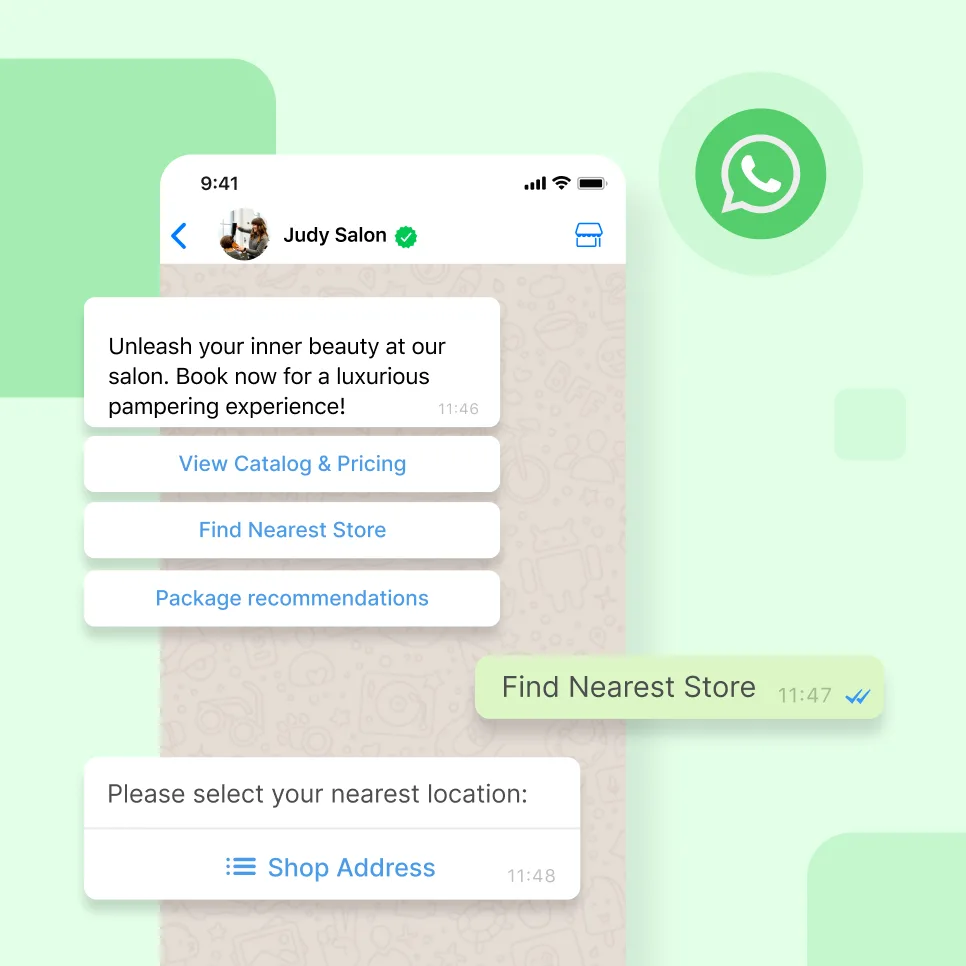
Discover the power of WhatsApp with SleekFlow!
Unleash your full potential with WhatsApp Business API. Your customers are waiting!
Extra tips: Integrate WhatsApp with CRM tools to track and segment your customers
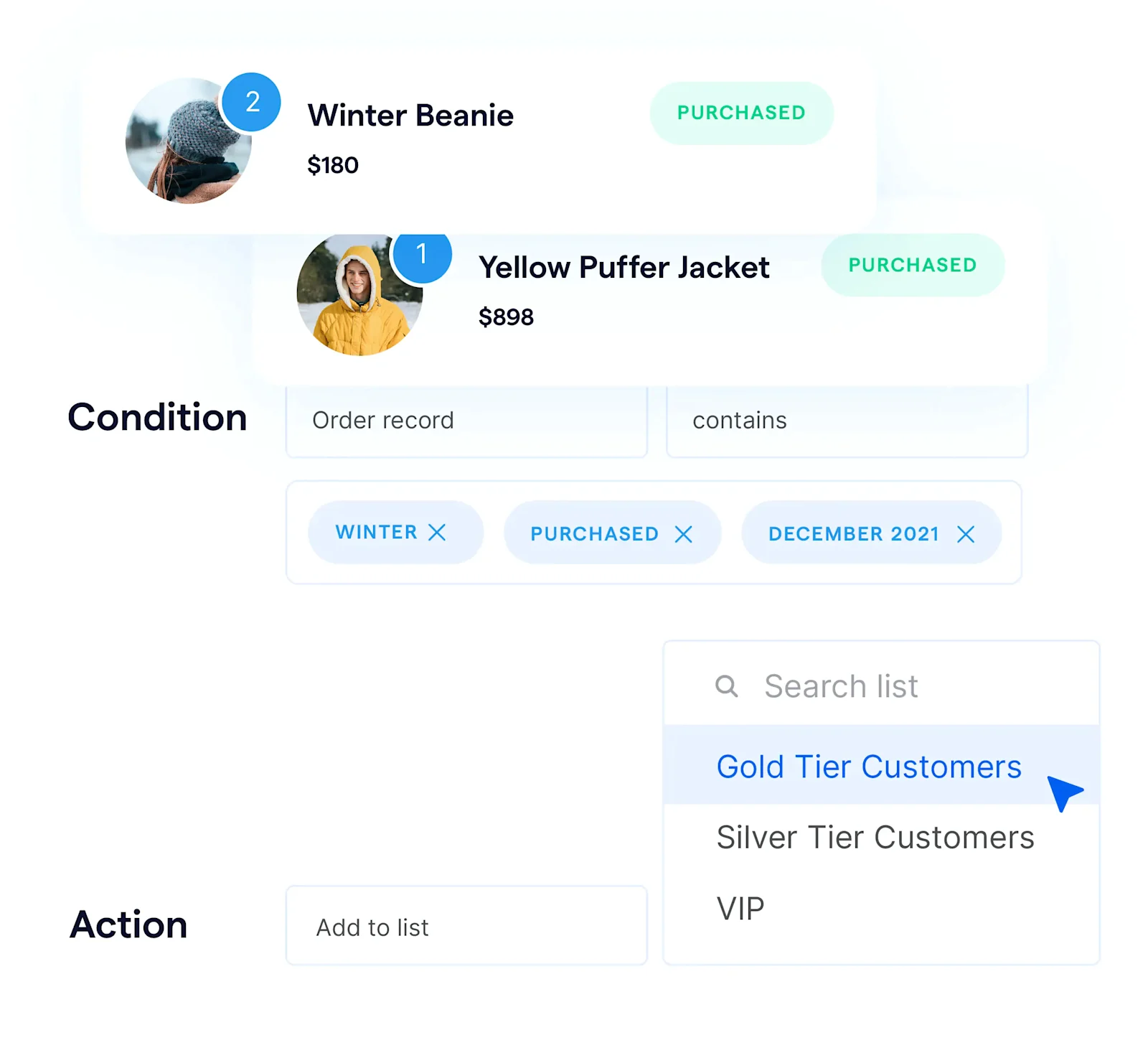
For salons with multiple branches, integrating your CRM can make managing WhatsApp bookings effortless.
By linking SleekFlow to CRM platforms such as Salesforce or HubSpot, customer information like appointment history or preferences appears right next to the chat. This way, returning clients don’t have to repeat details like their preferred stylist or service, enabling salons to offer a personalized experience that boosts loyalty and retention.
You can use customer segmentation with labels to prioritize salon clients. For example, tag high-priority customers or group them by preferred communication channels, such as WhatsApp, to enable quicker, smoother interactions and higher satisfaction.
Improving salon operations with WhatsApp automation
WhatsApp automation allows your salon business to streamline conversations and routine tasks. By setting up rules and triggers, you can automate interactions in response to customer actions, streamlining processes and improving customer satisfaction.
Setting up WhatsApp automation for your salon
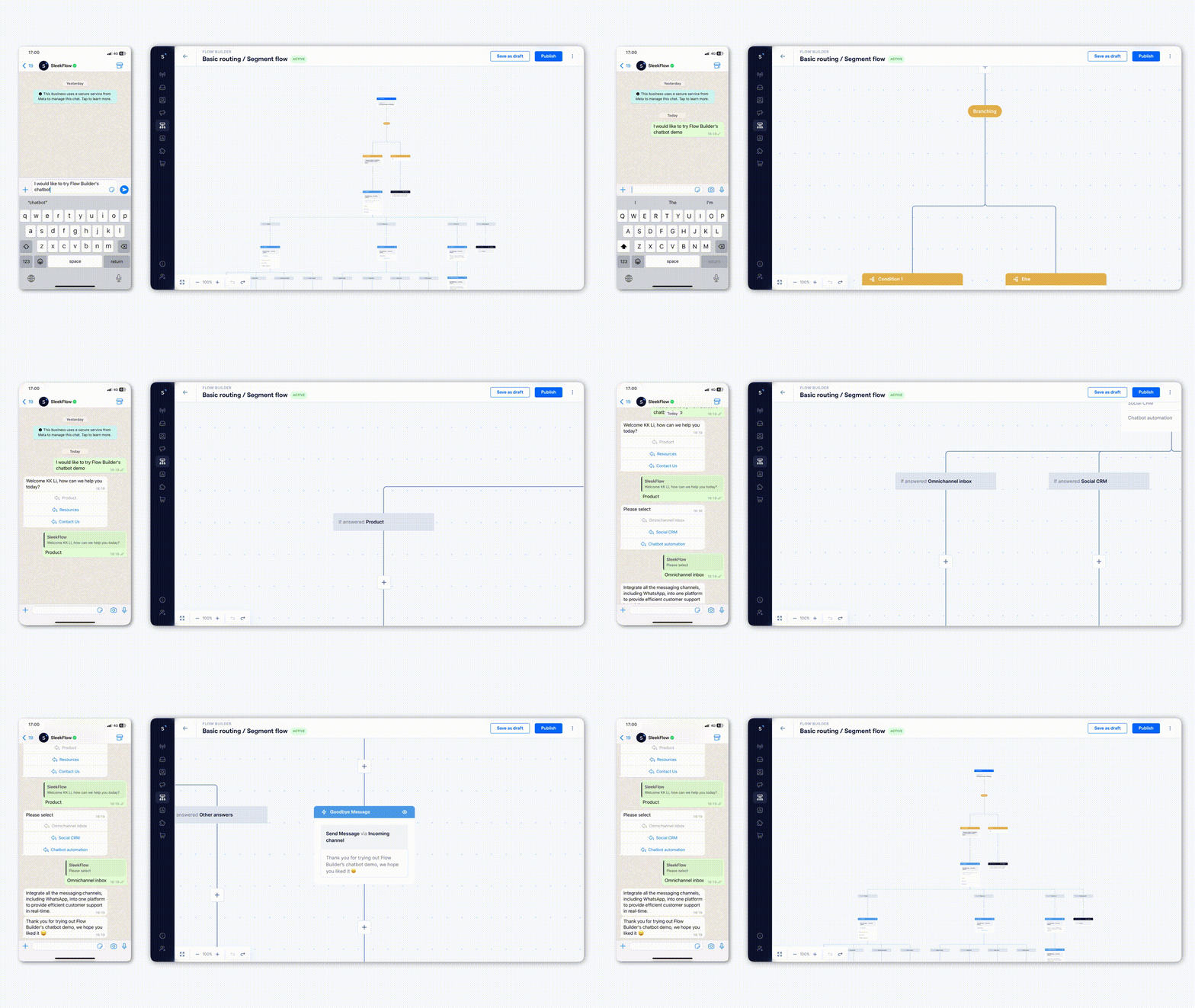
With an intuitive Flow Builder, setting up automation for your salon is quick and hassle-free. You can easily create workflows without requiring any technical skills.
Here’s how you can set up WhatsApp automation:
Use the Flow Builder to easily map out and automate tasks without coding.
Set rules and conditions to create dynamic workflows that respond to specific triggers.
Run test simulations and track performance to fine-tune your flows for better efficiency.
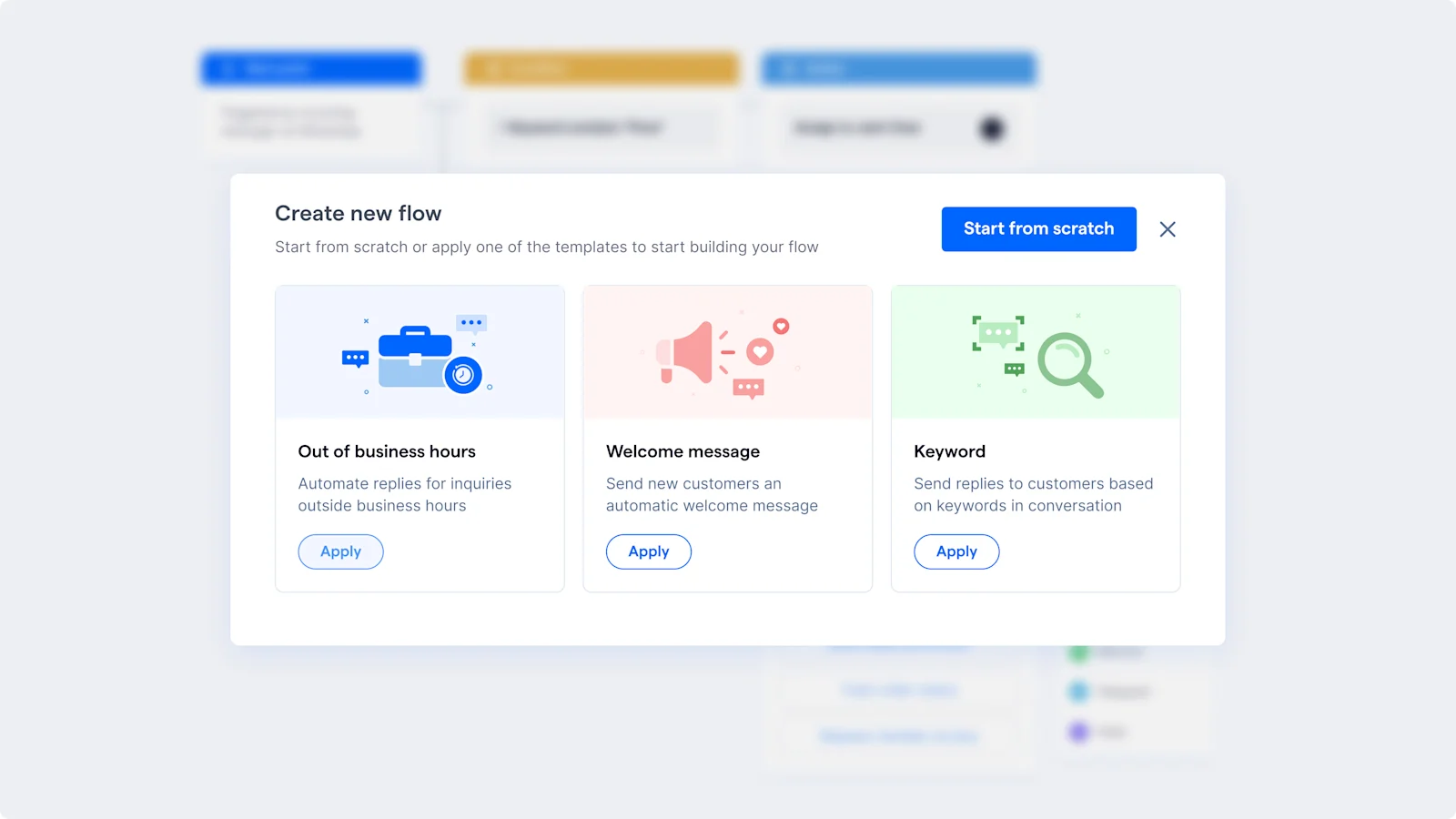
Start with ready-made templates and customize them to suit your salon’s needs.
Let’s look at several use cases of WhatsApp automation for your salon.
1. Automate appointment reminders to reduce no-shows
Set up automated appointment reminders to be sent via WhatsApp, reducing the chances of no-shows. Create a trigger that sends a reminder message 24 or 48 hours before an appointment. A helpful template might be:
"Hi [Client Name], this is a friendly reminder about your appointment at [Salon Name] on [Date] at [Time]. See you soon! Reply if you need to reschedule."
2. Automated personalized follow-up messages
After a customer’s visit, send personalized follow-up messages automatically to thank them, offer post-treatment advice, or encourage rebooking, maintaining engagement without manual effort.
3. Collect feedback and reviews through WhatsApp text
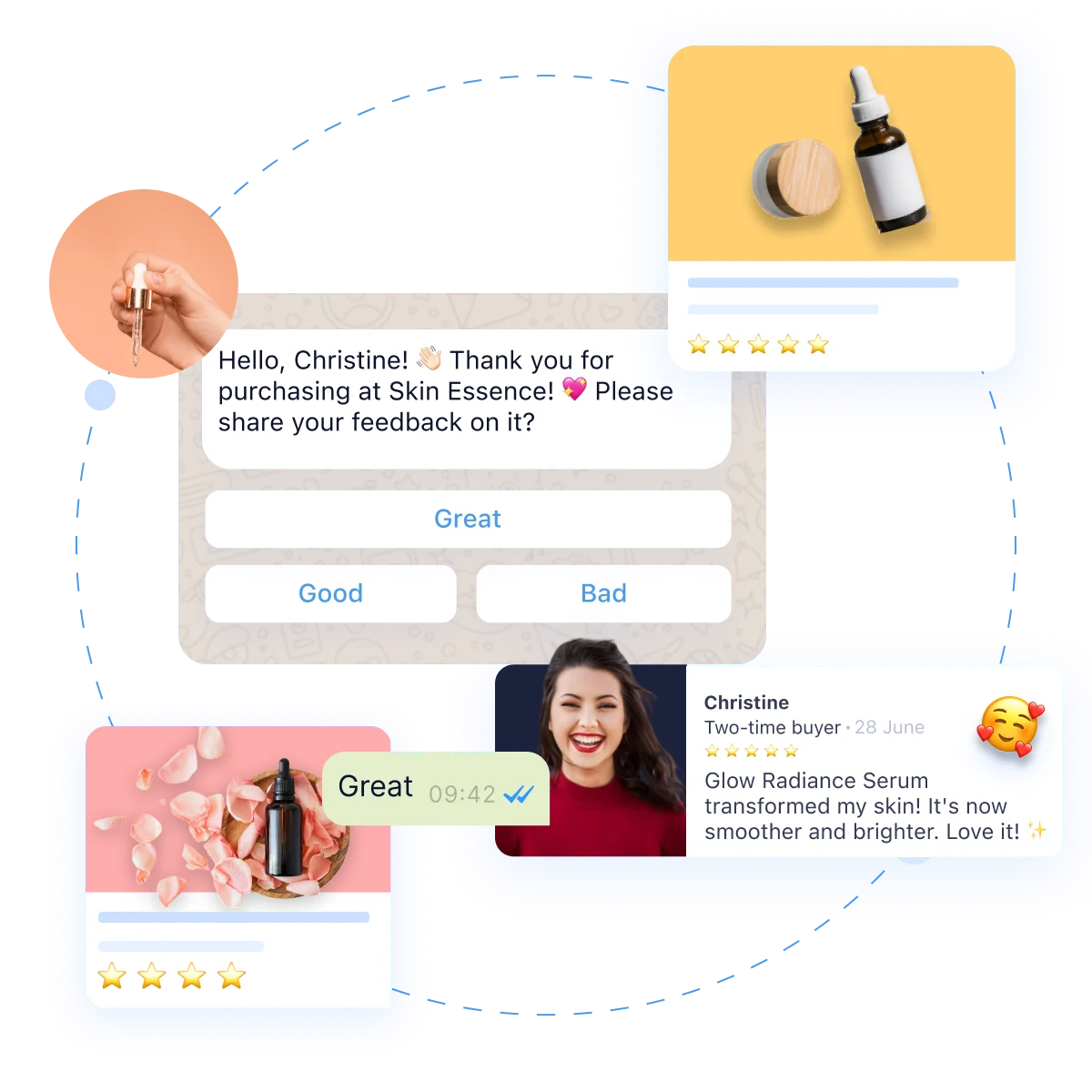
Automate feedback requests after each visit to collect valuable reviews. This keeps your clients engaged while providing insights to improve your services. Use a template like:
"Hi [Client Name], we’d love to hear about your experience at [Salon Name]! Please share your feedback here: [Link]. Thank you for helping us improve!"
You can set up this flow to collect reviews and insights automatically after each appointment, keeping the process efficient.
A salon workflow from ad click to repeat visit
To see how WhatsApp can impact your salon, let's map out a modern client's journey. By combining automation with personalized service, salons can guide a client from their first social media interaction to becoming a loyal, repeat customer—all within one chat.
Imagine running an Instagram ad showcasing a balayage transformation. Instead of a generic link, the ad has a Click-to-WhatsApp button. Here’s how that workflow can generate revenue:
The ad click: A potential client clicks the ad. WhatsApp opens with a pre-filled message: "Hi! I love the balayage in your ad and would like to know the starting price."
Automated consultation: A salon chatbot instantly replies: "Thanks for reaching out! To give you an accurate quote, could you reply with a photo of your current hair?"
Easy booking: After the client sends a photo, a stylist takes over the chat, provides a quote, and shares a link to the booking calendar. The client books their appointment in seconds.
Appointment Reminder: 24 hours before the appointment, an automated message is sent: "Hi Sarah! We're excited to see you tomorrow at 10:00 AM for your balayage with Alex. Please reply 'CONFIRM' to keep your spot." This simple step helps reduce no-shows.
Post-Visit Follow-Up: A day after the appointment, another automated message checks in: "Hi Sarah, we hope you're loving your new hair! Here’s a link to our recommended color-safe shampoo."
The Loyalty Loop: Six weeks later, the system sends a personalized marketing message: "Hi Sarah! It’s almost time for a toner refresh. Book within the next 48 hours and get 10% off your treatment!"
Ad Click → Automated Consultation → Easy Booking → Appointment Reminder → Post-Visit Follow-Up → Loyalty Program
How salons are winning with WhatsApp: Real-world examples
1. How Weirdo Beauty created a 24/7 virtual concierge
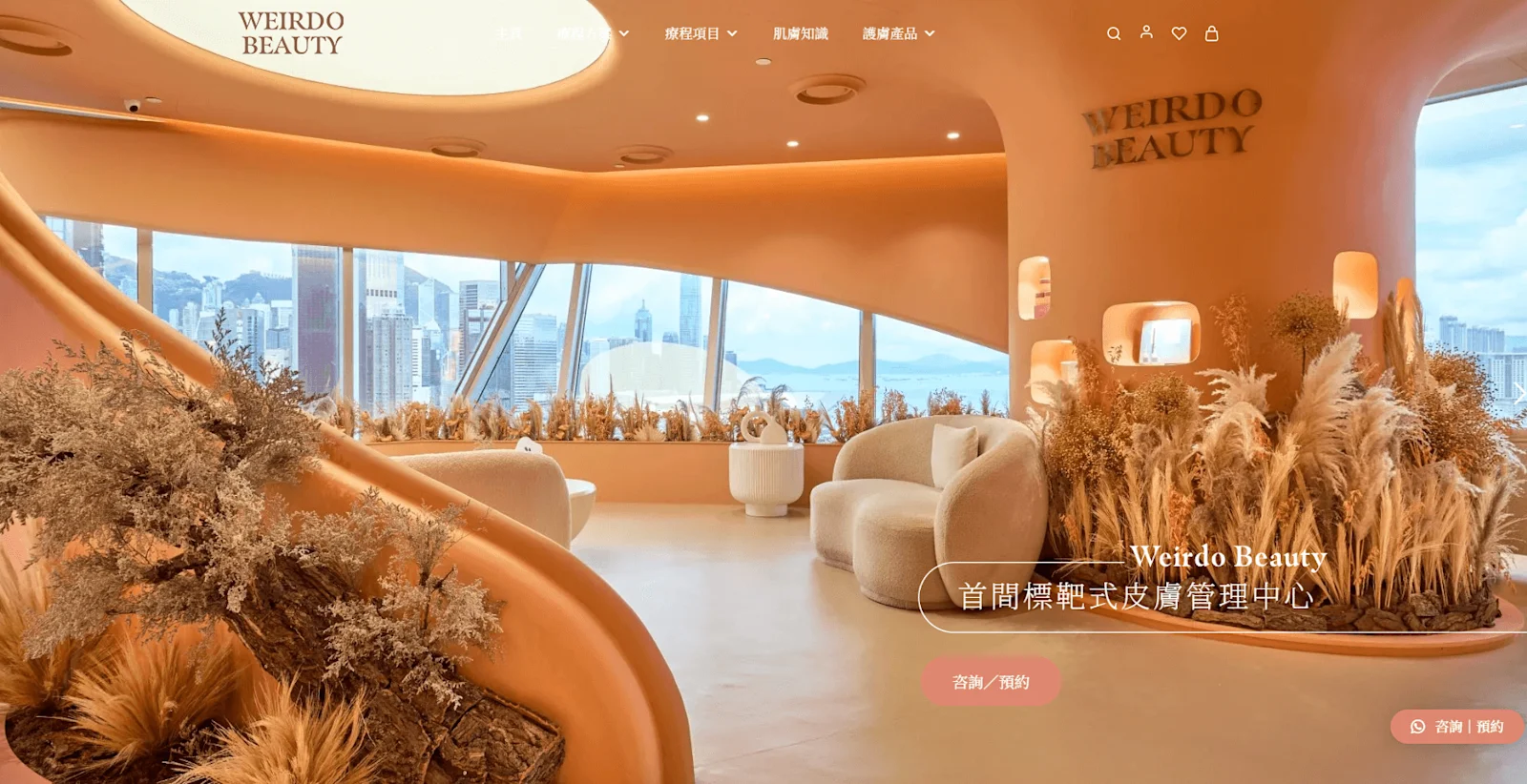
Image credit: Weirdo Beauty Homepage
Weirdo Beauty, a rapidly growing salon in Hong Kong, attracted a large volume of daily customer inquiries. This influx was primarily channelled through WhatsApp, Facebook, and Instagram.
With a small team sharing a single work phone, the salon struggled to manage appointment requests and questions. This created a bottleneck, leading to long response times and missed messages from potential clients.
Weirdo Beauty integrated SleekFlow to centralize communications from all platforms into a single inbox and to create a "24/7 virtual concierge." They used an automated chatbot to instantly answer FAQs about pricing and hours, freeing up staff time.
This new system led to several key improvements:
It eliminated missed messages and drastically reduced response times, significantly boosting customer satisfaction.
The salon successfully built a loyal base of 5,000 customers in three years.
2. EVRbeauty’s strategy to boost sales efficiency 5x
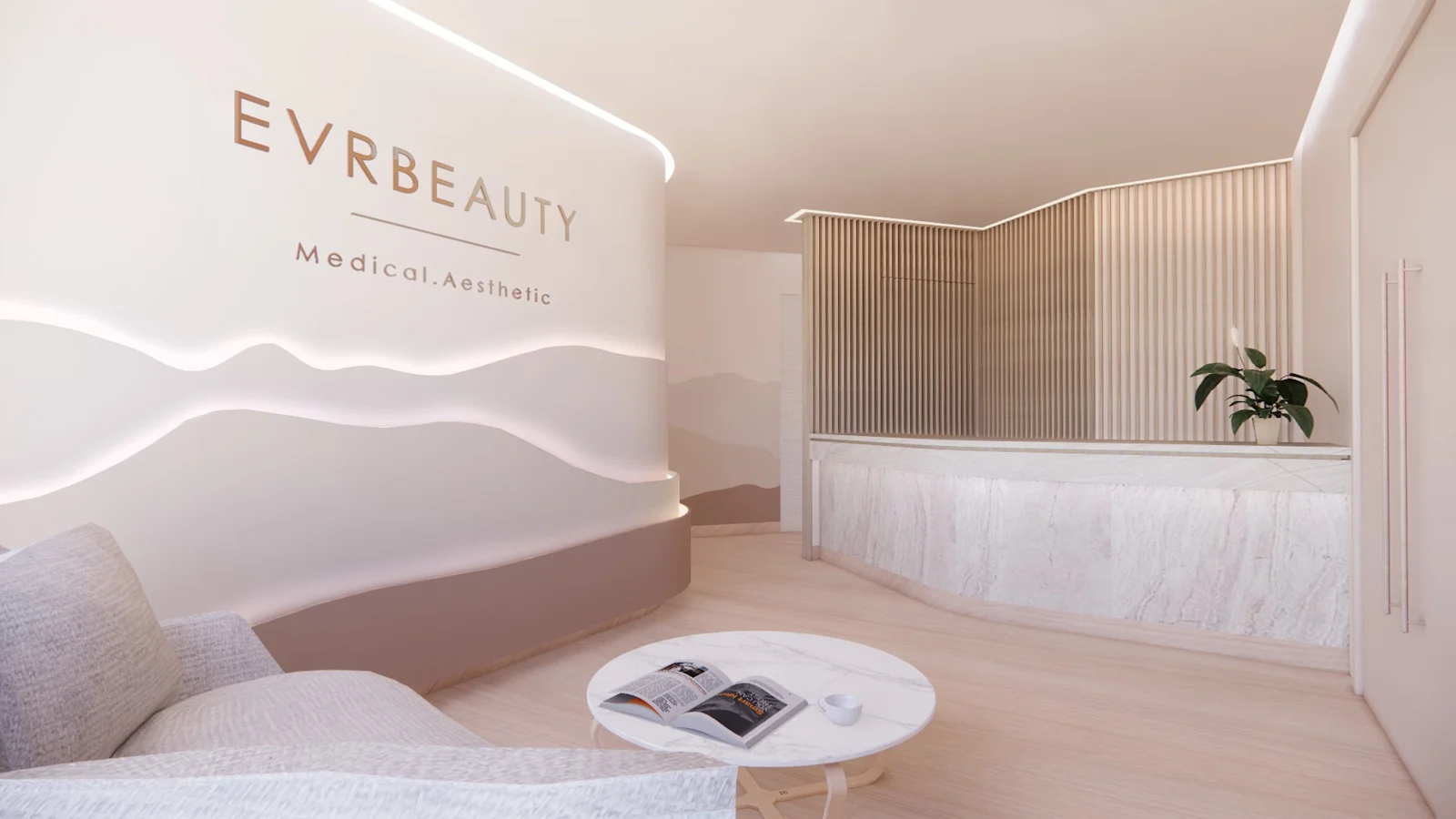
Image credit: EVRbeauty
EVRbeauty, a Hong Kong-based salon, faced major operational challenges when the pandemic forced them to close their physical store. Their business model, which relied on in-person consultations, was suddenly disrupted, forcing a rapid shift toward e-commerce to stay afloat.
The salon struggled to manage a high volume of online customer inquiries across scattered communication channels like WhatsApp, Messenger, and Instagram. Restrictions on their standard WhatsApp account created bottlenecks, leading to delayed responses and missed sales opportunities.
To solve these issues, EVRbeauty adopted SleekFlow’s omnichannel platform to unify all its customer conversations into a single inbox. This allowed their entire team to access the company's WhatsApp account simultaneously from any location, streamlining their remote workflow.
By centralizing their communications, EVRbeauty achieved significant results:
Reduced customer response time by 50%: Faster replies led to happier customers.
Eliminated missed messages: No more lost sales opportunities due to communication bottlenecks.
Optimize your salon’s marketing with SleekFlow
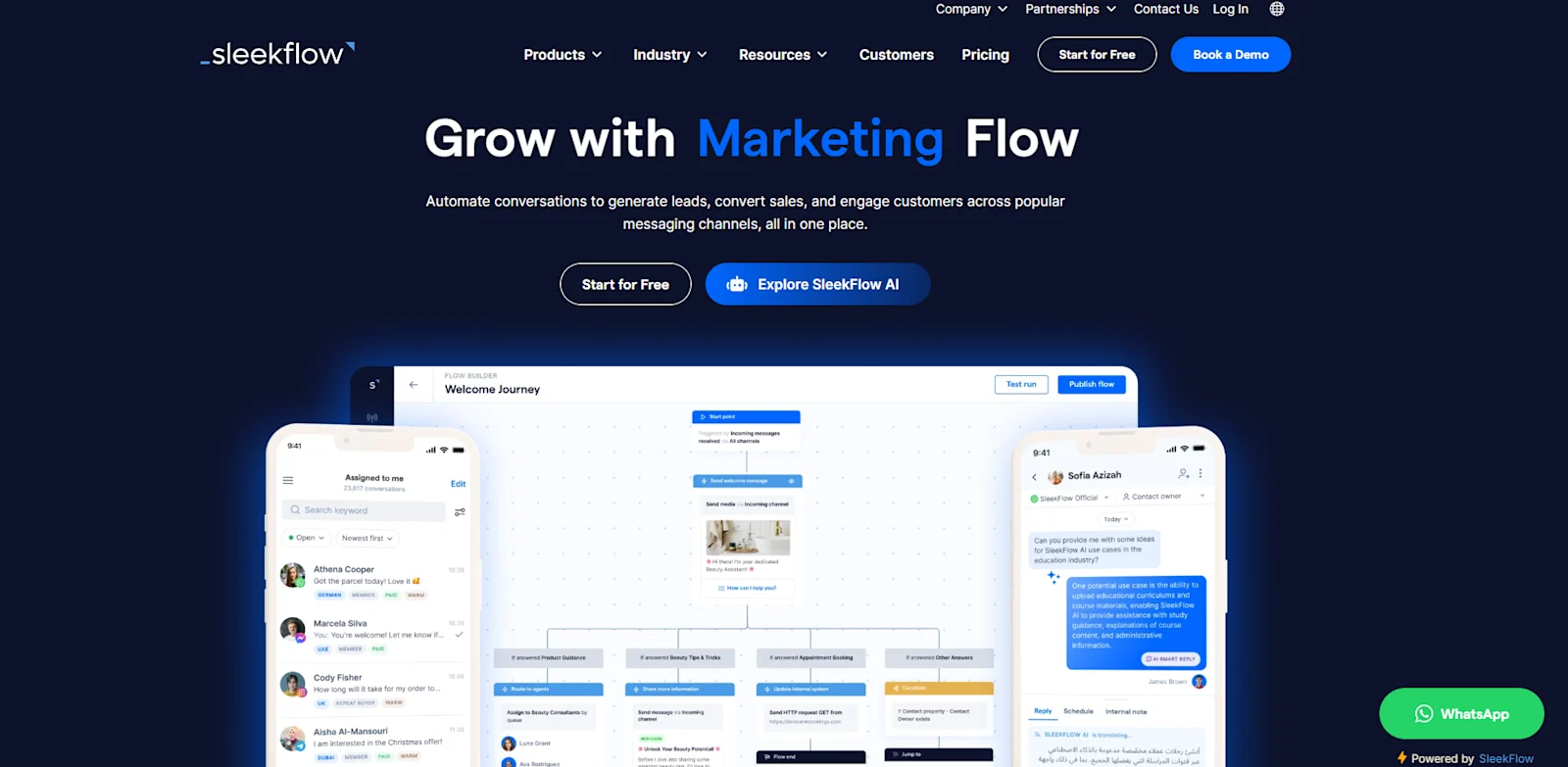
To fully benefit from WhatsApp marketing for your salon, you need the WhatsApp Business API. Especially if you want to use the automation and broadcast features, choosing an official WhatsApp Business Solution Provider like SleekFlow is essential.
Here’s what you get with SleekFlow:
Broadcast personalized messages across popular channels like WhatsApp and Facebook.
Access detailed analytics to track and optimize your WhatsApp marketing campaigns.
A dedicated sales dashboard to compare performance across different branches.
An all-in-one omnichannel inbox for your team to manage conversations with multiple logins.
Chatbots and automation to save time and boost productivity.
Free auto-reply feature for comments on your Facebook and Instagram accounts.
Seamless Facebook Lead Ads integration to gather and segment leads.
A no-code live chat widget you can easily add to your website.
A centralized CRM with organized segmentation and labeling for better customer management.
AI agents to streamline team collaboration, enabling efficient assignment and tracking of customer conversations for improved service and response times.
Connect to WhatsApp Business API now!
Connect to WhatsApp Business API and unlock powerful tools to engage your audience.


