WhatsApp broadcast segmentation: cut spend without cutting revenue


TL; DR: Quick Summary
- Meta charges for every delivered marketing message with no volume discount, so a bigger broadcast list raises spend in a straight line, not a curve.
- Content that genuinely qualifies as utility, not marketing, usually holds the single largest saving available, and misclassifying it is a policy risk, not a shortcut.
- Meta's per-user marketing message limit adjusts to each contact's read rate, so over-sending causes silent failures, not just complaints.
- Contacts who arrive through a Click-to-WhatsApp ad open a 72-hour free window, so a follow-up timed inside it costs nothing to deliver.
- Cutting the engaged 30-day segment to hit a budget number removes the response rate that makes the rest of the list worth messaging.
Your WhatsApp broadcast list has grown for a year straight, and so has the Meta bill. Somewhere past 20,000 contacts, finance starts asking why cost per lead on WhatsApp keeps climbing when the channel was meant to be the affordable one.
Meta charges the same rate for a marketing message whether it reaches someone who orders every month or someone who muted your number 8 months ago. WhatsApp broadcast segmentation is how you stop paying full price for sends that were never going to convert, without touching the sends that do.
What is WhatsApp broadcast segmentation?
WhatsApp broadcast segmentation is the practice of splitting a broadcast list into smaller groups by engagement, intent, or market, so each group gets only the messages relevant to it. Because Meta bills every delivered marketing message individually, segmentation controls cost and response rate at once.
Most teams start by broadcasting to an entire opted-in list, because that's the easiest thing to build. The list grows with every new lead and every Click-to-WhatsApp ad until it includes people who bought once in 2024 and never replied again. Segmentation narrows the send to contacts likely to read, click, or buy, using signals already in the CRM (last inbound message, last click, purchase category, country) instead of treating the whole list as one audience.
Why WhatsApp broadcast has no economies of scale
WhatsApp broadcast has no economies of scale because marketing templates carry no volume-based discount, unlike utility and authentication templates. Every marketing message is billed individually at the flat per-country rate, so a larger list multiplies cost in a straight line instead of earning a lower per-message rate.
From 1 October 2026, that same flat-rate discipline extends to service messages: free-form, non-template replies a human agent or AI sends inside the 24-hour customer service window. Meta bills them at the local utility rate past a free allowance of 1,000 service messages a month per phone number, which resets monthly and doesn't roll over. Utility templates sent inside that same window are billed at the same rate too, but with no allowance: every one is charged. Marketing and authentication pricing doesn't change. The service-message allowance covers a low-volume number entirely, but a broadcast list generating thousands of replies a month clears it fast, which is one more reason to keep the list segmented rather than broad. Check Meta's own pricing page for exact per-country rates.
Rates aren't static either. Meta can update pricing on the first day of any quarter, and it's piloting an optional max-price model for marketing messages, still in limited beta: a business sets a ceiling per message, and Meta charges that amount or less.
What a bigger list actually costs you

A bigger, unsegmented broadcast list costs more than the headline rate suggests. Full-price delivery to dead contacts, an eroding quality rating from blocks and reports, template pacing that can pause a send mid-flight, and per-user caps that fail messages before they ever reach an inbox all add real cost the rate card doesn't show.
Full-rate delivery to dead contacts. A contact who hasn't opened a message in 6 months costs exactly the same per delivery as your best customer. Unengaged reach isn't cheaper waste, just waste.
Quality rating erosion. Blocks and reports pull down a template's quality rating, and Meta scales messaging limits based on sustained high-quality sending. A lower rating shrinks how far you can reach.
Template pacing risk. Meta paces new and recently unpaused templates, holding messages after an undisclosed threshold to gather feedback first. A template loaded with unengaged recipients is more likely to fail that check and get paused, dropping the held messages under error code 132015.
Silent per-user failures. Undelivered sends aren't charged, which sounds like a safety net until you check why they failed. Meta's per-user marketing message limit adjusts to each contact's read rate, and a send that exceeds it comes back as error 131049, not a bounce you'd notice without checking the webhook.
How much does a WhatsApp marketing message cost in Singapore and Malaysia?
A WhatsApp marketing message costs about US$0.0732 per delivery in Singapore and about US$0.0860 in Malaysia. Utility and authentication messages cost less in both markets and can qualify for volume discounts that marketing messages never get, because rates are set by the recipient's country, not the sender's.
Malaysia's marketing rate runs about 17% higher than Singapore's, so an even split across both markets costs more on the Malaysian half before a message even opens. SleekFlow's full SG and MY pricing blog has the complete breakdown.
These are template rates, and from 1 October 2026 they apply whether or not a customer service window is open, so every utility template is billed, no exceptions. Free-form service messages inside that window are billed at the same rate, but only past a free allowance of 1,000 a month per phone number; templates don't get that allowance.
6 ways to segment a WhatsApp broadcast list

1. Segment by engagement recency, not purchase history
Engagement recency segmentation targets contacts by their last inbound message or last click, not their last purchase. It's the cheapest cut available, since it removes only contacts unlikely to read a marketing template, without touching pricing tiers or account settings.
2. Match the promotion to category and intent fit
Category and intent fit means sending a promotion only to contacts whose history makes it relevant, a skincare restock offer going to skincare buyers rather than the full list. Relevance reduces blocks and reports, protecting the quality rating that caps total reach.
3. Segment by recipient market, not sender market
A single list often spans two rate cards. Since the cost of a marketing message follows where the recipient is registered, splitting Singapore and Malaysian contacts into separate sends lets you budget and message each group on its actual per-delivery cost, not a blended guess.
4. Reclassify content that genuinely qualifies as utility
Category reclassification moves content that genuinely meets Meta's utility guidelines, an order update or appointment reminder, out of the marketing category entirely. It's usually the largest single saving available, since utility messages are cheaper and eligible for volume discounts.
The constraint matters as much as the saving. A template must genuinely serve a transactional purpose to qualify. Reclassifying a promotional message to save money is a policy risk, not a saving.
5. Use entry-point origin: Click-to-WhatsApp contacts get a free window
Contacts who arrive through a Click-to-WhatsApp ad open a 72-hour free entry point window, during which both free-form replies and approved templates cost nothing to deliver. That exemption survives the 1 October 2026 service-message pricing change untouched, which makes CTWA contacts more valuable to segment separately, not less.
6. Cap your own send frequency per contact
Frequency capping means deliberately sending fewer marketing messages to the same contact, rather than relying on Meta's per-user limit to do it for you. Since that limit adjusts to each person's read rate, sending less often raises the odds each send lands.
What not to cut

Segmentation should tighten a broadcast list, not gut it. A handful of cuts look like savings but cost more than they save, because they remove the data or the discount that made the rest of the strategy work.
Don't cut the engaged 30-day segment to hit a budget number. This group carries the response rate that justifies messaging everyone else. Shrink the list around it, never through it.
Don't cut utility messaging. It's cheaper than marketing, isn't subject to the per-user limit, and is eligible for volume discounts marketing will never get.
Don't over-narrow until the list is too small to learn from. A segment of 40 contacts doesn't generate enough opens or clicks to show whether the message worked.
Don't swap frequency for length. Fewer, longer marketing templates don't help, because per-user limits cap how often you can message someone, not how long each message is.
How SleekFlow helps with WhatsApp broadcast segmentation
SleekFlow's broadcast campaign tool builds the segments this article describes directly from CRM data: last purchase, last reply, lifecycle stage, or a synced Shopify, HubSpot, or Salesforce field.
Template category management sits in the same workflow, so a marketing send and a utility send draw from one contact list without duplicating it. Campaign reporting tracks open rate, reply rate, and click-through rate per segment, exporting to CSV so cost per delivered message sits next to ad spend.\
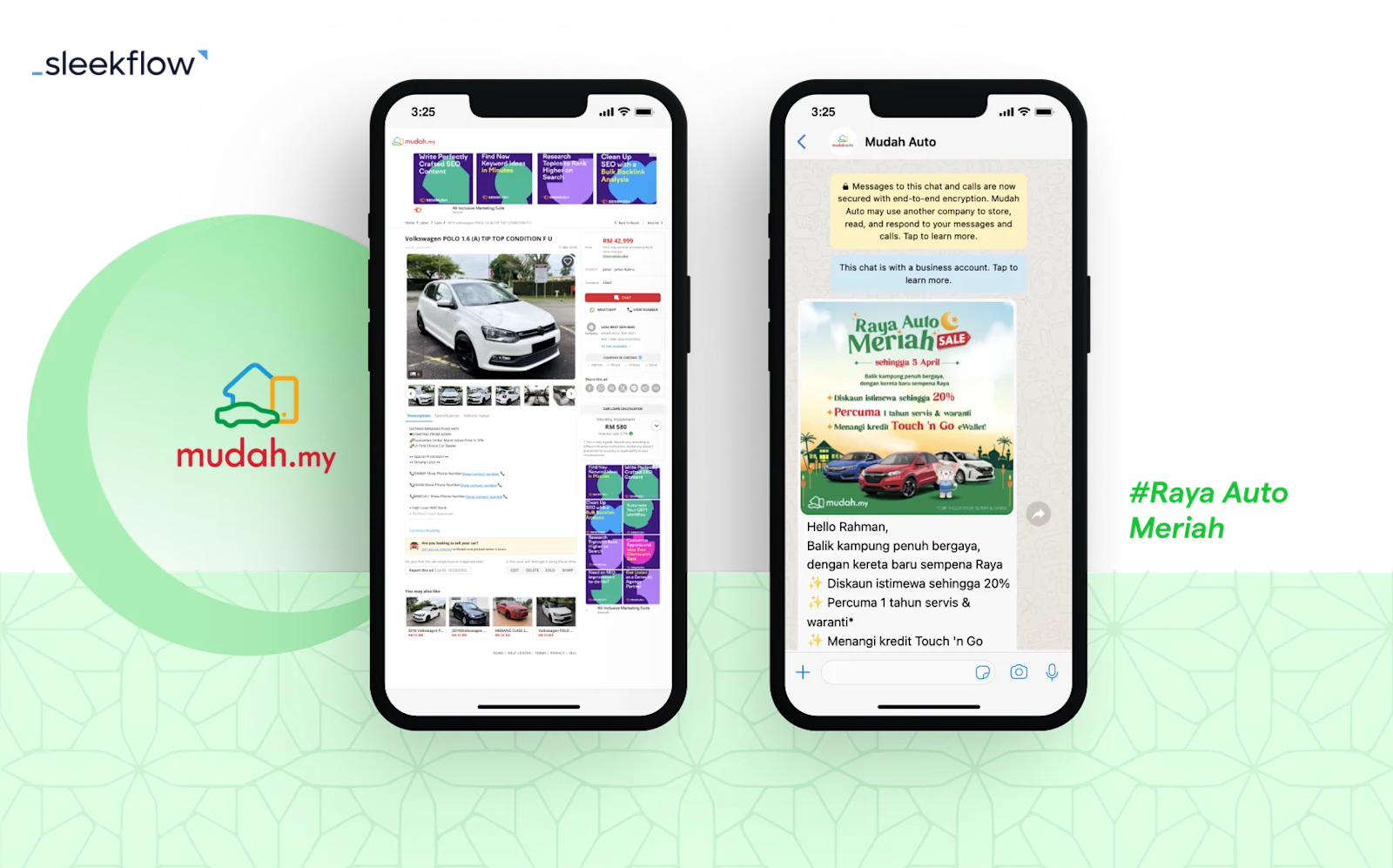
Mudah.my, Malaysia's largest recommerce marketplace, moved its buyer and seller broadcasts onto SleekFlow after its old provider couldn't support team collaboration, and its eDM broadcasts were going largely unread.
Results:
646 leads in 3 months, averaging 250 new leads a week
A 3x improvement in reply rate
A 30% jump in broadcast reply rate specifically from interactive message features
A 70% average read rate
If your list has outgrown a single send-to-everyone campaign, SleekFlow's Click-to-WhatsApp ads tools are a reasonable place to watch segmentation work on your highest-intent contacts first. Start there, or with the engaged 30-day segment: both are cheaper to prove with data you already have than a bigger budget is to argue for.

Want to outcompete your peers with SleekFlow's help?
Book your personalised demo with SleekFlow today and unlock the potential of seamless communication
Frequently Asked Questions
Does segmenting a WhatsApp broadcast list actually reduce cost?
What happens if I send too many marketing messages to the same WhatsApp contact?
Can I turn a marketing message into a cheaper utility message?
Do Singapore and Malaysia pay the same rate for WhatsApp marketing messages?
Do per-user marketing message limits apply to utility messages too?
Is WhatsApp Business Platform pricing changing on 1 October 2026?
Recommended for you


