Viber bulk message guide: how to send mass messages (2026)


TL;DR: Quick Summary
- Businesses send a Viber bulk message through a Viber Chatbot, Viber Business Messages or, for a few contacts, the app's broadcast list.
- A Viber Chatbot costs EUR 100 per bot each month under Rakuten Viber's commercial model, plus charges for messages it starts.
- Messages inside a 24-hour session aren't billed separately, so broadcasts that get customers replying cost less to follow up.
- Plan who answers replies before you send, because a broadcast only turns into sales when someone picks up the conversation.
A broadcast to thousands of subscribers can bring a wave of replies within the hour. If nobody answers them, the campaign stalls right where it should convert.
This guide covers the three ways to message many Viber customers at once, what each costs and how to make sure every reply gets an answer.
What is a Viber bulk message?
A Viber bulk message is one message sent to many people on Viber at the same time. Businesses use it for promotions, restock alerts, reminders and order updates. You can send one from a broadcast list in the Viber app, from a Viber Chatbot to its subscribers or through Viber Business Messages with an official Rakuten Viber partner.
Which route you pick decides who you can reach, what you pay and what happens when customers reply.
Which ways can you send Viber broadcasts?
There are three main ways: the free broadcast list in the Viber app, broadcasts from a Viber Chatbot, and Viber Business Messages sent through a partner. The broadcast list suits a handful of contacts, Chatbots suit opt-in subscriber bases and Business Messages suit high-volume alerts. Small shops can also broadcast from a free Viber business account.

The Viber app broadcast list
The Viber app lets you send the same message to two or more people from your contacts, and each person gets it privately. It works for a tutor messaging 10 parents.
It doesn't work for a business. There's no scheduling, no personalization and no reporting, and every reply goes to one phone.
Viber Chatbot broadcasts
A Viber Chatbot is Viber's business account type for two-way conversations. Customers find your bot, subscribe and chat with it like any other contact, and you can then broadcast to them.
Viber's broadcast API sends one message to a maximum of 300 subscribers per request. Bigger lists go out in batches, and with SleekFlow you send the whole campaign to a segment in one go.
Since February 5, 2024, new bots aren't created on demand. You apply to Rakuten Viber directly or through a verified partner, and Viber reviews the request before issuing a bot token.
Free Viber business account broadcasts
In countries where Viber offers it, a free business account can send 30 broadcast messages a month, and the paid Business Plus upgrade raises that to 300. It runs on one phone, so it suits a solo owner rather than a team. Our Viber business account guide explains how to set one up.
Viber Business Messages
Viber Business Messages is Rakuten Viber's product for alerts, offers and one-time passwords, with SMS fallback if a message can't reach Viber. You send through a messaging partner, which sets pricing and onboarding.
Viber now asks for approved templates on transactional Business Messages, so check your partner supports them before you plan alerts.
How much does Viber bulk messaging cost?
For Viber Chatbots, Rakuten Viber charges EUR 100 per bot each month, plus a charge for each message the bot starts outside a 24-hour session. Welcome messages and messages inside a session aren't billed separately. The per-message rate depends on the country code of the subscriber's phone number, and Viber bills in euros.
These are the rules from Viber's bot commercial model and chatbot FAQ:
A session opens when a subscriber messages your bot or replies to it. Bots set up for billing before February 5, 2024 stay on Viber's previous model, which includes 10,000 free chatbot-initiated messages each calendar month.
How do you keep Viber broadcast costs down?
The pricing rewards one habit: get customers to message you first. Every reply opens a session, so more customer-started chats mean less paid outreach.
Share your Viber QR code and chat link on packaging, receipts, counters, email footers and social bios.
Ask a question in your broadcast. "Reply SIZE to see what's in stock in your size" turns a paid message into a conversation.
Segment before you send. A message to engaged buyers costs less and converts better than one to every subscriber.
Answer inside the session. Follow-ups within 24 hours of a reply aren't billed separately.
What do you need before your first Viber broadcast?
You need an approved Viber Chatbot and its bot token, a budget for the monthly fee and bot-initiated messages, and subscribers who chose to hear from you. You also need a plan for consent, opt-outs and replies, including after hours. Check local marketing and privacy rules with counsel in each market.
Run through this checklist first:
An approved Viber Chatbot, requested from Rakuten Viber or a verified partner.
Your bot token, treated like a password.
A budget for the monthly fee and chatbot-initiated messages in your target countries.
An opt-in plan, since only subscribers receive broadcasts.
A clear way to unsubscribe, with opt-outs removed right away.
A reply plan for who, or which AI agent, answers when customers respond.
How do you send Viber bulk messages with SleekFlow?
SleekFlow works as Viber bulk message software. You connect your approved Viber Chatbot with its bot token, grow subscribers with the link and QR code SleekFlow creates, then send broadcasts to a segment. Replies come back to a shared inbox, where AI agents and your team can answer. You can connect more than one Viber Chatbot to one SleekFlow account.
Step 1: Connect your Viber Chatbot
These steps follow SleekFlow's guide to connecting Viber:
Open Channels, select Viber and click Connect.
Enter an account name, a channel name and your Viber bot token.
Click Connect. SleekFlow creates a unique Viber link and QR code for the account.
Step 2: Grow and segment your subscribers
Share the link and QR code wherever customers see your brand. Each person who scans opens a chat with your bot and appears in SleekFlow.
Then group contacts by what you know about them, such as lifecycle stage, labels or CRM data from Salesforce. A "bought in the last 90 days" list and a "never purchased" list need different messages.
Step 3: Create and send the broadcast
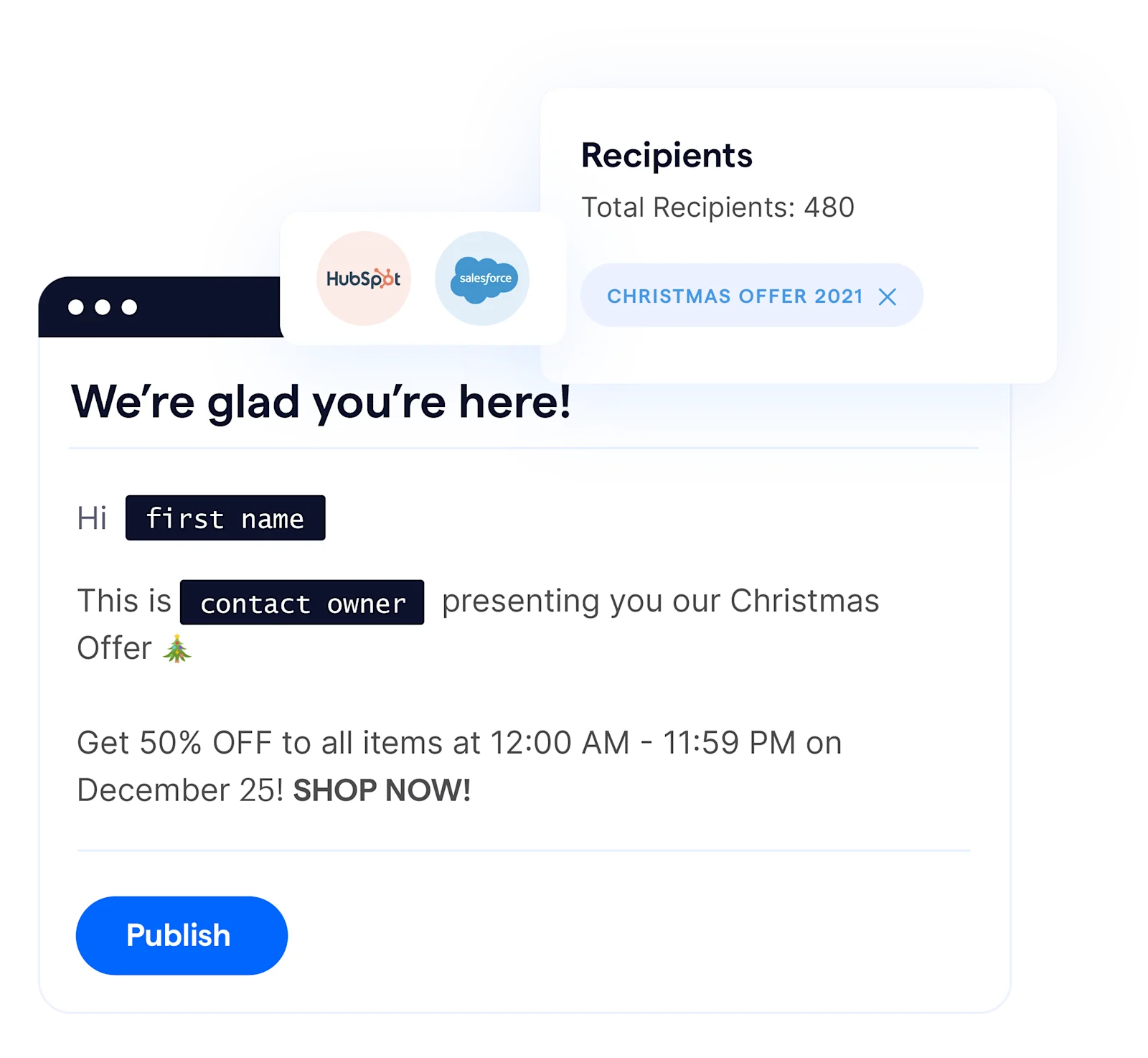
Create a new broadcast campaign and choose Viber as the channel.
Pick your segment and write the message, adding variables like the customer's name.
Add an image, video or file if it helps.
Send a test to your own phone, then send now or schedule it.
SleekFlow's Viber channel overview lists text, images, video and files as supported. Carousels, contact cards, location messages and stickers aren't supported.
Step 4: Measure and improve
Check delivery, replies and conversions after every campaign. Then change one thing at a time, such as the opening line or send time, and compare reply rates.
Why do replies matter more than the broadcast?
A broadcast only earns money when someone answers the customers who reply. Replies arrive fast, often outside office hours, and the same questions about price, stock and delivery repeat all day. AI agents answer them at once, inside the free session window, and pass ready buyers or complex cases to your team.
With SleekFlow, you can deploy AI agents on Viber and build them in AgentFlow without code. They:
Answer questions about price, availability and bookings the moment replies arrive.
Read your website, so they know when an offer changes or ends.
Collect lead details and guide customers toward a purchase.
Hand the chat to your team with a summary when a person is needed.
How Pearl Holiday got an 80% reply rate on its broadcasts
Pearl Holiday, a Malaysian travel agency, used to get blocked when it sent bulk messages from a free chat app. It moved its event invitations and reminders to WhatsApp broadcasts in SleekFlow, sent from an official WhatsApp Business API account.
One campaign brought:
80% reply rate
90% delivery rate
2,000 new leads
The same playbook applies on Viber: send to people who opted in, and answer every reply from one inbox.
Viber bulk message best practices
Send something people want to open, like a personal offer, a restock or a useful reminder.
Keep it short, with one offer and one action near the top.
Personalize beyond the first name, such as the last purchase or nearest store.
Time it for each market, since 9 a.m. in Manila is the middle of the night in Kyiv.
Make leaving easy, and remove people who opt out right away.
Have AI agents ready before you send, not after the inbox fills up.
Start for free!
Grow your revenue and turn chats into conversions with AI agents. Try SleekFlow for free.
Frequently Asked Questions
Is sending Viber bulk messages free?
What is a chatbot-initiated message on Viber?
Can I broadcast on Viber to people who haven't subscribed?
How many people can I message at once on Viber?
Can AI agents reply to Viber broadcast responses?
Recommended for you


