How to create Google Ads: a setup guide


TL; DR: Quick Summary
- A first campaign comes down to one conversion goal, the right campaign type, then 7 core settings.
- Skipping conversion tracking or picking the wrong campaign type wastes budget before an ad shows results.
- Google says only Search on broad match, Performance Max, Shopping and AI Max reach inside AI Overviews.
- Start with a Search campaign on a small, tightly matched keyword list before automating with Performance Max.
- If your first month produced fewer than 30 conversions, extend it before judging the results.
Most businesses open a Google Ads account, follow the setup wizard, and watch it spend a week's budget on clicks that never convert.
The account looks live, the ads show, but the reports don't explain why leads never arrive. Usually the objective, match type, or campaign type was wrong from the start.
None of that shows up until the invoice does.
Google has also changed what showing up means. Since 2026, whether your ad appears inside an AI Overview depends on the campaign and match type you chose at setup, not just your bid.
This guide covers the decisions behind a Google Ads campaign that earns back its budget, from picking a campaign type to building your first Search campaign.
What are Google Ads?
Google Ads is Google's pay-per-click advertising platform. Businesses bid in an automated auction to show text, product, video and app ads across Search, YouTube, Gmail, Maps and partner sites, typically paying only when someone clicks, calls or converts.
For most SG-MY businesses, that's the fastest way to reach someone already searching for what you sell.
Before you start: four things to have ready
Four things need to be in place before opening Google Ads. Skipping one is the most common reason a first campaign burns budget without producing leads.
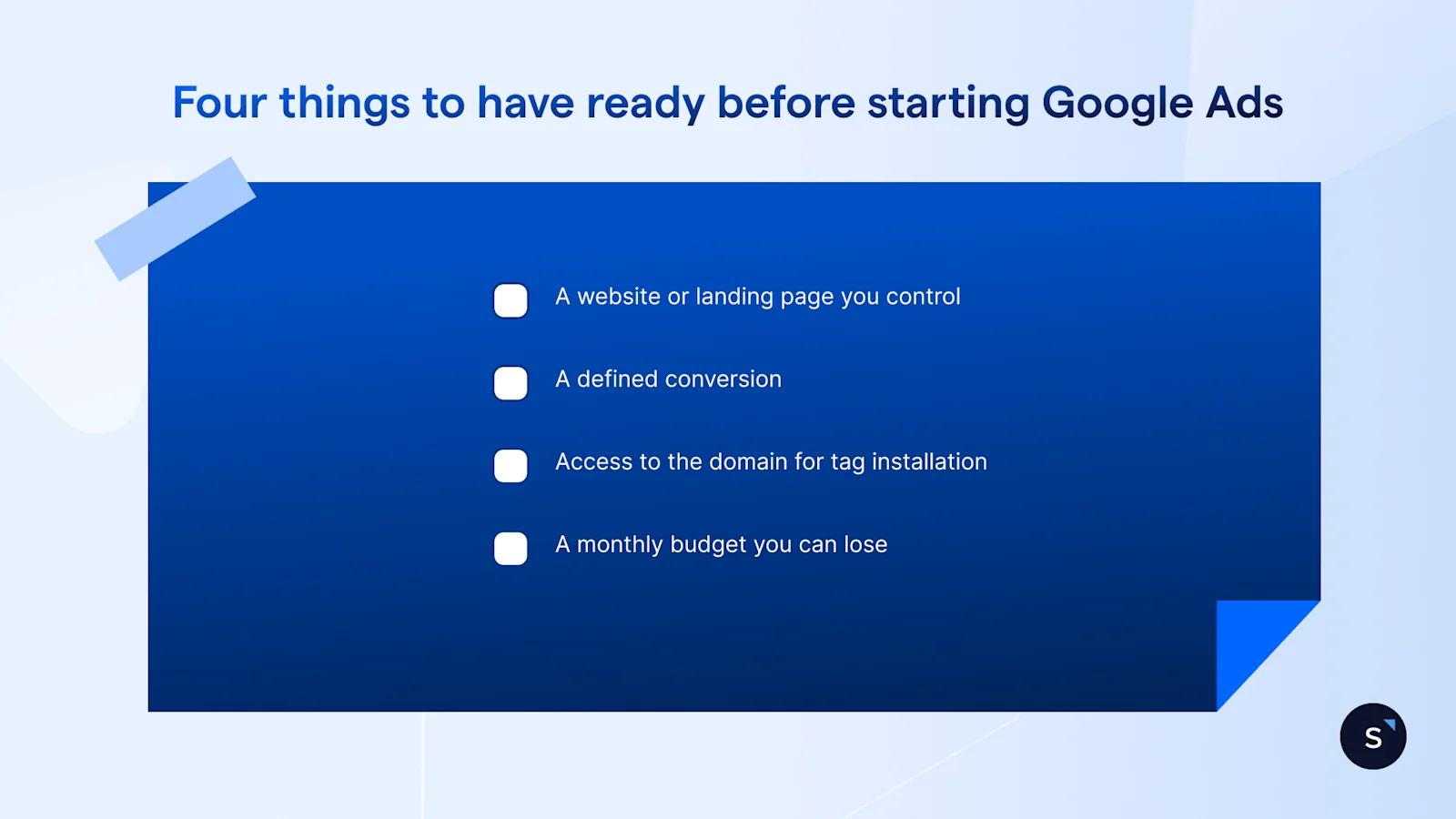
A website or landing page you control. You can send clicks to a Facebook page, but you can't track a page you don't own.
A defined conversion. Decide what counts as a result, such as a form fill, a call, a WhatsApp message, before launch.
A monthly budget you can lose. Early spend teaches the auction who to show your ad to; treat month one as data, not leads.
Access to the domain for tag installation. Someone adds the Google tag to the site, often not whoever builds the campaign. Confirm access before launch day.
*AI Max for Search is a setting inside a Search campaign, not a separate wizard option, globally available in May 2026, with Google auto-upgrading eligible campaigns from September 2026.
Which campaign type should you start with?
Start with Search, not Performance Max or AI Max. Search is the only type showing which keyword triggered each click, and that data teaches you what to automate later.
Performance Max, Shopping, and AI Max work best once you know which keywords and offers convert, since they hand more control to Google's automated bidding.
How to create your first Search campaign on Google
Creating a Google Ads campaign for the first time comes down to 7 settings, in this order.
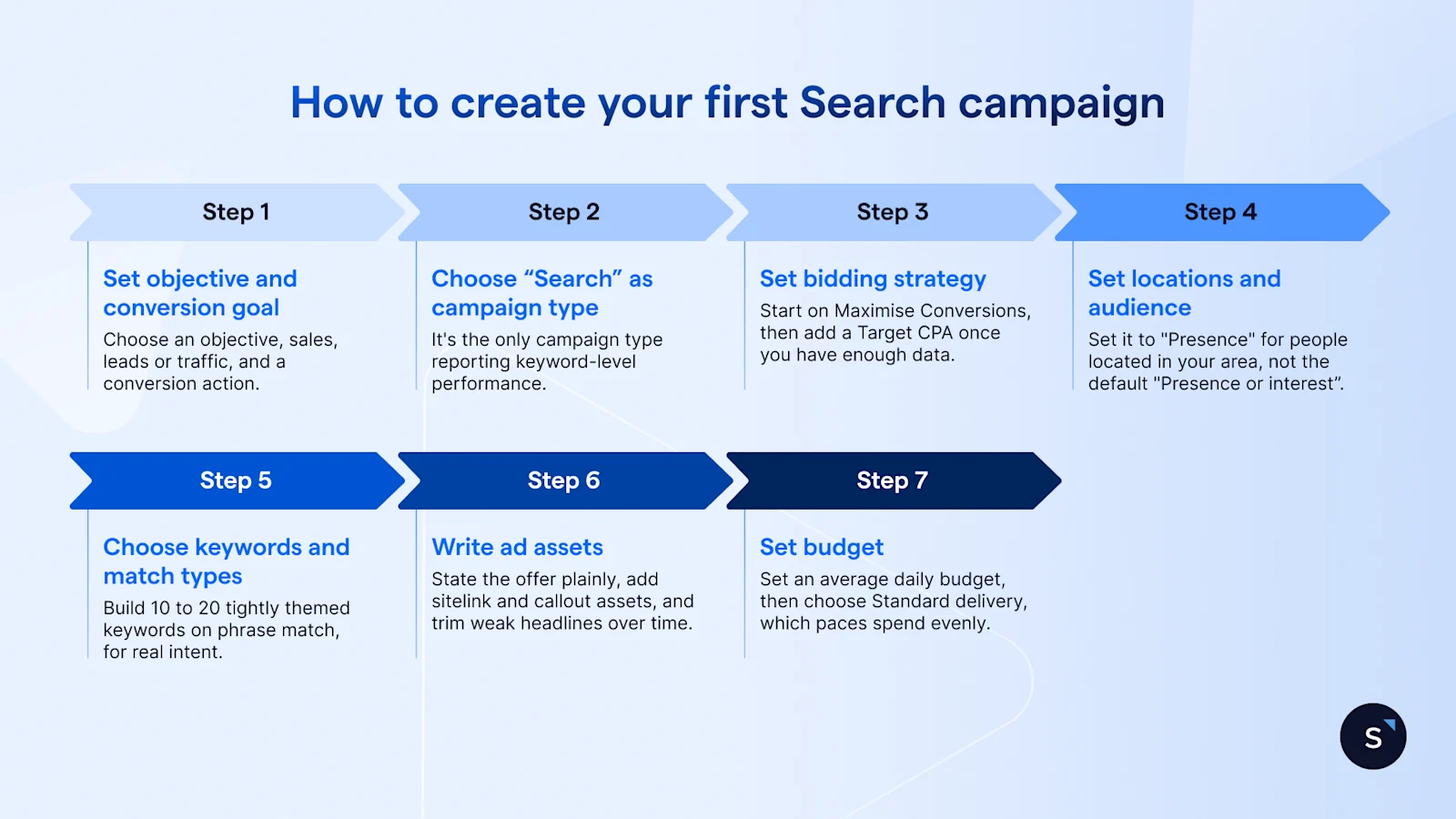
Step 1: Set your objective and conversion goal
Choose an objective, sales, leads or traffic, and a conversion action, the event Google counts as a result. Pick "Leads" for form fills or calls, and set up tracking first.
Step 2: Choose Search as the campaign type
Choose Search over Performance Max, Demand Gen, or Display; it's the only type reporting keyword-level performance. Add Search partners and Display later; leave both off at launch.
Step 3: Set your bidding strategy
Bidding ranges from manual cost-per-click to automated strategies like Maximise Conversions and Target CPA. Start on Maximise Conversions, then add a Target CPA once you have enough data.
Step 4: Set locations and audience
Location targeting decides where your ad shows, and it's a common budget leak. Set it to "Presence" for people located in your area, not the default "Presence or interest," which also serves people merely searching about that place.
Step 5: Choose keywords and match types
Keywords trigger your ad; match type controls how closely a search must match. Build 10 to 20 tightly themed keywords on phrase match, for real intent without broad match's cost on an untested account.
Step 6: Write your ad assets
A Search ad runs as a Responsive Search Ad, which mixes a pool of headlines (max 15) and descriptions (max 4) automatically. State the offer plainly, add sitelink and callout assets, and trim weak headlines over time.
Step 7: Set your budget
Set an average daily budget, then choose Standard delivery, which paces spend evenly, or Accelerated, which can spend faster early on. Start on Standard for a full day of signal.
Keyword match types, and the AI Overview trap
Exact match still shows in ordinary results, and ads can appear above or below an AI Overview in every market where it exists, regardless of match type.
What exact match can't do, for now, is appear inside the AI Overview itself.
Google's own guidance limits that placement to Search, Shopping and Performance Max campaigns, and only when Search runs broad match, not exact. AI Max reaches the same placement through similar broad-match-style targeting, which is why Google favours it.
Google has also begun testing exact and phrase match eligibility inside its separate AI Mode surface. As of September 2026, that's a limited experiment, not a documented rule, and not yet a reason to restructure a live account.
How much should you budget?
Your daily budget is an average, not a cap. Google can spend up to twice your average daily budget on a busy day, but never bills more than that, or roughly 30.4 times it in a month.
Cost per click varies enormously by industry and country, so a figure from one market says little about another.
In the US, WordStream's 2026 benchmarking of over 13,000 campaigns found average CPC from US$1.63 in Arts and Entertainment to US$9.87 in Legal Services. Treat that as evidence of the spread, not a number to budget against in Singapore or Malaysia.
What to do with the leads you get
A campaign that converts still hands you a raw lead, a form fill, a call, a click, with no guarantee of a reply. That gap is where most ad budget actually gets wasted.
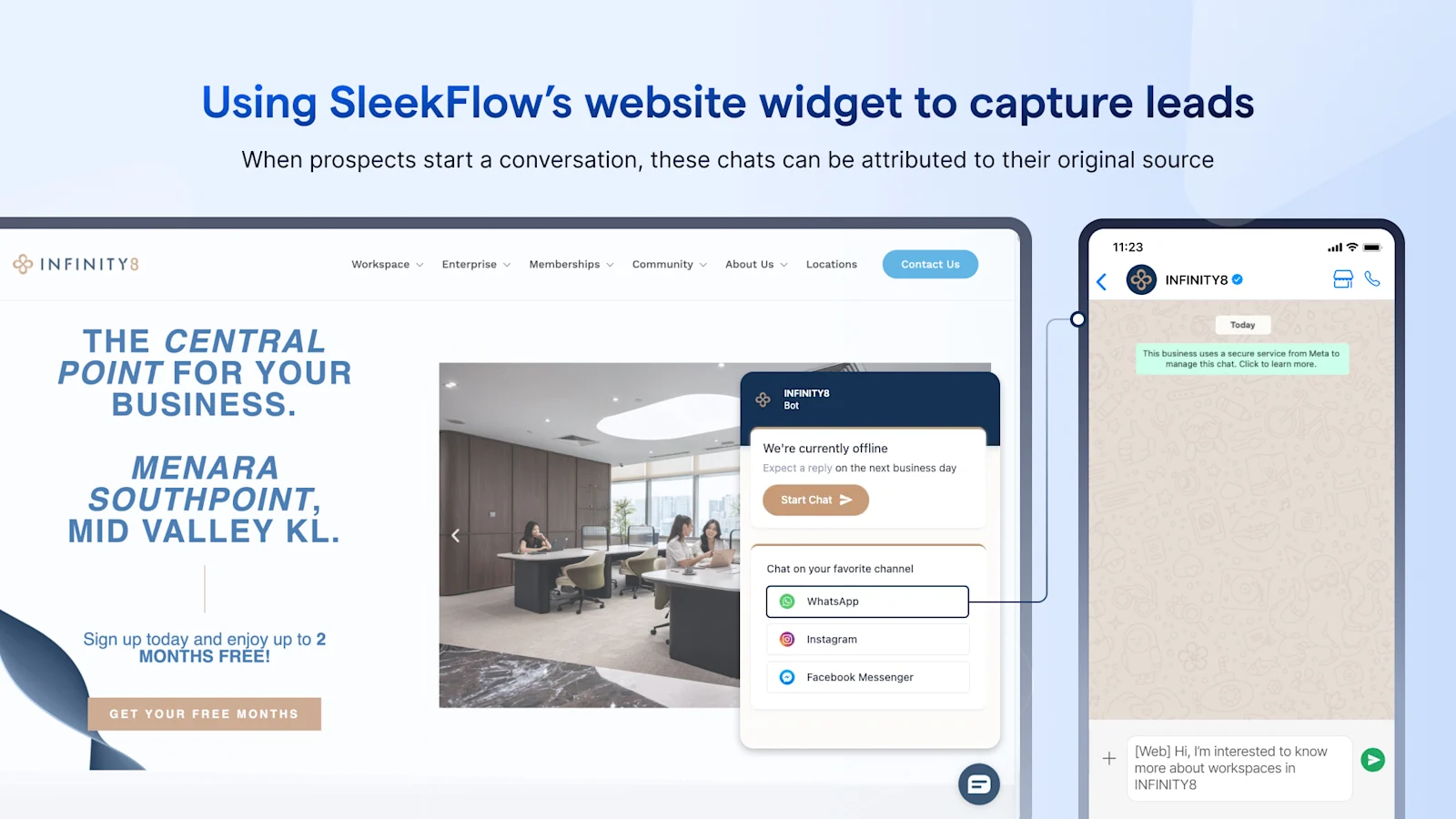
Malaysian coworking operator Infinity8 cut lead response time 96%, from over two hours to under 5 minutes, after replacing a single phone line with a shared inbox and automated qualification.
Google Ads leads convert on the same logic. Route them into WhatsApp instead of a form thank-you page, the way Click-to-WhatsApp ads already do for Meta's campaigns, so a lead gets a reply within minutes, not whenever someone checks the inbox.
The reply itself can come from SleekFlow's AI agent instead of a person: it answers with pricing or a booking link, asks the qualifying questions, and hands the thread to a rep only once it's warm. Whatever it captures along the way settles into a CRM-ready profile, so a lead who doesn't convert today isn't lost.