Instagram welcome message examples: templates by situation and industry


TL; DR: Quick Summary
- An Instagram welcome message fires when someone opens a DM, not when they follow you.
- Instant replies, away messages, ice breakers and saved replies fire at different moments, so choose by trigger.
- Keep the first reply to one friendly line, a reply time you can keep and one next step.
- Ask only for what the next step needs, and keep NRIC and payment card numbers out of DMs.
- Meta's 24-hour window limits automated replies, so track reply rate, first human reply time, drop-off and conversions.
Someone taps Message on your Instagram profile. Within seconds they decide whether a person runs this account or whether the inbox is going to ignore them.
Your first reply answers that doubt. This guide gives you 12 Instagram welcome message examples by situation, a table of openers by industry, the data rules to follow in Singapore and Malaysia, and the things a first reply should never ask for.
What is an Instagram welcome message?
An Instagram welcome message is an automatic first reply a business sends when someone starts a new direct message conversation with its account. It's sent once, before a person or a flow takes over.
Most welcome messages hold three things: a greeting, a response time and a next step, such as choosing a topic or sharing a booking date.
It fires when someone opens a DM, not when they follow you, view a story or watch a reel. Meta's developer documentation says conversations only begin when an Instagram user messages the account first, and SleekFlow's help centre says only customers can start a private conversation. A new follower triggers nothing.
The audience is large. Meta's ad tools showed Instagram reaching 3.35 million people in Singapore and 16.1 million in Malaysia in late 2025, according to DataReportal's Singapore and Malaysia reports. These are ad-reach estimates, not active users.
Welcome message vs instant reply, ice breakers, saved replies and away message
These names overlap because Instagram, Meta Business Suite and messaging platforms label similar tools differently. Sort them by when they fire, not by what they're called.
Table 1: Instagram's reply tools compared
Menu labels and availability vary by account and region, so check your own account before you rely on a row. Meta's own pages cover these tools: automated responses in Meta Business Suite Inbox, Inbox Automations on desktop and frequently asked questions on chats. The platform row draws on SleekFlow's Instagram channel guide and Send welcome message template.
What makes a good Instagram welcome message?
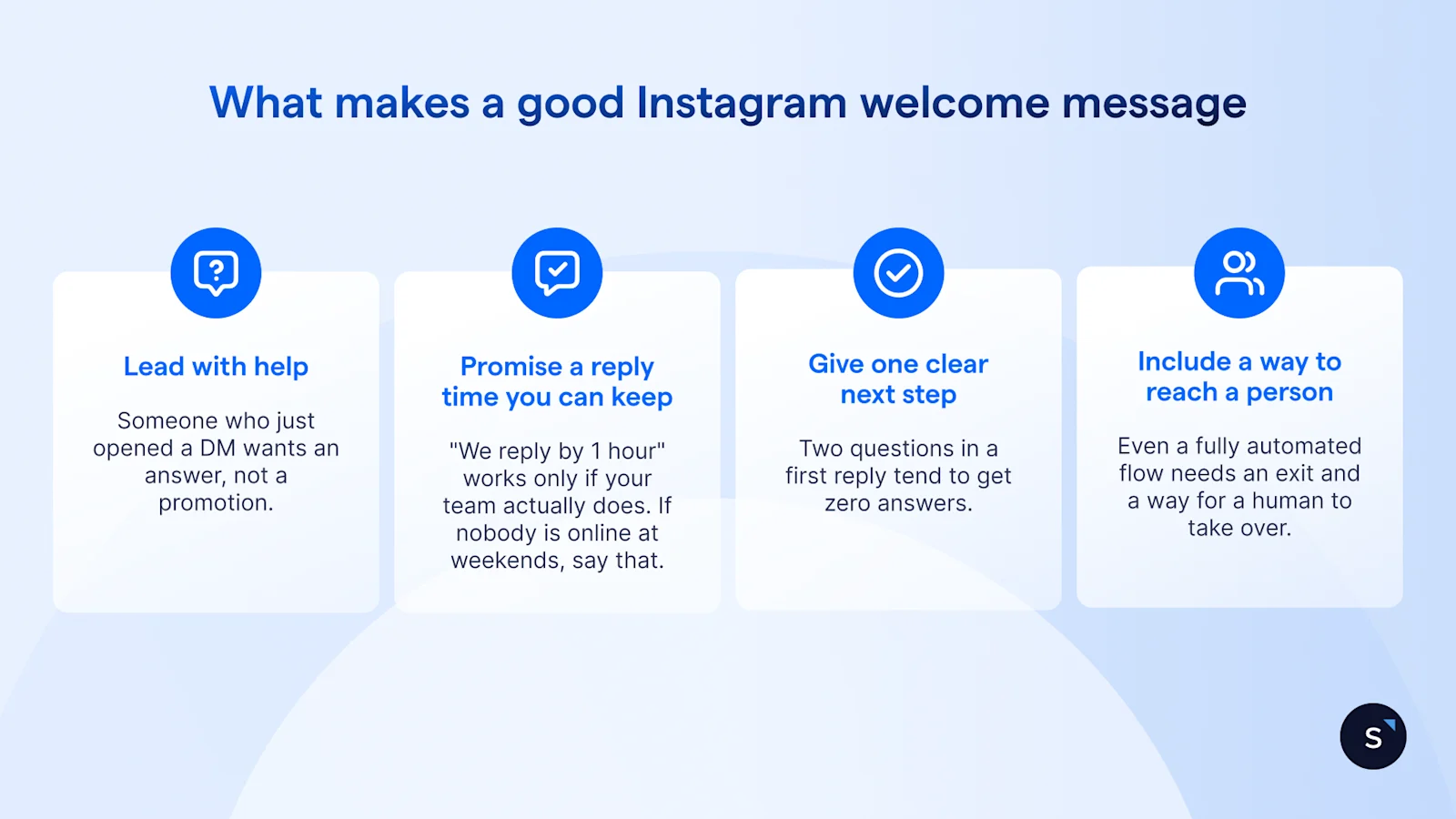
A good first reply is short enough to read in one glance and useful enough that the customer replies. Four principles do most of the work.
Lead with help, not an offer. Someone who just opened a DM wants an answer, not a promotion. Greet them, say you're listening, and ask one question. If you have an offer, it can follow once they've told you what they need.
Promise a reply time you can keep. "We reply by [hours]" works only if your team actually does. If nobody is online at weekends, say that. A missed promise costs more trust than no promise.
Give one clear next step. Ask one thing, such as "Which date suits you?" or "Reply 1 for orders." Two questions in a first reply tend to get zero answers.
Include a way to reach a person. Even a fully automated flow needs an exit, such as "Reply AGENT and a teammate will take over."
Personalise where your tool allows it. SleekFlow's welcome template, for example, starts from "Welcome {{first_name}}!", so you can greet customers by name. Then match your brand voice. If your brand is relaxed in captions and formal in DMs, customers notice. Our brand strategy framework shows how to write tone rules as instructions, not adjectives, so an automated reply sounds like your team.
Instagram welcome message examples
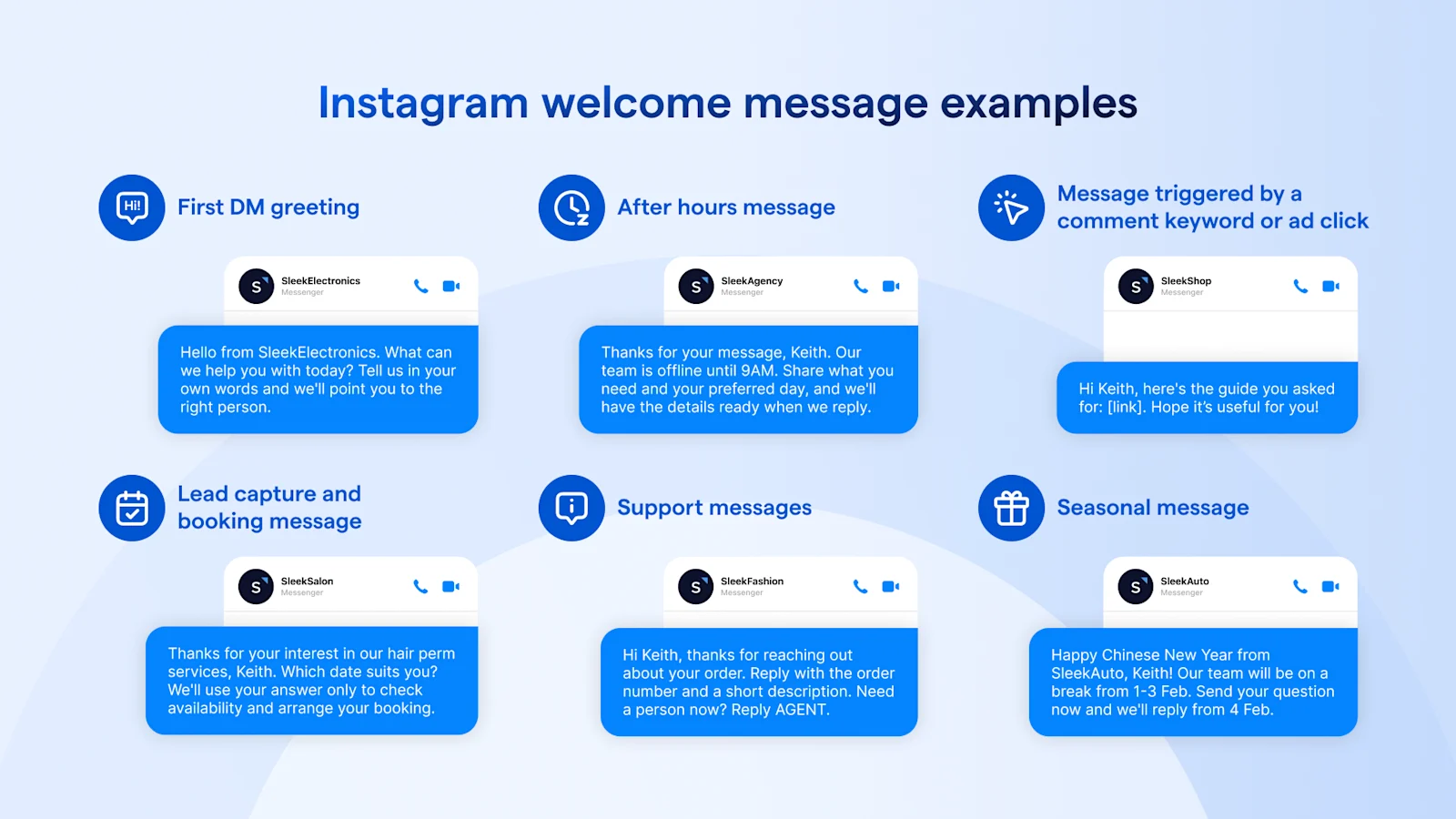
Use these as starting points. Swap the placeholders, and set a [reply time] only if your team can meet it. None of them leads with a discount code.
First DM greeting
Example 1
Hi [Name], thanks for messaging [Brand]. Reply 1 for products, 2 for an order, or 3 to talk to a person. We'll get back to you by [hours].
Why it works: three numbered choices make the next step obvious, and option 3 is a human exit.
Example 2
Hello from [Brand]. What can we help you with today? Tell us in your own words and we'll point you to the right person.
Why it works: one open question suits small teams with varied enquiries.
After hours
Example 3
Hi [Name], you've reached [Brand] outside our hours ([hours]). Leave your question here and we'll reply when we're back. For anything urgent, call [number].
Why it works: it says when you'll reply and offers a route for urgent cases.
Example 4
Thanks for your message, [Name]. Our team is offline until [hours]. Share what you need and your preferred day, and we'll have the details ready when we reply.
Why it works: the customer's wait turns into useful information for your team.
Triggered by a story reply, comment keyword or ad click
Example 5: story reply
Thanks for replying to our story, [Name]. Which item caught your eye? Tell us and we'll send you the details.
Why it works: it picks up exactly where the customer's interest started.
Example 6: comment keyword
Hi [Name], you commented [keyword], so here's the guide you asked for: [link]. Hope it’s useful for you!
Why it works: it delivers what the comment asked for, then invites a reply.
Example 7: ad click
Hi [Name], thanks for tapping our ad. Which would you like help with: [option A] or [option B]? Reply with A or B.
Why it works: it matches the ad's promise and asks one easy question.
Lead capture and booking
Example 8
Thanks for your interest in [service], [Name]. Which date suits you? We'll use your answer only to check availability and arrange your booking.
Why it works: it asks for one detail and says why.
Example 9
Hi [Name], we'd be glad to help you book [service]. Share your preferred date and time, and a consultant will confirm by [hours].
Why it works: one next step, with a named person doing the confirming.
Support messages
Example 10: support
Sorry you're having trouble, [Name]. Tell us what happened and your order number. Please don't send card details here. We'll reply by [hours].
Why it works: it sets the reply time and keeps sensitive details out of the thread.
Example 11: support
Hi [Name], thanks for reaching out about your order. Reply with the order number and a short description. Need a person now? Reply AGENT.
Why it works: the exit to a human is built into the first reply.
Seasonal messages
Example 12: seasonal
Happy Chinese New Year from [Brand], [Name]! Our team is on reduced hours from [dates]. Send your question now and we'll reply from [date].
Why it works: it resets expectations for the holiday before the customer wonders.
SleekFlow's own guide to Instagram and Facebook auto reply covers comment and story triggers in more depth.
What should a welcome message say for your industry?
The first-reply goal changes by industry. A restaurant wants a date and party size. A clinic wants a booking request and nothing clinical. Match the opener to the job.
Table 2: Instagram welcome message openers by industry
[Image guideline: a five-row visual of the industry openers as DM bubbles with an industry icon each. Alt text: "Instagram welcome message openers for F&B, beauty, health and wellness, retail and education."]
What should a welcome message ask for, and what should it leave out?
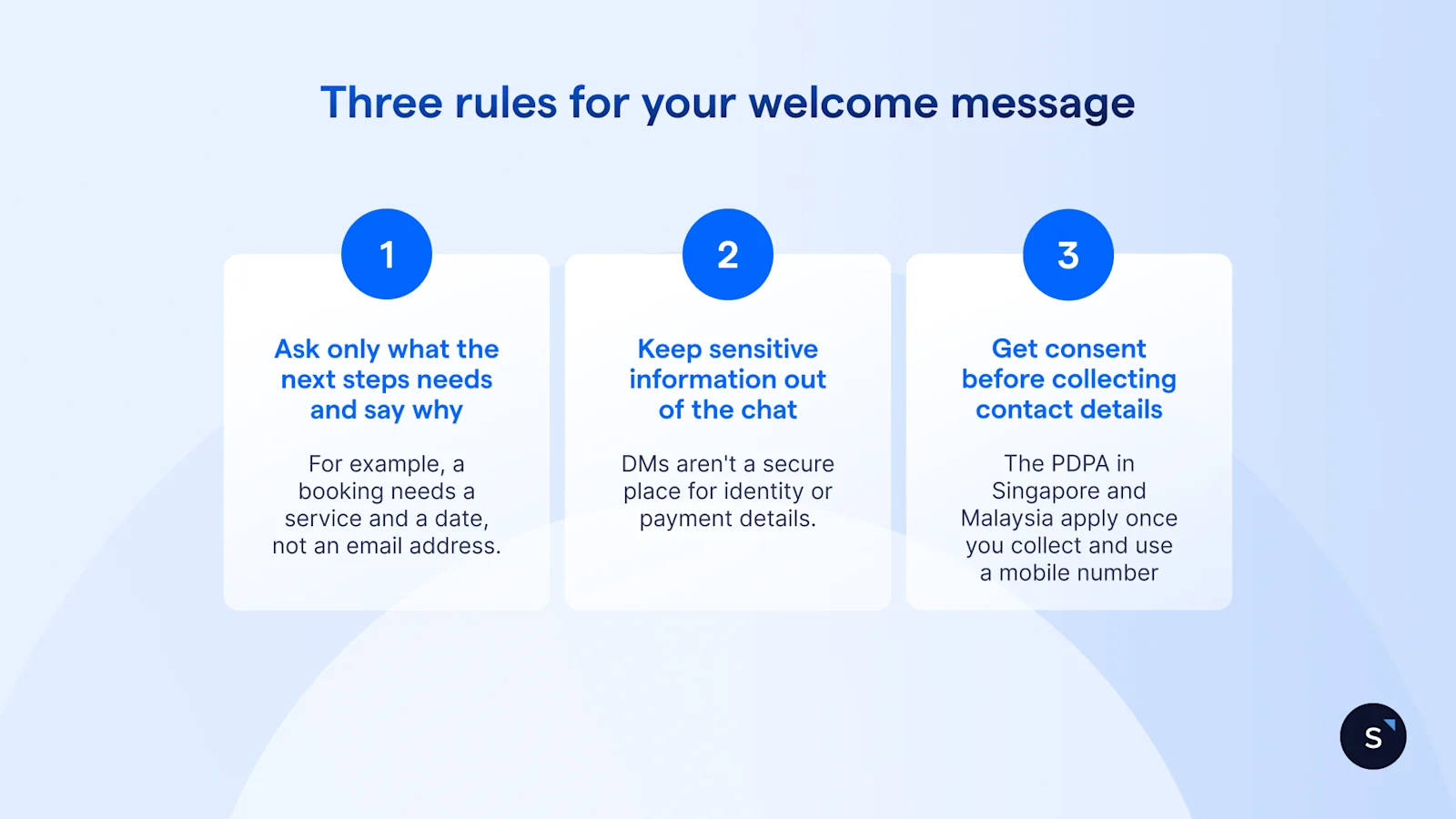
A first reply that asks for an email address or phone number before it has helped anyone puts the customer off and creates data you now have to protect. Three rules keep it clean.
Rule 1: ask only for what the next step needs, and say why
A booking needs a service and a date, not an email address. If you do need a detail, say what it's for.
Rule 2: keep NRIC numbers, payment card numbers and sensitive details out of DMs
DMs aren't a secure place for identity or payment details. Send customers to a payment link or checkout instead. On NRIC numbers, PDPC publishes advisory guidelines that restrict when organisations may collect them. On 2 February 2026, PDPC also said private organisations have until 31 December 2026 to stop using NRIC numbers for authentication.
Rule 3: get consent before you collect a phone number or email for marketing
Singapore's PDPA applies to the personal data you collect. If you later use a phone number for marketing, the Do Not Call rules come into play. PDPC's business guidance says they cover marketing voice calls, text and fax messages sent to Singapore telephone numbers, and that you needn't check the Registry if you hold the person's clear and unambiguous consent.
Those rules are about messages sent to telephone numbers, so they don't govern a DM sent to an Instagram account. They apply once you take a number from a DM and message it by SMS or WhatsApp. Check the scope in PDPC's own guidance. If you collect data from customers in Malaysia, Malaysia's Personal Data Protection Act 2010 applies as well.
Can a welcome message include a promotion?
Yes. Meta's messaging policy says messages sent within the 24-hour window may contain promotional content. The better habit is to answer first and keep any offer accurate and short.
Confirm your own obligations with your compliance adviser. This section is general information, not legal advice.
How to set up an Instagram welcome message
There are three routes. Menu names change by account, region and app version, so follow the steps in outline and check the labels on your own screen.
Route 1: Instagram's native tools
Open the Instagram app and go to your profile menu.
Look for the messaging or automated-response settings.
Choose the welcome message or instant reply option and write your message.
Save it, then message your account from a second account to test.
Repeat the test on both iPhone and Android.
Route 2: Meta Business Suite
Open Meta Business Suite on desktop and select your Instagram account.
Open the Inbox, then its automations settings.
Pick the instant reply, away message or frequently asked questions tool.
Write the message and, for an away message, set your hours.
Save it and test from a second account.
Route 3: a connected messaging platform
Choose a platform that connects to Instagram through Meta's Instagram Messaging API.
Connect your Instagram professional account and grant the permissions it asks for.
Build a flow that starts when a new contact sends a first message.
Add a handover so a person can take over.
Meta's rules for automated replies
The 24-hour window. Meta's documentation gives your app 24 hours to respond to a message from an Instagram user. Automated replies must fit inside it.
The Human Agent tag. Meta's Messenger Platform documentation describes a Human Agent tag that lets a business representative reply manually within 7 days. It's a Meta feature, not a vendor feature, and the Instagram Messaging API page doesn't name the tag or the 7-day period. Ask your platform provider whether it's available for Instagram. SleekFlow's help centre says it doesn't support the tag on Instagram, so its Instagram conversations follow the standard 24-hour window.
A path to a person. Meta's Instagram Messaging API documentation describes an escalation path to a human agent for custom inboxes. Whatever tool you use, customers should always be able to reach a person.
How to set up an Instagram welcome flow in SleekFlow
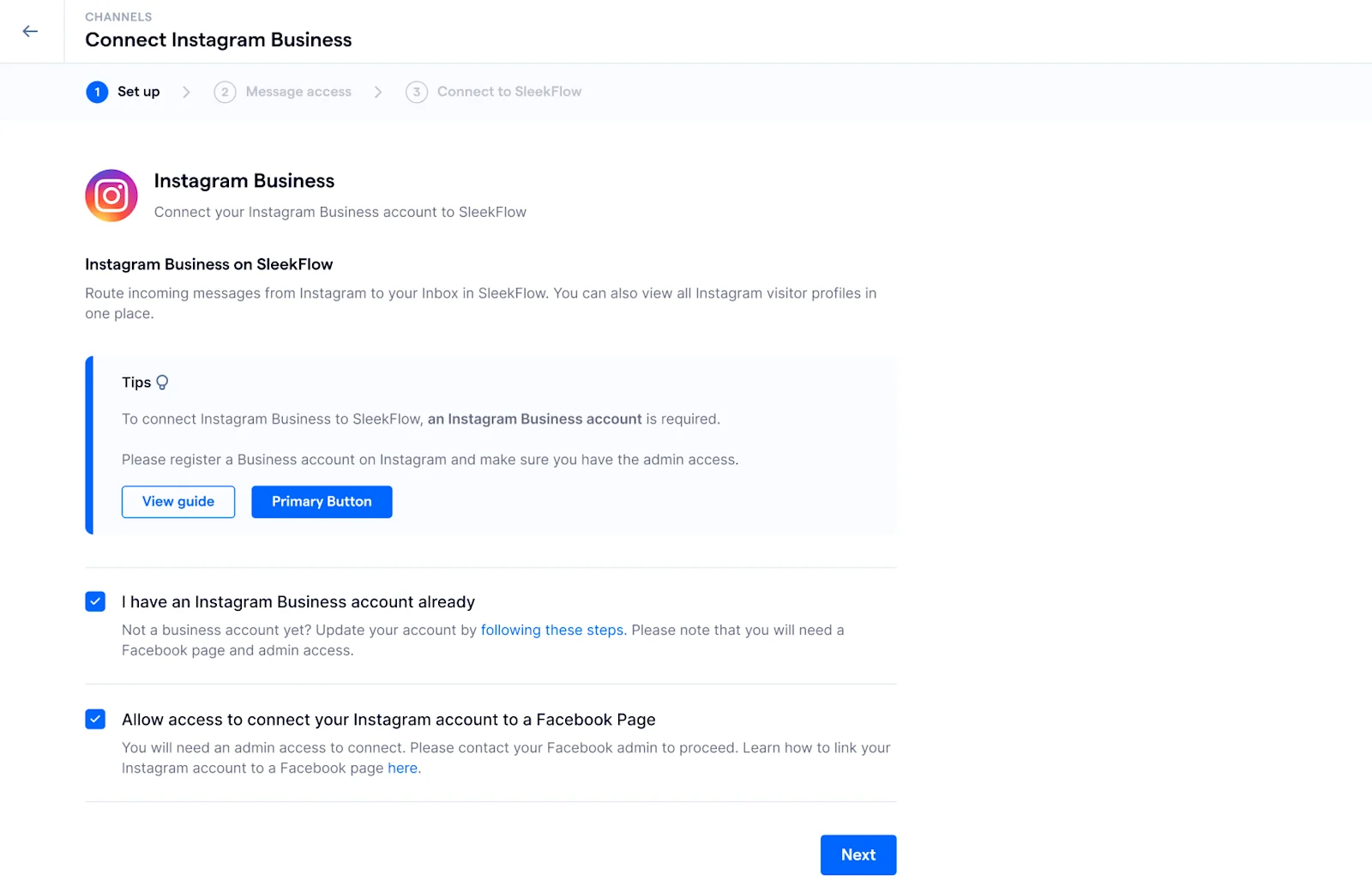
SleekFlow connects Instagram as a channel in Flow Builder, so the welcome message can be the first step of a longer flow. The set-up follows the template in SleekFlow's help centre.
Connect Instagram. Link your Instagram Business account. You can connect more than one.
Pick the template. In Flow Builder, create a new flow and choose "Send welcome message".
Set the trigger. Select Instagram as the channel. The flow starts when a new contact sends their first message, and by default only new contacts enter it.
Write the message. The template starts from "Welcome {{first_name}}!". Replace it with your own text and add the next step.
Publish and test. Message your account from a second account.
Two more templates cover other ways people reach you:
Reply to Instagram story replies starts when someone replies to your story, waits a few seconds by default, then sends a DM.
Reply to post or reel comments replies to a comment, then sends a DM. You can trigger it on all comments or on specific keywords.
Comment-to-DM has limits. SleekFlow's help centre says you can send one DM per comment, within the 24-hour window, and no further messages unless the customer replies. Meta's developer documentation allows one private reply per commenter within 7 days of the comment, and only continues the conversation if the person responds. Plan for the stricter of the two.
Outside opening hours, the "Out of business hours" template filters by weekday and time range. Conversations then land in the shared inbox, where you can assign them to a teammate.
How do you know your welcome message works?
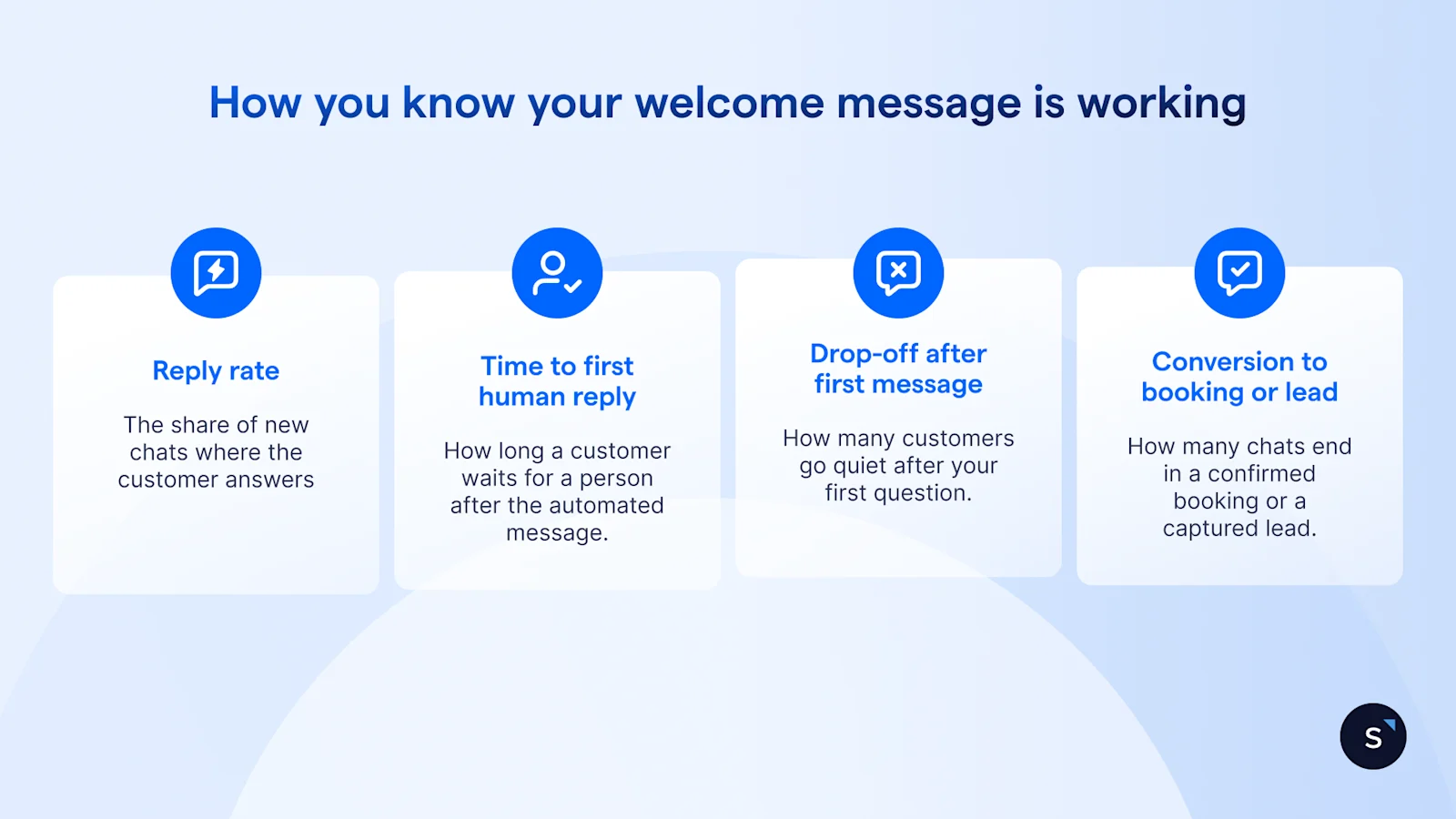
Track four numbers, and compare each against your own previous month, not an industry average.
Reply rate to the welcome message: the share of new chats where the customer answers your first reply.
Time to first human reply: how long a customer waits for a person after the automated message.
Drop-off after the first message: how many customers go quiet after your first question.
Conversion to a booking or lead: how many chats end in a confirmed booking or a captured lead.
Change one thing at a time. If you rewrite the greeting and the reply time in the same week, you won't know which change moved the numbers. SleekFlow's analytics shows average and first reply times by team. Booking and lead conversion usually come from your booking or sales system, so match the two.
What Instagram DM automation looks like for real teams
SACES, a Singapore air-conditioning and electrical firm, handles enquiries from WhatsApp, Facebook and Instagram through one AI agent grounded in its own FAQs and service information.
Results:
75% of AI-qualified leads convert to bookings
Over 60% of incoming enquiries handled by the AI agent
90% faster response time, down from several days to within 24 hours
Read the full SACES case study.
Ready to see your own first reply as a welcome flow? Book a demo and bring your current Instagram DMs.

Want to outcompete your peers with SleekFlow's help?
Book your personalised demo with SleekFlow today and unlock the potential of seamless communication


