How to reply to a Google review: steps, examples and the rules most guides skip


TL; DR: Quick Summary
- A verified Google Business Profile lets an owner reply to a Google review publicly, and Google notifies the reviewer automatically.
- 97% of consumers read online reviews for local businesses, per BrightLocal's 2026 survey, making a reply worth getting right.
- Good replies thank the reviewer, name the issue, state the fix and move specifics to a private channel.
- Keep order numbers, bookings and personal details out of public replies, and flag posts that break Google's content policies.
- Businesses that set a written reply policy and response target turn review replies into a routine, not a scramble.
A one-star review about a double-charged order sits untouched for three weeks. Then the manager replies from his own phone, thanking the customer by name and listing the order number and refund date.
Both details are now public, sitting under a review anyone can read before they book a table.
That is the part most guides skip: not just how to reply to a Google review, but which details to leave out, when to flag a review instead of answering it, and how to make replies happen on schedule.
How do you reply to a Google review?
Answering a Google review means opening a verified Google Business Profile, finding the review under Read reviews and selecting Reply. Google checks the reply against its content policies before publishing it beneath the review, and the reviewer is notified automatically.
Confirm the Business Profile is verified. Only a verified owner or manager can reply.
Open the profile and go to Read reviews.
Find the review and select Reply.
Write the response and submit it.
Check that it posted publicly under the review.
Google's own help documentation says most replies post within about 10 minutes of review, though some take as long as 30 days. A reply can be edited or deleted afterwards from the same screen.
97% of consumers read online reviews for local businesses, per BrightLocal's 2026 survey, so a reply posted today is still read by people deciding whether to walk in next month.
Should you reply to every Google review, and how fast?
Yes, to both positive and negative reviews. Google's own guidance recommends replying as a best practice but sets no required response time, so the target comes from the business, not the platform.
Two vendor surveys fill that gap with their own numbers: InMoment reports that more than half of reviewers expect a response within 7 days, and ReviewTrackers puts the figure at 53.3%. Both are vendor surveys, not Google data, so treat "a few business days" as a recommended starting point, faster for negative reviews, not a rule.
One detail worth knowing: if a reviewer edits their review after a reply has gone up, Google updates the review's timestamp. The reply can then look like it landed before the edit, even though it answered the original version.
How to reply to a negative Google review
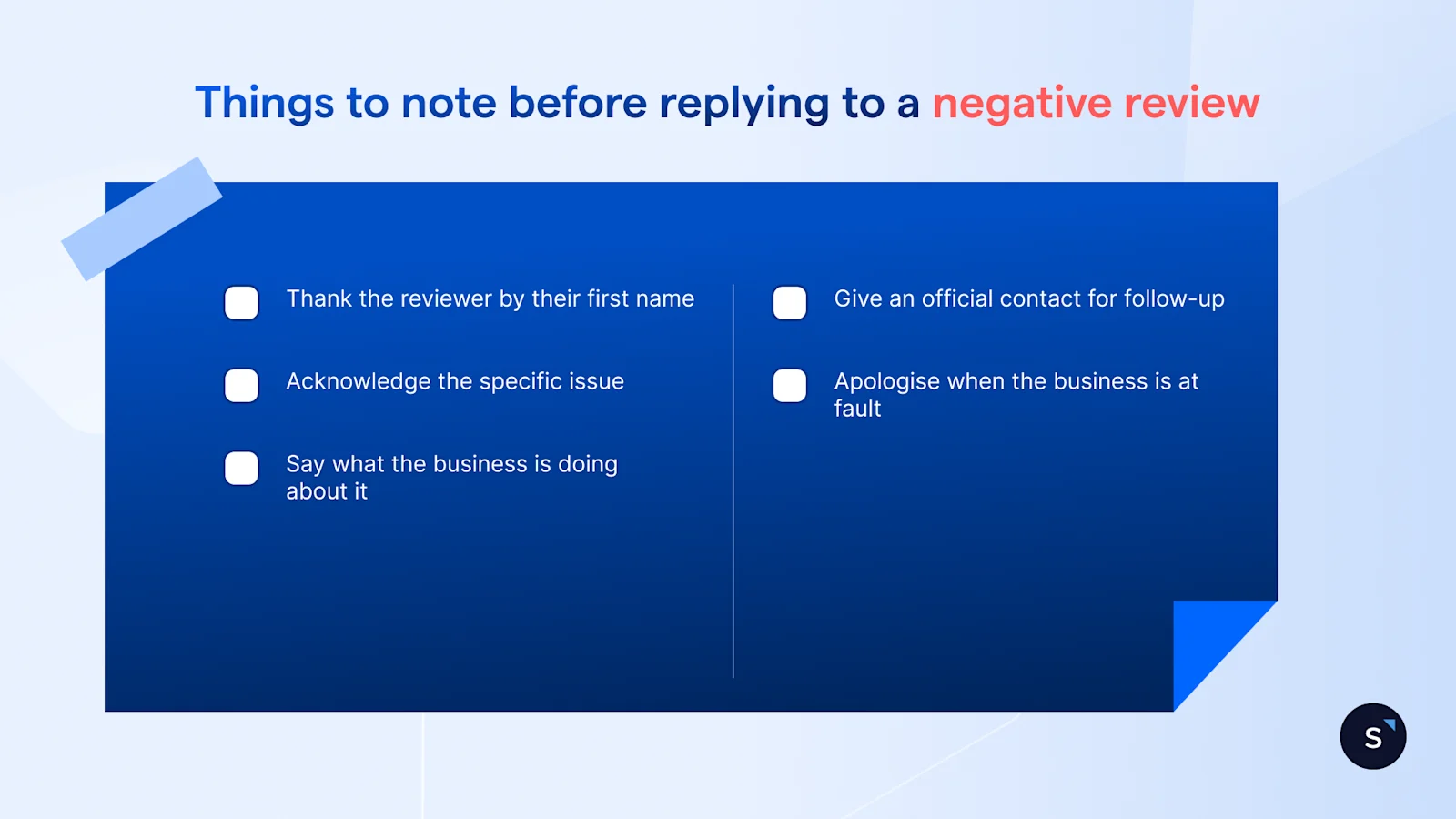
A good reply to a negative review thanks the reviewer by first name, acknowledges the specific issue, says what the business is doing about it, and gives an official contact for follow-up. Apologise when the business is actually at fault, not as a scripted first line.
Keep it short. Google's own guidance warns that a reply which runs too long loses the reader before it reaches the point.
Not every review needs the same four-move treatment. Use the table below as a starting point, and check it against Google's current content policies first, since specifics change.
A reviewer can be invited to update their review once the issue is fixed. Nothing should be offered in exchange for that update, not a discount, not a refund tied to the edit.
Here are two short examples you can copy and paste, with no names, orders or dates:
Thanks for flagging this. We fell short here, and we've made a change so it doesn't happen again. Please message us directly so we can put it right.
We're sorry the visit didn't go as it should have. We'd like to hear more and make it right, so please reach out through our official contact channel.
How to reply to a positive Google review
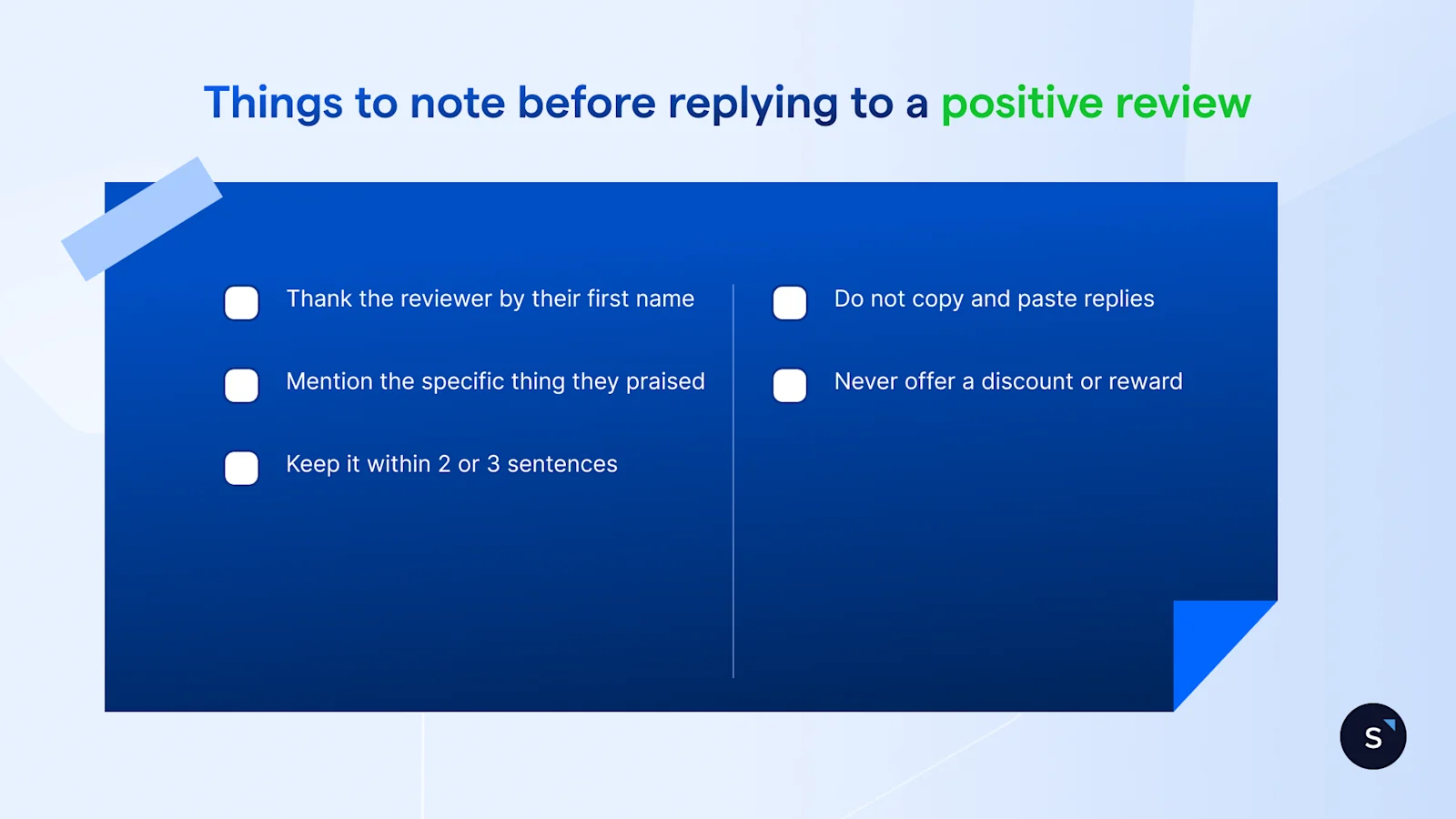
A good reply to a positive review thanks the reviewer by name, mentions the specific thing they praised and stops within two or three sentences. A reply pasted unchanged under every 5-star review reads as automated, which undercuts the thing it is trying to show.
Vary the wording each time, and never offer a discount or reward for future reviews as it cheapens a genuine thank-you.
Here are two short examples:
Thank you for the kind words about our weekend brunch menu. It means a lot to hear the new dishes are landing well.
We're glad the delivery arrived early and in good shape. Thanks for taking the time to share it.
Reply in the reviewer's own language where someone on the team can do it accurately. Where no one can, simple English is the safer choice over a machine-translated guess.
What you should never say in a public reply
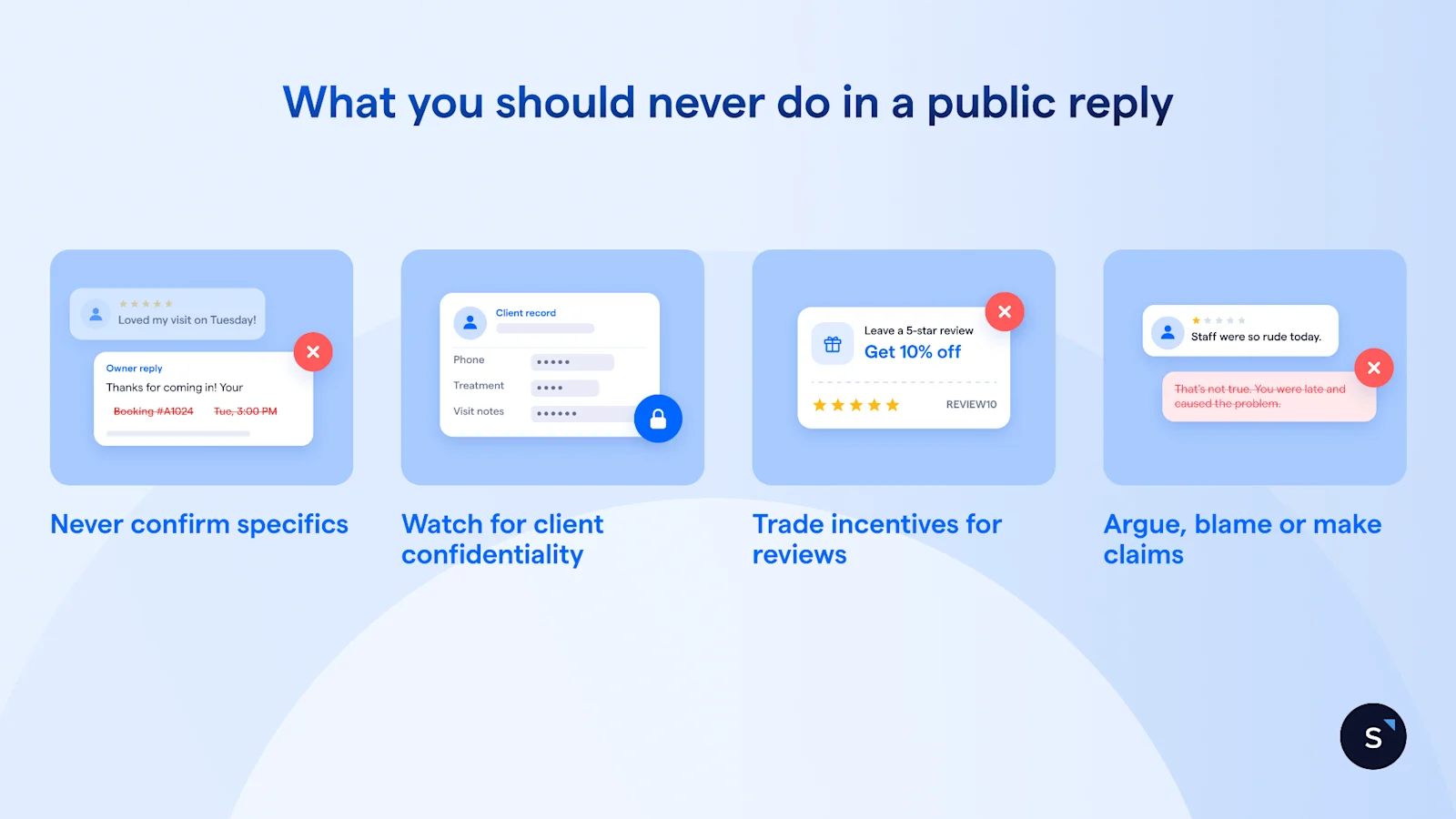
A public reply should never confirm a customer's identity, order, booking, treatment or account details, even when the reviewer raised them first. Four rules cover what to leave out and why.
Never confirm specifics, even when the reviewer shared them first. Singapore's Personal Data Protection Act sets a Consent Obligation and a Disclosure Obligation on sharing personal data, and PDPC's Advisory Guidelines on Key Concepts in the PDPA set out how those obligations work.
Watch out for client confidentiality. Confirming that a reviewer is a patient or a client can itself be a confidentiality breach in sectors such as healthcare and law, on top of the data protection question above.
Never trade an incentive for a review. Google treats incentives offered to post, change or remove a review as fake and misleading content, and prohibits it outright.
A refund or discount tied to a review update is exactly this, however kindly it is phrased.
Never argue, blame or make an unverifiable claim. A public reply holds a neutral tone and is not the place for legal argument— a genuinely disputed claim belongs with a lawyer, not a reply box.
When to flag a Google review instead of replying
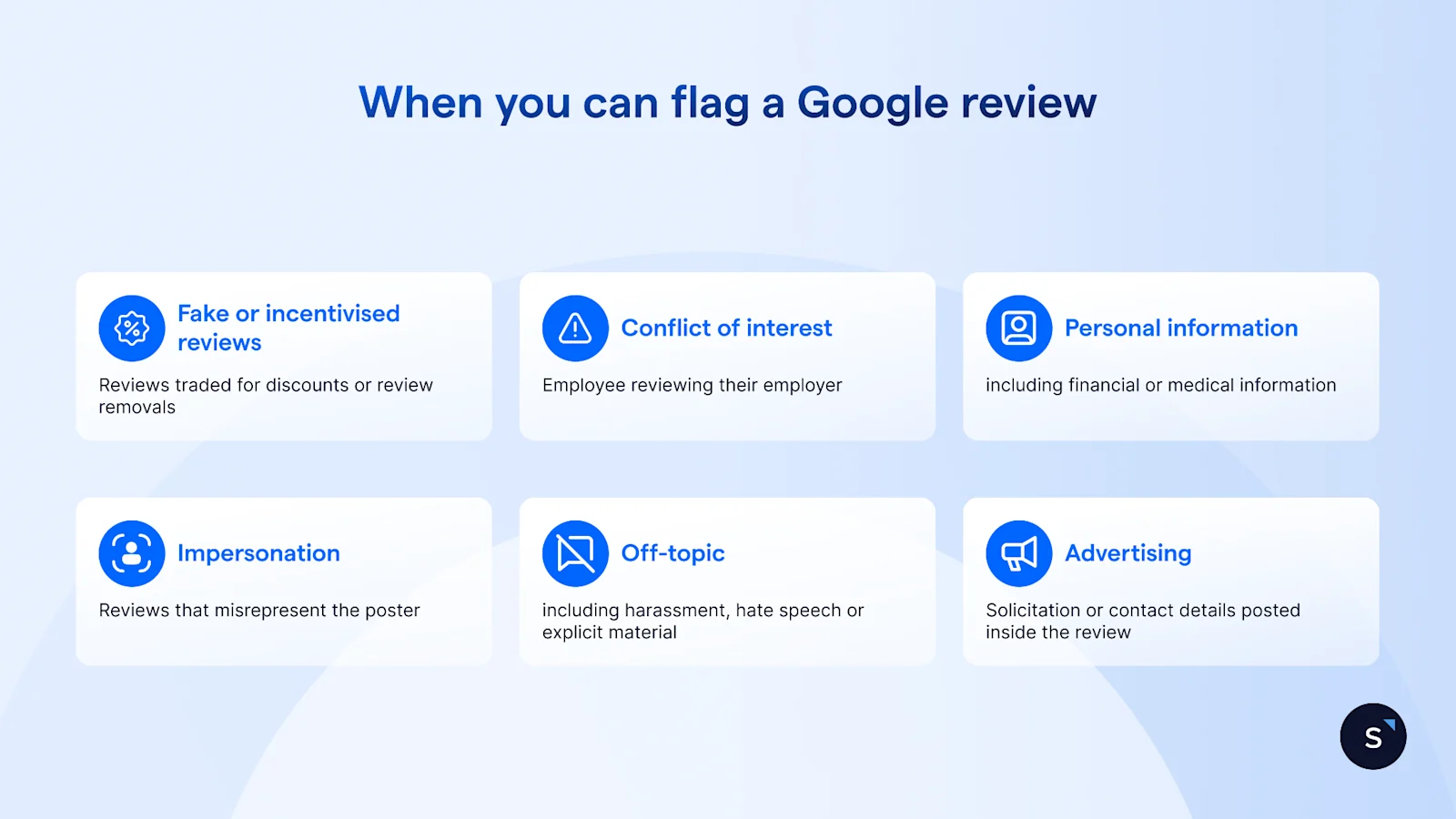
A business cannot delete a Google review itself, but it can flag one that breaks Google's content policies. Google tells businesses not to report a review just because they disagree with it. A review that stays up after a report gets a one-time appeal; Google caps each appeal submission at a maximum of 10 reviews.
What Google's content policies rule out
Google's content policies rule out:
Fake or incentivised reviews, including ones traded for a refund, discount or review removal
Reviews based on a conflict of interest, such as an employee reviewing their employer
Another person's personal, financial, medical or identification information posted without consent
Impersonation, and reviews that misrepresent who posted them
Off-topic content, harassment, hate speech and sexually explicit or violent material
Advertising, solicitation or contact details posted inside a review
Google also bars merchants from selectively soliciting only positive reviews, a practice known as review gating.
Some agency blogs describe a further 2026 Google policy update targeting AI-generated reviews specifically, but no official Google source confirms that at the time of writing, so treat it as unverified.
Fake reviews carry real penalties in Singapore
On 30 Sep 2026, the Competition and Consumer Commission of Singapore took action against 45 businesses and a fake review provider. The provider had supplied fabricated reviews to around 100 businesses across Google, Facebook, Tripadvisor and other platforms, and the businesses involved must publish a public apology for 6 months.
Never ask staff, family or friends to post reviews to offset a bad one. It is the same selective-solicitation practice Google's policy rules out, and it reads as fake the moment a reader compares timestamps.
Flagging a review will not resolve a defamation claim, and this article is not the place to attempt that. If a review crosses into defamatory territory, speak to a lawyer.
How to set up review replies for a team or several locations
Credit: Google
Google Business Profile sends notifications for new reviews through email, Search or Maps, configurable in the profile's settings, so a team is not left checking manually.
A weekly log of review themes, not just star ratings, feeds back to operations faster than a spreadsheet of scores. If the same complaint shows up three weeks running, that is the one to escalate.
Your written reply policy should cover:
Who owns replies, day to day
The tone and language to reply in
A response time target
Which reviews escalate straight to a person: safety, legal, media, health or personal data
Who signs off on a sensitive reply before it posts
AI drafting is a reasonable way to get a first pass of a reply, as long as a person reads it before it posts, as our guide to AI customer service in Singapore covers.
One policy point worth stating plainly: Google's Business Profile API terms require a business's specific and express consent before replies are automated or triggered, and a third party replying on a business's behalf needs that business's authorisation first. This is a statement of Google's policy, not a product recommendation.
Managing new reviews as they come in, rather than checking a separate dashboard for them, is covered in our guide to Google customer reviews integration: how to manage reviews in one inbox.

Want to outcompete your peers with SleekFlow's help?
Book your personalised demo with SleekFlow today and unlock the potential of seamless communication


