Social media automation tools: how to choose the right one


TL; DR: Quick Summary
- Social media automation tools fall into five distinct categories: publishing, social listening, agency collaboration, AI workflow, and conversation automation. Choosing the wrong category wastes budget even when the tool itself works well.
- Most teams start with scheduling tools and stop there, missing the bigger opportunity: converting social engagement into leads, tickets, and sales conversations.
- Hidden costs in social automation pricing — AI add-ons, per-channel fees, approval workflow limits routinely add 30% to 60% on top of the headline price.
- For businesses using social as a sales or support channel, conversation and lead-capture tools produce a measurable revenue impact that publishing tools alone cannot deliver.
A social media automation tool is software that replaces manual, repetitive social tasks with scheduled, triggered, or AI-driven actions. These tools span five categories: publishing and scheduling, social listening, agency collaboration, AI workflow automation, and conversation automation. The right choice depends on which part of your workflow is the actual bottleneck — not which tool has the longest feature list.
Why businesses invest in social media automation tools
Managing five or six social channels manually isn't just inefficient. During a product launch, a giveaway campaign, or a viral post, it breaks entirely. Responses pile up, leads go cold, and team members burn out on work that could be automated.
According to the 2026 Gartner CMO Spend Survey, CMOs now allocate 15.3% of marketing budgets to AI initiatives. Separately, Gartner's survey of 402 senior marketing leaders found that AI-driven automation of marketing work is expected to double, from 16% in 2026 to 36% by 2028. The investment isn't about convenience. It's about keeping up with the volume social media generates at scale.
For B2C businesses across Southeast Asia, the specific pressure is speed. A customer who comments on a campaign post expects a response in minutes, not hours. Automation is what closes that gap.
The 5 types of social media automation tools
Not all tools in this space do the same job. Understanding the taxonomy first makes tool evaluation faster and avoids buying something built for a workflow you don't run.
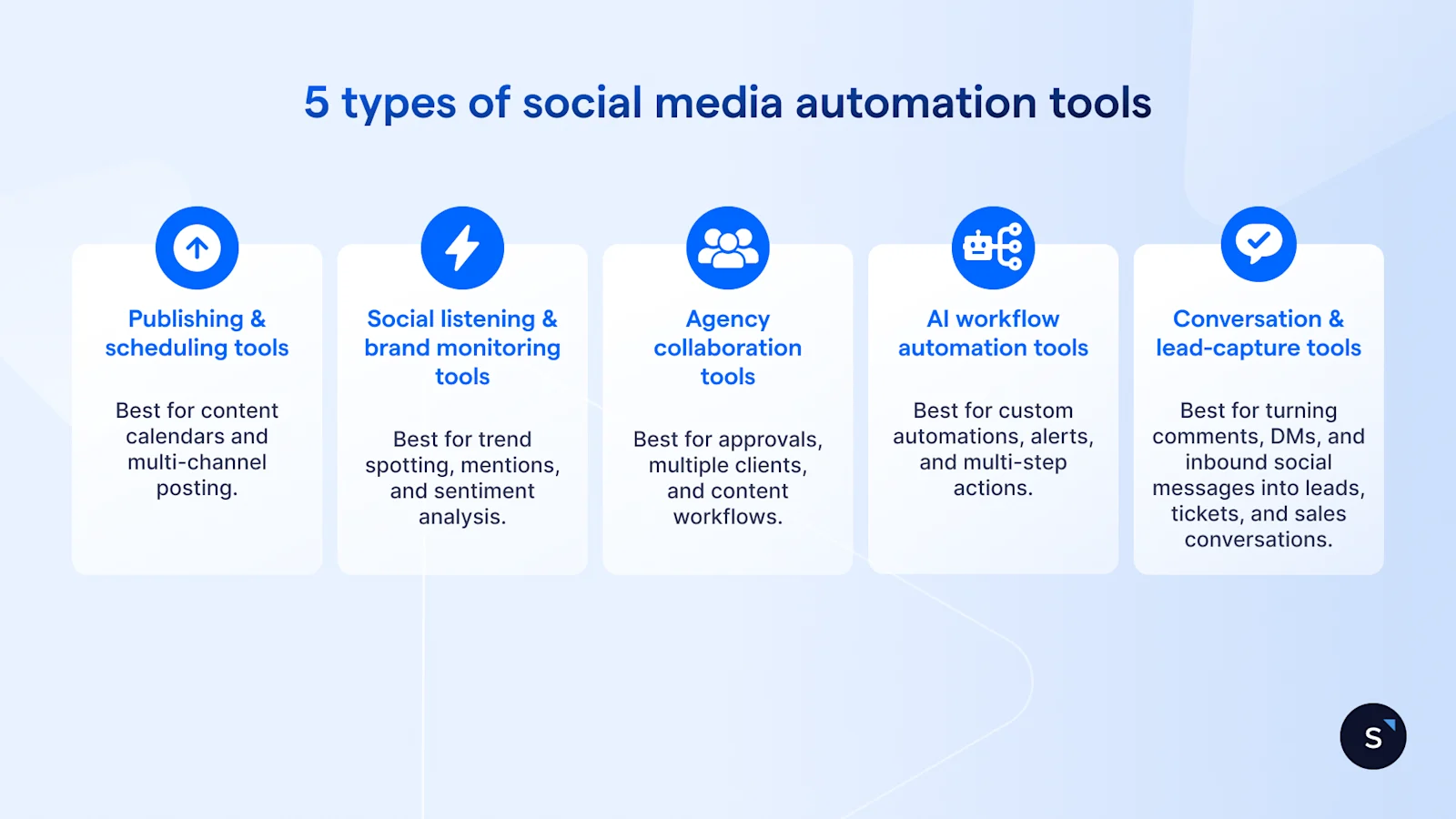
Publishing and scheduling tools
Best for: content calendars and multi-channel posting.
These tools let you plan, draft, and schedule content across platforms from a single dashboard. Their main value is consistency: posts go out at the right time without manual action on each channel. Useful for maintaining posting frequency without daily repetition.
Social listening and brand monitoring tools
Best for: trend spotting, mentions, and sentiment analysis.
These tools scan social platforms and the wider web for your brand name, competitors, or target keywords. They surface customer sentiment, track campaign reach, and flag emerging service issues before they escalate.
Agency collaboration tools
Best for: approvals, multiple clients, and content workflows.
These tools add a governance layer to content creation. Review queues, client approval links, role-based access, and white-label reporting are standard features. Any team managing social media on behalf of other businesses needs this category.
AI workflow automation tools
Best for: custom automations, alerts, and multi-step actions.
These tools connect multiple platforms via logic-based triggers. Common use cases include posting when a competitor mentions you, alerting the team when a keyword spikes, or auto-tagging leads captured from ad forms.
Conversation and lead-capture tools
Best for: turning comments, DMs, and inbound social messages into leads, tickets, and sales conversations.
These tools close the gap between social engagement and business outcome. When someone comments on a campaign post or sends a DM after clicking an ad, a conversation tool qualifies them, routes them, and logs them, without manual intervention. This is where the highest revenue impact tends to sit for consumer-facing businesses.
What to look for in a social media automation tool
Eight criteria matter across most buying decisions. Weight them according to your use case.
Pricing models and what they actually cost
Headline pricing rarely reflects what you'll pay once you're live. The categories below each add meaningful cost in practice.
Read the pricing page in full before committing. The plan showcased in a demo often excludes the features that drove the conversation in the first place.
Which type of social media automation tool suits your business?
For businesses in Singapore's B2C market, the last profile is where automation delivers the clearest return. Social channels here generate active enquiries, and those enquiries need to be captured, qualified, and routed, not just acknowledged.
Common mistakes when using social media automation tools
Most automation failures come down to deployment decisions, not tool quality.
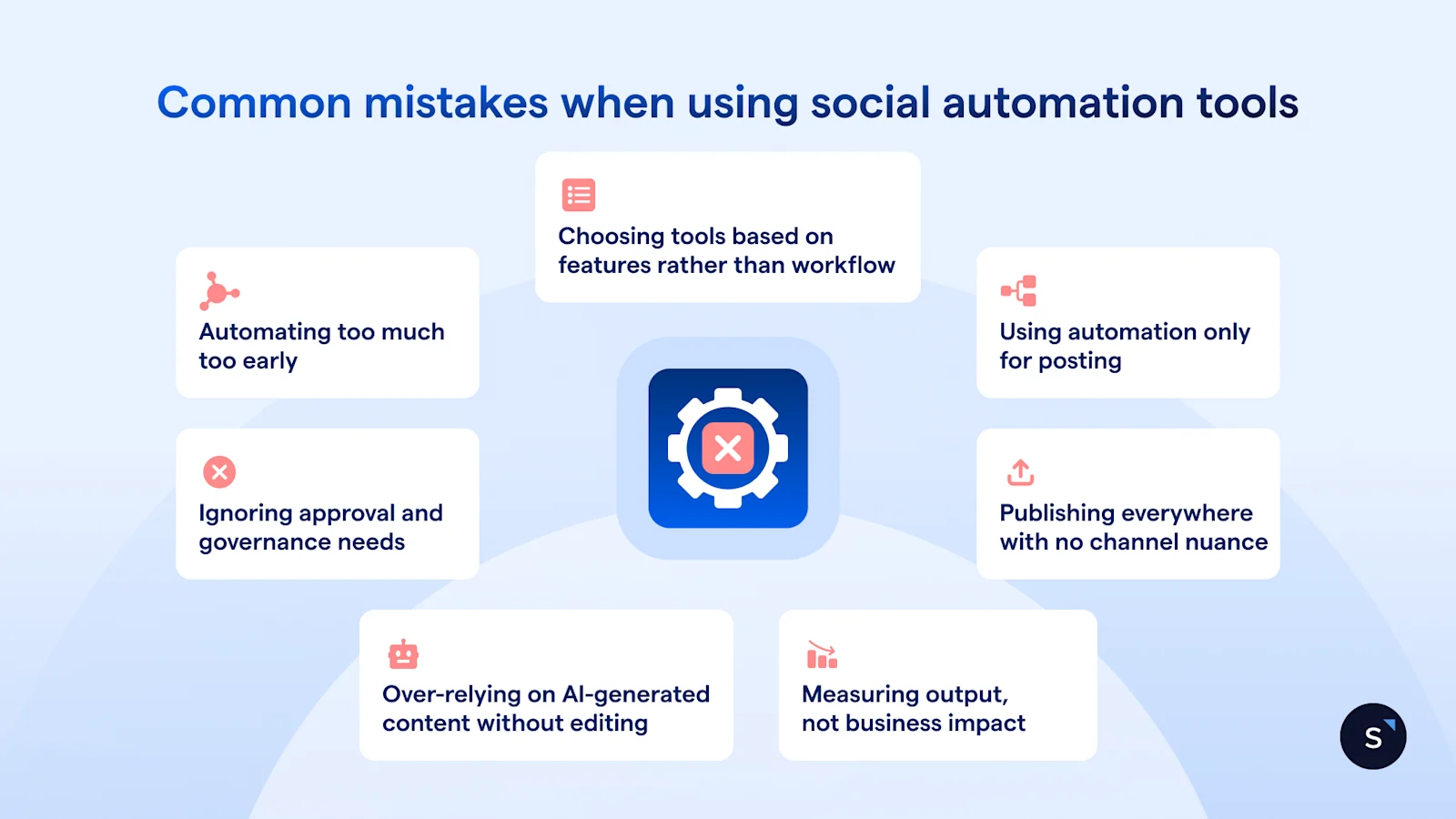
Automating too much too early. Start with one workflow, get it right, then expand.
Choosing on features rather than workflow fit. Two hundred integrations are irrelevant if your team only uses three of them.
Using automation only for posting. Publishing is the easiest win. Conversation automation is where revenue impact lives.
Ignoring approval and governance needs. Automated posts with no review layer are a brand risk, particularly across multiple markets.
Publishing everywhere with no channel nuance. A LinkedIn caption and an Instagram caption serve different audiences and need different copy.
Over-relying on AI-generated content without editing. AI drafts need a human pass before they go live.
Measuring output, not business impact. Post count and reach do not tell you what automation is doing to your pipeline.
Buffer is a straightforward starting point for scheduling, with clean UX and broad platform coverage. Brand24 monitors brand mentions and delivers sentiment tracking without heavy setup overhead. SleekFlow handles the conversation layer, from comment-to-DM automation through to lead qualification and Social CRM sync, and suits B2C businesses running high-volume social campaigns across Southeast Asia. Planable is purpose-built for agency collaboration, with client-facing approval workflows and multi-brand support. Gumloop serves teams that need custom automation logic beyond what packaged tools provide out of the box.
How SleekFlow handles the conversation layer
Most social media automation tools stop at the point where a customer engages. SleekFlow starts there.
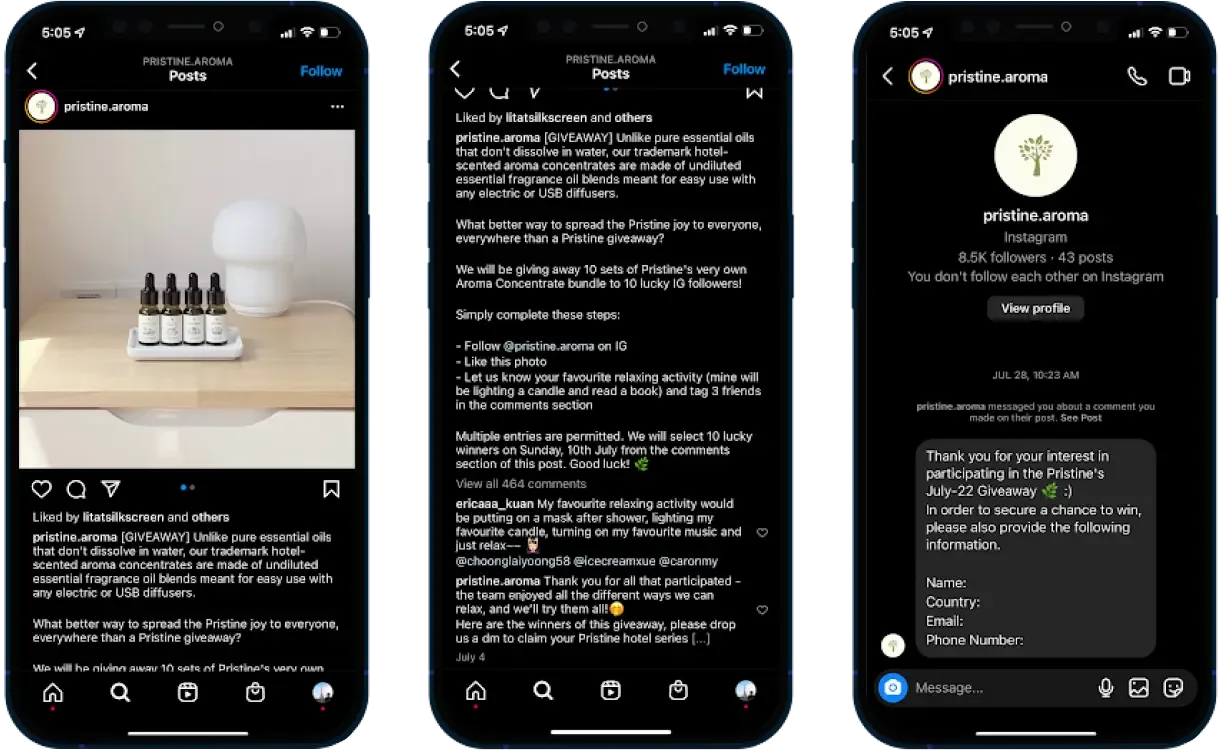
When a contact comments on a post, sends a DM, or clicks a WhatsApp ad, SleekFlow's Flow Builder routes them through a qualification workflow, collects their details, and assigns them to the right team member, with the full conversation history intact. For consumer brands running campaigns across Instagram and Facebook, this replaces a manual follow-up process that breaks at any meaningful volume.
AgentFlow, SleekFlow's AI conversation product, handles first contact, qualifies leads, and books demos automatically before handing the conversation to a human agent.
Pristine Aroma, a Singapore-based home fragrance brand, used SleekFlow to automate comment replies during a Facebook and Instagram giveaway campaign. Every person who engaged received an instant, personalised response, with new leads captured and greeted automatically.
Frequently Asked Questions
What is a social media automation tool?
What is the difference between scheduling and social media automation?
Are social media automation tools worth it for small businesses?
What should not be automated on social media?
Can social media automation improve engagement rates?
How do I choose the right social media automation tool?

Want to outcompete your peers with SleekFlow's help?
Book your personalised demo with SleekFlow today and unlock the potential of seamless communication


