What is VoIP? How business calls fit into a modern customer communication stack


TL; DR: Quick Summary
- VoIP (Voice over Internet Protocol) turns voice calls into internet data, so calls run through the same software your team uses for chat and email.
- Switching from a landline to VoIP changes where calls live, who can answer them, and what gets recorded automatically.
- There are 5 common types of VoIP setups, from basic hosted PBX to VoIP built directly into a customer communication platform.
- Voice suits complex, high-stakes conversations, while chat and broadcast messaging suit speed and scale.
- The global VoIP services market is projected to grow from US$185.34 billion in 2026 to US$280.72 billion by 2030, according to Research and Markets.
What is VoIP and how does it work?
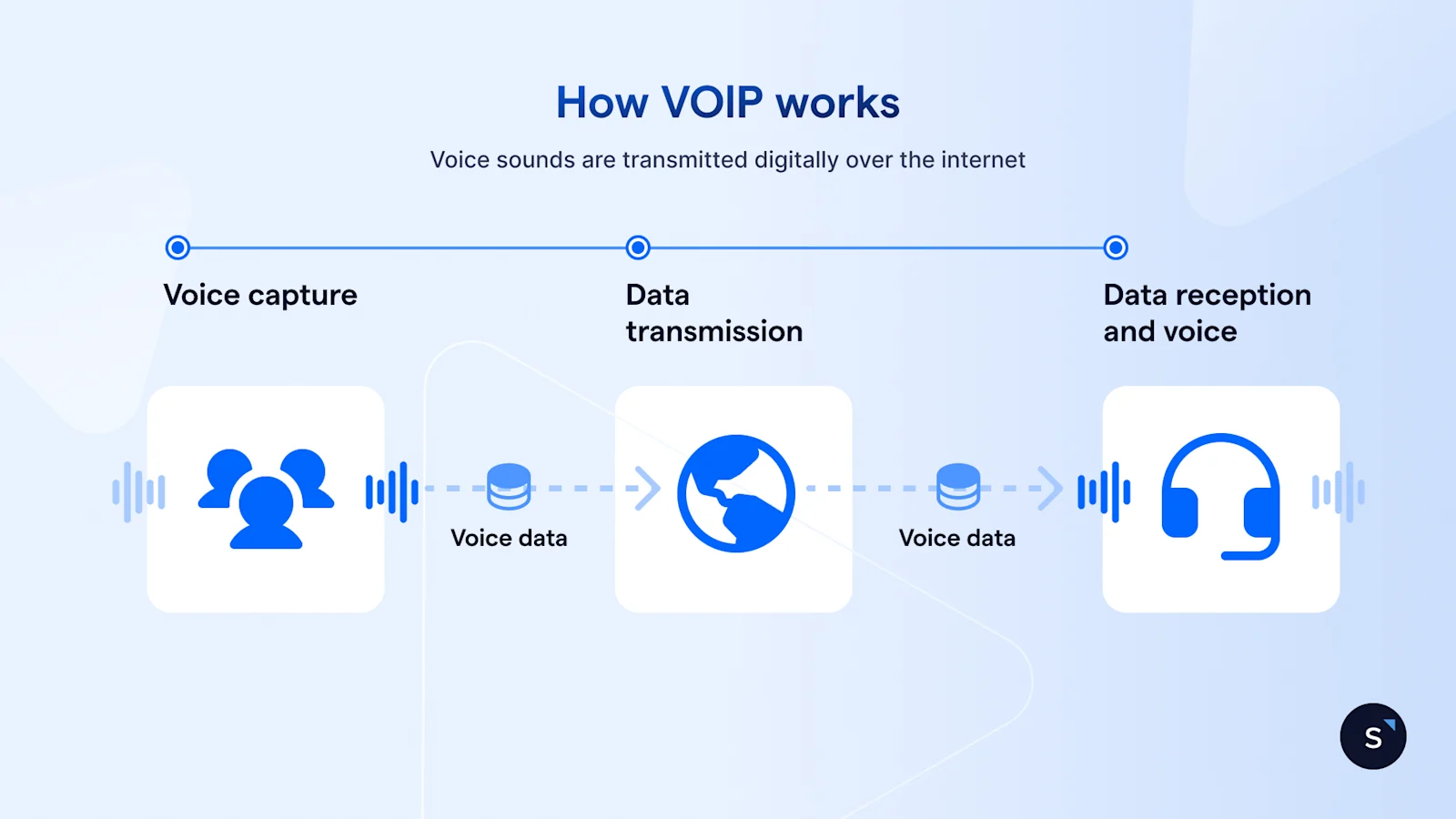
VoIP (Voice over Internet Protocol) is a technology that carries voice calls over the internet instead of a traditional phone network, so a business number can run through the same software a team already uses for chat and email, and be answered on a desk phone, laptop, or app.
The basic mechanics, in plain terms
When someone speaks into a VoIP-enabled phone or app, the audio is compressed into data packets and sent across the internet, where it's decompressed back into sound on the other end. This happens in real time, which is why call quality depends heavily on a stable connection rather than the old copper-wire network.
For a business, this matters because a VoIP number isn't tied to a physical location or a single device. A support agent working from home, a sales rep on the move, and a receptionist at head office can all answer calls to the same business number, often from the same software they already use for messaging customers.
Why businesses in Singapore are moving to VoIP
Singapore's enterprises have been digitalising quickly: more than 95% of SMEs had adopted at least one digital technology by 2024, up from 84.6% in 2019, according to IMDA's FY2024/25 Annual Report. VoIP sits inside that shift, especially for hybrid teams no longer tied to one shared office phone line.
VoIP vs landline: what actually changes for your team?
The practical differences are what decide whether a move to VoIP is worth the effort.
What happens without a proper VoIP set-up
This gap shows up the same way at most growing businesses. Staff start out using personal mobiles for customer calls, since setting up a real system feels like overkill at first. A few hires later, nobody can say how many calls are happening, which ones turned into a sale, or who's still waiting on a callback. That's usually the point where VoIP stops being optional.
Types of VoIP systems: which one suits your business?
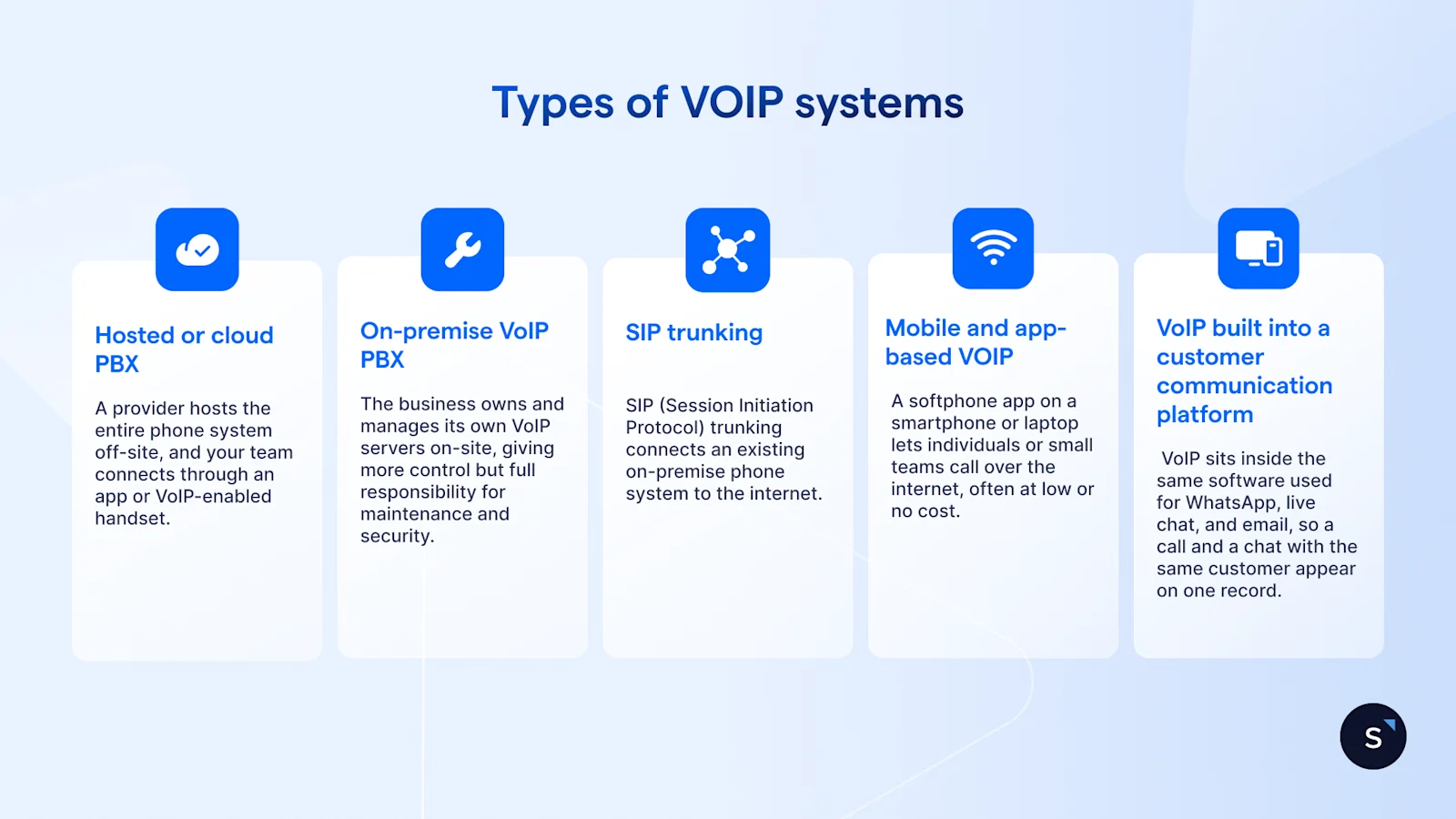
Not all VoIP is built the same way; the right type depends on team size, technical resources, and how tightly voice needs to connect to your other tools.
Hosted or cloud PBX
A provider hosts the entire phone system off-site, and your team connects through an app or VoIP-enabled handset. Little hardware is required, making this the most common starting point for small and mid-sized businesses.
On-premise VoIP PBX
The business owns and manages its own VoIP servers on-site, giving more control over configuration and data, but full responsibility for maintenance and security. It suits larger organisations with dedicated IT teams and strict data residency needs.
SIP trunking
SIP (Session Initiation Protocol) trunking connects an existing on-premise phone system to the internet, letting a business keep its current PBX hardware while routing calls over VoIP. It's a middle-ground option for businesses with existing PBX investment.
Mobile and app-based VoIP
A softphone app on a smartphone or laptop lets individuals or small teams call over the internet, often at low or no cost. It suits very small teams, but typically lacks the routing and reporting a growing team will eventually need.
VoIP built into a customer communication platform
Rather than running as a separate tool, VoIP sits inside the same software used for WhatsApp, live chat, and email, so a call and a chat with the same customer appear on one record. This removes the need to manually cross-reference a separate calling tool.
What VoIP features matter most for customer-facing teams?
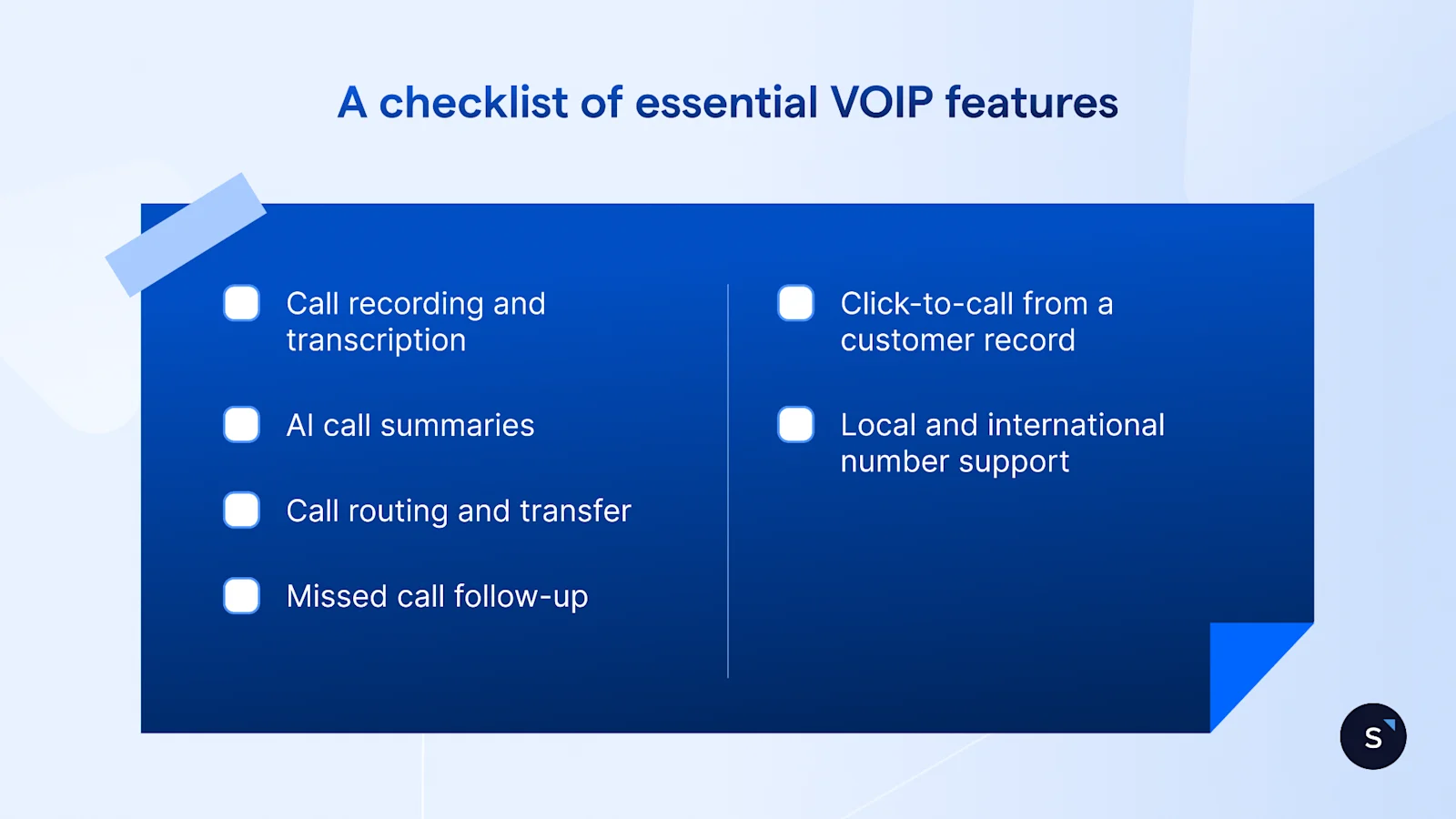
Not every VoIP feature matters once calls involve real customers rather than internal chats. A few stand out for sales and support teams:
Call recording and transcription: useful for training and resolving disputes about what was agreed on a call.
AI call summaries: cut the time agents spend writing up notes after every call.
Call routing and transfer: send a call to the right person without the customer repeating themselves.
Missed call follow-up: automatically flag or reassign a missed call so it doesn't disappear.
Click-to-call from a customer record: dial directly from a profile instead of switching apps.
Local and international number support: important for teams serving Singapore, Malaysia, Indonesia, and other Southeast Asian markets from one place.
How VoIP fits into a modern customer communication stack
VoIP rarely operates alone. For most businesses, it's one channel among several, sitting next to WhatsApp, live chat, email, and broadcast messaging. Each channel fits a different moment in the conversation: voice for real-time back-and-forth, chat and broadcast for speed and reach.
Why voice still matters for complex conversations
Chat and broadcast messaging are efficient for volume, but some conversations move faster with a voice: a pricing negotiation, a troubleshooting session, an upset customer. The businesses getting the most out of VoIP route each conversation to whichever channel resolves it fastest, and keep a record of it all in one place so no context gets lost between channels.
How to choose a VoIP solution for your business
Rather than starting from a list of providers, it's more useful to start from how your team actually works. Four questions decide most of what you need:
Is your team fully remote, hybrid, or office-based? Remote and hybrid teams get the most value, since the number follows the person rather than a desk.
What percentage of your customer interactions are voice vs. messaging today? If voice is a small fraction of volume, a lightweight or app-based option may be enough. If it carries a meaningful share, treat it as seriously as your messaging channels.
Do you need VoIP as a standalone system or built into a broader platform? A standalone tool creates a second system to check separately from chat and email. Teams managing WhatsApp, live chat, and calls together usually get more value from VoIP inside the same platform.
What does your customer database integration requirement look like? If agents need order history before a call, VoIP needs to connect to wherever that information lives. Without that link, every call starts from zero context.
Manage voice and messaging conversations in one place with SleekFlow
SleekFlow already brings VoIP calling into the same Shared Inbox as WhatsApp, live chat, and email, powered by Twilio, so a call and a chat with the same customer sit on one record. Agents can answer, transfer, and log calls from the Inbox, with AI-generated call summaries attached automatically.
AgentFlow's Inbound Agent picks up from there, qualifying a sales enquiry or support request, booking an appointment, and resolving straightforward issues without waiting for a human handover, whether the conversation started as a call, a WhatsApp message, or a live chat enquiry. The Data Analyst Agent tracks patterns across every channel, including calls, so you can see where conversations stall before they turn into lost leads.
A customer who calls in on Monday and messages on WhatsApp on Thursday still shows up as one continuous record your team never has to piece together by hand.

Want to outcompete your peers with SleekFlow's help?
Book your personalised demo with SleekFlow today and unlock the potential of seamless communication
Frequently Asked Questions
What does VoIP stand for?
Is WhatsApp a VoIP service?
Can I use VoIP on my mobile phone?
How reliable is VoIP compared to a landline?
Does VoIP work without the internet?
What is the difference between VoIP and UCaaS?
Recommended for you


