AI live chat for websites: Turn anonymous visitors into customers


TL;DR: Quick Summary
AI live chat answers website visitors in their own words and hands the chat to a person when the question needs one.
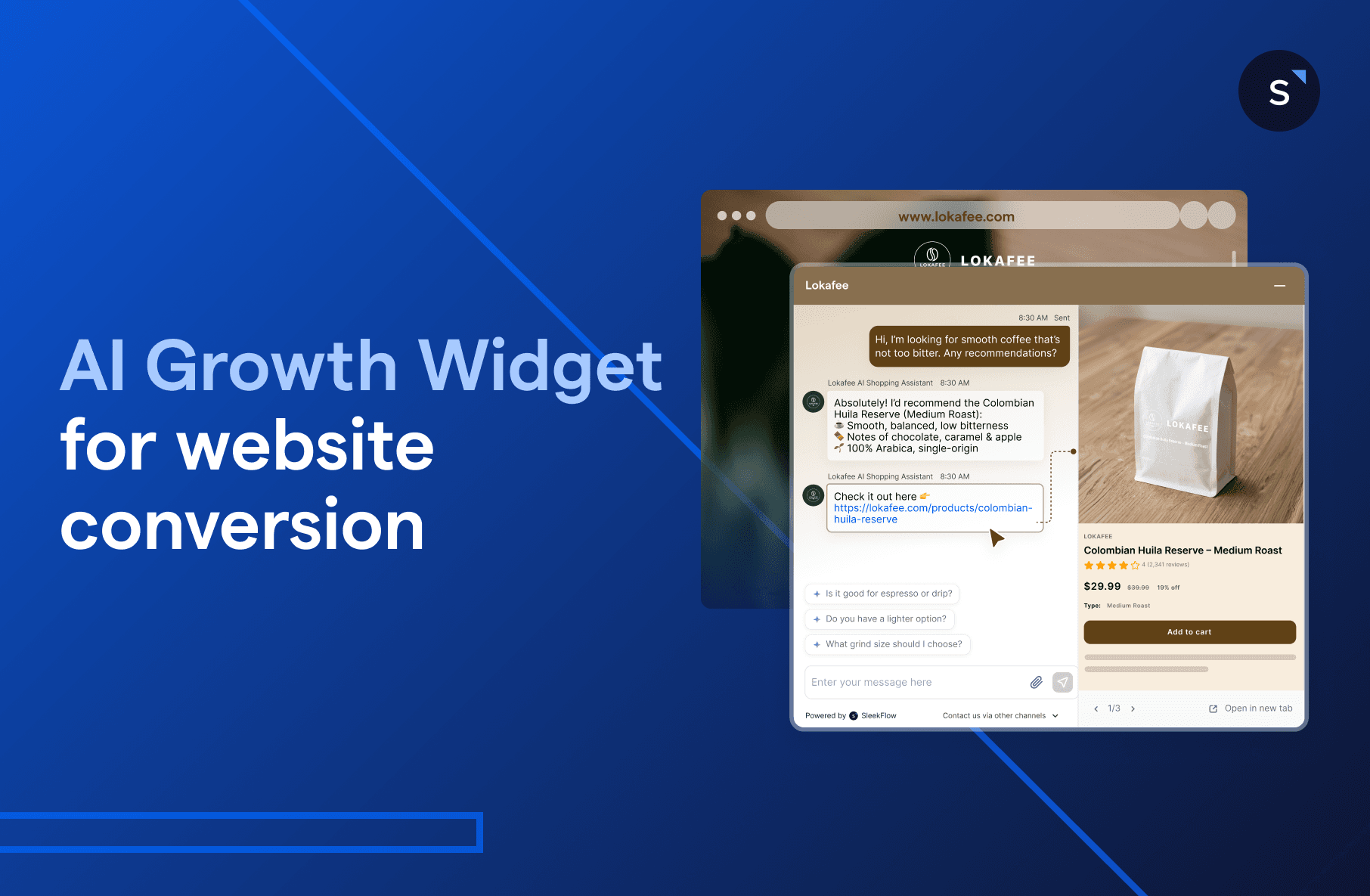
SleekFlow's AI Growth Widget starts chats with page-based pop-ups, so conversations can begin while visitors are still browsing.
A pre-chat form can require a phone number, an email address or both, with consent text you can edit.
Setup starts with a code snippet, then you connect knowledge sources, set handover conditions and test before you go live.
Checkmob and Elétron Seguros report faster replies and more AI-resolved chats in self-reported results on WhatsApp.
Businesses spend a lot to bring visitors to their website, through ads, content, SEO and social media. Many of those visitors browse, make up their minds and leave without saying a word.
Some were ready to buy and just needed someone to talk to. Most live chat tools sit in a corner and wait to be clicked.
This guide shows how SleekFlow's AI Growth Widget starts the conversation for you, so more of the visitors you've already paid for get a real answer.
The real pain points of website lead generation
1. Visitors browse silently and leave without a trace
You pay for clicks but can't see who's browsing. Unless a visitor reaches out first, you can't engage them, and the spend behind that visit goes unused.
2. Inquiries pile up faster than your team can handle
Even when visitors do reach out, inquiries build up outside office hours and at busy times. Replies slow down, and leads move on to whoever answers first.
3. Visitors close the tab and vanish
When a visitor leaves mid-conversation, you often have no email address or phone number to follow up with. You start from zero each time.
What is AI live chat for websites?
AI live chat for websites is a chat widget where AI answers visitors in their own words and passes the chat to a person when a question needs one. Visitors get a reply without anyone watching the screen, and your team keeps the conversations that need judgment.
A YouGov survey from February 2026 found that 85% of US adults use text messaging or messaging apps multiple times a week. That habit likely shapes what visitors expect from a website chat.
What is AI Growth Widget?
SleekFlow's live chat for websites, the AI Growth Widget, reaches out to visitors instead of waiting for them to click. It pairs an AI agent with page-based pop-ups and a contact form, so conversations can start while a visitor is still browsing.


How does AI live chat work on a website?
Paste a small code snippet into your site and the widget appears, with an AI agent that answers from the knowledge you connect. When a customer asks for a person or meets a handover condition you set, the chat moves to a human agent.
Install. Copy the snippet from the AI Growth Widget settings and paste it before the closing body tag, then refresh your site to check the widget appears. The Help Center widget guide walks through each step, and you can share the snippet with a developer or agency if they manage your site.
Brand it. Pick Navigator mode or Support mode, and match the widget to your brand.
Connect knowledge. Upload files, add web pages, use live web search and write custom answers for common questions. Keep them accurate and up to date, because the AI answers from them.
Set handover rules. The pre-filled exit conditions cover a timeout when the contact stops replying, a customer asking for a person, and a completed goal.
Choose active hours. The AI agent is available at all times by default, so it can answer outside office hours. You can limit it to days and hours you set.
To measure results, AI Agent Analytics in SleekFlow shows first reply time, the handover rate and how AI sessions ended. Together with your own conversion numbers, they point to gaps in your knowledge sources.
AI Growth Widget vs. traditional live chat software
The table below compares the widget with a traditional chat widget. It reflects what SleekFlow's Help Center documents today.
How SleekFlow's live chat for websites works
The widget follows three stages: capture, automate and convert. Each stage uses features you set up in SleekFlow.
1. Proactively engage visitors before they bounce
The hardest part is getting a silent visitor to say hello. The widget gives you a few ways to start the chat.
Choose a floating bar or a corner icon
Navigator mode shows a floating bar with an integrated sidebar, and Support mode shows a corner icon. Pick the one that fits your site.


Show the channels you've connected
If you've connected channels such as WhatsApp, the widget can show them as other ways to contact you. See what SleekFlow supports on the channel integrations page.

Show the right pop-up on the right page
Set pop-up messages for specific pages using page address rules and a delay in seconds. Each message has a 70-character limit.
Homepage: "Welcome! How can I help you get started?"
Pricing page: "Have questions about our plans? Let's find the right fit for you."
Product page: "Interested in [Product Name]? I can answer any questions!"


Let visitors browse without leaving your site
In Navigator mode, links the AI agent shares open in the integrated sidebar next to the chat. Visitors can keep browsing pages or forms without leaving your site, but Support mode doesn't include the sidebar.

2. Let AI handle the heavy lifting
Once the chat starts, an AI agent can answer from the knowledge you give it, such as files, web pages and custom answers. You set up your AI agents once, then review their answers over time.
See how to set up and control your AI agents in our AgentFlow blog.

Qualify leads with an AI agent
An AI agent can ask qualifying questions in the chat and score leads against criteria you set. It can also ask for contact details during the conversation.
Help shoppers find what they need
For online stores, an AI agent can answer product questions from your knowledge sources. When a person takes over, they can send a Shopify or Stripe payment link from the Inbox.
Find out more in our AI shopping assistant guide.
Cover questions after hours
The AI agent is available at all times by default, so late-night questions don't wait for the morning. You can also limit it to days and hours you set.
3. Capture data and follow up across channels
A visitor's attention doesn't help if they leave without a trace. Capturing contact details gives you a way to follow up.
Collect contact details before they disappear
A pre-chat form can require a phone number, an email address or both, and you can edit the consent line shown with it. Your AI agent can also ask for details during the conversation.
Once you have their details, you can follow up after they leave, as long as you have permission to contact them.
Run automated follow-up workflows
In Flow Builder, the Visitor submits a form through AI Growth Widget trigger starts a workflow when someone submits the form. From there, you add the steps you want, such as a confirmation message.

Use visitor context in the Inbox
Agents can see the visitor's landing page, pages browsed, click paths and time spent on each page. They can use that to tailor their replies.

What results do businesses see with AI chat?
Both SleekFlow stories below run on WhatsApp rather than a website widget, but they show the pattern a website chat follows. The AI answers first and a person steps in when needed, and the results are self-reported by the customers.
How Checkmob cut response times and grew demo bookings
Checkmob is a field sales management platform with more than 12 years in the market and a presence in 5 countries. It used SleekFlow's AgentFlow to automate first contact, lead qualification and demo scheduling on WhatsApp, with a person stepping in when needed.
Results:
70% reduction in response time
20% increase in demo bookings
30% time savings for the sales team
Read the full Checkmob case study
How Elétron Seguros automated support and kept it personal
Elétron Seguros is a Brazilian insurtech with more than 7,500 registered solar energy companies on its platform. Unofficial WhatsApp tools had caused instability, so it set up an AI agent named Aurora as first-level support, and complex cases go to a person.
Results, after about 3 months of operation:
80% of conversations resolved by AI
20% transferred to the human team
No customer complaints about the use of AI
No layoffs or team reductions
Read the full Elétron Seguros case study
How do you launch it in 5 steps?
Launching AI live chat takes 5 steps, from picking a goal to watching real conversations. Work through them in order, and use the list as a check before you go live.
Choose your goal. Decide whether chat should answer support questions, generate leads, sell, or a mix.
Install the widget. Paste the code snippet and check that the widget appears.
Connect knowledge sources. Add files, web pages and custom answers, then assign them to your AI agent.
Set handover conditions. Decide when a person takes over.
Test, launch and watch. Test in the preview chat and run a batch test of common questions, then go live and review real conversations often in the first weeks.
Why use AI Growth Widget for website conversion
1. Reach visitors before they leave
Page-based pop-ups and the floating bar start conversations while visitors are still browsing. That can turn some quiet exits into chats.
2. Get more from the traffic you already pay for
You already pay for traffic through SEO and ads. Capturing contact details early gives you a way to follow up after a visitor closes the tab.
3. Reply at any hour
The AI agent is available at all times by default, so visitors don't wait for office hours. AI Agent Analytics reports first reply time and handover rate, so you can track how it performs.
Is AI live chat secure and compliant?
Handling chats means handling customer data, so check that any vendor meets the rules that apply to your visitors, such as GDPR for visitors in the EU. Rules differ by country, so confirm the details with local counsel before you launch.
Consent text where required, which you can edit on the widget's contact form
Clear links to your Privacy Policy and Terms of Service
Security documents the vendor can share on request
SleekFlow's Trust Center lists its security certifications and lets you request its security documents.
Start with one or two high-traffic pages, watch the conversations, and expand from there.

Start more conversations with your website visitors
See how AI Growth Widget reaches out while visitors browse, captures their details and hands the chat to your team.
Frequently Asked Questions
Share Article


