Social media automation: strategy, tools, and best practices for smarter growth


TL; DR: Quick Summary
- Automation for social media covers far more than scheduling: it includes DM flows, comment replies, social listening, lead capture, support triage, and AI-assisted reporting.
- Not every task should be automated. Crisis responses, nuanced complaints, and high-value sales conversations must stay human-led.
- Start with one workflow, not every workflow at once. High-volume, low-risk tasks first.
- AI improves automation quality through caption drafting, sentiment classification, and response suggestions, but requires human review before anything ships publicly.
- The right tool depends on which channels you serve, and whether your inbox, sales pipeline, and support queue are connected.
Most social media teams are running two jobs. There is the work they are supposed to do: strategy, content, community. And there is the work that actually fills their week: copy-pasting the same four FAQ replies into every DM, manually tagging leads, switching between platform inboxes to catch what needs urgent attention before it escalates.
Social media automation is the use of software and AI to handle that second job, covering publishing, monitoring, responding, routing, reporting, and lead capture, with less manual effort. Done well, it saves hours every week and keeps your brand consistently present. Done badly, it produces robotic replies, missed signals, and damaged relationships.
What is social media automation?
Social media automation is any software-driven process that handles a social media task without step-by-step manual input. It ranges from something simple, like scheduling a post at an optimal time, to something more complex: automatically capturing a lead from an Instagram comment, qualifying them through a DM flow, and handing them off to a sales agent when they're ready to buy.
Automation handles predictable, repeatable tasks at scale. Anything requiring judgement, empathy, or relationship-building still needs a person behind it. The goal is not to replace your team; it is to give them capacity for the conversations that actually matter.
What you should automate, and what you should not
Most automation strategies either do too little, missing the time savings, or do too much, and end up with a brand that sounds like a script.
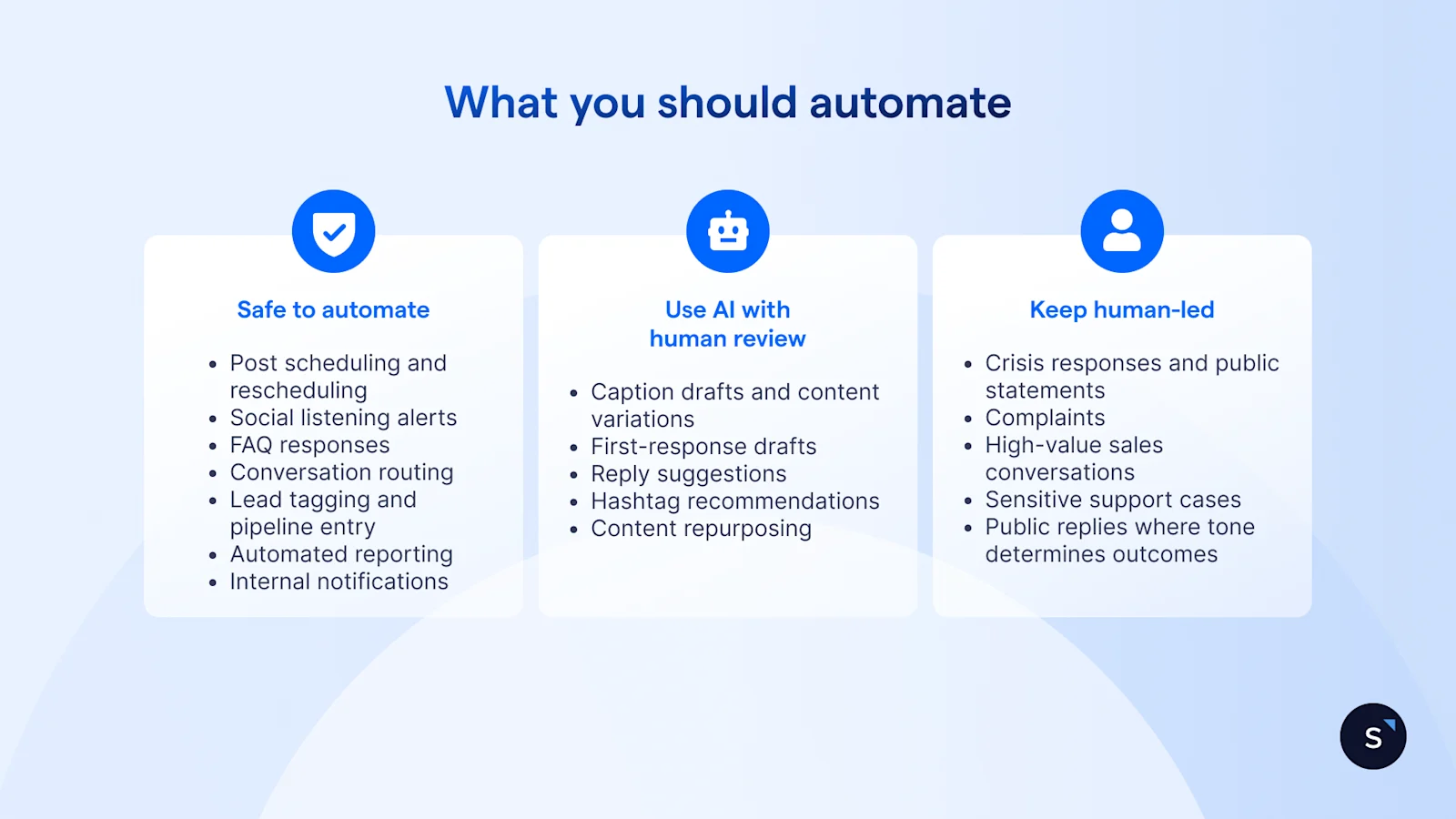
Safe to automate in full
These tasks are high-volume, low-risk, and well-suited to full automation:
Post scheduling and rescheduling across channels and time zones
Social listening alerts for brand mentions, keywords, and competitor activity
FAQ responses via keyword-triggered reply flows
Conversation routing to the right team or agent based on topic or intent
Lead tagging and pipeline entry when a contact meets qualification criteria
Automated reporting on reach, engagement, and response time
Internal notifications when messages need attention or escalation
Use AI with human review
These tasks benefit from AI assistance but carry enough brand-voice or accuracy risk to warrant a check before publishing or sending:
Caption drafts and content variations
First-response drafts in the inbox
Reply suggestions for common message types
Hashtag recommendations based on topic and audience
Content repurposing from long-form into short-form formats
Keep human-led
No automation shortcut replaces human judgement in these situations:
Crisis responses and public statements on sensitive topics
Complaints involving frustration, nuance, or escalation risk
High-value sales conversations where trust is being built
Sensitive support cases: legal, medical, financial, or product safety
Public replies where tone determines whether a situation resolves or amplifies
Core workflows for automating social media
Most teams start with one of these workflows and expand from there. The one that solves an existing pain point will always outperform the one adopted because it looked impressive.
How automation maps to the customer journey
Automation is not just an awareness-stage tool. It supports customers at every step from discovery to repeat purchase, and the brands getting the most from it treat it that way.
Scheduling your posts is table stakes. Routing a buyer from a campaign comment to a closed sale is the actual opportunity.
How to build a social media automation strategy
Strategy before software. These steps work in order.
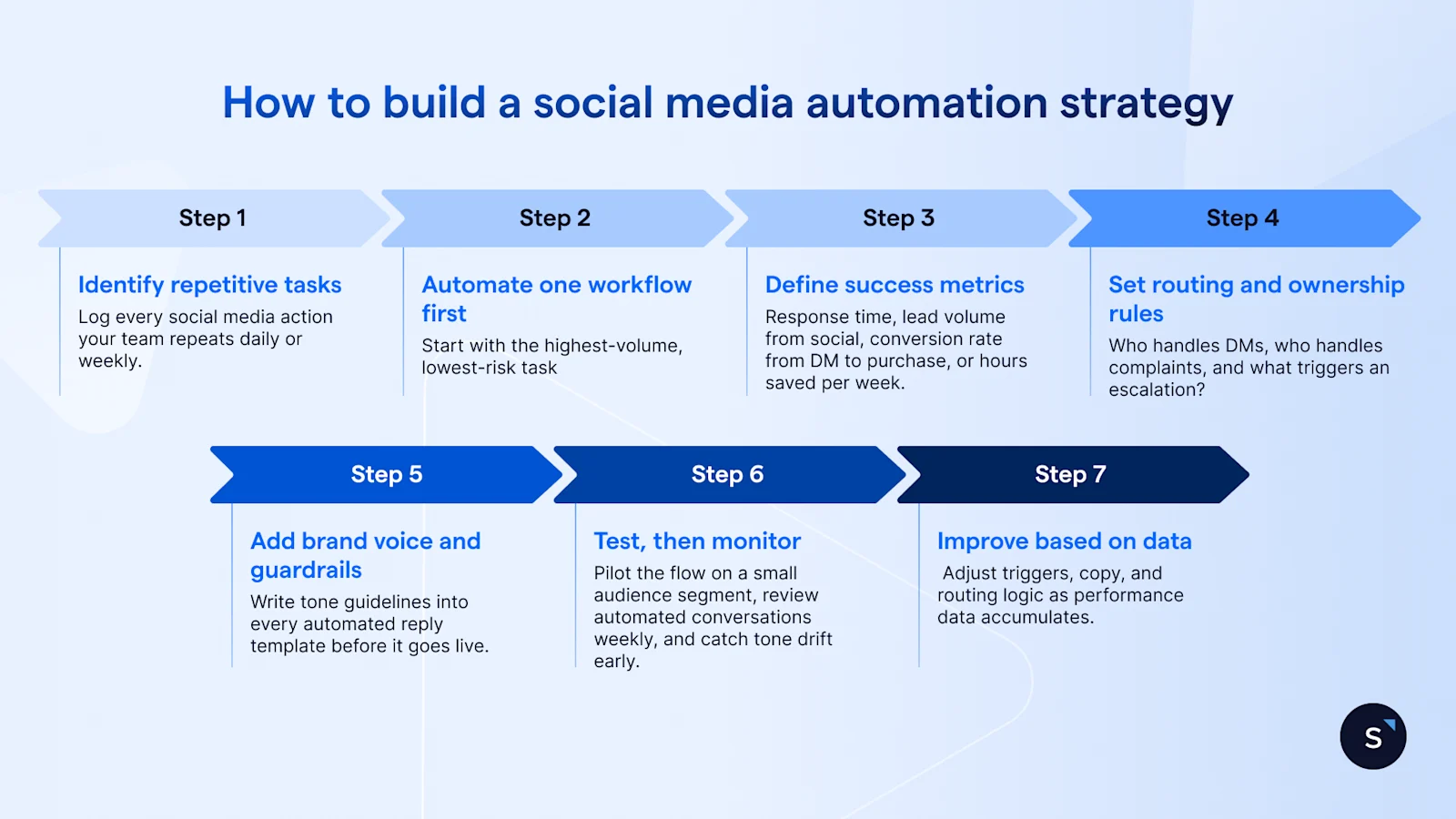
Identify your repetitive tasks. Log every social media action your team repeats daily or weekly. Volume reveals priority.
Choose one workflow to automate first. Start with the highest-volume, lowest-risk task: usually post-scheduling or FAQ replies.
Define success metrics. Response time, lead volume from social, conversion rate from DM to purchase, or hours saved per week.
Set routing and ownership rules. Who handles DMs, who handles complaints, and what triggers an escalation?
Add brand voice and guardrails. Write tone guidelines into every automated reply template before it goes live.
Test, then monitor. Pilot the flow on a small audience segment, review automated conversations weekly, and catch tone drift early.
Improve based on data. Adjust triggers, copy, and routing logic as performance data accumulates.
How AI improves your automation results
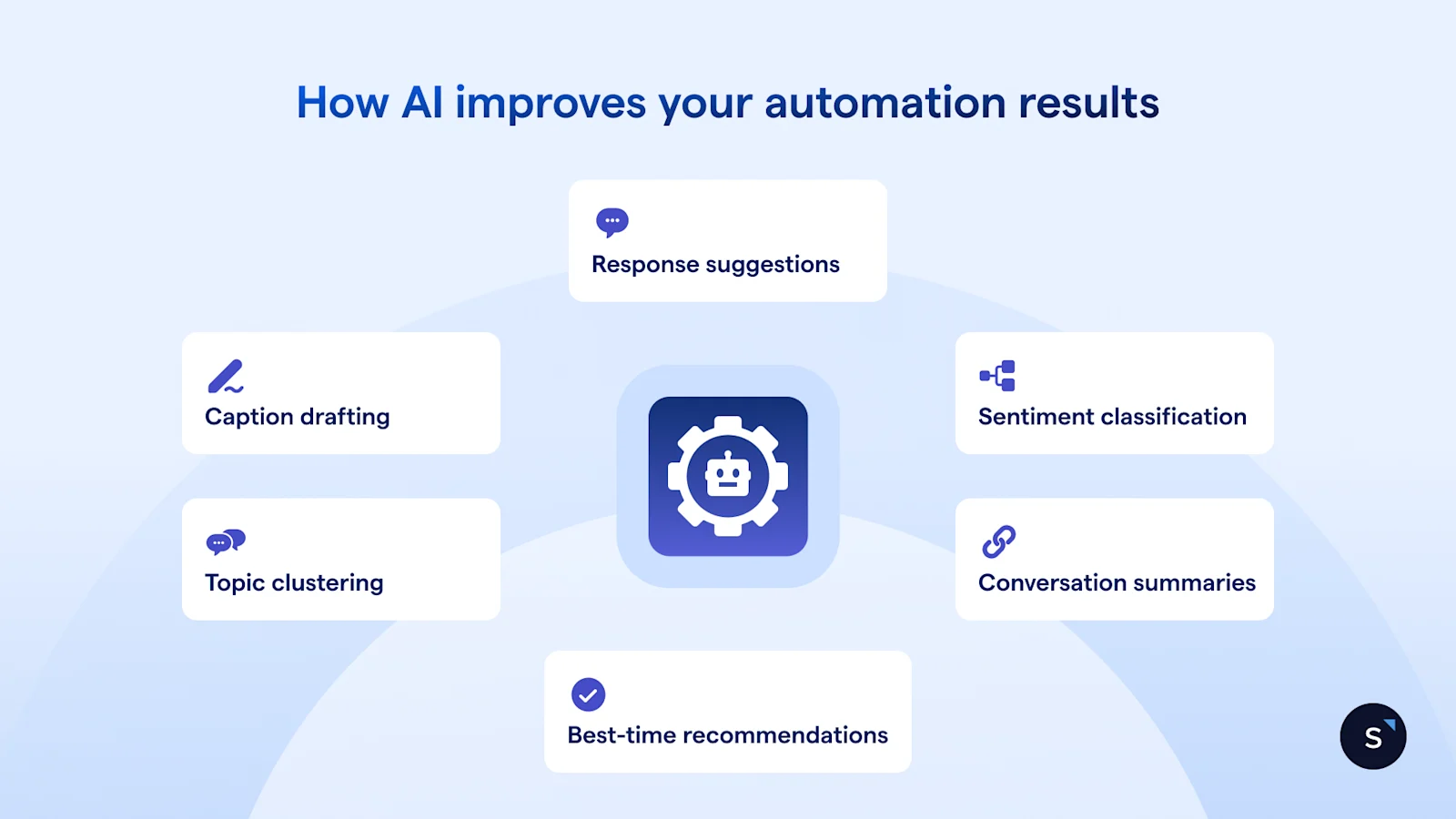
Rules-based automation handles volume. AI adds a layer of intelligence on top of it.
Caption drafting: generates first-draft content for a human to approve, not to publish directly
Response suggestions: surfaces likely replies inside the inbox based on conversation history and context
Sentiment classification: flags negative or urgent messages before they escalate
Topic clustering: groups incoming messages by theme for faster triage and routing
Best-time recommendations: analyses historical engagement data to schedule content at peak windows
Conversation summaries: produces handover notes when an agent takes over from an automated flow
According to Gartner, 60% of brands will use AI agents to deliver personalised one-to-one interactions by 2028, moving away from channel-based marketing entirely. The infrastructure that makes this possible is the same multi-channel inbox and automation logic teams are building today.
How to choose the right automation tool
Once you know which workflows to automate, tool selection comes down to three questions: does it cover the channels your customers actually use, does it connect your inbox to your sales pipeline, and does it handle DMs as well as posts? A scheduling-only tool will feel limiting the moment your team starts managing conversations at volume.
For a full breakdown of the five tool categories, pricing models, and which type fits different team sizes, see the complete guide to social media automation tools.
Where SleekFlow fits in your automation setup
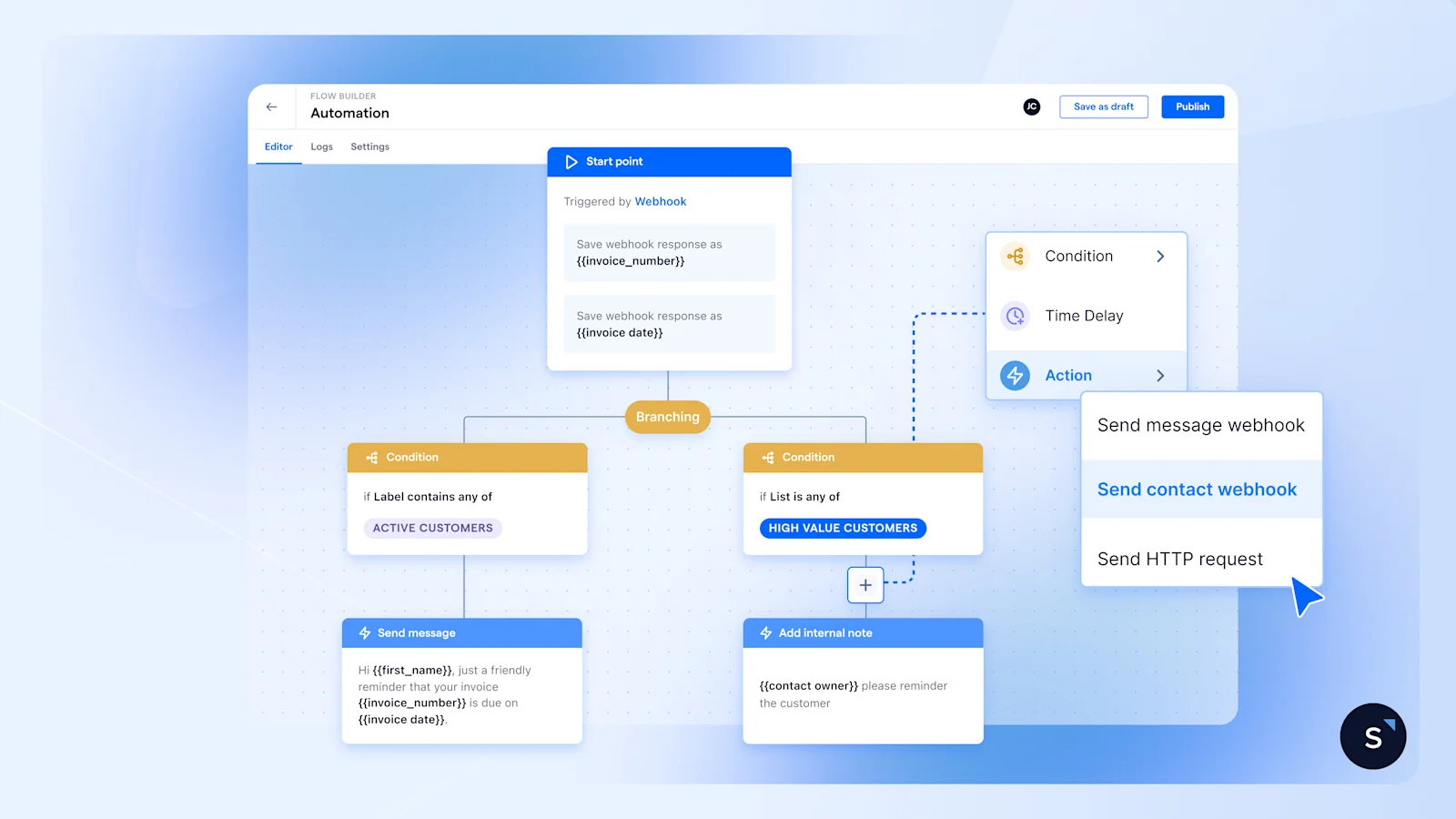
SleekFlow is built for businesses that need social media automation to do more than schedule posts. It connects the moment someone comments on an Instagram campaign to the moment they close as a customer, with automation and AI handling the steps in between.
Its Flow Builder lets teams build DM flows, comment reply automations, lead capture sequences, and routing logic without code. The unified inbox consolidates conversations from WhatsApp, Instagram, Facebook Messenger, and more into a single view, with assignment rules and agent performance tracking. AgentFlow handles AI-led qualification and sales conversations around the clock, without adding headcount.
Travel Expert Group, a Hong Kong-based travel brand, ran campaigns across Facebook and Instagram to generate bookings for their tour packages. Using SleekFlow, they automated replies to campaign post comments, captured commenter details in real time, and routed qualified conversations into a shared inbox for follow-up.
Results:
10,000 enquiries generated in days
Response time reduced by 25%
Qualified lead capture tripled
Frequently Asked Questions
How long does it take to see results from social media automation?
What tasks should I automate first?
What should not be automated on social media?
Can AI handle social media replies?
How do I measure ROI from social media automation?
How do I automate without sounding robotic?

Want to outcompete your peers with SleekFlow's help?
Book your personalised demo with SleekFlow today and unlock the potential of seamless communication
Recommended for you


