WhatsApp for law firms in Singapore: Client intake, case updates and data that stays with your firm


TL; DR: Quick Summary
- Singapore law firms lose client enquiries when a WhatsApp reply sits on one lawyer's phone, not a shared system.
- Most consumers say they prefer messaging a business over calling or emailing it, per Kantar research covering Singapore.
- WhatsApp Business API lets each lawyer see only their assigned clients on one shared firm number, unlike the free app.
- Route intake, reminders, and case status through a platform that logs every chat against the client file, not a phone.
- Singapore's Law Society has no guidance note on instant messaging, so PDPA and your compliance officer are the real authority.
A potential client messages your firm's WhatsApp at 9.47pm because the HDB resale flat they're buying just hit a title complication. The associate who usually answers is offline, the message sits on her personal phone, and by morning the sender has already messaged two other firms.
That's the ordinary failure mode of running WhatsApp for a law firm in Singapore off individual phones, and it's rarely a one-off. Singapore clients increasingly expect to message a business rather than call or email it: 73.3% of consumers say they prefer messaging when communicating with a business, per Kantar research for Meta covering 22 markets including Singapore.
That preference doesn't pause for a legal matter. A prospective client comparing firms for a property purchase, a divorce, or a corporate matter checks messaging apps the way they'd check reviews, and the firm that replies first is often the one that gets the instruction.
The challenges of client communication for Singapore law firms
Most of the problems below trace back to the same root cause: WhatsApp running on individual phones instead of a system the firm controls.
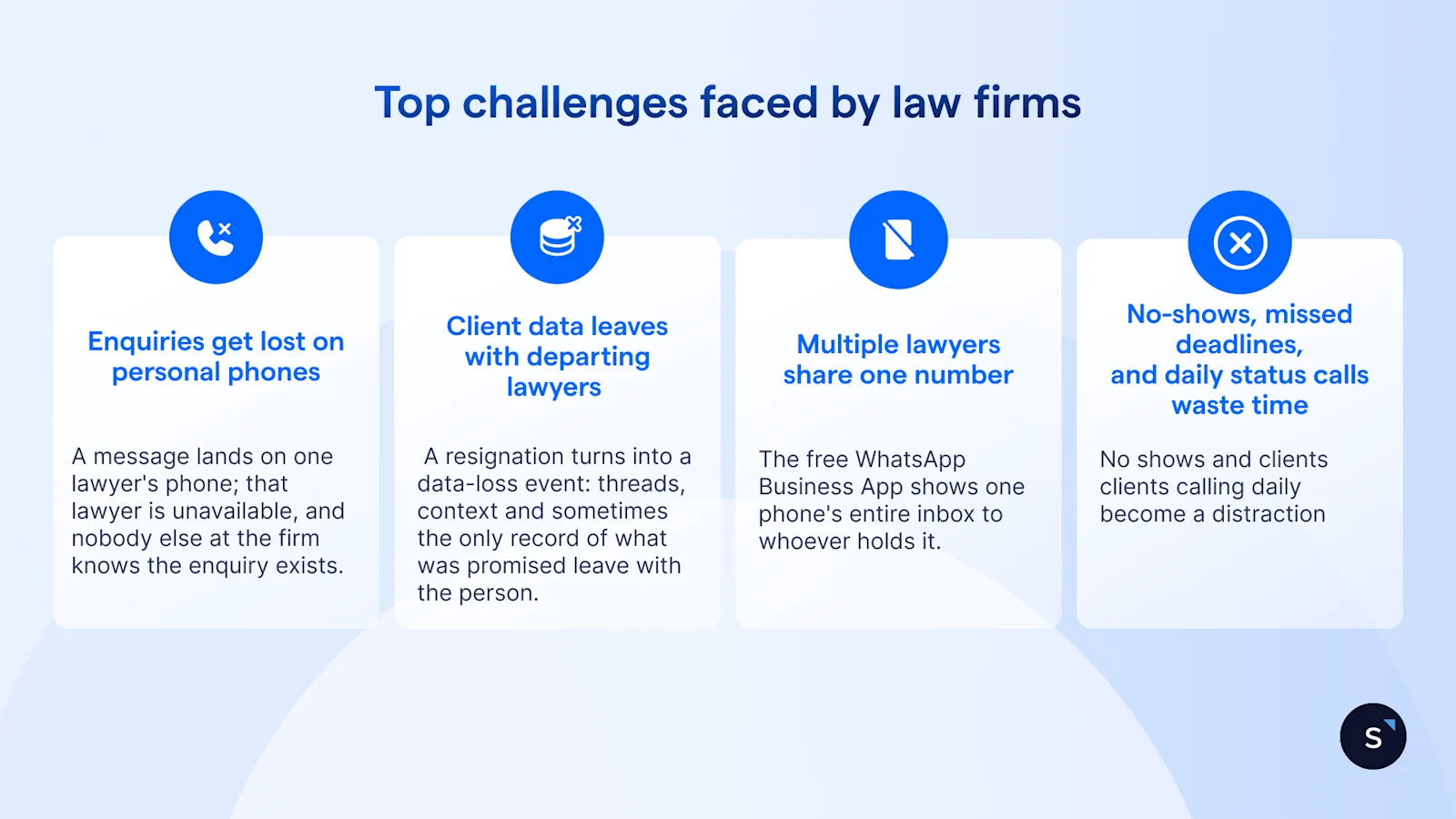
1. Enquiries get lost on personal phones
A message lands on one lawyer's phone; that lawyer is unavailable, and nobody else at the firm knows the enquiry exists. Fixing it is less about software and more about a rule: no inbound message should depend on one phone being switched on.
2. Client data leaves with departing lawyers
Client conversations belong to the firm, not to whoever happened to be holding the phone. When that's true only in principle, a resignation turns into a data-loss event: threads, context and sometimes the only record of what was promised leave with the person. It isn't only resignations either; a lawyer on parental leave, medical leave, or moved to another matter creates the same gap for as long as they're away.
3. Confidentiality breaks down when multiple lawyers share one number
The free WhatsApp Business App shows one phone's entire inbox to whoever holds it. That works for a sole practitioner. It doesn't work once several lawyers, each with their own clients, need to share a single firm number without seeing each other's matters.
4. No-shows, missed deadlines, and daily status calls eat associate time
Clients skip consultations when booking felt like effort and the reminder came late or not at all. Deadlines get missed when a hearing, a completion, or a filing date lives only in one lawyer's head. And without a way to check progress themselves, clients call daily to ask what's happening with their case, each call a distraction an associate didn't plan for.
Why Singapore law firms need a platform built for legal work
Firms collecting client data over WhatsApp still sit under Singapore's Personal Data Protection Act, which sets out obligations including consent, purpose limitation and protection of the data collected. One gap worth knowing: the Law Society of Singapore's guidance note on electronic correspondence explicitly excludes WhatsApp and other instant messaging from its scope, so no dedicated Law Society note covers it yet. The general confidentiality obligation under the Legal Profession (Professional Conduct) Rules still applies regardless. None of this is legal advice; check with your compliance officer before rolling WhatsApp out to client-facing staff.
That leaves firms to solve the operational problem themselves: one number, shared without one lawyer seeing another's clients, with every conversation logged against the matter it belongs to rather than a personal device. That's the specific gap SleekFlow is built to close for law firms running client communication on WhatsApp.
Not everything belongs in a WhatsApp thread regardless of the system behind it. Route these to a secure channel or the firm's document system instead:
Full NRIC or passport numbers, sent as plain text
Signed contracts or affidavits, where a document-sharing feature with access controls is safer
Anything a client hasn't consented to receiving over messaging
Key SleekFlow features for Singapore law firms
1. Shared inbox: every enquiry lands somewhere the whole team can see
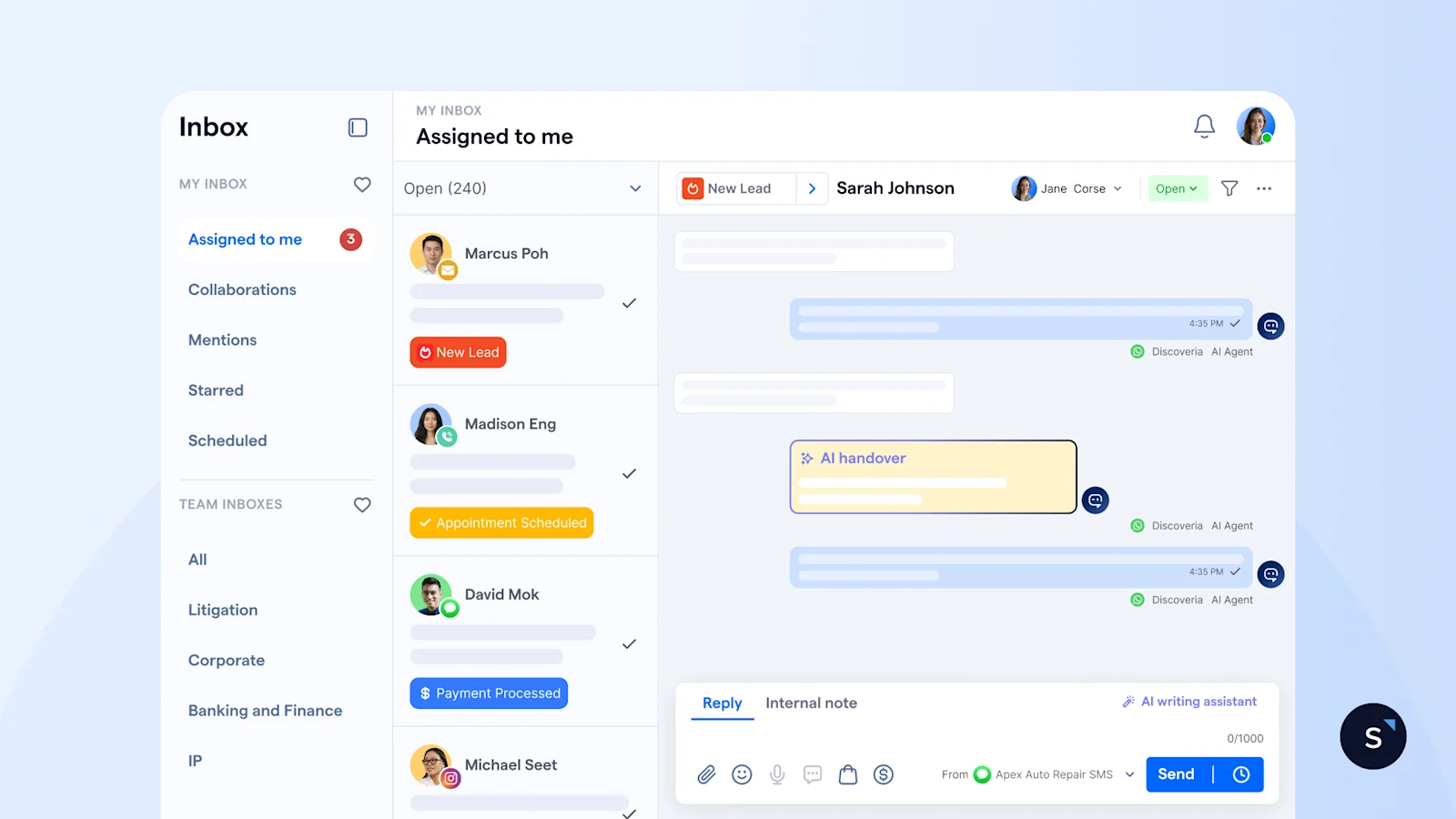
WhatsApp messages, across every lawyer and every device, land in one place the way a firm's main phone line rings at reception rather than one partner's desk, not scattered across whoever happened to pick up.
2. Role-based conversation assignment: confidentiality across every lawyer
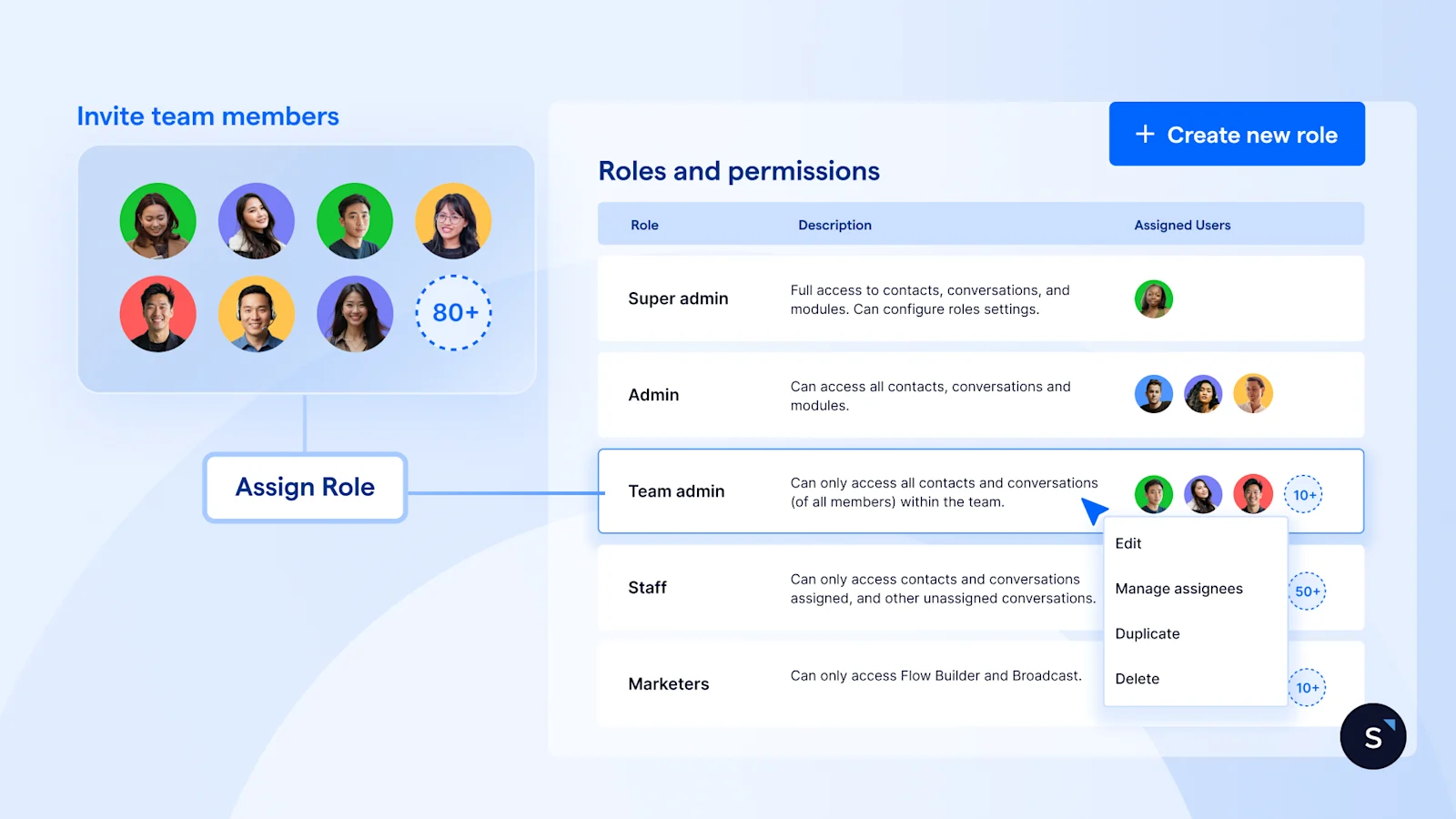
The WhatsApp Business API supports role-based routing, so a firm runs one shared number where each lawyer only sees the conversations assigned to them, similar to a shared mailbox with private folders.
3. Automated intake: qualify and redirect enquiries before a human joins
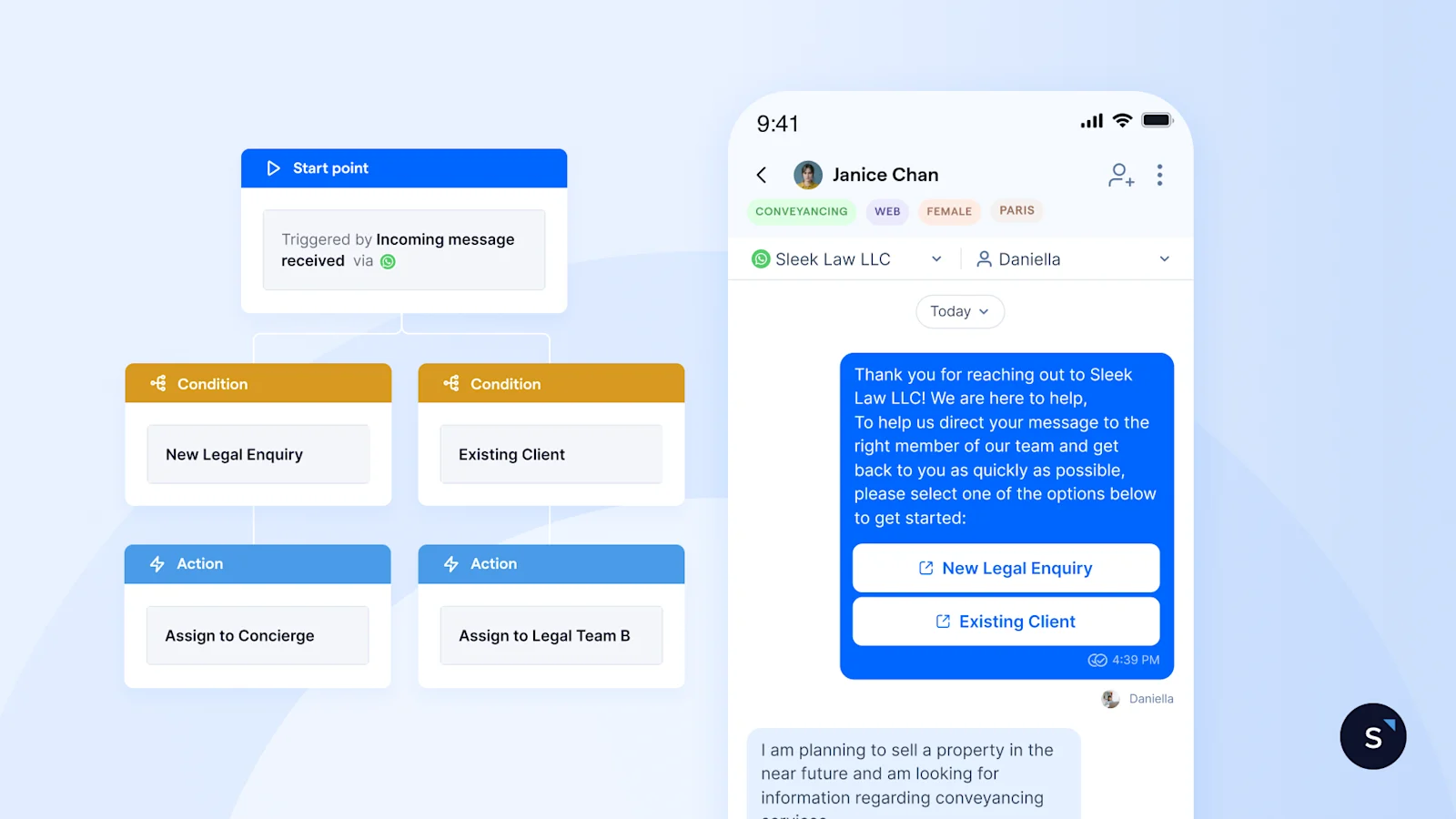
Matter type, any date already in play (a completion date, a hearing, a signing), and how urgent the enquiry is: an automated flow or AI agent can ask these upfront, so the lawyer opens the chat already knowing what they're dealing with. The same automation redirects enquiries the firm doesn't handle, a custody dispute reaching a conveyancing practice, or a shareholder matter reaching a family law firm, before a lawyer or admin spends time turning it away.
A message that arrives at midnight also gets an immediate acknowledgement and a simple automated question: “Is this urgent?” can separate genuinely time-critical matters so they reach an on-call lawyer directly instead of waiting for office hours.
4. CRM and case-system sync: the record stays with the firm
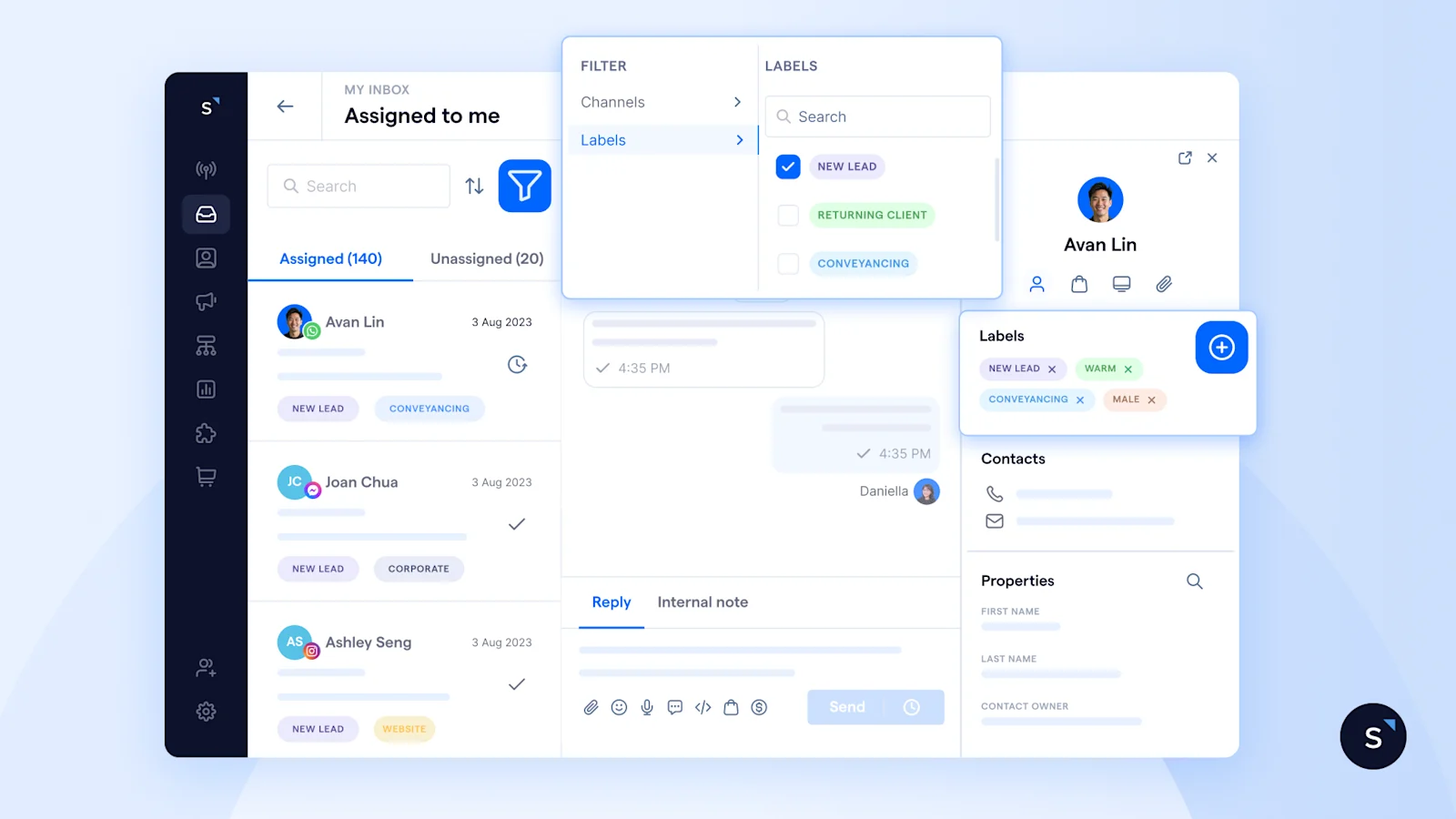
Every WhatsApp thread and document shared in chat sits against the client's record in the firm's CRM or case management system, not a phone, so the firm keeps the full history regardless of whose device it arrived on. When a lawyer's open matters get reassigned, whether they've left the firm or are on leave for a fixed stretch, the full conversation history moves with the matter, so the new lawyer isn't starting from a blank inbox, and the client isn't repeating themselves to a stranger.
The same record does double duty for supervision: a partner can review how a junior associate is handling client communication, and if a client later disputes what they were told, the firm has the actual conversation rather than one person's recollection of it.
None of this stays trapped in the chat either. An API, webhooks, or a connector like Zapier syncs WhatsApp to the case system automatically, which is what webhook-based integration does: it turns an enquiry into a case file without anyone retyping it.
5. Automated reminders and self-serve status updates
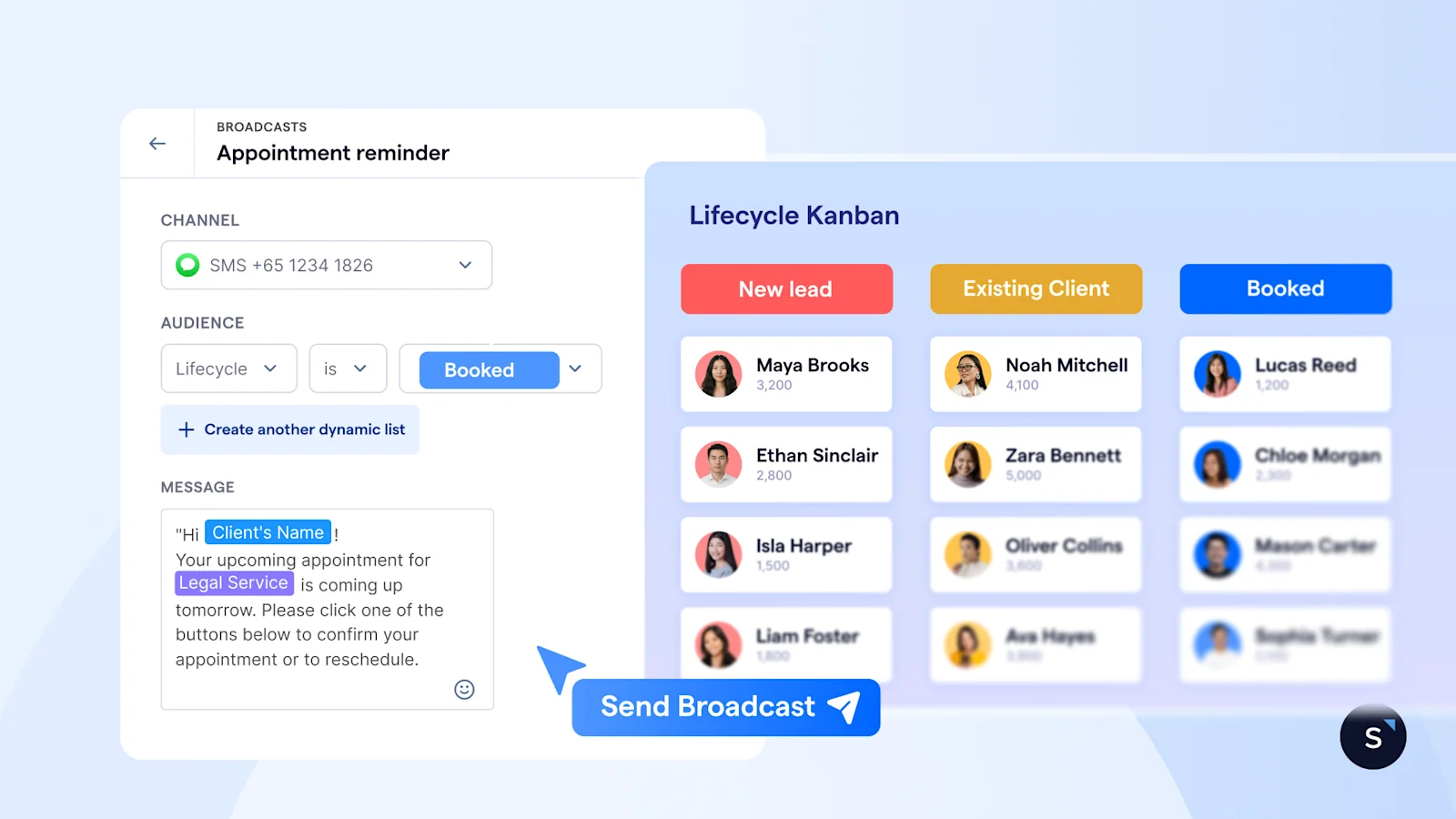
A booking integration writes a chosen consultation slot straight to the lawyer's calendar without the client leaving the WhatsApp thread, and a short reminder sequence built once as an automated flow catches more people than a single night-before message.
Clients get the same self-serve access. Asking "what's the status of my case" in the WhatsApp thread returns the current stage immediately, pulled from the same record the lawyer updates, without a callback.
Transform your legal practice with SleekFlow
Making the switch doesn't mean starting over. WhatsApp's Coexistence capability lets a firm upgrade to the Business API on its existing number, and SleekFlow supports it, importing up to six months of chat history so nothing changes for clients already messaging that number. Firms can keep the free app for personal-touch messages while adding API features gradually.
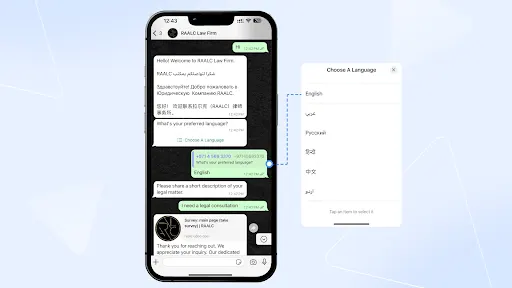
One firm putting this together, is RAALC, a UAE-based firm covering corporate law, dispute resolution, IP and real estate law. Its WhatsApp enquiries were arriving faster than the team could route them to the right consultant.
RAALC automated segmentation by legal issue and practice area, with full context attached before a lawyer replies.

The conversational AI suite built for legal teams
Book your personalised demo today to experience how SleekFlow handles legal intake, confidentiality and case-system sync on one shared number.
Frequently Asked Questions
Is WhatsApp legal for law firms to use with clients in Singapore?
How do you keep client conversations confidential when multiple lawyers share one number?
Can WhatsApp be integrated with a case management system?
What's the difference between WhatsApp Business App and WhatsApp API for a law firm?
How much does WhatsApp Business API cost for a small firm?
Recommended for you


