Everything about WhatsApp CRM integration


TL; DR: Quick Summary
- WhatsApp CRM integration connects the WhatsApp Business Platform to your CRM or customer database, giving teams full conversation context, automated follow-ups, and better visibility into outcomes.
- Businesses typically connect it through native CRM integrations, middleware tools, or custom API builds.
- Because WhatsApp requires customer opt-in, businesses can respond freely within the 24-hour service window after a customer messages first, and use approved templates for outreach outside that window.
- With the WhatsApp Business Platform, teams can share inboxes, automate workflows, and sync customer data across sales, support, and marketing.
- Automate + measure: log conversations, trigger follow-ups, route chats, and track outcomes.
- SleekFlow simplifies WhatsApp CRM with AI chatbots, integration with CRM systems like Salesforce and HubSpot, and in-chat payments, enhancing customer satisfaction and boosting sales.
If your CRM doesn't connect to WhatsApp, you're missing customer context where conversations actually happen.
In Meta's 2026 consumer research across 22 markets, including Singapore, 73.3% of consumers said they prefer messaging when contacting a business, and 72.4% said they're more likely to buy from a brand that offers it. When those conversations stay on phones instead of in your CRM, your team loses the context it needs to follow up.
This guide covers the three ways to connect WhatsApp to your CRM, and how to set up the WhatsApp Business Platform (API) that each of them needs.
What is a WhatsApp CRM?
A WhatsApp CRM is a tool that connects your WhatsApp Business directly to your CRM, such as Salesforce or HubSpot. The integration ensures that customer profiles, purchase history, and past interactions are all accessible in a centralized platform, allowing your team to offer personalized service and stay on top of every conversation.
Simply put, you can manage WhatsApp customer chats, track interactions, nurture relationships, and store customers' information— all in a single platform.
How to connect WhatsApp to your CRM: 3 options
There are three ways to get a CRM with WhatsApp integration: use your CRM's own WhatsApp integration, connect a messaging platform like SleekFlow to your CRM, or build a custom integration on the WhatsApp Business API. All three need the WhatsApp Business Platform (API), because the free WhatsApp Business app can't connect to a CRM. If you want to keep using the app on the same number, WhatsApp Coexistence lets you run the app and the API together.
Option 1: Use your CRM's own WhatsApp integration
Several CRMs offer their own WhatsApp integration, including HubSpot, Salesforce, and Zoho CRM. They suit teams that already work inside one CRM, because messages are sent and logged there. Before you choose this route, check which plan includes WhatsApp and how your number gets connected.
Option 2: Connect a messaging platform like SleekFlow to your CRM
A messaging platform gives your team a shared WhatsApp inbox, chatbots, and broadcasts, and syncs contacts with the CRM you already use. SleekFlow's native integrations include:
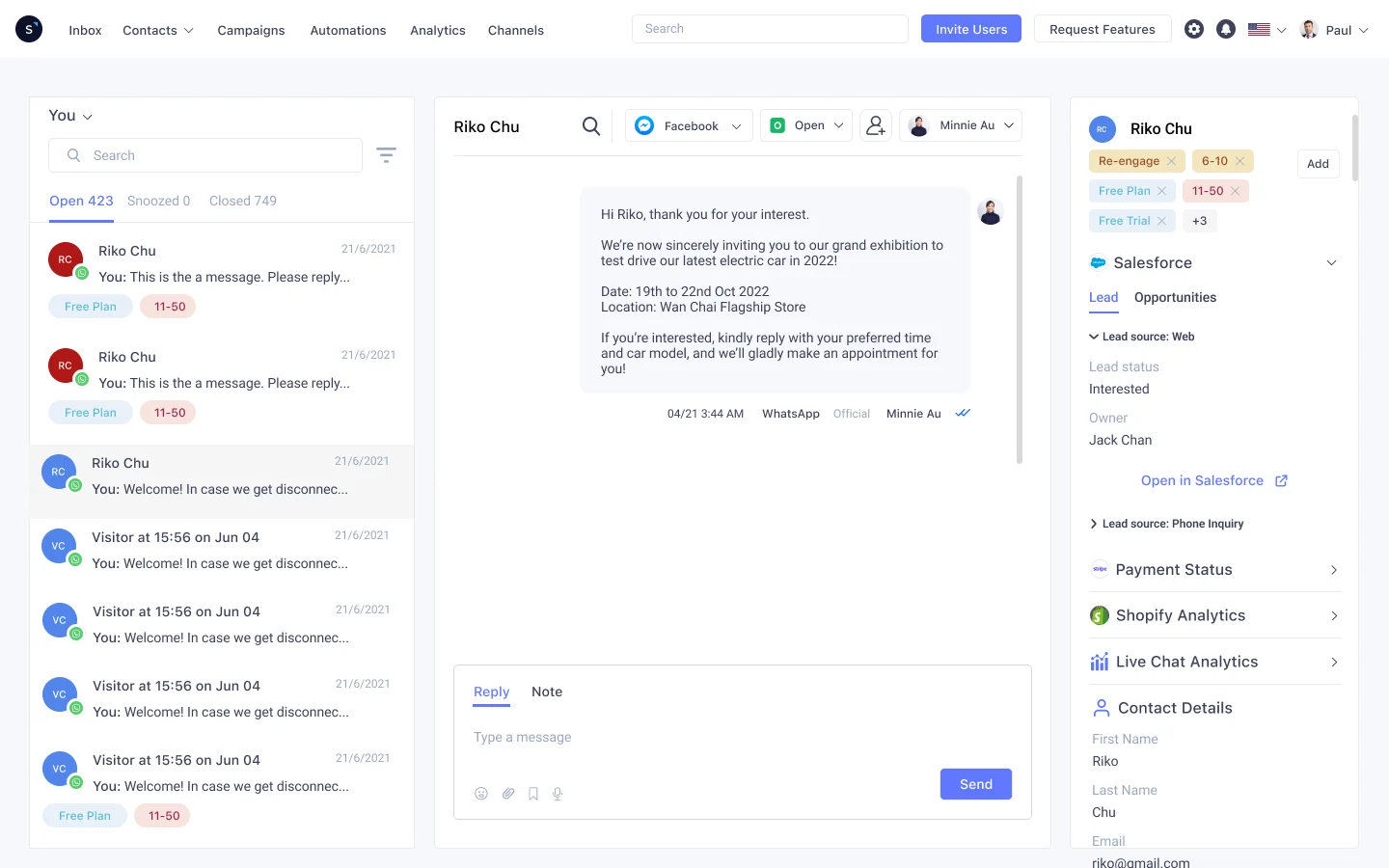
HubSpot: sync contacts and custom objects, view and update HubSpot properties in the SleekFlow inbox, and trigger automations from HubSpot fields.
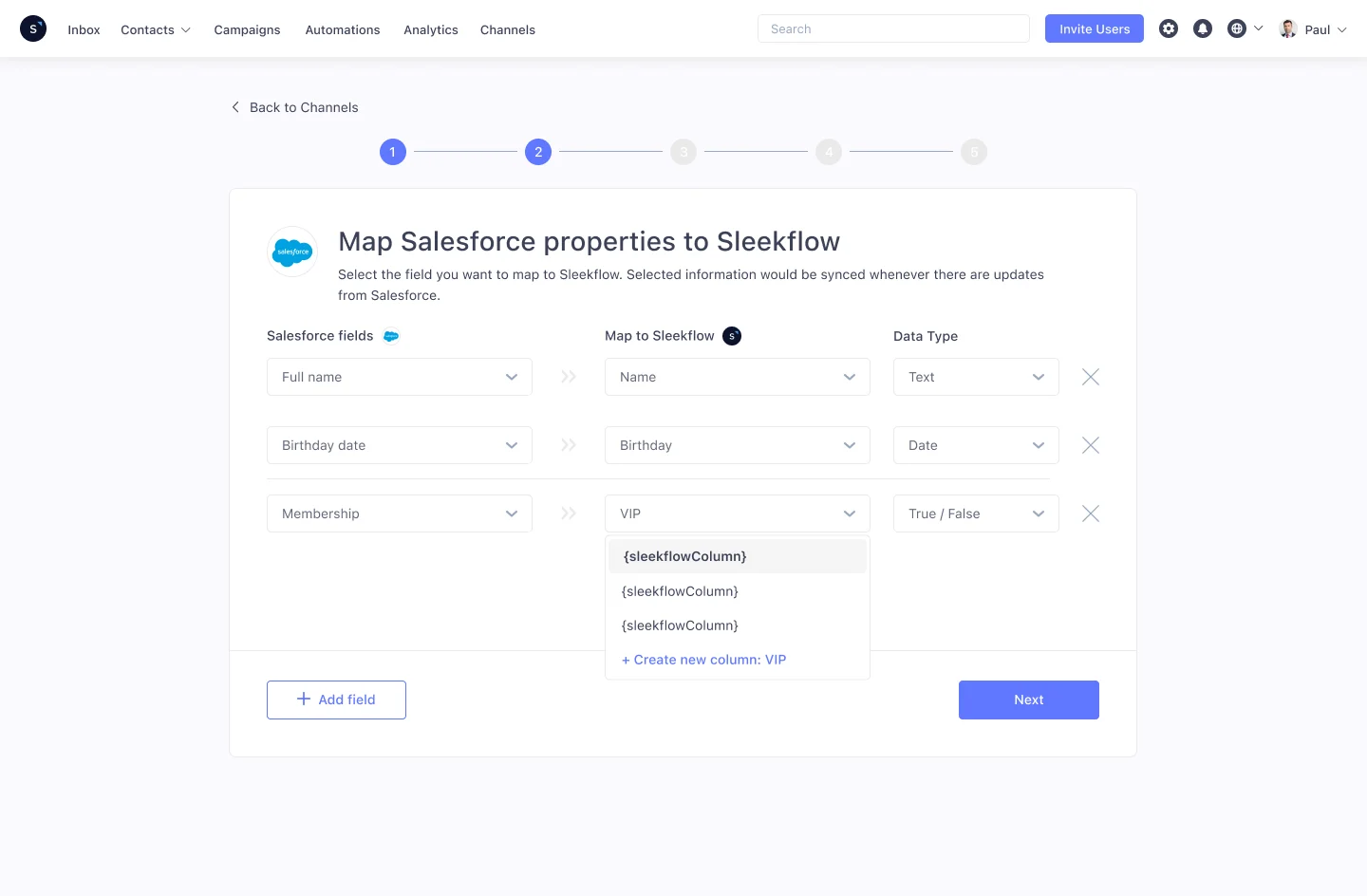
Salesforce: sync contacts and custom objects, and use Salesforce custom object triggers and actions in Flow Builder. With Salesforce Marketing Cloud, you can also send WhatsApp messages from Journey Builder.
Zoho CRM: sync contacts, view Zoho fields in the SleekFlow inbox, and automate workflows based on Zoho field values.
Shopify: sync customer and order data, and automate flows based on store events.
You can also send payment links in the chat, so customers can pay without leaving WhatsApp.
Option 3: Build a custom API integration
Large enterprises with their own systems can build the integration themselves, using the WhatsApp Business Platform directly or the SleekFlow API, to push messages, transcripts, and contact updates into internal tools and reporting. You control the data and the logic, but your developers build and maintain it.
Benefits of using WhatsApp CRM tools
A WhatsApp CRM connects customer conversations with the customer data your teams rely on (CRM fields, lifecycle stage, order history, support context). Instead of jumping between WhatsApp, your CRM, spreadsheets, and team chats, everyone works from one shared view—so responses are faster, follow-ups are consistent, and results are easier to measure.
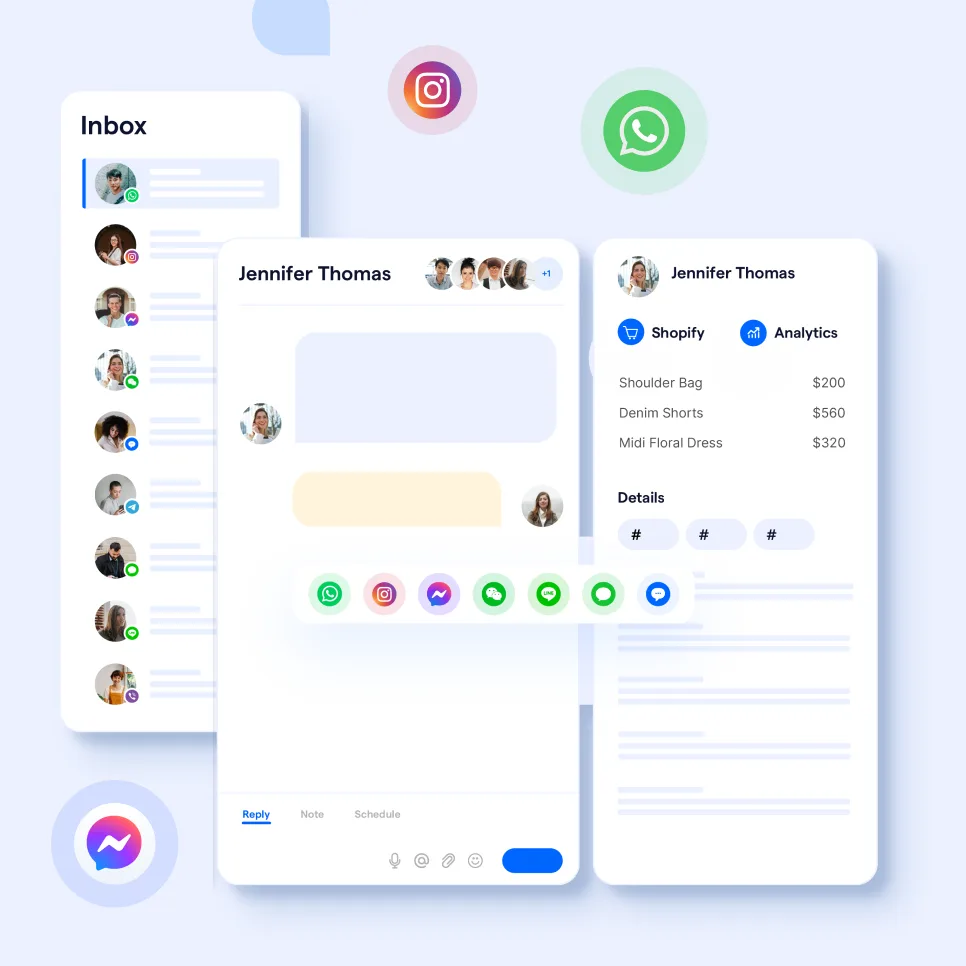
1) Keep customer context in one place
A WhatsApp CRM helps you centralise the details that change how you respond—who the customer is, what they bought, what they last asked, and what stage they’re in—so agents and reps don’t have to guess or ask repetitive questions.
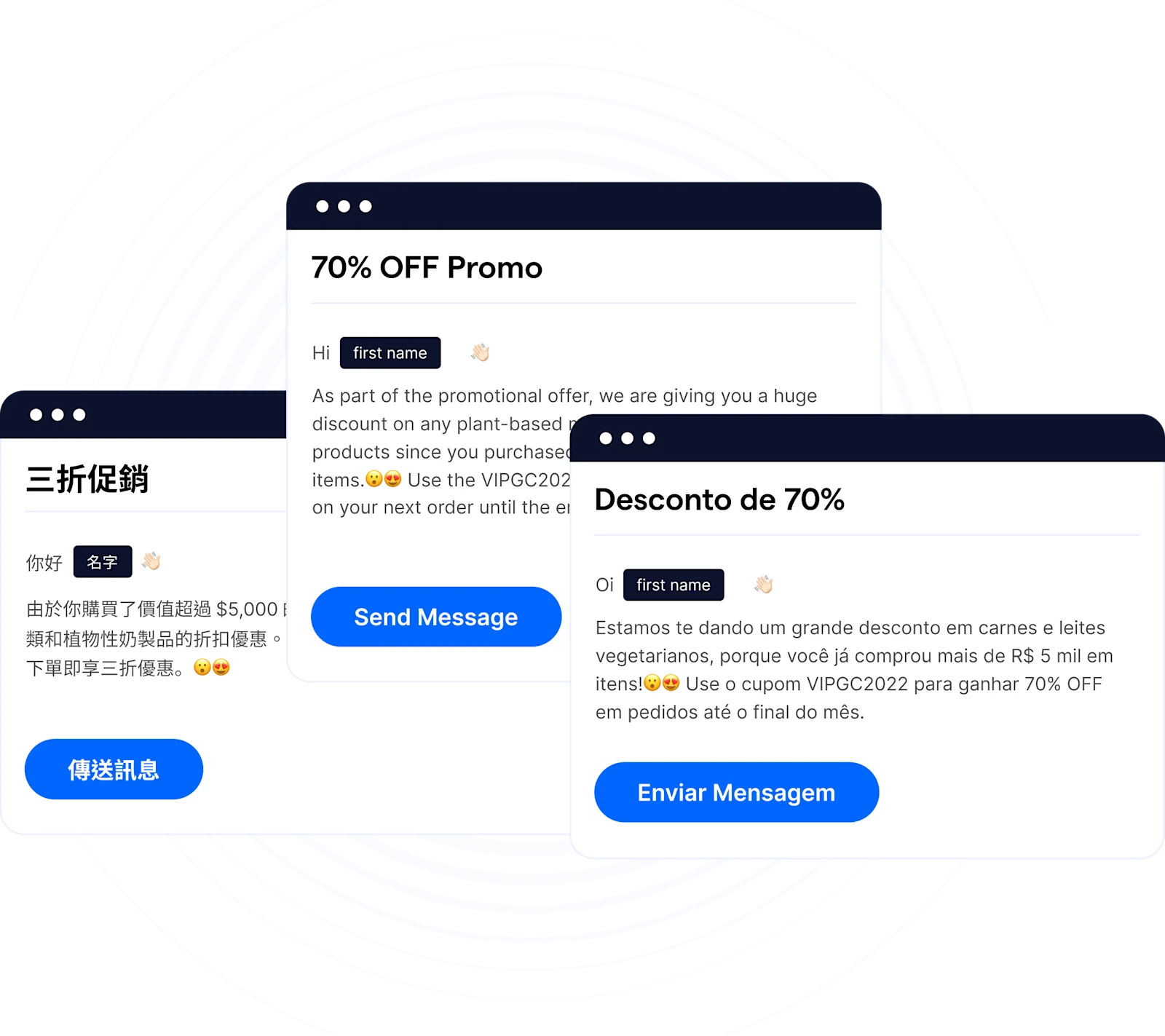
2) Create a consistent experience from first message to repeat purchase
When your team can see the same profile and history, it’s easier to keep replies consistent across sales, marketing, and support. This makes personalization practical at scale—without relying on individual reps to remember context.
3) Automate follow-ups without losing the human touch
Use automation for the repetitive parts—lead capture, qualification questions, reminders, order updates, and post-purchase check-ins—so your team can focus on higher-value conversations (complex objections, custom recommendations, escalations).
4) Improve collaboration and handoffs across teams
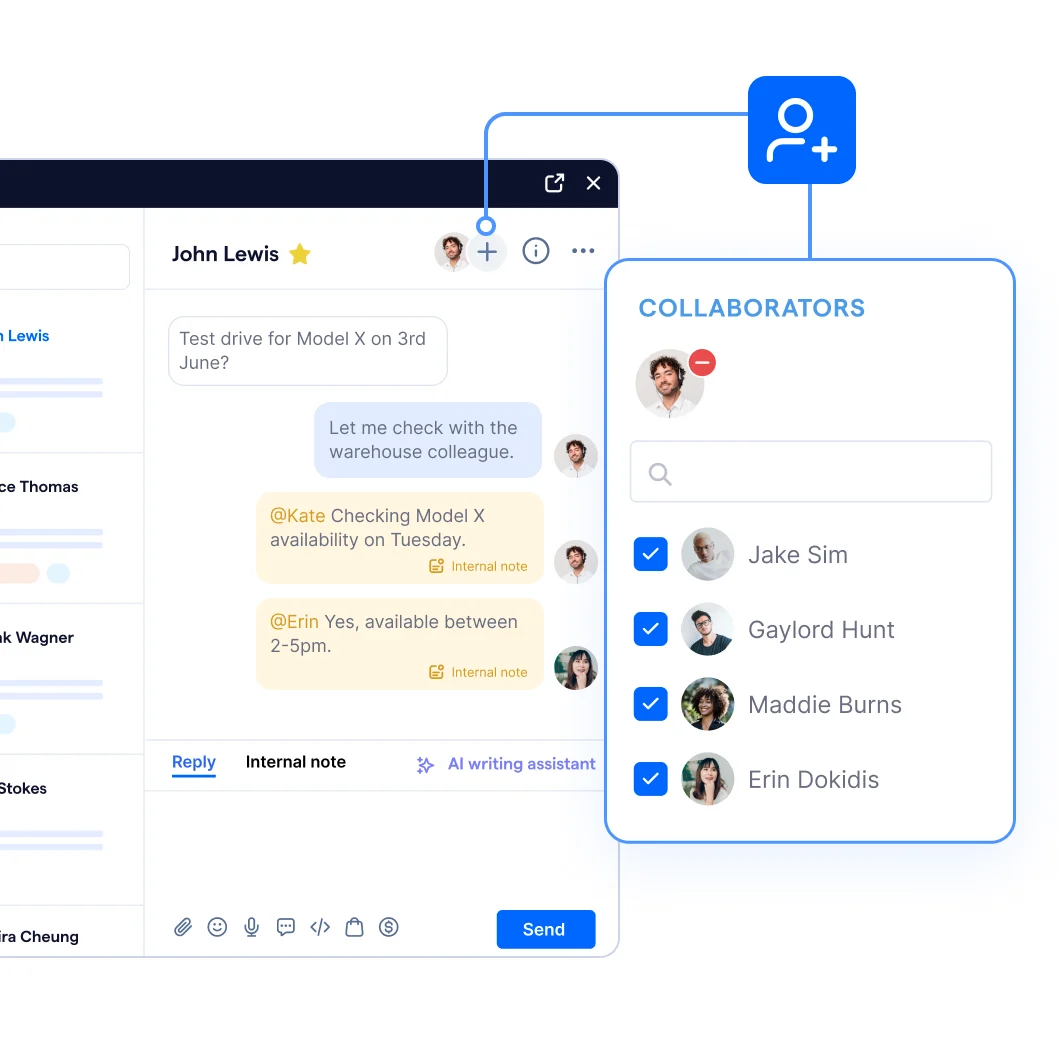
A WhatsApp CRM makes it easier for multiple teammates to work on the same customer conversation with clear ownership and continuity—so handoffs don’t break the customer experience. SleekFlow supports collaboration patterns like assigning conversations, adding collaborators, and sharing internal context.
5) Add governance and security for larger teams
If you’re rolling WhatsApp out across functions or regions, governance becomes a requirement. Look for controls like role-based access, permissions, IP allow listing, and data masking so teams only access what they need.
Take your CRM to the next level with AI capabilities—so you never need to switch tabs to generate AI-driven replies.
SleekFlow’s WhatsApp CRM tool includes built-in AI features. You can even train the conversational AI with your own company documents, allowing you to “grow” a dedicated agent that truly understands your business. This leads to faster, more accurate responses tailored to your unique processes and customer needs.
Read more: AI-generated responses with knowledge base in chats

Want to outcompete your peers with SleekFlow's help?
Book your personalised demo with SleekFlow today and unlock the potential of seamless communication
How to use WhatsApp CRM for sales, marketing, support, and operations
Using WhatsApp CRM across your business can bring real benefits to your sales, marketing, support, and operations teams. Here’s how your team can make the most of it:
Sales: Drive conversions with instant communication
With WhatsApp CRM, your sales team can instantly connect with leads and customers.
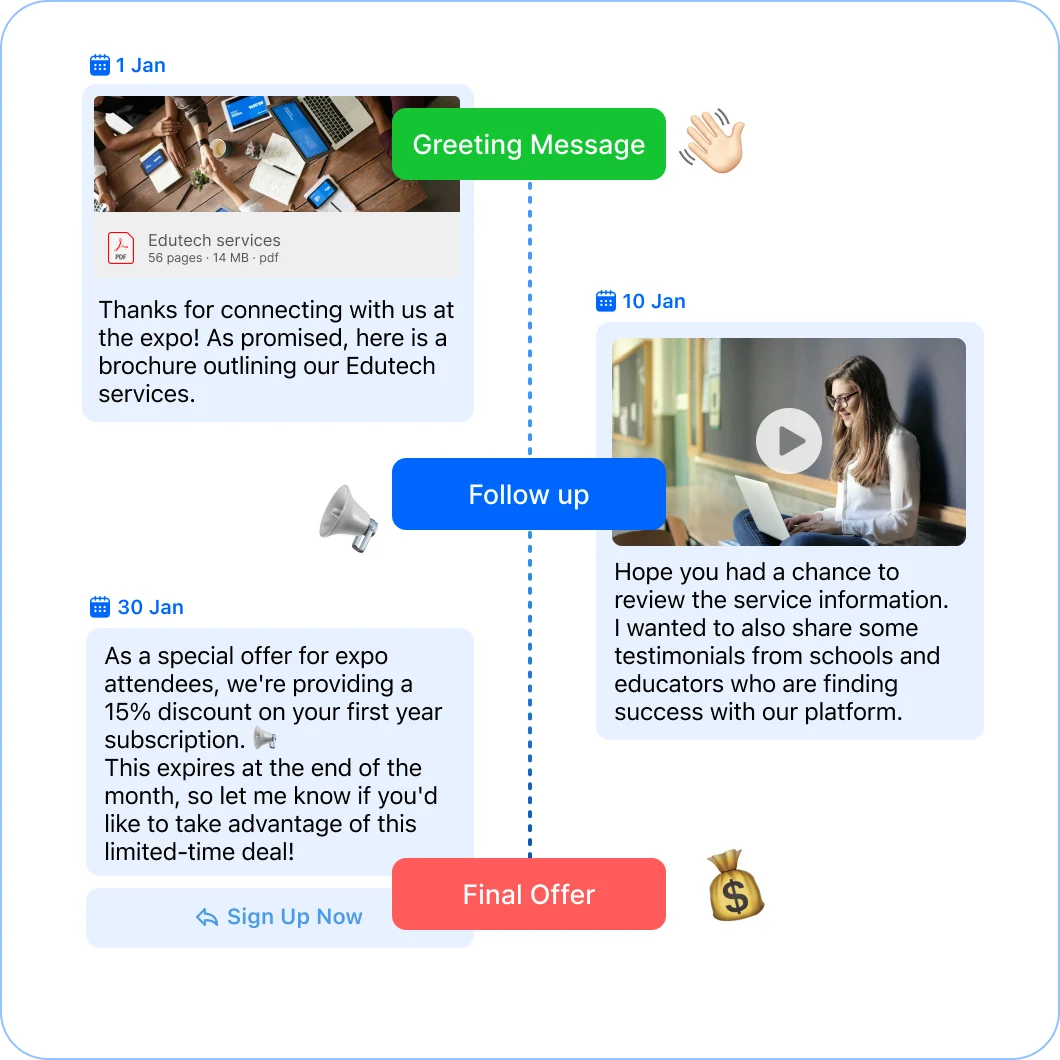
Follow up while intent is high: Automatically message a lead right after they request a demo or download content, so you engage them when they’re most interested.
Personalize outreach with CRM context: Use past behavior and customer details to recommend relevant products or next steps, instead of sending generic messages.
Automate reminders and handoffs: Set automated follow-ups so no lead is missed, and keep conversations in one place to support smooth handovers between reps.
Marketing: Create conversational campaigns that connect
WhatsApp CRM makes it easy to automate your entire marketing flow—from lead generation to nurturing and conversion.
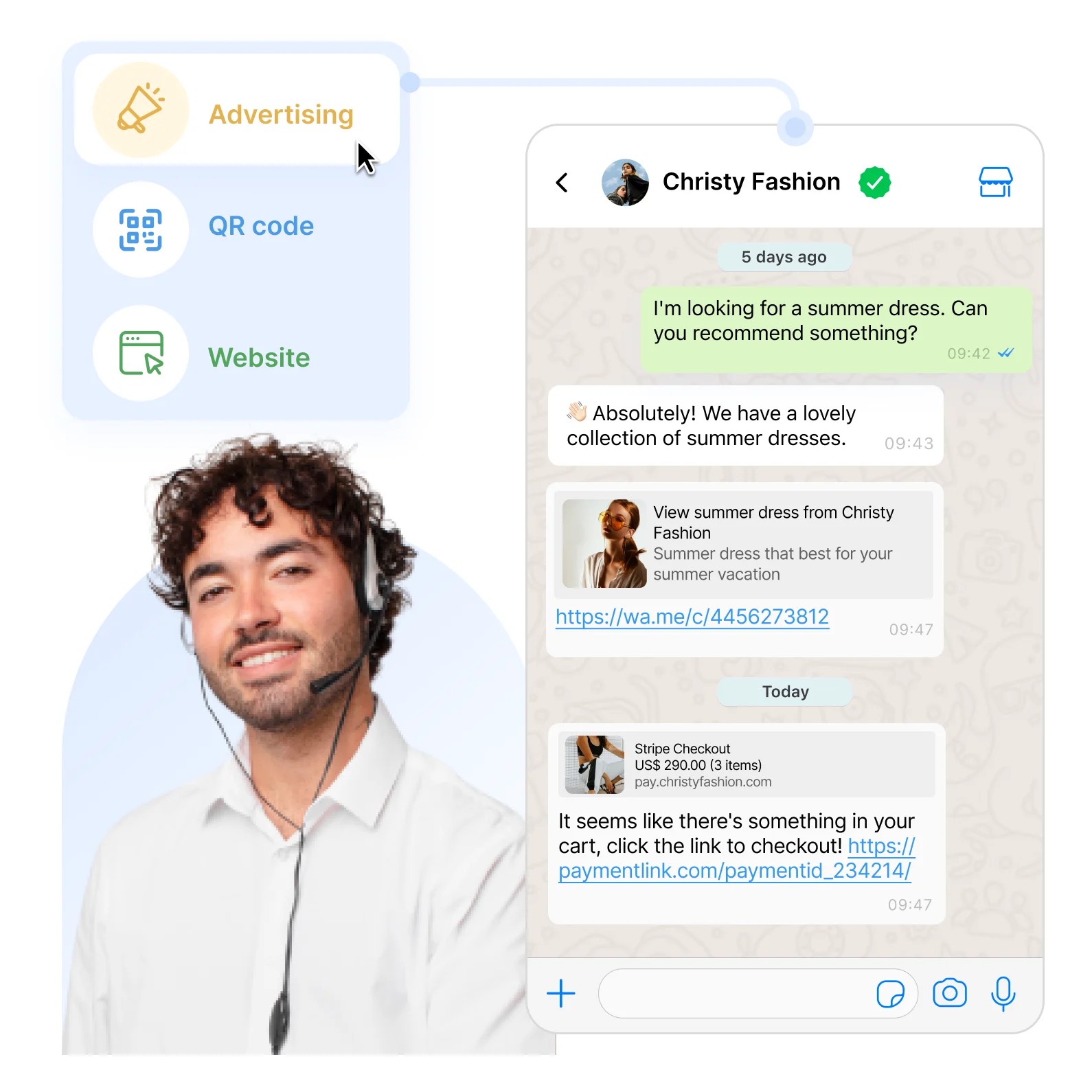
Capture leads from more touch-points: Capture leads from Facebook or Instagram ads, click-to-chat buttons, or even offline touch points with QR codes.
Run opt-in campaigns that feel personal: Build a WhatsApp subscriber list and send relevant bulk messages (promotions, event invites, special offers) that are timely and tailored.
Trigger messages based on behavior: Automate follow-ups, such as thank-you messages after purchase or abandoned-cart reminders.
Support: Faster and better customer service
In customer support, speed and accuracy matter.
WhatsApp CRM helps your support team respond faster by automating answers to common questions using WhatsApp chatbots. This means customers get quick solutions, even outside business hours.
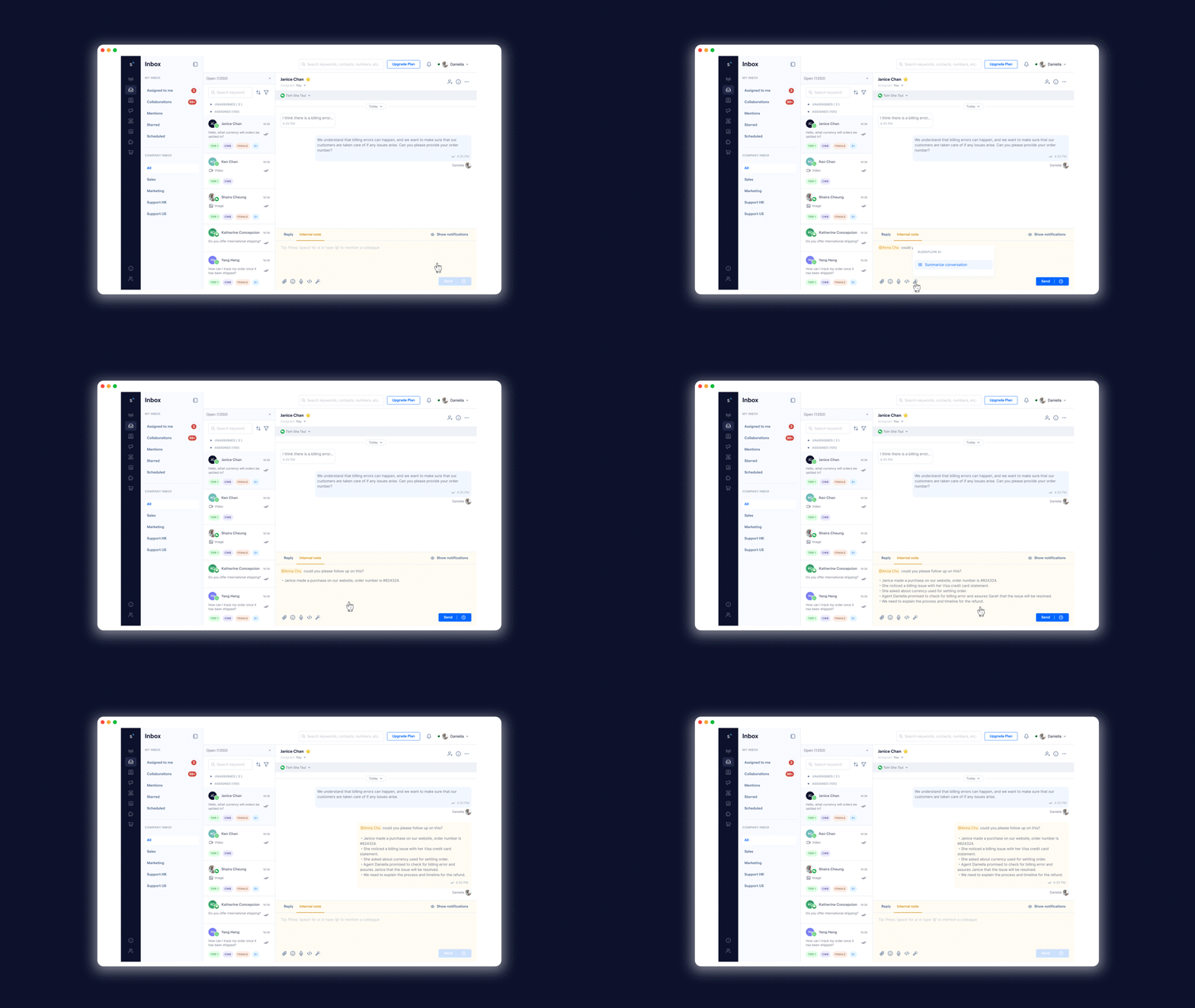
Handle FAQs instantly: Use chatbots to answer common questions so customers get help quickly, even outside business hours.
Route complex cases to the right agent: Automatically assign chats to the most available/capable team member when a human needs to step in.
Keep context during escalations: Loop in colleagues using collaborators and internal notes so handovers don’t force customers to repeat themselves.
Operations: Streamline your internal processes
WhatsApp CRM doesn’t just help with customer-facing tasks—it also improves internal operations.
Automate operational updates: Send confirmation messages when an order ships, or create CRM records when new appointments are scheduled.
Track performance with dashboards: Monitor metrics like response times and customer satisfaction to spot gaps and allocate resources.
Control access as teams scale: Assign permissions so each team has access only to the channels and customer conversations they need.
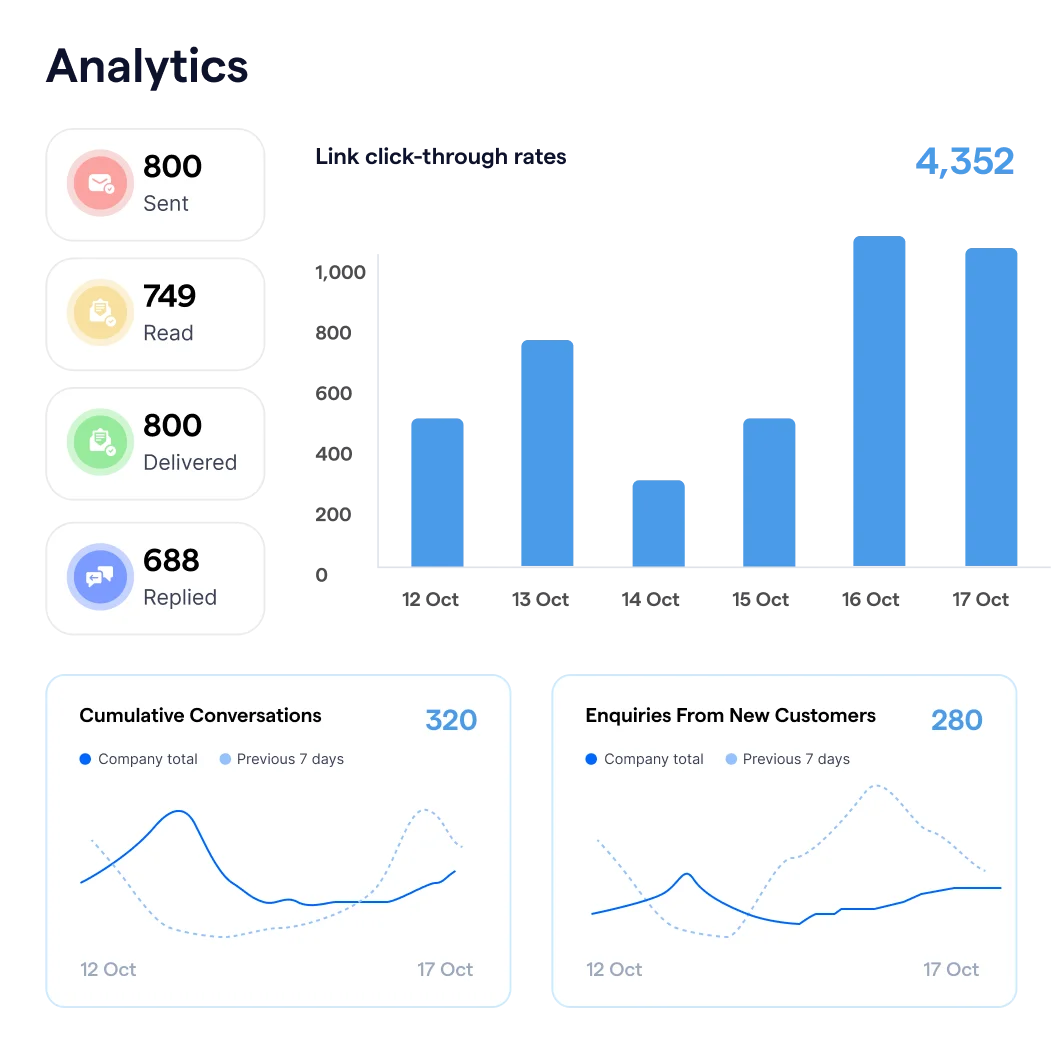
You can also monitor team performance at a glance, with dashboards showing metrics like message response times and customer satisfaction scores. By providing an overview of how each team member is performing, you can identify areas for improvement and allocate resources effectively.
Additionally, with control over channel access, you can assign specific permissions to different teams, ensuring they can only access relevant data or customer conversations. This helps to build an organized team structure while maintaining data security.
How WhatsApp integration works
Before we get into how the integration works, it's important to note that WhatsApp Business has two versions: the native WhatsApp Business App (a mobile app for small teams) and the WhatsApp Business Platform (API), built for integrations, automation, and scale.
If your goal is CRM integration, you’ll need the WhatsApp Business Platform (API)—the app alone isn’t designed for deep integrations with CRMs and marketing tools.
The WhatsApp Business app is a standalone mobile app that helps small businesses manage customer chats manually with lightweight tools like:
Away messages, quick replies, and labels to organize conversations
Catalog and basic selling features inside the app
It’s ideal if you have a low message volume and don’t need advanced automations or CRM sync. (Some setups can support multiple agents by linking additional devices, depending on eligibility/features.)
WhatsApp Business API
The WhatsApp Business Platform (API) is built for businesses that need to:
Integrate WhatsApp with CRMs and other backend systems
Support many agents and bots handling conversations at scale
Run more structured workflows (routing, templates, automations) connected to your sales/support processes
Unlike the app, the platform is not a standalone interface—you typically connect it to a software solution (like an omnichannel inbox) and implement it with developer resources or a Business Messaging Partner.
What is “Cloud API”?
WhatsApp Cloud API is a Meta-hosted way to use the WhatsApp Business Platform, designed for scaling business messaging and integrating with systems like CRMs and marketing tools.
How to register for a WhatsApp Business API account
How to register for a WhatsApp Business API account
To integrate WhatsApp with your CRM, you’ll need access to the WhatsApp Business Platform (API). This is the version built for team inboxes, automation, and integrations.
You can set it up directly with Meta, but most businesses choose an official Business Solution Provider (BSP) to streamline onboarding and ongoing management.
What you’ll need before you start
A Meta Business Portfolio (Business Manager) with your business details
A phone number that can receive a verification code (and isn’t already tied to an active WhatsApp account you still need)
Your business display name and basic business profile details (website, address, category)
Step 1: Complete Meta’s embedded signup (recommended)
Using your BSP’s onboarding flow, you’ll:
Select (or create) your Business Portfolio
Create (or select) a WhatsApp Business Account (WABA)
Add and verify your phone number and set your WhatsApp business profile
Meta’s Embedded Signup is the standard onboarding flow used by solution providers.
Step 2: Add more phone numbers if you need them
You can register multiple phone numbers under the same WABA—useful if you want separate numbers for different branches, brands, or teams while still managing everything centrally.
Step 3: Complete business verification to scale messaging limits
Meta limits how many unique customers you can start conversations with in a rolling 24-hour period. Since October 2025, that limit applies to your whole business portfolio, not to each phone number. Completing Business Verification in Meta Business Suite raises the limit, and keeping a good quality rating lets it keep growing.
Step 4: Set up billing and understand how WhatsApp charges work
WhatsApp Business Platform pricing is based on:
Message category (e.g., marketing, utility, authentication, service)
Recipient’s country/calling code
Charges apply when messages are delivered (not just sent)
The rates above are subject to change. Visit Meta’s official pricing page for the most updated rates.
Step 5: Prepare opt-in and templates (so you stay compliant)
Before you send proactive messages at scale, make sure you have:
A clear opt-in flow
Approved message templates for outreach outside the customer service window
A messaging approach that follows WhatsApp’s Business Messaging Policy.
The entire approval process from start to end will take approximately one to two weeks. When your API account is provisioned, you need to complete the Facebook Business verification to increase the message sending limit. Looking for a step-by-step guide?
Check our complete guide about how to apply for WhatsApp Business API with SleekFlow.
How to choose a WhatsApp CRM tool
You should be meticulous in choosing a social CRM platform, as switching costs are high. It takes time to migrate and transfer all the precious data. Your team might also need some time to adapt to the new interface. Here are the factors of considerations:
Official WhatsApp Business Platform support
2-way CRM sync (contacts/deals) + field mapping
Automation (routing, triggers, SLA)
Reporting (response time, conversion attribution)
Omnichannel inbox (if you sell on IG/FB too)
Governance (roles/permissions, audit trail)
Integration options (native + Zapier/Make + API)
SleekFlow as a WhatsApp CRM with advanced integration
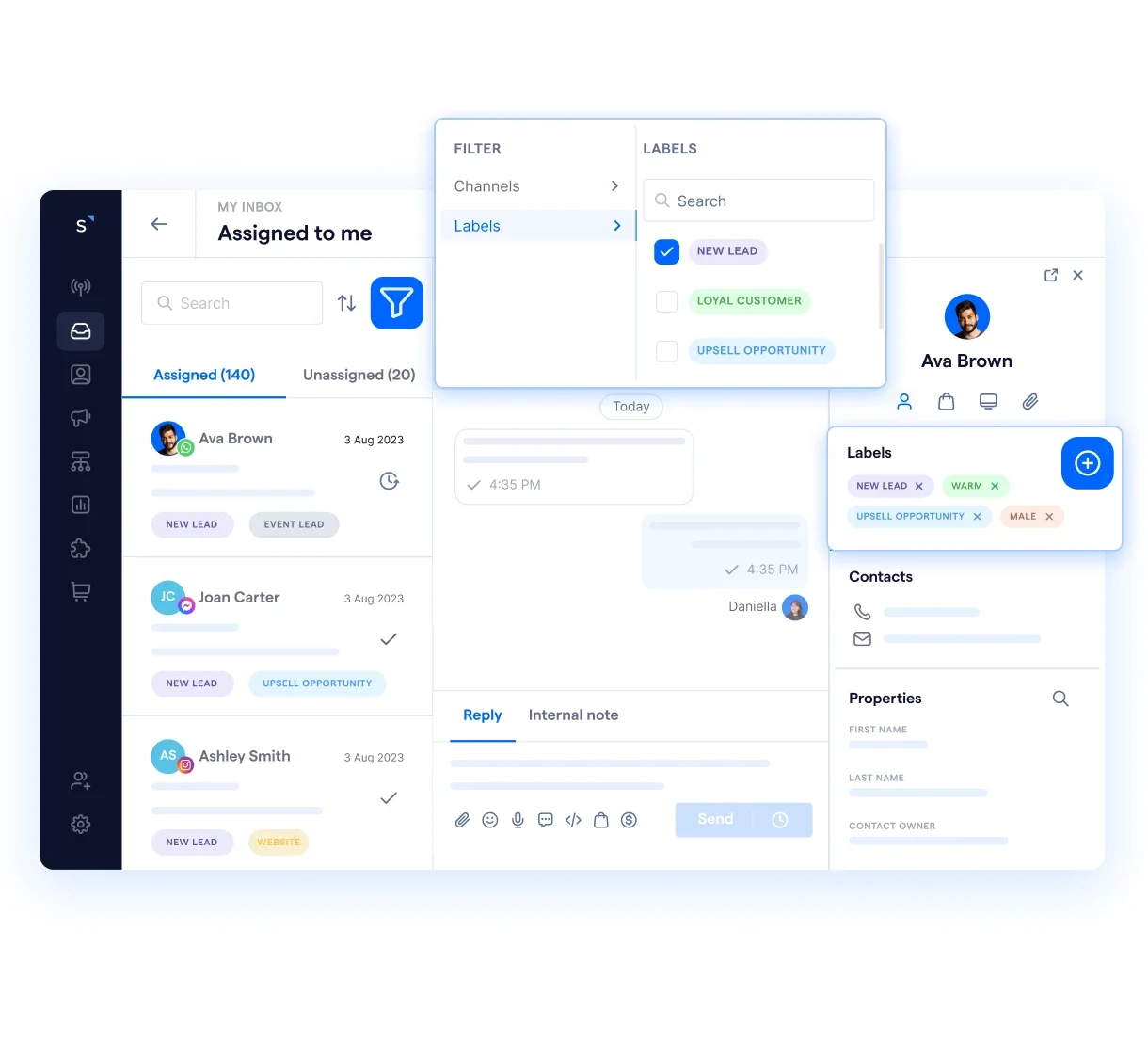
SleekFlow helps marketing, sales, and support teams manage WhatsApp conversations with the customer context and automation they need to move faster— without losing visibility across the customer journey.
Want to outcompete your peers with SleekFlow's help?
Book your personalised demo with SleekFlow today and unlock the potential of seamless communication
Frequently Asked Questions
Can I keep my existing WhatsApp number when moving to an API integration?
What happens if our message template gets rejected or we need to change it urgently?
- Keep a pre-approved fallback set (e.g., generic utility updates and customer care templates).
- Use versioning (v1, v2) instead of editing a single “live” template repeatedly.
- Have a lightweight internal checklist before submission (clear purpose, consistent variables, no misleading claims, correct language/locale).
How do we handle opt-outs or consent changes across WhatsApp and our CRM?
- Log consent status (opt-in source, timestamp, scope) on the contact record.
- Sync opt-out updates back to your CRM so marketing automations don’t re-trigger outreach.
- Ensure your team has a clear process for “stop/unsubscribe” requests and maintains an audit trail.
Why are some customers not receiving our WhatsApp messages even though the integration is working?
- Messaging limits/quality controls affecting how many new conversations you can start.
- Attempting outreach outside the customer service window without using an approved template.
- Mismatched phone formats (missing country code), duplicated records, or wrong owner/routing rules. A quick triage flow (limit/tier → template use → number formatting → routing) saves hours.
How do we prevent duplicate contacts and wrong CRM matching when syncing WhatsApp to a CRM?
- Normalise all numbers to E.164 format (country code + number) before syncing.
- Define a single unique identifier rule (phone number, email, CRM ID) and stick to it.
- Set clear merge rules (which system “wins” on conflicts) and test in a sandbox before enabling 2-way sync.


