How to create a catalog on WhatsApp Business


TL; DR: Quick Summary
- Messaging-first commerce is rising—64% prefer chatting businesses, making platforms like WhatsApp a key sales channel
- WhatsApp catalogs turn chats into storefronts, enabling easy browsing, faster decisions, and scalable sales within conversations
- Businesses can choose from app-based, Meta-connected, or API catalogs depending on size and complexity
- Organizing products into collections and keeping listings updated improves navigation, trust, and conversion rates
- Limitations include no checkout, inventory tracking, and a 500-item cap—often requiring external tools
- AI agents enhance catalogs by automating replies, recommending products, and guiding purchases 24/7 for higher conversions
More customers now expect to browse and buy without ever leaving a chat. According to a recent report by Meta, 64% of online adults prefer messaging a business over visiting a physical store. That single behavior change rewrites how businesses should approach sales.
At the center of this shift is WhatsApp. With more than 3 billion people in over 180 countries and an open rate of around 98%, it has become one of the most direct ways to engage, influence, and convert customers—without relying on traditional storefronts.
Yet most businesses are still selling the hard way. They send product images one by one, manually respond to repetitive questions, and lose momentum in conversations that should be closing deals.
A WhatsApp Business catalog fixes this by turning your chat into a structured storefront—allowing customers to browse products, view pricing, and inquire instantly without leaving the conversation. It reduces friction, speeds up decisions, and makes your sales process far more scalable. Businesses can also train the WhatsApp Business AI agents that sell using existing catalog items, past chat data, and website links to automatically handle customer inquiries and guide purchase decisions.
Wondering how to create and manage a WhatsApp catalog as well as train an AI for your WhatsApp Business? Read on to discover all about it.
What is a WhatsApp catalog?
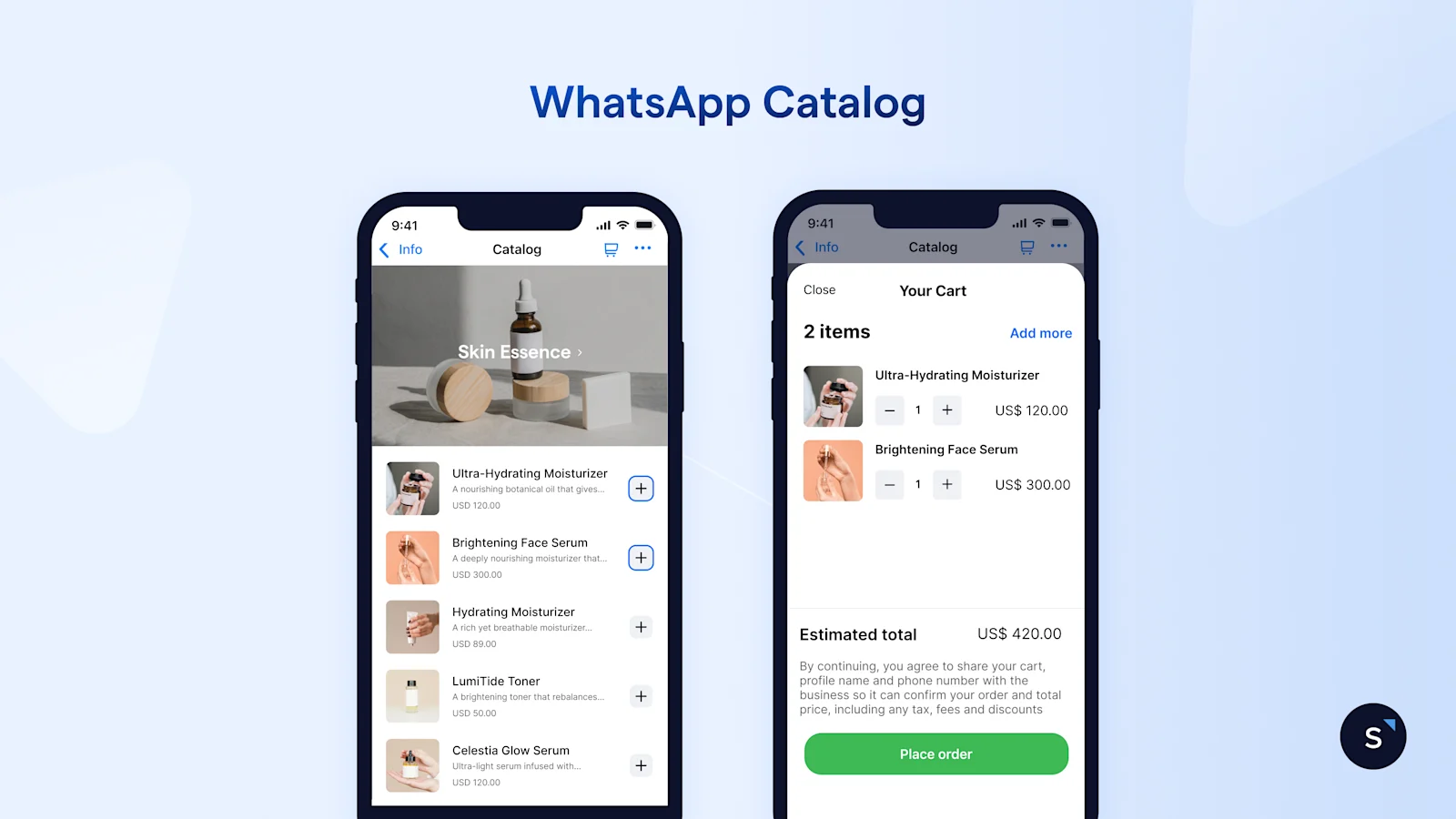
A WhatsApp catalog is a feature that allows businesses to showcase their products or services to potential customers on WhatsApp Business. It provides businesses to upload detailed information about their products or services, including the product name or title, price, description, website link, and product code.
Benefits of a WhatsApp catalog
A WhatsApp catalog helps businesses turn conversations into faster purchase decisions by making products easier to discover inside chat. Instead of sending product photos and prices manually, businesses can present items in a more organized and scalable way.
Here are some key benefits of using a WhatsApp catalog:
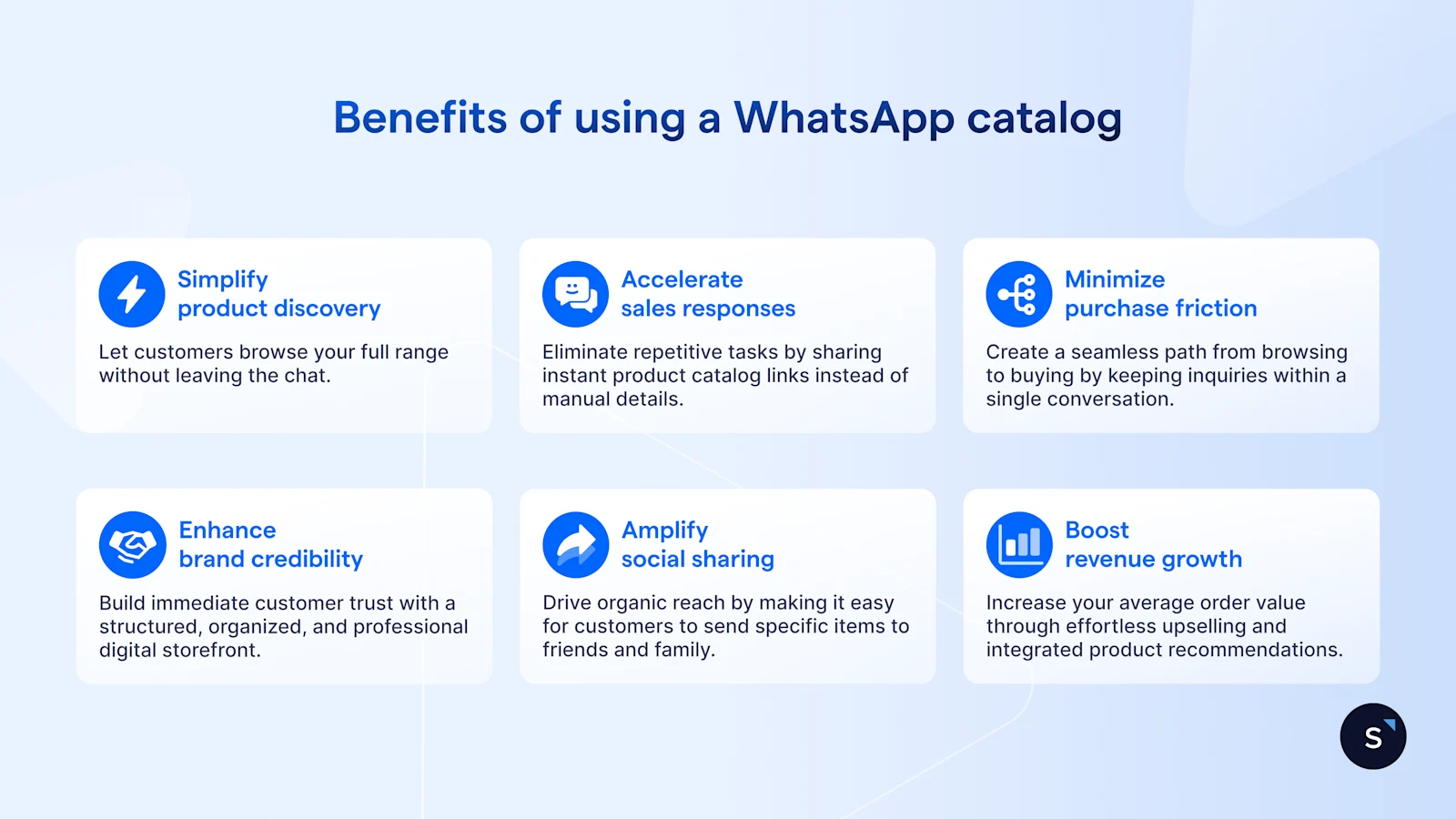
Makes product discovery easier: Customers can browse products, prices, and descriptions in one place without leaving WhatsApp.
Speeds up sales conversations: Sales teams do not need to repeatedly send the same product details in every chat.
Reduces friction in the buying journey: Customers can view items and ask questions instantly in the same conversation.
Creates a more professional storefront: A catalog makes your business appear more organized, credible, and ready to sell.
Improves response efficiency: It helps teams handle more inquiries faster, especially when combined with automation or AI.
Encourages product sharing: Customers can easily share catalog items with friends or family, helping extend your reach naturally.
Supports better upselling and cross-selling: Businesses can guide customers to related products more easily during chat-based conversations.
There are 2 ways to create catalog on WhatsApp Business, which are through the free WhatsApp Business App or through the WhatsApp API. This blog will focus mainly on the WhatsApp Business catalog on the free app.
To learn more about the WhatsApp API, visit our blog guide on all you need to know about WhatsApp Business API.
WhatsApp Business app catalog vs. connected Meta catalog vs. WhatsApp API catalog
As your business grows, so should the way you display your products. WhatsApp gives you three different ways to build your digital storefront, each designed for different business sizes and needs. Picking the right one is the first step toward creating a smooth shopping experience.
WhatsApp Business App Catalog is the simplest option. It's built right into the free app, making it perfect for small businesses that can upload their products manually.
Connected Meta Catalog uses the Meta Commerce Manager to sync your existing Facebook and Instagram shops with WhatsApp, which helps create a consistent presence across all platforms.
WhatsApp API Catalog is the most powerful solution for large companies. It connects directly to your e-commerce systems (such as Shopify, VTEX, etc) via a customer communication platform, allowing you to build custom catalog and manage your products at a much larger scale.
Here's a comparison to help you decide which catalog setup is right for your business:
Explore more about integrating your e-commerce store with WhatsApp. Learn to draft orders in the WhatsApp chat using SleekFlow X Shopify integration.
Connect to WhatsApp Business API now!
Connect to WhatsApp Business API and unlock powerful tools to engage your audience.
How to create a WhatsApp Business catalog
Whether you’re managing your WhatsApp Business account on an Android device, iPhone, or even web and desktop, we’ve got your back. Just check out our guide below!
Create a WhatsApp catalog on Android
On your WhatsApp Business App, tap on ⋮ (the three vertical dots) at the top right corner for more options, then go to “Settings” > “Business Tools” > “Catalog”.
Select “Add new item” to add a new catalogue.
Tap on + (the plus icon), then select “Add images”.
Select “Gallery” to upload images from your Photos or “Camera” to take new photos of your products. You may upload up to 10 images.
Insert the name of the product or service and add in other optional details such as price, description, link, and code.
Tap on “Save”.
Create a WhatsApp catalogue on iPhone
On your WhatsApp Business App, tap on “Settings” in the bottom right corner and go to “Business Tools” > “Catalog”.
Select “Add new item” to add a new catalogue.
Tap on + (the blue plus icon) or “Add new item”, then select “Add images”.
Select “Choose Photo” to upload images from your phone or “Take Photo” to take new photos of your products. You may upload up to 10 images.
Insert the name of the product or service and add other optional details such as price, description, link, and code.
Tap on “Save”.
Create a WhatsApp catalogue on the Web and Desktop
Open WhatsApp Web or the WhatsApp Business App on your desktop, tap on ⋮ (the three vertical dots) above your chat list, and select “Catalog”.
Select “Add new item”.
Click on “Add new images” and select up to 10 images to upload.
Type in the name of the product or service and add in other optional details such as price, description, link, and code.
Click on “ADD TO CATALOG” to add the product uploaded to your WhatsApp catalogue.
Looking for a WhatsApp Business API catalog instead? Jump to the last section.
How to create collections and keep products organized
When a customer walks into a physical boutique, they expect clearly defined sections—shoes in one corner and accessories in another. Your WhatsApp catalog should offer the same intuitive experience.
As your product list grows, forcing customers to scroll through a disorganized feed is a guaranteed way to lose their interest. This is where Collections come in handy, acting as digital aisles to neatly categorize your offerings.
To keep your storefront organized and easy to navigate, follow these best practices for creating and managing your collections:
Group items logically. You can create collections based on product type ("Summer Dresses," "Men's Footwear"), seasonal campaigns ("Mother's Day Gifts"), or promotions ("Clearance Sale").
Create collections easily. In your WhatsApp Business app or Commerce Manager, go to the Catalog menu and select "Add New Collection." Give it a clear name, then select the catalog items you want to group together.
Keep your collections curated. Avoid making them too broad or overwhelmingly large. A focused selection helps buyers make quick, informed decisions.
Review your collections regularly. Consumer trends change quickly. Make it a monthly habit to review your collections, moving best-sellers to the top and archiving seasonal groups that are no longer relevant.
How to hide, edit, or delete catalog items
Your inventory changes—prices shift, new products arrive, and best-sellers sell out. Keeping your catalog accurate is essential for building trust. Nothing frustrates a buyer more than asking about a product only to learn it’s unavailable. WhatsApp gives you simple tools to keep your digital storefront up to date.
Here’s how to manage your catalog items effectively:
Hide out-of-stock items: Is a popular product temporarily out of stock? Don't delete it. Instead, use the "Hide" option. This removes the item from your public storefront but saves its details and approval status. When you restock, simply unhide it to start selling again instantly.
Edit for accuracy: Need to update a price or add a new photo? Select the item in your catalog manager and click "Edit." You can quickly change the title, description, price, or URL. Remember, significant edits might require a quick re-review from Meta to ensure they still meet policy guidelines.
Delete discontinued products: When you're no longer restocking a product, it's time to remove it. Select "Delete" to permanently remove the item and its data from your catalog. This action keeps your storefront clean and prevents customers from finding outdated products.
Common WhatsApp catalog problems and how to fix them
Even with a well-designed catalog, you might still run into technical hiccups or policy roadblocks. Knowing the most common issues will help your team resolve them quickly and keep your sales flowing.
Here are some frequent catalog problems and how to fix them:
As Awfully Chocolate grew across Singapore and China, customer chats about cakes, delivery, and orders became harder to manage manually. The brand was handling high enquiry volume and needed a smoother way for customers to discover products and get answers quickly.
This makes Awfully Chocolate a strong WhatsApp catalog use case: instead of sending product details manually in every chat, a catalog can let customers browse items, view key information, and move straight into purchase conversations on WhatsApp. In the case study, SleekFlow helped the team centralize chats, automate FAQs, and sync Shopify data for more efficient product-related support.
How to create a WhatsApp catalog link and share it with customers
Now that you know how to create a WhatsApp catalog, you’re halfway through reaching more potential customers on your WhatsApp Shop. With a complete WhatsApp Business catalog created, it’ll be a waste not to share it for your customers to start their WhatsApp shopping journey; therefore, the next step is to learn how to create a link for easy sharing!
Share a WhatsApp catalog link from Android
On the WhatsApp Business App, tap on ⋮ (the three vertical dots) at the top right corner for more options, then select “Settings” > “Business Tools” > “Catalog” to go to the Catalog Manager.
On the top right corner, tap on the 🔗 link icon.
Choose one of the sharing options to send the WhatsApp catalogue link to others:
*Links are auto-generated and cannot be customized.
Share a WhatsApp catalog link from iPhone
On your WhatsApp Business App, tap on “Settings” in the bottom right corner and go to “Business Tools” > “Catalog”.
Tap on ⋯ (the three horizontal dots) for more options > “Share”.
Copy the link to share the catalogue within WhatsApp Business or via other apps.
Share a WhatsApp catalog link from Web and Desktop
Open WhatsApp Web or the WhatsApp Business App on your desktop, tap on ⋮ (the three vertical dots) above your chat list, and select “Catalog”.
Tap on the 🔗 link icon to copy the link and share your WhatsApp catalogue.
Need help navigating WhatsApp Web? Here’s all you need to know about WhatsApp Web.
Limitations of a WhatsApp Business catalog
The WhatsApp Business catalog helps businesses to effectively increase their sales by acknowledging customer behavior. By grouping products or services into different collections, businesses can make it easier for customers to view, shop, purchase, and even share any items they're interested in with the business to make inquiries or place orders with friends or family. With a WhatsApp catalog link, businesses can reach out to more customers even outside of WhatsApp, including other social media platforms such as Facebook and Instagram.
However, there are some limitations to this WhatsApp Business catalog:
Limited number of products
Businesses can only upload up to 500 products or services to their WhatsApp Business catalog.
Looking to create product catalogs online for free? SleekFlow Custom Catalog is here to help businesses sell more and sell better on social media platforms!
No inventory management
WhatsApp Business catalog does not provide any inventory management features for you to track inventory changes or make adjustments when the product is low in stock, which may result in customers placing orders on items that are not available.
No checkout features
Since there are no checkout features on the WhatsApp catalog, you may need to redirect your customers to the website or ask them to visit in-store for purchases. Friction in the purchasing process such as slow-loading websites or crashed apps may lead to abandoned carts, and customer loss might be an issue.
Explore a seamless checkout experience for your customers using in-chat payment links. Let them pay without switching apps or tabs.
How to multiply WhatsApp catalog sales with AI Agents
Think about how customers actually shop today: they expect fast answers, clear options, and zero friction during the buying process. The moment they hit a dead end—missing information or slow replies—they move on to a competitor.
Instead of relying on manual replies, AI agents instantly answer questions and recommend products from your catalog, guiding the entire sales journey 24/7.
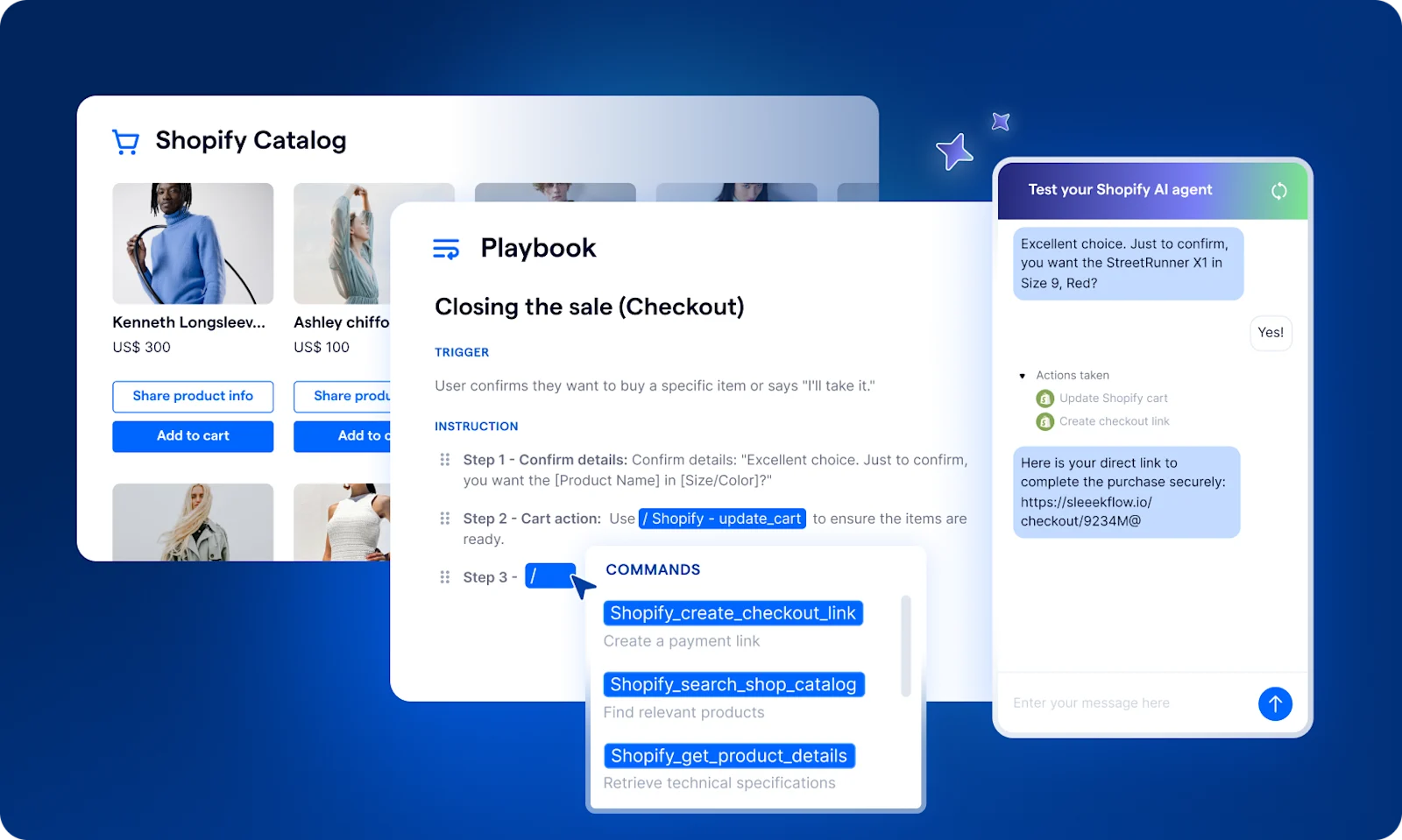
AI-guided sales conversations: Let AI agents read your buyer's intent and instantly recommend the right items from your catalog.
Smarter segmentation & targeted broadcasts: Automatically segment customers by lifecycle stage and deliver broadcasts based on where they are in their buying journey to drive exploration to your product catalog.
Automated lead qualification: Let AI handle initial questions and secure the order, or have it smoothly hand off high-value buyers to your sales team.
WhatsApp works across demographics because customers already understand how to use chat. That familiarity lowers the barrier to purchase and makes conversational commerce more accessible than traditional e-commerce flows.
Read more: Gen Z marketing playbook: winning tactics for modern brands
Automating the WhatsApp Catalog Experience with SleekFlow AI
A well-organized catalog is only the starting point. Real growth comes from removing manual work and scaling conversations without slowing down response time.
This is where combining your WhatsApp catalog with SleekFlow’s AgentFlow can revolutionize your conversational commerce, driving scalable, high-converting conversations.
By integrating AI with your WhatsApp, you create a 24/7 sales assistant that actively guides customers instead of leaving them to browse passively.
Here’s how this integration turns passive browsing into active purchasing:
Understands customer intent: AgentFlow uses natural language processing to grasp what a customer wants. If someone messages, "I'm looking for a hydrating night cream for sensitive skin," the AI instantly scans your catalog and presents the exact matching products in the chat, complete with images and pricing.
Builds the cart smoothly: When a customer shows interest, AgentFlow guides them forward. It can answer follow-up questions about ingredients, encourage them to add items to their WhatsApp cart, and even suggest relevant products to increase the order value.
Automates checkout and recovery: Once the customer is ready to buy, the AI generates a secure payment link within the conversation. If a user abandons their cart, SleekFlow can also send a gentle follow-up message a few hours later, helping you recover potentially lost sales without any manual effort.
To show the difference in efficiency, let's compare the traditional method with an AI-driven one:
With AI automation, every customer receives instant, personalized responses—allowing you to scale revenue without scaling headcount.
Scaling with advanced WhatsApp API capabilities

As an official WhatsApp Business Solution Provider, SleekFlow provides advanced API capabilities that support and scale your WhatsApp shopping experience, including:
Broadcast messaging at scale to share catalog updates and promotions instantly
Multi-agent access so teams can manage high volumes of conversations simultaneously
Interactive messaging formats to create richer, more engaging product experiences
Verified business profiles (blue tick) to build trust and credibility
Native integrations with e-commerce platforms and CRMs to keep product and customer data in sync
Cross-channel retargeting to re-engage customers beyond WhatsApp and recover lost opportunities
Instead of operating in silos, these capabilities connect your catalog, conversations, and campaigns into a single, scalable system—allowing you to respond faster, personalize interactions, and drive more consistent conversions.
BateriHub unified branches and cut spam leads With SleekFlow
BateriHub, a top automotive battery provider in Malaysia, expanded rapidly to 130 branches. This growth, however, led to operational challenges as their customer communication became increasingly disorganized across various channels.
Customer interactions were scattered across individual WhatsApp accounts, making it impossible to track lead sources from marketing campaigns. Staff had to manually cross-reference over 220 battery models using physical charts, leading to slow responses and potential errors.
BateriHub adopted SleekFlow’s omnichannel platform to centralize all customer conversations into a single inbox. They also implemented an AI agent, trained on their product catalog, to provide instant, automated responses and recommendations to customer inquiries.
The new system brought significant improvements for BateriHub:
Spam messages were reduced to less than 1%.
Response times improved from 17 minutes to nearly instantaneous.
By automating lead qualification and launching targeted retention campaigns, BateriHub increased its overall conversions by 22% in just three months.
SleekFlow has helped us improve engagement, conversion rate, and professionalism. We want to be at the top of mind, and with SleekFlow, we are one step ahead.

Stanly Ng
General Manager, BateriHub

Ready to transform your WhatsApp strategy into a high-converting channel?
Book a free demo with SleekFlow today to see how our AI-native omnichannel solution can be customized for your business.


