WhatsApp Business API: A definitive guide for your business (2026)


TL; DR: Quick Summary
- WhatsApp Business API is an enterprise-grade upgrade to the Business App, but needs a provider + software integration to unlock its full power.
- It enables scalable customer communication: automated replies, chatbots, bulk/broadcast messaging, interactive buttons/lists, and multi-agent logins.
- Compared to alternatives: WhatsApp drives relationship-led sales globally; SMS fits OTP/critical alerts; Telegram suits communities; Messenger works well for US retargeting.
- Key building blocks include verified business profiles (blue tick) and pre-approved template messages for outbound sends.
- Features like catalogs, payment links, unified customer profiles, and CRM/e-commerce integrations streamline sales and support workflows.
- Setup requires Meta onboarding, business verification, a dedicated number, templates, and managing messaging tiers/pricing.
Here’s the essential guide to the WhatsApp Business API you’ve all been waiting for! APIs, short for Application Programming Interfaces, function as software intermediaries that facilitate seamless communication between two applications, much like a skilled waiter in a restaurant.
In order to use the WhatsApp API, businesses will need to choose a provider and integrate it with software to fully unlock its function. With this powerful tool, your business can then streamline communication using functions like automated replies, WhatsApp broadcasting, chatbots, interactive messages like WhatsApp buttons, and more.
WhatsApp vs. SMS, Telegram, and Messenger
How does the WhatsApp Business API compare to other messaging giants like SMS, Telegram, and Messenger? Let’s break it down.
WhatsApp: Best for building deep customer relationships and driving global sales, particularly in LATAM, EMEA, and APAC.
SMS: The go-to for critical, fail-safe notifications like OTPs, especially where internet access is spotty.
Telegram: Ideal for community building and niche engagement thanks to unrestricted bot automation and broadcasting.
Messenger: A top choice for US-centric markets, specifically for retargeting users from Facebook or Instagram ads.
Here's a quick comparison table highlighting their key features and advantages.
What is WhatsApp Business API?
WhatsApp Business API is a tool specially designed for businesses to power communication with customers all across the globe safely and effectively.
In overly simplified terms, WhatsApp Business API can be explained as an upgraded version of the WhatsApp Business App. While the WhatsApp Business App supports small businesses with basic functions such as business profiles, auto-replies, labels, and more, the options are rather limited, especially for those dealing with a greater number of clients and daily inquiries.
The WhatsApp API provides secure, reliable messaging for businesses and customers. It also offers features like quick replies, chatbots, multiple logins, bulk messaging, and personalized messages to help businesses sell more effectively online.
What about WhatsApp Cloud API? Learn more about what it is from our WhatsApp Cloud API guide.
WhatsApp Business App vs. WhatsApp Business Platform vs. WhatsApp Cloud API vs. WhatsApp Business API
If you're new to using WhatsApp for business, the different options can be overwhelming. Let's break down the differences.
WhatsApp Business App: A free app for small businesses. It offers basic features like manual messaging and limited automation for up to 256 contacts. It's best for solopreneurs and local shops.
WhatsApp Business Platform: The API-based enterprise solution, available as either WhatsApp Cloud API or WhatsApp Business API (On-Premise). It requires third-party software but supports unlimited users, advanced automation, and large-scale broadcasting. Ideal for SMEs, enterprises, and customer support teams.
WhatsApp Cloud API: Hosted by Meta, this option offers automatic updates, faster feature access, and lower costs. It's now the standard for most businesses.
WhatsApp Business API (On-Premise): Hosted by businesses or BSPs, this legacy option involves manual updates and higher costs. It's mainly used by industries with strict data regulations.
The table below highlights the key differences to help you choose the best solution for your business needs.

Want to outcompete your peers with SleekFlow's help?
Book your personalised demo with SleekFlow today and unlock the potential of seamless communication
Core Features: What can WhatsApp Business API do?
The possibilities are endless! Businesses can integrate the WhatsApp Business API with platforms like SleekFlow to access more functions and increase workflow efficiency.
As we work through these features, the benefits of WhatsApp Business API will be as clear as day.
Verified WhatsApp Business accounts
When using the WhatsApp Business App to contact customers, only the phone number will be displayed.
In contrast, WhatsApp Business API allows businesses to have a WhatsApp Official Business Account (OBA), showing the business name instead of the business phone number, even if the customer has not saved the business’s phone number.
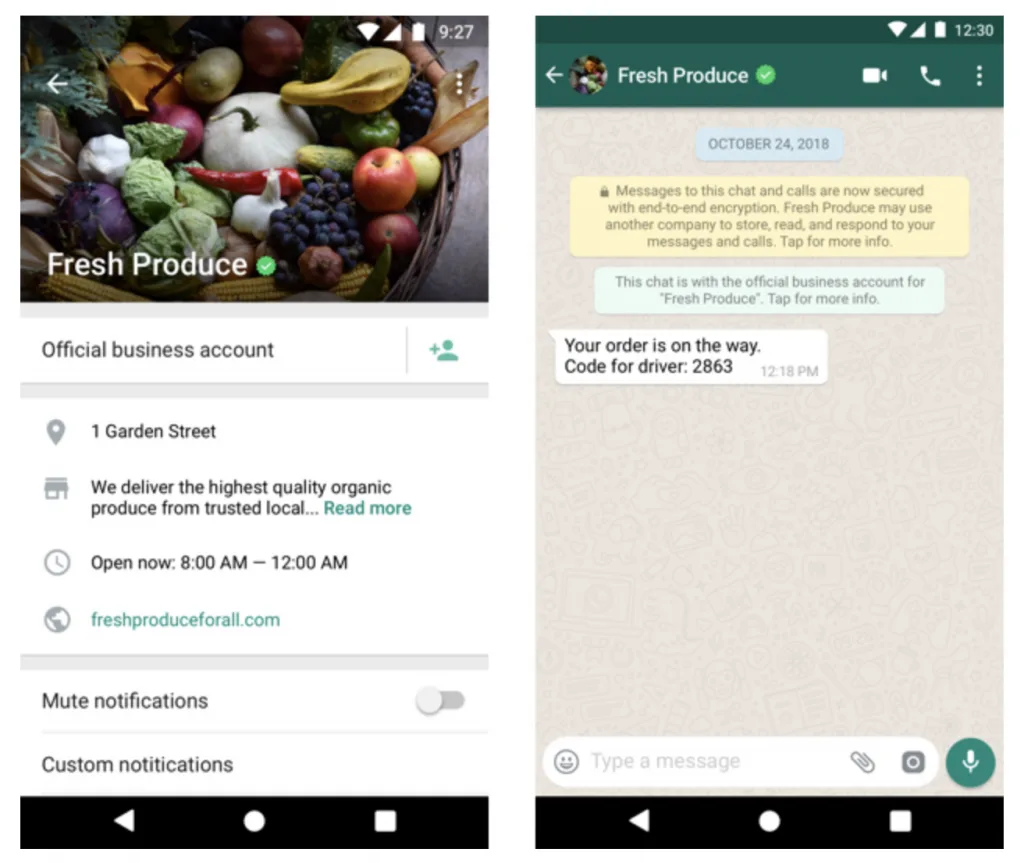
On top of that, there will also be a tiny blue verification tick next to your business name to show authenticity and reliability.
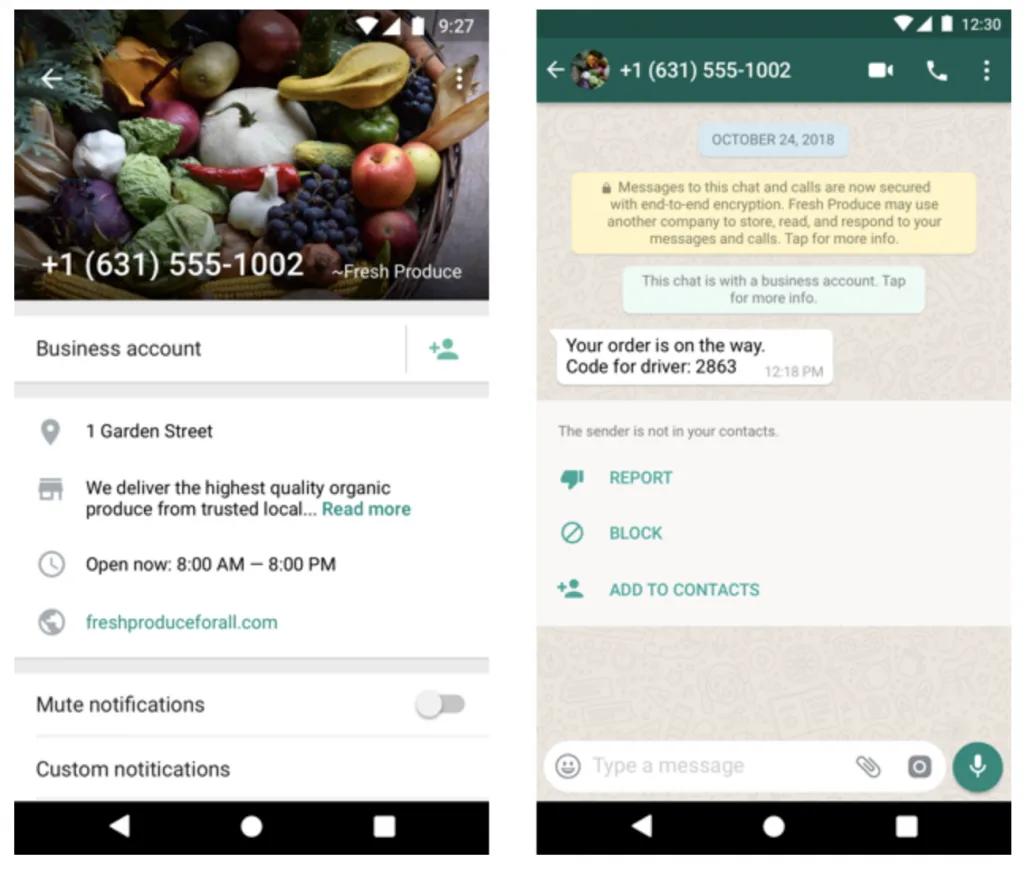
With the WhatsApp Business blue tick verification applied, you can avoid your WhatsApp Business account from being banned, saving the time and effort to go through all the hassle and suffering the consequences of never being able to use that number on WhatsApp again.
Read more about the steps for unblocking your WhatsApp account.
WhatsApp Business Template Messages
There are two types of WhatsApp Business Messages: Template Messages and Service Messages.
WhatsApp Template Messages are pre-approved message templates for marketing, one-time password notifications, or outbound messages like delivery alerts and appointment reminders. WhatsApp Template Messages are categorized into:
Utility conversations
Authentication conversations
Marketing conversations
Here's how to determine your message category when you're putting Template Messages for WhatsApp's approval:
With a template message set up, you can personalize your messages by adding variables such as first name, birthday, and membership points, etc. to send out personalized WhatsApp broadcasts.
Find out more about creating Template Messages in our Template Manager guide.
WhatsApp Interactive messages
WhatsApp interactive messages encourage customer engagement by providing users with simpler options to communicate the products or services they need from your business.
Remember how back in our school days when we used to prefer multiple-choice questions over long-answer questions for exams? The same goes for this!
This fully explains why interactive messages tend to have significantly higher response rates and conversions compared to informational, text-based messages.
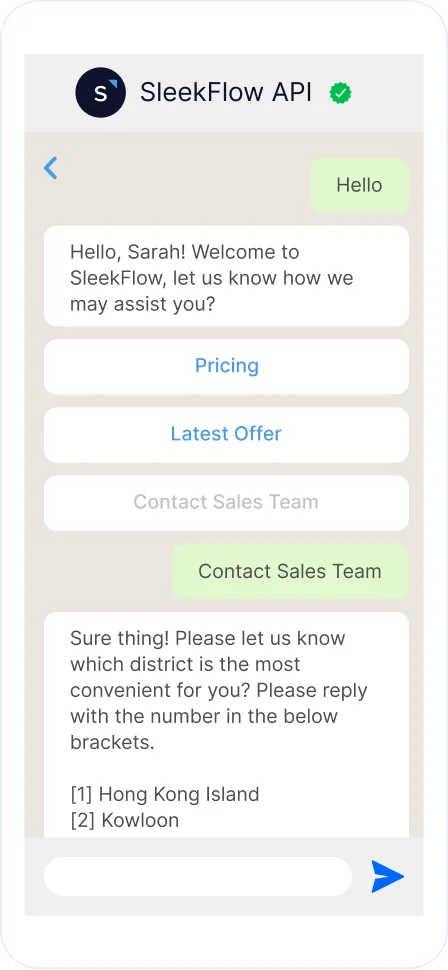
WhatsApp List Messages
WhatsApp enables businesses to engage customers using list messages with up to 10 options, making the message flow simple, consistent, and efficient.
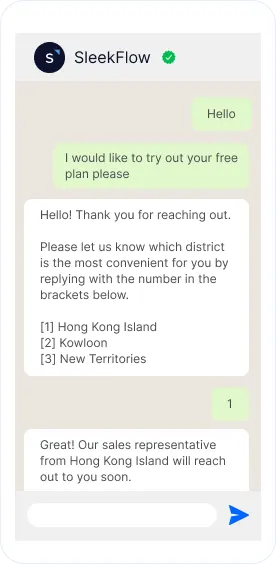
WhatsApp chat buttons
Up to 3 options can be provided for the users. This means that business users can design 3 buttons for the customers to select. It can even be combined with list messages when customizing an interactive message flow!
An important note when using interactive messages is that they can only be sent within 24 hours after the user-initiated message is sent. Also, the customers will not be able to select more than one option at a time, but they will be able to return to previous text messages.
It all depends on how you set up the buttons to make it fun for your customers!
WhatsApp Broadcast
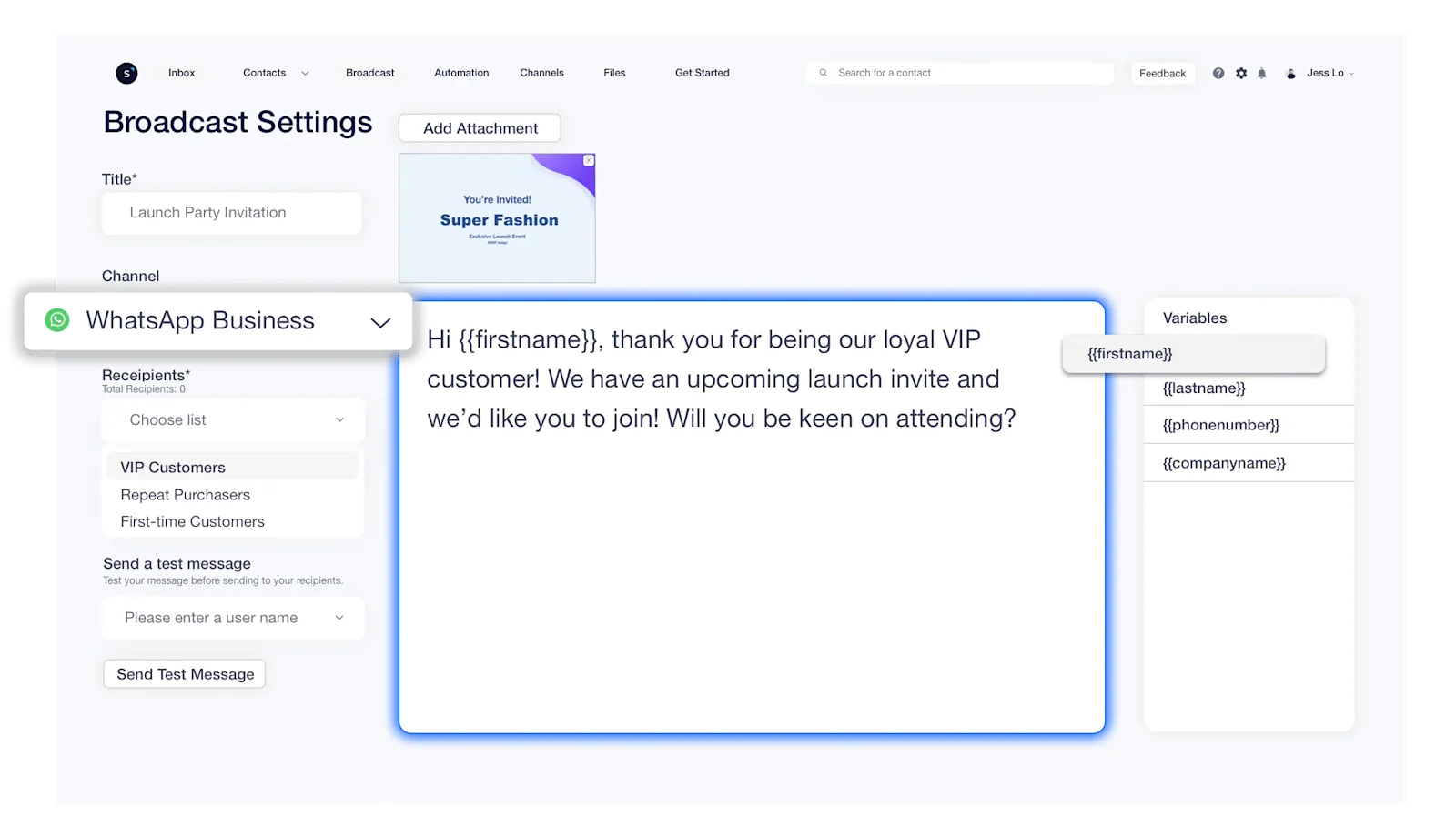
With the WhatsApp broadcasting function, businesses can send out mass, but personalized messages to their customers to offer details about events or promotions.
Undoubtedly, this saves businesses a lot of time as marketers will no longer have to copy and paste each text individually while ensuring the customer’s name is spelled correctly!
For example, logistic firms can use this function to notify their customers of deliveries, educational firms can also use this to send out seat confirmations for seminars, and supermarkets can use this to send out flash promotions.
Nutrition Kitchen Boosted Sales with SleekFlow's WhatsApp Broadcast
Nutrition Kitchen, a healthy meal provider, wanted to scale its operations and improve customer retention. However, their primary marketing channel, email, was underperforming.
Email efforts were yielding low engagement, with open rates stuck at around 20%. This meant promotional messages and updates weren't reaching the majority of their customers.
The company adapted SleekFlow's WhatsApp API. They used the Broadcast for outbound marketing and set up automated abandoned cart reminders to re-engage customers.
The new strategy led to a significant increase in engagement.
WhatsApp messages achieved a 98% open rate.
Sales saw a measurable rise.
SleekFlow has opened up a new channel for us to conduct marketing and broadcasting effectively.

Wilfred Belsey
Head of Retention & CX, Nutrition Kitchen
WhatsApp multiple logins
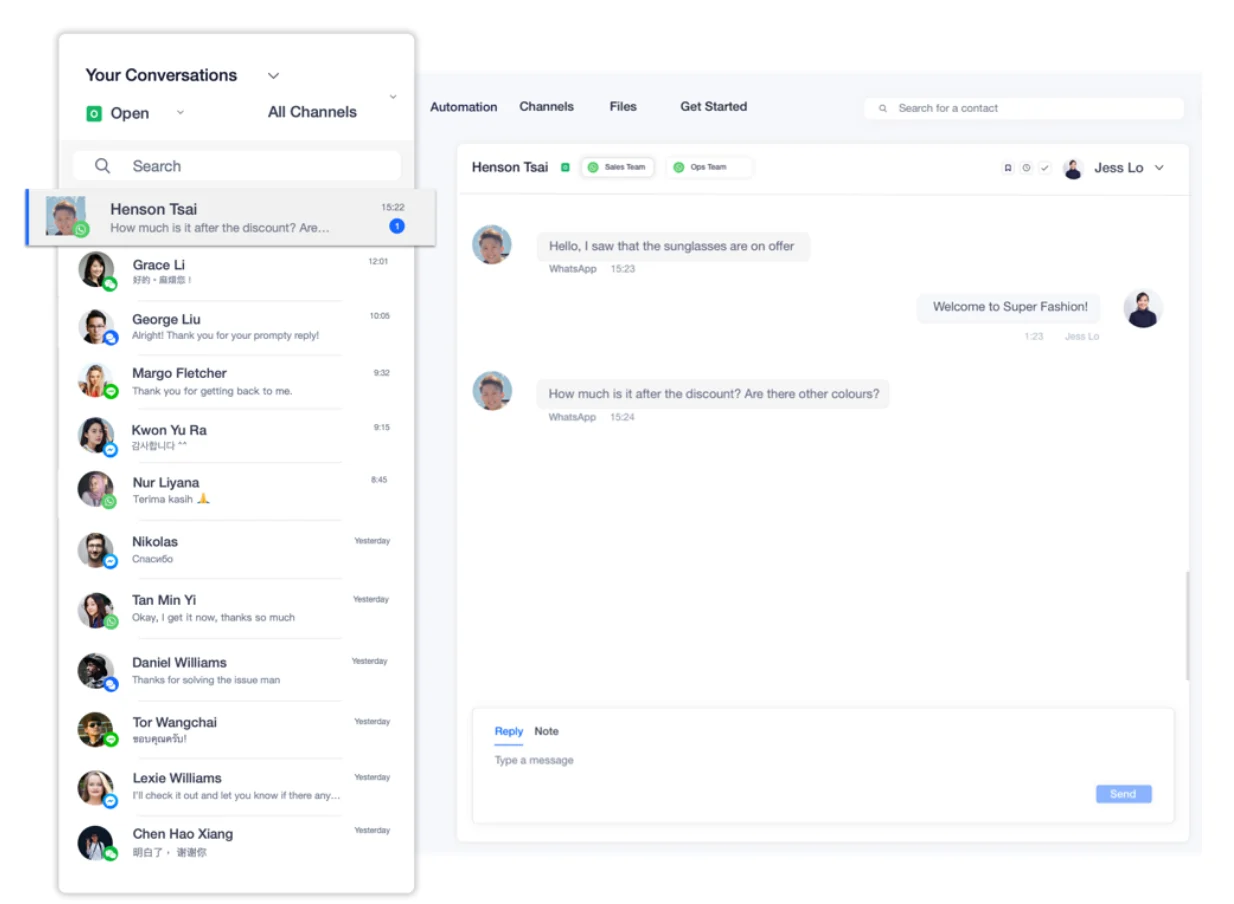
Gone are the days when customer support agents need to fight for the one phone with the WhatsApp Business App installed!
With the WhatsApp Business API, multiple agents can access the businesses’ WhatsApp phone numbers at the same time.
Hence, this not only allows more customer service agents to serve more customers at a time but also allows cross-functional team collaboration.
WhatsApp chatbots
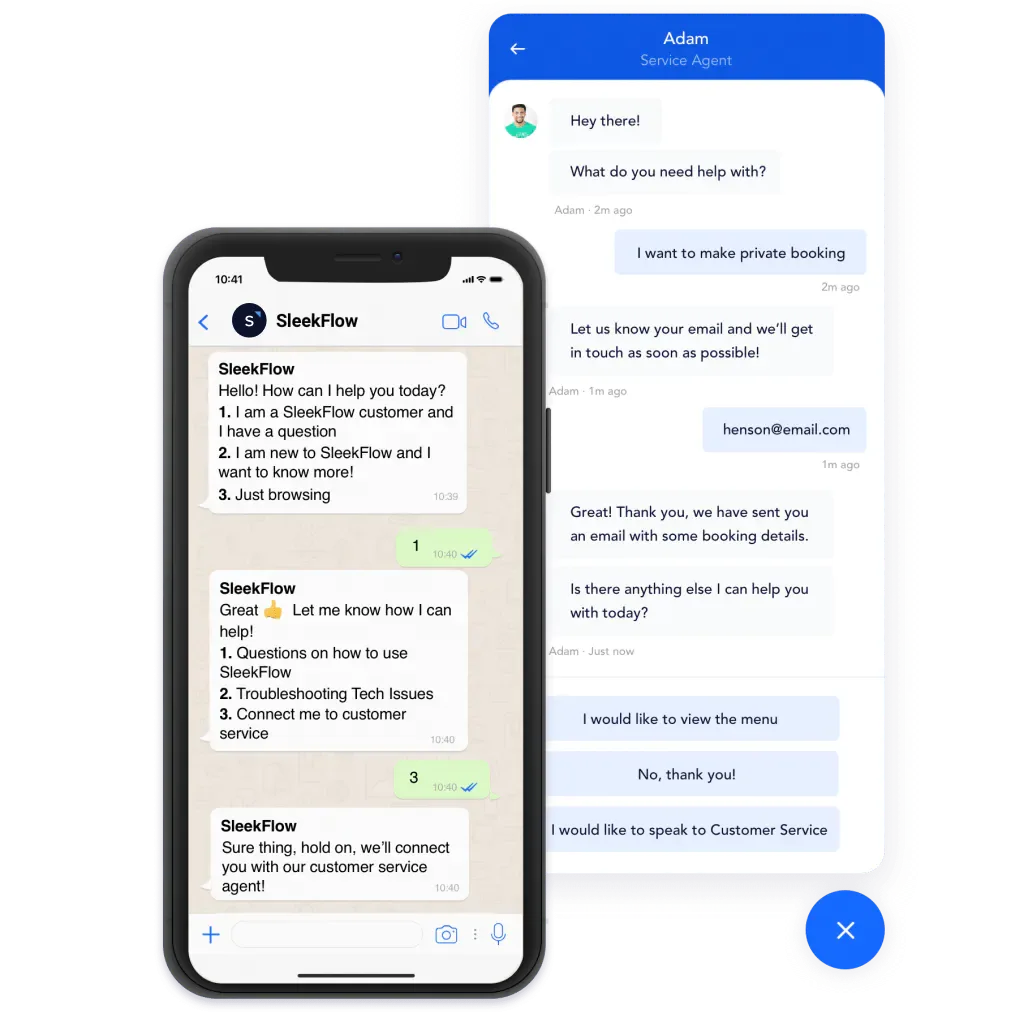
For efficiency, use a chatbot!
Generally, chatbots can be used to cut down the amount of time used for customer service by screening the customer’s needs. Following this, the customer will then be routed to the relevant department automatically to get the best answers to their queries.
Follow our step-by-step WhatsApp chatbot guide to learn how to set up WhatsApp as a channel for your business’ chatbot.
Automated messaging rules using SleekFlow Flow Builder
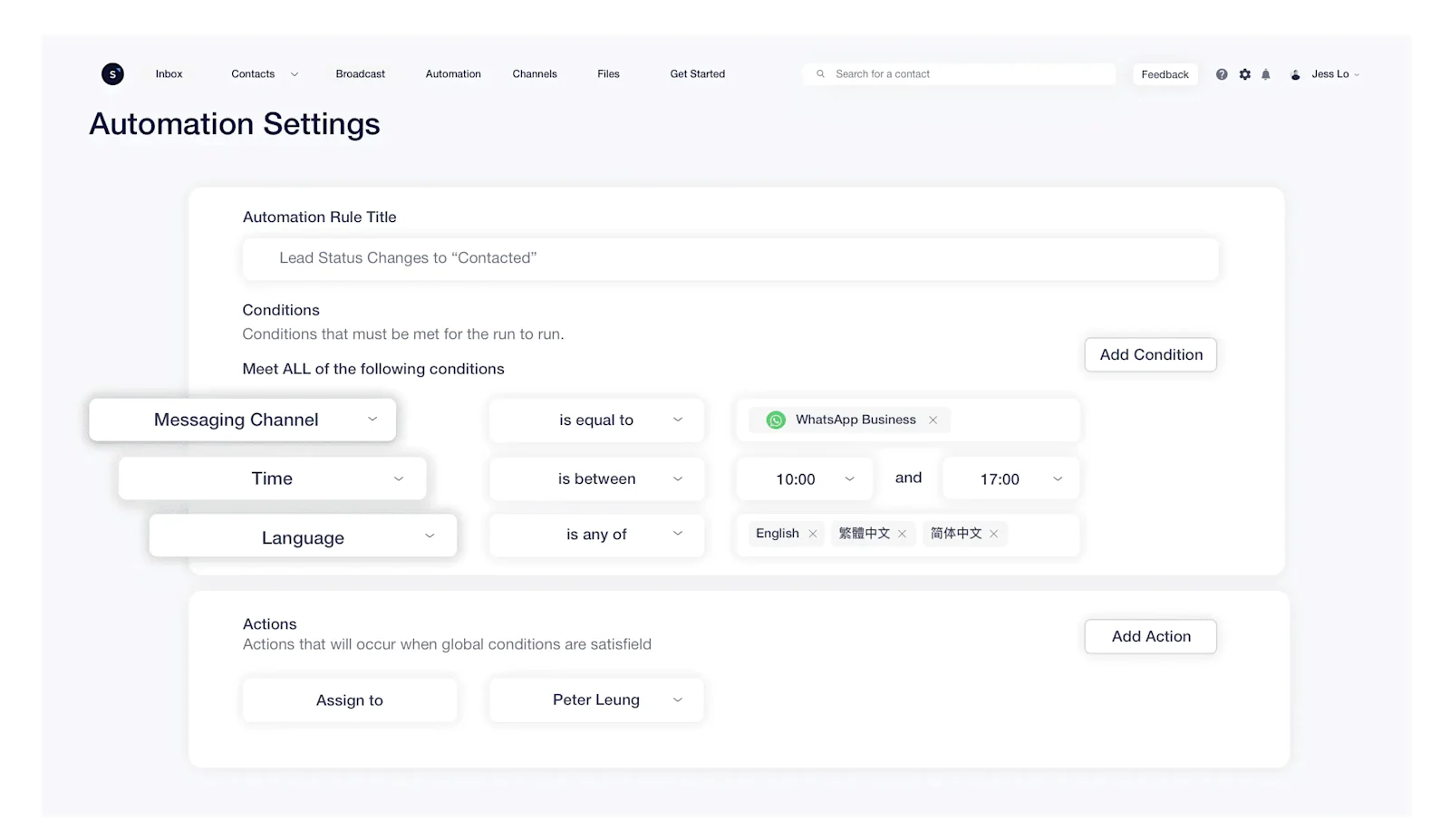
Through WhatsApp Business API, businesses can automate their messaging based on specific rules. This includes handling FAQs, sending broadcast or interactive messages, and automatically routing incoming chats to the right agents.
This will markedly improve team efficiency as customer service agents can spend more time attending to customer needs instead of manually assigning chats.
One simple example is, with SleekFlow's AI customer engagement platform, chats can be automatically reassigned to a different agent if the initial agent’s status has been set to “away”. This in turn reduces the customer’s waiting time while ensuring that the customer service agents have sufficient breaks and rest time. Experience more amazing features with Flow Builder by clicking our CTA below!
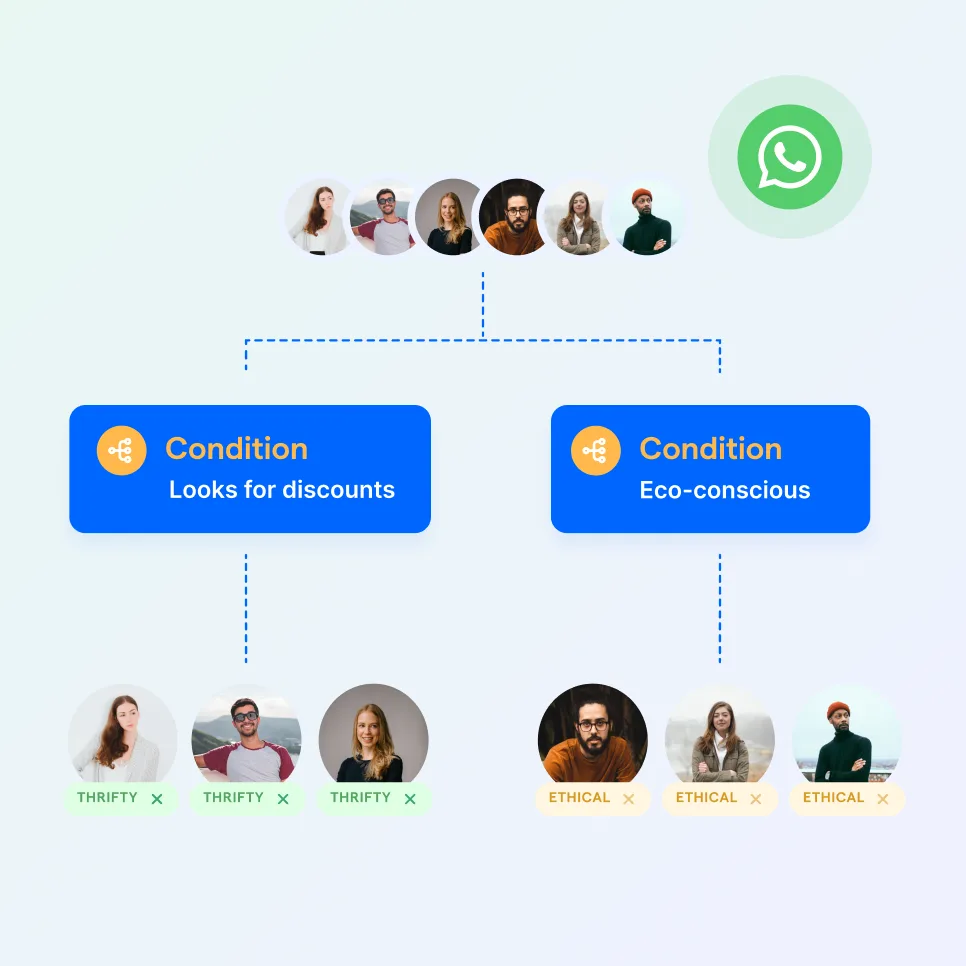
Automate your business growth with Flow Builder
Streamline sales, marketing, support, and operation workflows in the era of hyper-personalization.
Businesses can make their WhatsApp number more accessible by adding it to a live chat widget on their websites.
WhatsApp catalog
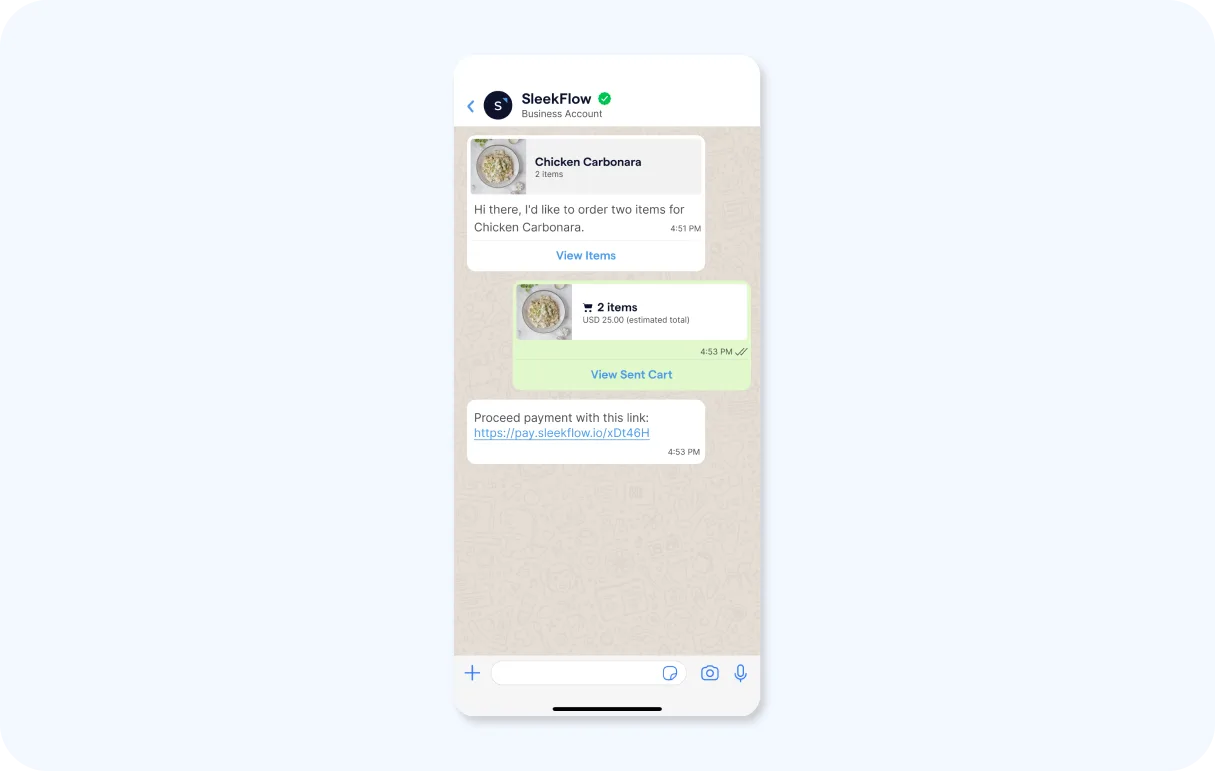
With WhatsApp Business API, businesses can create WhatsApp catalogs to showcase their products or services to potential customers directly in the famous app. It provides businesses with a platform to upload detailed information about their products or services: including the product name or title, price, description, website link, and product code.
This feature can encourage impulse shopping, and on top of that, offer consumers a faster, more efficient, and coherent buyer's journey. As they share their positive experience with others, you'll get marketing for free too!
In-chat payment links on WhatsApp
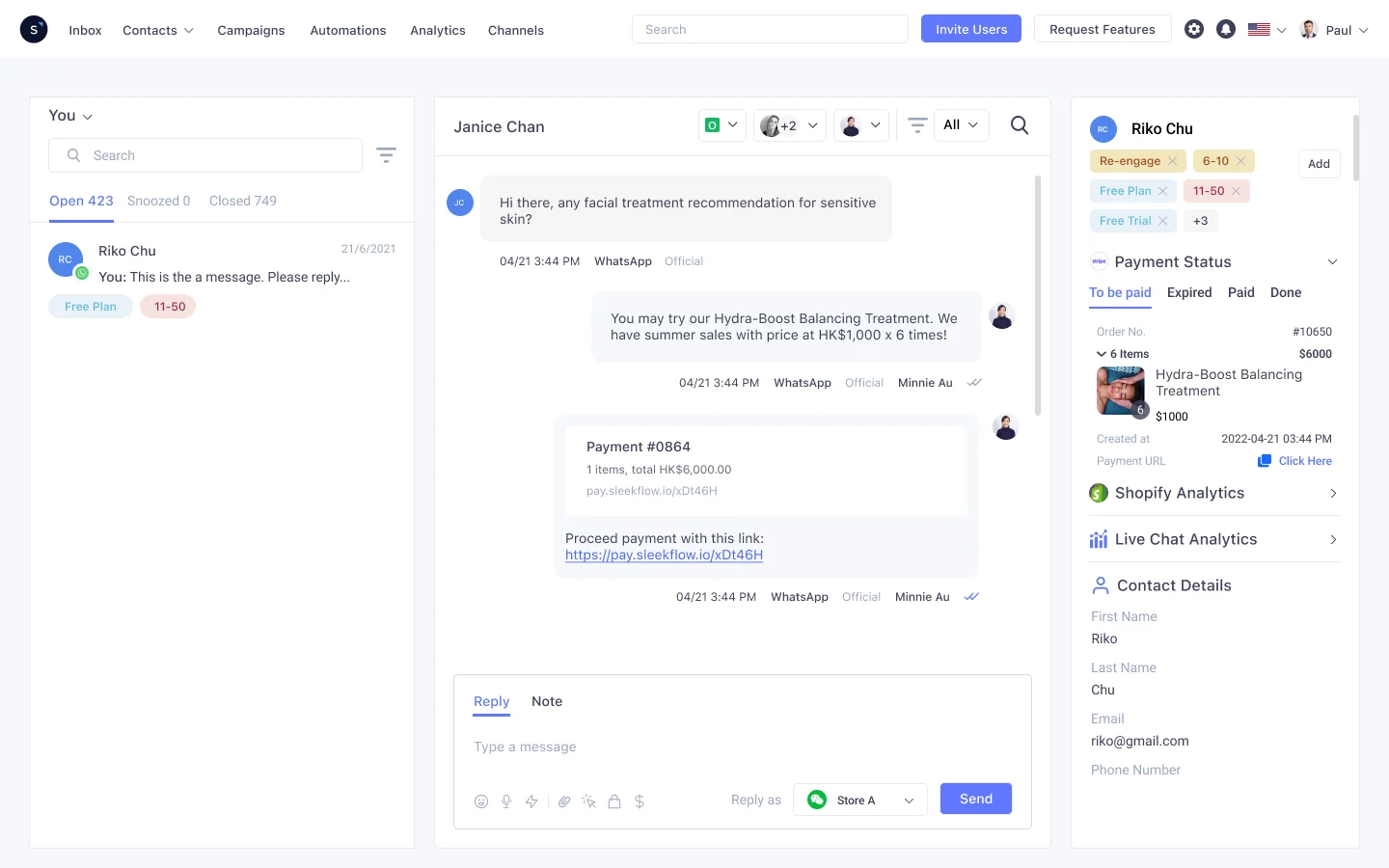
From social to order and payment, the in-chat shopping experience becomes frictionless with the WhatsApp Business API. Simply generate a payment link for your customers to pay directly in the chat. The fewer the steps, the more likely it is for the consumers to buy more.
Integrated customer profile
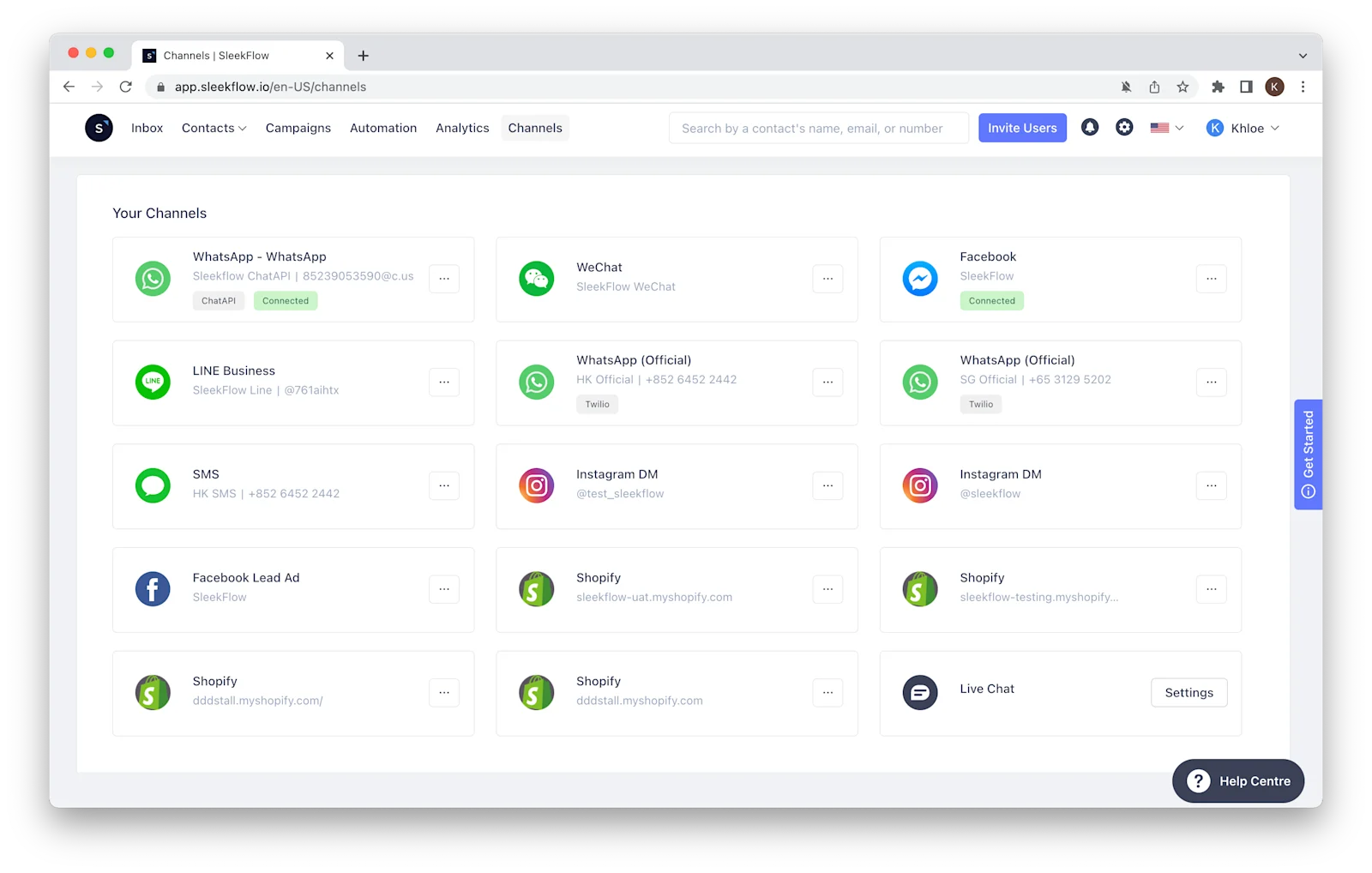
Since WhatsApp has become the preferred communication channel for most, many customers tend to like using WhatsApp.
Customer details gathered from other platforms can be combined into a single profile, including the physical store, e-commerce websites, or social media. You can then use the information for your WhatsApp broadcasting or customer support.
Integrating various messaging channels as well as add a myriad of CRM software such as the Salesforce CRM, HubSpot CRM or even your calendar, payment gateway, task management, etc. will also help you attend to your WhatsApp customers with high accuracy and efficiency.
Which business consider using WhatsApp Business API?
The useful functions of the WhatsApp Business API are extremely attractive, but it is still vital for business owners to consider the suitability of its usage based on their working industry.
1. Retail
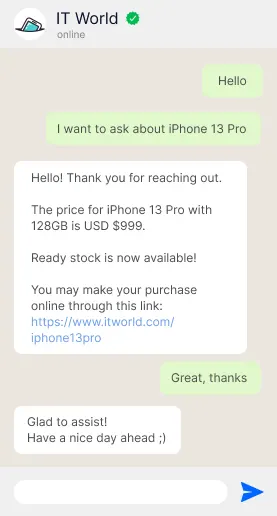
The sale of goods and services directly to consumers makes the retail industry a rather fast-moving sector in the world of businesses. As digital technology drives customers towards online shopping and inquiries, O2O retail techniques are no longer an unfamiliar option to most retailers.
For retail businesses, a large number of daily incoming messages from customers can be quite overwhelming and time-consuming to manage. This makes WhatsApp Business API the most appropriate solution as it allows for automation, chatbot, and broadcasting, while at the same time making the account appear more trustable and reliable.
How Bossini boosted sales using WhatsApp Business API and SleekFlow
Bossini is an apparel retailer with a footprint of over 100 physical stores. They relied on their membership database and CRM channels like push notifications and SMS to stay connected.
The retailer faced a drop in foot traffic that their existing tools couldn't fix. App notifications were easily ignored, while SMS proved to be limited for meaningful two-way conversations.
Bossini utilized SleekFlow's WhatsApp API to launch a targeted campaign with interactive buttons. They also implemented a chatbot to handle over 100 daily routine inquiries.
Recorded a massive success with a record-high 80% open rate.
All 10,000 coupons were claimed in just five days.
18% of targeted members made a physical in-store purchase.
Retail selling is all about communication. The messaging data generated by SleekFlow is critical for us to drive lasting sales performance.
Yonnie Wong
Senior Marketing Manager of bossini
2. Automotive
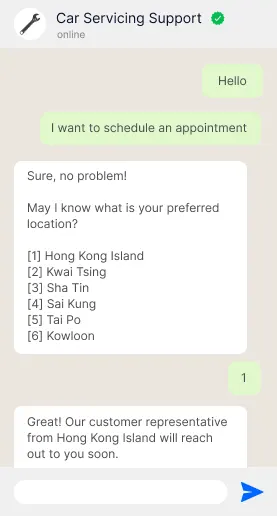
Before going for a test drive, customers are bound to acquire information about the vehicle that they are interested in. If the customers call in and the line is constantly busy, it may result in a massive loss of leads over time. In this case, the list messages and reply buttons on WhatsApp Business API are definitely useful to save manpower in attending to these new and potential customers.
Also, WhatsApp Business API will be able to ease the procedures of scheduling and making appointments as they progress, thus improving customer satisfaction.
Read the success story of Automate, a car servicing platform that incorporated WhatsApp into their native mobile app with SleekFlow's Public API.
3. Telecommunication
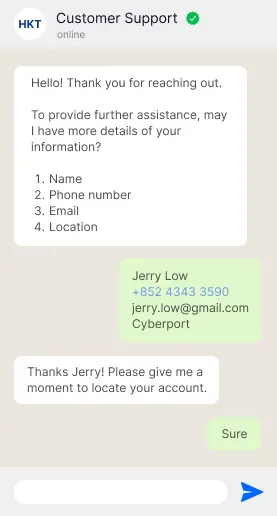
Telecom service providers almost always receive millions of inquiries every day. Most of the time, these customers desire an immediate, personalized response, taking a toll on the customer service team.
Similarly, these challenges of dealing with complex operational processes and related problems can be dealt with by using WhatsApp Business API.
Singtel has taken full advantage of WhatsApp Business by implementing many, if not all the features to boost the level of customer satisfaction.
4. Fintech
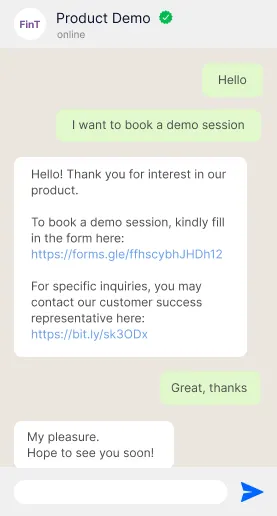
Blooming e-commerce and the demand for fast, secured digital payments are propelling the fintech revolution. With the integration of advanced technologies including AI, data science, and more, businesses in the field surely understand the importance of having a stable and efficient chat management platform.
The WhatsApp Business API will be a fine addition to their deployment of various sophisticated tools for decreasing the response time of messages while delivering financial services of the utmost quality, security, and privacy.
Explore how AQUMON leads the fintech industry with WhatsApp Business API on SleekFlow.
5. Human resources
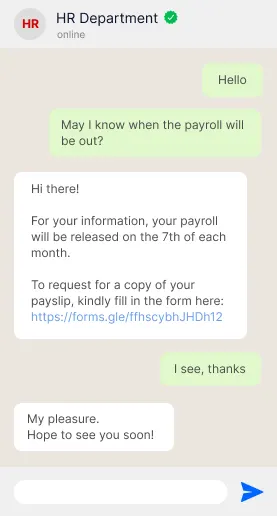
Human resources are all about managing human capital and guiding each individual to their fullest potential. The amount of communication and interaction on top of other paperwork and tasks can cause an unbearable volume of workload. Not to mention that the questions from employees or operational procedures are often repetitive.
This problem can no doubt be solved effortlessly using automation and chatbot from the WhatsApp Business API. Why repeat the excessive steps when the time can be utilized more efficiently with other duties?
Pricing Updates: What is the cost of WhatsApp Business API?
On 10 October, 2024, Meta announced major changes to the WhatsApp Business Platform (API)’s pricing model, designed to simplify costs and enhance flexibility for businesses.
Here’s what is changing:
Starting November 1, 2024, service conversations will be entirely free, replacing the previous limitation of 1000 free service conversations per month.
Starting February 1, 2025, the international authentication rates will cover 7 new markets, and Meta is also reducing rates in existing markets.
Starting April 1, 2025, businesses can use utility templates for free within a 24-hour window.
Starting April 1, 2025, businesses in the Phase 1 group will be charged per template message instead of the previous conversation-based pricing model.
Starting July 1, 2025, all businesses will be charged per template message in phase 2 rollout.
**Meta is rolling out per-template message pricing in two phases. It will be applied to SleekFlow users on 1 July 2025 (Phase 2).
We’ve outlined everything you need to know about the latest WhatsApp Business API pricing update, along with practical strategies to help your business adapt seamlessly and efficiently.
Setup Guide: How to get WhatsApp Business API?
Setting up the WhatsApp Business API involves multiple steps, including Meta onboarding, a dedicated phone number, and business verification. This checklist covers everything you need to get your API account up and running.
Phase 1: The Core Prerequisites
Before you start the application, make sure you have these four things ready.
Business Website: A live website that clearly shows your business name and what it does. Make sure your legal business name is in the footer.
Meta Business Manager: An active Meta Business Manager account with Admin access. You'll need your "Business Manager ID," which is located in Business Settings > Business Info.
Dedicated Phone Number: A phone number that can receive OTPs (via SMS or voice) and isn't linked to another WhatsApp account. If it is, delete that account first. Mobile and landline numbers work, but avoid virtual (VoIP) numbers as they are often blocked.
Valid Payment Method: A credit card to link to your WhatsApp Business Account for conversation charges.
Phase 2: Technical and Account Setup
With the prerequisites ready, follow these steps to avoid greyed-out buttons or rejection.
Verify Your Business Domain: Prove website ownership by going to Meta Business Settings > Brand Safety > Domains. Add your domain and verify it via DNS TXT record or HTML file upload.
Complete Business Verification: A crucial step for scaling messaging. Go to Meta Business Settings > Security Center > Start Verification. You’ll need:
Legal Name Proof: Business license, certificate of incorporation, or tax/VAT registration.
Address Proof: Utility bill or bank statement (dated within the last three months) matching your business name and address.
Phone Proof: Occasionally required—a phone bill showing your business name and number.
Choose Your Integration Path: Decide on API hosting:
Cloud API (Hosted by Meta): For developers. Free hosting on Meta’s servers. Create a Meta Developer App and add the "WhatsApp" product.
Business Solution Provider (BSP): For marketers or support teams. BSPs like SleekFlow offer an easy-to-use dashboard. Sign up with a BSP and follow their "Embedded Signup" process.
Phase 3: WhatsApp Business Account (WABA) Configuration
Whether you sign up via the Developer Portal or a BSP, you’ll need to configure your WABA assets.
Display Name: This is the name customers see on your profile. Follow these rules:
Consistency: Match or closely resemble your website or branding.
Formatting: Avoid all-caps (unless it’s an acronym like "UPS"), extra emojis, or generic terms (e.g., use "Mario's Pizza" instead of "Pizza Delivery").
Spacing: Use single spaces only.
Time Zone & Currency: These settings can’t be changed after account creation, so ensure they match your reporting and billing preferences.
Phone Number Verification: Verify your number with a 6-digit code. If you use an IVR system, whitelist Facebook’s verification numbers or temporarily disable IVR to get the call.
Phase 4: Post-Onboarding
Once your account is created, you’ll start in a "Sandbox" or "Limited Access" tier while Meta completes its compliance checks. Here’s what to expect:
Display Name Review: Meta automatically reviews your display name, which usually takes 1–4 hours.
Messaging Limits: You'll start with a Tier 1 messaging limit (either 250 or 1,000 business-initiated conversations per 24 hours). This limit increases as you send more high-quality messages.
Template Message Approval: To send outbound messages like notifications or marketing campaigns, you must use pre-approved templates. You can create Marketing, Utility, or Authentication templates in WhatsApp Manager.
Pro-Tip: The "Green Tick" (Official Business Account)
Many businesses want the green verification badge quickly, but it’s not part of standard onboarding.
Requirement: Your business must be "notable," with a strong presence in news or media.
Timing: You can apply after verification and running successful campaigns for at least 30 days.
SleekFlow: The Best WhatsApp Business API Provider
Here's why you should choose SleekFlow, Hong Kong-based company backed by Alibaba Entrepreneurs Fund, as the WhatsApp BSP:
Best pricing for businesses with a large volume of messages
Other than the conversation fees charged by Meta, businesses will be required to pay a subscription fee or provider fee to the WhatsApp BSP. SleekFlow offers a reasonable price according to your needs.
Looking to use the WhatsApp Business API without subscribing to SleekFlow? Check out our programmable Messaging API.
Cloud API to scale your WhatsApp broadcasting campaigns
SleekFlow uses the Cloud API, hosted by Meta, which supports 80 MPS (messaging per second) and up to 500 when requested.
Stability of connection
Having your WhatsApp Business accounts disconnected is the last thing you want for your business. It can bring unhappy customers when messages are missed or fail to send. With SleekFlow as the authorized WhatsApp Business Solution Provider, you don't have to worry about errors caused by failed HTTP requests as SleekFlow uses the powerful, secure, and reliable resources provided by Meta.
Easy onboarding of WhatsApp Business accounts in 3 minutes
SleekFlow works closely with Meta's WhatsApp team to make sure that customers can access the latest WhatsApp Business features as soon as possible. Now, it only takes 3 minutes to complete the onboarding process with SleekFlow!
Quick access to new WhatsApp Business features
As SleekFlow's WhatsApp Business API user, you will be the first to access upcoming features such as Product Messages, Message Reactions, Message Replies, and more.
Make SleekFlow your preferred choice for your WhatsApp API Integration. Follow through our WhatsApp API Integration guide to apply for your very own WhatsApp official account.
Getting started with WhatsApp Business API through SleekFlow
Upon deciding to incorporate the all-mighty WhatsApp Business API, businesses will then have to choose a platform solution that best fits their needs. Businesses who are looking for a holistic sales-accelerating customer experience platform can consider using SleekFlow!
SleekFlow has user-friendly web and mobile versions that integrate well with the WhatsApp Business API and other messaging apps. In addition, SleekFlow also has added capabilities of integrating with your existing social CRM stacks to ensure a smooth onboarding process and experience. There will be more amazing features to come too!
Want to outcompete your peers with SleekFlow's help?
Book your personalised demo with SleekFlow today and unlock the potential of seamless communication


